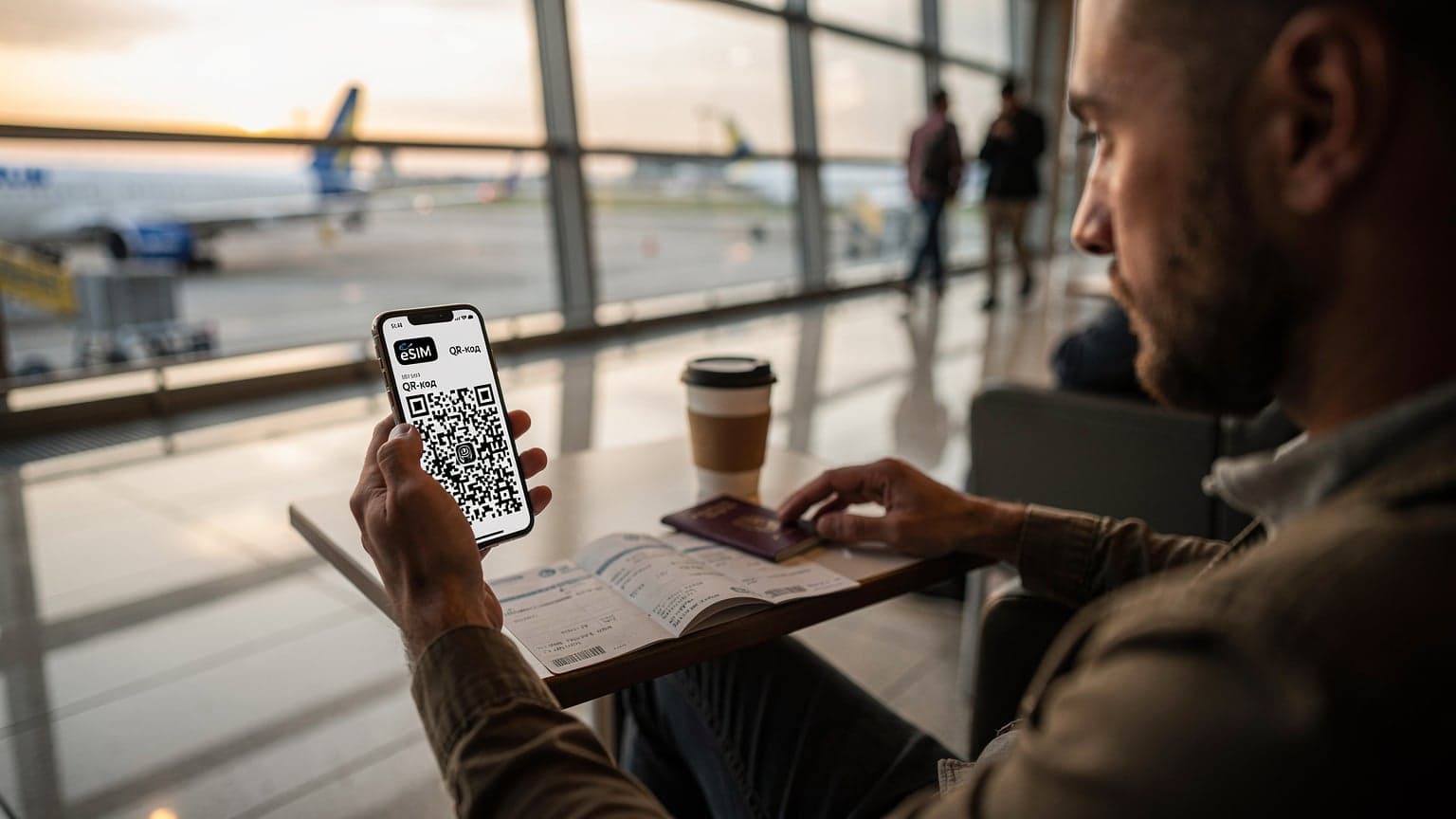
Honestly, getting your mobile internet up and running with an eSIM QR code is the quickest and easiest way. You can be online in minutes, without ever needing to fiddle with a tiny physical SIM card. It cuts down on those annoying manual entry mistakes and has become the go-to method for most modern phones that support eSIM.
Що таке eSIM QR-код і як він працює?
An eSIM QR code is basically a picture that holds all the info your phone needs to download a mobile operator's profile automatically. It's built on a standard called SM-DP+ (Subscription Manager Data Preparation). This code includes a URL for the SM-DP+ profile server and an activation code to kickstart the eSIM profile download. When you scan the QR code with your phone's camera, or through your settings, your device reads this info, connects securely to the server, and downloads the necessary data to get you online. It's so much simpler than typing everything in by hand, which always seems to lead to typos.
Як відбувається завантаження профілю?
Once you scan that QR code, your device gets busy downloading and activating your eSIM profile. First, it establishes a secure connection to the SM-DP+ server using the data from the QR code. Then, the server authenticates your request and sends a cryptographically protected eSIM profile to your device. This profile packs all the essential network connection data: subscriber IDs (IMSI), encryption keys, home network and roaming partner info, and APN settings. After a successful download and integrity check, the profile saves itself to your phone's eUICC chip (that's embedded Universal Integrated Circuit Card). This means no more physical SIM card. The whole thing usually takes just a few minutes, sometimes even seconds, depending on your internet speed.
Переваги використання QR-коду для eSIM
Using a QR code to activate an eSIM offers a ton of benefits, especially for travelers. It's not just convenient; it sidesteps a lot of the headaches that come with traditional SIM cards. As an engineer, I really appreciate how efficient it is.
Швидкість і простота активації
The biggest perk is definitely the speed. Instead of trying to find an operator's shop, buying a physical SIM, and then fumbling to put it in, you just scan a code. The whole thing takes a minute or two, provided you have a stable Wi-Fi or other internet connection. This is a lifesaver when you land in a new country, say, Chopin Airport in Warsaw, and desperately need to call a taxi or check public transport routes.
Уникнення фізичних SIM-карток
Forget about hunting for that tiny "paperclip" to open the SIM tray, worrying about losing your home SIM, or having a stack of physical cards for different countries. eSIM makes all those annoyances disappear. It also means your phone stays sealed, which is extra important for models with good water resistance, where frequently opening the tray can weaken it.
Можливість мати кілька профілів
Modern smartphones with eSIM support let you keep several eSIM profiles at once. Only one can be active at a time, usually (or two if your device supports Dual SIM Dual Active, DSDS, like most new iPhones and Android flagships). This means I can have a profile for Ukraine (for example, eSIM Kyivstar), a profile for the EU from Cellesim, and another one for trips to Asia. Switching between them takes mere seconds in your phone's settings.
Підготовка до активації eSIM: що варто знати
Before you jump into activating your eSIM with a QR code, make sure your device is ready and you have everything you need. This helps avoid frustration and ensures a smooth setup.
Перевірка сумісності пристрою
Not all smartphones support eSIM. It's usually flagship models released in the last 3-4 years. Check if your device is on the compatibility list. For instance, iPhone XR/XS and newer, as well as Samsung Galaxy S20/Note20 and newer, and Pixel 3 and newer, generally support eSIM. But keep in mind there are regional differences. For example, some iPhone models sold in China don't have eSIM support; instead, they offer Dual SIM with two physical slots. Always best to check your specific model's specs.
Стабільне інтернет-з'єднання
You'll need an active internet connection, usually Wi-Fi, to download the eSIM profile. Make sure you're connected to a stable and reliable network, because the download process can be sensitive to interruptions. If you plan to activate your eSIM right after arriving somewhere, find free Wi-Fi at the airport or use your home operator's roaming for a quick download. For Ukrainians traveling to Europe, this can be especially relevant. I always download my profile at home, then activate it once I'm there.
Отримання QR-коду від оператора
You'll get the QR code for eSIM activation from your eSIM service provider. This could be a major mobile operator like Kyivstar or Vodafone, or a specialized eSIM provider for travelers like Cellesim. Typically, the code is sent by email or displayed in your personal account on their website or mobile app. Make sure you can access this code on another device (like a laptop or a printout) so your phone can scan it. Never share this code with strangers, as it's the key to your mobile profile.
Послідовність активації eSIM за допомогою QR-коду на iPhone
Activating an eSIM on an iPhone is pretty straightforward, thanks to iOS's well-designed interface. I use an iPhone 15 Pro Max and have never had any issues setting it up.
- Відкрийте «Параметри» (Settings): Go to your home screen and tap the "Settings" icon.
- Виберіть «Стільниковий зв'язок» (Cellular): In the settings menu, find and tap on "Cellular" or "Mobile Data," depending on your region and iOS version.
- Додайте eSIM (Add eSIM): Tap "Add eSIM" or "Add Cellular Plan."
- Скануйте QR-код: Your iPhone will offer two options: "Use QR Code" or "Enter Details Manually." Choose "Use QR Code." The camera will automatically turn on. Point it at the QR code you received from Cellesim or another operator. Make sure the QR code is well-lit and fits entirely within the scanner window.
- Підтвердіть стільниковий план: After a successful scan, your device will recognize the plan and ask you to confirm adding it. Tap "Continue" or "Add Cellular Plan."
- Налаштуйте параметри: Once the plan is added, you can customize its name (e.g., "Cellesim Italy"), choose whether to use it as primary for voice calls and messages, and for cellular data. I recommend naming it clearly so it's easy to identify, especially if you have multiple eSIM profiles.
- Виберіть лінію для мобільних даних: Make sure you select the added eSIM for mobile data if it's your main plan for travel.
Послідовність активації eSIM за допомогою QR-коду на Android
The eSIM activation process on Android devices can vary a bit depending on the manufacturer (Samsung, Google Pixel, Xiaomi) and Android version, but the general idea is the same. I often help friends with their Samsung Galaxy phones, and there are some specific quirks there.
- Відкрийте «Налаштування» (Settings): Find the "Settings" icon on your home screen or in the quick access panel.
- Перейдіть до розділу «Мережа та Інтернет» (Network & Internet) або «Підключення» (Connections): Depending on your Android model, this section might have a different name. For example, on Samsung, it's usually "Connections."
- Виберіть «SIM-картки та мобільні мережі» (SIM cards & mobile networks) або «Керування SIM-картками» (SIM card manager): Here you'll find options to manage your SIM cards and eSIMs.
- Додайте мобільний план / eSIM: Look for the option "Add mobile plan" or "Add eSIM." There might be a "+" icon.
- Скануйте QR-код: Select the "Scan carrier QR code" option. Your device's camera will turn on. Point it at the QR code you received from your eSIM provider.
- Підтвердіть додавання плану: After the QR code is recognized, your device will prompt you to download and install the profile. Confirm this.
- Налаштуйте профіль: Once successfully installed, you can configure the profile name and choose whether it will be used for voice calls, SMS, and mobile data. Make sure you enable data roaming for this eSIM if you plan to use it abroad, otherwise it won't be able to connect.
Вирішення типових проблем під час активації eSIM
Even with how simple eSIM activation is, sometimes unexpected issues crop up. It's good to know how to fix them quickly so you don't waste precious travel time.
QR-код не сканується
This is probably the most common problem. Make sure the QR code is well-lit and there are no glares blocking the camera's focus. Try changing the distance between your phone and the code. If you're looking at the QR code on another device's screen, try increasing its brightness. Sometimes, having the code printed on paper helps, as it eliminates screen reflection issues. If the problem persists, try entering the details manually. Your eSIM operator should provide the SM-DP+ address and activation code you can use instead of scanning.
Немає підключення до мережі після активації
If your eSIM profile installed successfully but your phone isn't connecting to the network, there are a few possible reasons:
- Роумінг даних вимкнено: Double-check that "Data Roaming" is enabled in your cellular settings for your new eSIM profile. This is a common oversight!
- Неправильні налаштування APN: While most operators automatically send the correct settings, sometimes the APN (Access Point Name) needs to be entered manually. This applies to some niche operators or virtual operators (MVNOs). We'll talk more about this below.
- Вибір мережі: Try manually selecting a network operator. In cellular settings, there's a "Network Selection" option where you can turn off automatic selection and manually choose an available network (e.g., Orange PL in Poland or Vodafone IT in Italy).
- Проблеми з мережею оператора: Sometimes the problem might be on the operator's end, like temporary outages. In that case, it's best to wait or contact customer support.
APN-налаштування для стабільної роботи eSIM
APN, or Access Point Name, is a super important setting that lets your device connect to the internet through your mobile operator's network. Think of it as a gateway that tells the network exactly where to send and receive your data. While these settings usually apply automatically after eSIM activation, there are exceptions, especially with some virtual operators or when you need specific services like a corporate VPN.
Що таке APN і чому він важливий?
Imagine your phone, trying to get online after connecting to a mobile network. The APN tells the network where to route your traffic: to the public internet, to a corporate network, or maybe to an MMS server. Every operator has its own unique APN. For instance, for most GSM operators in Europe, the APN might just be internet, but for some American operators, like T-Mobile, it could be fast.t-mobile.com. Without the correct APN, your phone might see the network but won't be able to access the internet because it won't know the "gate" to the outside world. I've run into this myself when testing eSIMs from lesser-known MVNOs. On iPhone, you typically find this under "Settings" > "Cellular" > "Cellular Data" > "Cellular Data Network." On Android, the path might be "Settings" > "Network & Internet" > "Mobile Network" > "Access Point Names (APN)."
Типові APN для провайдерів eSIM
Most eSIM providers use standard APNs that don't need manual setup. For example, with Cellesim, like many international roaming profiles, the APN is often simply internet. However, if you find yourself without internet after activating your eSIM, first check if you need to manually enter the APN. This information can always be found on your eSIM provider's website or in the purchase confirmation email. Also, some devices, like older Xiaomi models, sometimes need a reboot after manually entering the APN for the settings to take effect.
| Провайдер | Типовий APN | Примітки |
|---|---|---|
| Cellesim | internet | Зазвичай встановлюється автоматично |
| Kyivstar (eSIM) | internet | Стандартний для 4G/5G |
| Vodafone UA (eSIM) | internet | Стандартний для 4G/5G |
| Orange FR | orange | Може бути іншим для корпоративних планів |
| T-Mobile US | fast.t-mobile.com | Для швидкого доступу до даних |
Голосові виклики: VoLTE та VoWiFi з eSIM, особливості
In a world where data rules, good voice call quality is still essential, especially for business calls or emergencies. VoLTE and VoWiFi are key technologies that deliver high-quality voice services, but their support with eSIM comes with a few nuances.
VoLTE: Голос через LTE
VoLTE (Voice over LTE) lets you make voice calls over a 4G/LTE network, skipping the old 2G/3G networks. This means much better sound quality (HD Voice), faster call setup, and the ability to use the internet at the same time you're talking. For travelers, this means if you're in a country with good LTE infrastructure, you can count on stable, clear calls. Most modern eSIMs support VoLTE, assuming the roaming partner and your device allow it. However, sometimes, especially with older Android models or devices unlocked from a specific operator, VoLTE might not activate automatically. In these cases, check your network settings or contact Cellesim support. Remember, if your eSIM doesn't support VoLTE, your phone might drop to 2G/3G networks during calls, which can be an issue in regions where those networks are being shut down or limited (like in Germany, where 3G is pretty much gone).
VoWiFi: Дзвінки через Wi-Fi
VoWiFi (Voice over Wi-Fi), or Wi-Fi Calling, lets you make and receive calls and SMS over a Wi-Fi network when cellular coverage is weak or nonexistent. This is incredibly handy in places like basements, hotels with poor reception, or abroad where roaming calls can be pricey. With VoWiFi, your phone acts like it's connected to your home network, even thousands of kilometers away. Important note: Not all eSIM operators support VoWiFi, and not all devices have this feature activated by default. If this is critical for you, check with your eSIM provider before buying. Also, for Ukrainians abroad, using VoWiFi with their home operator (like Kyivstar or Vodafone) can be a cost-effective way to stay in touch with Ukraine at home network rates, avoiding roaming charges. I always try to keep my Ukrainian eSIM active in the background for VoWiFi when I have good Wi-Fi access. It's a real budget-saver, as we discussed in our post "З Днем Незалежності 2026: Як залишатися на зв'язку з Україною в Європі з eSIM."
Порівняльна таблиця методів активації eSIM
There are a few ways to activate an eSIM, and each has its pros and cons. Let's break them down in a table for clarity.
| Метод активації | Швидкість | Складність | Вимоги | Найкраще підходить для |
|---|---|---|---|---|
| QR-код | Дуже швидко (1-2 хв) | Низька | Інший пристрій з кодом, інтернет | Більшості користувачів, подорожей |
| Введення вручну (SM-DP+ та код) | Середньо (3-5 хв) | Середня | Точні дані, інтернет | Вирішення проблем, відсутність другого пристрою |
| Активація через додаток оператора | Швидко (2-3 хв) | Низька | Додаток оператора, обліковий запис, інтернет | Користувачів, які вже мають обліковий запис у оператора |
As you can see, the QR code method remains the most convenient and fastest. This is especially key when you're buying an eSIM for international travel and need to get connected ASAP.
Безпека даних і приватність з eSIM QR-кодом
Security is always a hot topic when it comes to personal data and network access. eSIM, activated via a QR code, has built-in protection mechanisms, but users should be aware of potential risks and how to minimize them.
Захист від несанкціонованого доступу
The eSIM activation process using a QR code involves a cryptographically secured connection between your device and the SM-DP+ server. This ensures that the eSIM profile is downloaded safely and can't be intercepted or altered by malicious actors. Each QR code is unique and single-use for each profile. Once successfully activated, it becomes invalid, preventing anyone from reusing or cloning your profile. However, it's crucial to keep the QR code itself in a secure place until activation, as someone who gets hold of it could activate your eSIM on their device before you do. I always delete emails containing the QR code after a successful installation.
Приватність даних
Regarding privacy, eSIM works just like a physical SIM card. Your operator has access to metadata about your network usage (like call times and durations, data volume used), but not the content of your messages or calls, unless intercepted by court order. Cellesim, like other reputable providers, adheres to strict privacy and data protection policies in line with European GDPR standards. It's important to remember that using public Wi-Fi networks to download the QR code is safe, as the connection for profile download is encrypted. However, if you're concerned about your privacy, it's always best to use a trusted network.
Майбутнє eSIM: перспективи та тенденції
eSIM technology is always evolving, and we're on the brink of new changes that will make it even more convenient and widespread. It's possible we'll see a complete move away from physical SIM cards in the near future.
Відмова від фізичних SIM-карток
Some manufacturers are already heading this way. For example, in the US, iPhone 14 models and newer are sold exclusively with eSIM support, no physical SIM slot. This sends a clear signal that the industry is moving towards fully digital SIM cards. For me, as an engineer, it's a logical step that simplifies manufacturing, boosts device water resistance, and cuts down on logistical headaches with distributing physical SIM cards. It's expected that within the next 3-5 years, most new devices globally will be eSIM-only.
iSIM та інтеграція в чипи
The next step in SIM technology is iSIM (Integrated SIM). Unlike eSIM, which is a separate eUICC chip, iSIM is built directly into the device's main processor (System-on-a-Chip, SoC). This will allow for even smaller sizes, better energy efficiency, and lower manufacturing costs. Such integration opens up new possibilities for even tiny devices like wearables, IoT sensors, and medical devices that need constant connectivity without compromising on size or battery life. While iSIM isn't widespread yet, its potential is huge and could completely change how we think about mobile connectivity in the future.
Глобальні стандарти та роумінг
As eSIM develops, global roaming standards are becoming more unified. Providers like Cellesim can offer network access in dozens of countries through a single eSIM profile, simplifying international travel significantly. Thanks to carrier aggregation and expanding 5G coverage (for example, n78, n1, n3 bands in Europe), eSIM users can expect even faster data speeds. Already today, in many European cities like Rome or Paris, you can get download speeds of up to 300-500 Mbps on 5G, and in smaller towns on 4G (e.g., on B7 or B20), stable 50-100 Mbps is the norm. This lets you not just stream high-quality video but also hold video conferences without lag, which is critical for many Ukrainians working remotely or keeping in touch with family. And with providers like Cellesim, you can easily buy an eSIM for Italy and other countries, ensuring reliable connectivity.
Порівняльна таблиця мережевих параметрів для eSIM
For those who like the technical details, it's helpful to understand which network parameters affect connection quality, especially speed and network types.
| Параметр | eSIM (Cellesim) | Фізична SIM (місцевий оператор) | Роумінг (домашній оператор) |
|---|---|---|---|
| Швидкість завантаження (типова) | 50-300 Мбіт/с (залежить від мережі) | 70-500 Мбіт/с (пріоритет у мережі) | 20-150 Мбіт/с (залежить від партнерів) |
| Швидкість відвантаження (типова) | 10-70 Мбіт/с | 15-100 Мбіт/с | 5-40 Мбіт/с |
| Підтримка 5G | Так, якщо підтримується оператором | Так, повна підтримка | Часто обмежена або відсутня |
| VoLTE/VoWiFi | Залежить від провайдера та роумінг-партнера | Повна підтримка | Часткова, залежить від роумінг-угод |
| Ціна за 1 ГБ | Дуже конкурентна (від 2-3 EUR) | Середня (від 1-5 EUR) | Висока (від 5-10 EUR) |
This table shows that an eSIM from specialized travel providers like Cellesim often strikes the best balance of speed, flexibility, and price. It generally beats traditional roaming on all counts, except perhaps network priority, which still tends to go to local physical SIM cards.
Часті запитання про eSIM QR-код
Чи можна використовувати один QR-код eSIM кілька разів?
No, most eSIM QR codes are single-use. Once you've successfully activated and downloaded the profile to your device, the code usually deactivates and can't be used again. If you need to move your eSIM to another device or reactivate it after deleting it, you'll likely need to get a new QR code or use an eSIM transfer feature if your operator supports it.
Що робити, якщо я випадково видалив профіль eSIM?
If you accidentally deleted your eSIM profile from your device, you'll need to contact your eSIM service provider (like Cellesim) to get a new QR code or instructions on how to reactivate it. Some operators let you reissue an eSIM through your personal account or mobile app, while others might require you to contact customer support.
Чи можна використовувати eSIM без інтернету для активації?
No, you need an active internet connection to activate an eSIM and download the profile. This could be a Wi-Fi network or a temporary connection via a physical SIM card. The process requires connecting to the operator's server to download the cryptographically protected profile.
Чи підтримує мій телефон eSIM?
Most modern flagship smartphones released in the last few years support eSIM. This includes iPhone XR/XS and newer models, Samsung Galaxy S20/Note20 and newer, and Google Pixel 3 and newer. However, there are regional exceptions, so always check your specific model's specifications or visit the official manufacturer's website. If you're unsure, you can check our FAQ section.
Як перевірити, який eSIM профіль активний?
On an iPhone, you can check this in "Settings" > "Cellular." You'll see a list of all your cellular plans, and the active data plan will be indicated. On Android, go to "Settings" > "Network & Internet" > "SIM cards & mobile networks" (or a similar section). Here you can see which SIM cards and eSIMs are active and which one is being used for data.