Check connectivity and app access separately
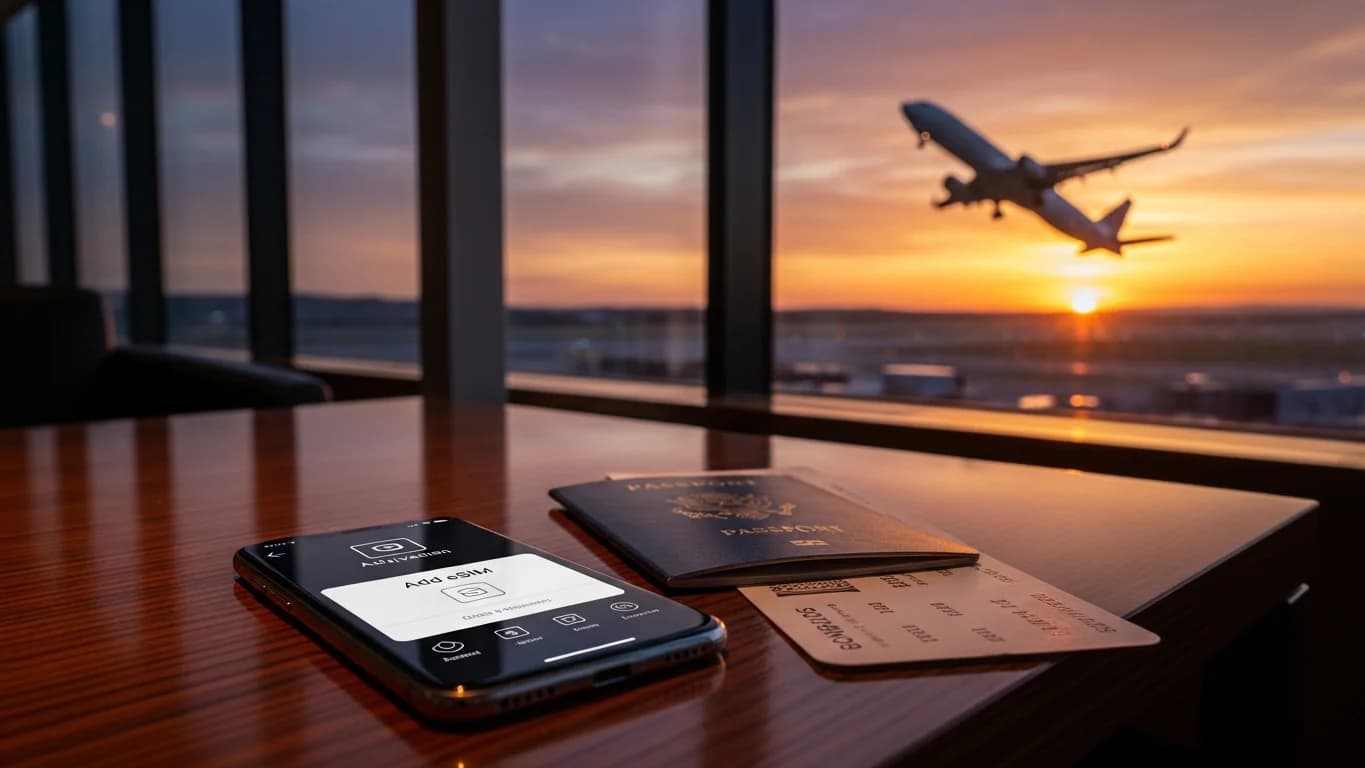
A package's country coverage, its remaining data and the accessibility of a particular app are different questions. Do not infer that a VPN guarantees every service will work or that a travel eSIM overrides local rules. Check the actual product conditions and current official guidance relevant to your trip. Save essential travel information offline in advance. Cellesim's included VPN benefit depends on an active eSIM; it does not add data or create coverage. Read the app details and compare the exact destination package before buying.
Why an eSIM is Non-Negotiable for China
Listen, I've been on the road for four years, and China is one of those places where the usual connectivity rules just don't apply. You can't just show up, grab a local SIM, and expect everything to work. The Great Firewall is absolutely real, and it blocks access to most of the apps and services we take for granted: Google, WhatsApp, Instagram, Facebook, even many standard email clients. That's where an eSIM truly shines.
A good global eSIM often routes your internet traffic outside of China before it even hits the local networks, effectively bypassing those restrictions from the get-go. It's not magic, it's just how certain providers intelligently route your data. Without an eSIM that includes VPN functionality or allows you to run your own, you'll be locked out of essential communication tools. Imagine trying to coordinate with a friend on WeChat, only to realize your WhatsApp messages aren't going through, or trying to look up directions on Google Maps, and it's just a blank screen. It’s a pain you don't need, especially when you're dealing with visa limitations that already make travel planning complex. Some visas, like the 10-year tourist visa, have specific entry/exit requirements that can be fiddly, and reliable internet access is crucial for keeping track of those dates and ensuring you don't overstay. Trust me, I've seen friends get into sticky situations trying to sort out visa extensions without a solid internet connection.
The Great Firewall and Your Digital Freedom
The Great Firewall isn't just a rumor, it's a sophisticated system. It actively monitors and blocks specific websites, apps, and even certain keywords. If you're planning to rely on your home country's roaming, be aware that many standard roaming agreements will still route your traffic through Chinese servers, meaning you'll hit the same wall. An eSIM from a reputable provider, especially one that advertises China coverage, typically partners with local carriers but intelligently routes your data through international servers first. This is key. It's not a foolproof guarantee against all censorship, but it's the best first line of defense you've got.
Think of it this way: your usual internet experience is like driving on an open highway. In China, it's like driving on a highway with numerous toll booths and checkpoints. A good eSIM acts like a special pass that lets you bypass most of those tolls, at least for essential services. This isn't just about social media, it's about productivity. If you're a digital nomad, you know how important consistent access to cloud drives, collaboration tools, and video conferencing is. Without it, you're essentially cut off from your work, and that's a headache no one needs.
Why Physical SIMs Fall Short for Travelers
I've heard countless stories, and experienced some myself, of people trying to buy a local physical SIM card in China. It's often a bureaucratic maze. You'll need your passport, sometimes a local address, and occasionally even a Chinese national to vouch for you, depending on the city and the specific vendor. Beyond the hassle, a local SIM card will, by default, route all your traffic through Chinese networks. This means you're immediately subject to the Great Firewall, making your non-Chinese apps useless without a separate, often unreliable, VPN solution already set up and working.
I remember trying to get a SIM in Chengdu once, at a China Mobile shop near Chunxi Road. It took an hour and a half, three different forms, and a lot of pointing and broken Mandarin, just to get a basic data plan. Then, of course, nothing I usually used worked. I ended up tethering from my laptop running a VPN, which drained my battery like crazy. An eSIM avoids all that. You buy it online before you even leave home, scan a QR code, and you're good to go. No queues, no language barriers, no unexpected rejections. It just works. For more on the general concept, check out our guide, eSIM Explained: Your No-Nonsense Guide to Staying Connected Abroad 2026.
Choosing the Right China eSIM: What to Look For
Selecting an eSIM for China isn't like picking one for Europe, where pretty much any provider will give you solid connectivity. China demands a bit more scrutiny. You need to look for specific features that ensure not just data, but *accessible* data. This means checking if the eSIM provider explicitly mentions VPN-friendly routing or integrated VPN solutions. If they don't, you're buying a data plan that might only give you access to Chinese-approved websites and apps, which defeats the purpose for most international travelers.
I usually recommend Cellesim because their China plans often come with built-in VPN access, or at least a clear statement that traffic is routed internationally. This is crucial for maintaining access to services like Google Workspace, your banking apps (many non-Chinese banks will flag login attempts from within China without a VPN), and, of course, staying in touch with family and friends via WhatsApp or FaceTime. Don't skimp on this. A cheaper eSIM that doesn't offer this bypass will leave you frustrated and effectively offline for much of what you want to do.

Data Plans and Validity: How Much Do You Really Need?
This is where it gets tricky, because 'enough data' for China is different from 'enough data' elsewhere. If you're heavily reliant on VPNs, expect higher data consumption. VPNs add overhead, encrypting and re-routing your traffic, which can eat into your allowance faster. For a short trip, say a week, 5GB might suffice if you're primarily using it for navigation, messaging, and occasional browsing. But if you're planning to stay longer, or if you need to do any significant work online, you'll need more.
For instance, when I was living in Shanghai for two months, working from the WeWork in Xintiandi, I burned through 30GB of data easily, even with their decent Wi-Fi. That was with daily video calls, cloud uploads, and general browsing. If you're considering a longer stay, say 2-3 months in a city like Shenzhen, where monthly rent for a decent studio in Futian might run you about 6,000-8,000 RMB (around $850-$1,100 USD), you'll want a plan that supports that kind of usage. Look for plans with at least 10GB for two weeks, or unlimited options if available, particularly if you're streaming or relying on it for work. You can compare different options by looking at eSIM China plans directly.
| Provider Feature | What to Look For | Why it Matters in China |
|---|---|---|
| VPN Integration / Routing | Explicit mention of VPN-friendly setup or traffic routed outside China. | Essential for accessing Google, WhatsApp, social media, and international business tools. Without it, your data is heavily censored. |
| Network Partner | China Mobile, China Unicom, or China Telecom. | These are the main carriers. Ensures widest coverage and best speeds across urban and rural areas. |
| Data Allowance | At least 5GB for short trips, 20GB+ for longer stays or heavy use. | VPN usage increases data consumption. Streaming, video calls, and cloud services will chew through data quickly. |
| Validity Period | Matches your travel duration (7, 15, 30 days). | Avoids running out of data mid-trip or paying for unused days. Top-up options are a plus. |
| Top-Up Options | Easy, in-app top-ups available. | Crucial if your data runs out unexpectedly, saving you from searching for Wi-Fi or buying a new plan. |
| Customer Support | 24/7 support, preferably in English, with multiple contact channels. | Troubleshooting connectivity issues (especially VPN-related) can be complex and urgent. |
Network Compatibility and Speed
China has three major carriers: China Mobile, China Unicom, and China Telecom. Most global eSIM providers will partner with one or more of these. China Mobile generally has the widest 4G/5G coverage, especially in rural areas, but China Unicom and China Telecom often offer better speeds in major cities like Beijing, Guangzhou, or Chengdu. Your eSIM provider should specify which network they use. Always check the network bands supported by your device against the bands used by these carriers (a quick search for "China Mobile 4G/5G bands" will usually give you what you need).
In Shanghai, for instance, I found China Unicom to be incredibly fast in areas like the French Concession, where I often worked from the Starbucks on Wukang Road. Speeds there were consistently over 100 Mbps. However, head out to a smaller city or a more remote area, and China Mobile usually takes the lead. The good news is, if your phone supports eSIM, it's very likely compatible with China's networks (unless it's a very old or region-locked device). If you're curious about checking your device's eSIM compatibility, our article iPhone eSIM: How to Find Your EID & ICCID for Seamless Travel Data 2026 provides helpful tips, even if you're not on an iPhone.
eSIM Activation: A Step-by-Step Guide
Activating an eSIM is generally straightforward, but for China, there's a crucial pre-departure step. You absolutely want to activate it before you land. Trying to troubleshoot connectivity issues, or even just scan a QR code, while dealing with immigration, luggage, and potentially an unfamiliar airport environment, is a recipe for stress. Do it at home, where you have stable Wi-Fi and the luxury of time.
- Purchase your China eSIM: Do this a few days before your trip from a reputable provider like Cellesim. You'll usually receive a QR code via email.
- Ensure Wi-Fi connection: Before activation, make sure your phone is connected to a stable Wi-Fi network (your home network is ideal).
- Access eSIM settings: On iOS, go to Settings > Cellular/Mobile Data > Add eSIM. On Android, it's typically Settings > Network & internet > SIMs > Add eSIM.
- Scan the QR Code: Use your phone's camera to scan the QR code provided by Cellesim. Follow the on-screen prompts to add the cellular plan.
- Label your eSIM: Give your new eSIM a clear name, like "China Travel" or "Cellesim China." This helps distinguish it from your primary line.
- Set as primary for data (once landed): Once you land in China, go back to your Cellular/Mobile Data settings. Select your China eSIM for cellular data. Ensure Data Roaming is turned ON for this eSIM (it's essential for it to work internationally).
- Disable your home SIM's data roaming: To avoid unexpected charges, make sure data roaming is OFF for your primary, home country SIM. You can still use it for calls/texts if needed, but data will be handled by your eSIM.
Troubleshooting Common Activation Issues
Sometimes things go sideways. It happens. The most common issues I've seen involve not having a Wi-Fi connection during activation, or forgetting to turn on data roaming for the eSIM. Another one is having an older phone that isn't eSIM compatible. Always check your device compatibility beforehand. If your eSIM isn't connecting once you're in China, try these steps:
- Toggle Airplane Mode: Turn it on for 30 seconds, then off. This often forces your phone to re-register with the local network.
- Check APN Settings: Your eSIM usually configures this automatically, but sometimes manual intervention is needed. Your eSIM provider's support page will have the correct APN settings.
- Restart your phone: The classic fix. It works more often than you'd think.
- Contact Support: If all else fails, reach out to your eSIM provider's customer support. They can often diagnose network issues remotely. This is why 24/7 support is a must-have for China.
VPN Strategies for China: Your Digital Lifeline
A VPN isn't just a convenience in China, it's a necessity. It's how you access Google Maps to find that incredible dim sum place in Guangzhou's Tianhe District, or how you update your blog from the Regus co-working space in Chengdu. While some eSIMs offer integrated VPN-friendly routing, it's still a good idea to have a dedicated VPN service installed and configured on your devices *before* you enter China. Once you're inside the Great Firewall, downloading or updating VPN apps can become extremely difficult, if not impossible.
My go-to VPNs have always been ExpressVPN and NordVPN. They've consistently proven reliable in China, though even they can experience occasional slowdowns or blockages during periods of heightened censorship (around major political events, for example). It's not about finding a perfect solution, but a resilient one. And remember, you'll need a VPN not just on your phone, but potentially on your laptop too. Consider an eSIM for Laptops: Business Travel Connectivity Beyond Wi-Fi 2026 if you want true mobile freedom for all your devices.
Pre-Departure VPN Setup: Don't Skip This!
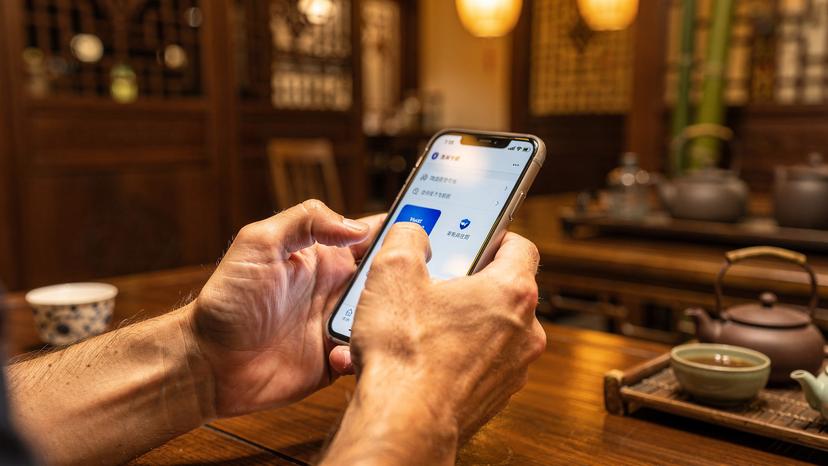
Seriously, download and set up your VPN *before* you board that flight. Get a subscription, download the app on all your devices (phone, laptop, tablet), and make sure you can connect to a server. Test it out. Connect to a server in a different country and confirm that your internet traffic is indeed being routed through it. This seemingly small step will save you immense frustration later.
Also, download some offline maps for China (Baidu Maps is the local standard, but Google Maps offline works if you download regions) and any essential translation apps. Even with a VPN, you might hit a patch of poor connectivity, and having these backups can be a lifesaver. Plus, certain apps, like some local Chinese banking apps or the health code apps required for entry to certain venues, might require a local phone number or specific authentication that a VPN won't help with. For these, you're usually out of luck without a local SIM, but at least your main communication channels will be open.
VPN Etiquette and Best Practices in China
While VPNs are widely used by locals and expats alike, the official stance on them can be ambiguous. Generally, using a VPN for personal use, especially one that's not explicitly blocked, isn't something that will land you in trouble. However, avoid discussing VPN usage openly in public, especially with strangers. It's just common sense. Also, don't use free VPNs. They're often unreliable, slow, and can compromise your data security. Pay for a reputable service. Your digital privacy and sanity are worth the monthly fee.
Another tip: some VPNs offer 'stealth' or 'obfuscated' servers designed to bypass deep packet inspection, which is how the Great Firewall detects and blocks VPN traffic. If your chosen VPN offers this, enable it. It can make a significant difference in connection stability. And always have a few server locations saved as favorites; if one server gets blocked, you can quickly switch to another without scrambling.
Connectivity Beyond Your Phone: eSIMs for Laptops
As a digital nomad, my laptop is my office. Relying solely on public Wi-Fi in China is a recipe for disaster. Even in reputable co-working spaces, the Wi-Fi can be throttled or inconsistent, and often requires a local phone number for registration. While you can tether from your phone's eSIM, it drains your phone battery quickly and can be cumbersome. This is where an eSIM for your laptop comes in, offering a dedicated, secure connection.
Many modern laptops, especially business models, now come with integrated eSIM capabilities. This means you can get a data plan directly for your laptop, just like your phone. It's incredibly freeing to have independent connectivity, especially when you're moving between meetings or different coffee shops. I always found the Wi-Fi at the Starbucks Reserve Roastery in Shanghai to be decent, but having my own connection on my laptop meant I wasn't fighting for bandwidth with everyone else or worrying about security on an open network.
Integrated eSIMs in Laptops and Tablets
If your laptop or tablet supports eSIM, activating it follows a similar process to your phone. You'll download a profile, activate it, and then your device has its own cellular connection. This is fantastic for productivity. You can be at a café in Guangzhou, working on a presentation, while your phone is free for navigation or calls. It means less battery drain on your primary device and often a more stable connection for data-intensive tasks.
For instance, an eSIM plan that provides, say, 10-20GB of data for a month can anchor your entire digital workflow. This is particularly useful if you're like me and need to frequently upload large files or participate in video conferences. If you're trying to figure out if your laptop is eSIM-ready, check its specifications, usually under the 'Networking' or 'Connectivity' section. It will often list 'eSIM support' or 'WWAN (Wireless Wide Area Network) module with eSIM.' For a deeper dive into this, our article eSIM for Laptops: Business Travel Connectivity Beyond Wi-Fi 2026 is a great resource.
Mobile Hotspots and Tethering as Alternatives
If your laptop doesn't have an integrated eSIM, tethering from your phone is the next best option. Your phone's eSIM plan effectively becomes a mobile hotspot. Just be mindful of your data usage and battery life. I always carry a portable power bank, especially when I know I'll be tethering for extended periods. A 20,000 mAh power bank is standard kit for me. If you're debating how much data you might need for this, our other post, USA eSIM: Is 5GB Enough for a Week in the States? 2026 Data Deep Dive, offers good insights into data consumption, even though it's for the US.
Dedicated mobile hotspots (MiFi devices) are another option. You can insert a physical data SIM (if you can get one) or some even support eSIMs. These are useful if you need to connect multiple devices simultaneously or if you want to keep your phone's battery reserved. However, they're another gadget to carry and charge, which, after years of travel, I try to minimize. Simplicity often wins out on the road.
Local SIMs vs. eSIMs: When a Local Option Might Tempt You
Honestly, for most short-term travelers to China, an eSIM is the superior choice. The convenience, pre-arrival setup, and the inherent VPN bypass make it a no-brainer. However, there are specific scenarios where a local physical SIM might be worth the hassle, usually for very long stays or for certain local services.
As I mentioned earlier, getting a local SIM requires some effort. You'll visit a carrier store (China Mobile, China Unicom, or China Telecom), present your passport, and fill out forms. The cost for a basic plan, say 10GB, might be around 50-100 RMB (7-14 USD) per month, which is cheaper than many eSIMs for extended use. But again, that local SIM data will be subject to the Great Firewall, meaning you'll need a separate VPN solution. And here's the kicker: some apps, like those for specific Chinese banks (e.g., ICBC or Bank of China mobile apps), or local services like Didi (rideshare) and Meituan (food delivery), sometimes require a local Chinese phone number for verification. If you're planning on truly integrating into local life, a local SIM might eventually become necessary for these niche uses, but it's rarely your first step.
The Hassle Factor: Local SIM Card Acquisition
My experience getting a local SIM in China has rarely been quick or easy. In Beijing, near the Sanlitun area, I once spent an entire afternoon trying to activate a SIM for a friend. We had to go to a larger branch of China Unicom, provide proof of address (a hotel booking sometimes suffices, sometimes not), and endure a lengthy registration process. The staff are usually helpful, but few speak fluent English, so bring a translation app (one that works offline, or over your eSIM!).
Then there's the activation wait. Sometimes it's instant, other times it can take hours or even a full day for the SIM to fully register on the network. This is time you could be spending exploring the Bund in Shanghai or hiking around the Great Wall. An eSIM, by contrast, takes minutes to activate from the comfort of your home, and you're online the moment your plane touches down at Pudong or Beijing Capital.
When a Local SIM is Truly Needed
If you're planning to live in China for several months, rent an apartment, open a local bank account, or use services that require a Chinese ID verification (like some shared bike apps or certain e-commerce platforms), a local SIM might become unavoidable. Some payment apps, like Alipay and WeChat Pay, are essential for daily life, and while you can link foreign credit cards, some advanced features or larger transactions might prompt local number verification.
For example, when I stayed in Beijing for three months, renting a serviced apartment in Chaoyang District (around 10,000-15,000 RMB or $1,400-$2,100 USD per month), I eventually got a local SIM. It wasn't for internet access primarily (my eSIM handled that), but for setting up local services, verifying my Didi account, and getting local delivery numbers. But for trips under a month, or even two, the eSIM is king.
Managing Data and Cost: Real-World Scenarios
Data costs add up, especially when you're relying on it for everything. My rule of thumb for international travel is to always overestimate my data needs slightly, particularly in a country like China where reliable Wi-Fi isn't a given and VPN usage boosts consumption. A 10GB plan for 15 days is often a good starting point for a moderate user, giving you enough buffer for maps, messaging, email, and some light browsing.
If you're a heavy user, constantly on video calls or uploading files, consider a 30GB plan or an unlimited option if available. The cost-of-living in China can vary wildly. In a city like Chongqing, you might get by on 5,000-7,000 RMB ($700-$1,000 USD) a month for basic expenses, excluding rent, whereas in Shanghai, that figure could easily double. Your data plan needs to reflect your overall budget and usage patterns. Don't be that person scrambling for Wi-Fi in a random food court because you ran out of data, especially if you're working.
| Usage Pattern | Recommended Data (per week) | Estimated Cost (USD, for 2 weeks) |
|---|---|---|
| Light User (Maps, Messaging, Email) | 3-5 GB | $15 - $25 |
| Moderate User (Social Media, Occasional Streaming, VPN) | 7-10 GB | $25 - $40 |
| Heavy User (Video Calls, Large Downloads, Constant VPN) | 15 GB+ | $40 - $70+ |
| Digital Nomad (Work, Extensive Streaming, Multiple Devices) | Unlimited or 30 GB+ | $70 - $100+ |
Tracking Your Data Usage
Most modern smartphones have built-in data usage trackers (Settings > Cellular/Mobile Data on iOS, or Data Usage under Network & internet on Android). Reset this at the start of your trip or when your eSIM plan renews. Your eSIM provider's app or website will also usually show your remaining data. Keep an eye on it. Nothing worse than getting a data warning when you're halfway through uploading an important file.
I’ve found that video calls, especially over a VPN, are the biggest data hogs. A 30-minute video call can easily consume several hundred megabytes. If you're on a limited plan, save those for when you have reliable Wi-Fi (with your VPN running, of course). Downloading large files or streaming high-definition video will also chew through data at an alarming rate. Be mindful of background app refreshes and app updates; disable them when on cellular data.
Top-Up Options and Emergency Data
Always choose an eSIM provider that offers easy top-up options. Life on the road is unpredictable, and you might find yourself needing more data than anticipated. Most reputable providers allow you to purchase additional data directly through their app or website, often taking effect immediately. This is far less stressful than trying to find a new SIM or a local Wi-Fi hotspot when you're already in a data crunch.
In a pinch, if you absolutely run out of data and can't top up, look for major hotel lobbies or international coffee chains. They sometimes offer guest Wi-Fi, although you'll still need your VPN running. I've had to make desperate dashes to a Starbucks in Beijing's Central Business District more than once just to get enough connectivity to buy a data top-up. Don't be me.
Common Pitfalls and How to Avoid Them
Travel in China, especially with technology, presents unique challenges. Beyond the Great Firewall and local SIM complexities, there are other hidden traps that can derail your connectivity. Being aware of them is half the battle.
One of the biggest issues is relying solely on hotel or public Wi-Fi. While many hotels offer Wi-Fi, the speeds can be abysmal, and they are almost always subject to the Great Firewall. So, even if you connect, you still won't access your usual services without a VPN. And public Wi-Fi, like at airports or train stations, often requires a local phone number to register, which brings you back to square one if you haven't got a local SIM. Your eSIM provides independence from these unreliable connections.

Roaming Charges From Your Home Provider
This is a classic trap. Many travelers assume their home mobile plan's international roaming will just work in China. It might, but it will almost certainly be expensive, and your traffic will still be subject to the Great Firewall. I've heard horror stories of people returning home to bills running into hundreds of dollars after just a few days of roaming in China. A Cellesim eSIM for China is specifically designed to be cost-effective and bypass these issues.
Always check with your home provider about their international roaming rates for China before you leave. In almost all cases, a dedicated eSIM for China will be significantly cheaper and more functional. If you're curious about different roaming options, you might find our comparison of Cellesim vs. Airalo Europe eSIM: The Family Planner's 2026 Data Showdown insightful, even though it focuses on Europe, as it highlights the cost differences between various providers.
Outdated VPN Software and Firmware
The Great Firewall is constantly evolving, and VPN providers are in a continuous cat-and-mouse game to stay ahead. An outdated VPN app on your phone or laptop might suddenly stop working. Ensure all your VPN software is updated to the latest version before you travel. The same goes for your phone's operating system firmware. Manufacturers often include network compatibility and security updates that can prevent issues.
Also, don't rely on a single VPN. I usually have two reliable paid VPNs installed on my devices. If one starts acting up, I can switch to the other. It's like having a spare tire, you hope you don't need it, but you'll be thankful if you do. This redundancy has saved my bacon more than once when a specific VPN server was temporarily blocked.
Life on the Ground: Internet in China's Cities
While an eSIM handles your mobile data, understanding the broader internet landscape in China's major cities is crucial for a smooth experience. Even with your eSIM and VPN, there are practical considerations for day-to-day connectivity.
In cities like Shanghai, Beijing, and Shenzhen, 5G coverage is excellent in most urban areas. You'll get blazing fast speeds. However, Wi-Fi in public places is a mixed bag. Many cafes, restaurants, and shopping malls offer Wi-Fi, but as noted, it often requires a local phone number for authentication and will be subject to censorship. Co-working spaces, on the other hand, are generally much better.
Co-working Spaces and Digital Nomad Hubs
For me, co-working spaces have been a godsend in China. They usually have more robust internet infrastructure and are more likely to have VPN-friendly networks (or at least less aggressive filtering than public Wi-Fi). In Shanghai, naked Hub (now WeWork) locations were always reliable. In Beijing, the Ucommune spaces were pretty solid too, especially the one near the Olympic Green. Expect to pay anywhere from 100-200 RMB ($14-$28 USD) for a day pass, or around 1,500-2,500 RMB ($210-$350 USD) for a monthly membership for a hot desk. This might seem steep, but the peace of mind of a reliable connection is priceless.
These spaces also tend to be hubs for other expats and digital nomads, making it easier to swap tips on everything from where to find the best street food to which VPN server is performing best that week. Don't underestimate the power of local knowledge when navigating China's digital landscape.
Public Wi-Fi and Registration Challenges
As a rule, assume public Wi-Fi won't work for your needs without jumping through hoops. Train stations, airports, and even some cafes will often require you to input a local Chinese phone number to receive a verification code. Even if you have a local SIM, it's an extra step that slows you down. If you're only in China for a short visit, getting a local SIM just for Wi-Fi authentication is rarely worth it.
Your eSIM's data connection is your most reliable and direct path to the uncensored internet. Use it as your default, and only fall back on public Wi-Fi if absolutely necessary, and always with your VPN running. I remember trying to connect to airport Wi-Fi at Guangzhou Baiyun International, just to check a flight update. It demanded a local number. My eSIM just connected instantly. No contest.
Final Thoughts: Staying Sane Online in China
China is an incredible country to explore, but its unique internet environment requires careful preparation. An eSIM from a provider like Cellesim, coupled with a pre-installed, reliable VPN, is your most effective strategy for staying connected and maintaining access to your essential digital tools. Don't leave it to chance or assume your usual connectivity habits will transfer seamlessly.
Plan ahead, choose your eSIM wisely, and get your VPN sorted before you arrive. This proactive approach will save you countless headaches and allow you to focus on the experience, whether you're working remotely from a café in Chengdu, or navigating the vibrant markets of Shanghai. The cost-of-living in China can be surprisingly affordable outside the major hubs, with a decent meal often costing under 20-30 RMB ($3-$5 USD) at a local food stall, but don't let those savings be eaten up by unexpected data roaming charges or a lack of connectivity when you need it most. Happy travels, and stay connected.
Frequently Asked Questions
Can I use my regular phone number with an eSIM in China?
Yes, you can keep your home phone number active for calls and texts on your physical SIM while using your eSIM for data in China. Just make sure to disable data roaming for your home SIM to avoid high charges.
Do I need a VPN if I'm using an eSIM in China?
Absolutely. Even with an eSIM, most regular data plans will be subject to China's Great Firewall. A VPN is essential to access services like Google, WhatsApp, Facebook, and many international websites. Choose an eSIM that offers VPN-friendly routing or use a separate, reputable VPN service.
Which major cities in China have the best eSIM coverage?
Major cities like Shanghai, Beijing, Guangzhou, Shenzhen, and Chengdu have excellent 4G and 5G coverage through carriers like China Mobile, China Unicom, and China Telecom. Your eSIM provider will likely partner with one of these, ensuring reliable service in urban areas.
Can I use a China eSIM for long-term stays (e.g., several months)?
While eSIMs are fantastic for flexibility, for stays longer than 2-3 months, you might consider a local physical SIM if you need a local phone number for specific services (like certain banking apps or local delivery). However, your eSIM will likely still be your primary for VPN-enabled internet access.
What happens if my eSIM data runs out in China?
If your eSIM data runs out, you'll lose internet access. Most reputable eSIM providers offer easy in-app top-up options, allowing you to quickly purchase more data. It's crucial to choose a provider with this feature to avoid being stranded offline.
Are there any apps I can't use even with a VPN and eSIM in China?
Some specific local Chinese apps, particularly those related to banking (e.g., ICBC, Bank of China mobile apps) or certain government services, may require a local Chinese phone number for verification, which a VPN and eSIM won't provide. For these, a local physical SIM might eventually be necessary.
Is it legal to use a VPN in China with an eSIM?
The legal status of VPNs in China is complex and often ambiguous for individuals. While the government restricts unauthorized VPNs, personal use by foreigners is generally tolerated. Stick to reputable, paid VPN services and avoid discussing their use publicly for the smoothest experience.