Unpacking the 5GB Question for Your USA Trip
So, you're heading to the States, and you've got your USA eSIM lined up. Smart move, frankly. No more fumbling with tiny SIM cards at JFK or O'Hare, or trying to explain to a T-Mobile rep why your phone from 2019 isn't compatible with their network. But then you see the 5GB option and a little voice in your head, probably the one that whispers about streaming Netflix, asks, "Is that enough?"
I've been on the road for years, and I've seen more data plans come and go than I've had decent cups of coffee. The truth is, 5GB for a week-long stint in the US is often perfectly fine for the average traveler. We're talking about staying connected, not running a full-blown remote office from a Starbucks in Seattle (though I've done that too, at the Capitol Hill location on Broadway, and their Wi-Fi is stellar). Your primary goal is to avoid those terrifying roaming charges that can hit your credit card harder than a New York City taxi fare.
The US is a massive country, and while Wi-Fi is generally ubiquitous in cities, there are huge swathes of rural highways where cellular is your only lifeline. Think driving through Arizona's desert landscapes or even just navigating the sprawl of Los Angeles. That 5GB isn't just for social media, it's for getting from point A to point B without a paper map and a prayer. For a deeper dive into how these digital little wonders work, check out eSIM Explained: Your No-Nonsense Guide to Staying Connected Abroad 2026.
What 5GB of Data Actually Looks Like in Real Terms
Let's break down what 5GB translates to in typical usage, because numbers alone can be abstract:
- Browsing Web Pages: Roughly 10,000 to 15,000 standard web pages. That's a lot of restaurant menus and museum opening hours.
- Social Media Scrolling: About 10-12 hours of Instagram, Facebook, or TikTok, assuming some video content. More if it's just text and images.
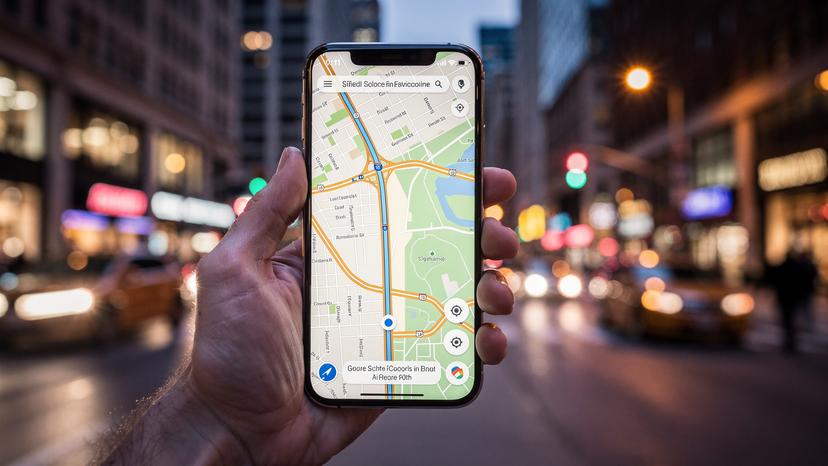
- Google Maps Navigation: Roughly 500-1000 hours of turn-by-turn navigation. You'll run out of gas before you run out of data for maps.
- Email (Text Only): Around 1,000,000 emails. Essentially unlimited for a week.
- Standard Definition Video Streaming: About 5-7 hours. This is where you need to be careful.
- High Definition Video Streaming: A mere 1-2 hours. Don't binge-watch Netflix in HD on your mobile data, seriously.
- Voice Calls (VoIP, e.g., WhatsApp, Facetime Audio): Around 150-200 hours. Plenty for keeping in touch.
As you can see, the biggest data guzzler is video streaming. If you're disciplined about sticking to Wi-Fi for that, 5GB is a surprisingly robust allowance for general travel use.
The US Connectivity Landscape: What to Expect
The United States has a robust cellular infrastructure, primarily dominated by three major carriers: Verizon, AT&T, and T-Mobile. Most eSIM providers for the US, including Cellesim, leverage these networks. This means you'll generally experience good coverage in urban and suburban areas. However, signal strength can drop significantly in remote national parks, mountainous regions, or even certain dense urban canyons.
For example, if you're exploring the Grand Canyon, don't expect seamless 5G in the middle of it. Even in cities, building penetration can be an issue. I remember trying to get a signal in the basement food court of the Westfield San Francisco Centre, near Powell Street Station, and it was a total dead zone. Always keep an eye out for publicly available Wi-Fi in cafes, libraries, and hotels. They're your best friends for preserving that precious data.
Understanding Your Data Appetite: The Truth About Usage
Let's be honest, we all think we use less data than we actually do. It's like thinking you only had one cookie. To truly figure out if 5GB is enough, you need to be brutally honest about your daily digital habits.
Are you the type who checks Instagram once a day, or do you live-stream your entire vacation on TikTok? Do you rely solely on Google Maps, or do you download offline maps beforehand? These choices make a huge difference. Also, remember that some apps, particularly banking apps in certain countries, absolutely demand a local SIM number for verification. While US banks are generally fine with international numbers, it's something to keep in mind for other destinations, like trying to register for India's Aadhaar system or some Brazilian digital banks, which are very picky about local numbers.
The Average Daily Data Consumption Breakdown
Here's a rough daily breakdown for a typical traveler:
- Google Maps Navigation: 5-20 MB per hour (more if you're constantly zooming and rerouting). Let's budget 50-100 MB per day for active navigation.
- Social Media Browsing (Instagram, Facebook, TikTok): This is highly variable. 15-30 MB for 10 minutes of scrolling photos, 50-150 MB for 10 minutes of video-heavy feeds. A moderate user might burn 200-500 MB per day here.
- Email & Messaging (WhatsApp, iMessage): Text messages are tiny, a few KBs each. Sending photos adds MBs. Let's say 20-50 MB per day for active communication.
- Web Browsing: Each page is 1-5 MB. Assume 10-20 pages per day, so 20-100 MB.
- Light Music Streaming (Spotify, Apple Music): 40-70 MB per hour. An hour or two a day could be 80-140 MB.
- Video Streaming (YouTube, Netflix): This is the killer. SD video is around 0.7 GB per hour, HD is 1.5-3 GB per hour. This is where you blow your 5GB in a flash.
- App Updates & Background Refresh: A silent data killer. Can be 50-200 MB per day if not managed.
If you add that up, a 'moderate' day without heavy video could easily be 500-800 MB. Over seven days, that's 3.5 GB to 5.6 GB. See? It's tighter than you think.
Data Calculator for Different Traveler Types
To make this more concrete, here's a rough guide:
| Traveler Type | Typical Daily Usage | Weekly Total (Estimate) | Is 5GB Enough? |
|---|---|---|---|
| The Minimalist Explorer (Maps, occasional messages, emergency lookups) | ~200 MB | 1.4 GB | Yes, easily. |
| The Connected Tourist (Maps, social media posts, email, light browsing, some music streaming) | ~500-700 MB | 3.5 - 4.9 GB | Yes, but manage carefully. |
| The Digital Dependent (Heavy social media, some video calls, occasional SD streaming, online gaming) | ~800-1200 MB+ | 5.6 - 8.4 GB+ | Likely not. Needs more. |
| The Remote Worker / Streamer (Frequent video calls, HD streaming, large file uploads/downloads) | ~2 GB+ | 14 GB+ | Absolutely not. |
This table should give you a gut check. If you fall into the 'Connected Tourist' category, you're on the cusp, so data-saving strategies will be key.
Real-World Scenarios: How Different Travelers Use 5GB
Let's paint some pictures of how different travelers might fare with a 5GB eSIM in the USA for a week.
Scenario 1: The City Hopper (New York City or Chicago)
You're spending 7 days exploring a major US city. You rely on Google Maps for subway directions (MTA in NYC, CTA in Chicago), finding restaurants, and checking museum hours. You snap photos and upload a few to Instagram daily, send WhatsApp messages to friends, and occasionally check emails. In the evenings, you might stream a 30-minute podcast or some music on your commute back to your AirBnB in, say, Brooklyn's Bushwick neighborhood (where a room might set you back $1000-1500 USD/month, by the way, if you were staying longer).
Usage:
- Maps & Navigation: ~70 MB/day
- Social Media (photos/stories, light video): ~300 MB/day
- Messaging & Email: ~50 MB/day
- Music/Podcast Streaming: ~70 MB/day
- Total Daily: ~490 MB
- Weekly Total: ~3.43 GB
Verdict: 5GB is likely sufficient, with about 1.5 GB to spare. You'd need to be mindful about downloading large app updates on mobile data or falling into a YouTube rabbit hole.
Scenario 2: The Road Tripper (California Coast or Southwest)
You're driving from San Francisco down to Los Angeles, stopping at Big Sur, or perhaps doing a loop through Arizona and Utah's national parks. Navigation is paramount, often for hours each day. You'll be posting stunning landscape photos, maybe a few short video clips to family, and using messaging apps. Wi-Fi might be scarce in some remote areas, making your mobile data the primary lifeline (I've been in parts of Monument Valley where even 3G was a miracle). Your accommodation might be a motel in a small town like Page, AZ, where Wi-Fi is spotty.
Usage:
- Maps & Navigation (heavy): ~150 MB/day
- Social Media (photos, some video): ~400 MB/day
- Messaging & Email: ~60 MB/day
- Quick Searches for Attractions/Gas: ~80 MB/day
- Total Daily: ~690 MB
- Weekly Total: ~4.83 GB
Verdict: This is cutting it close. 5GB would probably just barely make it, but you'd be sweating the last day. Downloading offline maps for your route beforehand would be a lifesaver here. Also, consider the cost of living; renting a car in the US can be surprisingly expensive, often $50-100+ per day, so saving on data is crucial.
Scenario 3: The Business Traveler (Attending a Conference)
You're in a city like Austin or Orlando for a 7-day conference. Most of your heavy work is done on the conference Wi-Fi or at your hotel. Your mobile data is for getting Ubers, checking flight status, quick email replies, and staying in touch with family/colleagues via WhatsApp. You might have a few short video calls (5-10 minutes) with colleagues. You probably won't be streaming much video, but quick news updates or sports scores might happen.
Usage:
- Navigation (Uber/Lyft): ~30 MB/day
- Email & Messaging (heavy): ~150 MB/day
- Light Web Browsing/News: ~100 MB/day
- Short Video Calls (VoIP): ~150 MB/day
- Total Daily: ~430 MB
- Weekly Total: ~3.01 GB
Verdict: 5GB is very comfortable for this type of traveler. You'll have plenty of buffer for unexpected usage. Many conference hotels, like the Hilton Austin Downtown, have decent Wi-Fi included in the resort fee, further reducing your mobile data needs.
The eSIM Advantage for USA Travel: Why It Matters
If you're still using physical SIM cards, you're missing out. Seriously. I switched to eSIMs years ago and haven't looked back. They're a game-changer for digital nomads and frequent travelers. You buy it online, scan a QR code, and you're connected. No waiting, no language barriers, no tiny plastic cards to lose. It's the kind of convenience that, after years of travel, you truly appreciate.
For the USA, where coverage can vary by carrier, an eSIM gives you flexibility. Many providers, like Cellesim, offer plans that run on the networks of major US carriers, ensuring you get the best possible signal wherever you are. This isn't just about convenience, it's about reliability when you're trying to find your way in an unfamiliar city or need to access a boarding pass. If you're looking for more general eSIM advice, check out Is 5GB Data Enough for a Week-Long Trip? Real-World Scenarios 2026, which covers broader usage patterns.
Seamless Activation and Switching
One of the biggest headaches of international travel used to be dealing with local SIM cards. Trying to explain what you need in a foreign language, registering your passport, and then hoping the thing actually works. With eSIMs, that's gone. I've activated eSIMs from airport lounges, from hotel rooms, even from the backseat of an Uber. It takes minutes. You just need a Wi-Fi connection for the initial download, and then you're good to go.
This is especially useful if you find your 5GB isn't quite cutting it. Instead of searching for a physical store to buy a top-up, you can simply purchase another eSIM plan online and activate it. No fuss. This flexibility is invaluable, especially if your travel plans change or you realize you're a heavier data user than you thought.
Keeping Your Home Number Active
Another often-overlooked benefit is that your home SIM card remains in your phone. This means you can still receive calls and texts to your primary number, which is crucial for two-factor authentication (2FA) for banking apps or other services. You simply designate your eSIM for cellular data and keep your physical SIM for calls and texts if needed (just remember to disable data roaming for your home SIM!). This avoids the dreaded situation where you can't log into your online bank because it's trying to send a verification code to a SIM card that's sitting in a drawer back home.
Stretching Your 5GB Data Plan: Pro Tips from the Road
Even if you're a moderate user, a little discipline goes a long way in making that 5GB last. These are the tricks I've picked up over years of living on finite data plans.
Wi-Fi First, Always
This is rule number one. Any time you're in a hotel, cafe, co-working space, or even a fast-food joint, connect to their Wi-Fi. I've spent countless hours at cafes like 'The Wing' in Flatiron District, New York (if you're a member) or the bustling 'WeWork' locations just to offload data. Most hotels in the US offer free Wi-Fi, even if it's not always the fastest. Use these opportunities for:
- Large Downloads: App updates, movie downloads for offline viewing, podcasts.
- Cloud Backups: Photos and videos to Google Photos, iCloud, or Dropbox.
- Video Streaming: Save your Netflix or YouTube binges for when you're tethered to a stable Wi-Fi network.
Always ask for the Wi-Fi password, even if you just pop in for a quick coffee. It's free data, take advantage!
Optimize Your Phone Settings
Your phone is a data hog if left unchecked. Here's how to rein it in:
- Disable Background App Refresh: Go to your phone's settings and turn off background refresh for apps that don't need real-time updates. Social media apps are notorious for this.
- Turn Off Automatic Downloads/Updates: Prevent apps, podcasts, and system updates from downloading over cellular data. Set them to Wi-Fi only.
- Limit High-Quality Streaming: Many streaming apps (Spotify, Apple Music, YouTube) have settings to reduce quality when on cellular data. Change them to standard definition or lower.
- Download Offline Maps: Before you leave your hotel, download the areas you'll be exploring on Google Maps. It saves a huge amount of data for navigation.
- Pre-Download Entertainment: Download movies, TV shows, and music to your device before you leave home or while on Wi-Fi.
Monitor Your Data Usage Regularly
Don't wait until you get a notification that you're almost out. Check your phone's settings regularly to see how much data you've used. Both iOS and Android provide detailed breakdowns by app. This allows you to identify which apps are consuming the most data and adjust your habits accordingly. Reset your statistics at the start of your trip to get an accurate picture.
For example, if you see TikTok is burning through 1GB a day, you know to cut back or only use it on Wi-Fi. It's about awareness, not deprivation.
When 5GB Might Not Be Enough and What to Do
Let's face it, sometimes 5GB just won't cut it. Maybe your travel plans changed, or you realized you absolutely need to stream that baseball game live. It happens.
Signs You'll Need More Data
You're likely going to need more than 5GB if you:
- Plan to stream video daily: Even 30 minutes of HD streaming can eat up half a gigabyte.
- Will be making frequent video calls: Zoom, FaceTime, or WhatsApp video calls are data-intensive.
- Are traveling with kids: Their tablets will suck up data like a sponge if not on Wi-Fi.
- Need to upload large files: If you're a photographer or vlogger, this will be a major drain.
- Work remotely and rely on mobile hotspot: Tethering to your laptop can consume huge amounts of data very quickly.
My monthly rent in Buenos Aires, for example, for a decent 1-bedroom apartment in Palermo, was about $600 USD. My unlimited fiber internet was another $30. If I had to rely on mobile data for work, I'd easily be spending $50-100 a month on data alone. So, for a week-long trip, if you're even thinking of working, 5GB is a non-starter.
Options for Topping Up or Upgrading
If you find yourself running low, don't panic. eSIMs make it incredibly easy to get more data:
- Purchase a Top-Up Plan: Many eSIM providers offer smaller top-up packages, like an additional 1GB or 3GB, specifically designed for when you're running low.
- Buy a New, Larger eSIM Plan: If you anticipate needing a lot more data, you can simply purchase a new eSIM with a larger allowance (e.g., 10GB or 20GB) and activate it. You can switch between active eSIMs on your phone's settings.
- Utilize Free Wi-Fi: Double down on finding free Wi-Fi hotspots at cafes, libraries, and public spaces. Many US cities have public Wi-Fi networks, though their security can be questionable, so be careful with sensitive transactions.
Choosing the Right USA eSIM Plan, Beyond Just Data
Data allowance is crucial, but it's not the only factor when picking an eSIM. You need to consider coverage, validity, and features.
Network Coverage and Speed
Different eSIMs might use different underlying carriers in the US (Verizon, AT&T, T-Mobile). While all three have extensive networks, their coverage can vary significantly depending on where you're going. For example, in the Northeast, T-Mobile tends to be strong. In rural West, Verizon often has the best reach. Do a quick search for coverage maps for your specific destinations before committing. You'll want to ensure you're getting at least 4G LTE, if not 5G, speeds for a smooth experience.
Here's a quick comparison of the major US networks, which Cellesim and other eSIM providers often utilize:
| Carrier | Key Strengths | Potential Weaknesses | Typical Bands (for Techies) |
|---|---|---|---|
| Verizon | Widest rural coverage, strong performance in many areas. | Can be pricier, some urban congestion. | B13 (primary LTE), B2, B4, B5, B66 |
| AT&T | Good balance of urban and rural coverage, strong 5G expansion. | Can be slower than Verizon in some remote areas. | B2, B4, B5, B12, B14, B17, B30, B66 |
| T-Mobile | Strongest 5G leader in many cities, good value. | Historically weaker rural coverage, though improving rapidly. | B2, B4, B5, B12, B66, B71 (Extended Range) |
If you're heading to, say, Miami Beach, any of these will be fine. But if you're taking a long drive through Montana, knowing which underlying carrier your eSIM uses can save you from dead zones.
Validity Period and Flexibility
A 5GB plan for a week is a common combination. Make sure the validity period matches your trip duration. If you're staying longer, consider a plan with more data and a longer validity, or be prepared to top up. Some providers offer plans with 15 or 30-day validity, which might be a better value even for a shorter trip if the price difference is minimal.
Always check the terms and conditions. Some eSIMs expire exactly 7 days after activation, others give you a bit more leeway. This is critical, especially if your flight gets delayed.
Unlimited Data Options
If you're a heavy data user or just want peace of mind, some eSIM providers offer 'unlimited' data plans. However, always read the fine print. 'Unlimited' often comes with a fair usage policy (FUP), meaning after a certain threshold (e.g., 20GB or 30GB), your speeds might be throttled. While this is usually still fast enough for browsing and messaging, it's not ideal for heavy streaming or video calls. For most week-long trips, especially considering the cost, a capped plan like 5GB often makes more sense if you're not planning to abuse it.
Final Thoughts on Your USA Data Strategy
So, is 5GB enough for a week in the USA? For most conscious travelers, yes, it absolutely can be. It's about being smart, leveraging Wi-Fi whenever possible, and understanding where your data goes. Think of it like a budget: you can make $100 last a week if you're careful, but not if you're hitting up Michelin-star restaurants every night. (Side note: my cost of living in Lisbon for a month, including a decent apartment and eating out, was around $1500 USD, vastly different from a week in NYC.)
An eSIM is your best friend here, offering flexibility and convenience that traditional SIM cards simply can't match. Do your homework, choose a plan that aligns with your actual usage, and enjoy your trip without constantly worrying about connectivity. The US is an incredible country to explore, and staying connected makes the experience smoother, safer, and far less stressful. Safe travels!
Frequently Asked Questions
How much data does Google Maps use per hour?
Google Maps uses approximately 5-20 MB per hour for active navigation. This can increase slightly with frequent zooming, rerouting, or when downloading detailed area maps on the fly. Downloading offline maps beforehand can drastically reduce this consumption.
Can I make calls with a USA eSIM?
Most data-only USA eSIMs do not come with a local phone number for traditional calls and SMS. However, you can easily make calls and send messages using Voice over IP (VoIP) apps like WhatsApp, FaceTime Audio, or Google Voice, which rely on your data connection.
What happens if I run out of data on my 5GB USA eSIM?
If you exhaust your 5GB data allowance, your internet connection will stop or slow down significantly, depending on the eSIM provider's policy. You will then need to purchase a top-up package or a new eSIM plan to regain full connectivity. Many providers offer easy online top-ups.
Is Wi-Fi widely available in the USA for travelers?
Yes, Wi-Fi is generally widely available in the USA, especially in urban areas. You'll find it in hotels, cafes, restaurants, airports, and many public spaces. However, rural areas and national parks often have limited or no Wi-Fi, making your eSIM data crucial for those locations.
How can I check my data usage on my phone?
On iOS, go to Settings > Cellular > Cellular Data. On Android, go to Settings > Network & internet > Mobile network > App data usage. Both platforms provide detailed breakdowns of data used by individual apps, allowing you to monitor consumption and identify data-hungry applications.
Will my 5GB eSIM plan work across all US states?
Yes, a USA eSIM plan typically provides coverage across all 50 states, as well as Puerto Rico and the US Virgin Islands. The specific coverage and speed will depend on the underlying US network carrier (Verizon, AT&T, or T-Mobile) that your eSIM provider partners with.