Country
A-B
C-E
F-H
I-Z
Instant Activation
High Internet Speeds
Hotspot Sharing
No Hidden Charges
Belgium eSIM
Belgium
FROM $2.58
Ï 5G
Network Provider: Base, ORANGE Belgium NV/SA, Orange
  • 22 plan options available
  • 5G and hotspot-enabled
  • Activation within 2 mins
  • 24x7 Customer Service
  • 100% Money-back Guarantee
Brazil eSIM
Brazil
FROM $3.90
Ï 5G
Network Provider: TIM, Vivo S.A.
  • 19 plan options available
  • 5G and hotspot-enabled
  • Activation within 2 mins
  • 24x7 Customer Service
  • 100% Money-back Guarantee
Afghanistan eSIM
Afghanistan
FROM $8.90
Ï 4G
Network Provider: Afghan Wireless Afghanistan, Etisalat, Roshan Afghanistan
  • 4 plan options available
  • 5G and hotspot-enabled
  • Activation within 2 mins
  • 24x7 Customer Service
  • 100% Money-back Guarantee
Albania eSIM
Albania
FROM $3.49
Ï 4G
Network Provider: Vodafone
  • 21 plan options available
  • 5G and hotspot-enabled
  • Activation within 2 mins
  • 24x7 Customer Service
  • 100% Money-back Guarantee
Algeria eSIM
Algeria
FROM $3.90
Ï 4G
Network Provider: Mobilis, Ooredoo, Optimum Telecom Algeria Spa
  • 18 plan options available
  • 5G and hotspot-enabled
  • Activation within 2 mins
  • 24x7 Customer Service
  • 100% Money-back Guarantee
Andorra eSIM
Andorra
FROM $6.90
Ï 5G
Network Provider: Mobiland, STA Andorra
  • 21 plan options available
  • 5G and hotspot-enabled
  • Activation within 2 mins
  • 24x7 Customer Service
  • 100% Money-back Guarantee
Anguilla eSIM
Anguilla
FROM $8.90
Ï 4G
Network Provider: Digicel Anguilla
  • 16 plan options available
  • 5G and hotspot-enabled
  • Activation within 2 mins
  • 24x7 Customer Service
  • 100% Money-back Guarantee
Antigua and Barbuda eSIM
Antigua and Barbuda
FROM $8.90
Ï 4G
Network Provider: Digicel Antinua and Barbuda, FLOW
  • 5 plan options available
  • 5G and hotspot-enabled
  • Activation within 2 mins
  • 24x7 Customer Service
  • 100% Money-back Guarantee
Argentina eSIM
Argentina
FROM $4.90
Ï 4G
Network Provider: Movistar, Telefonica Moviles Argentina S.A.
  • 19 plan options available
  • 5G and hotspot-enabled
  • Activation within 2 mins
  • 24x7 Customer Service
  • 100% Money-back Guarantee
Armenia eSIM
Armenia
FROM $4.90
Ï 4G
Network Provider: Orange, UCOM Armenia, VEON Armenia CJSC
  • 17 plan options available
  • 5G and hotspot-enabled
  • Activation within 2 mins
  • 24x7 Customer Service
  • 100% Money-back Guarantee
Australia eSIM
Australia
FROM $3.90
Ï 5G
Network Provider: OPTUS MOBILE PTY LTD, Optus, Vodafone
  • 8 plan options available
  • 5G and hotspot-enabled
  • Activation within 2 mins
  • 24x7 Customer Service
  • 100% Money-back Guarantee
Austria eSIM
Austria
FROM $3.04
Ï 5G
Network Provider: 3, Orange, Three
  • 22 plan options available
  • 5G and hotspot-enabled
  • Activation within 2 mins
  • 24x7 Customer Service
  • 100% Money-back Guarantee
Region
Instant Activation
High Internet Speeds
Hotspot Sharing
No Hidden Charges
Africa (29 Countries) eSIM
Africa (29 Countries)
FROM $12.49
Ï 5G
Network Provider: Airtel, AirtelTigo, Cell C
  • 3 plan options available
  • 5G and hotspot-enabled
  • Activation within 2 mins
  • 24x7 Customer Service
  • 100% Money-back Guarantee
Asia (20 Countries) eSIM
Asia (20 Countries)
FROM $5.99
Ï 5G
Network Provider: 3, AirTel, CTM
  • 6 plan options available
  • 5G and hotspot-enabled
  • Activation within 2 mins
  • 24x7 Customer Service
  • 100% Money-back Guarantee
Australia & New Zealand eSIM
Australia & New Zealand
FROM $3.99
Ï 5G
Network Provider: Optus, Spark
  • 5 plan options available
  • 5G and hotspot-enabled
  • Activation within 2 mins
  • 24x7 Customer Service
  • 100% Money-back Guarantee
Balkans (5+ areas) eSIM
Balkans (5+ areas)
FROM $4.49
Ï 5G
Network Provider: A1, T-Mobile, Tele2
  • 5 plan options available
  • 5G and hotspot-enabled
  • Activation within 2 mins
  • 24x7 Customer Service
  • 100% Money-back Guarantee
Caribbean (24 Countries) eSIM
Caribbean (24 Countries)
FROM $9.49
Ï 5G
Network Provider: Altice, Antel, Claro
  • 4 plan options available
  • 5G and hotspot-enabled
  • Activation within 2 mins
  • 24x7 Customer Service
  • 100% Money-back Guarantee
Central Asia (5 Countries) eSIM
Central Asia (5 Countries)
FROM $3.99
Ï 4G
Network Provider: Beeline, Hutch, Jazz
  • 4 plan options available
  • 5G and hotspot-enabled
  • Activation within 2 mins
  • 24x7 Customer Service
  • 100% Money-back Guarantee
China (Mainland, HK, Macao) eSIM
China (Mainland, HK, Macao)
FROM $3.49
Ï 5G
Network Provider: CTM, China Unicom, csl
  • 7 plan options available
  • 5G and hotspot-enabled
  • Activation within 2 mins
  • 24x7 Customer Service
  • 100% Money-back Guarantee
Europe (42+ Countries) eSIM
Europe (42+ Countries)
FROM $4.89
Ï 5G
Network Provider: 3, 7acht, A1
  • 5 plan options available
  • 5G and hotspot-enabled
  • Activation within 2 mins
  • 24x7 Customer Service
  • 100% Money-back Guarantee
South America (17 Countries) eSIM
South America (17 Countries)
FROM $8.99
Ï 5G
Network Provider: Antel, Claro, Digicel
  • 4 plan options available
  • 5G and hotspot-enabled
  • Activation within 2 mins
  • 24x7 Customer Service
  • 100% Money-back Guarantee
Middle East (11 Countries) eSIM
Middle East (11 Countries)
FROM $9.99
Ï 5G
Network Provider: Bakcell, Beeline, Etisalat
  • 3 plan options available
  • 5G and hotspot-enabled
  • Activation within 2 mins
  • 24x7 Customer Service
  • 100% Money-back Guarantee
North America (3 Countries) eSIM
North America (3 Countries)
FROM $4.49
Ï 5G
Network Provider: AT&T, Bell, Movistar
  • 6 plan options available
  • 5G and hotspot-enabled
  • Activation within 2 mins
  • 24x7 Customer Service
  • 100% Money-back Guarantee
Global eSIM Plan (127 Countries) eSIM
Global eSIM Plan (127 Countries)
FROM $12.99
Ï 5G
Network Provider: 3, 7acht, A1
  • 5 plan options available
  • 5G and hotspot-enabled
  • Activation within 2 mins
  • 24x7 Customer Service
  • 100% Money-back Guarantee
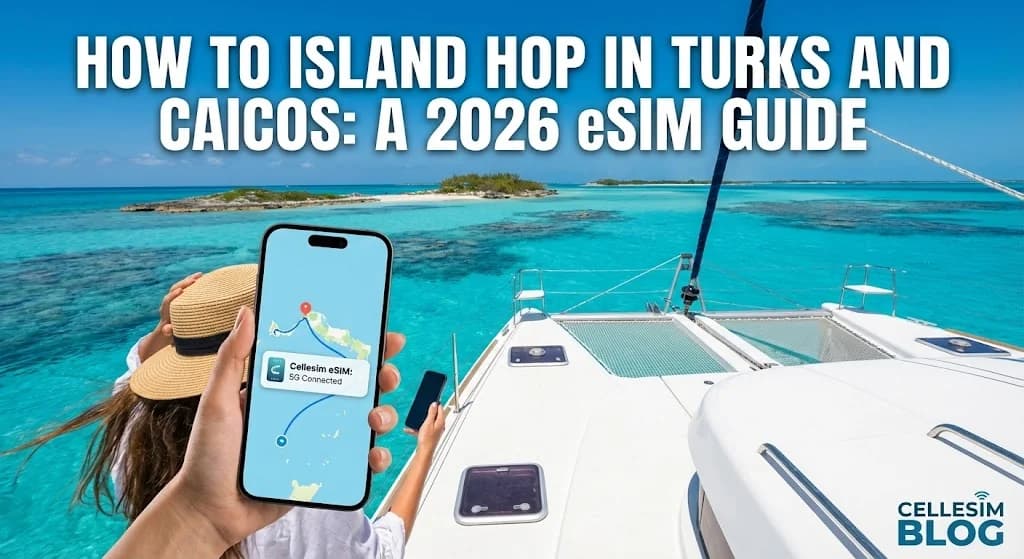
How to Island Hop in Turks and Caicos: A 2026 eSIM Guide
How-to & Guides

How to Island Hop in Turks and Caicos: A 2026 eSIM Guide

Ditch roaming fees and SIM card hassles on your Turks and Caicos adventure. This 2026 guide shows you exactly how to use an eSIM for seamless island hopping connectivity.

Emma Wright, eSIM Setup Specialist & Education Lead
(Updated: 15 February 2026)
34 min read

Picture this: you're on a water taxi, gliding across the impossibly turquoise channel between Providenciales and North Caicos. The sun is warm, the sea spray is refreshing, and you've just captured the perfect video. You pull out your phone to share it, and... nothing. No signal. That dreaded "No Service" message is a quick way to sour a perfect moment. Island hopping in Turks and Caicos is a dream, but staying connected across its 40 islands and cays can be a real-world headache. That's where a Turks and Caicos eSIM becomes not just a piece of travel technology, but your key to a stress-free adventure. Forget hunting for local SIMs or dreading a massive roaming bill. This guide will show you exactly how to set up and use an eSIM for seamless internet, from Grace Bay to Mudjin Harbour. First things first, you'll need to check if your phone is eSIM-ready, as most modern devices are.

In This Article
  1. Why Cellesim eSIM is Ideal for Turks and Caicos Island Hopping
  2. Navigating Connectivity Across the Turks and Caicos Islands
  3. Pre-Travel Checklist: Ensuring Your Device is eSIM-Ready
  4. Step-by-Step Cellesim eSIM Activation for Your TCI Trip
  5. eSIM vs. Roaming vs. Local SIM: Your Cost Guide for Turks and Caicos
  6. Essential Tips for Staying Connected While Island Hopping
  7. Troubleshooting Common Connectivity Issues in TCI
  8. Frequently Asked Questions About Turks and Caicos eSIMs

Connect Instantly in Turks and Caicos

Get a Cellesim eSIM for Turks and Caicos and stay online from the moment you land. Seamless data across 200+ countries, with 50,000+ happy customers.

Shop Turks and Caicos eSIM Plans 🏝️
Why Cellesim eSIM is Ideal for Turks and Caicos Island Hopping - Cellesim eSIM
Why Cellesim eSIM is Ideal for Turks and Caicos Island Hopping | Cellesim eSIM
Why an eSIM is Your Best Bet for Island Hopping - Cellesim eSIM
Why an eSIM is Your Best Bet for Island Hopping | Cellesim eSIM

Why Cellesim eSIM is Ideal for Turks and Caicos Island Hopping

Traditional connectivity solutions often fall short when your itinerary involves exploring multiple islands. Relying on your home carrier's international roaming can quickly become an expensive mistake, with charges often accumulating at an alarming rate. Searching for local SIM cards on each new island, if even available, proves inconvenient and time-consuming, pulling you away from the pristine beaches and vibrant culture. This is where an eSIM provides a distinct advantage, especially for an island-hopping adventure in Turks and Caicos.

A Cellesim eSIM offers immediate, on-demand data connectivity without the need for physical SIM card swaps. You simply purchase a data plan online, activate it with a QR code, and connect to local networks upon arrival. This means you can land in Providenciales, take a ferry to North Caicos, then fly to Grand Turk, all while maintaining consistent internet access. There is no need to visit local stores, register personal details repeatedly, or worry about losing a tiny plastic card. This simplicity translates to more time enjoying your trip and less time managing your phone. Cellesim connects 50,000+ happy customers in 200+ countries, making it a reliable choice for your Caribbean journey.

Key Info: Turks and Caicos consists of 40 islands and cays, but only 8 are inhabited. An eSIM ensures consistent connectivity as you travel between them.

Navigating Connectivity Across the Turks and Caicos Islands

Turks and Caicos boasts a relatively robust mobile network, primarily served by providers such as Flow and Digicel. On the more developed islands like Providenciales (Provo), Grand Turk, and Salt Cay, you can expect strong 4G LTE coverage. As you venture to quieter islands such as North Caicos, Middle Caicos, or South Caicos, coverage may become more sporadic or drop to 3G in certain remote areas. While seamless internet across every single patch of sand isn't guaranteed with any provider, an eSIM leverages the best available local networks, maximizing your chances of staying connected.

For island hopping, understanding potential coverage gaps is important. Planning your data usage, such as downloading maps or travel information while on a well-connected island, can prevent frustration later. Major tourist areas, resorts, and population centers typically offer the best speeds. When you activate a Cellesim eSIM, your device automatically connects to the strongest available partner network, optimizing your access regardless of which island you find yourself on. This adaptive connectivity is invaluable when exploring diverse locations like the quiet coves of Middle Caicos or the bustling Grace Bay of Providenciales. For detailed network information, you can consult reports from global telecom analysis firms like OpenSignal.

Pro Tip: Before setting sail for a less populated island, consider downloading offline maps via Google Maps and essential travel documents to ensure access even without a signal.

Pre-Travel Checklist: Ensuring Your Device is eSIM-Ready

Before you embark on your Turks and Caicos adventure, a crucial step is to confirm your smartphone's eSIM compatibility. Most modern smartphones manufactured from 2018 onwards support eSIM technology. This includes recent iPhone models (XS, XR, 11, 12, 13, 14, 15 series), Samsung Galaxy devices (S20, S21, S22, S23, S24 series, Fold, Flip), and Google Pixel phones (Pixel 3 and newer). However, it is essential that your device is also unlocked by your home carrier. A locked phone will not allow you to use an eSIM from another provider.

To make this check easy, Cellesim provides an online eSIM checker tool on our website. Simply enter your phone's IMEI number or model, and it will confirm compatibility in seconds. If your device is compatible, you are ready to choose your Cellesim plan. If not, you might consider contacting your carrier to unlock your phone or exploring other options like a portable Wi-Fi hotspot for your trip. For more in-depth information on device compatibility, consult our guide on eSIM compatible devices.

Step-by-Step Cellesim eSIM Activation for Your TCI Trip

Activating your Cellesim eSIM for Turks and Caicos is a straightforward process, designed to get you connected quickly. Follow these steps to ensure a smooth setup:

  1. Purchase Your eSIM Plan: Visit cellesim.com and select a Turks and Caicos eSIM data plan that suits your travel duration and data needs. Cellesim offers various packages, from short-term light usage to longer, more intensive data options.
  2. Receive Your QR Code: After your purchase, you will immediately receive an email containing a QR code and detailed installation instructions. This QR code is your digital SIM.
  3. Install the eSIM Profile (Before You Depart): It is highly recommended to install your eSIM profile before you travel. You will need a stable internet connection for this step.
    • For iPhone: Go to Settings > Cellular (or Mobile Data) > Add eSIM. Choose "Use QR Code" and scan the code.
    • For Android: Navigate to Settings > Network & internet > SIMs > Add more (or +) > Download a SIM. Scan the QR code.
    Follow the on-screen prompts to complete the installation. You can name your eSIM (e.g., "TCI Travel") for easy identification.
  4. Activate Upon Arrival: Once you land in Turks and Caicos, switch on your newly installed Cellesim eSIM. Ensure "Data Roaming" is enabled for this eSIM line in your phone settings. Your phone will automatically connect to a local network (like Flow or Digicel). Keep your primary SIM active if you wish to receive calls and texts on your home number, but set the Cellesim eSIM as your primary line for mobile data to avoid roaming charges.

For a visual, interactive guide, you can refer to our interactive setup guide, or our comprehensive article on how to install Cellesim eSIM on iPhone and Android.

eSIM vs. Roaming vs. Local SIM: Your Cost Guide for Turks and Caicos

When planning your connectivity in Turks and Caicos, evaluating the cost-effectiveness of an eSIM against traditional options is vital. Here's a comparison to help you make an informed decision for your 2026 trip:

Option Typical Cost (per GB) Setup Time Convenience for Island Hopping
Cellesim eSIM From $3.50-$7.00 Instant (pre-arrival) High (seamless across islands)
Carrier Roaming $10-$20+ Automatic Moderate (can be expensive if not careful)
Local Physical SIM $5-$10 1-2 hours (shop visit, activation) Low (requires new SIM on each island or limited coverage)

As the table illustrates, Cellesim eSIM plans offer a compelling balance of affordability and convenience. While local SIMs might appear cheaper per GB, the time and effort required to purchase and activate them, especially if you're island hopping, quickly diminish their appeal. Moreover, local SIMs might not be readily available on smaller cays. Carrier roaming is the most expensive option and can lead to bill shock. For a detailed comparison, explore our article on Turks and Caicos eSIM vs. Roaming: Your 2026 Cost Guide. You can also use our Roaming Savings Calculator to see how much you could save.

Instant Setup
Buy, scan, connect in minutes
🌍
200+ Countries
Global coverage for your travels
50,000+ Users
Trusted by travelers worldwide

View All Cellesim eSIM Plans

Essential Tips for Staying Connected While Island Hopping

Maximizing your connectivity during an island-hopping trip in Turks and Caicos with an eSIM involves a few smart practices:

  • Monitor Data Usage: Keep an eye on your data consumption to avoid running out unexpectedly. Most smartphones allow you to track data usage per app. Cellesim also offers tools like the Smart Data Calculator to help estimate your needs, and you can easily check your eSIM data usage and top up if necessary.
  • Utilize Wi-Fi When Available: Many resorts, restaurants, and cafes on major islands offer free Wi-Fi. Connect to these networks to save your eSIM data for when you truly need it, especially when exploring less connected areas.
  • Optimize Phone Settings: Turn off background app refresh for non-essential apps, disable automatic media downloads in messaging apps, and use data saver modes on your browser. These small adjustments can significantly extend your data plan.
  • Keep Your Primary Number Active for Calls/SMS: An eSIM manages your data, allowing your physical SIM to remain active for calls and texts on your home number. This ensures you can receive important communications without incurring international roaming data charges. For more on this, read our guide on keeping your number when using a travel eSIM.
  • Charge Your Device: Heavy data usage can drain your battery faster. Carry a portable power bank, especially when spending full days exploring different islands away from charging points.
"Seamless connectivity was a game-changer for our TCI trip. Being able to look up ferry schedules, map out snorkeling spots, and share moments instantly, no matter which island we were on, made the experience truly effortless." — A recent Cellesim traveler to Turks and Caicos.

Troubleshooting Common Connectivity Issues in TCI

Even with the best preparation, you might encounter minor connectivity hiccups. Here are some quick fixes for common eSIM issues in Turks and Caicos:

  • "No Service" or "Limited Service": This often occurs in remote areas or if your eSIM isn't properly activated for data roaming.
    • Solution: Go to your phone's settings, ensure "Data Roaming" is enabled for your Cellesim eSIM. Try toggling Airplane Mode on and off to reset the network connection. If on a smaller island, manually select the network in settings (e.g., Flow or Digicel) if auto-selection fails.
  • Slow Data Speeds: While 4G is prevalent, speeds can vary.
    • Solution: Check your data usage. If you've consumed most of your high-speed allowance, speeds might be throttled. Try restarting your phone. Move to an open area, as dense vegetation or buildings can sometimes obstruct signal.
  • eSIM Not Installing: This usually indicates an issue during the QR code scan or an incompatible device.
    • Solution: Ensure your phone is eSIM compatible and unlocked. Double-check that your Wi-Fi connection is stable during installation. If scanning is difficult, some phones allow manual entry of the SM-DP+ Address and Activation Code, usually provided in your Cellesim confirmation email.
  • Accidental Roaming Charges: If you're using your home SIM for data.
    • Solution: Always set your Cellesim eSIM as the primary line for mobile data in your phone's cellular settings when abroad. You can keep your physical SIM active for calls/SMS but ensure its data roaming is turned OFF.

If you continue to experience issues, remember that Cellesim's 24/7 customer support team is available via email at [email protected] to assist you.

Ready for Seamless Island Hopping in Turks and Caicos?

Connect instantly across all islands with Cellesim. Experience hassle-free data from the moment you arrive.

Start Your Connected Journey

Trusted by travelers worldwide. 24/7 Email Support.

Why an eSIM is Your Best Bet for Island Hopping

For years, travelers had two imperfect choices: pay exorbitant roaming fees to their home carrier or waste precious vacation time finding a local SIM card upon arrival. Both options have significant downsides, especially in an archipelago where you might be moving between different coverage zones.

The Problem with Traditional Options

Let's be honest, the old ways are clunky. Relying on your home plan's international roaming often leads to bill shock. A few map lookups and social media posts can quickly add up to hundreds of dollars. The alternative, buying a physical SIM card at Providenciales International Airport (PLS), seems better until you're stuck in a queue after a long flight, trying to figure out which local plan is best. What if they're out of stock? What if you lose the tiny SIM card or the ejector tool? It’s a layer of friction you just don’t need. Comparing airport SIM card prices versus an eSIM often reveals that the convenience and upfront cost of an eSIM are far superior.

The eSIM Advantage for the Turks and Caicos Archipelago

An eSIM, or embedded SIM, is a digital SIM card that's already built into your phone. You can download a data plan and activate it instantly. For a destination like Turks and Caicos, this is a game-changer.

  • Instant Connectivity on Arrival: You can install your eSIM at home before you even leave. The moment your plane's wheels touch down at PLS, you can switch on your data and be online. No waiting, no searching.
  • Seamless Network Switching: Cellesim partners with top local carriers like Flow and Digicel. Your eSIM will automatically connect to the strongest available signal as you hop from Provo to Grand Turk or Salt Cay, ensuring you have the best possible mobile data in Turks and Caicos.
  • Keep Your Home Number: This is a huge benefit. Your phone can use your eSIM for data while keeping your primary physical SIM active for calls and texts. You won't miss important verification codes from your bank or urgent calls from home.
  • Cost-Effective and Transparent: You buy a specific amount of data for a fixed price. No hidden fees, no surprise charges. You're in complete control of your spending on a Turks and Caicos data plan.

Understanding Turks and Caicos Network Coverage

The Turks and Caicos Islands, a British Overseas Territory, rely on robust cellular infrastructure to keep residents and visitors connected. The primary mobile network operators in the territory are Flow (formerly LIME) and Digicel. Both provide comprehensive 4G LTE coverage across the more populated islands, particularly Providenciales, Grand Turk, and North Caicos. When traveling to smaller cays or during inter-island transit, signal strength can vary.

Cellesim strategically partners with these leading local networks to ensure optimal connectivity. This means your Cellesim eSIM for Turks and Caicos will automatically leverage the strongest available signal, whether you're relaxing on Grace Bay Beach or exploring the historic sites of Grand Turk. While 5G networks are still in early stages of deployment or not yet widely available in the islands, 4G LTE speeds are generally more than sufficient for streaming, video calls, navigation, and social media. You can check the general coverage maps from Flow or Digicel's official websites for specific area insights before your trip. For example, Flow's coverage map offers a visual representation of signal strength across various islands. For general travel insights about the destination, refer to the official Turks and Caicos tourism website.

What You'll Need Before You Go

Getting set up is incredibly simple, but a little preparation ensures a smooth process. Before you start packing your bags for a Turks and Caicos adventure, make sure you have the following sorted. This checklist ensures you can activate your Cellesim eSIM without a hitch, allowing you to focus on the beauty of the Caribbean, not connectivity woes.

  • An eSIM-Compatible, Unlocked Smartphone: This is the most critical requirement. Most iPhones (XS and newer), Google Pixels (3 and newer), and high-end Samsung Galaxy phones support eSIM. It's also vital to check if your phone is unlocked from any carrier restrictions. An unlocked phone means it can accept any network's SIM or eSIM, including Cellesim. You can verify your device's compatibility on our eSIM compatible devices page.
  • A Stable Wi-Fi Connection: You'll need Wi-Fi to download and install the eSIM profile onto your device. It’s best to do this from the comfort of your home or at the airport before you depart. This ensures a quick and error-free installation process.
  • Your Cellesim QR Code: After purchasing your plan, you'll receive an email with a QR code and manual activation details. This is your digital key to getting connected. Keep this email accessible, perhaps by saving it to your phone's photo gallery or printing it.
  • A Second Device (Recommended): It's easiest to scan the QR code from another screen (like a laptop or tablet). If you don't have one, don't worry—you can also use a manual activation code provided in the same email. Just copy and paste the details when prompted during the installation.

Step-by-Step Guide: Activating Your Turks and Caicos eSIM

Ready to get connected? Follow these four simple steps to activate your service. It’s faster than getting through airport security and ensures you're online the moment you land. For a comprehensive visual guide, refer to our complete eSIM setup guide.

Step 1: Choose and Purchase Your Plan (Before You Leave)

First, head to the Cellesim website and select the Turks and Caicos data plan that fits your trip. Consider how long you'll be there and what you'll be doing. Are you just using maps and email, or will you be uploading high-resolution photos and videos? It's always better to have a little more data than you think you'll need. Our smart data calculator can help you estimate your usage. For regional travel, you might also consider a Caribbean multi-country eSIM.

Step 2: Install the eSIM Profile via QR Code

Once you've purchased your plan, you'll get that all-important email with the QR code. Now it's time to install it. Remember, do this while you still have Wi-Fi.

  • For iPhone: Go to Settings > Cellular > Add eSIM. Choose “Use QR Code” and scan the code from your email.
  • For Android (Samsung/Pixel): Go to Settings > Connections > SIM card manager > Add mobile plan. Select “Scan carrier QR code” and scan it.

Your phone will guide you through a few prompts to add the cellular plan. This process doesn't activate the plan's validity period; it just gets it ready for your trip.

Step 3: Configure Your Settings for Travel

After installation, it’s a good idea to label your new eSIM. Go into your cellular settings and name it something memorable like “Turks & Caicos” or “Cellesim.” This helps you easily distinguish it from your primary line. Set this new eSIM as your default for “Mobile Data.” Crucially, ensure your primary line is still the default for voice calls and messages so you don't miss anything important from home. This approach allows you to keep your number active while traveling.

Step 4: Activate Upon Landing at Providenciales (PLS)

This is the magic moment. As soon as you're allowed to use electronic devices after landing, go back into your phone's cellular settings. Make sure your Cellesim line is selected for mobile data, and then—this is the most important part—turn ON “Data Roaming” for your Cellesim eSIM. It might sound counterintuitive, but this allows the eSIM to connect to the local partner networks. Within moments, you'll see the signal bars appear, and you'll be connected to high-speed internet in Turks and Caicos. Remember, your Cellesim eSIM plan already includes roaming fees, so there are no surprises.

Cost Comparison: Cellesim eSIM vs. Traditional Options in Turks and Caicos

When planning your trip to the beautiful Turks and Caicos, understanding your connectivity costs is crucial. Comparing a Cellesim eSIM to traditional roaming or local physical SIM cards reveals significant advantages in both price and convenience.

Option Typical Cost (per GB / per day) Key Advantages Key Disadvantages
Home Carrier Roaming $10-$20+ per day / $100+ per GB No setup required, uses your existing number. Extremely expensive, high risk of bill shock, limited data.
Local Physical SIM (Flow/Digicel) ~$15-$30 for 5GB (valid 7-14 days) + SIM purchase Relatively affordable, local number. Requires finding a store, queues, physical SIM swap, losing home number, potential language barrier.
Cellesim eSIM for Turks & Caicos From $4.50 (for a 1GB plan) Affordable, instant activation, keep home number, no physical SIM, multiple plans, 24/7 support. Requires an eSIM-compatible phone.

As you can see, Cellesim offers a compelling blend of cost-effectiveness and unparalleled convenience, especially for travelers who value their time and want to avoid unexpected charges. Our roaming savings calculator can provide an even clearer picture of how much you stand to save.

Anında Kurulum Instant Setup
🌍 200+ Ülke 200+ Countries
50.000+ Kullanıcı 50,000+ Happy Customers

See all Cellesim eSIM plans

Pro Tips for Seamless Connectivity Across the Islands

Having data is one thing; using it smartly is another. Here’s how to make the most of your connection while exploring the archipelago, from Providenciales to the more secluded islands.

Managing Data Usage While Island Hopping

Even with a generous data plan, it’s wise to be efficient. Before your trip, estimate your data needs with our calculator to pick the right plan. While there, download offline maps of Providenciales, North Caicos, and any other islands you plan to visit using Google Maps. This gives you full navigation without using a single megabyte of data. Use the free Wi-Fi at your hotel or local spots like Da Conch Shack for heavy tasks like uploading your photo gallery or video calling family back home. Remember that constant video streaming, large file downloads, and extensive use of social media with autoplaying videos can consume data quickly. Monitor your eSIM data usage regularly and top-up if needed, directly from the Cellesim app or website.

Navigating Potential Coverage Gaps

Turks and Caicos has excellent coverage on the main island of Providenciales. However, when you venture to more remote areas like Middle Caicos or are sailing between islands, you might find the signal weakens. An eSIM helps by automatically seeking the strongest signal from available partners, but it's not magic. Be prepared for brief periods of lower connectivity in these spots—it's part of the charm of getting away from it all! Consider downloading essential travel information or entertainment offline before heading to less connected areas.

Common Issues & Quick Fixes

Sometimes technology needs a little nudge. If you run into any issues, don't panic. Here are the solutions to the most common problems, ensuring your island adventures remain uninterrupted.

  • Problem: I've landed and have “No Service.”
    Solution: The number one culprit is forgetting to enable data roaming for your eSIM. Go to your eSIM’s settings and ensure the “Data Roaming” toggle is ON. If it is, try toggling Airplane Mode on and off for 30 seconds. A simple restart of your phone can also work wonders. Double-check that your Cellesim eSIM is selected as the primary data line.
  • Problem: My data seems slow.
    Solution: This can sometimes happen in crowded areas or regions with weaker infrastructure. Toggling Airplane Mode can force your phone to reconnect to a different, potentially less congested cell tower. Moving to a different location, even a few meters, can sometimes improve signal.
  • Problem: I can't scan the QR code.
    Solution: Make sure your camera is clean and you have good lighting. Ensure the QR code is displayed clearly on a separate screen or a flat printed page. If it still won't work, use the manual activation details provided in your confirmation email. You can enter them by selecting “Enter Details Manually” during the setup process.
  • Problem: I'm concerned about my home number while using eSIM.
    Solution: Your Cellesim eSIM operates independently for data. Your primary SIM remains active for calls and texts unless you explicitly turn it off. This allows you to receive important calls or SMS without incurring roaming data charges. Learn more about keeping your number with a travel eSIM.
Your Journey, Connected. - Cellesim eSIM
Your Journey, Connected. | Cellesim eSIM

Your Journey, Connected.

Stay seamlessly connected across 200+ countries with Cellesim. Join 50,000+ happy customers who trust us for reliable, affordable global data.

Explore All eSIM Plans

Frequently Asked Questions About Turks and Caicos eSIMs

1. What is an eSIM and how does it work for Turks and Caicos island hopping?

An eSIM is a digital SIM embedded directly into your phone, eliminating the need for a physical card. For Turks and Caicos, you purchase a Cellesim data plan online, receive a QR code, and install the profile onto your device. Upon arrival, you simply activate the eSIM for mobile data, connecting you to local networks like Flow or Digicel without swapping SIM cards, even as you travel between islands.

2. Will my phone work with an eSIM in Turks and Caicos?

Most modern smartphones, including iPhone XS/XR and newer, Samsung Galaxy S20 and newer, and Google Pixel 3 and newer, are eSIM compatible. It is crucial that your phone is also unlocked by your home carrier. You can easily check your device's compatibility using our eSIM checker tool on the Cellesim website.

3. Can I keep my original phone number while using a Cellesim eSIM during island hopping?

Yes, absolutely. One of the main benefits of using an eSIM is that you can keep your primary physical SIM card active for calls and texts. The Cellesim eSIM will handle all your data needs, ensuring you can still receive calls or important messages on your home number without incurring expensive roaming data charges, regardless of which TCI island you are exploring.

4. How much data do I need for an island-hopping trip to Turks and Caicos?

The amount of data you need depends on your usage habits across different islands. Light users (maps, email, light browsing) might need 1-3 GB for a week, while heavy users (streaming, video calls, frequent social media) could use 5-10 GB or more. Cellesim offers various data packages to suit different needs. Our Smart Data Calculator can help you estimate your requirements.

5. Is an eSIM more affordable than international roaming in Turks and Caicos?

Yes, in almost all cases, a Cellesim eSIM is significantly more affordable than traditional international roaming plans offered by home carriers, which can often lead to exorbitant bills. eSIMs provide transparent, upfront pricing for specific data packages, giving you full control over your spending without any hidden fees. This budget predictability is especially useful when planning travel to multiple Caribbean destinations, as outlined in our Caribbean island hopping eSIM guide.

6. What if I experience issues with my Cellesim eSIM in Turks and Caicos?

If you encounter any issues, first check that data roaming is enabled for your eSIM and try toggling airplane mode. Cellesim provides 24/7 customer support via email at [email protected]. Our team is ready to assist you with troubleshooting and ensuring you stay connected during your trip.

Written by
Emma Wright

Emma Wright

eSIM Setup Specialist & Education Lead - Cellesim UK Help Center
 Based in the academic city of Oxford, Emma Wright is the Education Lead for Cellesim. Emma specializes in demystifying technology. She writes easy-to-follow, step-by-step guides on how to install and activate eSIMs on iPhones, Samsungs, and Pix...
You may also like

Discover more articles on similar topics

Learn how to easily install and activate an eSIM on your iPhone 17 Pro Max in 2026. Get connected instantly with our step-by-step guide.

Learn how to activate your eSIM on iPhone 14 models for seamless travel in 2026. Get step-by-step instructions, troubleshooting tips, and Cellesim ben...

Learn how to use an eSIM internationally in 2026 for seamless global connectivity. Avoid roaming fees with Cellesim. Explore plans today!