
You can find your eSIM number (EID or ICCID) by navigating through your device's settings, typically under 'About Phone' or 'Cellular Data' settings, then looking for your specific eSIM profile. This unique identifier is crucial for activation, troubleshooting, and managing your Cellesim family data plans across multiple devices, from iPhones to Androids.
Why You Need to Know Your eSIM Number: It's a Lifesaver for Families
As a parent who’s navigated everything from the chaotic queues at Disney World Paris to the surprisingly robust Wi-Fi on a Caribbean cruise, I can tell you that connectivity is key to parental sanity. And knowing your eSIM number, while it might sound like a technicality, is actually a secret weapon in your travel planning arsenal. It’s not just about activating a new plan, it’s about making sure that when your little one inevitably drops their iPad in a puddle (don't ask), you can quickly get their Cellesim profile transferred to a backup device.
Think of it this way: when you’re managing multiple devices for a family trip, whether it’s your phone, your partner’s, or the kids' iPads loaded with educational games (and, let’s be honest, a fair bit of Roblox and YouTube Kids), each one needs its own digital identity. The eSIM number is that identity. It helps Cellesim, or any carrier, identify your specific digital SIM profile. This becomes incredibly important for:
- Troubleshooting connectivity issues: “Mom, why isn’t my Sago Mini World working?” is a phrase that can haunt you. If you need to call support, having the eSIM number ready speeds things up dramatically.
- Activating new data plans: When you purchase a new data package, especially for a specific region like eSIM for French Polynesia, the eSIM number ensures it’s applied to the correct device.
- Switching devices: If a phone gets lost or damaged, knowing the eSIM number can help transfer your existing plan to a new device, saving you the headache of buying a whole new plan mid-trip.
- Managing parental controls: Some advanced parental control apps (like Circle or Google Family Link) can integrate with carrier-level settings. While not direct, understanding how your eSIMs are identified can help ensure consistent application of rules across the family's connected devices.
Ultimately, knowing where to find this number is a small step that can save you a huge amount of stress. It’s part of being prepared, which, for a family travel planner, is practically a superpower.
Finding Your eSIM Number on an iPhone: A Step-by-Step Guide
Ah, the iPhone, practically an extension of every modern parent's hand. If you've got Cellesim eSIMs on your iPhone (or even your child's older, hand-me-down model), finding the eSIM number, specifically the EID or ICCID, is quite straightforward. No need to dig through tiny paper clips for a SIM tray, blessedly.
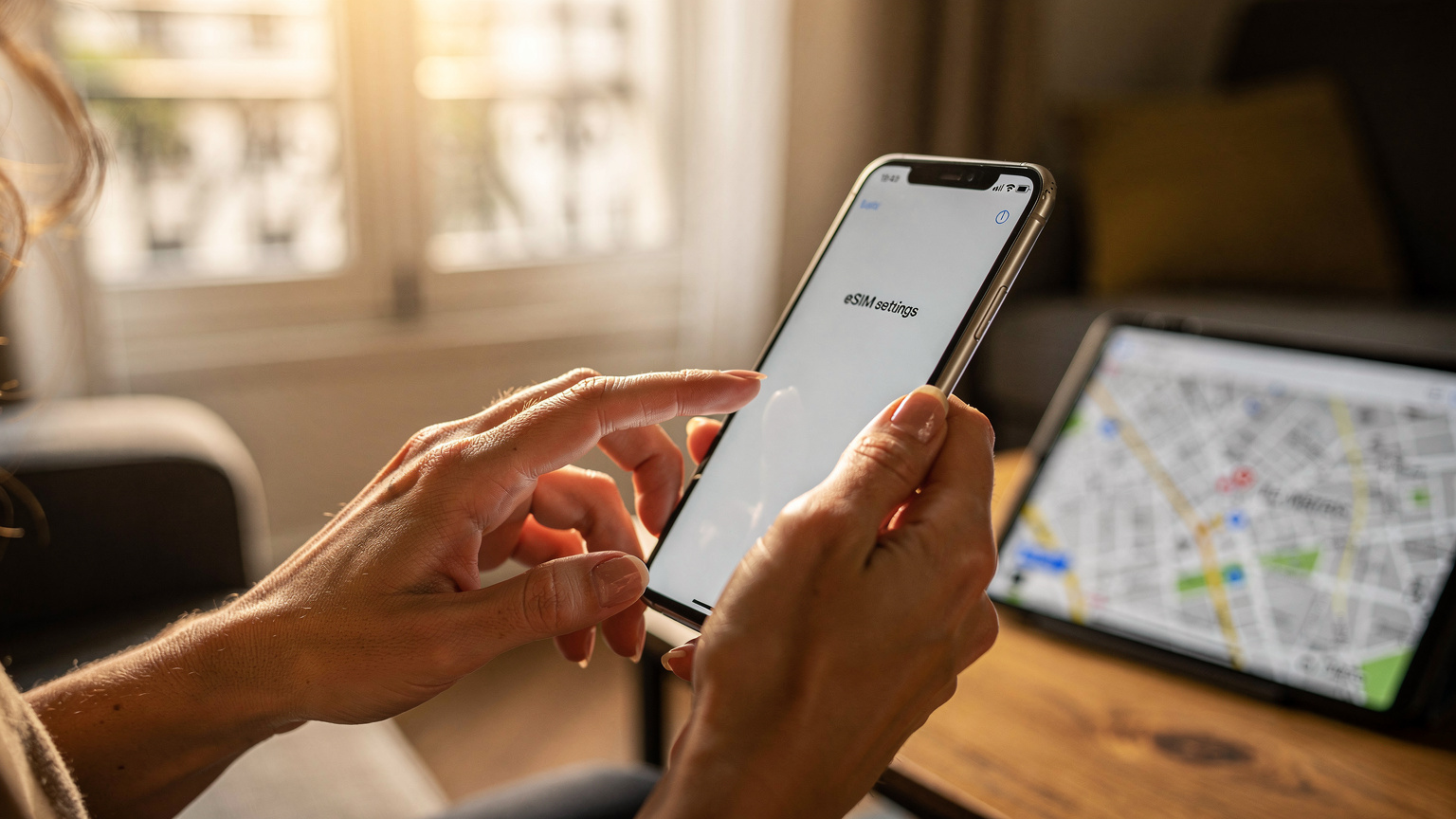
Here’s how you can do it:
- Open Settings: Tap the grey 'Settings' app icon on your home screen.
- Go to Cellular/Mobile Data: Scroll down and tap 'Cellular' or 'Mobile Data', depending on your region.
- Select Your eSIM Plan: You'll see a list of your cellular plans. Your eSIMs will usually be labeled something like 'Travel eSIM' or 'Secondary'. Tap on the specific eSIM plan for which you need the number. (If you're wondering about managing multiple plans, especially for international travel, it's worth checking out Unlocking Your iPhone for eSIM.)
- Find the EID/ICCID: On the next screen, scroll down. You should see a section for 'EID' (Embedded Identity Document) and sometimes 'ICCID' (Integrated Circuit Card ID). Both are unique identifiers. The EID is specific to the eSIM hardware itself, while the ICCID identifies the specific eSIM profile provisioned on that hardware. For most Cellesim customer support inquiries, either will work, but EID is usually preferred for the physical eSIM module.
- Jot it Down (Safely!): It's a long string of numbers, so I always recommend having a secure note-taking app like Apple Notes or a physical notepad handy. Screenshot it, if you prefer, but be mindful of sensitive information in your photo roll.
Remember, this process needs to be done on the actual device holding the eSIM. You can’t typically find another device’s eSIM number from your own phone, which is why a central record, perhaps in a shared family travel spreadsheet, is so important.
What if I have multiple eSIMs on my iPhone?
Many iPhones support multiple eSIM profiles, which is fantastic for globe-trotting families. My daughter’s old iPhone 11, for instance, juggles her school data plan and a Cellesim travel eSIM for our trips to Brazil for Carnival. When you go into 'Cellular/Mobile Data' settings, each active or stored eSIM will be listed. Simply tap on the specific one you need to view its details, including the EID/ICCID.
Troubleshooting: eSIM profile not showing up?
If your eSIM profile isn't appearing in the list, first, make sure it was successfully installed. This usually involves scanning a QR code or entering activation details. If it still isn't there, a quick restart of your iPhone sometimes helps. If all else fails, you might need to contact Cellesim support with the original QR code or activation details you received, as the eSIM may not have provisioned correctly.
Finding Your eSIM Number on Android Devices: Samsung, Google Pixel, and More
Android devices, while wonderfully diverse, can sometimes feel like a digital scavenger hunt when you're looking for specific settings. Fortunately, finding your eSIM number on a Samsung Galaxy, Google Pixel, or other Android phones is generally quite similar. (And yes, this applies to the kids' hand-me-down Samsung tablets too, which are often the primary screens for their Minecraft and Disney+ streaming sessions).
Here’s a general guide that works for most Android devices:
- Open Settings: Swipe down from the top of your screen to open the Quick Settings panel, then tap the gear icon (⚙️) to open 'Settings'. Alternatively, find the 'Settings' app in your app drawer.
- Navigate to Network & Internet: Tap on 'Network & Internet' or 'Connections' (on Samsung devices). This is your hub for all things Wi-Fi, mobile data, and SIM cards.
- Find SIMs or Mobile Network: Tap 'SIMs' or 'Mobile Network'. Here, you'll see a list of your physical SIM cards and any active eSIM profiles.
- Select Your eSIM: Tap on the specific eSIM profile you want to examine. It might be labeled with the carrier name, like 'Cellesim Travel' or 'Work eSIM'.
- Locate EID/ICCID: On the details screen for that eSIM, look for 'EID' or 'ICCID'. On some devices, you might need to tap 'Advanced' or 'More settings' to reveal these details.
Keep in mind that exact menu names can vary slightly between manufacturers (Samsung's One UI versus Google's stock Android, for example) and Android versions. But the general path, 'Settings' > 'Network & Internet' > 'SIMs/Mobile Network' > 'eSIM Profile', remains consistent.
Samsung Galaxy Specifics
On a Samsung device, you'll typically go to Settings > Connections > SIM card manager. Here, you'll see your physical SIMs and any eSIMs. Tap on the desired eSIM, and you'll find the ICCID listed. The EID is usually found under Settings > About phone > Status information > EID.
Google Pixel Specifics
For Google Pixel phones, the path is usually Settings > Network & internet > SIMs. From there, select your eSIM, and you'll find the ICCID and EID listed directly.
eSIM EID vs. ICCID Number: What's the Difference?
When you're dealing with eSIMs, you might come across two acronyms: EID and ICCID. While both are unique identifiers, they refer to slightly different things. Understanding the distinction isn't strictly necessary for everyday use, but it can be helpful when troubleshooting with Cellesim customer support, particularly if you’re trying to manage multiple family devices and their data plans.
| Identifier | What it Stands For | What it Identifies | When You'll Use It |
|---|---|---|---|
| EID | Embedded Identity Document | The physical eSIM chip itself, embedded in your device. It's like the serial number for the hardware. | Primarily for eSIM hardware issues or when re-provisioning an eSIM profile to the same device after a factory reset. Cellesim support might ask for this. |
| ICCID | Integrated Circuit Card Identifier | The unique serial number for a specific eSIM profile that is provisioned onto the EID. This is what most closely resembles a traditional SIM card number. | More commonly used for identifying specific data plans, troubleshooting network issues for a particular profile, or when migrating a plan to a new device. |
Frequently Asked Questions
Can I find my eSIM number if my device is offline?
Yes, your eSIM number (EID/ICCID) is stored locally on your device. You can access it through the Settings menu even if you don't have an active internet connection. This is helpful for troubleshooting before you've even landed in a new country.
Is the eSIM number the same as my phone number?
No, your eSIM number (EID/ICCID) is a unique identifier for the digital SIM profile or the embedded chip itself. Your phone number is the public-facing number associated with that profile. They are distinct, though linked.
What's the difference between EID and ICCID for my Cellesim eSIM?
The EID (Embedded Identity Document) identifies the physical eSIM chip embedded in your device. The ICCID (Integrated Circuit Card Identifier) identifies the specific eSIM profile or data plan that is provisioned onto that EID. For Cellesim, either can typically be used for support, but ICCID is often more specific to your plan.
Can I transfer an eSIM profile using just its number?
Transferring an eSIM typically requires more than just the number. Cellesim usually provides a specific transfer process within their app or through customer support, often involving the EID of the new device and verification of your account. The ICCID helps identify the plan being moved.
Do I need to keep a record of my children's eSIM numbers?
Absolutely! If your children have their own devices with Cellesim eSIMs, keeping a central record of their EID/ICCID numbers is crucial. This makes it easier to manage their data plans, troubleshoot issues, or transfer profiles if a device is lost or damaged during your travels.
Where is the eSIM number located on a smart device like an Apple Watch?
On an Apple Watch, the eSIM details are typically found through the paired iPhone's 'Watch' app. Go to 'My Watch' tab, then 'Cellular', tap on your plan, and look for the EID/ICCID. Similar paths exist for other smartwatches with cellular capabilities.
Think of it like this: your phone has a unique serial number (the EID), and each phone number (or data plan, in the case of Cellesim) you put on it has its own unique identifier (the ICCID). When I’m setting up a new Cellesim plan for my kids' iPads so they can stream Disney+ on long car rides, I'm mostly focused on the ICCID, as that’s what identifies their specific data plan.
"The EID is like the unique serial number of the physical eSIM chip, while the ICCID is the unique identifier for the specific data plan you've loaded onto it. Both are important, but for daily travel data management, the ICCID often comes up more."
Kids' Devices and eSIM Numbers: Smart Family Planning Tips
This is where my family travel planning expertise really shines. Managing data for kids' devices, be it an old iPhone 8 acting as a dedicated gaming device or a trusty iPad mini, is paramount. We all know the magic of pre-loaded apps before a flight, but what happens when they need to connect to the internet for a new game download or a video call with Grandma? eSIMs on these secondary devices are lifesavers.
For instance, on our last trip to Mexico for Día de los Muertos, my kids used their iPads for Duolingo lessons in Spanish (yes, I make them do some learning!) and, of course, for their preferred Netflix shows. Each iPad had its own Cellesim eSIM, so they weren't leeching off my phone's hotspot, which inevitably drains my battery when I need it most for navigation or emergency contacts.
Why give kids their own eSIM?
- Independent connectivity: They can connect without needing your hotspot, freeing up your phone's battery and bandwidth. This is particularly useful in places like theme parks, where network congestion can be an issue.
- Data management: You can allocate a specific data allowance to their devices. Cellesim offers various plan sizes, making it easy to pick one that covers, say, two kids streaming Disney+ for a few hours daily, plus some Roblox, without breaking the bank. (I generally budget for at least 5GB per child per week if heavy streaming is involved, especially since offline downloads aren't always possible for every app.)
- Parental control integration: With their own line, it's easier to apply parental controls that function at the network level. Apps like Apple Screen Time or Google Family Link can limit data usage, restrict app access, and enforce downtime, even when they're on their own eSIM data connection.
- Emergency contact: If they have a data-enabled device, they can use messaging apps (like WhatsApp) to contact you if separated, even if it's just a text.
Remember those times you're trying to navigate the sprawling grounds of a European castle, and your little one decides to ask a complex question that requires a quick Google search? Having their own data means they can look it up themselves (with your supervision, of course) without interrupting your flow. It's all about empowering them safely.
Keeping track of multiple eSIM numbers
With multiple devices, you'll inevitably have multiple eSIM numbers. I highly recommend creating a simple spreadsheet or a shared note in an app like Notion or Google Keep. Include:
- Device name: 'Liam's iPad', 'Mia's iPhone SE'
- Cellesim plan name: 'EU 10GB', 'Mexico 5GB'
- EID/ICCID: The actual number
- Activation date/renewal date: To keep tabs on when data expires
- Notes: Any specific parental control settings applied
This central record will be your best friend when you’re troubleshooting or renewing plans for Summer School Holiday Travel 2026.
When You'll Actually Use an eSIM Number: Real-World Scenarios
Knowing where your eSIM number is hiding is one thing, but understanding when you’ll actually need it is another. From my experience wrangling four devices across thirty countries, I can tell you it comes up more often than you'd think, especially when you're trying to keep everyone in the family connected and prevent those dreaded 'no Wi-Fi' meltdowns.
Scenario 1: Activating a new Cellesim plan
This is the most common use. When you purchase a new Cellesim data package for a trip, say for French Polynesia, you'll be given a QR code or manual details for activation. Sometimes, especially with manual installations or if there's a hiccup, Cellesim support might ask for your device's EID or the ICCID of the profile you're trying to activate to ensure everything aligns correctly. They use this to push the profile to your device or verify its status.
Scenario 2: Troubleshooting connectivity issues
Picture this: you're trying to navigate the bustling streets of Munich during Oktoberfest, and suddenly your child's iPad (with its own dedicated Cellesim eSIM for vital YouTube Kids access) can't connect. You've checked the settings, but no luck. When you contact Cellesim support, providing the exact ICCID of that iPad's eSIM allows them to quickly look up its status, diagnose any network issues on their end, or remotely troubleshoot the specific line. This is much faster than trying to describe 'the one for the iPad, not my phone'.
Scenario 3: Transferring an eSIM to a new device
Accidents happen, especially with kids involved. A dropped phone, a lost device, or even just an upgrade can mean you need to move your active Cellesim plan to another device. While Cellesim often has a streamlined process for this within their app or website, there might be instances where you need to provide the EID of the new device and the ICCID of the old plan to facilitate the transfer. This ensures your remaining data isn't lost and your family stays connected.
For instance, I once had to transfer my husband's T-Mobile eSIM abroad plan to a new phone after his old one met an untimely end in a fountain. Knowing both the old ICCID and the new phone's EID made the process much smoother with customer support, allowing him to quickly get back online with his T-Mobile eSIM abroad plan.
Scenario 4: When integrating with parental control software
While less direct, some advanced parental control solutions or corporate device management tools can leverage these identifiers for more granular control over network access. For families, this might mean ensuring that a child's device, when connected via its eSIM, adheres to specific content filters or time limits, regardless of whether they are on Wi-Fi or cellular data.
eSIM Number Issues While Traveling and How to Fix Them
Travel, especially with family, is a delicate balance of careful planning and controlled chaos. eSIMs simplify much of the connectivity aspect, but like any technology, they can have their moments. Knowing your eSIM number becomes particularly useful when you encounter these common travel snags.