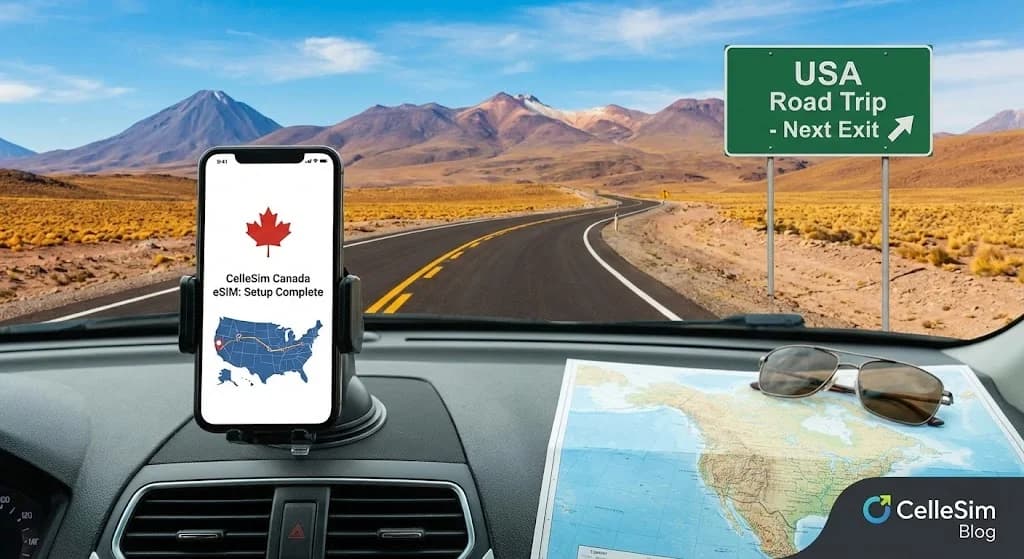
You have crossed the Peace Bridge, the iconic Niagara Falls receding in your rearview mirror. Your playlist is perfect, the snacks are accessible, and your GPS is confidently guiding you toward Toronto. Then, just as you are looking for the nearest gas station, it happens. The dreaded "No Service" notification pops up. Your maps go blank. Your music stops streaming. Welcome to Canada, and welcome to the world of international roaming fees, or the lack of any connection at all. This guide is here to ensure that moment never happens. We will walk you through exactly how to set up a Canada eSIM before you even leave your driveway, ensuring seamless, affordable connectivity from the moment you cross the border. For a deeper dive into your options, check out our ultimate guide to the best eSIM for Canada.
- Before Your USA to Canada Road Trip: Essential eSIM Prep
- Choosing the Right Canada eSIM Plan for Your Road Trip
- Understanding Network Coverage Across Canada for Road Trippers
- Step-by-Step: Setting Up Your Canada eSIM Before You Drive
- Practical Tips for a Connected USA to Canada Road Trip
- Cost Comparison: eSIM vs. Traditional Roaming for Canada Road Trips
- Troubleshooting Common eSIM Issues on Your Journey
- Frequently Asked Questions
Seamless Connectivity in Canada 🇨🇦
Get instant data for your road trip across Canada. Stay connected from Calgary to Quebec City. Trusted by 50,000+ happy customers.
Shop Canada eSIM Plans ⚡Before Your USA to Canada Road Trip: Essential eSIM Prep
Before you even think about packing your bags for a road trip from the USA into Canada, ensuring your phone connectivity is a critical first step. Many travelers assume their US phone plan will seamlessly extend across the border, only to be met with exorbitant roaming charges or a complete loss of service. An eSIM offers a smart alternative.
First, verify your device's eSIM compatibility. Most newer smartphones, including iPhone XS and later, Samsung Galaxy S20 and later, and Google Pixel 3 and later, support eSIM technology. You can quickly check your device using the Cellesim eSIM Checker or consult our guide on eSIM compatible devices. It is also wise to ensure your phone is unlocked by your current carrier. A locked phone may prevent you from using a new eSIM from a different provider.
Choosing the Right Canada eSIM Plan for Your Road Trip
Selecting the ideal eSIM plan for your Canadian road trip depends entirely on your data usage habits and the duration of your journey. Consider how much data you anticipate needing for navigation, streaming music, social media, and staying in touch with family. Cellesim offers a range of Canada eSIM plans, from smaller packages perfect for light browsing and navigation to larger options for heavy data users or longer trips.
For a typical road trip, data consumption can be higher than usual. GPS navigation apps like Google Maps can consume 50-100MB per hour, while streaming music can use 40-150MB per hour. Video calls, especially with family back home, can quickly deplete data at rates of 300MB per hour or more. Estimate your needs carefully, perhaps using our Smart Data Calculator, and always opt for a bit more than you think you will need to avoid running out mid-journey.
Plan validity is also a key factor. Cellesim plans offer various durations, typically from 7 to 30 days. Match the plan validity to your trip length to maximize value. If your road trip extends beyond Canada into other regions, a North America eSIM covering multiple countries might be a more convenient option.
Understanding Network Coverage Across Canada for Road Trippers
Canada is vast, and while major cities and highway corridors offer robust mobile coverage, more remote areas, especially those off the beaten path common on road trips, can have limited or no service. Cellesim partners with leading Canadian networks like Bell, Rogers, and Telus to provide reliable 4G and 5G connectivity where available. These carriers boast extensive networks covering most populated areas and major interprovincial highways.
Before embarking on your journey, especially if you plan to explore national parks or wilderness regions, it is advisable to consult coverage maps of Canadian providers. While an eSIM ensures you are on the best available network, no provider guarantees 100% coverage in every remote corner. Downloading offline maps for your GPS navigation is a wise precaution, as is informing someone of your itinerary, particularly when traveling through less-populated areas. For an overview of how our network partners ensure your connection, visit our How Our Network Works page.
Step-by-Step: Setting Up Your Canada eSIM Before You Drive
Setting up your Cellesim Canada eSIM is a straightforward process designed to get you connected quickly. The best time to complete the installation is before you depart from the USA, while you still have a stable Wi-Fi connection.
- Purchase Your eSIM: Visit cellesim.com and select the Canada eSIM plan that best suits your data and validity needs.
- Receive Your QR Code/Activation Details: After purchase, you will receive an email containing a QR code or manual activation details.
- Install the eSIM:
- For iPhones: Go to Settings > Cellular > Add eSIM. Choose "Use QR Code" and scan the code. Follow the prompts.
- For Android devices: Go to Settings > Network & Internet > SIMs (or Mobile Network) > Add eSIM. Scan the QR code.
- Configure Your Settings: Once installed, label your new eSIM (e.g., "Canada Travel") and set it as your primary line for "Mobile Data." Keep your primary US SIM active for calls and texts if you wish to retain your US number, ensuring seamless communication. Read our guide on keeping your WhatsApp number when using a travel eSIM for more details.
- Activate Data Roaming (for eSIM only): Ensure "Data Roaming" is turned ON for your Cellesim eSIM line in your phone settings. This allows it to connect to local Canadian networks. Data roaming should remain OFF for your primary US SIM to avoid unwanted charges.
- Cross the Border: As you enter Canada, your Cellesim eSIM should automatically connect to a local network, providing you with instant data access.
Practical Tips for a Connected USA to Canada Road Trip
Beyond setting up your eSIM, a few extra precautions and tips can significantly enhance your connectivity and overall experience on your USA to Canada road trip.
- Offline Maps are Your Friend: Even with reliable eSIM data, download offline maps for your route and destination areas. This saves data and ensures navigation even in cellular dead zones.
- Power Bank Essential: Constant GPS use, music streaming, and hotspot functionality can drain your phone battery quickly. A high-capacity power bank is crucial.
- Stay Aware of Data Usage: Regularly check your data consumption through your phone's settings or the Cellesim portal. This helps you monitor usage and plan for potential top-ups. Our guide on checking eSIM data usage and topping up offers practical advice.
- Wi-Fi Hotspots: Utilize free public Wi-Fi in cafes, hotels, and visitor centers for heavier tasks like uploading photos or downloading large files.
- Emergency Services: Remember that 911 is the emergency number in Canada. Your phone should still be able to make emergency calls even without an active data plan or credit on your US SIM.
"Having an eSIM ready before we crossed the border made our road trip so much smoother. No hunting for SIM cards or worrying about surprise roaming bills. Just instant connection for maps and music."
Explore All Cellesim eSIM Plans
Cost Comparison: eSIM vs. Traditional Roaming for Canada Road Trips
When traveling from the USA to Canada, the cost of staying connected can vary dramatically depending on your chosen method. Comparing eSIMs, traditional roaming, and local physical SIM cards highlights the economic advantages of eSIMs.
| Option | Typical Cost (7-day trip, 5GB data) | Setup Difficulty | Connectivity Speed | Keep US Number |
|---|---|---|---|---|
| Cellesim Canada eSIM | From ~$15-$25 | Easy (Online) | Full 4G/5G | Yes (Dual SIM) |
| US Carrier Roaming Plan | $70-$100+ (e.g., $10/day) | Automatic (but expensive) | Often throttled/limited | Yes |
| Local Canadian Physical SIM | $30-$50+ (Purchase + Activation) | Moderate (Store visit, ID needed) | Full 4G/5G | No (Replaces US SIM) |
As the table illustrates, using a Cellesim eSIM for your Canadian road trip often presents the most cost-effective and convenient solution. It eliminates the high daily fees of traditional roaming and the hassle of finding a local SIM card upon arrival, all while allowing you to maintain your US number for calls and SMS.
Troubleshooting Common eSIM Issues on Your Journey
While eSIMs are largely reliable, you might encounter minor issues. Knowing how to troubleshoot can save you time and frustration during your road trip from the USA to Canada.
- "No Service" or "Searching":
- Ensure "Data Roaming" is enabled for your Cellesim eSIM line in your phone's settings.
- Check that your Cellesim eSIM is selected as the preferred line for "Mobile Data."
- Restart your phone. This often resolves minor network glitches.
- Manually select a network operator: In your phone's settings, go to Mobile Network, then Network Selection, and turn off automatic selection. Try connecting to one of Cellesim's partner networks (e.g., Bell, Rogers, Telus).
- Slow Data Speeds:
- Check your data usage. If you have consumed most of your plan, speeds might be throttled. Consider purchasing a top-up.
- Move to an area with better coverage.
- If tethering other devices, disconnect them temporarily to see if speeds improve. Our guide on eSIM tethering provides more details.
- eSIM Not Activating:
- Double-check that you followed all installation steps correctly, especially scanning the QR code accurately.
- Ensure you have a stable Wi-Fi connection during the installation process.
- Confirm your device is eSIM compatible and unlocked.
If these steps do not resolve the issue, contact Cellesim support at [email protected]. Provide your order number and a description of the problem for prompt assistance.
Ready for Seamless Connectivity on Your Canadian Adventure?
Don't let connectivity issues interrupt your USA to Canada road trip. Set up your Cellesim eSIM in minutes and enjoy reliable data from border to coast.
Start Your Connected JourneyTrusted by 50,000+ travelers worldwide. 24/7 Email Support.
Before You Go: Essential Prep for a Seamless Setup
A few minutes of preparation at home can save you a world of headaches on the road. Before you purchase your eSIM, let us run through a quick pre-flight checklist to make sure your device is ready for the journey.
Check Your Phone's Compatibility
The first and most crucial step is confirming your smartphone supports eSIM technology. Most phones manufactured in the last few years do, but it is always best to be certain. This includes iPhones from the XS model onward, Samsung Galaxy S20 and newer, and Google Pixel 3 and newer. Instead of digging through settings, you can quickly verify your device on our complete list of eSIM compatible devices. It is a simple check that takes seconds, or use our dedicated eSIM Checker tool.
Ensure Your Phone is Unlocked
This is a significant factor that catches many travelers by surprise. An eSIM, just like a physical SIM card, will only work in a phone that is “unlocked.” This means your phone is not tied to a single carrier (like AT&T, Verizon, or T-Mobile). If you bought your phone directly from the manufacturer (like Apple or Samsung), it is likely unlocked. If you purchased it through a carrier payment plan, it might be locked. A quick call to your US carrier's customer service can confirm its status. Ask them to unlock it if you have completed your contract; they are required to do so.
How to Set Up Your Canada eSIM: A Step-by-Step Guide
Alright, your phone is compatible, unlocked, and you have picked the perfect data plan. Now for the easy part. Setting up your eSIM is a digital process that you can complete from the comfort of your couch. Here is exactly how it works.
- Purchase Your eSIM Online (Before You Leave): Find the Cellesim Canada plan that fits your trip and complete the purchase. The magic is that there is no shipping and no waiting. The confirmation and your all-important QR code will land in your email inbox almost instantly.
- Receive and Prepare Your QR Code: You will get an email with a QR code. You can either open this email on another device (like a laptop or tablet) to scan it with your phone, or you can print it out. The key is you will need to scan this image with the phone you are installing the eSIM on.
- Install the eSIM on Your Device (While on Wi-Fi): This is where you add the data plan to your phone. It is crucial to do this while you have a stable internet connection, like your home Wi-Fi. The process varies slightly between iOS and Android. For more detailed instructions, our interactive setup guide offers visual step-by-step instructions.
- For iPhone: Go to Settings > Cellular (or Mobile Data) > Add eSIM. Choose “Use QR Code” and point your camera at the code.
- For Android: Go to Settings > Network & Internet > SIMs. Tap the “+” icon to add a new SIM and select “Download a SIM instead?” Scan the QR code.
- Label Your eSIM for Easy Management: Your phone will prompt you to label your new cellular plan. Name it something obvious like “Canada Travel” or “Cellesim CA.” This will help you easily distinguish it from your primary US SIM, which you can label “Primary” or “Home.” This simple step prevents confusion later.
- Activate Your eSIM Upon Arrival in Canada: Your data plan’s validity period does not start when you install the eSIM; it starts when it first connects to a network in Canada. Once you cross the border, go back into your phone’s cellular settings. Select your “Canada Travel” eSIM as the line for Mobile Data. The final, critical step is to ensure Data Roaming is turned ON for this eSIM. Do not worry, this will not trigger charges from your home carrier; it simply allows the eSIM to connect to its partner networks in Canada. Within moments, you should see a new network signal appear, and you will be connected. For a comprehensive walkthrough on general eSIM setup, consult The Complete eSIM Setup Guide.
Explore All eSIM Plans
Pro Tips for Your USA to Canada Road Trip
Having set up countless eSIMs for trips, I have learned a few things that make the experience even smoother. Here are some insider tips for your drive north.
- Install at Home, Activate at the Border: The golden rule. Complete steps 1-4 before you leave. This way, the moment you cross the border, all you have to do is flip a switch in your settings. No need to hunt for Wi-Fi at a Tim Hortons just to get connected.
- Keep Your US Number for Calls & Texts: One of the best features of using an eSIM is Dual SIM functionality. You can keep your US line active for incoming calls and important SMS messages (like two-factor authentication codes from your bank) while using your Canada eSIM for all your data needs. This gives you the best of both worlds. For more details, see our guide on Can I keep my number when using a travel eSIM?
- Download Offline Maps as a Backup: Even with great coverage, you might hit a dead zone in remote areas like the Canadian Rockies or northern Ontario. Before you go, use Google Maps or Maps.me to download the maps for the provinces you will be visiting. It is a great safety net. For details on Google Maps features, consider checking the official Google Maps support page.
- Monitor Your Data Usage: You can track your eSIM data consumption directly in your phone’s cellular settings. Regularly checking your usage prevents unexpected data depletion. If you find yourself needing more data, Cellesim offers easy top-up options directly from your account.
- Research Border Crossing Times: Check the Canada Border Services Agency (CBSA) website for estimated wait times at your chosen border crossing. This helps with planning and ensures you are not stuck without connection on the US side longer than necessary. The CBSA website provides real-time updates.
Frequently Asked Questions
Can I use my current US phone number with a Cellesim Canada eSIM?
Yes, you can. When you install a Cellesim eSIM, your phone supports Dual SIM functionality. This allows you to keep your primary US number active for calls and SMS while using the Cellesim eSIM for all your data needs in Canada.
How do I know if my phone is compatible with eSIMs for my Canada trip?
Most newer smartphone models (iPhone XS and later, Samsung Galaxy S20 and later, Google Pixel 3 and later) are eSIM compatible. You can quickly check your device's compatibility on our eSIM Checker tool on the Cellesim website.
When should I activate my Canada eSIM for my road trip?
You should purchase and install your eSIM on your device while still connected to Wi-Fi at home. The eSIM's data plan validity only starts when it connects to a local network in Canada, so you can install it days or weeks before your trip.
What if I need more data during my road trip across Canada?
If you find yourself needing more data, Cellesim offers easy top-up options. You can simply purchase an additional data package through your Cellesim account, and it will be applied to your active eSIM almost instantly, keeping you connected without interruption.
Will my Cellesim eSIM work in remote areas of Canada during a road trip?
Cellesim partners with major Canadian networks like Bell, Rogers, and Telus, providing extensive coverage in populated areas and along major routes. However, like any mobile service, connectivity may be limited in very remote or wilderness regions. Downloading offline maps for your road trip is always a good backup plan.
Are there any government websites I should check before entering Canada from the USA?
Yes, it's highly recommended to check the official Canada Border Services Agency (CBSA) website for the latest entry requirements, customs regulations, and travel advisories before your road trip.