


Use a consistent formula for your estimate
For a seven-day trip, multiply your own expected daily mobile usage by seven. Add a clearly chosen margin instead of presenting a fixed allowance as suitable for everyone. With decimal GB, 400 MB × 7 × 1.2 = 3.36 GB; 900 MB × 7 × 1.2 = 7.56 GB. The 20% margin here is a planning choice. The main 5 GB guide explains how to choose the daily input from your phone's usage history. Check country coverage and validity independently of this calculation.
For most travelers on a week-long international trip, 5GB of data is generally enough if you practice mindful usage, focusing on navigation, essential communication, and light social media. But watch out, heavy streaming or constant video calls will quickly deplete it.
The Ghost of Data Past, My Personal Horror Stories
I still remember landing in Medellín, Colombia, stoked to explore El Poblado's vibrant nightlife. My local SIM, bought at a tiny shop near José María Córdova Airport, promised plenty of data. Two days in, though, as I navigated Comuna 13's winding streets with Google Maps and shared a few too many vivid street art videos to Instagram, my data just died. I was stranded, couldn't call my hostel or even hail a local ride-share. The panic was real. Another time, in Berlin, I was trying to figure out which U-Bahn line on the BVG to take from Alexanderplatz to Prenzlauer Berg for a friend's birthday dinner, and my phone died right when I needed to check the schedule. Hard lessons, both of them.
Those moments, when you lose your connection, they stick with you. It's not just about sharing pictures. It's about safety, about convenience, and about not missing out on that last-minute entry to the Uffizi Gallery because you couldn't load the booking page. Over my fifteen years globetrotting, from Marrakech's bustling markets to Kyoto's serene temples, I've seen firsthand how quickly data can vanish. That's why understanding your data needs, especially for a week-long sprint, is so crucial. You don't want to be caught off guard when you're trying to find that authentic ramen joint in Shibuya or coordinate meeting friends at the Sagrada Família.
What Does 5GB Really Look Like?
Let's talk numbers without making your eyes glaze over. Five gigabytes. Sounds decent, right? But what does that actually mean when you're on the move, trying to get by in a new city? Think of it this way: 5GB is pretty generous if you're careful, but it's not endless. It's definitely enough to get you through a week of typical travel activities, as long as you're not streaming Netflix every night in your Airbnb.
Here's a rough breakdown of what different activities consume. These are averages, and your actual usage can vary wildly depending on how efficient an app is, the quality of the content (HD video versus standard definition), and how often you're refreshing your feed.
| Activity | Approximate Data Usage per Hour | How Many Hours on 5GB? |
|---|---|---|
| Web Browsing/Email | 60-80 MB | 60-83 hours |
| Google Maps/Navigation | 5-10 MB | 500-1000 hours |
| Social Media (Instagram, Facebook) | 100-200 MB | 25-50 hours |
| Messaging (WhatsApp, iMessage, text) | 2-5 MB | 1000-2500 hours |
| Video Calling (WhatsApp, FaceTime) | 200-500 MB | 10-25 hours |
| Music Streaming (Spotify, Apple Music) | 40-150 MB | 33-125 hours |
| Video Streaming (YouTube, Netflix) | 500 MB - 1 GB+ | 5-10 hours (SD) |
| Uploading Photos/Videos | Depends on file size, e.g., 5MB per photo | 1000 photos (average) |
As you can see, navigation sips data, while video streaming chugs it down. A week of casual browsing, checking maps to get from Kyoto Station to Fushimi Inari Taisha, and sending a few WhatsApp messages to family back home in Rio de Janeiro? 5GB will likely be just fine. But if you're planning to upload dozens of high-res photos from your hike up Table Mountain or stream football matches, you'll burn through that 5GB faster than a gelato melts on a Roman summer day.
The Week-Long Trip Data Diet Plan
A week is a short, intense burst of travel. You're probably moving a lot, seeing as much as possible, and not spending hours glued to your screen (hopefully!). Here's how a typical 5GB week might look for a savvy traveler:
- Day 1, Arrival & Orientation: Land, navigate to your hotel in London's South Bank. Google Maps for 1-2 hours (10-20 MB). Check emails, send a few WhatsApp messages (50 MB). Post one photo to Instagram (15 MB).
Total: ~85 MB. Remaining: 4.915 GB. - Day 2, Exploration: Wander through the Marais district in Paris. Use Google Maps frequently (30 MB). Look up restaurant reviews (Yelp, TripAdvisor) for an hour (80 MB). Quick check of social media (30 MB).
Total: ~140 MB. Remaining: 4.775 GB. - Day 3, Day Trip: Head out of the city, perhaps to the Cliffs of Moher from Galway. More navigation (20 MB). A few video calls to family (30 minutes, 200 MB). Upload a short video to stories (50 MB).
Total: ~270 MB. Remaining: 4.505 GB. - Day 4, Culture & Connect: Museum day in Amsterdam's Museumplein. Light navigation (10 MB). Research historical facts (web browsing, 60 MB). Message friends for dinner plans (20 MB).
Total: ~90 MB. Remaining: 4.415 GB. - Day 5, Adventure: Hike near Banff, Canada. Minimal navigation (offline maps if possible, but let's say 10 MB). Share a few scenic photos (30 MB). Quick news check (20 MB).
Total: ~60 MB. Remaining: 4.355 GB. - Day 6, Souvenirs & Social: Shopping in Barcelona's Gothic Quarter. Search for specific shops (20 MB). Post a carousel of photos (45 MB). Video call a friend to show off purchases (15 minutes, 100 MB).
Total: ~165 MB. Remaining: 4.190 GB. - Day 7, Departure: Navigate to the airport from your accommodation in Rome's Trastevere district (20 MB). Check flight status (web browsing, 30 MB). Last-minute messages (10 MB).
Total: ~60 MB. Remaining: 4.130 GB.
In this hypothetical, fairly active week, you've used just over 870 MB, leaving you with over 4GB to spare. This scenario assumes you're connected to Wi-Fi whenever possible (hotel, cafes, airport) and not indulging in data-heavy activities like streaming video. It's a comfortable margin for unforeseen map detours or a few extra photo uploads.

Your Personal Data Calculator for a Week Abroad
No two travelers are alike. My data needs when I'm covering a festival like Lollapalooza in Argentina are vastly different from when I'm exploring ancient ruins in Cambodia. To truly know if 5GB is enough, you need to be honest about your own habits.
| Activity Type | Your Estimated Daily Usage | Total for 7 Days (MB) |
|---|---|---|
| Navigation (e.g., Google Maps, Apple Maps) (Estimate minutes per day) | __ minutes x 0.15 MB/min | |
| Messaging (text-only, e.g., WhatsApp, iMessage) (Estimate messages per day) | __ messages x 0.005 MB/message | |
| Social Media Browsing (scrolling, light viewing) (Estimate minutes per day) | __ minutes x 2.5 MB/min | |
| Uploading Photos (e.g., Instagram, cloud backup) (Estimate photos per day) | __ photos x 5 MB/photo | |
| Short Video Uploads (e.g., Instagram Stories, TikTok) (Estimate videos per day) | __ videos x 25 MB/video | |
| Web Browsing (news, research, booking) (Estimate minutes per day) | __ minutes x 1.2 MB/min | |
| Music Streaming (standard quality) (Estimate minutes per day) | __ minutes x 1.5 MB/min | |
| Video Calls (e.g., WhatsApp, FaceTime) (Estimate minutes per day) | __ minutes x 6 MB/min | |
| Video Streaming (SD quality) (Estimate minutes per day) | __ minutes x 8 MB/min | |
| Other Apps (e.g., banking, translation) (Estimate MB per day) | __ MB | |
| TOTAL ESTIMATED USAGE FOR 7 DAYS | _____ MB (convert to GB: _____ GB) |
Remember, 1 GB equals 1024 MB. So, if your total comes out to 3500 MB, that's roughly 3.4 GB, leaving you a comfortable buffer with a 5GB plan. If it's closer to 4800 MB, you're cutting it a bit fine, and might want to consider a larger plan or stricter data discipline.
A Note on Background Data
Even when you're not actively using your phone, apps are often updating, syncing, and refreshing in the background. Photo backups to iCloud or Google Photos, email fetches, app updates, and even system diagnostics can silently chew through your data. I once had my phone spontaneously download a massive OS update over cellular in Budapest, while I was trying to find my way to a ruin bar in the Jewish Quarter. That wiped out nearly 2GB in an instant. Learn from my mistake!
Data-Saving Hacks from the Road, Tested and True
Over the years, I've developed a few tricks to stretch my data, whether I'm traversing the vastness of the American Southwest and relying on a USA eSIM, or trying to stay connected while riding the JR East Yamanote Line in Tokyo.
Optimize Your Phone Settings
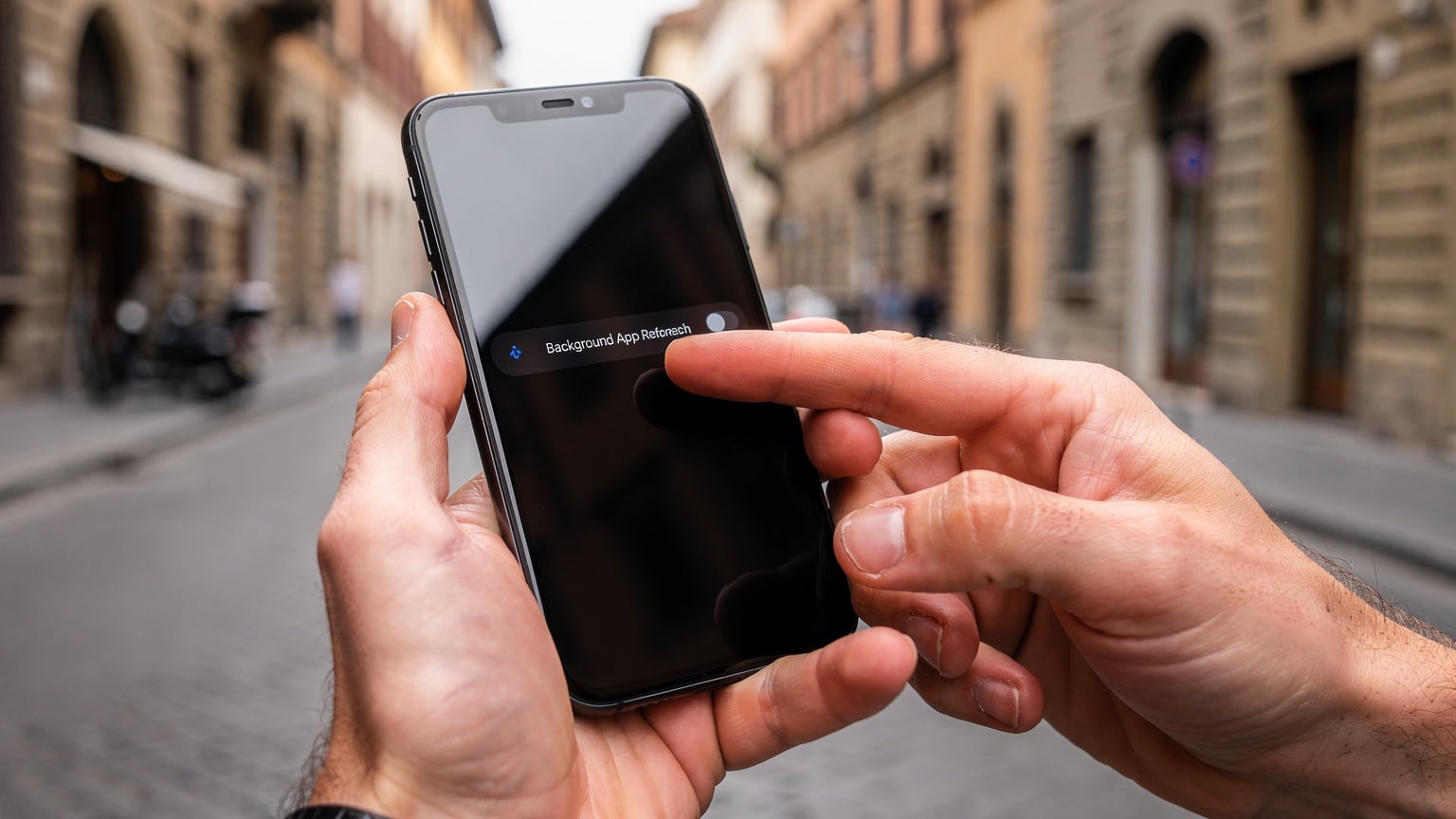
- Disable Background App Refresh: This is a big one. Go into your phone settings (iOS: Settings > General > Background App Refresh; Android: Settings > Network & internet > Data Saver > Unrestricted data) and turn off cellular data for apps that don't need constant updates. Your banking app probably doesn't need to refresh every hour.
- Turn Off Automatic Downloads & Updates: Make sure your phone isn't downloading app updates, podcasts, or system software over cellular data. Set these to Wi-Fi only. (On iOS, check Settings > App Store > App Downloads. On Android, go to Play Store > Settings > Network preferences > Auto-update apps > Over Wi-Fi only).
- Low Data Mode: Both iOS and Android have a 'Low Data Mode' or 'Data Saver' option that restricts background network usage and reduces data consumption for certain apps. It's a lifesaver.
- Disable Wi-Fi Assist/Smart Network Switch: These features automatically switch to cellular data if your Wi-Fi signal is weak. While helpful at home, they can be data killers abroad if you're not careful.
Smart App Usage
- Download Offline Maps: Before you even leave home, download the maps for your destination on Google Maps or similar apps. This is a game-changer. You can navigate the intricate alleys of Prague's Old Town or find your way to a specific stall in Istanbul's Grand Bazaar without using a single byte of data.
- Pre-Download Entertainment: Have a long train ride on the Deutsche Bahn from Berlin to Munich? Download your podcasts, music, and movies on Wi-Fi before you leave your accommodation.
- Use Wi-Fi Whenever Possible: This sounds obvious, but actively seek out Wi-Fi. Most cafes (like any good third-wave coffee shop in Palermo, Buenos Aires, or a local patisserie in Lyon), hotels, and airports offer free Wi-Fi. Just remember to use a VPN for security on public networks.
- Limit Video Streaming & Uploading: Unless it's absolutely crucial, save your high-resolution video uploads and streaming for Wi-Fi zones. Live-streaming your entire visit to the Colosseum will eat through 5GB in a flash.
When 5GB Just Won't Cut It, Recognizing Your Limits
There are definitely scenarios where 5GB for a week is like bringing a spoon to a knife fight. If any of these sound like your travel style, you'll need more data:
- Working Remotely: If you're a digital nomad who needs to be constantly online for video calls, uploading large files, or managing complex projects, 5GB will disappear before you can say 'VPN.' For serious work, you'll need at least 10-20GB, or better yet, reliable local Wi-Fi.
- Heavy Social Media Users & Content Creators: Are you documenting your entire trip with daily vlogs, high-res photo dumps, and constant story updates? Especially if you're exploring unique spots like the ancient city of Petra, you'll be uploading massive files. 5GB won't last you past day two or three.
- Frequent Video Callers: If you're checking in with family or friends multiple times a day via video call, especially if they're long chats, your data will evaporate. Video calls are notoriously data-intensive.
- Streaming Enthusiasts: Binge-watching your favorite show on Netflix after a day of sightseeing in Seoul? Forget about it on 5GB. Even standard definition streaming chews through data at an alarming rate.
- Tethering/Hotspotting: Using your phone as a hotspot for your laptop or other devices (say, to quickly check something on a larger screen while stuck at an airport gate in Istanbul) will drain your data faster than you can blink. Laptops consume far more data than phones.

eSIMs vs. Local SIMs, The Modern Traveler's Choice
This is where the rubber meets the road. For years, the default advice was to grab a local SIM card the moment you landed. I've done it countless times, fumbling with tiny trays and trying to communicate with a vendor in a language I barely speak, hoping they're not overcharging me. (I still remember the agony of trying to find the right size SIM for my phone in a tiny electronics shop in Hanoi's Old Quarter, only to find out it was a dud.)
But the game has changed, thanks to eSIMs. If you're looking for a hassle-free way to stay connected, an eSIM is often the smarter move. It's a digital SIM card embedded directly into your phone, which means no more hunting for local shops, no more fiddling with physical cards, and no more worrying about losing your home SIM.
Why I Prefer eSIMs for Most Trips
- Convenience: Purchase and activate your eSIM before you even leave home, or even while you're waiting for your baggage at Heathrow Terminal 5. You land, and you're instantly connected. No queues, no language barriers. Check out how to pre-order an iPhone eSIM for day-one connectivity.
- Flexibility: Need more data mid-trip? Most eSIM providers, like Cellesim, allow you to top up your plan digitally, often with regional or global options. This means if your 5GB runs out quicker than expected while exploring the hidden charms of Hungary, you can easily add another gigabyte or two without searching for a store.
- Cost-Effectiveness: While local SIMs can sometimes be cheaper for very long stays, eSIMs often offer competitive rates, especially for shorter trips (1-2 weeks) and for multi-country travel. You're paying for the convenience and peace of mind.
- Dual SIM Functionality: Keep your home number active for calls and texts while using your eSIM for data. This is invaluable for two-factor authentication or emergency contacts.
Of course, local SIMs still have their place, especially in countries where eSIM adoption is low or for very long-term stays where specific local plans offer unique benefits (e.g., free calls to local numbers). But for a week-long trip where you want to hit the ground running, eSIMs are usually the clear winner.
Before You Go, A Pre-Departure Checklist
Preparation is key to a smooth, connected trip. Here's what I always do before I jet off:
- Check Your Phone's eSIM Compatibility: Not all phones support eSIMs. Double-check your device's specifications. (Most newer iPhones, Google Pixels, and Samsung Galaxies are compatible).
- Purchase and Install Your eSIM: Buy your eSIM plan a few days before you leave. You'll typically receive a QR code or manual activation details. Install it while you have a stable Wi-Fi connection at home. Don't activate it until you land, or just before, to maximize your data window.
- Understand Your Plan's Validity: A 5GB plan for a week usually means 7 days from activation. Make sure this aligns with your trip duration.
- Download Essential Apps & Content: As mentioned, offline maps, translation apps (like Google Translate with downloaded language packs for Mandarin if you're heading to China), and any entertainment should be downloaded on Wi-Fi.
- Review Your Phone's Data Settings: Go through those data-saving hacks one last time. Turn off background refresh, disable auto-updates, and set up Low Data Mode.
- Familiarize Yourself with Cellesim's FAQ: If you have any last-minute questions about activation, troubleshooting, or topping up, a quick read through the common questions can save you a lot of stress.
- Inform Your Home Carrier: Let your regular provider know you'll be abroad. While you'll be using an eSIM for data, you might still want to use your home SIM for emergency calls or texts, and knowing their international roaming rates can prevent bill shock.
Ultimately, 5GB for a week is a perfectly viable amount of data for the savvy traveler. It requires a bit of planning and mindful usage, but it's more than enough to keep you connected, navigating, and sharing your adventures without breaking the bank or constantly hunting for Wi-Fi. Safe travels, and may your data always be plentiful!
Frequently Asked Questions
How much data does Google Maps use per hour?
Google Maps is pretty data-efficient, using around 5-10 MB per hour for active navigation. Downloading offline maps before your trip can virtually eliminate this data usage, making it an excellent strategy for saving your allowance.
Is 5GB enough for social media for a week?
For light social media browsing (checking feeds, posting a few photos) for a week, 5GB should be sufficient, allowing for approximately 25-50 hours of usage. However, frequent video uploads, live streaming, or watching many videos will quickly deplete this amount.
Can I make video calls with 5GB of data for a week?
You can make video calls with 5GB, but sparingly. Video calls consume significant data, typically 200-500 MB per hour. A 5GB plan might support 10-25 hours of video calling over a week, so prioritize essential calls and use Wi-Fi for longer chats.
How do I check my data usage abroad?
Most smartphones let you track data usage in your phone's settings (iOS: Settings > Cellular/Mobile Data; Android: Settings > Network & internet > Mobile network). Plus, many eSIM providers offer an app or portal where you can monitor your remaining data in real-time.
What happens if I run out of my 5GB data plan?
If you run out of data, your internet access will stop. With Cellesim, you can usually top up your existing eSIM plan with additional data, or purchase a new eSIM plan for your current or next destination, all digitally and conveniently.
Should I turn off mobile data for certain apps while traveling?
Yes, absolutely. Turning off mobile data for apps that don't require constant connectivity (like games, backup services, or non-essential social media) can significantly extend your data allowance. Focus on essential apps like maps and messaging.