

 eSIM Destination
Spain eSIM
Spain: compare travel eSIMs for maps, messages, and mobile data.
Spain: mobile networks
2 carriers supported
- Movistar5G
- Orange5G
Highest generation per operator is displayed; some plans may use a fallback band based on local conditions.
Free VPN with your eSIM
Every active Cellesim eSIM comes with a free VPN. Browse securely on public Wi-Fi and reach the apps you rely on from anywhere, at no extra cost and with no separate signup.
- 4.4(451)
- 5G
- Digital setup
- Refund policy
Data Plans / Unlimited
7 days
30 days
Spain: mobile networks
2 carriers supported
- Movistar5G
- Orange5G
Highest generation per operator is displayed; some plans may use a fallback band based on local conditions.
Free VPN with your eSIM
Every active Cellesim eSIM comes with a free VPN. Browse securely on public Wi-Fi and reach the apps you rely on from anywhere, at no extra cost and with no separate signup.
Spain: our plans at or below the market median
We compare our Spain plans with the public prices of other eSIM providers. The plans below cost the same as or less than the median price for the same data and validity.
- 1 GB · 7 days$3.59market median $4.00 · 10% below
- 3 GB · 30 days$5.60market median $6.50 · 14% below
- 5 GB · 30 days$8.33market median $9.00 · 7% below
- 20 GB · 30 days$20.99market median $21.00
Competitor prices checked on Oct 19, 2026. Prices change; the price shown at checkout is final.
Spain: choose an eSIM for your trip
Choose how much data you need and for how long. Before you buy, check that your phone is compatible and that the plan covers where you're going. Spain: plans start from $3.59. 4.4/5 · Based on 451 reviews Compare the plans below, including details on activation, hotspot use, and top-ups.
- Compare price and how much data you get
- Check networks and coverage
- Contact support if you need help
Frequently Asked Questions
It depends. Spain is in the EU, so "Roam Like at Home" applies only to EU citizens.
- If you are from the UK (Post-Brexit): Most UK carriers (like O2, Vodafone, Three) have reintroduced daily roaming fees (e.g., £2-£6 per day).
- If you are from the USA/Canada/Asia: Your home carrier will charge expensive international rates (e.g., $10-$14 per day).
A Cellesim eSIM is a one-time prepaid fee that is significantly cheaper than these roaming charges.
Planning the trip? See our Spain eSIM plans, install in one tap before you fly, and land online. Free VPN included.
Yes, absolutely. Our eSIM plan covers all of Spain, including the autonomous regions of the Canary Islands (Tenerife, Gran Canaria) and the Balearic Islands (Ibiza, Mallorca, Menorca). You can use the same plan to explore Barcelona and then fly to Ibiza and stay connected.
Planning the trip? See our Ibiza eSIM plans, install in one tap before you fly, and land online. Free VPN included.
This specific plan is valid only within Spain (or, if it's a regional plan, you'd say "Yes"). This is a critical point.
- For Portugal/France (EU): Your connection will stop at the border unless you buy our Europe Regional eSIM.
- For Morocco (non-EU): This is a major roaming trap. You must get our Europe Regional eSIM that explicitly includes Morocco, or you will face massive fees.
Yes, 100%. Buying a physical "prepaid" SIM at Madrid or Barcelona airport (from Orange, Vodafone, etc.) requires you to find the kiosk (which is often very crowded), wait in a long line, and go through a mandatory passport registration process as required by EU law. Our eSIM is 100% digital, requires no ID registration, and can be installed before you fly, so you are connected the moment you land.
Our Spain eSIM connects to premium Tier-1 networks like Movistar (Telefónica), Vodafone Spain, and Orange, ensuring wide 5G/LTE coverage across the country.
When you use our eSIM in Spain, you're tapping into the same reliable infrastructure used by local residents. This means you'll experience excellent connectivity whether you're exploring the vibrant streets of Madrid, relaxing on a beach in Ibiza, or traveling between cities. Our eSIM is designed to automatically connect to the strongest available signal from these top-tier providers, guaranteeing you the fastest available 5G/LTE speeds for all your travel needs.
- Movistar (Telefónica): Known for its extensive reach, particularly in rural areas and across the mainland.
- Vodafone Spain: Offers strong urban coverage and high-speed data services in major cities and tourist destinations.
- Orange: Provides a robust network with competitive speeds, complementing the coverage of the other two major players.
This multi-network approach ensures superior performance and compatibility across Spain. You won't have to worry about which specific network your device connects to; our eSIM handles it seamlessly, providing consistent and high-quality service throughout your trip.
Planning the trip? See our Spain eSIM plans, install in one tap before you fly, and land online. Free VPN included.
Yes, for most of the journey. Spain has an excellent network. You will have a strong, stable 4G/5G signal for the majority of your high-speed train ride (e.g., Madrid to Seville). However, you must expect the signal to drop inside the long rural tunnels, but it will reconnect instantly.
Yes, absolutely. Google Maps, Uber, and Cabify are essential apps for navigating cities like Barcelona and Madrid. Our eSIM provides high-speed, low-latency data, which is crucial for ordering a ride from the airport, tracking your driver in real-time, and using Google Maps for walking directions or train schedules.
Scan it at home before your flight. This ensures you get immediate data the moment you land at Adolfo Suárez Madrid-Barajas (MAD) without searching for free WiFi.
Planning the trip? See our Spain eSIM plans, install in one tap before you fly, and land online. Free VPN included.
Connect to any hotel or cafe WiFi in Madrid or Barcelona and contact our 24/7 support via WhatsApp or Email immediately.
Yes. Coverage is generally reliable in towns along the French Way, but expect signal to drop briefly in the remote forests of Galicia.
About Spain eSIM
Spain eSIM — Data plans
$3.59. Compare data allowance, validity and the total package price in the plan list. Check coverage, hotspot support and any fair-use limits before buying.
Install with Wi-Fi before departure. Check when your selected plan starts; installation and activation are not always the same. Network speed varies by location, device and plan.
eSIM Spain: Instant Internet for Madrid, Barcelona, Ibiza & Free EU Roaming
Stay connected in the land of fiesta and siesta, with plans starting from just $3.59. Choose from 17 limited and 16 unlimited data plans.
Welcome to Spain! With a Cellesim Spain eSIM, you get instant high-speed internet the moment you land, whether at Madrid-Barajas (MAD) or Barcelona-El Prat (BCN).
Forget Roaming Fees: Connect from Spain to France & Portugal
Don't waste your first hour in Spain waiting in a SIM card queue. An eSIM activates instantly. The best part? Most of our plans include free EU Roaming. This means you can take the train from Barcelona to Paris (France eSIM) or drive from Madrid to Lisbon (Portugal eSIM) and use the same data plan at no extra cost. It's the perfect solution for your multi-country European tour.
From Gaudí's Barcelona to the Beaches of Ibiza
Whether you're exploring Gaudí's masterpieces in Barcelona, visiting the Prado Museum in Madrid, exploring the historic heart of Seville in Andalusia, or relaxing on the world-famous beaches of Ibiza and Mallorca, a reliable 4G/5G connection is essential. Use it for maps, booking tickets, and sharing every tapas dish.
Need Unlimited Data for Your European Holiday?
For travelers on a long road trip or those who need constant, heavy data for streaming, we offer 16 different Unlimited Data eSIM plans for Spain.
Focus on the fiesta, not your data allowance. Choose the perfect "unlimited internet for Spain & EU" plan.
Planning a Grand European Tour? If your itinerary extends beyond Spain to countries like Italy, Germany, or Switzerland, you don't need to buy separate plans. Check out our Europe Regional eSIM (42 Countries) which covers the entire continent in a single package.
Is Your Phone Compatible? Not sure if your device supports eSIM technology? Check our up-to-date list of eSIM supported devices before you buy.
Following the 2026 Tour de France?
The Tour rolls through France for three weeks. Stay online across every stage with one eSIM — see our Tour de France 2026 eSIM guide.
Spain eSIM reviews from real travelers
Based on 451 reviews
Great internet
Anonymous·Jul 7, 2026Great internet
would buy again
Anon V.·Jul 4, 2026would buy again. setup was flawless
- Sarah416·Jul 4, 2026
Setup was fine. Used in ES, flawless experience. The data was good. I used it without any issues. 👌
- User199284·Jun 12, 2026
Used in ES, perfect experience. I used it without any issues. Would buy again.
setup was good
User199368·Jun 11, 2026setup was good. i worked without any issues.
- Anonymous·Jun 5, 2026
Support was garbage. Total waste of money in ES.
- Georgi S.·Jul 9, 2026·bg
препоръчвам. бърз интернет
- کاربر·Jul 7, 2026·fa
کار نکرد. بد بود
Kurulum çok basitti
Ayşe H.·Jun 30, 2026·trKurulum çok basitti. really
- Laura F.·Jun 22, 2026·de
Top. Funktioniert. Alles bestens. Schnell. (ES)
- julie·Jun 21, 2026·fr
Ne fonctionne pas
- Ali·Jun 18, 2026·tr
fiyatına göre gayet iyi. şebeke çok iyi. es seyahatimde denedim, başarılı.
Spain eSIM guides:what travellers ask before they go
Coverage, install steps, real connection speeds, and the small stuff that ruins a trip if you skip it. Curated for Spain.
 Travel Tips
Spain Travel Advisory 2026: What Nomads Need to Know Beyond the Beaches
Spain is a dynamic place, but like anywhere, it has its quirks. As someone who's spent months living between its cities and smaller towns, I've learned that a bit of practical knowledge goes a long way. This guide cuts through the noise, offering actionable advice for a smooth experience.
Read the guide Savings & Comparisons
Movistar eSIM Spain 2026: Tourist Data Decisions & Cellesim Alternatives
Planning a trip to Spain in 2026? Understanding your connectivity options is crucial. This guide delves into Movistar eSIM for tourists, from its technical specifications to activation processes, and presents Cellesim as a streamlined alternative for reliable data across Spain and beyond.
Read the guide Destination Guides
Spain Travel: 15 Surprising Things to Know Before You Go (2026)
Planning a trip to Spain? Beyond the iconic landmarks and delicious tapas, this vibrant country holds a wealth of unique customs, historical quirks, and geographical marvels. Discover 15 surprising facts that will enrich your journey and help you connect with its authentic spirit.
Read the guide Destination Guides
Movistar eSIM Spain: Your Savvy Traveler's 2026 Activation Guide
Landing in Madrid or Barcelona with a blank phone screen is a traveler's nightmare. Movistar eSIM offers a robust solution for staying connected in Spain, whether you're navigating the Gothic Quarter or heading for the Pyrenees.
Read the guide Destination Guides
Movistar eSIM Spain 2026: Navigating Networks and Avoiding Common Pitfalls
Planning a trip to Spain in 2026? A Movistar eSIM offers a straightforward path to mobile data, bypassing the complexities of physical SIM cards and steep roaming charges. This guide, penned by a network engineer, delves into the specifics of Movistar's network, expected speeds, and critical setup considerations to ensure your Spanish adventure remains seamlessly connected.
Read the guide Destination Guides
Movistar eSIM Spain: Prepaid, Store Visits and Travel Data
Can tourists get a Movistar eSIM in Spain? Check the prepaid store requirement, activation questions and what to compare with a travel data eSIM.
Read the guide Events & Festivals
Pamplona's San Fermín 2026: Your eSIM Survival Guide for the Running of the Bulls
Attending San Fermín in Pamplona for 2026's Running of the Bulls means dealing with immense crowds and spotty connectivity. This guide cuts through the noise, detailing how an eSIM keeps your essential safety apps, group chats, and official streams running smoothly, even when hotel Wi-Fi crumbles.
Read the guide Destination Guides
UK eSIM Guide 2026: Escaping the Post-Brexit Roaming Trap
The Brexit roaming grace period is officially dead. Here is the unvarnished reality of staying connected in the UK without funding a telco executive's yacht.
Read the guide How-to & Guides
The Traveler’s Guide to the Best eSIM for Multi-Country Trips
Planning a trip across multiple countries? Our guide breaks down how to choose the best eSIM for international travel, ensuring seamless and affordable connectivity in Europe, Asia, and beyond.
Read the guide News
NewsUK EU Roaming Charges 2026: Your Guide to Avoiding Bill Shock
It's official: major UK mobile networks are set to increase EU roaming charges by 2026. Understand why these post-Brexit fees are returning and discover how an eSIM can save you from bill shock on your next European trip.
Read the guide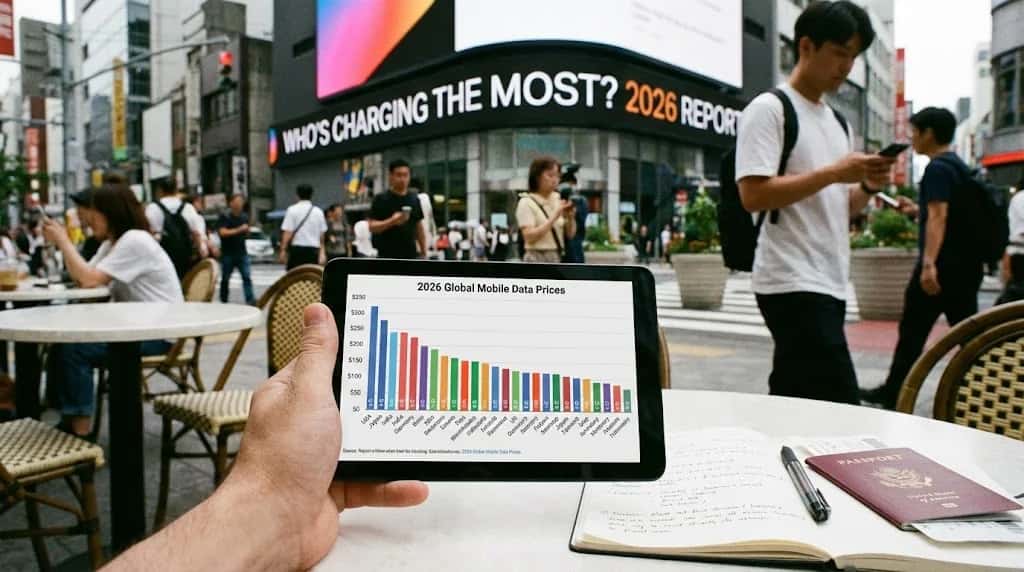 Savings & Comparisons
The 2026 Global Mobile Data Price Report: Who's Charging the Most?
A deep dive into the 2026 global mobile data price rankings. We uncover the most expensive countries for internet and show you how to stay connected affordably.
Read the guide How-to & Guides
How to Use Your iPad or Tablet Without Wi-Fi While Traveling
Your iPad is a powerful travel tool, but not without the internet. Learn how to use your iPad without Wi-Fi using eSIMs, hotspots, and other smart travel tricks.
Read the guide
Spain: Popular cities
City-specific connectivity guides


Nearby Countries
Check coverage for every stop on your trip.


