


Germany's Digital Backbone: Understanding the Post-Euro 2024 Network Landscape
The dust has settled on Euro 2024, but the infrastructure upgrades and increased network capacity implemented for the tournament remain. This is excellent news for anyone extending their stay in Germany or using it as a launchpad for further European adventures. Germany boasts one of Europe's most robust and advanced mobile networks, underpinned by major players like Telekom, Vodafone, and O2. These carriers have significantly invested in both their 4G LTE and 5G New Radio (NR) footprints, particularly in urban centres and along major transit routes.
For the technically inclined, understanding the underlying network architecture is crucial. During Euro 2024, temporary capacity enhancements often involved deploying additional small cells and optimizing existing macro cell sites. While these temporary measures may be scaled back, the permanent upgrades, especially in 5G deployment, ensure a high baseline of service quality. We're talking about extensive coverage on key frequency bands, like Band 3 (1800 MHz) and Band 7 (2600 MHz) for LTE, providing excellent capacity in cities, complemented by lower frequency bands such as Band 20 (800 MHz) for wider rural coverage and better indoor penetration.
Telekom, Vodafone, and O2: A Brief Technical Overview
Each of Germany's primary mobile network operators (MNOs) offers a distinct network profile.
Telekom Deutschland: Consistently ranked highest for network performance, Telekom (formerly T-Mobile Deutschland) offers superior coverage, particularly in rural areas. Their 5G network leverages frequencies like n78 (3.6 GHz) for high capacity in urban cores and n1 (2100 MHz) for broader coverage. You can typically expect download speeds ranging from 150-300 Mbps on 4G LTE and 300-800 Mbps on 5G in well-covered areas like Berlin's Alexanderplatz or Munich's Marienplatz. Upload speeds usually hover around 30-50 Mbps on 4G and 50-100 Mbps on 5G.
Vodafone Germany: A strong contender, Vodafone offers comparable speeds and coverage to Telekom in many regions. Their 5G deployment also heavily utilizes n78 and n1, with n3 (1800 MHz) being refarmed for 5G in some locations. Average speeds are often just slightly below Telekom's, with 4G LTE seeing 100-250 Mbps down and 25-45 Mbps up, and 5G delivering 250-700 Mbps down and 40-90 Mbps up.
O2 Germany (Telefónica): O2 has made significant strides in recent years, closing the gap with its competitors. While historically having weaker rural coverage, their urban network, especially 5G, is now quite competitive. O2 also employs n78 and n1 for 5G. Expect 4G LTE speeds of 80-200 Mbps down and 20-40 Mbps up, with 5G reaching 200-600 Mbps down and 35-80 Mbps up in major cities like Hamburg or Frankfurt. Their network density has improved considerably, meaning fewer dropped calls or data slowdowns, even in crowded train stations (like Hauptbahnhof) or popular tourist areas.
When purchasing an eSIM, it's worth noting which underlying network the eSIM provider partners with, as this directly impacts your connectivity experience. This isn't always explicitly stated by resellers, but a quick check of coverage maps for the listed MNOs can give you a good indication.
eSIM vs. Physical SIM: The Technical Advantage for Travelers
For the modern traveler, particularly those with newer smartphones, the eSIM represents a significant leap forward in convenience and flexibility. Gone are the days of fumbling with tiny SIM trays, looking for paperclips, or worrying about losing your home SIM card. The 'e' in eSIM stands for embedded, meaning the SIM is built directly into your device's hardware, allowing you to download and activate network profiles digitally.
From an engineering perspective, the eSIM simplifies subscriber identity module (SIM) management. Instead of a physical card, your device's Universal Integrated Circuit Card (UICC) can store multiple eSIM profiles, which are essentially digital keys to a carrier's network. This multi-profile capability is a game-changer for international travel, as you can switch between local data plans or even maintain a data-only eSIM alongside your home carrier's voice and text services.
Dual SIM Dual Standby (DSDS) and Your Travel Workflow
Most modern smartphones, including iPhones (XR and later), Samsung Galaxy devices (S20 and later), and Google Pixel phones (3a and later), support Dual SIM Dual Standby (DSDS). This feature allows your phone to have two active connections simultaneously, typically one physical SIM and one eSIM, or two eSIMs. The DSDS architecture means both lines are registered with the network and can receive calls and texts, though only one can actively transmit data at any given moment. This is incredibly useful for travelers:
- Keep your home number active: You can continue to receive calls and texts on your primary number (e.g., for two-factor authentication) while using your eSIM for data.
- Cost efficiency: Route all your data traffic through the more affordable local eSIM, avoiding exorbitant international roaming charges from your home carrier.
- Seamless switching: Easily toggle between your home carrier and your travel eSIM for data in your phone's settings, without physically swapping cards.
The elegance of DSDS lies in its simplicity. You configure your device once, and then managing your connectivity becomes a software-level task, a true advantage over the mechanical limitations of physical SIM cards.
Security and Durability: The Unseen Benefits
Beyond convenience, eSIMs offer subtle but important benefits in terms of security and durability. A physical SIM card is susceptible to damage, loss, or theft. If your phone is stolen, a physical SIM can be easily removed, potentially isolating you. An eSIM, being embedded, is much harder to tamper with or remove. While not foolproof, it adds a layer of physical security.
Furthermore, without a physical SIM slot, phones can be designed with better ingress protection, meaning improved water and dust resistance (though this is more of a design benefit for manufacturers than a direct user advantage). For the traveler navigating the bustling streets of Berlin or hiking in the Bavarian Alps, these incremental gains in device resilience are certainly appreciated.
Navigating German Carriers and Network Bands for Optimal Performance
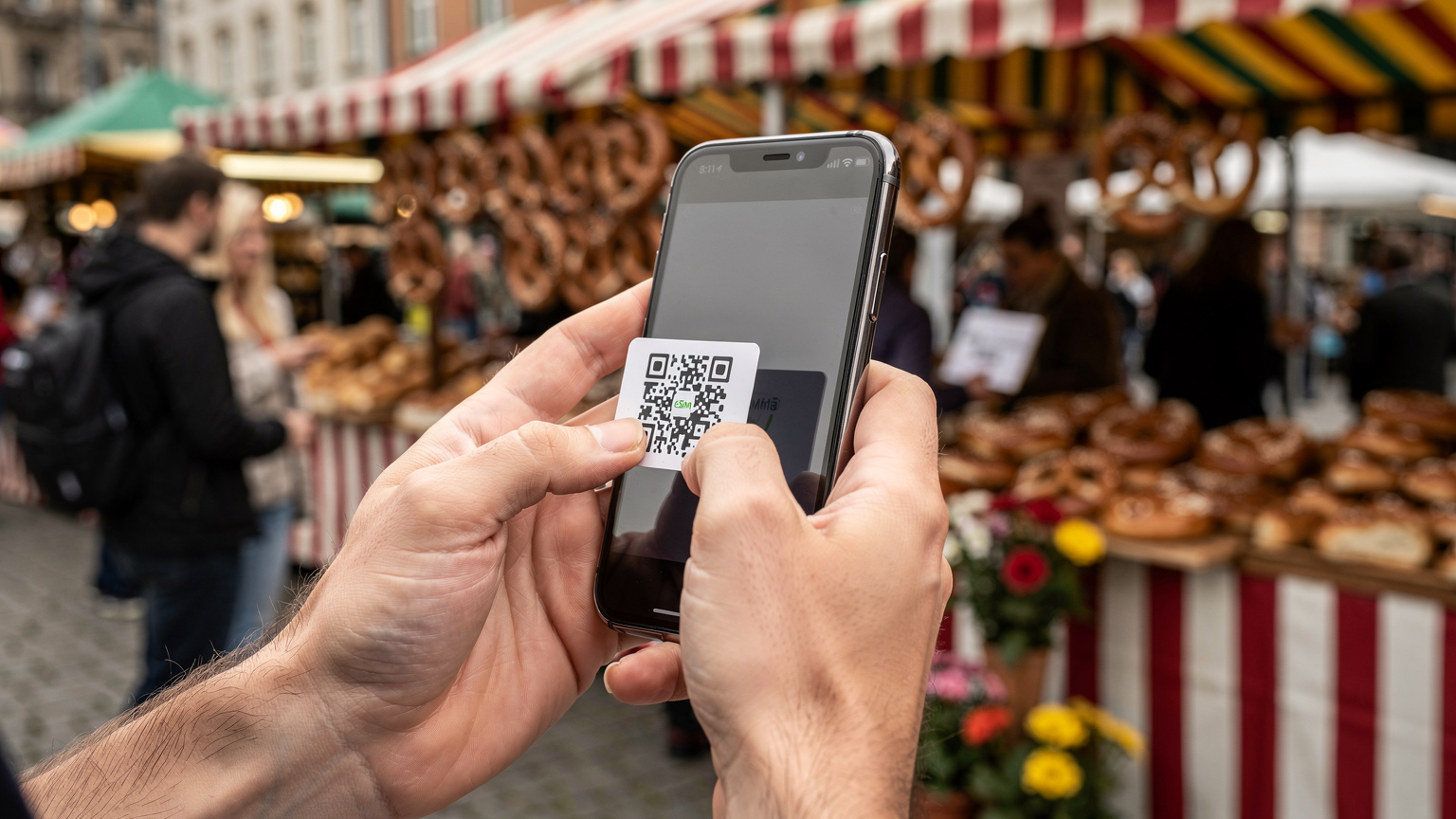
Understanding which network bands your phone supports and which are utilized by German carriers is paramount for achieving optimal performance. Simply put, if your device doesn't support the bands a local carrier uses, you won't get the best, or even any, service. This is particularly true for travelers coming from regions with different spectrum allocations, like parts of North America or Asia.
Germany's primary LTE bands are B3 (1800 MHz), B7 (2600 MHz), B20 (800 MHz), and B1 (2100 MHz). For 5G, the key bands are n78 (3.6 GHz, for high-capacity urban areas) and n1 (2100 MHz, for broader coverage). Most modern global smartphones are multi-band compatible, but it's always worth checking your device specifications against the local network profiles.
Carrier Aggregation and Its Impact on Data Speeds
One critical technology that significantly boosts data speeds is Carrier Aggregation (CA). This allows your phone to use multiple frequency bands simultaneously, effectively combining them into a wider data pipe. For example, a phone might aggregate B3 and B7 to achieve much higher download speeds than either band could provide alone. German carriers extensively deploy CA, especially in urban areas.
If your eSIM provides access to a network that supports robust CA configurations, you'll notice a considerable difference in real-world performance. A good eSIM provider (like Cellesim) will partner with MNOs that offer strong CA capabilities, ensuring your device can leverage multiple bands for the best possible experience. This is where the theoretical maximums meet practical application, pushing download speeds past the 300 Mbps mark on LTE-Advanced networks, even before considering 5G NR.
| Carrier | Primary LTE Bands | Primary 5G Bands | Typical 4G Speeds (Down/Up) | Typical 5G Speeds (Down/Up) |
|---|---|---|---|---|
| Telekom | B3, B7, B20, B1 | n78, n1 | 150-300 Mbps / 30-50 Mbps | 300-800 Mbps / 50-100 Mbps |
| Vodafone | B3, B7, B20, B1 | n78, n1, n3 (refarmed) | 100-250 Mbps / 25-45 Mbps | 250-700 Mbps / 40-90 Mbps |
| O2 (Telefónica) | B3, B7, B20, B1 | n78, n1 | 80-200 Mbps / 20-40 Mbps | 200-600 Mbps / 35-80 Mbps |
APN Settings: A Small Detail with Big Impact
While often handled automatically, sometimes Access Point Name (APN) settings can be a point of friction, especially with certain Android devices or if you're using a niche eSIM provider. The APN acts as a gateway between your device and the mobile network, defining how your phone connects to the internet. Incorrect APN settings can lead to no data connectivity, even if your eSIM is active.
For most Cellesim eSIMs, the APN will be automatically configured. However, if you experience data issues, check your phone's settings. For generic data access, APNs like "internet" or "data" are common. Some specific phone models, particularly older or regional variants, might require manual entry. Always refer to your eSIM provider's instructions or check the Cellesim FAQ for specific APN details if you encounter problems.
"I once spent an hour in a café near the Cologne Cathedral trying to figure out why my data wasn't working. Turned out my older Samsung Galaxy S10 had stubbornly defaulted to an old APN profile from a previous trip. A quick manual adjustment, and I was back online, able to look up train times to Düsseldorf."
Choosing Your eSIM Plan: Data Volume and Validity Periods
Selecting the right eSIM plan involves a careful assessment of your data needs and travel duration. It's not just about the cheapest gigabyte; it's about matching the plan to your usage patterns to avoid running out of data prematurely or paying for unused capacity. For a post-Euro 2024 trip, this could mean anything from a short extension in Munich to a multi-week tour across the Schengen Area.
Assessing Your Data Needs for European Travel
Consider your typical daily data consumption. Are you primarily using data for navigation (Google Maps, DB Navigator), messaging (WhatsApp), and light browsing? Or are you a heavy user who streams video, uploads large files, or relies on hotspotting for a laptop (perhaps even using a dedicated eSIM for your PC)?
- Light User (1-3 GB for 7 days): Ideal for checking emails, social media, maps, and messaging.
- Moderate User (5-10 GB for 15-30 days): Suitable for occasional video streaming, frequent map use, and more extensive browsing.
- Heavy User (20+ GB for 30 days): Essential for regular video calls, hotspotting, downloading content, or those who simply don't want to worry about data limits.
Remember, European cities often have free Wi-Fi in cafés, hotels, and public transport hubs. However, relying solely on public Wi-Fi can be a security risk and is often less reliable than a dedicated mobile data connection.
Understanding Validity Periods and Top-Up Options
eSIM plans typically come with predefined validity periods, ranging from 7 days to 30 days or even longer. For an extended trip after Euro 2024, a 15-day or 30-day plan often provides the best value per gigabyte. Always check if the plan offers top-up options. This flexibility is crucial if your travel plans change or if you unexpectedly consume more data. Cellesim offers easy top-ups directly through its app or website, allowing you to add more data without installing a new eSIM profile.
| Data Volume | Validity | Typical Use Case | Approx. Price Range (EUR) |
|---|---|---|---|
| 1 GB | 7 Days | Emergency data, light messaging, basic navigation | €4.99 - €7.99 |
| 3 GB | 15 Days | Moderate browsing, social media, email, some streaming | €8.99 - €14.99 |
| 5 GB | 15-30 Days | Regular usage, video calls, occasional hotspotting | €12.99 - €21.99 |
| 10 GB | 30 Days | Heavy user, frequent streaming, remote work, extended travel | €19.99 - €34.99 |
| 20 GB | 30 Days | Very heavy user, multiple device hotspotting, no Wi-Fi reliance | €34.99 - €59.99 |
Activating Your eSIM: A Step-by-Step Technical Walkthrough
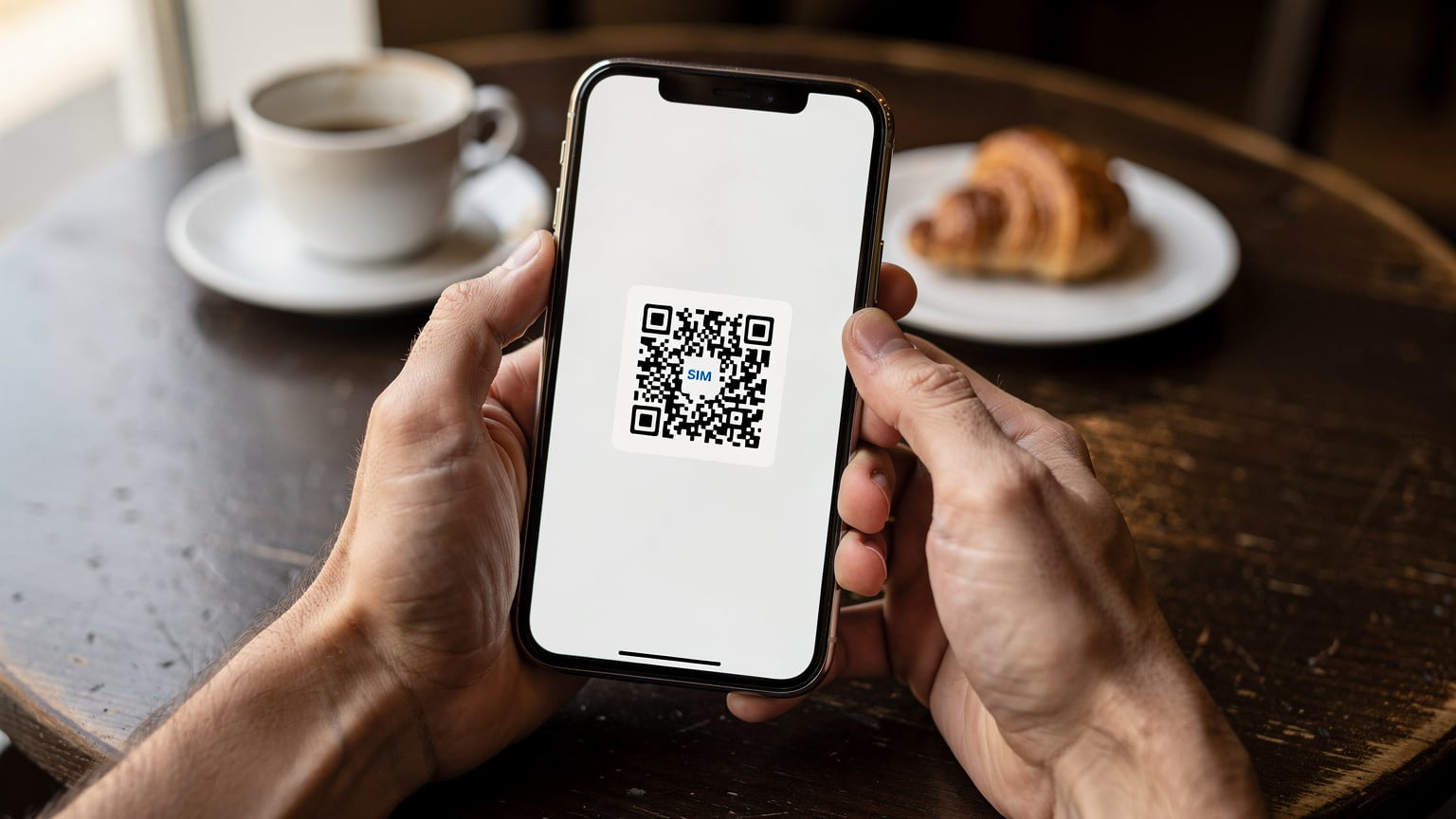
Installing and activating an eSIM is a straightforward process, but like any technical procedure, following the steps precisely is key to a smooth experience. Most Cellesim eSIMs activate automatically upon connecting to a supported network in Germany or Europe, but the initial installation requires a few manual actions. Always ensure you have a stable Wi-Fi connection during installation.
Installation Procedure for iOS Devices
- Access Settings: Navigate to your iPhone's Settings app.
- Cellular/Mobile Data: Tap on Cellular (or Mobile Data, depending on your region).
- Add eSIM: Select Add eSIM.
- Scan QR Code: Choose Use QR Code. Your camera will open. Scan the QR code provided by Cellesim. If you can't scan, select Enter Details Manually and input the SM-DP+ Address and Activation Code.
- Activate eSIM: Follow the on-screen prompts. You'll likely be asked to label your new eSIM (e.g., "Germany Travel" or "Europe Data") and set it as your primary line for cellular data.
- Set Data Line: Go back to Cellular settings, under Cellular Data, select your newly installed eSIM. Ensure Allow Cellular Data Switching is OFF to avoid accidental roaming charges on your primary line.
- APN Verification (if needed): For advanced users, under Cellular Data Network, verify the APN settings match Cellesim's recommendations, though it typically auto-configures.
Installation Procedure for Android Devices (Samsung, Pixel)
- Access Settings: Open your Android phone's Settings app.
- Network & Internet: Tap on Network & internet (or Connections on Samsung Galaxy devices).
- SIMs / Mobile Network: Select SIMs or Mobile network.
- Add eSIM / Download a SIM: Look for an option like Add eSIM or Download a SIM instead.
- Scan QR Code: Choose Scan QR code. Use your camera to scan the QR code from Cellesim. If manual input is required, select Enter it manually and type in the activation code.
- Activate eSIM: Follow the prompts to activate the profile. You'll name the eSIM and confirm activation.
- Set Data SIM: In SIMs or Mobile network settings, ensure your new eSIM is selected as the preferred SIM for mobile data.
- APN Verification (if needed): Navigate to Access Point Names (APN) under your eSIM's settings. Confirm the APN is set correctly, usually "internet".
Roaming Beyond Germany with a Single eSIM
One of the most compelling advantages of a European eSIM plan, especially for travelers exploring beyond Germany, is its cross-border functionality. The EU's "Roam Like At Home" regulation, while primarily for EU residents, has fostered a robust ecosystem of regional eSIMs that allow seamless travel across multiple countries without needing separate local SIMs for each stop. This is a significant convenience for anyone planning to visit France, Italy, or other Schengen Area countries after their time in Germany.
A single Cellesim Europe eSIM will typically cover dozens of countries, including France, Italy, Spain, and many more, connecting to local partner networks in each region. This means you can travel from Berlin to Paris, then to Rome, all while remaining connected on the same data plan. The underlying technical mechanism involves agreements between Cellesim's primary carrier partners and local MNOs across Europe, allowing your eSIM profile to register and operate on multiple networks. This eliminates the need for individual eSIM France purchases or juggling multiple profiles.

Seamless Connectivity: From Berlin to Barcelona
Imagine catching an ICE train from Berlin to Amsterdam, then a Thalys to Paris, and finally a high-speed TGV to Barcelona. With a multi-country European eSIM, your phone will automatically detect and switch to the strongest available partner network as you cross borders. For instance, in France, it might connect to Orange F or SFR, while in Spain, it could be Telefónica Movistar or Vodafone ES. This hand-off is usually instantaneous and imperceptible to the user.
This capability is particularly beneficial for travelers attending events like the Festival Season Europe 2026, where movements between countries for different events are common. The consistency of a single data plan across borders simplifies budgeting and connectivity management, providing peace of mind as you navigate unfamiliar territories.
Checking Coverage and Partner Networks
Before purchasing a regional eSIM, always review the list of included countries and their respective partner networks. Cellesim provides a detailed breakdown for each of its European plans. While coverage is generally excellent in Western Europe, it's prudent to confirm if your specific destinations, especially more remote ones, are included and have robust partner networks. For instance, while a plan might cover France, knowing it partners with Orange F gives you confidence in urban and rural coverage, as Orange consistently ranks high for network quality in France.
Troubleshooting Common eSIM Connectivity Issues in Europe
Even with advanced technology like eSIMs, occasional connectivity hiccups can occur. As a telecom engineer, I've seen my share of baffling network issues, and usually, the solution is simpler than expected. Here's a practical guide to troubleshooting common problems you might encounter with your eSIM in Germany or across Europe.
No Service or Emergency Calls Only
This is the most common and frustrating issue. It usually indicates your phone isn't registering with the network or lacks proper network configuration.
- Restart your device: A classic IT solution, but genuinely effective. A reboot can clear temporary software glitches and force your phone to re-scan for networks.
- Check eSIM status: Go to your phone's Settings > Cellular/Mobile Data > eSIMs. Ensure your travel eSIM is enabled and selected as the primary data line.
- Network Selection: Try manually selecting the network. In Settings > Cellular/Mobile Data > Network Selection, turn off automatic and choose one of the listed partner networks for your eSIM. Sometimes, your phone tries to latch onto a weak signal from a non-partner network.
- Toggle Airplane Mode: Turning Airplane Mode on for 30 seconds and then off can reset your phone's radio, forcing it to re-establish a connection.
Data But No Calls: VoLTE Gotchas
You might have robust data connectivity but find you can't make or receive traditional phone calls. This often points to an issue with Voice over LTE (VoLTE). VoLTE allows voice calls to be carried over the 4G LTE network, rather than falling back to older 2G/3G networks, providing clearer calls and allowing simultaneous voice and data.
- VoLTE compatibility: Ensure your device and the eSIM's underlying network support VoLTE. Not all eSIMs from every provider have VoLTE enabled, especially for prepaid or data-only plans. If calls are critical, confirm VoLTE support before purchase.
- VoLTE setting: On some phones, VoLTE needs to be explicitly enabled. Check your Cellular/Mobile Data settings for an option like VoLTE Calls or Enhanced 4G LTE Mode.
- Data-only plans: Many travel eSIMs are data-only. They will provide internet access but no traditional call/SMS service. For calls, you'll need to rely on VoIP apps like WhatsApp, FaceTime Audio, or Google Meet, which use your data connection.
Slow Data Speeds or Intermittent Connectivity
If you're getting some data but it's sluggish or drops frequently, consider these points:
- APN settings: As mentioned, incorrect APN settings can hobble your data. Double-check them against your eSIM provider's instructions.
- Network congestion: Especially during peak hours or in crowded areas (like a post-match celebration near the Brandenburg Gate), networks can experience congestion. Speeds will naturally drop. Try moving to a less congested area.
- Fair Usage Policy (FUP): Some eSIM plans, particularly those marketed as "unlimited," may have a FUP that throttles speeds after a certain data threshold is reached. Always read the fine print.
- Device compatibility: Ensure your phone supports the primary LTE and 5G bands used by the local German or European carriers (e.g., B3, B7, B20, n78). Lack of support for key bands, especially those used for Carrier Aggregation, will result in slower speeds.
Advanced Considerations: VoLTE, VoWiFi, and IPv6 Quirks
For the technically curious traveler, or those who demand specific functionality from their mobile connection, a deeper dive into VoLTE, VoWiFi, and IP addressing schemes reveals some important nuances. These aren't just acronyms; they represent fundamental aspects of how modern mobile networks operate and can significantly impact your communication experience.
VoLTE and VoWiFi: For Crystal-Clear Communication
Voice over LTE (VoLTE), as discussed, carries your voice calls over the 4G LTE network, offering superior call quality and faster call setup times compared to traditional 2G/3G circuits. For a traveler, this means you can often maintain calls while simultaneously using data for navigation or messaging. However, not all eSIM providers enable VoLTE for their international data plans, or it might be dependent on the specific roaming agreement with the local MNO. Always clarify VoLTE support if traditional calling is a priority over VoIP apps.
Voice over Wi-Fi (VoWiFi), or Wi-Fi Calling, allows your phone to make and receive calls and texts over a Wi-Fi connection when cellular service is weak or unavailable. This is incredibly useful in places like basements, thick-walled historic buildings in Germany, or even on certain long-distance trains (if they provide Wi-Fi). The crucial 'gotcha' with VoWiFi is that it typically requires your home carrier to provision it. Your travel eSIM, being a data-only or local data plan, usually won't support VoWiFi unless it's explicitly offered as a feature, which is rare for short-term travel eSIMs. So, while your home SIM might support VoWiFi, don't expect your travel eSIM to.
The IPv6-Only Network and CGNAT Considerations
Modern mobile networks are increasingly migrating to IPv6. Some carriers, particularly in Europe, are deploying IPv6-only networks with 464XLAT for IPv4 connectivity. This means your phone gets an IPv6 address, and IPv4 traffic is translated at the network edge. While this is generally transparent to the user, older apps or specific VPN configurations might encounter issues. If you experience connectivity problems with particular services, especially those relying on fixed IP addresses or older VPN protocols, an IPv6-only network could be the culprit. Most Cellesim eSIMs are designed to handle this transition seamlessly, but it's an underlying factor that can occasionally manifest as a connectivity quirk.
Another common characteristic of mobile data networks, especially for prepaid or roaming connections, is the use of Carrier-Grade Network Address Translation (CGNAT). This involves multiple users sharing a single public IPv4 address, with the carrier's equipment performing NAT. While efficient for conserving IPv4 addresses, it means you don't have a unique, publicly routable IP address. This can affect certain niche applications that require incoming connections or direct peer-to-peer communication, or if you're trying to host a server from your phone (unlikely for most travelers, but worth noting for power users). For typical browsing, streaming, and messaging, CGNAT is entirely transparent and poses no issues.
Maximizing Your Travel Data Budget: Tips from a Telecom Engineer
Travel is expensive enough without unexpected mobile data bills. As someone who's spent years optimizing network usage, I can offer a few solid tips to stretch your eSIM data further and avoid unnecessary costs, ensuring your post-Euro 2024 adventures are connected and cost-effective. These aren't just about saving money; they're about smart resource management in a mobile environment.
Data Management Strategies on Your Device
- Background App Refresh: This is a major data vampire. Go to your phone's settings and disable background app refresh for apps that don't need real-time updates. Social media, news, and streaming apps are often the worst offenders.
- Automatic Updates: Configure your apps and operating system to only download updates over Wi-Fi. A large OS update can easily consume several gigabytes of data if you're not careful.
- Download Offline Maps: Before you head out exploring Hamburg or Dresden, download offline maps for your entire route using Google Maps or HERE WeGo. This significantly reduces data usage for navigation.
- Use Data Saver Modes: Most modern browsers (Chrome, Safari) and apps have data saver modes that compress images and videos, reducing the amount of data transferred. Activate these when on mobile data.
- Pre-download Entertainment: If you're planning a long train journey (say, from Munich to Vienna), download movies, podcasts, and music to your device over Wi-Fi before you leave.
Smart Connectivity Practices On The Go
Beyond device settings, how you interact with networks can also impact your data consumption.
- Prioritize Wi-Fi for Heavy Tasks: Always connect to secure Wi-Fi networks in your hotel or a trusted café for heavy data tasks like uploading photos, downloading large files, or video calls. Many German cities, like Berlin, offer extensive public Wi-Fi in certain areas, though always exercise caution with public networks.
- Monitor Data Usage: Regularly check your phone's data usage statistics (Settings > Cellular/Mobile Data) and your Cellesim app to keep track of your consumption. This helps you identify which apps are using the most data and allows you to adjust your habits.
- Consider a Dedicated Data Device: If you're a heavy user or traveling with multiple Wi-Fi-only devices, consider a dedicated mobile hotspot with an eSIM. This centralizes your data usage and can sometimes be more cost-effective than individual phone plans, a topic we covered in Straight Talk eSIM: The Family Traveler's Data Dilemma Solved?.
By implementing these strategies, you can maintain reliable connectivity throughout your European journey, ensuring you stay within your data budget while still enjoying all the digital conveniences of modern travel. Remember, an eSIM is a powerful tool, but like any tool, it performs best when used intelligently.
Frequently Asked Questions
Can I use my Cellesim eSIM in other European countries after Germany?
Yes, Cellesim's European eSIM plans are designed for multi-country coverage across the Schengen Area and beyond. Your eSIM will seamlessly connect to partner networks in dozens of countries, including France, Italy, Spain, and more, all under a single data plan.
What kind of network speeds can I expect with an eSIM in major German cities?
In major German cities like Berlin, Munich, or Frankfurt, you can expect excellent speeds. On 4G LTE, typical download speeds range from 100-300 Mbps, and on 5G, speeds can reach 300-800 Mbps, depending on the underlying network (Telekom, Vodafone, O2) and network congestion.
Will my phone support VoLTE (Voice over LTE) with a Cellesim eSIM in Germany?
VoLTE support depends on both your device and the specific eSIM plan. Many Cellesim data-only eSIMs for Europe do not include traditional voice calling. If calls are critical, you'll need to use VoIP apps like WhatsApp or FaceTime, which rely on your data connection. Always check the plan details for VoLTE inclusion.
What if my data isn't working after activating my eSIM?
First, try restarting your phone. Then, check that your eSIM is enabled and selected for mobile data in your phone's settings. Verify the APN settings (usually 'internet') and ensure Data Roaming is enabled for the eSIM profile. If issues persist, try manually selecting a network operator.
Are there any specific phone models that have known eSIM activation quirks?
While most modern iOS (iPhone XR and later), Samsung (S20 and later), and Pixel (3a and later) devices handle eSIMs well, some older Android models or regional variants might require manual APN configuration. Always keep your phone's software updated, as this often resolves compatibility issues.
How can I avoid excessive data usage while traveling in Germany and Europe?
To conserve data, disable background app refresh, set app updates to Wi-Fi only, download offline maps and entertainment before you leave, and use data saver modes in apps and browsers. Prioritize secure Wi-Fi for heavy data tasks and regularly monitor your usage through your phone's settings and the Cellesim app.