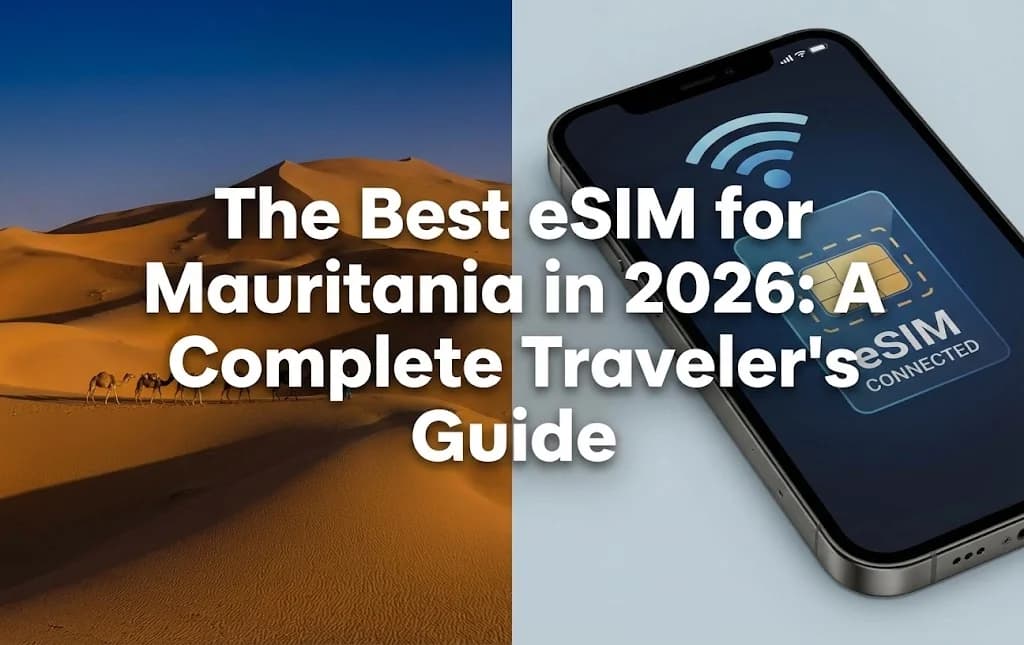
Venturing into Mauritania offers a unique blend of ancient cultures, vast desert landscapes, and rich history. For any traveler exploring this West African nation, reliable connectivity is essential, whether navigating the markets of Nouakchott, exploring the Banc d'Arguin National Park, or staying in touch with loved ones. Traditional methods of staying online can be cumbersome, involving searching for local SIM cards or incurring hefty roaming charges. This guide demystifies the digital alternative: the eSIM, and how it represents the best eSIM for Mauritania in 2026, ensuring you remain connected from the moment you arrive.
- Understanding eSIM Technology for Mauritanian Travel
- Key Advantages of Using an eSIM for Your Mauritanian Journey
- eSIM vs. Traditional SIM Card in Mauritania: A Comparison
- Setting Up Your Mauritania eSIM: A Step-by-Step Guide
- Mauritania's Network Landscape: Coverage and Speed
- Determining Your Data Needs for a Trip to Mauritania
- Cost Efficiency: eSIM, Local SIM, or International Roaming in Mauritania?
- Practical Tips for Maximizing Your Mauritania eSIM Experience
- Frequently Asked Questions
Seamless Connectivity for Your Mauritanian Journey
Stay connected from the moment you land with a Cellesim eSIM for Mauritania. Join 50,000+ happy customers in 200+ countries.
Explore Mauritania eSIM Plans 🌍Understanding eSIM Technology for Mauritanian Travel
An eSIM, or embedded SIM, is a digital SIM card built right into modern smartphones, tablets, and smartwatches. Unlike physical SIM cards you have to pop in and out, an eSIM lets you activate a mobile data plan without needing to swap anything. For travelers heading to Mauritania, this means no more searching for local SIM card vendors after you land, struggling with language barriers, or worrying about losing a tiny plastic chip. Instead, your phone's eSIM simply downloads a "profile" from a network operator like Cellesim, instantly connecting you to local networks such as Mattel or Mauritel.
This technology works by securely storing multiple network profiles on your device. When you buy an eSIM plan for Mauritania, Cellesim sends you a QR code or manual activation details. A quick scan or manual entry installs the data plan, giving you immediate internet access. This digital approach makes getting online much simpler, perfect for international travel, especially to places where getting a physical SIM might be a bit of a hassle.
Key Advantages of Using an eSIM for Your Mauritanian Journey
Choosing an eSIM for your trip to Mauritania offers several big benefits that make your whole travel experience better:
- Instant Activation and Convenience: You can buy your Cellesim eSIM plan for Mauritania before you even leave home. Activate it right when you arrive, or even before your flight, so you have data the moment your plane touches down. No need to find a local store, wait in lines, or register your ID over and over again.
- Dual SIM Functionality: Most phones with eSIMs let you use both a physical SIM and an eSIM at the same time. This means you can keep your main phone number active for calls and texts from home, while using the eSIM for affordable local data in Mauritania. This is super handy for business travelers or anyone who needs to keep their home number for things like authentication or staying in touch. You can read more about keeping your number with a travel eSIM.
- Cost Savings: International roaming charges from your home carrier can be incredibly high, leading to unexpected bills. Cellesim eSIMs offer clear, prepaid data plans, often costing much less than traditional roaming. This financial predictability helps you manage your budget better during your trip. Our Roaming Savings Calculator can show you how much you might save.
- Enhanced Security: Since an eSIM is built into your device, you can't physically lose or steal it like a traditional SIM card. This adds a layer of security, lowering the risk of unauthorized use if your device gets lost or stolen.
- Flexibility with Multiple Plans: An eSIM lets you store several data plans on your device. If your Mauritanian adventure takes you to neighboring countries like Senegal or Mali, you can easily switch to another regional or Africa eSIM plan without changing any hardware.
eSIM vs. Traditional SIM Card in Mauritania: A Comparison
When traveling to Mauritania, you usually have three ways to stay connected: relying on international roaming, buying a local physical SIM card, or using an eSIM. Here's a direct comparison:
| Feature | Cellesim eSIM | Local Mauritanian SIM | International Roaming |
|---|---|---|---|
| Activation | Instant via QR code | In-store, ID registration | Automatic |
| Cost (Data) | Low, prepaid plans | Moderate, local rates | Very High, per MB |
| Convenience | High, fully digital | Low, requires physical purchase | Moderate, but expensive |
| Keep Home Number | Yes (Dual SIM) | No, new number | Yes, but costly for data |
| Network Access | Local providers (Mattel, Mauritel) | Local providers (Mattel, Mauritel) | Home provider agreements |
| Setup Time | Minutes | Hours (travel to store, queue) | Instant (if enabled) |
For most travelers, the eSIM offers the best balance of cost, convenience, and flexibility, especially in a country like Mauritania where getting online quickly can be a huge help.
Setting Up Your Mauritania eSIM: A Step-by-Step Guide
Activating your Cellesim eSIM for Mauritania is simple. First, make sure your device is eSIM compatible.
- Purchase Your Cellesim eSIM: Go to cellesim.com/en/esim-mauritania and pick the data plan that fits your trip length and data needs.
- Receive Your eSIM Details: After buying, Cellesim will email you a QR code and/or manual installation details. This email usually arrives within minutes.
- Prepare Your Device: Make sure you have a strong internet connection (Wi-Fi is best) before you start the installation.
- Install the eSIM:
- For iPhone: Go to Settings > Cellular (or Mobile Data) > Add eSIM > Use QR Code. Scan the QR code from your email. Then, just follow the instructions on your screen.
- For Android: Go to Settings > Network & Internet > SIMs > Add more > Download a SIM (or Add eSIM) > Scan QR code. Follow the on-screen instructions.
If your phone asks, label your eSIM so you can easily tell what it is (for example, "Mauritania Travel eSIM"). For a more detailed guide, check out the Complete eSIM Setup Guide.
- Activate Your Data Plan: Once you're in Mauritania, go to your phone's cellular settings. Choose your Cellesim eSIM for mobile data. Make sure Data Roaming is ON for this eSIM profile (this only lets the eSIM connect to local Mauritanian networks, not your home carrier's roaming).
Mauritania's Network Landscape: Coverage and Speed
Mauritania's telecommunications infrastructure is growing, with coverage mainly found in cities and along big roads. The main mobile network operators in Mauritania are:
- Mauritel: This is the oldest and biggest operator, offering the most coverage, even in some distant areas.
- Mattel: A strong competitor with good coverage in cities and towns.
- Chinguitel: Also provides services, mostly in urban areas.
Cellesim works with the top local networks to give you the best service possible. In Nouakchott, Nouadhibou, and other major towns, you can generally expect 4G LTE speeds. But in vast desert regions or very remote areas, coverage might be limited to 2G or 3G, or even nonexistent. If you plan to go off the main roads, it's a good idea to download offline maps and important information. You can check general network availability on sites like OpenSignal.
"Staying connected in Mauritania's remote areas can be challenging with any network. An eSIM's flexibility to switch providers or top up remotely, when available, is a huge advantage over a fixed physical SIM."
Determining Your Data Needs for a Trip to Mauritania
How much data you'll need for your Mauritanian trip really depends on how you use your phone. Here are some estimates to help you decide:
- Light User (1-3 GB per week): Mostly for essential navigation (maps), checking emails, and occasional messaging (WhatsApp, Messenger). You'll do very little social media browsing.
- Moderate User (5-7 GB per week): This includes daily navigation, regular social media updates, some photo uploads, light video streaming, and frequent messaging.
- Heavy User (10+ GB per week): For those who rely heavily on their phone for work, frequent video calls, lots of social media, constant streaming, or sharing their internet with other devices.
To save data:
- Download maps and travel guides offline before your trip.
- Connect to Wi-Fi whenever you can for big downloads or updates.
- Limit background app refreshes and push notifications.
- Set video streaming quality to standard definition.
Cellesim offers a range of data plans for Mauritania, so you can pick one that suits your needs. You can also easily add more data if you run out. Use our Smart Data Calculator to get a more personalized estimate.
Cost Efficiency: eSIM, Local SIM, or International Roaming in Mauritania?
Understanding how much each connectivity option will cost is super important for travelers on a budget. Here's a summary of approximate costs and any hidden fees:
| Option | Pros | Cons | Typical Cost (per GB) |
|---|---|---|---|
| Cellesim eSIM | Convenient, prepaid, dual SIM, avoids fees | Requires compatible device | ~$5 - $10 (depending on plan) |
| Local SIM Card | Affordable local rates, local number for calls | Time-consuming purchase, ID required, lose home number, potential language barrier | ~$5 - $15 (for basic data plans) |
| International Roaming | Convenient, keep home number, no setup | Extremely expensive, bill shock risk, throttled speeds | ~$10 - $20+ (per MB, not GB) |
While a local SIM card can be cheap for longer stays, the initial hassle of finding a store, registering, and possibly dealing with different package options can be tough. For most short to medium-term trips to Mauritania, a Cellesim eSIM offers the best value and convenience. It lets you control your spending with clear, prepaid plans.
Practical Tips for Maximizing Your Mauritania eSIM Experience
To make sure your journey through Mauritania is smooth and connected with your Cellesim eSIM, keep these practical tips in mind:
- Check Device Compatibility Early: Before buying, double-check that your smartphone supports eSIM technology. Most newer models from Apple, Samsung, Google, and others are compatible, but a quick eSIM checker on the Cellesim website can confirm it.
- Download Offline Resources: Even with good data, having offline maps (like Google Maps) and translation apps is super valuable, especially when exploring areas where coverage might be spotty.
- Monitor Data Usage: Keep an eye on how much data you're using through your phone's settings or the Cellesim app, if available. This helps you avoid running out of data unexpectedly. You can learn more in our article about checking eSIM data usage and topping up.
- Carry a Power Bank: Constantly using data and GPS can drain your phone battery fast. A portable power bank is a must-have for any traveler, especially where charging points might be hard to find.
- Enable Wi-Fi Calling: If your home carrier offers Wi-Fi calling, you can turn it on and make calls over your eSIM's data connection. This lets you use your home number for voice calls without roaming charges.
- Understand Local Time Zones: Mauritania uses GMT (Greenwich Mean Time). Remember time differences when talking to people back home.
Ready for Seamless Connectivity in Mauritania?
Explore Mauritania with confidence and stay connected effortlessly. Get your Cellesim eSIM today.
Start Your Connected JourneyTrusted by 50,000+ travelers in 200+ countries. 24/7 Support.
Demystifying eSIM Technology: How Does It Work in Mauritania?
What is a Digital SIM Card? The Basics Explained
An eSIM, or embedded Subscriber Identity Module, is a tiny chip built right into your smartphone's motherboard by the manufacturer. Unlike a traditional plastic SIM card you have to physically insert, an eSIM is programmable. When you buy a prepaid eSIM Mauritania plan, you're essentially buying a digital profile from a provider. This profile holds all the necessary info to connect your device to a local mobile network. You'll get this profile, usually as a QR code, via email. By scanning this code, you download and install the plan directly onto your phone, activating a new line for data services without touching a physical card. This process turns your phone into a dual-SIM device, letting you manage multiple plans at once.
From QR Code to Connection: The Magic Behind eSIM Activation
The activation process is where an eSIM's convenience really shines. After buying your plan online, you'll get an email with a QR code. The whole installation happens right within your phone's settings menu, typically under "Cellular" or "Mobile Data." You'll choose "Add eSIM" or "Add Data Plan" and simply scan the code with your phone's camera. It's usually easiest to have the email open on another device like a laptop or tablet for this. Your phone then downloads the carrier profile. It's best to do this step at home or at the airport before you leave, as it needs a stable internet connection. The plan itself doesn't actually activate or start its validity period until it connects to a network in Mauritania. Once you land, you just switch your mobile data source to the newly installed eSIM, turn on data roaming for that line, and you're connected in moments. For a more detailed walkthrough, check out our Interactive Setup Guide.
Local Network Partners in Mauritania
eSIM providers don't build their own cell towers; they team up with local networks to offer service. In Mauritania, this means your eSIM will connect to one of the established local operators, such as Mattel, Mauritel, or Chinguitel. This partnership is key because it ensures you get reliable coverage and speeds, especially in major cities like Nouakchott and Nouadhibou. Your connection quality will be the same as a local user on that network. Providers like Cellesim carefully pick their partners to give you the best available 4G/LTE speeds, so you can use maps, book hotels, and share your adventures from the Richat Structure or the ancient city of Chinguetti. For more about how we choose our partners, visit How Our Network Works.
The Tangible Benefits of Using an eSIM for Your Mauritanian Adventure
Choosing an eSIM for your Mauritania trip isn't just a tech trend; it's a practical decision that genuinely improves your travel experience. The benefits range from big cost savings to incredible convenience, getting rid of common travel headaches and letting you focus on your journey. Let's look at the concrete advantages that make an international eSIM for Mauritania a must-have for today's traveler in 2026.
Cost-Effectiveness: Avoiding Exorbitant Roaming Fees
The most immediate and clear benefit is financial. Using your home mobile plan abroad can lead to shockingly high bills, with data roaming charges often costing $10-$15 or more per day. These costs can pile up fast, turning a week-long trip into an expensive surprise. A prepaid eSIM, on the other hand, has a fixed, upfront cost. For example, you might find a Mauritania mobile data plan offering 5GB of data valid for 15 days for about $25. This clear pricing helps you budget precisely and removes the worry of unexpected charges. Recent studies show travelers can save up to 85% on mobile data costs by switching to an eSIM instead of traditional roaming.
Unmatched Convenience: Instant Connectivity Upon Arrival
Imagine stepping off the plane at Nouakchott, Oumtounsy International Airport (NKC) and having internet access before you even get your luggage. This is what an eSIM offers. Since you can install it before your trip, activating it is as simple as flipping a switch in your phone's settings when you land. There's no need to search for a local SIM card vendor, deal with language barriers, or handle passport registration requirements, which are common for tourists buying physical SIMs. This instant connection is priceless for booking a ride, telling family you've arrived safely, or looking up your hotel address on a map without relying on spotty airport Wi-Fi. It makes your first few hours in a new country much smoother.
Enhanced Security: No More Swapping and Losing Tiny SIMs
Physical SIM cards are small, fragile, and easy to lose. Swapping them means using a tiny pin and handling a delicate piece of plastic, which can be stressful when you're on the go. Losing your home SIM card can be a big problem, potentially cutting you off from your main number and important two-factor authentication messages. A digital SIM card for Mauritania gets rid of this physical risk entirely. Your home SIM stays safely in your phone, and your travel data plan is managed digitally. This also lowers security risks, as there's no chance of your physical SIM being stolen or cloned, which offers a small but significant peace of mind when traveling in unfamiliar places.
eSIM vs. Traditional SIM Card: A Head-to-Head Comparison for Travelers in Mauritania
Choosing between a modern eSIM and a traditional physical SIM card is a big decision for any traveler going to Mauritania. While both aim to give you mobile data, the experience, cost, and convenience are very different. Understanding these differences will help you make the best choice for your travel style and comfort with technology. For most people, the benefits of an eSIM become clear when you compare them to the practical problems of getting a local SIM when you're already there. This comparison also applies to other destinations, as you can see in our guide Airport SIM Card Prices vs eSIM.
The Old Way: The Hassle of Finding a Physical SIM in Nouakchott
Choosing to buy a local Mauritania travel SIM card when you arrive might seem like a good or cheaper idea, but it often comes with hidden costs in time and frustration. First, you have to find a good vendor, either at the airport where prices are usually higher, or in a city center shop. This means navigating a new place, possibly with a language barrier. Next, you'll probably need to show your passport for registration, which is a legal requirement in many countries. Finally, you have to physically swap the cards, store your home SIM safely, and set up the new SIM's settings. This whole process can easily take up the first few hours of your trip, time you could spend exploring instead.
The New Way: The Freedom of a Prepaid eSIM for Mauritania
An eSIM completely changes this process. You can research, buy, and install your plan comfortably from home weeks before you travel. There are no lines, no paperwork, and no physical items to handle. The whole transaction is digital and instant. You land with a plan already on your phone, ready to activate. This freedom and efficiency are game-changers for travelers who value a smooth start to their journey. With a few taps, you're online and ready to navigate, translate, and share your experiences from the moment your plane touches down.
Dual SIM Power: Keeping Your Home Number Active for Calls and Texts
Perhaps the most powerful feature of using an eSIM is that it lets you use your phone's Dual SIM capabilities. By using an eSIM for your affordable Mauritanian data, your physical SIM slot remains free for your home plan. You can set up your phone to use the eSIM for all mobile data while keeping your main number active for important phone calls and SMS messages, like verification codes from your bank. This dual function is a game-changer, giving you the best of both worlds: cheap local data and the security of your permanent number. Our guide on Can I Keep My Number When Using a Travel eSIM? looks at this benefit in more detail.
Step-by-Step Guide: Installing and Activating Your Mauritania eSIM
Setting up an eSIM is straightforward, but knowing the right steps is key for a perfect experience. The trick is to split the process into two clear parts: installation before you leave and activation when you arrive. Following this guide will help you avoid common mistakes and ensure you're connected the moment you need it. We've made this process as simple as possible, but for a more visual guide, you can always check out The Complete eSIM Setup Guide.
Before You Leave Home: The Preparation Phase
This is the most important part and should be done when you have a good Wi-Fi connection. Rushing this at the airport can cause unnecessary stress.
- Purchase Your Plan: Choose a Mauritania eSIM data plan that fits your trip length and how much data you expect to use. After buying, you'll get an email with a QR code.
- Scan the QR Code: On your phone, go to Settings > Cellular (or Mobile Data) > Add eSIM (or Add Data Plan). Your phone's camera will open. Scan the QR code from the email. It's usually easiest to have the email open on another device like a laptop or tablet.
- Label Your eSIM: Your phone will ask you to name the new plan. Give it a clear name like 'Mauritania Travel' to easily tell it apart from your main line.
- Set Plan Roles: Your phone will ask you to pick a default line for calls, messages, and data. For now, keep your main line as the default for everything. Do NOT set the new eSIM as your data line yet.
A common mistake travelers make is activating the plan at home, which can sometimes start the validity period too early. The plan only really activates when it connects to a specific network in Mauritania.
Upon Landing in Mauritania: The Activation Phase
Once your flight has landed and you've turned off airplane mode, it's time to get your new eSIM working. This should only take a few seconds.
- Navigate to Settings: Go back to your phone's Cellular/Mobile Data settings.
- Switch Your Data Line: Tap on 'Mobile Data' and select your 'Mauritania Travel' eSIM as the source for data.
- Enable Data Roaming: This is the most crucial step. Tap on your new eSIM plan in the settings, and turn 'Data Roaming' ON. Don't worry, this only applies to the eSIM plan, not your home SIM.
- Confirm Connection: Your phone should now connect to a local Mauritanian network. You'll see a signal indicator, and within moments, you should have internet access.
Always make sure your device supports eSIM before buying a plan. Most modern smartphones, including recent iPhone, Samsung, and Google Pixel models, work with eSIM technology.
Network Coverage and Speed in Mauritania
Understanding the local phone networks is vital for any traveler, especially when relying on mobile data. In Mauritania, the main mobile network operators are Mattel, Mauritel, and Chinguitel. Cellesim works with these top local providers to ensure our users get wide coverage and good speeds.
Urban vs. Rural Connectivity
In big cities like Nouakchott, the capital, and Nouadhibou, the commercial hub, you can expect strong 4G/LTE coverage. These areas have more network infrastructure, providing reliable internet for maps, communication, and streaming. However, as you travel into more remote regions, like the vast desert or smaller towns, network coverage can become spotty. While 3G might be available in some rural areas, 4G/LTE speeds are less common outside of urban centers. Travelers planning to explore places like the Adrar Plateau or the Banc d'Arguin National Park should adjust their expectations for continuous high-speed internet.
What Speeds Can You Expect?
When connected to a 4G/LTE network in Mauritania, you can typically expect download speeds between 15 Mbps and 50 Mbps. This is enough for most online activities, including video calls, social media, and web browsing. Upload speeds will naturally be slower. For general travel use, this performance means you can easily share photos, update your travel blog, and use essential apps without much delay. Cellesim's commitment to partnering with the strongest local networks means you'll consistently get the best available speed wherever you are.
Before your trip, you might want to check network coverage maps from local operators or global analytics firms to get a more exact idea of connectivity in the specific places you plan to visit. It's always smart to download offline maps for areas where your connection might be uncertain.
How Much Data Do You Really Need for Your Trip?
One of the most common questions travelers have when buying an eSIM is how much data to get. Buying too much can waste money, while buying too little can leave you frantically searching for Wi-Fi or having to buy more. Your data needs will largely depend on how you travel and how you plan to use your phone in Mauritania.
Estimating Your Daily Data Consumption
Consider these typical data usages to help you estimate what you'll need:
- Light User (1-2 GB per week): You mostly use data for essential navigation (Google Maps), occasional messaging (WhatsApp), and checking emails. You connect to hotel Wi-Fi when it's available.
- Moderate User (3-5 GB per week): Besides the above, you often browse social media, stream some music, and make a few short video calls. You might share your internet connection occasionally.
- Heavy User (5-10+ GB per week): You rely heavily on your phone for navigation, lots of social media, frequent video calls, streaming videos, and working remotely. You might also be sharing data with other devices.
For a two-week trip, a moderate user might need around 6-10 GB of data. If you plan to stream a lot or work on your phone, you might consider bigger packages or even an Africa regional eSIM if you're visiting nearby countries.
Tips for Conserving Data
To make your data plan last longer:
- Download Offline Maps: Before you leave home or while on Wi-Fi, download maps of Mauritanian cities and regions you'll visit.
- Use Wi-Fi for Heavy Tasks: Save big downloads, software updates, and video streaming for when you have free Wi-Fi.
- Disable Background App Refresh: Turn off automatic updates and background refresh for apps in your phone settings.
- Limit Video Streaming Quality: If you have to stream video, lower the quality settings to use less data.
- Monitor Data Usage: Regularly check your phone's data usage settings to keep track of how much data you've used and which apps are using the most.
Cellesim offers a Smart Data Calculator to help you estimate your exact needs based on what you plan to do. It's a handy tool to avoid overspending or running out of data mid-trip.
Find Your Next eSIM Plan
Cost Comparison: eSIM vs. Roaming vs. Local SIM
When planning your mobile connectivity for Mauritania, understanding the money side of each option is key. While all three methods get you online, their costs and benefits are quite different.
| Connectivity Option | Typical Daily Cost (Approx.) | Pros | Cons |
|---|---|---|---|
| Cellesim eSIM | From $1.50 - $3.00/day (for a 15-day 5GB plan) | Prepaid, transparent pricing, instant activation, no physical SIM swap, keep home number active, full 4G/5G speeds, 24/7 support. | Requires eSIM-compatible device. |
| Home Network Roaming | $10 - $15+/day (or higher per MB) | Convenient (uses existing SIM), keeps home number active. | Extremely expensive, hidden fees, often throttled speeds. |
| Local Physical SIM | $1.00 - $2.50/day (plus initial SIM purchase) | Potentially cheapest for long stays, local number. | Hassle of finding vendor, language barrier, passport registration, physical SIM swap, losing home SIM. |
As the table shows, Cellesim eSIMs offer a great mix of affordability and convenience, especially for short to medium-length trips. The upfront cost of an eSIM plan gives you predictable expenses, letting you budget well without fearing a huge bill when you get back. Roaming, while easy, is almost always the priciest option, often costing much more than its convenience is worth. Local physical SIMs can be cheap, but the time and effort to get one in a new country can be a big turn-off for many travelers. For a deeper look at how much you can save, use our Roaming Savings Calculator.
Pro Tips for Using Your eSIM in Mauritania
Getting the most out of your eSIM experience in Mauritania involves more than just activating it. These practical tips will help you navigate your trip smoothly and make the most of your digital connection.
Check Device Compatibility in Advance
Not all phones support eSIMs. Before you buy any plan, make sure your device is compatible. Most newer iPhone models (XR and later), Samsung Galaxy S20 series and newer, and Google Pixel 3 and newer support eSIM technology. You can check your phone's compatibility by looking at your settings or using our eSIM Checker. This vital step prevents any last-minute surprises.
When to Activate Your eSIM
As we covered in the setup guide, install your eSIM profile while you still have a good internet connection at home or at your departure airport. However, don't switch your data line to the eSIM until you land in Mauritania. Activating it too early in your home country might start its validity period prematurely, potentially cutting short your coverage days in Mauritania. Most eSIM plans only start counting down their validity when they first connect to a supported network in the destination country.
Stay Informed About Local Regulations
While an eSIM avoids the need for physical SIM registration, it's always smart to be aware of general phone regulations in Mauritania. For instance, some countries have rules about VoIP services or certain apps. Mauritania generally has open internet access, but it's good to be mindful of local customs and laws regarding online content. For general travel advice and safety, you can check official government travel advisories or the Mauritanian Ministry of Tourism website.
Consider a Data-Only Plan for Flexibility
Cellesim eSIMs are data-only, which is perfect for modern travelers. For calls, you can use apps like WhatsApp, Messenger, or Skype over your data connection. For local calls within Mauritania, these apps are often preferred. If you need to make traditional calls, your home SIM can still receive calls, and you can use online services for international outbound calls at a fraction of the cost of roaming. This setup offers maximum flexibility without the commitment of a local number.
Unlock Effortless Connectivity for Your Global Journeys
Don't let connectivity worries hold you back. Cellesim provides reliable, affordable eSIMs for over 200 countries, ensuring you're always connected, wherever you go.
Find Your Perfect eSIM PlanJoin 50,000+ happy customers staying connected with Cellesim.
Frequently Asked Questions
What is an eSIM and how does it work in Mauritania?
An eSIM is a digital SIM built into your phone. It works by downloading a data plan profile directly to your device, allowing you to connect to local Mauritanian networks like Mattel or Mauritel without needing a physical SIM card. You usually get a QR code via email to install the plan.
Will my phone work with an eSIM in Mauritania?
Most modern smartphones from Apple, Samsung, Google, and other manufacturers support eSIM. It's really important to check if your specific device is compatible before buying a plan. You can usually find this info in your phone's settings or on the manufacturer's website.
Can I keep my existing phone number with a Cellesim eSIM?
Yes, absolutely. One of the biggest benefits of using an eSIM is that your physical SIM card stays in your phone. This means you can keep your main number active for calls and texts while using the eSIM for mobile data in Mauritania. This dual SIM function is both convenient and helps you save money.
How much data do I need for a trip to Mauritania?
Data needs vary, but a moderate traveler might use 3-5 GB per week for navigation, social media, and messaging. Heavy users might need 5-10+ GB. Consider downloading maps offline and using Wi-Fi for big downloads to save data. Cellesim offers different plan sizes to fit various usage patterns.
Is an eSIM cheaper than international roaming in Mauritania?
Yes, an eSIM is almost always much cheaper than international roaming from your home carrier. Roaming fees can be incredibly high, leading to unexpected bills. Cellesim eSIMs offer clear, prepaid plans that can save travelers up to 85% on data costs compared to traditional roaming.
What if I have issues activating my Cellesim eSIM in Mauritania?
If you run into any problems activating or using your Cellesim eSIM in Mauritania, our customer support team is available 24/7 via email at [email protected]. We recommend installing your eSIM before you travel while connected to stable Wi-Fi to avoid potential problems when you arrive.
See also: how to avoid roaming charges
See also: Senegal eSIM
See also: Mauritania eSIM
See also: Mali eSIM