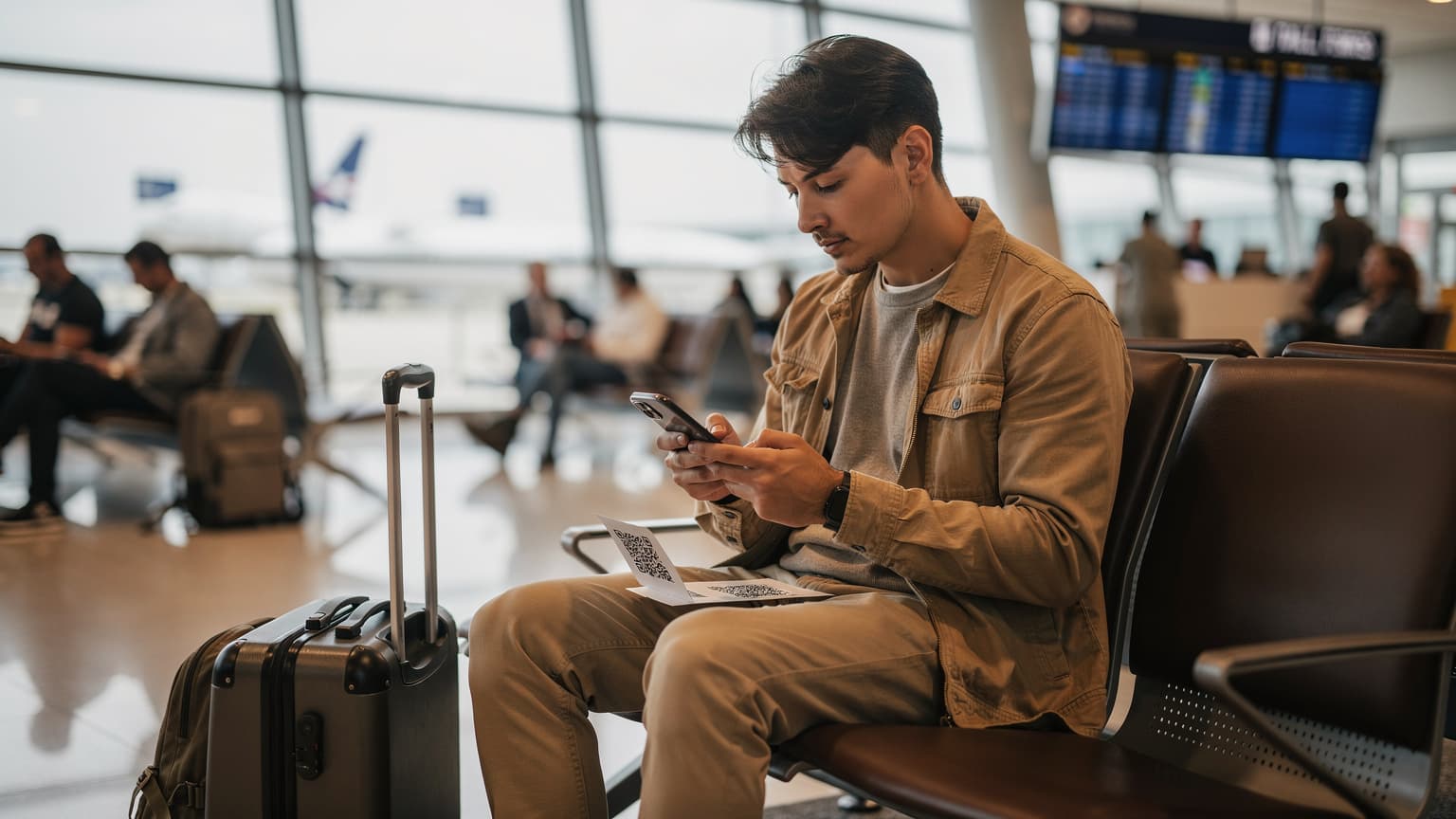
Your Ultimate Guide to Fast Internet in a Bora Bora Overwater Bungalow
Don't let slow hotel Wi-Fi ruin your dream vacation. This guide provides a step-by-step process for getting fast, reliable internet in your Bora Bora overwater bungalow using an eSIM.
Emma Wright, eSIM Setup Specialist & Education Lead
(Updated: 15 February 2026)
34 min read
You’ve pictured it a thousand times: waking up in an overwater bungalow, the turquoise lagoon of Bora Bora stretching out from your private deck. You grab your phone to capture the sunrise, but the upload fails. You try to video call home to share the moment, but the connection is a pixelated mess. This is the frustrating reality for many travelers who discover that paradise and high-speed connectivity do not always go hand-in-hand. Getting fast internet in a Bora Bora overwater bungalow is not just a luxury; it is essential for sharing your experience, navigating the island, and staying in touch. Forget relying on spotty hotel Wi-Fi. This guide will show you exactly how to secure your own reliable, high-speed connection from the moment you land. By using an eSIM for French Polynesia, you can bypass common connectivity headaches and ensure your digital life is as flawless as your view.
In This Article
Why Your Overwater Bungalow's Wi-Fi Might Not Be Enough
Your Connectivity Options in Bora Bora
Network Coverage in Bora Bora and French Polynesia
Data Needs for Your Bora Bora Vacation
Cost Comparison: eSIM vs. Traditional Options in Bora Bora
Step-by-Step Guide: Activating Your Bora Bora eSIM
When to Activate Your Bora Bora eSIM for Optimal Use
Pro Tips for Maximizing Connectivity from Your Bungalow
Common Bora Bora Connectivity Problems & Quick Solutions
Frequently Asked Questions
Connected in Bora Bora? Get Your eSIM Now.
Ensure seamless internet from your overwater bungalow. Cellesim covers 200+ countries.
Why Your Overwater Bungalow's Wi-Fi Might Not Be Enough | Cellesim eSIM
Why Your Overwater Bungalow's Wi-Fi Might Not Be Enough
While the allure of an overwater bungalow in Bora Bora is undeniable, the Wi-Fi connectivity often falls short of expectations. Resorts provide Wi-Fi as a convenience, but it is typically shared among hundreds of guests. This shared bandwidth can result in slow speeds, frequent disconnections, and limited reliability, especially during peak usage times.
Imagine trying to upload a stunning drone shot of the lagoon, only to have it fail repeatedly. Or attempting a video call with family back home, met with a frozen screen and choppy audio. Furthermore, resort Wi-Fi might not extend effectively to every corner of your spacious bungalow, leaving you with dead zones on your private deck or in certain rooms. Security is another concern; public or shared Wi-Fi networks can expose your personal data to risks. For these reasons, relying solely on bungalow Wi-Fi can quickly turn a blissful escape into a frustrating experience.
Your Connectivity Options in Bora Bora
When planning your trip to Bora Bora, understanding your internet options is crucial. While resort Wi-Fi is available, it is rarely the best solution for consistent, high-speed data. Here’s a breakdown of the alternatives:
International Roaming: Your home mobile carrier likely offers international roaming packages. While convenient as your existing number works, these plans are typically very expensive. Data speeds can be throttled, and unexpected charges can lead to significant bill shock upon return.
Local Physical SIM Card: Upon arrival in French Polynesia, you could purchase a local SIM card from a provider like Vini or Vodafone. This provides local rates and potentially better speeds. However, it requires finding a local store, navigating language barriers, potentially losing your home SIM (or needing a dual-SIM phone), and going through an activation process that can take time away from your vacation. You'll also need to ensure your phone is unlocked.
Travel eSIM: An eSIM offers the best balance of convenience, cost, and performance. You can purchase and activate an eSIM plan before you even leave home. It provides immediate data connectivity upon arrival, uses local networks for fast speeds, and allows you to keep your primary physical SIM active for calls and texts from your home number (though roaming charges for calls/texts would apply). Comparing airport SIM cards vs. eSIMs highlights the ease of eSIMs.
Key Info: Cellesim eSIMs for French Polynesia connect to top local networks, providing reliable 4G/5G speeds across Bora Bora and other islands.
Network Coverage in Bora Bora and French Polynesia
French Polynesia relies on a few key mobile operators: Vini, Vodafone, and Ourèdoo. In Bora Bora, Vini and Vodafone are the primary providers offering 4G LTE coverage, with 5G slowly expanding in more populated areas like Tahiti. Most resorts on Bora Bora's main island and the surrounding motus (islets) will have decent outdoor coverage, but signal strength can vary greatly depending on your specific bungalow location and its distance from the main cellular towers.
Overwater bungalows, by their very nature, are often situated further out over the water, which can sometimes impact signal strength compared to land-based rooms. Cellesim partners with these leading local networks to ensure you receive the strongest possible signal available, connecting you seamlessly whether you're relaxing on your private deck or exploring the island's interior.
"The convenience of having my own data connection meant I could explore Bora Bora without worrying about finding Wi-Fi, and my video calls from the bungalow were crystal clear." – A Recent Cellesim Traveler
Data Needs for Your Bora Bora Vacation
Estimating your data needs for a vacation in paradise can be tricky, but it's essential to avoid running out of data or overspending. Here’s a general guide:
Light User (1-3 GB for 7 days): Occasional messaging (WhatsApp), checking emails, light social media browsing, using maps for navigation.
Moderate User (5-10 GB for 7 days): Regular social media updates, occasional photo uploads, short video streaming, frequent map usage, a few video calls.
Heavy User (10+ GB for 7 days): Frequent high-resolution photo and video uploads, extensive video streaming, multiple long video calls, tethering to other devices.
Consider what you'll be doing. Sharing stunning photos and videos of the turquoise waters will consume data quickly. If you plan to work remotely or stream movies, opt for a larger plan. Cellesim offers various French Polynesia eSIM data packages to suit different usage levels. You can also use Cellesim's Smart Data Calculator to get a more personalized estimate of your data requirements.
Pro Tip: Download offline maps (Google Maps, Maps.me) and any entertainment (movies, music) before your trip using Wi-Fi. This significantly reduces your daily data consumption while exploring Bora Bora.
Cost Comparison: eSIM vs. Traditional Options in Bora Bora
To illustrate the value of an eSIM, let's compare the typical costs and conveniences of different connectivity options for a 7-day trip to Bora Bora. Prices are approximate and can vary.
Option
Typical Cost (7 days, ~5GB)
Convenience
Speed/Reliability
Cellesim eSIM
From $8 - $20
Instant activation, online purchase
Full 4G/5G, reliable local network
Local SIM Card (Vini/Vodafone)
$15 - $30
Requires store visit, physical swap
Good local speeds
International Roaming
$70 - $150+
Automatic, but very expensive
Often throttled, high latency
Resort Wi-Fi
Included (or extra $10-20/day)
Free/convenient on property
Often slow, unreliable, security risks
As the table shows, a Cellesim eSIM provides a clear advantage in both cost-effectiveness and convenience, especially when seeking reliable internet directly from your overwater bungalow.
Step-by-Step Guide: Activating Your Bora Bora eSIM
Getting fast internet with a Cellesim eSIM is a straightforward process, even if you’ve never used an eSIM before. Here’s how you can set it up:
Check Device Compatibility: First, ensure your smartphone supports eSIM technology and is unlocked. Most newer iPhones (XS and later), Google Pixel phones (3 and later), and Samsung Galaxy devices (S20 and later) are compatible. You can quickly verify this with Cellesim's eSIM Checker.
Purchase Your eSIM Plan: Visit the Cellesim website and choose a French Polynesia eSIM plan that fits your data needs and trip duration. The purchase is entirely online.
Receive QR Code/Activation Details: After purchase, you will receive an email containing a QR code or manual activation details.
Install the eSIM:
iPhone: Go to Settings > Cellular/Mobile Data > Add eSIM. Scan the QR code or enter details manually.
Android: Go to Settings > Network & internet > SIMs > Add more. Scan the QR code or enter details manually.
Activate and Connect: Once installed, you will need to enable the eSIM for data roaming in your phone's settings. Upon arrival in Bora Bora, your phone will automatically connect to the local partner network, and you'll have instant internet access.
Key Info: Cellesim eSIM activation is fully digital, eliminating the need to search for local SIM card vendors or wait in queues at airports.
When to Activate Your Bora Bora eSIM for Optimal Use
Timing your eSIM activation can help maximize your plan's value. Cellesim plans typically begin their validity period from the moment they connect to a network at your destination.
Before You Depart (Recommended for installation): Install the eSIM on your device while you still have a stable internet connection at home or your last layover. This ensures the eSIM profile is correctly added to your phone. However, do NOT activate the data plan yet.
Upon Arrival in Bora Bora (Recommended for data plan activation): Only switch your cellular data to the eSIM once you have landed at Motu Mute Airport (Bora Bora) or Faa'a International Airport (Tahiti) and are ready to start using data. This way, the validity period of your data plan starts exactly when you need it in French Polynesia, preventing days from being used up during transit.
Activating too early, for instance, in a transit country, could consume precious days of your plan before you reach your overwater bungalow. By waiting until you’re in Bora Bora, you ensure full usage throughout your stay.
Pro Tips for Maximizing Connectivity from Your Bungalow
With your Cellesim eSIM in hand, here are some tips to get the most out of your fast internet in Bora Bora:
Use Personal Hotspot: If you are traveling with companions or other devices like tablets or laptops, you can use your phone's Personal Hotspot (tethering) feature to share your eSIM's data connection. This turns your phone into a portable Wi-Fi hub, extending connectivity to all your gadgets.
Monitor Data Usage: Regularly check your data consumption through your phone settings or your Cellesim account. This helps you manage your data and top up if needed. Cellesim makes it easy to check usage and top-up instantly online.
Optimize App Settings: Many apps consume data in the background. Adjust settings to restrict background app refresh or only allow downloads over Wi-Fi when possible. Saving data abroad is simple with a few smart adjustments.
Leverage VoIP for Calls: Since Cellesim eSIMs are data-only, use apps like WhatsApp, Skype, or FaceTime for voice and video calls. This allows you to stay in touch without incurring expensive roaming call charges. You can even keep your WhatsApp number while using a travel eSIM.
Consider a Power Bank: Using your phone for data, hotspot, and photography will drain its battery faster. A portable power bank is invaluable for keeping your device charged and connected throughout the day.
Common Bora Bora Connectivity Problems & Quick Solutions | Cellesim eSIM
Common Bora Bora Connectivity Problems & Quick Solutions
Even with an eSIM, occasional connectivity hiccups can occur. Here are some common issues and how to troubleshoot them:
"No Service" or Weak Signal:
Solution: Check your phone's settings to ensure the eSIM is enabled for cellular data and data roaming is on. Try restarting your phone. If still an issue, manually select the network operator (e.g., Vini or Vodafone) in your cellular settings.
Slow Data Speeds:
Solution: This can be due to network congestion or your bungalow's location. Try moving to a different spot in your bungalow or on your deck. If possible, toggle airplane mode on and off to reset the network connection.
Data Runs Out Quickly:
Solution: Review your data usage in your phone settings. Identify any data-heavy apps. Consider purchasing a Cellesim top-up plan to extend your connectivity.
eSIM Not Activating:
Solution: Double-check the installation steps. Ensure your device is eSIM compatible and unlocked. If using a QR code, ensure it's not blurry. Contact Cellesim support at [email protected] if you continue to face issues.
Pro Tip: Before your trip, familiarize yourself with your phone's cellular settings for switching between SIMs and managing data. This saves valuable vacation time when troubleshooting.
Ready for Seamless Connectivity in Bora Bora?
Join 50,000+ travelers in 200+ countries. Set up your Cellesim eSIM in 2 minutes.
Trusted by travelers worldwide. 24/7 Email Support: [email protected]
Why Your Bungalow's Wi-Fi Might Not Be Enough
Most luxury resorts in Bora Bora offer complimentary Wi-Fi, and it is tempting to think that will be sufficient. However, the reality of island infrastructure can be quite different from what you are used to at home. The term "Bora Bora hotel wifi" often comes with a few unspoken caveats that can seriously impact your digital experience.
First, consider bandwidth. You are sharing a single satellite connection with potentially hundreds of other guests who are all trying to upload photos, stream movies, and call family at the same time, especially in the evenings. This congestion leads to frustratingly slow speeds, constant buffering, and dropped connections. Furthermore, the signal often weakens the further you get from the main resort buildings. That stunning bungalow at the very end of the pontoon? It might be a Wi-Fi dead zone, leaving you completely disconnected on your own deck. Security is another concern; hotel networks are semi-public, making them more vulnerable to security risks than your own private mobile data connection. Before you even consider your options, it is wise to check if your phone is eSIM compatible, as this technology is the key to unlocking seamless connectivity.
Your Connectivity Options in French Polynesia
When you decide to take control of your internet access, you have a few primary choices for getting mobile data in French Polynesia. Each has its pros and cons, but one clearly stands out for the modern traveler seeking reliability and convenience.
1. eSIM (The Smartest Choice)
An eSIM (embedded SIM) is a digital SIM card that is built into your smartphone. You can download a data plan directly to your phone without needing to swap physical cards. For a destination like Bora Bora, it is a game-changer for several reasons.
Pros: Instant activation (buy and install before you leave), keeps your home number active for calls/texts, competitive pricing, no need to find a store or wait in line at the airport. You retain your physical SIM for banking authentication or calls.
Cons: Requires a compatible, unlocked phone (most models from the last few years are). You can use the eSIM checker to confirm device compatibility.
2. Local Physical SIM Card
This involves buying a physical SIM card from a local provider like Vini or Vodafone upon arrival at Faa'a International Airport (PPT) in Tahiti or a local shop on Bora Bora. While possible, it presents several inconveniences for a traveler focused on relaxation.
Pros: Can offer good local rates if you find the right plan after extensive research.
Cons: The hassle of finding a store, potential language barriers, needing to physically swap your SIM card (and risk losing your home SIM), and wasting precious vacation time. Finding a vendor at a smaller airport or on a remote island might be challenging. Learn more about airport SIM cards versus eSIMs.
3. Pocket Wi-Fi (Portable Hotspot)
A portable Wi-Fi Bora Bora solution involves renting a small device that creates a personal Wi-Fi hotspot using a local SIM card. You then connect your phone, laptop, and other devices to it. This can be useful for groups but adds complexity for individual travelers.
Pros: Can connect multiple devices at once, ideal for families or small groups sharing data.
Cons: It is another device to carry, charge, and potentially lose. Rental logistics can be cumbersome, and the daily or weekly cost can add up quickly, often exceeding the cost of a personal eSIM.
4. International Roaming
This is the default option from your home carrier. It is the easiest to use—you just turn it on—but it is almost always the most expensive, with shocking data rates that can lead to a massive bill upon your return. Using an eSIM is the most effective way of avoiding exorbitant international roaming charges.
Data Needs: How Much Is Enough?
One of the most common questions travelers have is how much data they will actually need for their trip. Over-buying data can be wasteful, while under-buying leads to frustrating top-ups or slow speeds. Here is a breakdown of typical data consumption for common travel activities in Bora Bora:
Light User (500MB - 1GB per day): Perfect for checking emails, light social media browsing, using navigation apps like Google Maps, and sending messages on WhatsApp.
Moderate User (1GB - 3GB per day): If you plan on more frequent social media updates, occasional video calls with family, some light streaming of music, and regular browsing.
Heavy User (3GB+ per day): For those who need to upload high-resolution photos and videos regularly, participate in multiple video calls, stream high-definition content, or use their phone for mobile hotspot tethering to a laptop.
To accurately estimate your data requirements for your specific travel style, consider using our Smart Data Calculator. This tool provides personalized recommendations based on your planned activities, helping you select the ideal eSIM package for your Bora Bora adventure. Remember, it is always possible to top up your Cellesim eSIM plan if you find yourself running low on data during your trip.
Step-by-Step Guide to Getting Fast Internet with an eSIM
Ready for a seamless connection? Here is exactly how to set up your eSIM for Bora Bora and enjoy fast, reliable internet from your overwater bungalow.
Step 1: Check Your Phone’s Compatibility
First things first, ensure your smartphone supports eSIM technology. Most iPhones (XS and newer), Google Pixels (3 and newer), and Samsung Galaxy S series (S20 and newer) are compatible. A quick search for your model and "eSIM support" will confirm it. Your phone must also be unlocked from your carrier, meaning it is not tied to a specific network contract. If you are unsure, our eSIM checker can quickly verify if your device is supported.
Step 2: Choose and Purchase Your Bora Bora eSIM Plan
Do not wait until you are about to board your flight. Purchase your eSIM plan a few days before you travel. Consider how much data you will need. Are you just checking emails and using maps, or do you plan on streaming video and making frequent video calls? If you are unsure, it is helpful to use a smart data calculator to estimate your usage. Choose a plan that offers enough data for your trip's duration. You can always top up later if needed, providing flexibility throughout your stay.
Step 3: Install Your eSIM Before You Leave Home
This is the most crucial tip for a stress-free experience. Install your eSIM while you still have a stable Wi-Fi connection at home. The process is simple: you will receive a QR code via email after purchase. Just go to your phone's cellular settings, select "Add eSIM" or "Add Cellular Plan," and scan the code. Follow the on-screen prompts to label your new eSIM (e.g., "Bora Bora Data"). Do not activate it yet; you will do that upon arrival to avoid wasting data before you need it.
Step 4: Activate Upon Arrival in French Polynesia
Once your plane lands at PPT in Tahiti or you arrive on Bora Bora, it is time to connect. The moment you are off flight mode, go back into your phone's cellular settings. Switch your primary cellular data line to your newly installed Bora Bora eSIM. Also, make sure "Data Roaming" is turned ON for your eSIM line (do not worry, this will not incur charges from your home carrier; it is necessary for the eSIM to connect to local networks). Within moments, your phone will connect to a local network, and you will have fast internet access before you have even collected your luggage. For a more detailed walkthrough, you can always refer to our complete eSIM setup guide or even our interactive setup guide.
Pro Tips for Maximizing Your Connectivity in Bora Bora
Getting your eSIM working is the first step. Now, let us optimize it for the best possible experience in your bungalow and beyond.
Position is Everything: Cellular signals travel through the air. The thatch roof and wooden walls of your bungalow can sometimes weaken the signal. If your connection feels slow, try moving closer to a window or stepping out onto your deck. You will often find the signal is strongest with a clear line of sight to the main island.
Leverage Tethering for Remote Work: Need to get some work done on your laptop? An eSIM turns your phone into a powerful portable hotspot. Simply enable the "Personal Hotspot" feature on your phone to share your fast mobile data with your laptop or tablet. This is a perfect solution for the growing trend of Bora Bora internet for remote work, giving you a secure and private connection. Learn more about how to use your eSIM personal hotspot.
Download Offline Maps and Content: Before you leave the resort to explore, use your connection to download Google Maps of Bora Bora for offline use. Do the same for any playlists, podcasts, or movies you might want to enjoy on a secluded beach. This saves data and ensures you have what you need even if you venture into an area with weaker coverage.
Explore with Confidence: For exploring the island's many attractions, from Matira Beach to Mount Otemanu, reliable data ensures you can access maps, local information, and reviews seamlessly. For more travel planning resources, check the official Tahiti Tourisme website.
Protect Your Device: While connectivity is key, remember that Bora Bora's climate (humidity, potential rain) requires care for your electronics. Keep your phone protected from moisture and heat to ensure uninterrupted service.
Common Problems & Quick Solutions
Even with the best preparation, you might encounter a small hiccup. Here is how to solve the most common issues quickly.
Problem: My eSIM Isn't Connecting After Arrival.
Solution: Do not panic. First, double-check that Data Roaming is enabled for your eSIM line in your phone's settings. Second, try restarting your phone. This simple step forces it to search for and register on the local network again and solves the issue 90% of the time. You can also manually select the network operator from your phone's cellular settings if automatic selection fails.
Problem: The Internet Seems Slower Than Expected.
Solution: Toggle your phone's airplane mode on for 30 seconds, then off again. This can help your phone connect to a different, less congested cell tower. Also, as mentioned in the tips, try changing your physical location within the bungalow or stepping outside for a clearer signal. If problems persist, check your phone's APN settings, although Cellesim eSIMs are usually configured automatically.
Problem: I've Used Up All My Data.
Solution: One of the best features of an eSIM from a provider like Cellesim is the ability to easily top up. Simply log into your account online via the Cellesim website, select a top-up package, and it will be added to your existing eSIM almost instantly. No need to buy a whole new plan or find a physical store.
Problem: My Home Number Isn't Receiving Calls/SMS.
Solution: Ensure your home SIM line is still active for calls and SMS in your phone's dual SIM settings. While your eSIM handles data, your physical SIM can remain active for calls and texts if your phone supports dual SIM functionality. Be mindful of potential roaming charges for calls/SMS on your home number.
Your Bora Bora Adventure Awaits, Connected. | Cellesim eSIM
Your Bora Bora Adventure Awaits, Connected.
Do not let unreliable Wi-Fi interrupt your paradise experience. Secure high-speed, dependable internet with Cellesim.
Your trip to a Bora Bora overwater bungalow should be about creating unforgettable memories, not fighting with a loading screen. By sidestepping the limitations of hotel Wi-Fi and the hassle of physical SIM cards, you take control of your connectivity. An eSIM offers the most modern, efficient, and cost-effective solution for getting fast internet in Bora Bora. It provides the freedom to instantly share that breathtaking sunset, the peace of mind to navigate unfamiliar roads, and the capability to connect with loved ones back home, all on your own terms. Your dream vacation deserves a connection that just works. Explore our eSIM plans for French Polynesia today and make seamless connectivity one less thing to worry about.
Frequently Asked Questions
Can I make regular phone calls with a Cellesim eSIM in Bora Bora?
Cellesim eSIMs are primarily for data services, providing fast internet access. For voice calls, you can use VoIP apps like WhatsApp, Skype, or FaceTime over your eSIM data connection. Your home number can still receive calls and texts if your phone supports dual SIM, but roaming charges from your home carrier would apply for those.
Is my phone compatible with eSIM technology?
Most modern smartphones, including iPhones (XS and newer), Google Pixel (3 and newer), and Samsung Galaxy (S20 and newer), support eSIM. Your phone must also be unlocked from its original carrier. You can easily check your device's compatibility using the eSIM Checker on the Cellesim website.
What if I need more data during my Bora Bora trip?
Running low on data is not an issue with Cellesim. You can conveniently top up your existing eSIM plan directly from your Cellesim account online. Simply choose the additional data package that suits your needs, and it will be applied to your eSIM almost instantly, keeping you connected without interruption.
Will using an eSIM affect my existing phone number?
No, using a Cellesim eSIM will not affect your existing phone number. Your home SIM remains active in your phone, allowing you to receive calls and texts on your primary number while using the eSIM for data. This is one of the key advantages of eSIMs for international travel, ensuring you stay connected without changing your main contact details.
Can I use my eSIM on multiple devices, like a tablet or laptop?
While an eSIM is installed on a single device (your smartphone), you can share its internet connection with other devices by enabling your phone's "Personal Hotspot" feature. This allows your tablet, laptop, or other Wi-Fi enabled devices to connect to your phone's data, effectively turning your phone into a portable Wi-Fi hub for your personal use.
What is the benefit of activating my eSIM upon arrival in Bora Bora?
Activating your Cellesim eSIM upon arrival ensures that the validity period of your data plan begins exactly when you need it, maximizing your value. If activated too early, for example, during a layover in another country, your plan's days might be consumed before you even reach Bora Bora, reducing the effective duration of your connectivity in your destination.
eSIM Setup Specialist & Education Lead - Cellesim UK Help Center
Based in the academic city of Oxford, Emma Wright is the Education Lead for Cellesim. Emma specializes in demystifying technology. She writes easy-to-follow, step-by-step guides on how to install and activate eSIMs on iPhones, Samsungs, and Pix...
Learn how to activate your eSIM on iPhone 14 models for seamless travel in 2026. Get step-by-step instructions, troubleshooting tips, and Cellesim ben...
We use cookies to keep Cellesim reliable and secure, improve user experience, provide social media features, and analyze how our website is used. Learn more.
Guest Checkout
--•-
-
Enter your details to continue with guest checkout. No account needed!