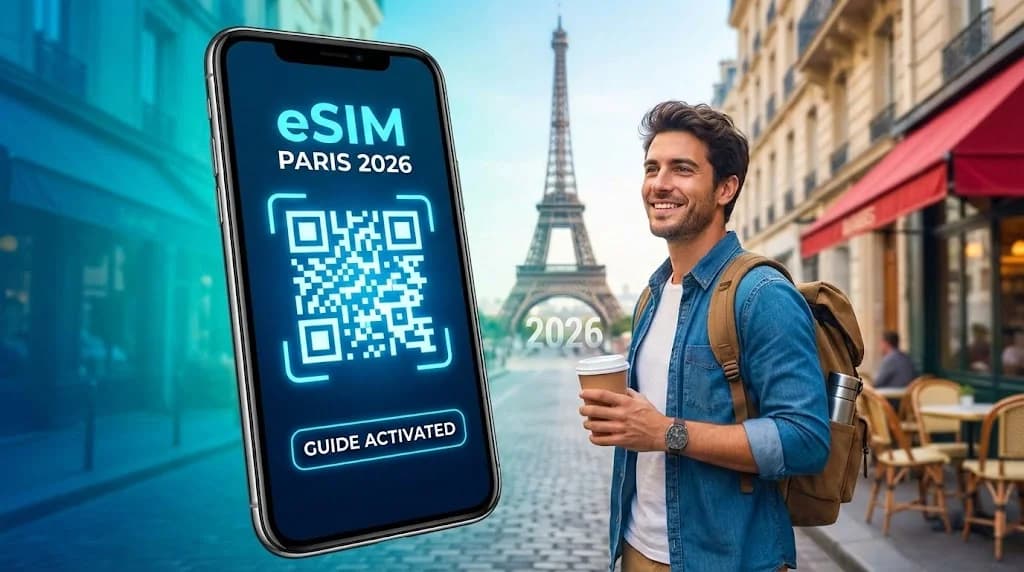
Imagine touching down at Charles de Gaulle (CDG), luggage in hand, buzzing for your romantic Parisian getaway. You instinctively reach for your phone to tell loved ones you've landed and map out the quickest route to your charming Le Marais hotel. Then, that dreaded "No Service" pops up. Suddenly, slow airport Wi-Fi and the scary thought of huge international roaming fees loom, threatening to spoil your perfect start. What if, instead, you could step off the plane, turn on your phone, and instantly connect to a fast, reliable local network?
This guide will show you exactly how an eSIM makes that a reality for your 2026 trip to Paris. An eSIM means affordable, trouble-free mobile data, letting you focus on croissants and unforgettable moments, not connectivity headaches. For more options, check out our guide to eSIM for France.
- What is an eSIM and Why is it Ideal for Paris Travel?
- Pre-Travel Checklist: Essential Steps Before Your Paris Trip
- Choosing the Right Cellesim Plan for Your Paris Adventure
- Step-by-Step Installation: Getting Your Cellesim eSIM Ready
- Activating Your Cellesim eSIM Upon Arrival in Paris
- Mastering Connectivity: Data Management and Dual SIM Use
- Cost Comparison: eSIM vs. Traditional Roaming vs. Local SIMs in Paris
- Troubleshooting Common eSIM Challenges for Travelers
- Frequently Asked Questions About Using an eSIM in Paris
Stay Connected Across Europe
Explore Paris and 41 other countries with a single Cellesim eSIM. Instant connectivity, flexible plans.
Join 50,000+ happy customers on your next adventure.
Get Your Europe eSIM Plan 🌍What is an eSIM and Why is it Ideal for Paris Travel?
An eSIM, short for embedded SIM, is a big step forward in how we connect our phones. It's a digital SIM card that lets you activate a phone plan without needing a physical, plastic card. Instead, you just download and install a digital profile onto your compatible smartphone. This technology is a game-changer for international travelers, especially when heading to a lively, connected city like Paris in 2026.
For your Parisian trip, an eSIM offers amazing convenience. Imagine landing at Charles de Gaulle Airport and immediately having high-speed internet. You can book a ride, check maps, or message family without hunting for a local SIM vendor or struggling with language barriers. Cellesim eSIMs cut out the pain of expensive international roaming from your home provider by giving you access to strong local French networks at a much lower cost. This smooth switch means you can focus on seeing the Louvre, strolling along the Seine, or enjoying a classic French pastry, instead of battling connectivity issues. Plus, the ability to easily manage your data plan, track usage, or top up ensures you won't have to worry about staying connected throughout your journey. To learn more about eSIM technology, check out the GSMA's official information on eSIM. For official city resources to help plan your trip, visit Paris Je t'aime - official tourist office.
Pre-Travel Checklist: Essential Steps Before Your Paris Trip
Making sure your connectivity in Paris is perfect starts long before you pack your bags. Getting your eSIM set up early can save you a lot of travel headaches. Think of this as your crucial digital prep guide for a smooth connection as soon as you arrive.
- An eSIM-Compatible, Unlocked Phone: This is absolutely non-negotiable. Most modern smartphones made since 2018 support eSIMs, including iPhone XR/XS models and newer, Google Pixel 3 and newer, and recent Samsung Galaxy S series phones. The key part is that your phone must be 'unlocked,' meaning it isn't tied to just one phone company. If you bought your phone directly from the manufacturer, it's probably unlocked. If you got it through a carrier contract, contact your home provider to confirm its status and ask them to unlock it if needed (usually after your contract ends). You can quickly check if your device supports eSIMs using the Cellesim eSIM checker, or by looking at our full list of eSIM compatible devices.
- Software Updates: Before you leave, make sure your phone's operating system (iOS or Android) is completely up to date. The latest OS versions often include important eSIM management features and bug fixes that will make installation and use much smoother.
- Stable Wi-Fi Connection: You'll need reliable Wi-Fi to download and install your eSIM profile. It's best to do this at home or somewhere else with a strong internet connection before you even travel to Paris.
Choosing the Right Cellesim Plan for Your Paris Adventure
Picking the best eSIM data plan is vital for staying connected throughout your Paris trip. Cellesim offers a range of plans to fit different travel styles and data needs. Knowing how much data you typically use will help you choose the most economical and practical option for your journey.
Assessing Your Data Needs for Paris
- Light User (1-3 GB): If you mostly use your phone for maps, occasional messages (WhatsApp, iMessage), and light social media, a smaller data package might be enough for a short trip (say, 3-5 days).
- Moderate User (5-10 GB): Most travelers fit this category. This plan supports regular navigation, frequent social media updates, photo sharing, moderate video streaming, and some video calls. This is usually ideal for a 7-10 day trip to Paris.
- Heavy User (15+ GB): If you plan to work remotely, make lots of video calls, stream high-definition content often, or share your internet connection with other devices, you'll need a larger data allowance for a longer stay or more intensive use in Paris.
Plan Duration and Regional Options
Think about how long you'll be staying in Paris. Cellesim has flexible plans from 7 days to 30 days or more. If your trip includes other European countries beyond Paris, a Cellesim Europe eSIM plan covering 42 countries might be a smarter and more convenient choice than buying separate plans for each country. It offers seamless connectivity across the whole continent.
Step-by-Step Installation: Getting Your Cellesim eSIM Ready
Installing your Cellesim eSIM is simple and quick, usually done before you even get on your flight to Paris. Just follow these steps to make sure your device is ready for instant connection the moment you arrive.
- Purchase Your eSIM: Head to the Cellesim website and pick the France eSIM plan that works best for your trip. Complete your purchase securely online.
- Receive Your eSIM QR Code: After buying, you'll get an email with a QR code and manual installation details. Keep this email handy, either printed out or on another device, because you can't scan a QR code from the same phone you're installing it on.
- Access eSIM Settings on Your Phone:
- For iPhone: Go to Settings > Cellular (or Mobile Data) > Add eSIM.
- For Android: Go to Settings > Network & Internet > SIMs > Add eSIM (or Download a SIM). (The exact words might change depending on your phone and Android version.)
- Scan the QR Code: Use your phone's camera to scan the QR code from your Cellesim email. Your phone will then ask you to confirm adding the new cellular plan. Just follow the on-screen instructions. If you can't scan the QR code, you can type in the activation code manually.
- Label Your eSIM: Once it's installed, give your new eSIM profile a clear name, like "Cellesim Paris" or "Travel eSIM." This makes it easy to tell apart from your main SIM, especially if you're using Dual SIM features.
For a more detailed visual guide, check out our complete eSIM installation guide for iPhone and Android, or try the interactive setup guide.
Activating Your Cellesim eSIM Upon Arrival in Paris
Even though you should install your eSIM before you travel, activating it at the right moment is key to getting the most out of your data plan and avoiding using it up too early. Follow these steps for a smooth activation once you land at a Parisian airport or reach the city.
- Disable Data Roaming on Your Primary SIM: Before turning on your Cellesim eSIM, go into your phone's cellular settings and switch off data roaming for your home SIM card. This is a vital step to stop your domestic provider from accidentally charging you expensive roaming fees.
- Enable Your Cellesim eSIM: Go to your phone's Cellular (or Mobile Data) settings, select your newly installed Cellesim profile, and turn it "On." Make sure "Data Roaming" is also enabled for the Cellesim profile itself (this is normal for eSIMs connecting to local partner networks like those in France).
- Set Cellesim as Your Primary Data Line: In your cellular settings, choose your Cellesim profile for "Cellular Data" (or "Mobile Data"). You can still use your primary SIM for calls and texts if you want (thanks to Dual SIM functionality), so you won't miss any important messages.
- Test Your Connection: Once enabled, your phone should connect to a local French network within minutes. Try opening a browser, using Google Maps to find your hotel, or sending a message to confirm your internet access. If you run into problems, simply restarting your phone often fixes minor network registration issues.
Mastering Connectivity: Data Management and Dual SIM Use
To get the most out of your eSIM in Paris, you'll want to know how to manage your data, use Dual SIM features, and keep essential apps like messaging active. Cellesim eSIMs are made to work smoothly with your current phone setup, giving you flexibility for all your communication and data needs.
Dual SIM Functionality: Calls & Data Separated
Most eSIM-compatible phones support Dual SIM, letting you use your Cellesim eSIM for data while keeping your home SIM active for calls and texts. This means you can get important calls, OTPs (One-Time Passcodes), or messages on your regular number without racking up expensive international data roaming charges. Here’s how to set it up:
- Go to Settings > Cellular (or Mobile Data) on your smartphone.
- Choose your Cellesim profile for "Cellular Data."
- Set your primary home SIM as your "Default Voice Line" (if you want to get calls and SMS to your home number).
Monitoring Data Usage and Top-Ups
It's smart to keep an eye on your data usage, especially if you have a limited plan. Most smartphones have built-in data trackers in their cellular settings. Cellesim also provides tools to help you track your remaining data right from their website or app. If you find yourself running low unexpectedly during your Parisian adventure, Cellesim makes it easy to top up directly through their platform, keeping you connected without a hitch. Check our guide on how to check eSIM data usage and top up instantly.
Network Coverage in Paris
Cellesim works with major local networks in France to give you reliable 4G and 5G connectivity across Paris and its surrounding areas. This means fast speeds for navigation, streaming, and communicating, even in busy tourist spots and while using public transport. You can generally expect excellent coverage in central Paris, including famous places like the Eiffel Tower, Notre Dame, and the Louvre, as well as on the Paris Metro system (though underground coverage can sometimes vary by operator and line). Our partnerships ensure strong connectivity for a perfect 2026 trip.
Cost Comparison: eSIM vs. Traditional Roaming vs. Local SIMs in Paris
When planning your phone connectivity for Paris, it's really important to understand the costs of your different options. While traditional roaming might seem easy, and local SIMs are a direct approach, Cellesim eSIMs often hit the sweet spot for travelers, offering the best mix of affordability, convenience, and flexibility.
| Option | Price (7 days, 10GB) | Setup Difficulty | Flexibility | Key Benefit for Paris |
|---|---|---|---|---|
| Cellesim eSIM | From ~$8-15 USD | Easy (Online) | High (Digital, top-ups) | Instant, affordable data on arrival |
| Traditional Roaming | ~$70-150+ USD | Automatic | Low (Fixed carrier rates) | Keep home number active for calls/SMS |
| Local Physical SIM | ~$15-30 USD | Moderate (Airport/Shop visit) | Medium (Requires physical swap) | Local phone number (if needed) |
"Using an eSIM for my trip to Paris was a game-changer. No more hunting for a SIM card after a long flight, and the data costs were a fraction of what my home provider would charge for roaming. It made navigating the city and staying in touch effortless."
As the table shows, traditional roaming with your home provider is almost always the most expensive choice, often hitting you with daily fees or high costs per MB. Local physical SIM cards are cheaper than roaming, but they mean you have to find a store when you arrive, deal with registration, and physically swap cards, which can be a hassle. A Cellesim eSIM lets you skip these steps, offering competitive prices, immediate activation, and the ease of managing your plan digitally. For more on how much you could save, check out our roaming savings calculator and compare the costs yourself.
Troubleshooting Common eSIM Challenges for Travelers
While eSIMs usually offer a smooth experience, travelers might occasionally run into small issues. Knowing how to fix these can save you valuable time and keep you connected during your Paris trip, so your explorations aren't interrupted.
Common Issues and Solutions:
- "No Service" or "Limited Service":
- Check eSIM is Active: Make sure your Cellesim profile is turned on in your phone's cellular settings and selected for mobile data.
- Data Roaming Enabled for eSIM: Confirm that 'Data Roaming' is switched ON for your Cellesim profile. (This is necessary for the eSIM to connect to local partner networks in France.)
- Restart Your Device: A simple restart often fixes minor network registration problems and can prompt your phone to find the strongest local network.
- Manual Network Selection: If automatic network selection doesn't work, try manually choosing a local French network operator (like Orange France, SFR, Bouygues Telecom) from your phone's cellular settings.
- Slow Data Speeds:
- Check Coverage: Paris generally has great coverage, but some specific indoor places, underground metro lines, or extremely crowded areas might experience temporary slowdowns.
- Data Cap Reached: See if you've used all your data allowance. You might need to buy a top-up to get full speed back.
- APN Settings: Rarely, incorrect APN settings can cause problems. Cellesim eSIMs usually set this automatically, but if issues continue, check Cellesim's support pages for the correct APN for France.
- eSIM Not Installing:
- Stable Wi-Fi: Make sure you have a strong, steady Wi-Fi connection during installation, as the eSIM profile needs to download data.
- QR Code Clarity: Ensure the QR code isn't blurry, damaged, or hidden, and that you're scanning it in good light.
- Device Compatibility: Double-check your phone's eSIM compatibility and confirm it's unlocked by your home carrier.
If you keep having problems that these steps don't fix, don't hesitate to contact Cellesim support. Our dedicated team is ready to help via email at [email protected], ensuring your connection in Paris is quickly restored.
Ready for Seamless Connectivity in Paris?
Unlock instant data and worry-free travel for your 2026 Parisian adventure with Cellesim.
Get Your Cellesim France eSIM TodayTrusted by 50,000+ travelers worldwide. Available in 200+ countries with 24/7 Support.
Frequently Asked Questions About Using an eSIM in Paris
Can I use my Cellesim eSIM on any phone in Paris?
No, eSIMs need a compatible and unlocked device. Most modern smartphones made since 2018, including newer iPhone, Google Pixel, and Samsung Galaxy models, support eSIM technology. Always use our eSIM checker to confirm your phone's compatibility before buying to make sure it will work perfectly in Paris for your 2026 trip.
How much data do I need for a week in Paris?
For a typical week-long trip to Paris, most travelers find that 5-10 GB of data is plenty for using maps, social media, messaging, and some streaming while exploring the city. If you plan a lot of video calls, frequent high-definition streaming, or sharing your internet connection, consider a larger plan. Our smart data calculator can help you figure out your exact needs.
Can I keep my original phone number while using a Cellesim eSIM in Paris?
Yes, absolutely. With Dual SIM, you can keep your main SIM active for calls and texts on your home number while using your Cellesim eSIM for all your mobile data. This means you can get important calls or OTPs without facing expensive data roaming charges, making communication in Paris simple and efficient.
When should I install and activate my Cellesim eSIM for my Paris trip?
You should install your Cellesim eSIM profile before you travel, ideally at home with a reliable Wi-Fi connection. However, it's really important to only activate (turn on) the eSIM once you arrive in Paris or when you're ready to start using data. This makes sure your data plan's validity period begins at the right time and matches your travel dates perfectly.
What if I need more data during my trip to Paris?
Cellesim makes it easy to top up. If you notice your data running low during your Paris trip, you can simply buy more data directly through the Cellesim website or app. This keeps you connected without interruption for navigation, communication, and sharing all your amazing experiences.
Is 5G available with Cellesim eSIMs in Paris?
Yes, Cellesim works with top local network providers in France, giving you access to 4G and 5G networks where they're available. This means high-speed connectivity for browsing, streaming, and navigation throughout Paris and beyond, depending on your device's capabilities and the current network coverage in 2026.