

 eSIM Destination
Azerbaijan eSIM
Azerbaijan: compare travel eSIMs for maps, messages, and mobile data.
Azerbaijan: mobile networks
2 carriers supported
- Bakcell5G
- Azercell4G
Highest generation per operator is displayed; some plans may use a fallback band based on local conditions.
Free VPN with your eSIM
Every active Cellesim eSIM comes with a free VPN. Browse securely on public Wi-Fi and reach the apps you rely on from anywhere, at no extra cost and with no separate signup.
- 4.9(18)
- 5G
- Digital setup
- Refund policy
Data Plans / Unlimited
7 days
30 days
Azerbaijan: mobile networks
2 carriers supported
- Bakcell5G
- Azercell4G
Highest generation per operator is displayed; some plans may use a fallback band based on local conditions.
Free VPN with your eSIM
Every active Cellesim eSIM comes with a free VPN. Browse securely on public Wi-Fi and reach the apps you rely on from anywhere, at no extra cost and with no separate signup.
Azerbaijan: our plans at or below the market median
We compare our Azerbaijan plans with the public prices of other eSIM providers. The plans below cost the same as or less than the median price for the same data and validity.
- 3 GB · 15 days$15.17market median $15.49 · 2% below
- 3 GB · 30 days$15.97market median $16.08 · 1% below
- 5 GB · 30 days$18.37market median $19.49 · 6% below
- 10 GB · 30 days$28.16market median $35.00 · 20% below
Competitor prices checked on Oct 19, 2026. Prices change; the price shown at checkout is final.
Azerbaijan: choose an eSIM for your trip
Choose how much data you need and for how long. Before you buy, check that your phone is compatible and that the plan covers where you're going. Azerbaijan: plans start from $6.09. 4.9/5 · Based on 18 reviews Compare the plans below, including details on activation, hotspot use, and top-ups.
- Compare price and how much data you get
- Check networks and coverage
- Contact support if you need help
Frequently Asked Questions
Your eSIM for Azerbaijan automatically connects to the strongest available major network, ensuring reliable coverage across the country.
While the specific network partner for your eSIM plan may vary, our service is designed to leverage the best available infrastructure. In Azerbaijan, the dominant mobile network operator is Bakcell. This provider offers extensive 4G LTE coverage, especially in major cities like Baku, Ganja, and Sumgait, as well as along key highways and populated regions.
Upon activation, your device will seamlessly connect to this robust network, providing you with high-speed data for all your travel needs, from using maps and booking rides to staying in touch with family and friends. There's no need for manual network selection; the eSIM manages this automatically to ensure optimal connectivity throughout your trip.
Planning the trip? See our Azerbaijan eSIM plans, install in one tap before you fly, and land online. Free VPN included.
No, roaming in Azerbaijan with most EU, UK, or US mobile plans is not free and typically incurs significant charges.
Unlike within the EU, "roam like at home" policies do not extend to Azerbaijan. You can expect high per-megabyte data rates, expensive calls, and costly SMS messages, which can quickly lead to a large bill, especially if you rely on your phone for navigation or streaming in cities like Baku.
To avoid these unexpected expenses, consider using an eSIM for your trip. An eSIM provides local data connectivity at much more affordable rates, allowing you to stay connected for maps, ride-hailing apps like Bolt or Uber in Baku, and communicating with friends and family without worrying about excessive roaming fees. Your eSIM will automatically connect to the strongest available major network upon arrival at Heydar Aliyev International Airport (GYD) or elsewhere in the country.
While major cities like Baku and main transportation routes in Azerbaijan generally have strong mobile coverage, connectivity can be limited or unavailable in very remote or mountainous regions.
In Azerbaijan, the primary mobile network operator is Bakcell. Our eSIM automatically connects to the strongest available major network among these, ensuring you get the best possible signal where service exists. However, like many countries, infrastructure in highly rural or mountainous areas, particularly in the Caucasus regions, is less developed, leading to patchy or non-existent service.
For travel to truly remote parts, it's always wise to download offline maps and consider that reliable mobile data may not be consistently available. Coverage is generally excellent in urban centers and along major highways connecting cities like Baku to Ganja or Sumgait.
Yes, an eSIM is generally easier and more convenient than purchasing a physical local SIM card upon arrival at Heydar Aliyev International Airport (GYD) in Baku.
With an eSIM, you can purchase and activate your data plan before you even land in Azerbaijan, skipping queues at airport kiosks and avoiding potential language barriers or the need to swap physical cards. Your eSIM profile is downloaded directly to your phone, providing instant connectivity as soon as you arrive. Local SIM cards, while readily available, typically require you to locate a vendor, present your passport for registration, and physically insert the new card into your device. Our eSIM automatically connects to the strongest available major network in Azerbaijan, with the exact network varying by plan, ensuring reliable data access without the airport hassle.
Yes, WhatsApp, FaceTime, and other video/voice call services work normally and without restrictions over mobile data in Azerbaijan.
You can freely use popular communication apps like WhatsApp, FaceTime, Telegram, and Viber to make voice and video calls to friends and family while traveling across Azerbaijan. There are no known government restrictions or throttling on these services, allowing for seamless communication.
When you use an eSIM for Azerbaijan, your device will automatically connect to the strongest available major local network, ensuring reliable connectivity for all your communication needs. The specific network partner may vary depending on your chosen eSIM plan, but you can expect stable service for your calls and messages.
Planning the trip? See our Azerbaijan eSIM plans, install in one tap before you fly, and land online. Free VPN included.
Yes, ride-hailing apps like Bolt and Uber function perfectly in Baku, Azerbaijan, when using your eSIM for data connectivity.
These services are indispensable for getting around Baku, including transfers from Heydar Aliyev International Airport (GYD) and navigating the city. They rely entirely on a stable internet connection to locate available drivers, track your journey in real-time, and process payments securely. Your eSIM provides this essential connectivity, ensuring you can hail a ride seamlessly without needing local SIM cards or relying on unreliable public Wi-Fi.
With your eSIM, you'll automatically connect to the strongest available major mobile network in Azerbaijan, providing the reliable data needed for these apps. This means you can easily request a car, communicate with your driver if necessary, and follow your route on the map. It's a convenient and cost-effective way to manage your transportation needs throughout your trip.
Planning the trip? See our Azerbaijan eSIM plans, install in one tap before you fly, and land online. Free VPN included.
This specific plan is valid only within Iran. This is a critical point for "Silk Road" or "overland" travelers. If you are taking a bus from Turkey (Bazargan border) or crossing into Azerbaijan or Pakistan, your connection will stop at the border. For this, we highly recommend our Regional eSIM that covers all these countries.
This specific plan is valid only within Azerbaijan. This is the most important question for "Caucasus Tour" travelers. If you take the train from Baku to Tbilisi (Georgia) or cross the border to Iran, your connection will stop. For a seamless multi-country trip, we highly recommend our Regional eSIM (e.g., "Caucasus" plan) which covers both Azerbaijan and Georgia.
Planning the trip? See our Georgia eSIM plans, install in one tap before you fly, and land online. Free VPN included.
This is a critical point. The government in Azerbaijan does frequently block or throttle social media and VoIP calls (WhatsApp calls, FaceTime, Skype) during political events. While text messaging usually works, you cannot rely on making clear voice or video calls. We strongly recommend you install a reliable VPN before you arrive to bypass these restrictions.
Planning the trip? See our Azerbaijan eSIM plans, install in one tap before you fly, and land online. Free VPN included.
No! This is the #1 roaming trap. Although Azerbaijan is in Europe, it is NOT a member of the European Union (EU). Your "Roam Like at Home" (RLAH) plan does not apply. Most EU, UK, and US carriers (like AT&T, Vodafone, O2) will charge you extremely high "Rest of World" international roaming rates (e.g., $10-$15 or £6 per day). A Cellesim eSIM is the only way to get a fixed, cheap data price.
About Azerbaijan eSIM
Azerbaijan eSIM — Data plans
$6.09. Compare data allowance, validity and the total package price in the plan list. Check coverage, hotspot support and any fair-use limits before buying.
Install with Wi-Fi before departure. Check when your selected plan starts; installation and activation are not always the same. Network speed varies by location, device and plan.
eSIM Azerbaijan: Reliable 5G/4G Data for Baku, Gabala & Sheki
Salam! Welcome to the Land of Fire. Whether you are strolling along the Baku Boulevard, exploring the ancient cobbled streets of Icherisheher, or skiing in the Caucasus Mountains of Gabala, staying connected is essential. Skip the hassle of finding a local SIM card kiosk and dealing with language barriers. With Cellesim Azerbaijan eSIM plans, starting at just $6.09, you can enjoy instant connectivity the moment you land. Choose from 6 limited data plans or 11 unlimited data plans tailored for your journey.
🧭 Related eSIM destinations: eSIM Georgia · eSIM Pakistan · eSIM India · eSIM Asia
Escape High Roaming Charges
Azerbaijan is often classified as a "Zone 2" or "Zone 3" destination by many international carriers, meaning data roaming can be surprisingly expensive. Enabling roaming could cost you significantly more than local rates. Don't let expensive data charges impact your travel budget. Switch to a prepaid Cellesim eSIM and enjoy local rates without hidden fees or contracts.
Why a Cellesim eSIM is Essential for Your Azerbaijan Trip
- Instant Airport Connection: Get online immediately at Heydar Aliyev International Airport (GYD). Bypass the queues and paperwork often required for physical SIM cards.
- Great Value: Plans start at $6.09, offering an affordable alternative to daily roaming passes.
- Keep Your Home Number: Your physical SIM remains active for urgent calls and SMS (like OTPs), while your Cellesim eSIM handles data for maps, ride-hailing apps, and social media.
- Reliable Coverage: We partner with top local providers (Azercell/Bakcell) to ensure high-speed network coverage from the Caspian Sea coast to the mountain villages.
Connect Across Azerbaijan's Key Cities
- Baku: Use high-speed data to book Bolt or Uber rides, navigate the modern downtown, and find the best tea houses in the Old City.
- Gabala: Share your mountain adventures and ski slopes instantly with reliable connectivity.
- Sheki: Explore the historic Palace of Shaki Khans and navigate the Silk Road city with ease using online maps.
Stay Connected at Top Azerbaijan Attractions
- Flame Towers: Capture the iconic light show at night and share it live on Instagram or TikTok.
- Gobustan National Park: You need data to access audio guides or translation apps while exploring the ancient rock carvings and mud volcanoes.
- Heydar Aliyev Center: Share photos of Zaha Hadid's architectural masterpiece instantly.
Best eSIM for Azerbaijan Travel: Your Ultimate Data Card
Planning your trip to Azerbaijan? Forget the hassle of physical SIM cards! Our eSIM offers the best travel data card experience, ensuring you stay connected from Baku to Gabala. Easily buy your prepaid eSIM online and enjoy seamless internet access without worrying about expensive roaming charges. We even have options for unlimited data to keep you streaming and sharing every moment of your adventure.
- Cheap prepaid data for Azerbaijan
- Unlimited data options available
- Instant QR code delivery & activation
- No expensive international roaming
How much does an eSIM for Azerbaijan cost?
Our Azerbaijan eSIMs start from just $6.09, offering various data plans to suit your needs, including options for unlimited data. The final cost depends on the data allowance and validity period you choose.
Is an eSIM worth it in Azerbaijan?
Absolutely! An eSIM is the best way to get reliable, affordable internet access when you travel to Azerbaijan. It saves you time and money, providing instant connectivity without needing to find local SIM card vendors or deal with language barriers.
Can I buy an Azerbaijan eSIM online before travel?
Yes, you can! You can easily buy your Azerbaijan eSIM online from anywhere in the world before you even depart. Your eSIM profile is delivered instantly via email, allowing you to activate it upon arrival for immediate connectivity.
Azerbaijan eSIM reviews from real travelers
Based on 18 reviews
Flawless connection
Lucas J.·Apr 22, 2026Best way to stay connected while traveling. Smooth internet access with zero lag. Way cheaper than my local carrier's roaming fees. Highly recommend Cellesim to anyone!
Great eSIM
Elijah P.·Apr 12, 2026Flawless network setup for international roaming. The bandwidth was perfect for maps and streaming. Activation via QR code took less than two minutes.
Flawless connection
Robert U.·Mar 28, 2026Superb experience using this eSIM abroad. Excellent coverage throughout my stay. Fair pricing for a generous amount of data. An absolute lifesaver for travel.
Very reliable
Ava B.·Mar 23, 2026My trip was amazing. Speeds were incredible. Setting up cellesim took two minutes. Highly recommend it! Yep.
Easy setup
John N.·Mar 21, 2026Highly convenient for international travel. Data network was completely flawless everywhere. Installation instructions were very clear.
Saved me money
Amelia F.·Mar 11, 2026Best way to stay connected while traveling. Excellent coverage throughout my stay. Installation instructions were very clear. Solid 5 stars from me.
Connexion rapide
Nicole T.·May 15, 2026·frIdéal pour rester connecté partout. Réseau fluide pour le GPS et les appels. Bien moins cher que les frais de roaming habituels. Un service parfait.
Excelente conexión
Carlos R.·May 4, 2026·esMuy conveniente para viajes internacionales. Conexión estable sin ninguna caída. La configuración con el código QR tomó un par de minutos. Sin duda volveré a usar Cellesim.
Einfache Einrichtung
Petra U.·May 3, 2026·deHervorragende Erfahrung mit dieser eSIM. Die 5G-Geschwindigkeit war extrem schnell. Die Aktivierung war super unkompliziert.
大変おすすめ
Keiko X.·Apr 25, 2026·ja簡単にデータ通信が使えて助かりました。 5Gの速度がとても速く、安定していました。 QRコードをスキャンするだけで即座に設定完了。 本当におすすめです!
Sehr empfehlenswert
Thomas Q.·Mar 29, 2026·deToller Service für Reisende. Überall stabiles Netz und keine Abbrüche. Einrichtung per QR-Code dauerte nur zwei Minuten. Absolut perfekt gelaufen.
Muy bueno
Mateo F.·Mar 10, 2026·esMis vacaciones fueron estupendas. Sin problemas de señal. La instalación de cellsim fue muy fácil. Lo recomiendo a todos Good.
Azerbaijan eSIM guides:what travellers ask before they go
Coverage, install steps, real connection speeds, and the small stuff that ruins a trip if you skip it. Curated for Azerbaijan.
 Destination Guides
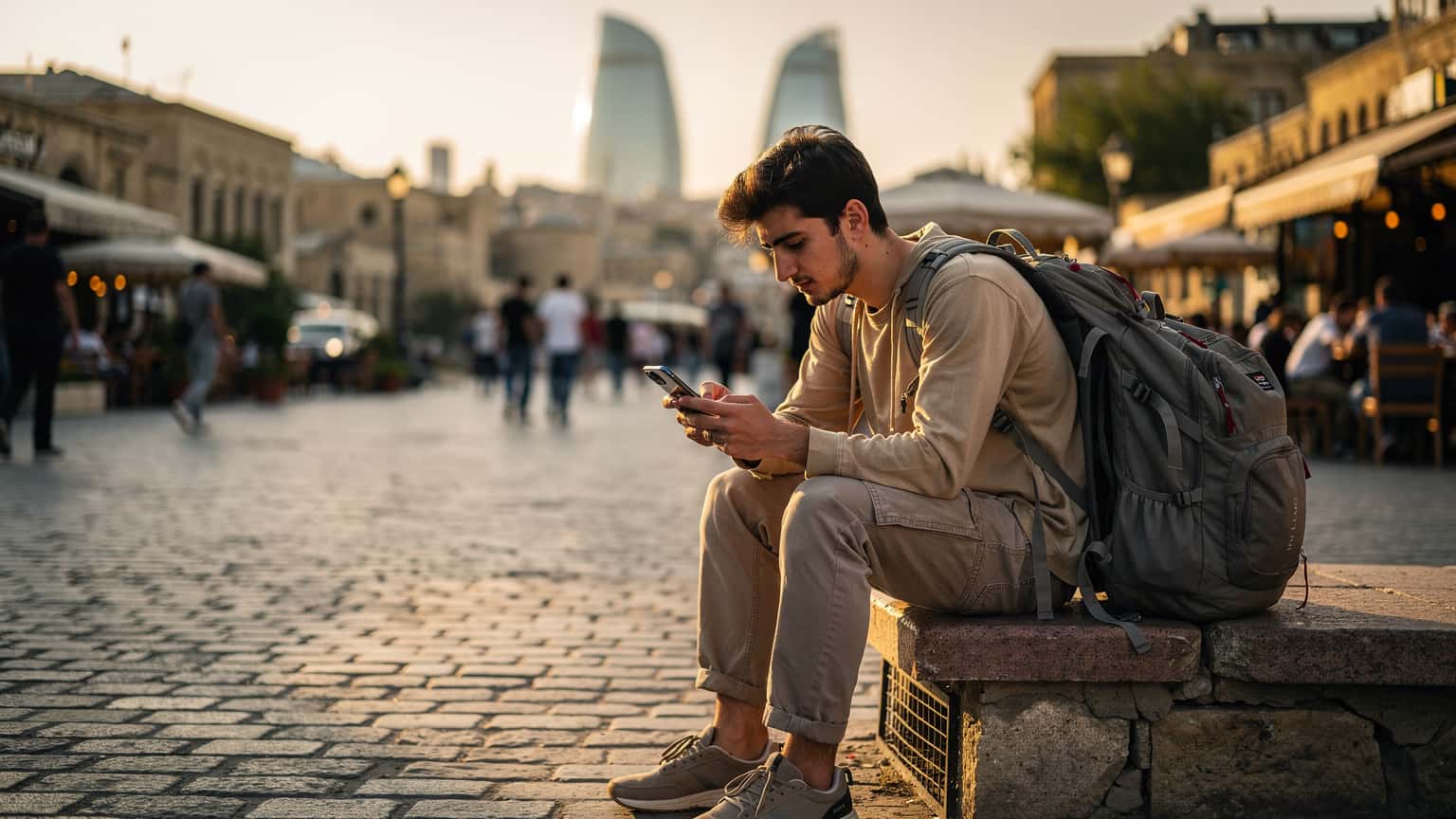
Azerbaijan eSIM: My Data Budget for Baku & Beyond, 2026
Just spent 8 days in Azerbaijan, mostly Baku, and my data budget was €28. Here's how I did it with an eSIM, skipping the local SIM hassle and still managing to stream some Netflix on those long overnight bus rides.
Read the guide Destination Guides
Azerbaijan eSIM 2026: Your Guide to Seamless Data in Baku & Beyond
Navigating mobile data in Azerbaijan can be complex, but with the right eSIM, you can ensure seamless connectivity from Baku's Flame Towers to the ancient streets of Sheki. This guide breaks down your best options for 2026, comparing local carrier performance against the flexibility and cost-effectiveness of international eSIMs.
Read the guide Destination Guides
Azerbaijan eSIM 2026: Seamless Family Connectivity for Baku & Beyond
When you're wrangling two kids, a carry-on full of snacks, and a schedule tighter than a theme park FastPass line, the last thing you need is a data drama. Azerbaijan with the family is an adventure, and staying connected is key. Here's how an eSIM keeps everyone happy, from streaming Disney+ to finding the nearest restroom.
Read the guide Destination Guides
Azerbaijan eSIM 2026: Stress-Free Data for Your Family's Caucasus Adventure
Planning a family trip to Azerbaijan? As a seasoned parent traveler, I know reliable data is key to happy kids and smooth adventures. Discover how an Azerbaijan eSIM can be your best friend for keeping everyone connected, from streaming Disney+ to navigating the winding streets of Baku.
Read the guide Destination Guides
Azerbaijan eSIM 2026: Stay Connected From Baku to the Caucasus Mountains
Azerbaijan offers a unique blend of ancient history and modern development, but reliable internet is crucial whether you're exploring Baku's Flame Towers or trekking the remote Caucasus. This guide breaks down how to get connected with an eSIM, ensuring you avoid common pitfalls and stay online without a hitch.
Read the guide Destination Guides
Azerbaijan eSIM 2026: The Savvy Backpacker's Data Playbook
Heading to Azerbaijan? Don't get fleeced by roaming charges. This guide, straight from a seasoned backpacker, breaks down exactly how to use an eSIM to save serious cash on data in Baku and beyond. We'll compare costs, show you the math, and even spill the beans on local alternatives.
Read the guide Travel Tips
Conquering Georgia's Mountains with eSIM in 2026: The Ultimate Guide
Explore Georgia's stunning Caucasus mountains with seamless eSIM connectivity in 2026. Avoid roaming, get instant data, and stay connected. Learn more!
Read the guide
Nearby Countries
Check coverage for every stop on your trip.


