eSIMs for Student Life, Why They're a Parent's Peace of Mind
Sending a child off to university in another country, whether it's to the bustling campuses of London, the vibrant cities of Australia, or the diverse universities across the US, is a significant milestone. As a parent who's wrangled travel plans for my own brood, from toddlers to teens, across 30 countries (and survived), I know the anxiety isn't just about packing enough socks. It's about connectivity, safety, and ensuring they can reach you, and you, them, at a moment's notice.
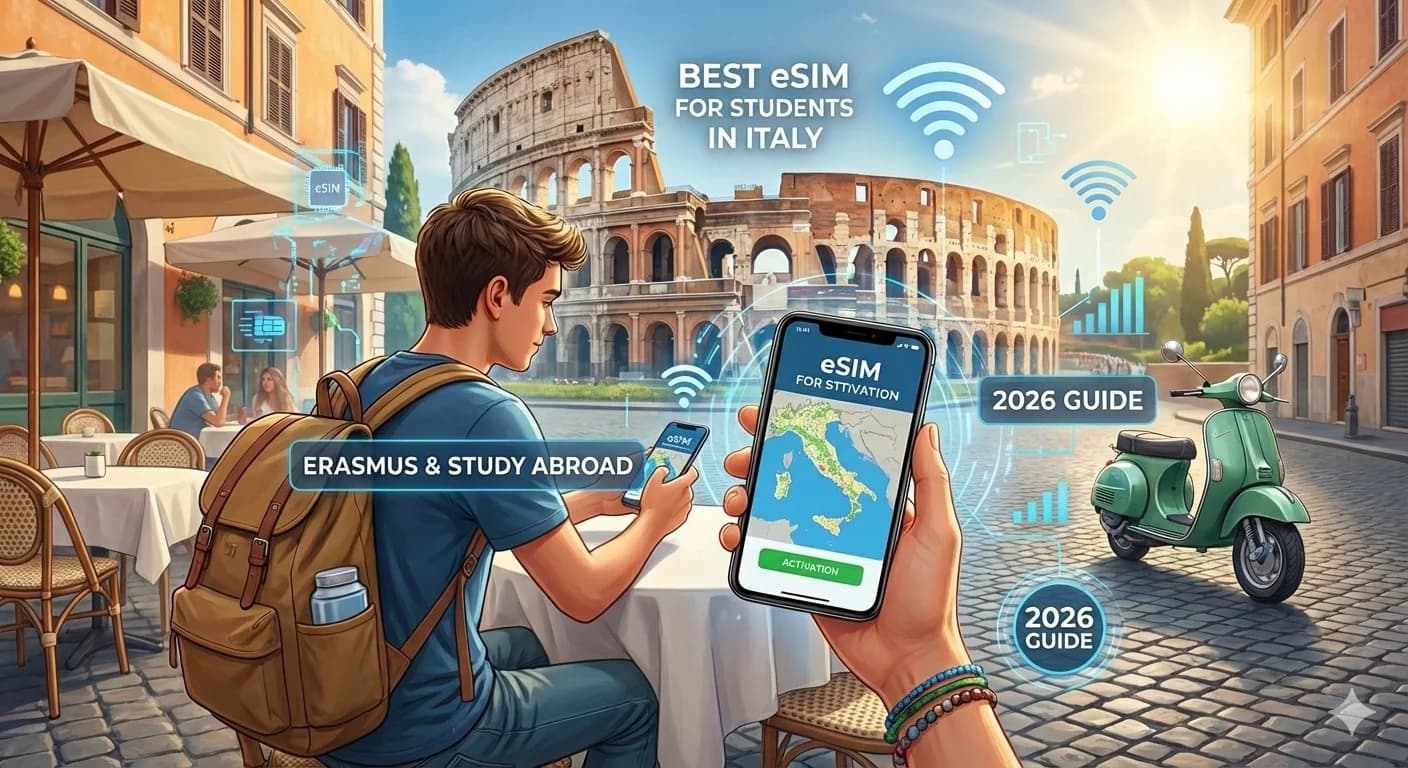
This is where eSIMs truly shine for the international student. Gone are the days of frantic airport searches for local SIM card vendors, dealing with foreign languages, or worrying if their unlocked phone will even accept a physical card. An eSIM, or embedded SIM, is a digital SIM that allows your student to activate a cellular plan without needing a physical SIM card. It's all done digitally, often before they even board their flight.
For us parents, this means one less thing to worry about. Imagine your student landing at Heathrow, pulling out their phone, and having instant data to navigate to their dorm, call you, or even stream a comforting episode of their favorite show to shake off the jet lag. No fumbling with tiny plastic cards, no language barriers, just seamless connection. This upfront planning is truly a gift, freeing them to focus on the excitement of their new adventure (and letting you breathe a little easier).
The Arrival Advantage: Instant Connectivity
Picture this: Your student's flight touches down at Sydney Airport. They're tired, maybe a little disoriented, and the last thing they need is the stress of finding a local mobile provider. With an eSIM, they can activate their data plan the moment they land, connecting to the local network instantly. This means they can use Google Maps for directions to their accommodation, message you to let you know they've arrived safely, or even order an Uber without hunting for airport Wi-Fi.
This 'arrival advantage' isn't just about convenience, it's about safety. Knowing they can communicate immediately upon arrival offers incredible peace of mind for both student and parent. No dead zones, no relying on spotty free Wi-Fi, just a reliable connection to start their new life abroad.
Flexibility for the Nomadic Student
Student life isn't always static. There will be weekend trips to Edinburgh, spring breaks in Europe, or maybe even a quick holiday visit home. One of the greatest benefits of an eSIM is its unparalleled flexibility. Your student can easily switch between their long-term study eSIM and a short-term plan for a different country, all on the same device. This means no more juggling multiple physical SIM cards or paying exorbitant roaming fees.
For instance, if your student studies in the UK but plans a quick trip to Paris for Autumn 2026 City Breaks, they can simply add a regional European eSIM plan for the duration of their trip, then switch back to their UK plan seamlessly. This adaptability is invaluable for students who want to explore beyond their immediate campus environment.

Navigating Data Needs for the Modern Student and Their Devices
Let's be real: today's students are digital natives. Their phones aren't just for calls and texts, they're their lifeline for everything from online lectures and research to social media, streaming, and keeping in touch with friends and family. My own kids, even at 10 and 12, are glued to their iPads, and I've had to plan data for them streaming Disney+ in the back of a rental car in Italy, so I know a thing or two about data consumption.
When planning for a student abroad, you need to consider their entire digital ecosystem. This isn't just about their smartphone, but potentially a tablet, laptop (for tethering), or even a Nintendo Switch for online gaming with friends back home. A robust data plan isn't a luxury, it's a necessity for academic success and mental well-being.
How Much Data is Enough for a Student?
This is the million-dollar question, and frankly, it depends. A student who primarily uses Wi-Fi in their dorm or campus library will need less mobile data than one who commutes daily and relies on their phone for all their connectivity. However, it's always better to err on the side of more data than less, especially when they're first settling in.
Here's a rough guide:
- Light User (mostly Wi-Fi): 10-20GB per month. Enough for essential navigation, messaging, light social media, and occasional streaming when off-campus.
- Moderate User (balanced Wi-Fi/mobile): 30-50GB per month. This covers regular commuting, more frequent social media, some video calls, and research on the go.
- Heavy User (streaming, gaming, tethering): 60GB+ per month. For students who stream a lot of video (Netflix, YouTube), engage in online gaming, frequently video call family, or tether their laptop for coursework outside of Wi-Fi zones.
Remember, unexpected data drains can occur. A lengthy video call with family, an unoptimized app running in the background, or even automatic updates can chew through data quickly. Some eSIM providers offer data rollover or easy top-ups, which can be a lifesaver.
Pre-loading Apps and Offline Maps
Before your student even leaves home, ensure their devices are pre-loaded with essential apps. This saves precious data upon arrival. Think about:
- Communication apps: WhatsApp, FaceTime, Zoom, Telegram.
- Navigation: Google Maps (with offline maps downloaded for their city and surrounding areas), Citymapper (excellent for public transport in many major cities).
- Academic tools: Microsoft Office suite, Google Drive, specific university apps.
- Entertainment: Spotify playlists downloaded, Netflix/Disney+ content downloaded for offline viewing (crucial for long flights or commutes).
Offline maps are a parental superpower, seriously. They allow navigation even without an active data connection, which is invaluable if your student finds themselves in a dead zone or has run out of data. Show them how to download their local maps on Google Maps, and ensure they know to check for public transport disruptions (most apps like Citymapper can still provide basic route info even offline).
UK Student eSIMs: What to Look For in London, Manchester, and Beyond
The UK is a popular destination for international students, with world-renowned universities in cities like London, Manchester, Edinburgh, and Birmingham. Connectivity here is generally excellent, but choosing the right eSIM involves understanding the local landscape.
Top UK eSIM Providers for Students
When it comes to the UK, you'll generally encounter strong competition among major carriers. For eSIMs, many virtual network operators (MVNOs) leverage these networks, often offering more budget-friendly plans. Here's a look at some of the best options:
| Provider | Network Partner (if MVNO) | Key Student Benefits | Typical Data Allowance (Monthly) |
|---|---|---|---|
| EE | Direct (Largest UK network) | Strongest coverage, fast speeds, good for rural areas. | 30GB-100GB+ |
| Vodafone UK | Direct | Good coverage in cities, student discounts often available. | 20GB-80GB+ |
| O2 | Direct | Reliable urban coverage, good benefits for O2 customers (like Priority app). | 25GB-75GB+ |
| Three UK | Direct | Unlimited data options often available at competitive prices. | Unlimited or 30GB-100GB |
| giffgaff | O2 | Flexible monthly plans, community support, great for budget-conscious students. | 10GB-Unlimited |
| Lebara Mobile | Vodafone UK | Excellent for international calls, good value plans. | 15GB-Unlimited |
When selecting a plan, consider where your student will be studying. If they're in a major city like London or Manchester, most providers will offer excellent coverage. If they're heading to a more rural university, checking network coverage maps for specific providers (like EE, which often has the best rural coverage) is a smart move.
Connectivity in UK Theme Parks and Cultural Sites
Don't forget about leisure activities. Students will inevitably visit places like Alton Towers, Thorpe Park, or even go on day trips to historical sites. While most major attractions in the UK offer some form of public Wi-Fi, it's often unreliable or requires registration. Having a solid eSIM data plan ensures they can:
- Use park apps: Many theme parks have apps for queue times, maps, and mobile ordering.
- Stay connected with friends: Essential for coordinating meet-ups in crowded places.
- Emergency contact: Always important to have a reliable connection for safety.
US Student eSIMs: Staying Connected From New York to Los Angeles
The United States, with its vast geographical spread and diverse university towns, presents a unique challenge for mobile connectivity. While major cities boast excellent coverage, rural areas can still be spotty. Understanding the US carrier landscape is key for choosing the right eSIM.
Major US Carriers and eSIM Compatibility
The US market is dominated by three major carriers: Verizon, AT&T, and T-Mobile. Most eSIM providers will leverage one of these networks. It's crucial to check which network your student's chosen eSIM provider uses, as coverage can vary significantly depending on the region.
| Provider | Network Partner (if MVNO) | Key Student Benefits | Typical Data Allowance (Monthly) |
|---|---|---|---|
| Verizon | Direct (Strongest rural coverage) | Excellent overall coverage, reliable in many remote areas. | 30GB-100GB+ |
| AT&T | Direct (Good nationwide coverage) | Solid coverage in cities and highways, good international roaming options. | 25GB-80GB+ |
| T-Mobile | Direct (Strong urban 5G, good value) | Aggressive 5G rollout, often includes international data benefits. | Unlimited or 20GB-70GB |
| Mint Mobile | T-Mobile | Budget-friendly bulk plans (3, 6, 12 months), good for planning ahead. | 5GB-40GB (pre-paid) |
| Google Fi | T-Mobile & US Cellular | Excellent for international travel, flexible plans, strong app. | Unlimited (throttled after threshold) |
For students studying in the US, particularly if they plan to travel across states, a provider with wide-ranging coverage is paramount. While T-Mobile excels in urban 5G, Verizon and AT&T often have broader reach in less populated areas, which can be critical if they're visiting national parks or smaller towns.
Keeping Kids Connected on US Campuses and Road Trips
US university campuses are generally well-equipped with Wi-Fi, but reliable mobile data is still essential for off-campus life, weekend excursions, and those inevitable road trips. My children's devices, particularly their iPads and Nintendo Switches, demand a significant data plan sized for 2 kids streaming Disney+ or engaging in online Switch games. This is no different for a student, whose downtime often involves streaming their favorite shows or gaming with friends.
Consider scenarios like:
- Commuting: Using Spotify or podcasts on public transport.
- Study groups: Coordinating via video call off-campus.
- Weekend adventures: Navigating national parks (where Wi-Fi is non-existent) or small towns.
Ensure the eSIM plan allows for personal hotspot usage, so they can tether their laptop for emergencies or connect their Switch for an impromptu multiplayer session with dorm mates.
Australian Student eSIMs: Data Down Under for Sydney and Melbourne
Australia offers an incredible experience for international students, with vibrant cities like Sydney, Melbourne, and Brisbane. Connectivity in these major urban centers is excellent, but like the US, once you venture into more remote areas, coverage can become sparse. Choosing an eSIM that offers strong national coverage is therefore key.
Best eSIM Options for Students in Australia
Australia has three primary mobile networks: Telstra, Optus, and Vodafone. Most eSIM providers will operate on one of these networks. Telstra typically has the widest (though not always cheapest) coverage, particularly in regional areas, which is something to consider if your student plans to explore beyond the big cities.
| Provider | Network Partner (if MVNO) | Key Student Benefits | Typical Data Allowance (Monthly) |
|---|---|---|---|
| Telstra | Direct (Widest coverage, especially rural) | Premium network, reliable in remote areas, often higher price point. | 30GB-120GB+ |
| Optus | Direct (Strong urban & suburban coverage) | Good balance of price and performance, often includes entertainment perks. | 20GB-80GB+ |
| Vodafone AU | Direct (Competitive pricing, good metro coverage) | Often the most budget-friendly, excellent for city living. | 25GB-Unlimited |
| Felix Mobile | Vodafone AU | Unlimited data, but speed capped at 20Mbps, eco-friendly. | Unlimited (capped speed) |
| Kogan Mobile | Vodafone AU | Competitive long-term plans (3, 6, 12 months), good value. | 10GB-Unlimited (pre-paid) |
If your student is based in Sydney or Melbourne, a Vodafone AU or Optus based eSIM will likely provide excellent service. However, if they're heading to a university in regional Queensland or planning a trip along the coast, a Telstra-backed eSIM might be a safer bet for consistent connectivity.
Connectivity on Australian Campuses and Coastal Trips
Australian universities are generally well-connected with campus Wi-Fi. However, students will spend a lot of time off-campus, exploring the cities, visiting beaches, or going on longer trips to places like the Blue Mountains or the Great Ocean Road. Having reliable mobile data is non-negotiable for these adventures.
Consider:
- Navigation: Essential for driving or using public transport in new cities.
- Social media: Sharing experiences with friends and family back home.
- Safety: For emergencies, especially if exploring less populated areas.
- Entertainment: Streaming music or podcasts during long bus or train journeys.
Even if they're just visiting the Gold Coast or Fraser Island, having dependable data ensures they can share their experiences without waiting for the next café Wi-Fi, and crucially, remain reachable.
Setting Up Success: A Parent's Guide to eSIM Activation
The beauty of eSIMs lies in their simplicity, but a little parental oversight during the setup phase can prevent a lot of headaches later on. I always make sure to walk my kids through any new tech setup, and an eSIM for a long-term stay is no different. You want to make sure it's done right the first time, ideally before they even leave home.
Step-by-Step eSIM Activation Checklist
Here's a straightforward procedure to ensure a smooth eSIM activation:
- Check Device Compatibility: First and foremost, ensure your student's phone is eSIM compatible and unlocked. Most newer iPhones (XS and later), Google Pixels (3 and later), and many Samsung Galaxy models support eSIM. An unlocked phone is crucial, as carrier-locked phones will only work with their original network.
- Purchase the eSIM Plan: Browse Cellesim's country-specific options for the UK, US, or Australia, or even regional plans if they plan to hop around. Look for plans with sufficient data for their expected usage (and add a buffer!). Pay close attention to validity periods, especially for long-term study, to ensure it covers their entire stay or is easily renewable.
- Receive Activation Details: After purchase, you'll usually receive an email with a QR code or manual activation details. This is the 'digital SIM card'. Save this email somewhere safe.
- Activate Before Departure (Recommended): Ideally, activate the eSIM while still at home, connected to reliable Wi-Fi. This allows you to troubleshoot any issues without the added stress of being in a new country. Follow the on-screen prompts (usually found in 'Settings > Mobile Data/Cellular > Add Data Plan' on iOS, or 'Settings > Network & internet > Mobile network > Add SIM' on Android). Scan the QR code.
- Label the eSIM: Once activated, label the eSIM clearly in the phone settings (e.g., "UK Study eSIM," "Australia Data"). This helps avoid confusion, especially if they also have their home SIM card installed.
- Set Data Roaming Preferences: Ensure that for their home SIM, data roaming is turned OFF to prevent accidental charges. For the newly activated eSIM, data roaming should be ON if required by the plan (some national plans don't need it, but regional ones often do).
It's always a good idea to test the connection briefly before they leave, even if it's just a quick call or message using the new eSIM line (if it supports calls, otherwise a data test). This gives everyone confidence.

Parental Control and Budgeting with eSIMs: Keeping Tabs From Afar
As a parent, managing screen time and ensuring responsible data usage are constant battles, even when they're just in the next room. When your child is thousands of miles away, these concerns don't disappear, they just evolve. Thankfully, eSIMs can actually help with parental control features that work on the eSIM line, and smart budgeting.
Monitoring Data Usage and Setting Limits
Many modern smartphones offer built-in tools to monitor data usage per app and overall. Teach your student how to access these settings. Additionally, some eSIM providers offer companion apps that allow you to track data consumption in real-time, set usage alerts, or even cap data once a certain certain threshold is reached. This is invaluable for preventing unexpected overage charges (which, let's be honest, can happen to the best of us).
Here's how to approach it:
- Educate on Data Hogs: Discuss with your student which apps consume the most data (video streaming, large file downloads, online gaming). Emphasize using Wi-Fi for these activities whenever possible.
- Utilize Phone Settings: Show them how to check data usage in their phone's settings (e.g., 'Settings > Cellular/Mobile Data' on iOS, or 'Settings > Network & internet > Mobile network > App data usage' on Android).
- Install Provider App: If the eSIM provider has one, ensure the student installs its app. This often provides the most accurate and real-time data usage tracking, and allows for easy top-ups or plan management.
- Set Data Warnings: Many phones allow you to set data usage warnings and even hard limits. For example, warn them at 80% usage and then cut off mobile data at 100% (forcing them onto Wi-Fi or to request a top-up).
- Discuss Budget: Openly communicate about the data budget. If they go over, who pays for the top-up? Clear expectations upfront prevent arguments later.
Remember that while physical SIM cards might sometimes offer multi-line family plans with integrated parental controls, with eSIMs, you're primarily managing individual lines. However, the phone's built-in parental controls (like Apple's Screen Time or Google's Family Link) will still apply, regardless of whether it's a physical SIM or eSIM providing the data. These can be configured to limit app usage, restrict content, and manage screen time, giving you some oversight even from a distance.
Managing Finances for eSIM Top-Ups
Unexpected data depletion can happen. Having a plan for top-ups is crucial. Some eSIM providers allow parents to manage and top-up their child's account remotely. Others might require the student to purchase a top-up directly. Consider these options:
- Pre-paid top-up cards: If available, these can be a good way to give your student a set amount of emergency data credit.
- Shared digital wallet: A joint digital wallet or a virtual credit card with a set limit can empower your student to manage their own top-ups responsibly.
- Cellesim account management: Many Cellesim users set up their child's eSIM through their own account, allowing them to monitor usage and purchase additional data bundles as needed. This offers peace of mind knowing you have direct control.
The goal is to empower them to manage their own usage while providing a safety net for those 'oops' moments.
Troubleshooting Common eSIM Issues for Students
Even with the best planning, technology can sometimes be finicky. Knowing how to troubleshoot common eSIM issues can save your student a lot of frustration (and you, a lot of frantic texts). Most problems are simple fixes, but it helps to have a checklist.
No Service or Slow Data
This is probably the most common complaint. If your student reports no service or painfully slow data, here's what to check:
- Restart the Phone: The oldest trick in the book, but often effective. A simple reboot can resolve many temporary network glitches.
- Check Network Selection: Ensure the phone isn't manually locked to a network that isn't available or compatible. In settings, under 'Mobile Data/Cellular', ensure 'Automatic Network Selection' is enabled.
- Verify Data Roaming: For some eSIM plans, especially regional ones, data roaming needs to be enabled for the eSIM line. Double-check this setting.
- APN Settings: While usually automatic, incorrect APN (Access Point Name) settings can sometimes be the culprit. The eSIM provider's support page will have the correct APN.
- Check Data Cap: Has the student hit their data limit? Many providers will throttle speeds or cut off service once the allowance is used up. Check the provider's app or website.
- Network Coverage: Is the student in an area with known poor coverage for that network? Sometimes, moving a block or two can make a difference.
eSIM Won't Activate or Install
If the eSIM won't activate at all, consider these points:
- Wi-Fi Connection: Ensure the phone is connected to a stable Wi-Fi network during activation.
- QR Code Scan: Make sure the QR code is clear, well-lit, and the phone camera has a good angle. Try taking a screenshot of the QR code and scanning it from another device's screen if the physical print is poor.
- Manual Entry: If QR scanning fails, there's usually an option for manual entry of activation codes. Use this carefully, double-checking every character.
- Device Unlocked: Reiterate, the phone MUST be unlocked. A carrier-locked phone will not activate an eSIM from a different provider.
- Contact Support: If all else fails, contact the eSIM provider's customer support. They can often diagnose the issue remotely. Cellesim offers 24/7 support, which is a lifesaver when dealing with time zone differences. Speaking of support, you can always check out our FAQ page for quick answers to common eSIM questions!
The Long-Term View: Extending and Managing eSIM Plans
Student life is rarely just a few weeks, it's often months or even years. Planning for long-term connectivity means thinking beyond the initial purchase and considering how to manage and extend the eSIM plan effectively. This proactive approach saves money and reduces stress down the line.
Renewing and Extending eSIM Validity
Many eSIM plans, particularly those designed for travelers, have a fixed validity period (e.g., 30 days, 90 days). For a student on a long-term stay, you'll need to either purchase a plan with a longer validity upfront (if available) or plan for regular renewals. Here are a few strategies:
- Long-Term Bundles: Some providers offer 3-month, 6-month, or even annual eSIM plans. These often come with a better per-GB rate and less frequent renewal hassle.
- Auto-Renewal Options: Check if the eSIM provider offers auto-renewal. This can be convenient, but ensure you understand the terms and can easily cancel if needed.
- Calendar Reminders: Set up calendar reminders for your student (and for yourself!) a week before their plan is due to expire. This gives ample time to purchase a new plan or top-up.
- Consider a Local eSIM Post-Arrival: While starting with an international eSIM from Cellesim is ideal for immediate connectivity, after a few weeks, your student might opt for a local long-term plan from a major carrier in their study country if it offers better value or specific student benefits. This usually requires a local bank account or proof of residency, so it's a 'Phase 2' option.
The goal is to avoid those moments where data suddenly cuts out, leaving your student stranded without connectivity, especially when they need it most for academics or emergencies.
Balancing Costs and Benefits for Students
While an eSIM from Cellesim offers incredible convenience and flexibility, it's wise to continuously evaluate if it remains the most cost-effective solution for a student's entire stay. After a few months, once they're settled and understand their actual data needs, they might find local options that offer better long-term value, potentially with unlimited data or student discounts.
However, the benefits of Cellesim eSIMs, such as easy remote management for parents, instant activation, and hassle-free switching for short trips (like a weekend in Berlin), often outweigh slight price differences. It's about finding that sweet spot between cost, convenience, and peace of mind. For ongoing discussions on managing travel finances, you might find articles like Traveler's Cash: Smart Passive Income for Nomads in 2026 useful for broader financial planning for your student.
Frequently Asked Questions
Can my child's existing phone use an eSIM for studying abroad?
Most modern smartphones, including iPhones (XS and newer), Google Pixels (3 and newer), and many Samsung Galaxy models, are eSIM compatible. The crucial factor is that the phone must be unlocked by its original carrier to accept an eSIM from a different provider. Always verify compatibility before purchasing.
How much data does an international student typically need per month?
Data needs vary, but a good starting point for a student who uses Wi-Fi on campus is 20-30GB per month for general browsing, social media, and some streaming. For heavy users who stream a lot of video, game online, or tether devices, 50GB+ per month or even unlimited plans would be more suitable. It's always better to slightly overestimate.
Can I manage my child's eSIM data usage and top-ups from my home country?
Yes, with Cellesim, you can typically purchase, activate, and manage your child's eSIM plan from your home country. Many eSIM providers offer apps or web portals that allow you to monitor data usage, set alerts, and easily purchase additional data bundles or renew plans remotely, providing excellent parental oversight.
What if my child travels to other countries during their study abroad program?
This is where eSIMs truly shine. Your child can easily add a separate regional eSIM plan (e.g., a European plan if they're studying in the UK and visiting France) to their phone without removing their primary study eSIM. They can switch between plans in their phone settings, ensuring seamless connectivity wherever they go without incurring expensive roaming charges.
Are eSIMs reliable for emergencies while my child is abroad?
Absolutely. eSIMs provide stable and reliable mobile data connectivity, which is crucial for emergencies. As long as the plan has active data and the student is within network coverage, they can make calls (if the eSIM supports it, or via VoIP apps like WhatsApp), send messages, or access emergency services. Pre-activating the eSIM before departure ensures they have service from the moment they land.