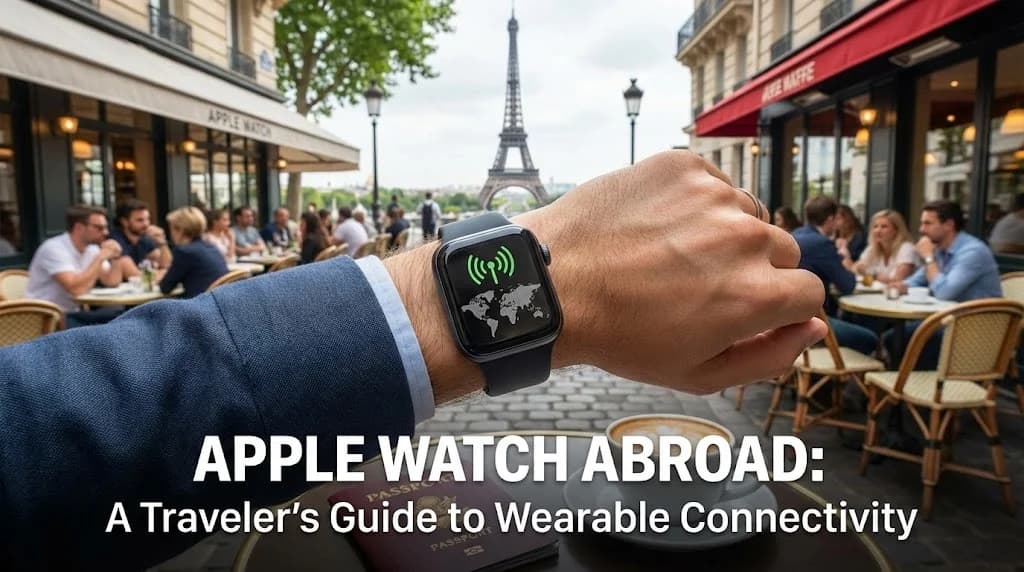
Traveling internationally often brings questions about staying connected, and for many Apple Watch users, this extends beyond their iPhone. The convenience of checking notifications, making calls, or tracking fitness directly from your wrist is invaluable. However, using your Apple Watch abroad involves understanding the distinctions between models and how they interact with global networks. This guide explores how to maximize your wearable's connectivity while exploring new destinations, focusing on the synergy between your watch, iPhone, and an efficient eSIM solution like Cellesim.
- GPS vs. Cellular Apple Watch: The Key Difference for Travel
- How Cellular Apple Watches Connect Abroad
- The Cellesim eSIM Advantage for Your iPhone and Apple Watch
- Optimizing Data Usage and Battery Life for Global Watch Use
- Cost Comparison: Staying Connected with Your Apple Watch
- Setting Up Your Apple Watch for International Travel
- Troubleshooting Common Apple Watch Connectivity Issues Overseas
- Essential Tips for Traveling with Your Apple Watch
- Frequently Asked Questions
Seamless Connectivity for Your International Travels
Connect instantly with a Cellesim eSIM on your iPhone, ensuring your paired Apple Watch stays online. Join 50,000+ happy customers in 200+ countries.
Shop All eSIM PlansGPS vs. Cellular Apple Watch: The Key Difference for Travel
Before planning to use your Apple Watch overseas, it is crucial to understand which model you own. Apple Watches come in two primary versions: GPS and GPS + Cellular. This distinction significantly impacts their standalone capabilities, especially when you are away from your iPhone and home network.
A **GPS-only Apple Watch** relies entirely on its paired iPhone for data connectivity. If your iPhone has an active internet connection (via Wi-Fi or cellular data), your GPS-only watch can access features that require data, such as receiving messages, using Siri, or getting real-time map directions. However, once you leave your iPhone behind or if your iPhone loses its internet connection, your GPS-only watch reverts to basic functions like timekeeping, activity tracking, and playing synced music. It cannot make calls or send messages independently.
A **GPS + Cellular Apple Watch**, on the other hand, includes an integrated eSIM that allows it to connect to cellular networks independently of your iPhone, provided you have an active cellular plan for your watch. This means you can leave your iPhone at the hotel and still receive calls, stream music, use maps, and access apps that require an internet connection, all from your wrist. This freedom is particularly appealing for travelers who want to remain connected without constantly carrying their phone.
For international travel, the cellular model offers a distinct advantage in terms of convenience and independence. However, simply having a cellular model does not automatically guarantee international connectivity. This requires specific planning regarding your carrier's international services or alternative solutions.
How Cellular Apple Watches Connect Abroad
Using a cellular Apple Watch in a foreign country involves navigating your existing carrier's international roaming policies or exploring alternatives. Most cellular Apple Watch models support global frequency bands, meaning they are physically capable of connecting to networks worldwide. The challenge lies in activating and paying for that connection.
Carrier Roaming for Your Apple Watch
Many major carriers offer international roaming plans that extend your iPhone's data and call services to your Apple Watch. Typically, your watch's cellular plan is an "add-on" to your iPhone's plan, sharing the same phone number. When roaming, your watch will attempt to connect to a partner network in your destination country, mirroring your iPhone's roaming capabilities. This often incurs daily or per-MB roaming charges, which can accumulate rapidly.
Before you travel, it is essential to contact your carrier to confirm if their international roaming packages support Apple Watch cellular connectivity in your specific destination. Not all carriers or plans offer this feature, and coverage can vary significantly. Some carriers might require you to enable specific international roaming services for your watch, separate from your iPhone. Ensure you understand the costs involved to avoid unexpected bills. For a detailed breakdown of potential roaming costs, check out our Roaming Savings Calculator.
Limitations of Direct Watch eSIMs for International Use
Unlike an iPhone, which can easily switch between physical SIM cards or multiple eSIM profiles, an Apple Watch's built-in eSIM is designed to mirror your iPhone's primary cellular plan. Currently, you cannot install a separate, local eSIM directly onto your Apple Watch for independent international data. The watch's eSIM functionality is tied to your primary carrier and plan on your iPhone.
This means that if you opt for a local physical SIM card or a dedicated travel eSIM (like Cellesim) for your iPhone, your Apple Watch will not automatically switch to that new number or data plan for standalone cellular connectivity. It will continue to look for your home carrier's roaming network or rely on its paired iPhone's new connection. This is a critical point for travelers hoping for true independence for their watch.
The Cellesim eSIM Advantage for Your iPhone and Apple Watch
While you cannot install a Cellesim eSIM directly onto your Apple Watch, Cellesim offers an indirect yet highly effective solution for keeping your watch connected abroad through your iPhone. This approach provides significant cost savings and flexibility compared to traditional carrier roaming.
Seamless Connectivity via Your iPhone's Cellesim eSIM
Cellesim provides international eSIMs that you install directly on your eSIM-compatible iPhone. Once active, your iPhone gains local data connectivity in your destination country at competitive rates. Because your Apple Watch (both GPS and Cellular models) is paired with your iPhone, it can leverage your iPhone's data connection in several ways:
- **Bluetooth Range:** When your iPhone and Apple Watch are within Bluetooth range (typically up to 30 feet or 10 meters), your watch will use your iPhone's Cellesim data connection for all its internet-dependent functions. This is the most common and power-efficient way for your watch to stay connected.
- **Wi-Fi Handoff:** If your iPhone is connected to Wi-Fi, your Apple Watch can also connect to the same Wi-Fi network or use the iPhone's Wi-Fi connection even if it's out of Bluetooth range (provided both are logged into the same iCloud account and Wi-Fi calling is enabled).
- **Cellular Handoff (Cellular Watch Only):** For cellular Apple Watch users, if your iPhone is connected via the Cellesim eSIM and your watch is out of Bluetooth range but still has its own cellular connection activated (e.g., via your home carrier's roaming plan), it can still receive notifications and calls forwarded from your iPhone. However, this relies on your watch's separate roaming plan. The most cost-effective method is to keep your watch within range of your iPhone, which is using the Cellesim eSIM for data.
Why Cellesim is a Smarter Choice for Wearable Connectivity
Opting for a Cellesim eSIM on your iPhone to power your watch's connectivity offers several advantages:
- **Cost-Effectiveness:** Cellesim plans are significantly more affordable than traditional carrier roaming charges. You pay for data as you need it, avoiding bill shock.
- **Global Coverage:** Cellesim offers plans for over 200 countries, ensuring you can find a suitable option for almost any destination.
- **Ease of Setup:** Installing a Cellesim eSIM is straightforward and can be done entirely digitally before you even leave home. No need to visit local stores or swap physical SIMs. Learn more in our complete eSIM setup guide.
- **Control and Transparency:** Manage your data usage directly through the Cellesim website, with no hidden fees.
This setup allows you to enjoy the benefits of your Apple Watch abroad, from navigation to communication, all while maintaining budget-friendly and reliable internet access through your iPhone.
Optimizing Data Usage and Battery Life for Global Watch Use
While using your Apple Watch abroad, managing data consumption and battery life becomes even more critical, especially when relying on your iPhone's Cellesim connection. Efficient management ensures you stay connected without draining your devices too quickly or exceeding your data plan.
Minimizing Data Consumption on Your Apple Watch
Your Apple Watch, even when paired, can consume data in various ways. To keep usage in check:
- **Limit Background App Refresh:** Go to the Watch app on your iPhone, navigate to "General" > "Background App Refresh," and disable it for apps you do not need constant updates from.
- **Control Notifications:** Excessive notifications, especially from social media or news apps, consume data. Customize notification settings in the Watch app under "Notifications."
- **Download Content Offline:** For music or podcasts, download them directly to your Apple Watch or iPhone before you travel. This avoids streaming over cellular data.
- **Use Wi-Fi When Available:** Prioritize connecting your iPhone (and by extension, your watch) to secure Wi-Fi networks whenever possible, particularly for data-intensive tasks like app updates.
- **Smart Data Usage:** Use features like Maps for directions only when actively navigating. Avoid prolonged video calls or heavy browsing directly from your watch, if possible. For help estimating your data needs, try Cellesim's Smart Data Calculator.
Extending Apple Watch Battery Life Abroad
International travel often means longer days out and less frequent charging opportunities. Preserving your Apple Watch's battery is key:
- **Disable "Always On" Display:** If you have an Apple Watch Series 5 or newer, turning off the "Always On" display can significantly extend battery life. Go to the Watch app > "Display & Brightness" > "Always On."
- **Reduce Wake on Wrist Raise:** Adjust how often your screen wakes up. In the Watch app, go to "General" > "Wake Screen" and set the wake duration to 15 seconds.
- **Turn Off Wi-Fi & Cellular When Not Needed:** If you are in an area with no service or have your iPhone with you and do not need the watch's standalone cellular capabilities, temporarily disable Wi-Fi and cellular on the watch itself. Swipe up from the watch face to access Control Center.
- **Use Power Reserve:** For critical situations, activate Power Reserve mode (swipe up, tap battery percentage, then "Power Reserve"). This will only show the time but can last for days.
- **Optimize Heart Rate Monitoring:** If you do not need continuous heart rate monitoring, you can adjust settings in the Watch app > "Privacy" > "Health" > "Heart Rate."
Cost Comparison: Staying Connected with Your Apple Watch
Understanding the financial implications of using your Apple Watch abroad is vital for budget-conscious travelers. Here is a comparison of common connectivity options, highlighting how Cellesim eSIMs on your iPhone indirectly benefit your watch.
| Option | Apple Watch Functionality | Cost (Avg. 7 days, Data + Calls) | Setup Effort |
|---|---|---|---|
| Cellesim eSIM (on iPhone) | Full functionality when paired with iPhone (data share) | From $4.50 (for iPhone, watch uses shared data) | Instant digital setup |
| Home Carrier Roaming (Watch + iPhone) | Full standalone functionality for cellular watch, iPhone too | $70 - $150+ (often daily fees for watch & phone) | Automatic, but requires plan activation |
| Local Physical SIM (on iPhone) | Full functionality when paired with iPhone (data share) | $15 - $30 (for iPhone, watch uses shared data) | Store visit, physical swap, phone number change |
| Public Wi-Fi Only | Limited functionality, only when near Wi-Fi | Free - $10 (for paid hotspots) | Manual search, security risks |
As the table illustrates, using a Cellesim eSIM on your iPhone presents the most balanced solution. It provides reliable and affordable data for your iPhone, which in turn powers your Apple Watch's connectivity. While direct carrier roaming for your watch offers standalone capabilities, the costs are often prohibitive for extended trips. Local physical SIMs on your iPhone are an option, but Cellesim's digital installation offers unmatched convenience.
"For budget-conscious travelers who want to use their Apple Watch abroad, pairing it with an iPhone that has an active Cellesim eSIM is the smartest strategy. It combines the convenience of wearable tech with significant savings on data."
Setting Up Your Apple Watch for International Travel
Preparing your Apple Watch for international use, especially with an iPhone running a Cellesim eSIM, involves a few practical steps to ensure a smooth experience.
Before You Go: Pre-Travel Checklist
- **Check Cellesim Coverage:** Verify that Cellesim offers eSIM plans for your destination country or region on cellesim.com.
- **Purchase and Install Cellesim eSIM:** Buy your chosen eSIM data plan and install it on your iPhone before you depart, ideally while you still have a stable internet connection. Follow our Interactive Setup Guide if you need assistance.
- **Update Your Devices:** Ensure both your iPhone and Apple Watch are running the latest software versions (iOS and watchOS) to ensure optimal performance and compatibility.
- **Download Offline Maps and Content:** Pre-download any maps, music, or podcasts you might want to access offline on your iPhone or directly on your Apple Watch.
- **Contact Your Home Carrier (Cellular Watch Only):** If you intend to use your cellular Apple Watch independently via roaming, contact your home carrier to activate an international plan for your watch and understand the costs.
Upon Arrival: Activation and Connection
- **Activate Cellesim eSIM:** Once you land, ensure your Cellesim eSIM is activated on your iPhone through your phone's cellular settings. It should automatically connect to a local network.
- **Keep iPhone Near Watch:** For most functions, keep your Apple Watch within Bluetooth range of your iPhone. Your watch will automatically use your iPhone's new Cellesim data connection.
- **Test Connectivity:** Try sending a message or using a data-dependent app on your watch to confirm it is connected and receiving data through your iPhone.
- **Monitor Usage:** Keep an eye on your Cellesim data usage to avoid unexpected depletion of your plan.
Troubleshooting Common Apple Watch Connectivity Issues Overseas
Even with careful preparation, you might encounter minor connectivity glitches with your Apple Watch abroad. Here are solutions to common issues:
- **Watch Not Connecting to iPhone's Data:**
- Ensure Bluetooth is active on both devices.
- Verify your iPhone has an active internet connection via the Cellesim eSIM.
- Restart both your iPhone and Apple Watch.
- Unpair and re-pair your Apple Watch from your iPhone (as a last resort).
- **Poor Cellular Signal on Cellular Watch (Roaming):**
- If relying on your home carrier's roaming for your cellular watch, signal strength can vary. Try moving to a different location.
- Ensure roaming is enabled in your watch's settings (via the Watch app on iPhone, under "Cellular").
- Contact your home carrier if the issue persists, as it might be a network-side problem.
- **Battery Drains Too Quickly:**
- Review the optimization tips mentioned earlier (disable Always On, limit background refresh).
- Ensure no apps are stuck trying to sync or constantly using location services.
- Consider carrying a portable charger for your iPhone, as it powers your watch.
- **Time Zone Issues:**
- Your Apple Watch should automatically update its time zone when paired with your iPhone, which updates upon connecting to a local network.
- If it does not, ensure "Set Automatically" is enabled for date and time on your iPhone.
Essential Tips for Traveling with Your Apple Watch
Beyond connectivity, these tips enhance your overall experience of traveling with an Apple Watch.
- **Security and Safety Features:**
- Emergency SOS: Familiarize yourself with how to use Emergency SOS on your watch. In many countries, holding the side button will contact local emergency services. Check local emergency numbers before you travel.
- Fall Detection: Keep fall detection enabled. If you take a hard fall, your watch can automatically call for help if you are unresponsive.
- Medical ID: Ensure your Medical ID is up-to-date with emergency contacts and critical health information, accessible even from a locked screen.
- **Navigation on Your Wrist:**
- Use Apple Maps or Google Maps on your watch for quick directions, especially when walking. Taptic feedback makes it easy to navigate without constantly looking at your phone.
- For crucial routes, download offline maps on your iPhone as a backup.
- **Contactless Payments (Apple Pay):**
- Apple Pay works globally wherever contactless payments are accepted. Add your credit/debit cards to your Wallet app before you leave. This is convenient and often more secure than carrying physical cards.
- **International Adapters and Chargers:**
- Always carry the correct international power adapters for your watch charger.
- A portable power bank for your iPhone is highly recommended, as your watch's battery life is often tied to your phone's availability.
- **Health and Fitness Tracking:**
- Continue tracking your activity, steps, and workouts. Your watch can provide valuable insights into your travel activity.
- Remember to stay hydrated and monitor your heart rate, especially in new climates or during strenuous activities.
Ready for Seamless Wearable Connectivity Abroad?
Connect your iPhone instantly with Cellesim, and keep your Apple Watch powered globally.
Start Your Connected JourneyTrusted by 50,000+ travelers in 200+ countries. 24/7 Support.
Frequently Asked Questions
Can I install a Cellesim eSIM directly on my Apple Watch?
Currently, Cellesim eSIMs are designed for smartphones and tablets. While you cannot install an eSIM directly onto an Apple Watch, you can use a Cellesim eSIM on your iPhone to provide internet connectivity to your paired watch when it's within Bluetooth range or connected via Wi-Fi.
Does a GPS-only Apple Watch work abroad without an iPhone?
A GPS-only Apple Watch has very limited functionality without its paired iPhone, regardless of whether you are abroad or at home. It cannot make calls, send messages, or use data-dependent apps independently. It will only perform basic functions like timekeeping and activity tracking based on its internal sensors.
Do I need a separate cellular plan for my Apple Watch when traveling?
If you have a cellular Apple Watch and want it to function independently (i.e., without your iPhone nearby) while abroad, you would typically need an international roaming plan for your watch from your home carrier. However, if your watch stays paired with your iPhone, which has an active Cellesim eSIM, it can use the iPhone's data connection without a separate watch roaming plan.
How do I activate international roaming for my Apple Watch?
To activate international roaming for your cellular Apple Watch, you must contact your home mobile carrier before your trip. They will confirm if their international roaming packages support Apple Watch connectivity in your destination and guide you through activating the service, often as an add-on to your iPhone's roaming plan.
What are the benefits of using a Cellesim eSIM on my iPhone for watch connectivity abroad?
Using a Cellesim eSIM on your iPhone provides affordable data rates in your travel destination. Your Apple Watch, when paired with your iPhone, can then leverage this cost-effective data connection for most of its functions, avoiding expensive carrier roaming charges for both devices. This offers a balance of convenience, savings, and broad global coverage.
Will my Apple Watch automatically update its time zone when I travel?
Yes, your Apple Watch should automatically update its time zone when it connects to your iPhone, which in turn detects the local network's time. Ensure "Set Automatically" for date and time is enabled on your iPhone for this feature to work correctly.