
Understanding Cellular at Sea: The Basics
When your ship pulls away from the docks, say, from the bustling port of Miami or the historic harbor of Southampton, your phone isn't magically going to connect to the nearest land-based tower forever. Once you're a few nautical miles out, your device will likely switch to the ship's onboard cellular network. This is the "Cellular at Sea" system, powered by satellite communication. It's a marvel of engineering, really, bridging the gap between your phone and the internet across vast expanses of ocean.
Think of it less like your everyday 5G connection in a city center and more like a remote internet hub. These systems are designed to provide basic connectivity, allowing for calls, texts, and very light data usage. Speeds can be quite variable, often slower than what you'd find on land, and latency (the delay in data transmission) is generally higher due to the satellite link. This means live streaming your favorite show or participating in a high-bandwidth video call might be a frustrating experience.
Most major cruise lines, from Carnival to Royal Caribbean, utilize these services. They partner with providers like Wireless Maritime Services (WMS) or Maritime Communications Partner (MCP) to bring this service to their vessels. So, while it feels like your phone is just working, it's actually connecting to a mini-network right there on the ship itself, which then bounces its signal off satellites orbiting Earth. It's a complex dance of technology, but understanding this fundamental difference is key to managing your expectations and, crucially, your budget.
The Cost of Cruise Ship Connectivity: What to Expect
This is where most travelers get a nasty surprise. Because Cellular at Sea relies on expensive satellite bandwidth, the costs for using your phone are often exorbitant. Your home mobile provider will typically treat any usage on the ship's network as premium international roaming. This can mean per-minute charges for calls, per-message charges for texts, and incredibly high per-megabyte rates for data.
I once had a friend who forgot to turn off their data roaming on a Caribbean cruise. They were just checking emails in their cabin near Nassau, not even streaming anything, and came home to a bill that looked like a mortgage payment. It was a stark reminder that even casual usage can lead to significant charges. Many home providers offer international roaming packages, but these usually exclude Cellular at Sea, explicitly stating that usage on cruise ship networks is billed separately at a much higher rate. Always check the fine print with your specific carrier before you depart.
To put this into perspective, here's a hypothetical comparison of typical costs you might encounter:
| Service Type | Typical Home Network (Land-based) | Onboard Cellular at Sea (Roaming) | Onboard Wi-Fi Package (Cruise Line) |
|---|---|---|---|
| Data (per MB) | Included in plan, or $0.01-$0.05 | $5-$15 | Included in package, effectively $0.05-$0.20 (depending on package size) |
| Voice Calls (per minute) | Included in plan, or $0.05-$0.20 | $2-$7 | N/A (use Wi-Fi calling apps) |
| SMS (per message) | Included in plan, or $0.01-$0.10 | $0.50-$1.50 | N/A (use messaging apps) |
As you can see, the costs for direct cellular roaming at sea are prohibitive for anything beyond an emergency text. Cruise lines do offer their own Wi-Fi packages, which are usually a more palatable option for staying connected while onboard, though still considerably more expensive than land-based internet. These packages vary widely by cruise line and can range from basic messaging plans to premium streaming packages, often billed per day or for the entire voyage. For example, a 7-day cruise might offer an "unlimited" Wi-Fi package for $150-$250, which works out to about $20-$35 a day. This is often the most cost-effective way to get online while the ship is far from shore.
eSIMs: Your Alternative for Shore and Near-Shore Connectivity
This is where eSIMs truly shine for cruise travelers. While an eSIM won't help you with cellular connectivity when you're in the middle of the Atlantic, it's an absolute game-changer for when you're docked in port or traveling close to a coastline. Instead of relying on expensive ship Wi-Fi or your home provider's roaming rates, an eSIM allows you to connect to local networks in each country you visit.
Imagine your cruise takes you from Barcelona to Rome, then on to Athens. With a regional Europe eSIM, you could have local data at competitive rates as soon as your ship pulls into Civitavecchia (Rome's port) or Piraeus (Athens' port). No need to hunt for local SIM cards, no queuing at airport kiosks. You simply activate your eSIM before you even leave home or while the ship is still pulling into port, and you're good to go. This is particularly useful for things like navigating local streets with Google Maps, finding that authentic trattoria in Trastevere, or calling a local taxi.
For many destinations, Cellesim offers specific country or regional plans. If you're sailing through the Mediterranean, a Europe-wide plan is ideal. If your cruise is hitting a few specific islands in the Caribbean, you might opt for individual country eSIMs or a regional Caribbean plan. The beauty of it is the flexibility. You choose the data package that suits your shore excursions, and you're not locked into the cruise line's expensive Wi-Fi when you're off the ship.
Before you commit to a plan, always check the Cellesim FAQ for details on coverage in your specific port cities. Some smaller, more remote islands might have less robust network coverage than major European capitals, so it's always worth a quick look.
Preparing Your Phone for Your Cruise: A Step-by-Step Guide
Getting your phone cruise-ready involves a few key steps to ensure you stay connected when you want to, and avoid unexpected bills when you don't. This isn't just about downloading your favorite podcasts, it's about smart network management.
- Purchase Your eSIM (Before You Sail): Research and buy your Cellesim eSIM package for the regions your cruise will visit. Do this a few days before you depart. For example, if you're cruising through Southeast Asia, consider an Indonesia eSIM if Bali is a port of call, or a wider Asian regional plan if you're hitting multiple countries.
- Install Your eSIM: Follow the installation instructions provided by Cellesim. This usually involves scanning a QR code. Do this while you still have a reliable internet connection at home or before you leave port. Remember, an eSIM needs an internet connection to install initially, but the plan's validity period starts according to your purchase terms, not necessarily from installation.
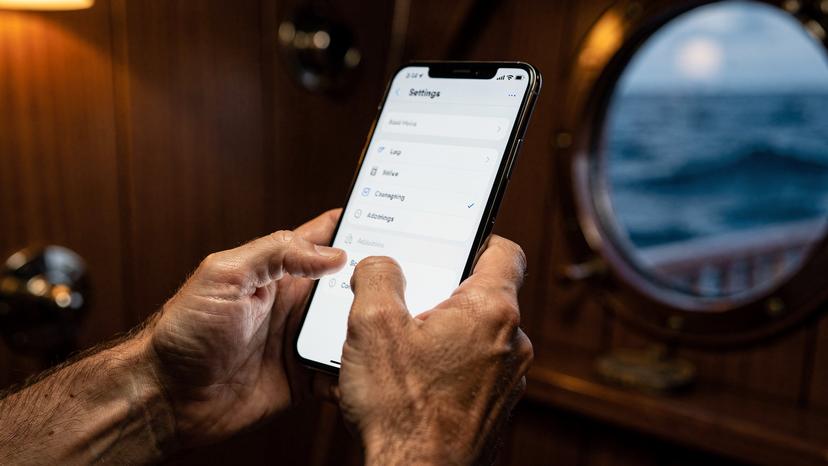
- Disable Data Roaming for Your Home SIM: This is critical. Once on board, and especially once the ship is at sea, go into your phone settings (Settings > Cellular/Mobile Data > Cellular Data Options on iOS, or similar on Android) and turn off "Data Roaming" for your primary, physical SIM card. This prevents your home carrier from connecting to the Cellular at Sea network and incurring massive charges.
- Enable Your eSIM for Data: In the same settings menu, ensure your newly installed Cellesim eSIM is turned on for cellular data. Set it as your primary line for data.
- Turn on Airplane Mode (with Wi-Fi if desired): Once the ship is truly at sea, and you're not planning to use the Cellular at Sea network, the safest bet is to enable Airplane Mode. You can then manually turn Wi-Fi back on if you've purchased a ship Wi-Fi package. This ensures no stray cellular connections occur.
- Monitor Data Usage (Especially in Port): When you're in port and using your eSIM, keep an eye on your data usage. Most phones have built-in data trackers in the settings. This helps you avoid running out of data unexpectedly, particularly if you're hitting up 256kbps eSIM speed plans for lighter usage.
Managing Data Usage Onboard and Ashore
Smart data management is key to enjoying your cruise without bill shock. It's a delicate balance between staying connected and appreciating the journey itself. Onboard, unless you've shelled out for a premium Wi-Fi package, assume connectivity will be slower and more expensive. Prioritize messaging apps like WhatsApp or Messenger for communication, which use less data than social media feeds or video calls. Download movies, podcasts, and e-books before you leave port to enjoy offline.
When you're ashore, your Cellesim eSIM becomes your best friend. This is your chance to use data more freely, but still with a conscious approach. I always make sure to download offline maps for the city I'm visiting while still connected to the ship's Wi-Fi or my eSIM at the port. For example, if I'm docking in Naples and planning to explore the historic center, having the map of Spaccanapoli downloaded saves me a lot of data and ensures I don't get lost even if my signal drops in a narrow alleyway.
Here's a quick comparison of connectivity options and their ideal use cases:
| Connectivity Option | Best Use Case | Pros | Cons |
|---|---|---|---|
| Ship's Wi-Fi Package | Onboard connectivity, general browsing, social media | Available throughout the ship, single purchase for duration | Can be expensive, variable speeds, high latency |
| Cellesim eSIM (in port) | Shore excursions, local navigation, instant communication | Cost-effective, local speeds, reliable in port | Only works near land, requires planning |
| Cellular at Sea (roaming) | Emergency calls/texts only (avoid data) | Always available at sea (if enabled) | Extremely expensive, very high risk of bill shock |
| Free Port Wi-Fi | Quick checks, light browsing (where available) | Free | Insecure, often slow, limited availability, short range |
Remember that even if you've purchased a ship Wi-Fi package, it's often not suitable for heavy streaming or large uploads. Think of it as a utility, not a luxury internet connection. For more demanding tasks, wait until you're in port with your eSIM, or find a local cafe with robust Wi-Fi.
Common Pitfalls and How to Avoid Them
Cruising is about relaxation, but a little foresight can prevent a lot of headaches, especially for your phone. One common mistake I've seen countless times is forgetting to disable data roaming on the home SIM. This is the biggest culprit for those eye-watering bills. Even background app refreshes can consume megabytes, and at $10+ per MB, that adds up fast.
Another pitfall is assuming free Wi-Fi in port will be reliable or secure. While many cafes or port terminals offer free Wi-Fi, these networks are often crowded, slow, and can be insecure. It's generally not advisable to conduct sensitive transactions like online banking on public Wi-Fi. Your Cellesim eSIM offers a much more secure and often faster alternative for your shore excursions.
Also, don't forget about app updates. Your phone might automatically download large app updates in the background, consuming valuable data, especially on a metered connection like a ship's Wi-Fi. Adjust your phone settings to only allow app updates over Wi-Fi, and even then, only when you're connected to a trusted, robust network. You can also turn off "Wi-Fi Assist" or "Smart Network Switch" features on your phone, which can sometimes cause your device to switch to cellular data if a Wi-Fi signal is weak, even if you thought you were on Wi-Fi.
Finally, mismanaging expectations about speed. A cruise isn't the time to expect fiber-optic speeds. Satellite internet inherently has higher latency. This doesn't mean it's unusable, but understand that video calls might have slight delays and large file uploads will take longer. Keep this in mind, especially if you're relying on your phone for work tasks. Consider reading Why Your eSIM Shows No Service Abroad: Troubleshooting & Quick Fixes 2026 for proactive tips on network management.
The Bottom Line: Staying Connected Smartly at Sea
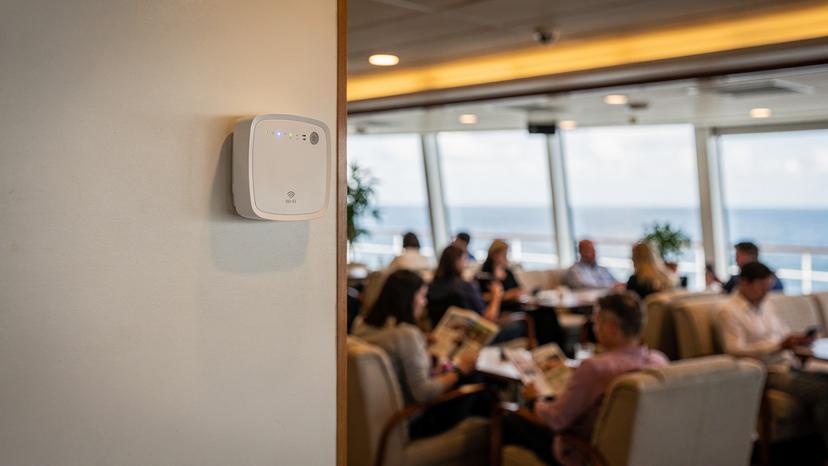
For cellular at sea, your best strategy is a layered approach. For the open ocean, the ship's dedicated Wi-Fi packages are usually your most practical option for general connectivity. They aren't cheap, but they offer predictable costs and allow you to stay in touch, even if the speeds aren't what you're used to. For the times you're docked and exploring charming port cities, an eSIM is truly the smart choice. It allows you to tap into local, affordable, and fast networks, making navigation, communication, and sharing those incredible moments easy and budget-friendly. Remember to plan your eSIM purchases for the specific countries or regions you'll be visiting, install them before you lose internet access, and most importantly, disable data roaming on your home SIM to avoid any surprises. A little preparation goes a long way in ensuring your cruise is a smooth sailing experience, both on deck and online.
Frequently Asked Questions
Will my regular phone plan work on a cruise ship?
No, generally your regular phone plan will not work directly on a cruise ship once it's a few miles from shore. Cruise ships use a special "Cellular at Sea" network via satellite, which is treated as premium international roaming by your home provider, leading to extremely high costs.
What is "Cellular at Sea"?
"Cellular at Sea" is an onboard mobile network provided by cruise lines, powered by satellite communication. It allows phones to connect to a network when far from land, but it operates independently of standard land-based mobile networks.
How expensive is cellular data on a cruise ship?
Using cellular data on a cruise ship's "Cellular at Sea" network can be very expensive, often costing $5-$15 per megabyte. Voice calls can be several dollars per minute, and texts can also incur significant charges, making it unsuitable for casual use.
Can I use an eSIM on a cruise ship?
You can use an eSIM effectively when your cruise ship is docked in port or traveling close to a coastline, as it allows you to connect to local land-based networks at affordable rates. However, eSIMs will not provide connectivity when the ship is far out at sea, where only the ship's satellite network operates.
Should I buy the cruise line's Wi-Fi package?
For onboard connectivity when at sea, the cruise line's Wi-Fi package is usually the most practical and predictable option, though still more expensive than land-based internet. It allows for general browsing, messaging, and light social media use.
What should I do to avoid high phone bills on a cruise?
To avoid high phone bills, disable data roaming for your home SIM card once the ship leaves port. Consider purchasing an eSIM for data usage in port and, if needed, buy a cruise line Wi-Fi package for onboard internet. Always use Airplane Mode at sea, manually turning Wi-Fi back on if you have a package.
Will my eSIM work in all ports of call?
An eSIM will work in all ports of call where Cellesim offers coverage and the local network is strong. It's always a good idea to check the specific coverage for your planned destinations before purchasing your eSIM to ensure seamless connectivity in each port city.