
Here's what you'll need before you start: a compatible eSIM device (most iPhones since the XR and many Androids support eSIM, but double-check Which Mobile Companies Support eSIM in 2024? A Traveler's Guide), a stable Wi-Fi connection for the initial setup, and a payment method for your chosen plan.
Choosing the Right Cosmote eSIM Plan for Your Family
When you're traveling with kids, 'enough data' is a moving target. It's not just about your emails and maps; it's about keeping two iPads streaming Disney+ on a long ferry ride, ensuring a Nintendo Switch Online connection for a quick gaming break, or downloading an entire season of Bluey before a flight. Trust me, I've learned this the hard way: a screaming toddler on a plane because their pre-downloaded content got deleted is a memory you don't want to make.
Data plans and prices: Greece eSIM
Cosmote offers various data packages, but for families, the key is looking at total GBs and validity. You'll likely want something in the 20-50 GB range for a week-long trip, especially if you have data-hungry kids. My rule of thumb is 10 GB per child, plus 10-20 GB for the adults for navigation, social media, and emergency lookups. Remember, those offline Google Maps downloads are fantastic, but you'll still need data for live traffic updates or finding that obscure gelateria in a new neighborhood.
While Cosmote's official website is the primary place to explore their prepaid eSIM options, third-party eSIM providers like Cellesim often bundle competitive plans that might be more straightforward for travelers. They often integrate various local carriers, giving you options. For instance, you could compare a direct Cosmote plan against a multi-country European eSIM that includes Greece, which might be useful if you're hopping around countries like Italy or Turkey. (Telkomsel eSIM Bali 2026: Why Savvy Parents Skip Tourist SIMs discusses this for another region, but the principle holds true.)
| Plan Type | Data Allowance | Validity | Best For |
|---|---|---|---|
| Cosmote Mobile Internet Pack S | 8 GB | 15 days | Solo travelers, light usage |
| Cosmote Mobile Internet Pack M | 20 GB | 30 days | Couples, moderate family use |
| Cosmote Mobile Internet Pack L | 50 GB | 30 days | Families with multiple devices, heavy streaming |
When assessing these, think about your daily data consumption. If your kids are glued to YouTube Kids or Roblox during downtime, those 50 GB can disappear faster than you'd think. It's also worth noting that some plans offer unlimited data at a reduced speed after a certain threshold. While 256 kbps might sound like a relic from the dial-up era, it's often enough for basic messaging and email, but certainly not for high-definition streaming (256 kbps eSIM Speed: Is It Really Enough to Travel on a Budget? has more on this).
How to Purchase and Activate Your Cosmote eSIM, Step-by-Step
Alright, let's get down to business. Getting a Cosmote eSIM is generally straightforward, but doing it right the first time avoids that frantic 'no data' scramble when you land at Athens International Airport.
Purchasing Your Cosmote eSIM
While you can buy physical SIM cards at kiosks, for an eSIM, your best bet is often online before you even leave home. This way, you're connected the moment you touch down. Here's how I typically do it:
- Visit Cellesim or a Preferred eSIM Provider: I usually start with Cellesim directly, as they offer Greece eSIM options from various local carriers, including Cosmote. Look for plans that clearly state 'Cosmote network' for Greece.
- Select a Data Plan: Review the available plans, paying close attention to data allowance, validity period, and price. For a family of four for two weeks, I'd lean towards 30-50 GB.
- Complete the Purchase: Follow the prompts to enter your payment details. You'll usually receive a confirmation email with a QR code or manual activation details shortly after.
- Download eSIM Profile (Optional, but recommended before travel): If you're using a third-party app, sometimes you can download the eSIM profile directly within the app before you travel. This adds an extra layer of readiness.
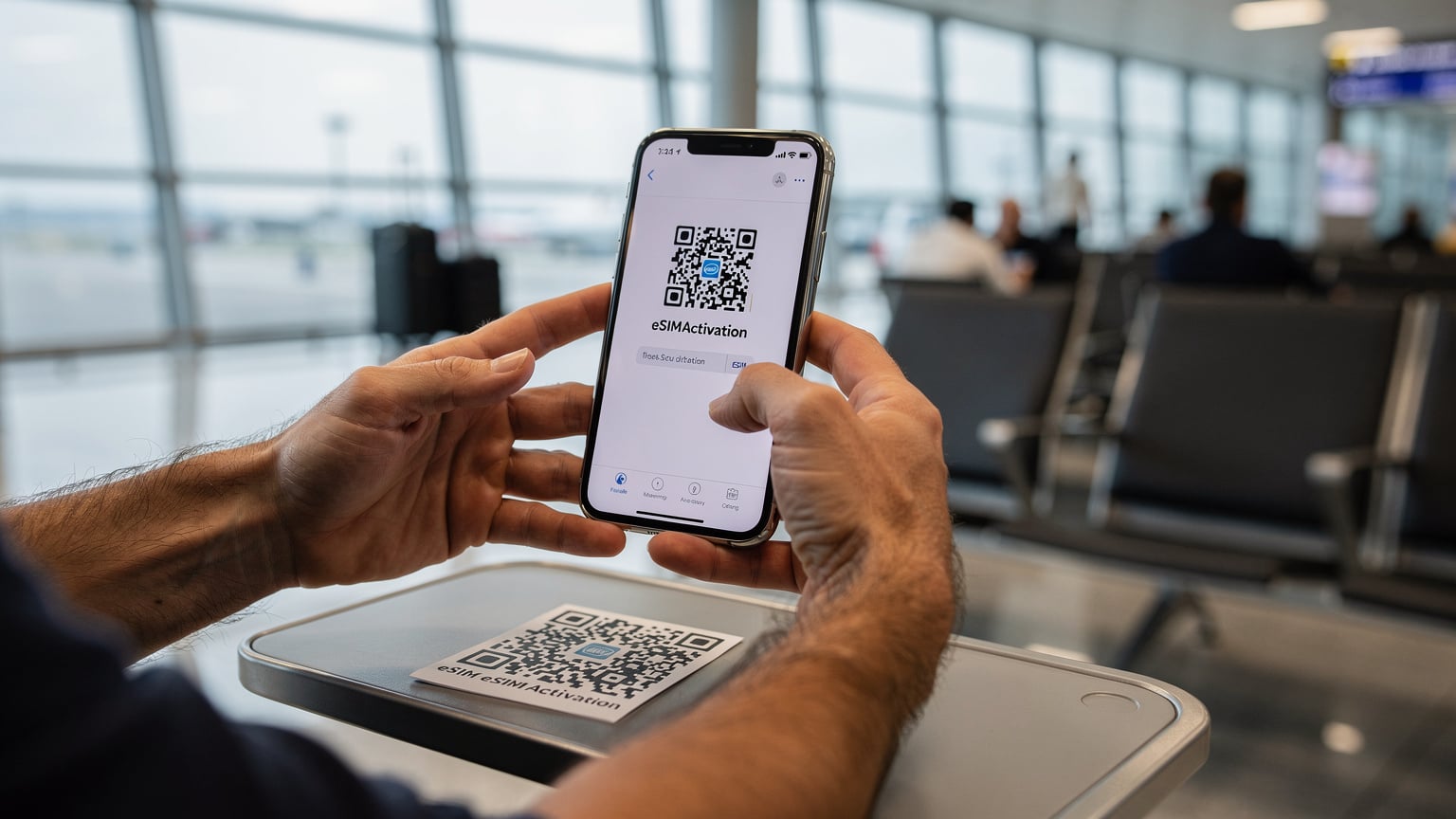
Activating Your Cosmote eSIM on Your Device
Once you have your QR code, activation is usually a breeze. I always recommend doing this while you still have a strong Wi-Fi connection, ideally before you even leave home or at your hotel. Trying to troubleshoot connectivity issues with jet-lagged children demanding Wi-Fi for their YouTube videos is a special kind of hell.
- Access Your Phone's Settings: Go to 'Settings', then 'Cellular' or 'Mobile Data'.
- Add eSIM: Look for an option like 'Add eSIM' or 'Add Data Plan'. Your phone might prompt you to 'Use QR Code' or 'Enter Details Manually'.
- Scan the QR Code: Hold your phone over the QR code provided in your purchase confirmation. If scanning isn't an option, you can usually enter the SM-DP+ Address and Activation Code manually.
- Label Your eSIM: Once detected, your phone will ask you to label the new eSIM, for example, 'Greece Travel' or 'Cosmote Greece'. This is crucial for managing multiple lines.
- Set as Primary Data Line (When in Greece): Once you land in Greece, go back into 'Cellular' or 'Mobile Data' settings. Select your new 'Cosmote Greece' eSIM as your primary line for data. Make sure 'Data Roaming' is turned OFF for your home SIM to avoid exorbitant charges.
- Enable Data Roaming for eSIM (If applicable): For some eSIMs, particularly those from third-party providers, you might need to ensure 'Data Roaming' is toggled on for the eSIM itself. This is different from your home SIM's roaming settings.
And just like that, you should be connected! I usually test it immediately by opening a web page or sending a quick message.
Managing Data and Parental Controls on Your eSIM Line
Here's where the 'parental planner' hat really comes on. Once your eSIM is active, managing data consumption and setting parental controls is key to a smooth trip. Kids, bless their hearts, will burn through data faster than a Greek wildfire if left unchecked.
My strategy involves a few steps:
- Set Data Limits on Your Device: Many smartphones allow you to set data limits for specific periods. On iOS, you can track cellular data usage per app. On Android, you can usually set hard limits or warnings. This is your first line of defense against unexpected data depletion.
- Utilize Parental Control Apps: I swear by apps like Apple Family Sharing's Screen Time or Google Family Link. These work wonders for setting app limits, downtime, and content restrictions. Crucially, they operate at the device level, so they'll work regardless of whether the device is on Wi-Fi or using your new Cosmote eSIM data. This means no surprise YouTube binges at 3 AM from the hotel Wi-Fi, or during a long bus ride.
- Pre-load Everything Possible: Before any travel day, especially a long flight or ferry, I make sure every device is loaded with offline content. Think Netflix downloads, Disney+ movies, Audible books, and educational apps that don't require constant internet. This drastically reduces the pressure on your data plan.
- Leverage Hotel/Restaurant Wi-Fi: Whenever we're in a hotel or a café, I make sure all devices switch to Wi-Fi. This is the ideal time for larger downloads or updates that would otherwise chew through your eSIM data.

The beauty of an eSIM is that you can have it active alongside your home SIM. This allows you to easily switch between lines, use your home number for calls and texts (if your plan allows international roaming at a reasonable rate), and rely on the eSIM for all data needs.
Connectivity On The Go: Theme Parks and Cruise Ships
Greece might not be known for its theme parks in the same way Orlando is, but you might find yourself on a ferry to one of the islands or even a short cruise. Connectivity in these scenarios can be a whole different ballgame.
Inside a major theme park, like Allou! Fun Park in Athens, you'll generally find excellent Cosmote coverage. These areas are designed for high user density, so the network infrastructure is usually robust. The challenge often lies in the sheer volume of people trying to connect simultaneously, which can slow things down. Having a robust data plan, like the Cosmote 50 GB option, helps ensure you have priority access and stable speeds even during peak times. We rely on this for finding each other using location-sharing apps or quickly checking ride wait times.
Cruise ships are a different beast entirely. Once you're out to sea, your phone will likely switch to the ship's satellite network, which is notoriously expensive and often very slow. Your Cosmote eSIM will only work reliably when the ship is docked or very close to the Greek coastline. My advice for cruises is simple: plan for digital detox days at sea. Pre-load everything. For emergencies or quick check-ins, purchase the ship's Wi-Fi package, but don't expect it to support multiple kids streaming high-definition content. On land, however, your Cosmote eSIM will pick up immediately, providing that much-needed connection as you explore islands like Santorini or Mykonos.
Troubleshooting Common Cosmote eSIM Issues
Even with the best planning, sometimes things don't go perfectly. Here are the top three issues I've encountered with eSIMs, and how to fix them:
1. 'No Service' or 'No Data' Message
This is the most common one. First, check your phone's settings to ensure the Cosmote eSIM is actually selected for cellular data. Go to 'Settings' > 'Cellular'/'Mobile Data' and confirm the correct eSIM is toggled on and set as the primary data source. Secondly, ensure 'Data Roaming' is enabled for the eSIM itself (if it's a third-party eSIM that uses roaming agreements). Lastly, a simple restart of your phone often works wonders. It forces the device to re-establish a connection with the local network.
2. Slow Data Speeds
If you have service but the internet is crawling, it could be a few things. You might be in an area with weaker signal, or the network could be congested, especially in crowded tourist spots. Check the signal strength indicator on your phone. If it's low, try moving to a different location. If you're on a plan with a data cap that throttles speed after a certain usage, you might have hit that limit. Check your data usage in your phone settings or the eSIM provider's app. Sometimes, simply toggling Airplane Mode on and off can reset the network connection and improve speeds.
3. eSIM Not Activating After Scanning QR Code
This is usually due to a Wi-Fi issue during the initial setup. Ensure your Wi-Fi connection is stable and strong when you're scanning the QR code. If it still doesn't work, try manually entering the SM-DP+ Address and Activation Code. These details are always provided alongside the QR code. If all else fails, contact Cellesim support (or whichever provider you used). They can often resend the activation details or walk you through a specific troubleshooting step unique to their system. Most eSIM providers offer 24/7 chat support, which is invaluable when you're in a different time zone.
For more general eSIM questions, you might find answers at Cellesim's FAQ page. It's a lifesaver for those little niggling questions that pop up.
Frequently Asked Questions
Can I use a Cosmote eSIM on any phone?
Cosmote eSIMs are compatible with most modern smartphones, including iPhones XR and newer, Samsung Galaxy S20 and newer, Google Pixel 3 and newer. Always verify your device's compatibility before purchasing to ensure a smooth setup process.
How much data does a family typically need for a trip to Greece?
For a family of four on a week-long trip to Greece, a data plan between 30-50 GB is generally recommended. This allows for navigation, social media, emergency lookups, and essential streaming for kids without constant worry about running out of data.
Can I top up my Cosmote eSIM if I run out of data?
Yes, most Cosmote eSIM plans, whether purchased directly or through a third-party provider like Cellesim, can be topped up. You can usually do this through the provider's app or website by purchasing an add-on data package.
Will my regular phone number still work with a Cosmote eSIM?
Yes, your regular phone number will continue to work. The eSIM adds a second line for data. You can usually set your home SIM for calls and texts, and the Cosmote eSIM for all data usage, preventing expensive roaming charges.
How do I ensure my kids don't use too much data on their devices?
Utilize built-in parental control features like Apple Screen Time or Google Family Link to set daily app limits and content restrictions. Additionally, ensure all streaming and gaming apps are pre-loaded with offline content before travel, and encourage Wi-Fi usage at hotels.
Is Cosmote eSIM reliable for connectivity in Greek islands and remote areas?
Cosmote generally offers excellent coverage across mainland Greece and most popular islands. While major cities and tourist areas will have strong 4G/5G, some very remote or mountainous regions, or small, less-visited islands, might have weaker signal. Always check a coverage map if you're venturing far off the beaten path.