Prerequisites:
- An eSIM-compatible smartphone (most iPhones XS and newer, and many recent Android models).
- A stable internet connection in France to complete the purchase and activation.
- About 10-15 minutes of your time.
Choosing Your Indonesian eSIM Provider
When you're looking for an eSIM for Indonesia, especially from France, you'll find a few key players. The main thing is to pick a provider that offers good coverage in the areas you plan to visit, whether that's the busy streets of Jakarta, the beaches of Bali, or the more remote parts of Lombok. While local Indonesian carriers like Telkomsel and XL Axiata are strong on the ground, most travellers will benefit more from a dedicated travel eSIM provider that bundles their services, avoiding the local registration hassle.
I've used several providers over my years on the road. For Indonesia, I generally recommend Cellesim because of their transparent pricing and reliable network partnerships. They usually work with Telkomsel, which is the strongest network in most populated areas, especially Bali. Other options exist, but often come with more complex activation steps or less predictable coverage.
| Provider | Key Benefits | Coverage in Indonesia |
|---|---|---|
| Cellesim | Reliable Telkomsel partnership, transparent pricing, easy activation. | Excellent in major islands (Java, Bali, Sumatra), good in smaller islands. |
| Airalo | Good for short trips, various data packages. | Uses local partners, generally good in urban areas. |
| Holafly | Unlimited data options, but often at lower speeds. | Decent in cities, can be spotty in rural or mountainous regions. |
Frequently Asked Questions
Can I use my existing French phone number with an Indonesian eSIM?
Yes, your existing French phone number on your physical SIM will remain active for calls and texts. The eSIM provides data-only services, allowing you to switch between your primary line and the eSIM for data as needed. This is useful for apps that require your home number for verification.
Will my eSIM work immediately upon landing in Indonesia?
If you activate the eSIM while still in France, it will automatically connect to a local Indonesian network (usually Telkomsel or XL Axiata) as soon as your plane lands and your phone picks up a signal. This ensures instant connectivity without any further steps.
What if I run out of data before my trip ends?
Most eSIM providers, including Cellesim, offer top-up options. You can easily purchase additional data packages through their app or website. Just make sure you have an internet connection, even if it's Wi-Fi at a café like Revolver Espresso in Seminyak, to complete the top-up.
Are there any apps that require a local Indonesian SIM?
While most global apps work fine with an eSIM, some local services might prefer a physical Indonesian SIM, particularly for initial verification. This is rare for common tourist needs but can happen with specific banking apps or some very localized transport services. For most travellers, an eSIM is sufficient.
Can I activate an eSIM on an older phone model?
eSIM functionality is generally available on newer smartphone models. Most iPhones XS, XR, and newer support eSIMs. For Android, it varies by manufacturer and model, but flagship phones from Samsung, Google Pixel, and Huawei released in the last few years are usually compatible. Always check your device specifications first.
Is it cheaper to buy a local SIM card in Indonesia?
Often, the initial cost of a local physical SIM card in Indonesia might seem slightly cheaper, but you have to factor in the time spent buying it, registering it (which often requires a passport and can be a hassle at the airport), and topping it up. For convenience and immediate connectivity, an eSIM is usually the better value for short to medium-term stays.
When you compare Cellesim to alternatives like Nomad eSIM vs. Cellesim: The Budget Backpacker's Data Showdown in 2026, you'll often find Cellesim offers a better balance of price and network quality for longer stays. The last thing you want is to be stuck without data when you're trying to book a Grab car from your villa in Canggu or find that obscure warung for dinner.
Step-by-Step: Buying Your eSIM from France
This is the easy part. You can do this from your apartment in Le Marais or while sipping coffee at Les Deux Magots. All you need is your phone and an internet connection. I usually handle this a week or so before I fly, just to avoid any last-minute stress.
- Visit the Cellesim Website or App: Head over to Cellesim's Indonesia eSIM page. You'll find various data packages, typically ranging from 1 GB for 7 days to 20 GB for 30 days. Consider how long you'll be in Indonesia and how much data you usually consume. If you're planning to rely on Grab/Gojek and do a lot of remote work from places like Outpost in Ubud, you'll need more data than someone just sightseeing.
- Select Your Data Package: Choose the package that fits your travel plans. For a month-long stay, I usually go for at least 10 GB. Remember, if you run out, you can always top up. The pricing is usually in USD, so keep an eye on the exchange rate from EUR.
- Complete the Purchase: Add the selected package to your cart and proceed to checkout. You'll pay with your credit card, just like any other online purchase.
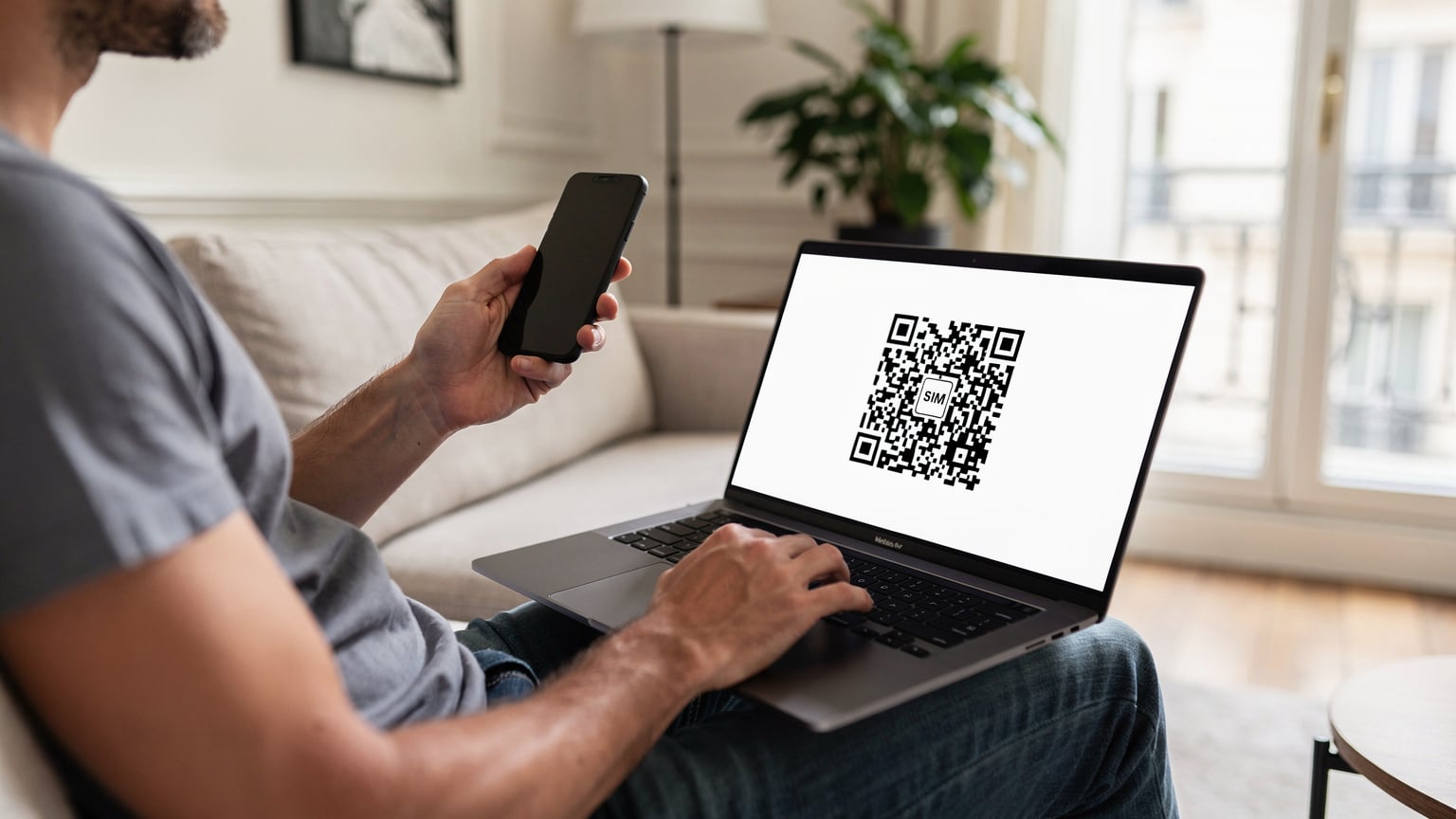
- Receive Your QR Code: Once the purchase is complete, Cellesim will send you an email containing a QR code. This QR code is your actual eSIM profile. Keep this email safe, or better yet, print it out or save it to a cloud drive. You'll need to scan this code with your phone to activate the eSIM.
Activating Your eSIM for Indonesia on Your Device
Now, this is where it gets a little more technical, but it's still straightforward. You'll be activating the eSIM on your phone while still in France. Don't worry, it won't start consuming data until you arrive in Indonesia and it connects to a local network.
- Access Your Phone's Settings:
- For iPhone: Go to Settings > Cellular (or Mobile Data) > Add eSIM.
- For Android: Go to Settings > Network & Internet > SIMs > Add eSIM (path might vary slightly by manufacturer, e.g., Samsung often has a 'Connections' menu first).
- Scan the QR Code: Your phone's camera will open. Point it at the QR code you received from Cellesim. Make sure the code fills the frame. If you're struggling to scan it directly from your computer screen, you can also use another device (like a tablet or a friend's phone) to display the QR code, or manually enter the details provided in the email.
- Confirm eSIM Activation: Your phone will detect the new eSIM profile. Follow the on-screen prompts to confirm its addition. You might be asked to label the eSIM, for example,