Why Your Home Number Still Matters Abroad
I've been on the road for four years now, hopping between countries every couple of months. And let me tell you, the one thing that will consistently throw a wrench in your travel plans, faster than a missed flight or a lost passport, is not being able to receive a crucial SMS. It's not just about keeping up with friends or family, though that's part of it. We're talking about the lifeline stuff: bank verification codes, government service confirmations, even logging into your email from a new device.
Think about it: your bank, your credit card company, your email provider, maybe even some social media platforms, they all rely on that primary phone number for two-factor authentication (2FA). Without it, you're locked out. I once spent an entire afternoon in a hot, crowded internet cafe in Medellín, Colombia, trying to get a verification code from my US bank for a critical transfer. My physical SIM was technically roaming, but the signal was so weak it couldn't reliably receive texts, and I hadn't set up my South America eSIM properly for dual use. Never again.
Then there are the less obvious ones. Some ride-sharing apps, particularly in developing markets, will occasionally send a verification SMS even if you're already logged in, or if you need to update your payment method. Utility companies back home, subscription services, even your doctor's office for appointment reminders. These aren't just inconveniences, they're potential trip hazards. Missing a payment because you couldn't get an SMS, or being unable to access your money, can ruin a carefully planned budget.
So, yes, keeping your home number active for SMS, even while you're globetrotting on an eSIM for data, is not just a nice-to-have, it's a non-negotiable part of responsible digital nomadism. It's the digital equivalent of having a spare tire, essential for when things inevitably go sideways.
Dual-SIM, Unlocked Phone: Your Connectivity Command Center
The foundation of this whole SMS-abroad strategy rests on one crucial piece of hardware: an unlocked, dual-SIM capable smartphone. If you're still rocking an older model that only takes one physical SIM, or if your phone is locked to your home carrier, you're going to hit roadblocks. Most modern smartphones, especially those released in the last few years, support dual-SIM functionality. This means they can manage two active numbers simultaneously, one via a physical SIM card and another via an eSIM.
I personally use an iPhone 15 Pro, and it's a champion for this setup. My old Samsung Galaxy S23 Ultra was equally adept. These devices allow you to designate which line handles data, which handles voice, and crucially, which receives SMS. You can even set specific contacts to always call or text via a particular line, though for our purposes, we're primarily concerned with keeping that home number alive for incoming messages.
Before you even think about buying an eSIM, make sure your phone is unlocked. If you're not sure, a quick call to your home carrier will clarify. Most carriers will unlock your phone after your contract is paid off, but sometimes there are specific waiting periods or conditions. Don't leave this to the last minute, as it can take a few days to process. Trust me, trying to get your phone unlocked from a tiny cafe in rural Vietnam with patchy Wi-Fi is not how you want to spend your morning.
For those looking to upgrade, consider models highlighted in guides like iPhone 18 & Samsung Galaxy S26 eSIM: Your Fall 2026 Travel Data Strategy. They usually have robust eSIM support and are built with global travel in mind.
Physical SIM + eSIM: What's the Difference for SMS?
A physical SIM is that tiny chip you slot into your phone. An eSIM is essentially a digital SIM profile downloaded onto your phone's internal hardware. Functionally, for receiving SMS, they operate almost identically once configured. The key is that your phone treats both as distinct lines, allowing you to manage them independently.
Checking Your Phone's Dual-SIM Capability
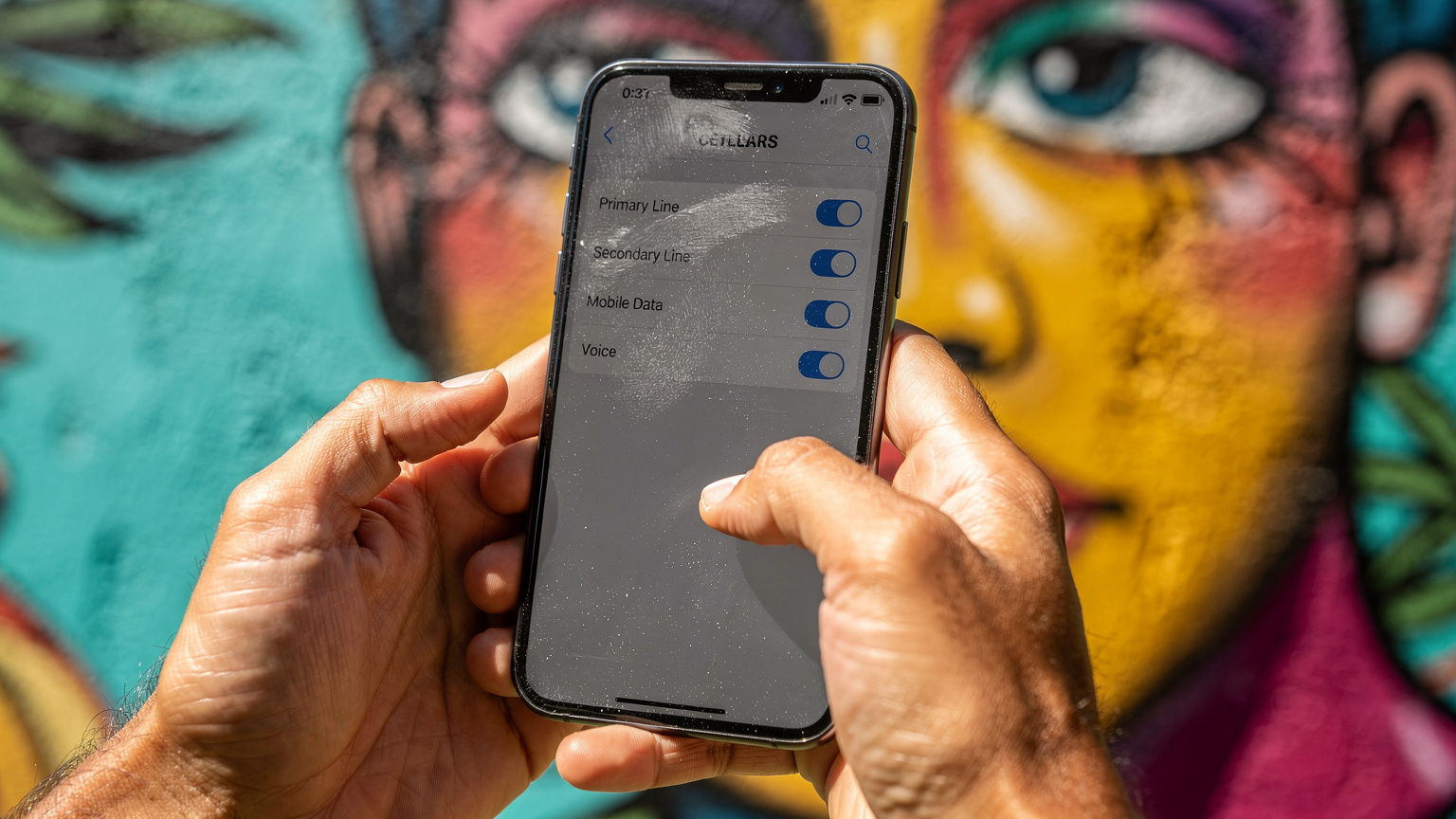
Most iPhones from the XS/XR onward support eSIM. For Android, it's a bit more varied, but flagship models from Samsung (Galaxy S20 series and newer), Google (Pixel 3a and newer), and many others have it. The easiest way to check is to go into your phone's settings: for iPhone, look under Settings > Cellular (or Mobile Data); for Android, it's usually Settings > Network & internet > SIMs or Connections > SIM card manager.
Setting Up Your eSIM for Data and Keeping SMS Alive
This is where the magic happens. The goal is to use your shiny new travel eSIM for all your data needs, like navigating Google Maps to find that amazing street food stall in Bangkok or video calls back home, while your home physical SIM quietly sits in the background, ready to catch any incoming SMS or essential calls. It's surprisingly straightforward once you know the steps.
The Initial Setup Process
- Purchase Your eSIM: Before you leave, grab a regional or country-specific eSIM from a provider like Cellesim. I tend to go for regional ones, like a South America eSIM, if I'm hopping borders frequently. Download the eSIM profile to your phone.
- Activate the eSIM: Follow the provider's instructions, usually involving scanning a QR code or entering a manual code. This activates the data plan. Don't enable it for calls or messages yet.
- Label Your Lines: Once installed, your phone will ask you to label your lines. Name your physical SIM something like "Home (SMS/Calls)" and your eSIM "Travel Data." This helps keep things clear.
- Configure Data Usage: Go into your phone's cellular settings. Set your new "Travel Data" eSIM as the primary line for Cellular Data (or Mobile Data).
- Configure Voice & SMS: This is the critical step. For your physical "Home (SMS/Calls)" SIM, ensure "Voice & Data" (or similar) is turned ON. For your "Travel Data" eSIM, make sure "Voice & Data" is turned OFF or disabled. Crucially, set your physical SIM as the default voice line. Your phone will then route all incoming calls and SMS to your physical SIM, while all outgoing data traffic uses the eSIM.
- Disable Data Roaming (on physical SIM): Go back to your physical SIM's settings and explicitly turn OFF Data Roaming. This is vital to prevent accidental charges from your home carrier.
Important Considerations for Success
- Keep Your Physical SIM Active: You must keep your physical SIM card in your phone and active with your home carrier. If you remove it or cancel the service, you won't receive texts.
- Check Roaming Agreements: While receiving SMS is usually free when roaming, sending SMS or making calls on your home number can be expensive. Familiarize yourself with your home carrier's international roaming rates. For example, my T-Mobile plan allows free international texting, so I can even reply if needed without worry. Other carriers, however, will ding you for every outgoing text.
- Battery Drain: Running two active lines can sometimes consume a bit more battery, though modern phones are very efficient. It's a minor trade-off for connectivity peace of mind.
The Subtle Nuances of Receiving SMS While Roaming on Your Physical SIM
You've got your dual-SIM setup humming, your eSIM is handling all your streaming needs while you're at Coworking La Maquinita in Palermo Soho, Buenos Aires (great coffee, by the way), and your physical SIM is patiently waiting for that bank code. But there are a few subtle points about SMS roaming that are worth understanding. It's not always as simple as 'it works' or 'it doesn't'.
Free Incoming SMS: The General Rule
For most major carriers worldwide, receiving SMS messages while roaming internationally is free. This is a widely accepted industry standard. So, when your bank sends that 2FA code, you shouldn't be charged for it. However, this is always worth double-checking with your specific home carrier before you depart. Some niche, smaller carriers might have different policies, or older plans might have fine print you've forgotten about.
Outgoing SMS, on the other hand, is almost universally charged at international roaming rates, which can be anywhere from $0.20 to $0.50 per message. That adds up quickly, especially if you're stuck in a back-and-forth with customer service. Stick to WhatsApp or other internet-based messaging for outgoing communication.
Network Connectivity and Reliability
For your physical SIM to receive an SMS, it needs to be able to connect to a local network. Even if you've disabled data roaming, your physical SIM will still attempt to register on available cellular towers for basic call and text functionality. This usually isn't an issue in major cities or tourist areas. I've received texts reliably in places like the Atacama Desert in Chile, where data was non-existent. However, if you're truly off the grid, or in a very remote area with no cellular coverage at all, your SMS won't come through until you regain signal.
Sometimes, even with signal, there can be delays. I've had 2FA codes take 10-15 minutes to arrive in some parts of rural Mexico, enough time for the code to expire. If you're expecting something time-sensitive, try to be in a location with strong network reception. Often, hopping between different local carriers (which your phone does automatically when roaming) can affect delivery times. When in doubt, find a place with decent 4G or 5G coverage, even if your physical SIM is only using 2G/3G for texts.
"I always tell people, assume your important SMS will arrive, but give it a minute. Don't refresh that bank page every five seconds. Grab a coffee, let the network breathe." -- A veteran nomad in my WhatsApp group.
When You Absolutely Need a Local SIM, And It's Not Just for Data
While an eSIM for data and your home SIM for SMS covers most scenarios, there are specific situations where a local physical SIM, rather than just an eSIM, becomes necessary. These are often tied to national identification requirements or the way certain local apps are built.
Government Services and Local Apps
Some countries, especially for longer stays, require you to have a local phone number registered in your name for things like setting up a bank account, getting a tax ID, or even registering for certain public services. Brazil is a prime example. If you want to open a local bank account there, many banks require a CPF (Cadastro de Pessoas Físicas) and a local phone number tied to it. The same goes for India's Aadhaar system, which is linked to a local phone number for many critical services. In these cases, your international eSIM for data and your roaming home SIM for SMS simply won't cut it. You'll need to purchase a local physical SIM, register it, and use that as your primary number for those specific local interactions. This is particularly relevant if you're planning to stay for the maximum visa duration or longer, say, three months in the country (which is my usual rhythm).
I've seen fellow nomads get stuck in this loop, unable to access essential services because their foreign number wasn't recognized. It's not just banks, sometimes local ride-hailing apps or food delivery services in certain regions will perform an extra layer of SMS verification if your number isn't local. This is particularly true in places like India, where many apps are deeply integrated with the Aadhaar system, or in Brazil where strict financial regulations apply. If you're staying in a country for more than a month, renting an apartment, or trying to do anything beyond basic tourism, factor in the need for a local physical SIM.
Visa Limitations and Proof of Residency
Another point tied to local SIMs is visa limitations. While not directly SMS-related, the need for a local number often coincides with the need to show some form of local integration. If your visa allows for a long stay, say 90-180 days, you might find yourself needing to prove local connections. A local phone number can be part of that proof. Countries like Mexico, for example, have a 180-day tourist visa, but if you want to extend or convert to a temporary resident visa, you'll need local ties, and a local phone number is often part of the administrative paperwork. This is where the simple eSIM for Mexico for data won't cover all bases if you're staying long-term.
Troubleshooting Common eSIM SMS Issues
Even with the best preparation, things can sometimes go wonky. You're in a new country, perhaps trying to pay for your co-working space membership at Selina in Oaxaca City, and that SMS verification code just isn't landing. Breathe. Most issues are minor and easily fixed.
No SMS Arriving: What to Check First
- Restart Your Phone: The oldest trick in the book, but it works. A quick reboot can often reset network connections.
- Check Network Signal: Is your physical SIM actually connected to a local network? Look at your phone's status bar. If you see "No Service" or an 'x' next to your physical SIM's signal icon, that's your problem. Try moving to a different location, or manually selecting a network operator in your phone's cellular settings. Sometimes one local carrier has better roaming agreements with your home provider than another.
- Verify Dual-SIM Settings: Go back into your phone's Cellular/SIM settings. Confirm that your physical SIM is set as the default for Voice and SMS, and that Data Roaming is OFF for this line. Also, double-check that your eSIM is definitely set for data. Any misconfiguration here will cause problems.
- Check Carrier Roaming Status: Has your home carrier enabled international roaming for your physical SIM? Sometimes, if you haven't roamed in a while, it might need to be explicitly activated. A quick message or call to their support (using your eSIM data for the call, if possible) can confirm this.
- Sender Issues: Is it possible the sender (e.g., your bank) is having issues? Test by asking a friend to send you a regular SMS. If that comes through, the problem is likely with the specific sender's system, not your setup.
Unexpected Roaming Charges
This is the nightmare scenario. You diligently set up your eSIM for data, but then you get home to a bill with hundreds of dollars in roaming charges. This almost always comes down to one thing: Data Roaming was not disabled on your physical SIM.
- Double-Check Data Roaming: Seriously, check it again. For your physical SIM, ensure the Data Roaming toggle is firmly OFF.
- Background App Refresh: Even if data roaming is off, some apps might try to use tiny bits of data in the background. While usually negligible, it's safer to limit background refresh for non-essential apps when only your physical SIM is active for SMS.
- Voicemail Visual Voicemail: Visual Voicemail can sometimes trigger small data usage. If you're concerned, disable it or use your eSIM for retrieving voicemails if your home carrier supports Wi-Fi calling and Voicemail over Wi-Fi.
Long-Term Travel and Your Home Number: The Porting Dilemma
For those of us who are truly long-term nomads, the question of the home number eventually comes up. Keeping a physical SIM active indefinitely with a home carrier can be a financial drain, especially if you're not using it for calls. I've seen monthly plans for basic SMS/call functionality cost anywhere from $15-$30 USD, which adds up to $180-$360 a year just for a number you barely use. That's a month's rent in some cheaper neighborhoods in places like Da Lat, Vietnam.
Porting Your Number to a VoIP Service
The solution many long-term travelers adopt is porting their home number to a VoIP (Voice over Internet Protocol) service. Services like Google Voice (for US numbers), OpenPhone, or TextNow allow you to essentially park your number there. You pay a small annual fee (often under $50 USD), and all calls and SMS to that number are routed through the internet, appearing in an app on your phone. This means you don't need to keep a physical SIM active for your home number at all. Your eSIM provides the data, and the VoIP app handles your old number.
The main downside? Some highly sensitive 2FA systems, particularly certain banks, may not recognize VoIP numbers for verification. It's becoming less common as VoIP becomes more mainstream, but it's a risk. I've had issues with a specific Brazilian bank requiring a non-VoIP number for certain transactions, even though my regular US bank was fine with Google Voice. It's a trade-off: save money, but potentially face a rare access issue.
Maintaining a Minimal Plan
Another option, if porting isn't viable for your specific needs, is to switch your home physical SIM to the cheapest possible plan that allows for international roaming SMS. Some carriers offer "pay-as-you-go" or very basic plans that cost minimal monthly fees, specifically for this purpose. This is a good middle ground if you want the absolute certainty of a traditional carrier connection for SMS.
| Strategy | Pros | Cons | Best For |
|---|---|---|---|
| Dual-SIM (Home Physical + Travel eSIM) | Reliable SMS, easy setup, no data roaming charges. | Monthly cost for home SIM, potential outgoing SMS charges. | Short-term trips, medium-term stays (up to 3-6 months). |
| Port to VoIP (e.g., Google Voice) | Significant cost savings, no physical SIM needed. | Some 2FA systems may not recognize VoIP numbers. | Long-term nomads, minimal home country interaction. |
| Minimal Home Carrier Plan | Guaranteed SMS delivery, lower monthly cost than full plan. | Still a recurring cost, less flexible than VoIP. | Those who need absolute SMS certainty, budget-conscious long-term travelers. |
eSIM: Future-Proof Your SMS and Data Strategy for 2026 and Beyond
The landscape of mobile connectivity is constantly evolving, but the core need for reliable communication, especially SMS, remains. eSIMs are not just a passing trend; they're the future. As more devices become eSIM-only, understanding how to manage your digital and physical lines will become even more critical. Think of it as a skill, like knowing how to pack light or haggle at a market.
The Rise of eSIM-Only Devices
We're already seeing phones like the US-version iPhone 14, 15, and presumably the iPhone 18 and Galaxy S26 becoming eSIM-only. This means the traditional physical SIM slot is disappearing. If you have one of these devices, you'll need to figure out how to manage two eSIMs: one for your home number (if your carrier supports it as an eSIM) and another for your travel data. This isn't inherently more difficult, just a different configuration. Most carriers are now offering eSIM profiles for their existing plans, so porting your home number to an eSIM is becoming a viable option for many.
What About RCS and Other Messaging Standards?
RCS (Rich Communication Services) is slowly rolling out, aiming to replace SMS with a more feature-rich, internet-based messaging protocol. While it's great for features like read receipts and high-quality media sharing, it's still reliant on data connectivity and isn't universally adopted by all carriers or countries. Crucially, critical services like banks and government institutions still primarily rely on standard SMS for 2FA. So, while RCS might handle your chats with friends, it won't replace the need for reliable SMS reception for those essential codes any time soon. Always prioritize SMS reliability for security-critical communications.
Ultimately, a robust travel connectivity strategy involves more than just getting cheap data. It's about maintaining access to your digital life, ensuring security, and avoiding those frustrating moments when a simple text message stands between you and what you need to do. With a little planning and the right eSIM, you'll be checking off those boxes effortlessly, whether you're working from a cafe in Canggu, Bali, or enjoying the chaos of Carnival in Rio.
| Aspect | 2023 Reality | 2026 Outlook | Impact on Traveler |
|---|---|---|---|
| eSIM Adoption | Growing, but physical SIM still dominant. | Mainstream, many flagship phones eSIM-only. | Easier data setup, less physical SIM swapping. |
| SMS for 2FA | Primary method for most critical services. | Still dominant, but app-based 2FA gaining traction. | Keeping home number active for SMS remains crucial. |
| VoIP Number Reliability | Mostly reliable, some specific 2FA issues. | Highly reliable, fewer 2FA roadblocks. | Cost-effective alternative to maintaining physical SIM. |
| Regional eSIMs | Good for multi-country travel. | Even broader coverage, more competitive pricing. | Simpler border crossings, consistent connectivity. |
Frequently Asked Questions
Will my home carrier charge me for receiving SMS messages while I'm using an eSIM for data?
Generally, no. Most major carriers worldwide do not charge for incoming SMS messages when you are roaming internationally. However, sending SMS messages or making calls on your home number will almost always incur international roaming charges. Always double-check your specific plan's details with your home provider before you travel to avoid surprises.
Can I remove my physical SIM card if I'm using an eSIM for data and still receive texts to my home number?
No, you cannot. To receive SMS messages to your primary phone number, your physical SIM card must remain in your phone and be active with your home carrier. If you remove the physical SIM, that line becomes inactive, and you will not be able to receive any texts.
What if my phone is eSIM-only, like the latest iPhones? How do I keep my home number for SMS?
If your phone is eSIM-only, you will need to ensure your home carrier supports eSIMs and convert your physical SIM to an eSIM profile for your primary number. You can then install a second travel eSIM for data. Your phone's dual-eSIM functionality will allow you to designate which eSIM handles calls/texts and which handles data.
I'm not receiving 2FA codes, even with my physical SIM active. What could be wrong?
First, restart your phone. Then, check your phone's cellular settings to confirm your physical SIM is set as the default for SMS and calls, and that it has network signal. Ensure data roaming is OFF for your physical SIM. If issues persist, try manually selecting a different local network operator in your settings, or contact your home carrier to verify international roaming is enabled on your account.
Is it better to port my home number to a VoIP service for long-term travel instead of keeping a physical SIM?
For long-term travelers, porting your number to a VoIP service like Google Voice can save significant money as you avoid monthly carrier fees. However, some sensitive two-factor authentication systems, particularly with certain banks, may not recognize VoIP numbers for verification. It's a trade-off between cost savings and guaranteed SMS reliability for all services.
What's the best strategy for eSIM data when I'm traveling across multiple countries, like in South America?
For multi-country travel, a regional eSIM is often the most cost-effective and convenient solution. It provides coverage across several countries under one plan, eliminating the need to purchase a new eSIM for each border crossing. For example, a <a href="/en/blog/south-america-esim-guide-backpackers-2026-connectivity-tips-save-roaming">South America eSIM</a> would cover multiple nations in the region.