The New Flagships: What to Expect for eSIM
Alright, let's cut to the chase. You're eyeing that shiny new iPhone 18 or Samsung Galaxy S26, and you want to know if it's going to make your life easier or harder when you're trying to find your hostel in a new city at 2 AM. The good news: it's almost certainly easier. Both Apple and Samsung have been pushing eSIM technology hard, particularly with the US models ditching physical SIM trays entirely.
For Fall 2026, I'm expecting a refinement, not a revolution. We'll likely see faster eSIM provisioning times, better integration with travel apps (imagine activating a data plan directly from your booking confirmation, though we're not quite there yet), and more intuitive controls for switching between multiple eSIM profiles. Think less digging through menus and more 'one-tap-and-go' functionality.
I recently spent 8 days criss-crossing Belgium and France for various small festivals, and my total data expenditure was €28. That's for about 2GB, using an eSIM. If I'd stuck to roaming with my home provider, that would have been at least €50, probably more. Every euro counts.
The core benefit remains: flexibility. You can buy a regional eSIM for Europe and seamlessly switch to a local one if you find yourself needing more data in, say, Poland, without ever fumbling with a tiny pin or trying to find a street vendor who isn't going to overcharge you for a physical SIM. The convenience is a huge win for anyone who values their time and sanity as much as their budget.
Enhanced eSIM Activation and Management
The biggest quality-of-life improvement for new devices like the iPhone 18 and Galaxy S26 will likely be in the eSIM activation process itself. We're talking quicker QR code scans, possibly even NFC-based activation, and a more streamlined interface for managing multiple profiles. No more squinting at tiny QR codes in dimly lit internet cafés, trying to get your phone camera to focus. (Yes, I've been there.)
| Feature | iPhone 18 (Expected) | Samsung Galaxy S26 (Expected) |
|---|---|---|
| Activation Speed | Sub-30 second QR scan | Instant QR/NFC activation |
| Multi-eSIM Storage | Up to 20 profiles, 2 active | Up to 15 profiles, 2 active |
| Switching UI | Improved 'Data Plan Selector' | One-tap quick panel toggle |
| Power Saving Modes | Enhanced 'Low Data Mode' | Adaptive power-saving for background data |
This means less time spent fiddling with settings and more time actually enjoying your trip. Imagine landing at Helsinki-Vantaa, scanning a QR code for your Cellesim Finland eSIM while waiting for your luggage, and by the time you're on the Finnair City Bus to Rautatientori, you're fully connected. That's the dream, and these new phones are getting us closer.
Security and Privacy Improvements
With more of our digital lives on our phones, security is always a concern. The iPhone 18 and Galaxy S26 will undoubtedly come with the latest operating system updates (iOS 18 and One UI 7, respectively) that include enhanced security protocols for eSIMs. This means better protection against SIM swapping scams and more secure encryption for your data connection. It's not a silver bullet, but every bit helps when you're relying on public Wi-Fi in a hostel common room.
I always recommend using a VPN, especially when traveling, regardless of how secure your phone or eSIM is. It’s a cheap insurance policy for your digital footprint.
eSIM Versus Physical SIM: The Real Cost Breakdown
Let's talk money, because that's what truly matters when you're trying to stretch your budget across a continent. For years, the budget backpacker's mantra was 'buy a local physical SIM.' And for good reason, they were often cheaper per GB. But times are changing, and eSIMs are closing that gap fast, especially when you factor in the hidden costs of physical SIMs.
When I was in Mexico City, a Telcel physical SIM cost me 150 MXN (about €8) just for the card, then another 200 MXN (€11) for 5GB of data. Total: €19. That's not bad. But I had to spend an hour finding a store, dealing with language barriers, and getting my passport copied. A Cellesim Mexico eSIM would have been about €15 for 5GB, activated in minutes from my hostel bed. Time is money, people.
The Hidden Costs of Physical SIMs
The upfront price tag of a physical SIM rarely tells the whole story. Consider these factors:
- Time spent searching: Wandering around a new city looking for a mobile shop, especially after a long flight, is exhausting and eats into sightseeing time.
- Language barriers: Trying to explain your data needs in a foreign language can be frustrating and lead to misunderstandings or overpaying.
- Passport registration: Many countries (like Turkey or India) require passport registration for physical SIMs, which can be a lengthy process.
- Lost or damaged SIMs: If you're constantly swapping SIMs, the chances of losing that tiny piece of plastic are high.
- Limited flexibility: Once you're committed to a physical SIM, switching providers or adding data in a different country means buying another one.
eSIMs, particularly with the new flagship phones, practically eliminate these headaches. You buy online, scan a QR, and you're connected. Simple as that.
When a Local Physical SIM Still Wins
I'm not going to pretend eSIMs are always the absolute cheapest option. Sometimes, a local physical SIM will still give you slightly better value, especially if you're staying in one country for an extended period (say, a month or more) and consuming huge amounts of data. For example, in rural parts of South America, a local Claro physical SIM might offer better local network access than an eSIM roaming on a partner network, simply due to infrastructure. For the nitty-gritty on that, check out my guide on the South America eSIM Guide 2026.
However, for most short to medium-term trips (up to 3 weeks) across multiple countries, or even just for the sheer convenience, an eSIM is usually the smarter move. It's often worth paying a couple of extra euros to avoid the hassle.
Setting Up Your eSIM on iPhone 18 and Galaxy S26
This is where the new phones really shine, making the process almost foolproof. Both Apple and Samsung have refined their OS to make eSIM activation intuitive. I'll walk you through the general steps, which should hold true for the iPhone 18 and Galaxy S26.
iPhone 18 eSIM Setup Procedure
Assuming minimal changes from the current iOS, here's how you'll likely activate your Cellesim eSIM on your new iPhone 18:
- Purchase your eSIM: Head to the Cellesim website, pick your destination (like Canada), and complete your purchase. You'll receive an email with a QR code and manual activation details.
- Access Settings: On your iPhone 18, go to Settings > Cellular (or Mobile Data).
- Add eSIM: Tap Add eSIM. You'll likely see options like 'Transfer from nearby iPhone' or 'Use QR Code.' Select Use QR Code.
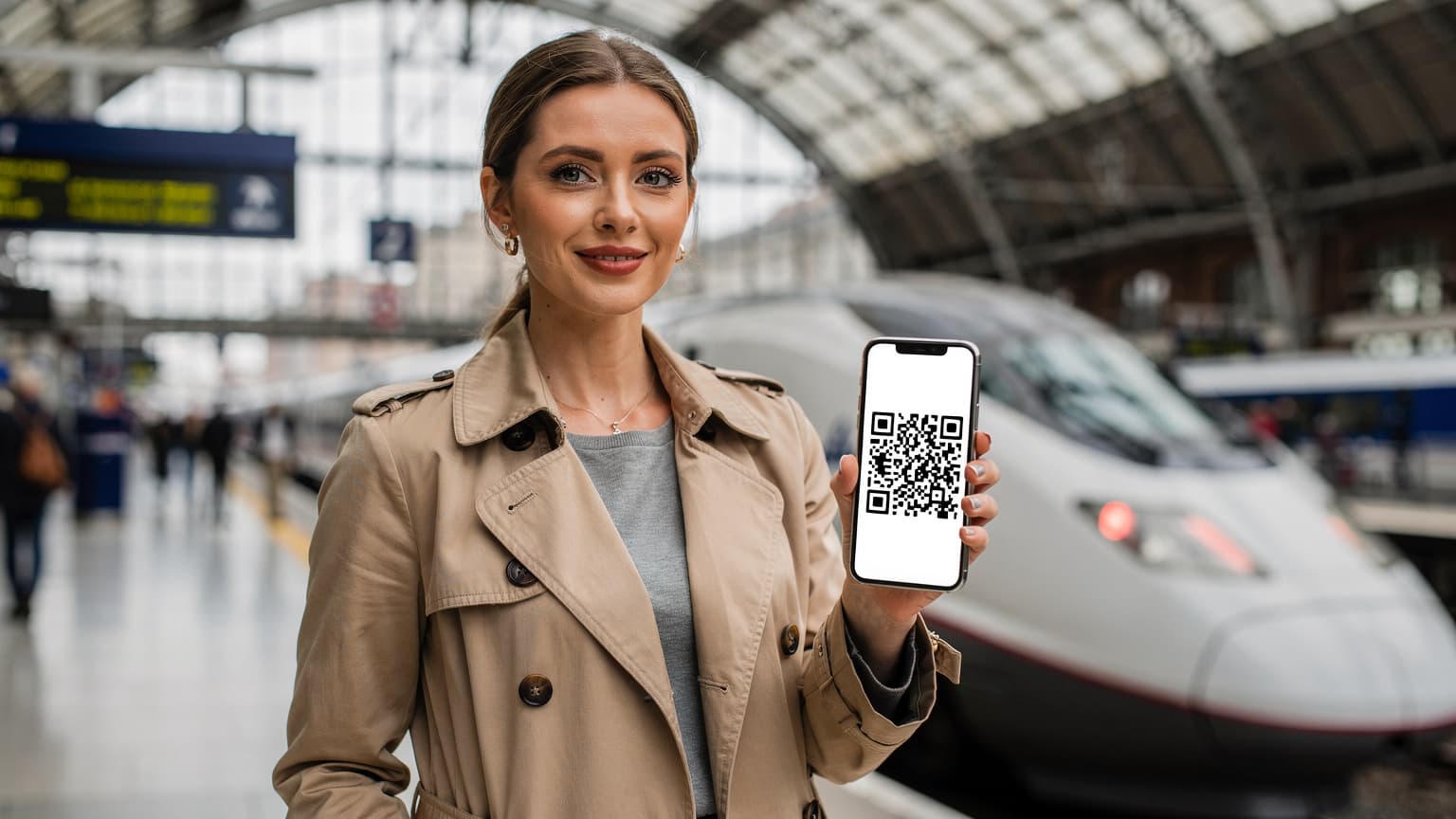
- Scan QR Code: Hold your iPhone over the QR code from your Cellesim confirmation email. Make sure the code is well-lit and clear.
- Label Your eSIM: Once scanned, your phone will prompt you to label the new plan (e.g., 'Cellesim Europe' or 'Mexico Travel'). This is crucial for managing multiple plans.
- Set Default Line: Choose which line is your primary for calls/texts and which is for cellular data. For travel, you'll typically keep your home SIM for calls/texts and set the eSIM for data.
- Enable Data Roaming (if necessary): For some eSIMs, particularly regional ones, you might need to ensure 'Data Roaming' is enabled for that specific eSIM profile in its settings. Cellesim will usually advise if this is required.
Samsung Galaxy S26 eSIM Setup Procedure
Samsung's One UI is also quite user-friendly for eSIMs. Here's what to expect on your Galaxy S26:
- Buy your eSIM: Just like with iPhone, get your eSIM from Cellesim. The QR code is key.
- Navigate to Connections: Open Settings > Connections > SIM card manager.
- Add Mobile Plan: Tap Add mobile plan. You'll see options like 'Scan QR code from carrier.' Choose that.
- Scan the QR Code: Position your Galaxy S26 to scan the Cellesim QR code.
- Confirm and Activate: Your phone will detect the plan. Follow the on-screen prompts to confirm and activate it.
- Rename SIM (Optional but Recommended): In the SIM card manager, you can tap on your newly added eSIM to rename it for easy identification.
- Set Data Preference: Under 'Preferred SIM card,' set your new eSIM as the default for mobile data. You can keep your physical SIM (if you have one) for calls and texts.
Multi-eSIM Management and Border-Crossing Hacks
This is where eSIMs really shine for the true budget backpacker, especially if you're like me and constantly hopping across borders. The ability to store multiple eSIM profiles means you can plan your data strategy for an entire trip, pre-loading eSIMs for different regions or countries.
Pre-loading eSIMs for Seamless Transitions
Imagine this: you're taking the FlixBus from Berlin to Prague. As you cross the border into Czechia, your German eSIM might lose coverage. Instead of scrambling, you simply go into your phone settings, tap on your pre-loaded Cellesim Czech Republic eSIM (which you bought and installed weeks ago), and switch it on. Boom, instant connectivity. No border agent hassle, no desperate search for a Vodafone CZ shop.
| Scenario | Physical SIM | eSIM (New Flagships) |
|---|---|---|
| Border Crossing (e.g., Germany to Czechia) | Requires physical SIM swap or roaming charges. | Quick toggle between pre-loaded profiles. |
| Multi-Country Trip (e.g., Europe) | Multiple physical SIMs or expensive regional roaming. | Single regional eSIM or multiple country-specific eSIMs, easily managed. |
| Emergency Data Need | Must find a local store, often during business hours. | Purchase and activate online 24/7 from anywhere. |
This approach saves you stress, time, and crucially, prevents those sneaky roaming charges that can obliterate a budget faster than a five-star hotel. This is especially useful for those Autumn Adventures: Best eSIMs for Fall Foliage & Festival Travel 2026, where you might be chasing colorful leaves across multiple countries.
The Border-Crossing Edge Case
Sometimes you hit an odd border. Take crossing from Thailand into Laos via the Friendship Bridge. On the Thai side, your AIS physical SIM works fine. Step onto the bus, cross the Mekong, and suddenly you're in Laos. You could buy a Lao Telecom physical SIM in Vientiane, but it's a faff. With a Cellesim Laos eSIM, you activate it the moment you clear immigration. No more frantically searching for Wi-Fi to message your hostel that you're running late.
Even in places like the Balkans, where some borders are less clear-cut and roaming agreements can be spotty, having multiple eSIMs pre-loaded means you're never truly disconnected. I always keep a 'fallback' regional eSIM active if I'm doing a multi-country hop, just in case my local one craps out.
Data Consumption Strategies for the Savvy Traveler
Okay, you've got your new iPhone 18 or Galaxy S26, and your Cellesim eSIM is active. Now, how do you make that data last? Because even with the best deals, burning through GBs means burning through euros. I've learned a few tricks over 200+ hostels.
Show the Math: GB Consumed Per Day
Most budget travelers use between 1GB and 3GB of data per week, or roughly 150-400MB per day. Let's do the sums:
- Light usage (maps, messaging, light social media): 150MB/day x 10 days = 1.5GB total. A 2GB eSIM for €7-10 is perfect.
- Moderate usage (some video, more social, video calls): 300MB/day x 10 days = 3GB total. A 5GB eSIM for €12-18 will cover it.
- Heavy usage (streaming, heavy uploads, gaming): 500MB+/day x 10 days = 5GB+ total. You'll need bigger plans or multiple top-ups.
Always overestimate slightly. It's better to have a bit of data left over than to run out when you desperately need to navigate or book a last-minute hostel. Running out means paying premium for top-ups, or worse, getting stuck without navigation.
App-Specific Data Saving Tips
Your new flagship phone will have advanced settings to manage data, but you still need to be smart about it:
- Maps: Download offline maps for Google Maps or Maps.me before you leave Wi-Fi. It's a lifesaver and uses zero mobile data for navigation.
- Social Media: Turn off auto-play videos and limit background app refresh for Instagram, TikTok, and Facebook. They are data hogs.
- Streaming: Download movies/shows on Netflix or Spotify playlists over Wi-Fi. Save streaming for when you're connected at your hostel.
- WhatsApp/Messaging: These are generally low data users, but avoid sending large videos unless you're on Wi-Fi.
- Cloud Backups: Ensure iCloud/Google Photos backups are set to 'Wi-Fi only.' Nothing drains data faster than your phone trying to upload 500 new photos over cellular.
Seriously, these small changes add up. I once saved almost 1GB over a week in Portugal just by managing my Instagram settings. That's a few euros you can spend on a pastel de nata, or better yet, another night at a cheap hostel.
Connectivity at Festivals and Crowded Events
This is my territory. Festival connectivity is a beast. Whether it's Glastonbury's muddy fields or a major electronic music festival in Belgium neon-drenched stages, getting a signal in a sea of 100,000 people all trying to upload their main-stage moments is a challenge. The iPhone 18 and Galaxy S26, with their advanced modems, will offer some advantages, but you still need a strategy.
Network Congestion Hacks
New phones typically have better antenna arrays and more advanced modems (like Qualcomm's latest Snapdragon X80 or Apple's custom silicon) that are designed to handle network congestion more efficiently. This means a slightly stronger, more stable connection when everyone else is struggling.
- Choose the Right eSIM: Not all local carriers are equal at a festival. Cellesim partners with multiple networks, so you often get to pick which one your eSIM uses. Research which carrier has the best coverage at your specific festival site. For example, at Glastonbury, EE usually has dedicated temporary towers, making them a better choice than Vodafone.
- Avoid Peak Times: Everyone tries to upload during the headliner's encore. Try sending your messages or uploading photos during set changes or quieter moments.