Staying connected while traveling isn't just nice, it's essential these days. Whether you're mapping out new cities or sending photos to friends and family, reliable internet is a must. The old ways of buying local SIM cards at the airport or paying for expensive roaming? They're becoming a thing of the past. Say hello to eSIMs: digital SIM cards that make global connectivity incredibly simple.
This guide will show you exactly how to buy your eSIM online before you even pack your bags. That way, you'll land with internet access ready to go. We'll cover how Cellesim makes this process easy, so you can focus on enjoying your trip instead of fussing with your phone.
- Why Buying Your eSIM Before You Travel is Essential
- Understanding eSIMs: A Quick Primer
- Step-by-Step Guide: How to Purchase Your Cellesim eSIM Online
- When to Activate Your eSIM for Seamless Arrival
- Comparing Connectivity Options for Your Trip
- Pro Tips for a Smooth eSIM Experience Abroad
- Frequently Asked Questions
Italy eSIM Plans from $4.50
Connect instantly in Italy without airport queues. Join 50,000+ happy customers with Cellesim.
Get Your Italy eSIMWhy Buying Your eSIM Before You Travel is Essential
Buying your eSIM before you leave home offers huge benefits, making your trip smoother from the moment you land. You can forget about the hassle of searching for local SIM cards at unfamiliar airports, dealing with long lines, language barriers, or unclear pricing.
With an eSIM already on your phone, you get instant internet access. That means you can call a ride-share, find your hotel, or text family without scrambling for Wi-Fi or paying crazy roaming fees. This immediate connection is especially handy for business travelers who need to stay productive, or for families trying to coordinate after a flight. Plus, Cellesim offers competitive rates, often much cheaper than traditional roaming, helping you stick to your budget while enjoying high-speed data in over 200 countries.
Buying an eSIM in advance means you're connected the second your plane touches down. That's peace of mind and instant access to all your travel essentials.
Understanding eSIMs: A Quick Primer
An eSIM, or embedded SIM, is basically a digital SIM card. It lets you activate a mobile plan without needing a physical card you insert into your phone. It's built right into your smartphone, tablet, or smartwatch, giving travelers more flexibility and convenience.
Unlike a regular SIM you swap out, an eSIM profile downloads and activates electronically. This makes it simple to switch between different data plans or providers, often from your couch at home. Cellesim uses this tech to give you smooth, high-speed data in over 200 places worldwide, with support in 24 languages. If you want to dig deeper into how this digital magic works, check out GSMA's official eSIM page.
Step-by-Step Guide: How to Purchase Your Cellesim eSIM Online
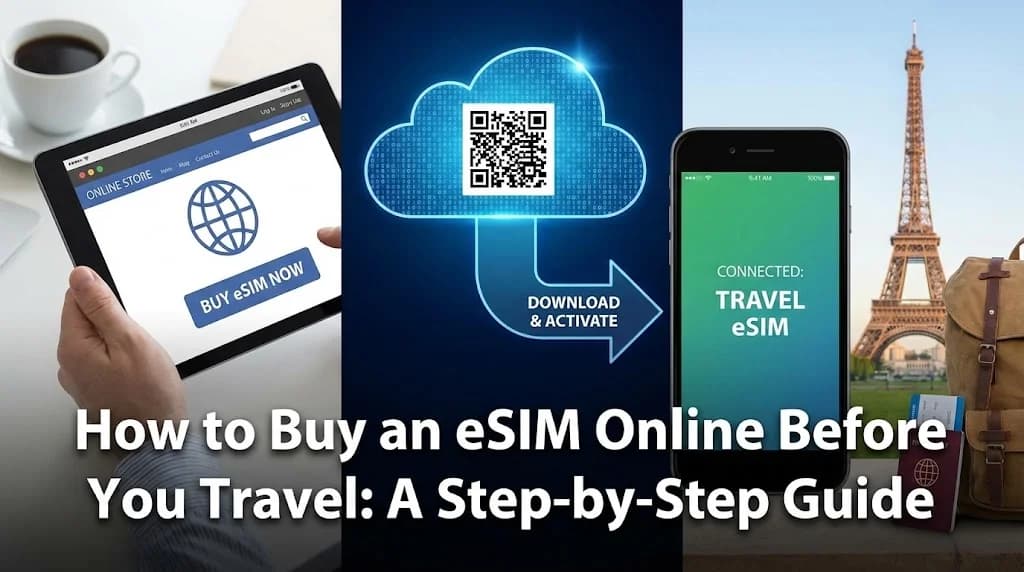
Buying a Cellesim eSIM online before your trip is super easy and designed for your convenience. Here's how to get connected in just a few steps:
1. Check Device Compatibility
First things first, make sure your phone actually supports eSIMs. Most newer smartphones from 2018 onwards, including many iPhones, Samsung Galaxy, and Google Pixel models, are eSIM compatible. You can usually find this info in your phone's settings under "About Phone" or "SIM status." For a definite answer, try our eSIM checker or look at our full list of eSIM compatible devices.
2. Choose Your Destination and Plan
Head to the Cellesim website and pick where you're going. Whether it's Italy, Indonesia, or you need a global eSIM plan for several countries, Cellesim has options. Each destination page shows you the data packages, how long they last, and network coverage. Think about how long your trip is and how much data you'll use to pick the best plan.
3. Select a Data Package
Cellesim has all sorts of data packages, from light plans for basic browsing to big allowances for heavy streamers and those working remotely. If you're not sure how much data you'll need, our smart data calculator can help. It estimates your needs based on common activities like browsing, social media, and video calls. This helps you buy enough data without paying for more than you need.
4. Complete the Purchase
Add your chosen eSIM plan to your cart and go to checkout. Cellesim uses secure payment methods. Just follow the instructions to finish your purchase. You'll get a confirmation email soon after.
5. Receive and Install Your eSIM
Once you've bought your eSIM, Cellesim will instantly send an email with your eSIM QR code and detailed installation steps. You can install the eSIM by scanning the QR code with your phone's camera in the settings, or by typing in the details manually. For a complete guide, check out our full eSIM setup guide or our interactive setup guide.
When to Activate Your eSIM for Seamless Arrival
One of the best things about buying an eSIM before your trip is how flexible it is for activation. You have two main choices:
- Activate before departure: Many travelers prefer to activate their eSIM before they even leave home. This lets you sort out any tech issues while you have reliable internet. Just make sure you're on Wi-Fi for the initial setup.
- Activate upon landing: If your plan's validity starts the moment you activate, or if you want to use your current SIM until you're abroad, you can wait until you land. Once your flight touches down and you're ready for data, simply switch to your Cellesim eSIM in your phone settings.
Comparing Connectivity Options for Your Trip
Before you travel internationally, it's smart to know your options for staying connected. Here's how eSIMs stack up against local physical SIMs and traditional roaming services:
| Option | Price (7 days) | Convenience | Speed | Setup |
|---|---|---|---|---|
| Cellesim eSIM | From $4.50 | Instant, digital delivery | Full 4G/5G | 2 min online |
| Local SIM Card | $15-30 | Airport queue, physical swap | Full 4G/5G | Store visit, registration |
| Carrier Roaming | $10-15/day | Automatic | Throttled, premium cost | Automatic (if enabled) |
As you can see from the table, Cellesim eSIMs offer a great mix of affordability, speed, and unbeatable convenience, especially when you buy them before you travel. Unlike physical SIMs, there's no need to find a store, wait in lines, or worry about language differences. Also, eSIMs generally have clearer pricing and better data rates than most roaming packages, which can get expensive fast. Want to know more about saving money? Check out our roaming savings calculator and our article comparing airport SIM cards to eSIMs.
Explore All Cellesim eSIM Plans
Pro Tips for a Smooth eSIM Experience Abroad
Get the most out of your Cellesim eSIM and avoid common travel tech headaches with these expert tips:
- Keep Your Primary Number Active: With dual SIM, you can use your Cellesim eSIM for data while keeping your regular phone number active for calls and texts. This is perfect for getting verification codes or important messages.
- Monitor Data Usage: Keep an eye on your data use through your phone's settings or the Cellesim portal. This helps you avoid running out of data unexpectedly. If you need to estimate your usage, our smart data calculator can help.
- Understand Network Coverage: Before buying, check which network partners Cellesim uses in your destination. This makes sure you'll have reliable service. You can find information on our network partners on our how our network works page.
- Troubleshooting: If you ever hit a snag with connectivity, try restarting your phone or checking your APN settings. Cellesim offers full guides and 24/7 email support at [email protected] for any help you need.
- Security: Always use secure networks and think about using a VPN, especially when on public Wi-Fi, to keep your personal data safe. The National Cyber Security Centre has good advice for staying secure online while traveling.
Frequently Asked Questions
Is my phone compatible with an eSIM?
Most modern smartphones made since 2018, like newer iPhone, Samsung Galaxy, and Google Pixel models, support eSIM technology. You can easily check if your phone is compatible in its settings or by using the Cellesim eSIM checker tool before you buy.
How do I install my Cellesim eSIM after purchase?
After buying your eSIM, you'll get a QR code in an email. Just go to your phone's settings (usually under 'Mobile Data' or 'SIM Card Manager'), pick 'Add eSIM', and scan the QR code. You can find detailed, step-by-step instructions in our complete eSIM setup guide.
Can I keep my existing phone number while using an eSIM?
Yes, absolutely! One of the best parts of an eSIM is dual SIM functionality. You can continue using your main SIM for calls and texts from your home number while using the Cellesim eSIM for data when you're abroad. This means you stay connected without missing important calls.
When is the best time to buy my eSIM before travel?
We suggest buying your eSIM at least 1-2 days before you leave. This gives you plenty of time to complete the purchase, get your eSIM details, and install it on your device while you still have reliable internet at home. This ensures your trip starts smoothly.
What if I run out of data while abroad?
If your data starts running low, Cellesim makes it easy to top up your current eSIM plan or buy a new one right from our website. This is a quick online process, so you can stay connected without interruption throughout your travels.
What kind of support does Cellesim offer?
Cellesim offers 24/7 customer support via email at [email protected]. Our team is ready to help with any questions about compatibility, purchasing, installation, or troubleshooting, so you can have a worry-free experience.
Ready for Seamless Connectivity on Your Next Trip?
Experience instant data from the moment you land. Cellesim offers reliable and affordable eSIM plans for 200+ countries.
Start Your Connected JourneyTrusted by 50,000+ travelers worldwide. 24/7 Email Support.