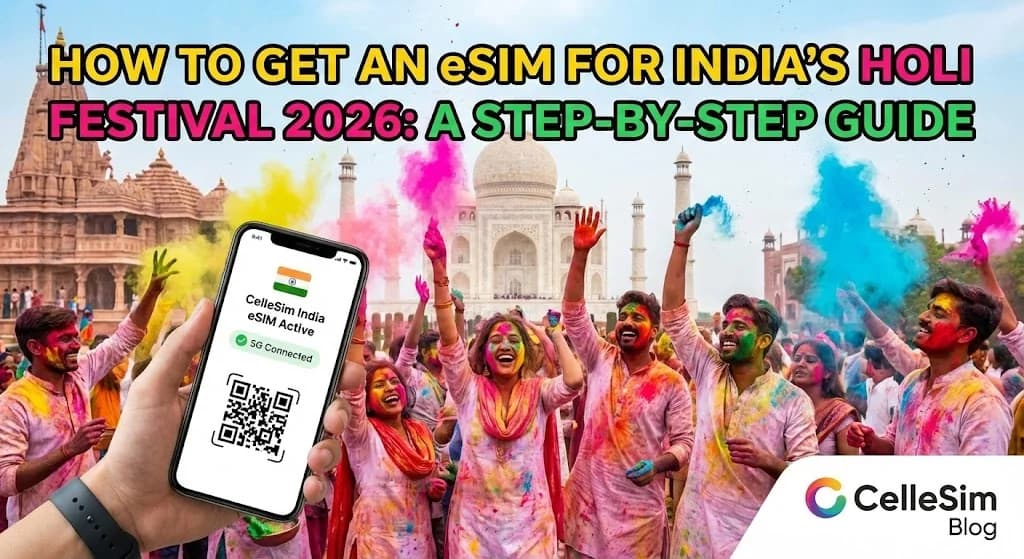
Imagine this: You've just landed at Delhi's Indira Gandhi International Airport, the air buzzing with anticipation for Holi. The vibrant chaos is exhilarating, but your first challenge is practical: connectivity. You need to call your hotel, pull up a map, and let family know you've arrived safely. The last thing you want is to start your trip hunting for a local SIM card shop and wrestling with paperwork. This is precisely where getting an eSIM for India's Holi Festival 2026 transforms your arrival experience. It's the modern traveler's secret to landing and connecting instantly, allowing you to immerse yourself in the festival of colors without a hitch. This guide will walk you through exactly how to set yourself up for seamless mobile data, so you can focus on the joyous celebrations, not connection bars.
- Why an eSIM is Your Best Bet for Holi in India
- Essential Preparations for Your Holi eSIM
- Selecting the Ideal eSIM Data Plan for Holi 2026
- Your Step-by-Step Guide to Activating a Cellesim eSIM for India
- Navigating Connectivity: Network Performance During Holi
- Cost Comparison: eSIM vs. Traditional Options for Holi Travel
- Pro Tips for a Seamless & Connected Holi Experience
- Troubleshooting Common eSIM Issues During Your India Trip
- Frequently Asked Questions
Connect Instantly for Holi 2026
Get your Cellesim India eSIM today and experience seamless connectivity from the moment you land. No hidden fees, no queues.
Shop India eSIM Plans ⚡Join 50,000+ happy customers
Why an eSIM is Your Best Bet for Holi in India
The Holi festival, with its vibrant colours and energetic celebrations, draws visitors from across the globe to India. While immersing yourself in the festivities, staying connected is not just a convenience but a necessity for navigation, sharing experiences, and essential communication. An eSIM provides several distinct advantages over traditional physical SIM cards for your Holi 2026 trip.
Firstly, an eSIM offers unparalleled convenience. You can purchase and activate your data plan before you even depart, eliminating the need to search for a local SIM card vendor upon arrival at a busy Indian airport or city. This means no long queues, no language barriers, and no complicated registration processes, which can be particularly challenging during peak festival times. You land, and you are immediately connected.
Secondly, eSIMs are a cost-effective alternative to international roaming. Carrier roaming fees can quickly accumulate, leading to unexpectedly high bills. Cellesim's India eSIM plans offer competitive rates for various data allowances and durations, ensuring you get transparent pricing and value for your money. You choose the plan that fits your travel needs, whether it is for a few days of intense festival activities or a longer exploration of India.
Furthermore, an eSIM allows you to keep your original phone number active. This is crucial for receiving important calls or text messages from banks, family, or travel partners on your primary line, while using the eSIM for all your mobile data needs. There is no risk of losing a tiny physical SIM card, which is a common concern for travelers, especially when navigating crowded festival sites.
Essential Preparations for Your Holi eSIM
Before you embark on your colourful journey to India for Holi 2026, a few crucial checks ensure a smooth eSIM experience. These preparatory steps will save you time and potential frustration.
Verify eSIM Compatibility
The most important step is to confirm that your smartphone supports eSIM technology. Most newer smartphone models, generally those released from 2018 onwards, are eSIM compatible. This includes iPhone models from XS/XR and later, Samsung Galaxy S20 series and up, and Google Pixel 3 and newer devices. However, compatibility can vary by region and specific phone models. You can easily check if your device is supported by using our dedicated eSIM compatibility checker on the Cellesim website.
Ensure Your Phone is Unlocked
For an eSIM to work with a different network provider, your phone must be unlocked from your home carrier. If you purchased your phone directly from a mobile network provider, it might be locked to their network. Contact your carrier before your trip to ensure your device is unlocked, or to request an unlock. An unlocked phone offers the freedom to use any compatible eSIM or SIM card worldwide.
Have a Stable Wi-Fi Connection
You will need a stable internet connection to download and install your eSIM profile. This is typically done via a QR code or manual entry. It is highly recommended to complete this step before you leave home or while you have reliable Wi-Fi at your accommodation in India, preferably before heading out to the festival grounds. This prevents any last-minute connectivity stress.
Selecting the Ideal eSIM Data Plan for Holi 2026
Choosing the right data plan is key to enjoying uninterrupted connectivity during Holi. Your data needs will depend on how you plan to use your phone throughout the festival and your wider India trip. Consider the following activities:
- Social Media & Sharing: Holi is a visual festival. Expect to share numerous photos and videos on platforms like Instagram, Facebook, and WhatsApp. High-quality uploads consume more data.
- Navigation: Using Google Maps or other navigation apps to find festival venues, restaurants, or local attractions is essential.
- Communication: WhatsApp calls, video calls with family, and messaging apps.
- Ride-Sharing & Food Delivery: Apps like Uber, Ola, Swiggy, or Zomato are prevalent in Indian cities and rely heavily on data.
- Streaming & Browsing: If you plan to relax with some entertainment or do general web browsing, account for additional data usage.
To help you estimate your usage, Cellesim provides flexible plans. For light users, a plan with 1-3GB might suffice for a short trip focused mainly on basic messaging and navigation. Moderate users, who share photos and browse regularly, might need 5-10GB. Heavy users, including those planning video calls or extensive social media updates, should consider plans with 15GB or more. For a comprehensive estimate, explore Cellesim's Smart Data Calculator.
Your Step-by-Step Guide to Activating a Cellesim eSIM for India
Activating your Cellesim eSIM for your Holi adventure is a straightforward process, designed for quick and seamless connectivity. Follow these steps for a hassle-free setup:
- Purchase Your India eSIM Plan: Visit the Cellesim website and select the India eSIM plan that best suits your data needs and trip duration. Complete the purchase securely online.
- Receive Your eSIM Details: Immediately after purchase, you will receive an email containing a QR code or manual installation details for your eSIM profile.
- Install the eSIM Profile (Before You Travel):
- Ensure you have a stable Wi-Fi connection.
- On iOS (iPhone): Go to Settings > Cellular/Mobile Data > Add eSIM. Choose to "Use QR Code" and scan the code from your email. If prompted, select "Add Data Plan".
- On Android: Navigate to Settings > Network & Internet > SIMs > Add SIM (or similar, varies by device). Scan the QR code.
- Do NOT turn on "Data Roaming" for this new eSIM line yet.
- Label Your eSIM: Once installed, your phone will prompt you to label your new eSIM (e.g., "India Travel" or "Cellesim India"). This helps distinguish it from your primary SIM.
- Activate Upon Arrival in India: Once your plane has landed in India and you are ready to connect, go to your phone's cellular settings.
- Enable the Cellesim eSIM line.
- Turn ON "Data Roaming" for the Cellesim eSIM.
- Ensure your primary SIM is set to "Voice" or "Off" for data, so your eSIM is used for internet access.
For more detailed instructions, including screenshots and device-specific guidance, refer to our Complete eSIM Setup Guide or the Interactive Setup Guide.
Navigating Connectivity: Network Performance During Holi
India boasts a vast and rapidly expanding mobile network infrastructure, with major players like Airtel and Jio offering extensive 4G and increasingly 5G coverage across urban and many rural areas. Cellesim partners with these leading local networks to provide you with reliable mobile data during your travels, including during the Holi festival.
In major cities such as Delhi, Mumbai, Jaipur, and Varanasi, where Holi celebrations are often grandest, you can expect strong 4G and 5G connectivity. This allows for smooth streaming, fast browsing, and clear video calls. However, during large-scale events like Holi, certain festival grounds or exceptionally crowded areas might experience temporary network congestion due to the sheer volume of users. While network providers work to manage this, occasional slowdowns can occur.
When using your Cellesim eSIM, your device will automatically connect to the strongest available partner network. If you encounter slower speeds in a specific area, you can sometimes manually select an alternative network operator through your phone's cellular settings (e.g., switching from Airtel to Jio, if both are Cellesim partners in that region). For general information on telecom services in India, you can refer to the official website of the Telecom Regulatory Authority of India (TRAI).
Connectivity is a cornerstone of modern travel. With an eSIM, you gain the flexibility to switch between networks or top up data as needed, ensuring you remain contactable even amidst the joyful chaos of Holi.
Cost Comparison: eSIM vs. Traditional Options for Holi Travel
Understanding the costs associated with staying connected during your Holi trip is vital for budget-conscious travelers. Here’s a comparison of Cellesim eSIMs against traditional options:
| Option | Price (7-day trip, ~10GB data) | Setup Convenience | Number Retention | Flexibility |
|---|---|---|---|---|
| Cellesim eSIM | From ~$8 - $15 | Instant, Online | Yes (Primary SIM) | Easy Top-ups, Plan Variety |
| International Roaming | $70 - $150+ | Automatic | Yes | Very Limited Data, High Cost |
| Local Physical SIM | $10 - $25 (plus activation fee) | Airport/Store Visit, Paperwork, Waiting | New Local Number | Good Data, Initial Hassle |
As the table illustrates, Cellesim eSIMs offer a clear advantage in terms of both cost and convenience, especially when considering the precious time you save by avoiding local SIM card purchase queues. While local SIMs can offer competitive data rates, the initial setup process, which often involves extensive paperwork and waiting periods, can detract from your festival experience. International roaming, though convenient for retaining your home number, typically comes with exorbitant fees that can quickly escalate. For a detailed breakdown of potential savings, check our Roaming Savings Calculator or our guide comparing Airport SIM Card Prices vs. eSIM.
Pro Tips for a Seamless & Connected Holi Experience
Holi is an incredibly immersive and joyful festival, but it also presents unique challenges for keeping your electronics safe and functional. Here are some pro tips to ensure your connectivity remains flawless:
- Protect Your Phone: Holi involves water and powdered colours (gulal) that can be damaging. Invest in a waterproof phone pouch or a high-quality Ziploc bag to protect your device from moisture and dyes. If possible, consider leaving your primary phone secured and bringing an older, less valuable, but eSIM-compatible phone for the festival day itself.
- Power Up: Between capturing vibrant photos, navigating, and communicating, your phone battery will drain quickly. Carry a fully charged power bank, especially on festival days when finding charging points can be difficult.
- Download Offline Maps: While your eSIM provides excellent data, having offline maps of key areas (e.g., your hotel, major festival sites, local transport hubs) can be a lifesaver in areas with temporary congestion or if your battery runs critically low.
- Emergency Contacts: Ensure essential contacts (hotel, tour operator, local emergency numbers) are saved and accessible, ideally written down or stored in a place accessible without your phone.
- Stay Informed: Keep an eye on local news or official festival updates. Reliable data connectivity through your eSIM will allow you to quickly access information regarding event schedules, safety advisories, and public transport changes. For general travel advice and safety in India, consult the official Incredible India tourism website.
Troubleshooting Common eSIM Issues During Your India Trip
While eSIMs are generally reliable, occasional connectivity issues can arise, especially in unfamiliar network environments or during high-demand periods like Holi. Here are some common problems and their quick solutions:
No Data Connection After Activation
If your eSIM is installed but you are not getting any data, first ensure that "Data Roaming" is enabled for your Cellesim eSIM line in your phone's cellular settings. Also, verify that the Cellesim eSIM is selected as the preferred line for mobile data. Sometimes, simply toggling Airplane Mode on and off can help refresh the connection to the local network towers.
Slow Data Speeds
As mentioned, network congestion during peak Holi celebrations can cause slower speeds. Try manually selecting a different partner network from your phone's settings. For example, if you are currently on Airtel, see if you can switch to Jio, or vice versa. Ensure you are in an area with good signal strength. Closing background apps can also free up bandwidth on your device.
eSIM Not Installing or QR Code Not Scanning
If you encounter issues during installation, double-check that you have a strong, stable Wi-Fi connection. Ensure the QR code is clear and well-lit when scanning. If scanning fails, try the manual installation option provided in your Cellesim email. Remember to perform installation *before* you need the data, ideally at home or your hotel, not when you are already in a connectivity pinch.
Running Out of Data
If you deplete your data allowance, Cellesim offers convenient top-up options for many of its plans. You can usually purchase an additional data package directly from the Cellesim website, which will be added to your existing eSIM profile without needing reinstallation. This provides flexibility to extend your connectivity as needed.
Ready for Seamless Connectivity This Holi?
Don't let connectivity woes dim your festival spirit. Get your Cellesim eSIM for India today.
Start Your Connected JourneyTrusted by 50,000+ travelers in 200+ countries. Set up in 2 minutes.
Frequently Asked Questions
What exactly is an eSIM and how does it work for India?
An eSIM, or embedded SIM, is a digital SIM card that allows you to activate a cellular plan from a carrier without needing a physical SIM card. For India, it works by downloading a Cellesim profile directly onto your compatible phone, which then connects you to local Indian networks like Airtel or Jio for mobile data.
Can I keep my original phone number while using an eSIM in India?
Yes, absolutely. When you install a Cellesim eSIM, you designate it for mobile data use. You can keep your primary physical SIM card active to receive calls and SMS messages on your home number, ensuring you don't miss important communications from banks or family. This is one of the key advantages of eSIMs.
Is my phone compatible with an eSIM for India?
Most modern smartphones manufactured since 2018 are eSIM compatible, including iPhone XS/XR and newer, Samsung Galaxy S20 and newer, and Google Pixel 3 and newer. Crucially, your phone must also be unlocked from your home carrier. You can easily check your device's compatibility using the Cellesim eSIM Checker on our website.
When should I activate my Cellesim eSIM for my Holi trip?
You should purchase and install your eSIM profile via QR code while you still have a stable Wi-Fi connection (e.g., at home or your hotel before departure). The actual activation, meaning turning on data roaming for the eSIM line, should be done once your plane has landed in India. This ensures your plan's validity period starts at the right time.
What if I run out of data during my Holi trip? Can I top up?
Yes, Cellesim offers top-up options for many of its eSIM plans. If you find yourself needing more data during your Holi celebrations, you can typically purchase an additional data package directly from the Cellesim website, often without needing to reinstall anything. This provides flexibility and peace of mind.
What should I do if I experience slow data speeds during Holi?
During a major festival like Holi, network congestion in crowded areas can sometimes lead to slower speeds. Ensure Data Roaming is enabled for your eSIM, then try toggling Airplane Mode on and off to reset your connection. You might also try manually selecting a different partner network (like Airtel or Jio) in your phone's cellular settings to see if it improves performance.