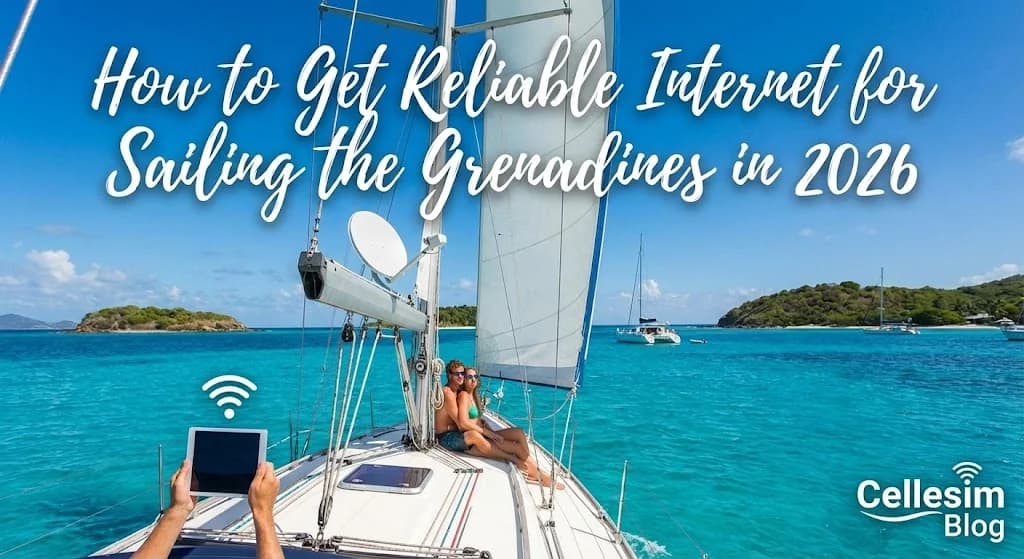
Imagine this: You are anchored in a tranquil bay in the Tobago Cays, sea turtles gliding beneath your keel. The sun is setting, painting the sky in fiery oranges and purples. You pull out your phone to capture the moment, check tomorrow’s weather forecast, or let family know you have arrived in paradise, and suddenly, there is no signal. This is a common reality that catches many sailors off guard. Getting reliable internet for sailing the Grenadines is not just about sharing pictures; it is about safety, logistics, and staying connected in one of the world's most beautiful sailing grounds. The good news is that with a bit of planning, you can achieve seamless connection. This guide will walk you through exactly how to set it up, based on real-world experience navigating these stunning islands. Before you cast off, it is crucial to ensure your phone is ready for modern solutions. You can check our list of eSIM compatible devices to be certain.
- Why Your Home Plan Won't Cut It: The Grenadines Connectivity Challenge for Sailors
- Your Connectivity Toolkit: Comparing Caribbean Sailing Internet Options
- Cost Comparison: eSIM vs Traditional Options for Sailing the Grenadines
- Network Coverage in the Grenadines: What to Expect at Sea
- Step-by-Step Guide: Setting Up Your Cellesim eSIM for a Grenadines Sailing Trip
- How Much Data Do You Need for Your Grenadines Sailing Adventure?
- Pro Tips for Maximizing Your Connection While Sailing
- Common Problems & Troubleshooting for Island Hoppers
- Frequently Asked Questions
Sail the Caribbean with Seamless Connectivity
Explore the stunning Grenadines and 23 other Caribbean countries with a single Cellesim eSIM. Instant activation, reliable data. Join 50,000+ happy customers.
Get Your Caribbean eSIM 🌍Why Your Home Plan Won't Cut It: The Grenadines Connectivity Challenge for Sailors
Sailing through the Grenadines is an unparalleled experience, offering pristine waters and secluded anchorages. However, this idyllic remoteness often comes with significant connectivity challenges. Your home mobile plan, while convenient at home, typically incurs exorbitant roaming charges when used internationally, especially across multiple island nations like St. Vincent and the Grenadines and Grenada.
Standard international roaming packages often have daily fees ranging from $10 to $15, with limited data allowances and significantly throttled speeds. For a multi-week sailing trip, these costs can quickly escalate into hundreds of dollars. Furthermore, many domestic plans offer unreliable coverage once you venture away from major populated areas or cross maritime borders, leaving sailors without essential communication for navigation, weather updates, or emergencies.
Beyond cost, the practicalities for sailors are unique. Reliable internet is crucial for downloading up-to-date weather forecasts, accessing navigation charts, communicating with marine services, and staying in touch with loved ones ashore. Traditional SIM cards require physical swapping, which is inconvenient and often impossible when moving between islands quickly. Satellite phones or internet systems are an option but involve significant upfront costs and complex installations, making them impractical for many leisure sailors.
"The beauty of the Grenadines is its untouched nature, but that also means limited infrastructure. Relying solely on a home plan for data can turn an idyllic trip into a connectivity nightmare."
Your Connectivity Toolkit: Comparing Caribbean Sailing Internet Options
When planning your Grenadines sailing adventure, understanding your internet options is paramount. Each method presents a different balance of cost, convenience, and coverage, especially important for those constantly moving between islands and remote bays.
- International Roaming: This is the simplest option to enable, but often the most expensive. Your home provider automatically extends service, but at premium rates for data, calls, and texts. Coverage can be inconsistent in remote areas, and speeds are frequently deprioritised.
- Local Physical SIM Cards: Available from providers like Digicel and Flow on major islands (e.g., St. Vincent, Union Island, Grenada). While offering competitive local rates, purchasing requires finding a store, presenting ID, and physically swapping SIMs. This process must be repeated for each new country you enter, which is highly impractical for island hopping across multiple Grenadine nations.
- Onboard Wi-Fi (Marina/Restaurant Hotspots): Many marinas and waterfront establishments offer Wi-Fi. This can be a supplementary option for quick checks, but it is unreliable for continuous connectivity, often slow, and not available while underway or at secluded anchorages.
- Satellite Internet (Starlink, Iridium Go!): For serious offshore passages or commercial vessels, satellite systems provide truly global coverage. However, they involve substantial hardware costs, installation complexity, and expensive data plans. This is typically overkill for leisure sailing in the Grenadines.
- Cellesim eSIM for the Caribbean: An eSIM offers a digital alternative to physical SIM cards. You purchase a data plan online, receive a QR code, and activate it instantly on your compatible smartphone. A Cellesim Caribbean eSIM covers multiple countries, including St. Vincent and the Grenadines and Grenada, under a single plan. This eliminates the need for physical SIM swaps, provides predictable costs, and ensures you stay connected as you sail from one stunning island to the next.
Cost Comparison: eSIM vs Traditional Options for Sailing the Grenadines
Making an informed decision about your internet solution involves weighing the financial implications against the convenience and reliability. For sailors exploring the Grenadines, the cost can vary dramatically between options.
| Option | Typical Cost (7 Days) | Convenience | Island Hopping | Setup |
|---|---|---|---|---|
| Cellesim Caribbean eSIM | From $10-25 (e.g., 5GB) | Very High | Seamless (24 countries) | Instant, Digital |
| Home Plan Roaming | $70-105 (e.g., $10-15/day) | High (auto-connect) | Inconsistent, Expensive | Automatic |
| Local Physical SIM (St. Vincent) | $15-30 (e.g., 5GB) | Low (store visit) | Country-specific, requires new SIM per country | In-person registration |
| Local Physical SIM (Grenada) | $15-30 (e.g., 5GB) | Low (store visit) | Country-specific, requires new SIM per country | In-person registration |
As the table illustrates, a Cellesim Caribbean eSIM presents a compelling value proposition for sailors. It bundles multiple countries into a single, easy-to-manage plan, offering significant savings compared to daily roaming rates and the logistical simplicity of avoiding multiple local SIM purchases.
Network Coverage in the Grenadines: What to Expect at Sea
Understanding cellular network coverage is crucial for a smooth sailing experience. The Grenadines, while stunningly beautiful, consist of numerous islands, some highly developed and others virtually uninhabited. The primary mobile network operators in the region are Digicel and Flow.
In general, you can expect strong 4G/LTE coverage in and around the main islands and popular anchorages. This includes areas like:
- St. Vincent: Kingstown and surrounding coastal areas.
- Bequia: Port Elizabeth and Admiralty Bay.
- Mustique: All developed areas.
- Union Island: Clifton and Chatham Bay.
- Canouan: The main port and resort areas.
- Tobago Cays: Surprisingly good signal in the main anchorage areas, though it can fluctuate.
- Grenada: St. George's and the popular southern cruising grounds.
As you venture further offshore or into more secluded cays, signal strength can diminish. This is a common characteristic of island networks, where coverage is focused on land-based populations. While Cellesim partners with top local providers like Digicel and Flow to offer the widest possible coverage, deep bays with high surrounding landmasses or open water passages far from any island may result in weaker or intermittent signals.
For critical navigation, always download charts offline. For up-to-date weather, try to grab forecasts when signal is strong. To check general network availability in the region, resources like OpenSignal can provide crowd-sourced data, though specific maritime coverage can vary.
Step-by-Step Guide: Setting Up Your Cellesim eSIM for a Grenadines Sailing Trip
Activating your Cellesim eSIM is a straightforward process, designed to get you connected quickly, even before you set sail. Follow these steps to ensure seamless internet for your Grenadines adventure:
- Check Device Compatibility: First, ensure your smartphone is eSIM compatible and unlocked. Most newer iPhones (XS onwards), Google Pixels (3 onwards), and Samsung Galaxy devices (S20 onwards) support eSIM. Use our convenient eSIM Checker if you are unsure.
- Purchase Your Cellesim Caribbean eSIM Plan: Visit the Cellesim website and select a Caribbean regional eSIM plan that suits your data needs and trip duration. We recommend purchasing enough data to cover your expected usage, as top-ups may require a temporary Wi-Fi connection.
- Receive Your eSIM QR Code: After purchase, you will immediately receive an email with your eSIM QR code and detailed installation instructions.
- Install the eSIM (While on Wi-Fi): This is a crucial step. Install your eSIM profile while you still have a stable internet connection (e.g., at home, airport, or hotel). Do not wait until you are offshore. Go to your phone's settings (usually "Cellular" or "Mobile Data"), tap "Add eSIM" or "Add Data Plan," and scan the QR code. Follow the on-screen prompts to label your new eSIM line (e.g., "Travel" or "Grenadines eSIM").
- Configure Data Settings for Travel: Once installed, ensure your phone is set to use the Cellesim eSIM for mobile data when you arrive in the Grenadines. Keep your primary SIM line active for calls and texts if you wish, and disable data roaming on your home SIM to avoid charges. You can find more detailed instructions in our Complete eSIM Setup Guide.
- Activate Upon Arrival: Your Cellesim eSIM plan will activate automatically when it detects a supported network in St. Vincent and the Grenadines or Grenada. You do not need to do anything further upon arrival.
How Much Data Do You Need for Your Grenadines Sailing Adventure?
Estimating your data requirements for a sailing trip in the Grenadines can be tricky, as usage patterns differ from land-based travel. Sailors often prioritize essential communication and navigation over heavy streaming. Here’s a breakdown of common data consumption:
- Basic Communication (WhatsApp, iMessage): Sending text messages, occasional photos. (50-100 MB/day)
- Weather & Navigation Apps (e.g., PredictWind, Navionics): Downloading forecasts, chart updates, position reporting. This can be data-intensive depending on frequency and detail. (100-300 MB/day, especially for detailed weather models)
- Light Browsing & Email: Checking news, quick searches, essential emails. (100-200 MB/day)
- Voice/Video Calls (VoIP via WhatsApp, FaceTime): Can consume significant data. A 5-minute video call uses approximately 50-150 MB. (Use sparingly or when on Wi-Fi).
- Social Media & Streaming: Heavy use of platforms like Instagram, TikTok, or video streaming (Netflix, YouTube) is highly data-intensive. An hour of HD video streaming can use 1-3 GB. (Best avoided or limited to Wi-Fi areas).
For a typical 7-day sailing trip, a sailor focused on essential communication, weather, and navigation might use 2-5 GB. If you plan to share more photos, make occasional voice calls, or browse more freely, consider 5-10 GB. For longer trips or if multiple crew members will share a hotspot, 10-20 GB+ is advisable.
Cellesim offers various data packages. You can use our Smart Data Calculator to get a personalized estimate based on your expected activities. Remember that intermittent signal might lead to higher data usage as devices try harder to connect, so having a buffer is always a good idea.
Pro Tips for Maximizing Your Connection While Sailing
While an eSIM provides a robust foundation for connectivity, several strategies can help you maximize your internet experience while sailing the Grenadines:
- Optimise Phone Settings: Turn off Wi-Fi Assist (iOS) or Adaptive Wi-Fi (Android) to prevent your phone from automatically switching to weak Wi-Fi signals, which can drain battery and disrupt data flow. Enable Low Data Mode if available.
- Manage Background App Refresh: Restrict apps from refreshing in the background. This significantly conserves data and battery, crucial when relying on a fluctuating cellular signal.
- Download Offline Content: Before leaving a strong signal area, download maps, weather GRIB files, entertainment (movies, music), and documents that you might need. Navionics charts, for example, can be downloaded for offline use.
- Use Personal Hotspot Wisely: Your Cellesim eSIM supports personal hotspot, allowing you to share your data with other devices like tablets or laptops. Use this sparingly for essential tasks, as it can quickly consume data and battery.
- Conserve Battery Life: Stronger signals require more power. Keep your phone charged, use power-saving modes, and consider a portable power bank. A phone with low battery might struggle more to maintain a signal.
- Position Your Device: Sometimes, simply moving your phone to a different part of the boat (e.g., higher up, closer to an open window/hatch on the side facing the nearest island) can improve signal reception.
- Check Data Usage Regularly: Monitor your data consumption through your phone's settings or the Cellesim website. This helps you avoid running out unexpectedly. Our blog provides a guide on how to check eSIM data usage and top-up.
Common Problems & Troubleshooting for Island Hoppers
Even with careful planning, connectivity issues can arise when sailing across multiple island networks. Here are common problems and troubleshooting tips:
- No Signal or Weak Signal:
- Cause: You might be too far from a cell tower, in a "dead zone" (e.g., deep bay surrounded by hills), or between islands.
- Solution: Try moving your boat or phone to a different location. If at anchor, try rotating the boat slightly. If underway, patience might be required until you approach another island or a more open area. Check if others nearby have signal.
- eSIM Not Activating:
- Cause: The eSIM might not be properly installed, or your phone's settings are incorrect.
- Solution: Ensure you have a strong Wi-Fi connection for initial installation. Verify in your phone's "Cellular/Mobile Data" settings that the Cellesim eSIM is turned on and selected for data. Restart your phone. Sometimes, toggling Airplane Mode on and off can help.
- Slow Data Speeds:
- Cause: Network congestion (common in peak times or crowded anchorages), distance from tower, or deprioritisation by the local network.
- Solution: If possible, try connecting at off-peak hours. Move closer to shore if safe. Consider if you are consuming a lot of data with background apps.
- Running Out of Data:
- Cause: Higher than expected usage, or your plan duration has expired.
- Solution: You can easily purchase a top-up plan directly from the Cellesim website. You will need a temporary Wi-Fi connection (e.g., at a marina, restaurant, or another vessel's hotspot) or a separate device to complete the purchase.
- Problems with Voice Calls/Texts (traditional number):
- Cause: Cellesim eSIMs primarily provide data. Your home SIM is still responsible for your traditional phone number's calls and texts.
- Solution: Ensure your home SIM is active and roaming is enabled if you wish to receive traditional calls/texts (beware of costs). For data-based communication, use apps like WhatsApp, Signal, or Skype over your Cellesim eSIM data. Our article Can I Keep My Number When Using a Travel eSIM? provides more details.
If you encounter persistent issues, do not hesitate to contact Cellesim support at [email protected]. Provide as much detail as possible about your location and the problem you are experiencing.
Ready for Seamless Sailing?
Connect instantly across the Grenadines and the entire Caribbean. Get your Cellesim eSIM today and enjoy worry-free internet on your adventure.
Start Your Connected JourneyTrusted by 50,000+ travelers in 200+ countries. 24/7 Support.
Frequently Asked Questions
Can I use my existing phone number with a Cellesim eSIM?
Yes, your existing phone number on your physical SIM card will remain active. The Cellesim eSIM provides data connectivity, allowing you to use messaging apps like WhatsApp or make VoIP calls while keeping your primary number for traditional calls and texts. You can choose which line to use for data in your phone settings. See our detailed guide on keeping your number with a travel eSIM.
Do I need an internet connection to install a Cellesim eSIM?
Yes, an internet connection is required to download and activate the eSIM profile on your phone. It is highly recommended to purchase and install your Cellesim eSIM while you still have Wi-Fi access at home or at the airport before you depart. The plan will only activate once it connects to a network in the destination country.
What happens if I run out of data while sailing the Grenadines?
If your Cellesim eSIM data runs low or expires, you can easily purchase a top-up plan through the Cellesim website. This can be done with a temporary Wi-Fi connection (e.g., at a marina or restaurant) or by using another device. The top-up will be applied to your existing eSIM profile, typically within minutes.
Will a Cellesim eSIM work on all islands in the Grenadines?
Cellesim partners with major local networks like Digicel and Flow, providing extensive coverage across St. Vincent and the Grenadines and Grenada. While connectivity is generally strong in populated areas and popular anchorages, signal strength can vary in very remote cays or when far offshore due to geographical limitations. We recommend a regional Caribbean plan for seamless island hopping.
Is Cellesim eSIM better than a local physical SIM card for sailing?
For sailors island-hopping in the Grenadines, a Cellesim eSIM offers significant advantages over a local physical SIM card. An eSIM provides instant activation, eliminates the need to physically swap SIMs at border crossings, and often covers multiple countries with a single plan, saving you time and hassle. Local SIMs are usually country-specific and require in-person purchase and registration. For a deeper dive, read our Airport SIM vs eSIM comparison.
How can I check if my phone is compatible with an eSIM?
Most modern smartphones from Apple (iPhone XS onwards), Google (Pixel 3 onwards), and Samsung (Galaxy S20 onwards) are eSIM compatible. You also need an unlocked phone. You can quickly check your device's compatibility using our eSIM Checker tool on the Cellesim website.
See also: eSIM for Saint Vincent and the Grenadines
See also: Grenada eSIM