You have just landed at JFK after a long flight, ready for back-to-back meetings in New York before heading to a conference in San Francisco. You switch your phone off airplane mode, needing to call an Uber and check an urgent email from your boss. But a wave of dread washes over you: connect to the airport’s spotty Wi-Fi, hunt for a physical SIM card kiosk, or risk eye-watering roaming charges? This is the moment where a seamless trip can start to unravel. For the modern business traveler, connectivity is not a luxury; it is the lifeline. This guide will show you exactly how to set up an eSIM for a USA trip, ensuring you are online the second you land, without the stress or the cost. With the right United States eSIM, you can navigate, communicate, and work effortlessly across the entire country.
- The Modern Business Traveler's Dilemma: Staying Connected in the USA
- Why an eSIM is Your Essential Travel Companion for USA Business Trips
- Pre-Trip Planning: Your eSIM Checklist for Seamless US Connectivity
- Understanding USA Network Coverage: What to Expect
- Cost Comparison: eSIM vs. Roaming vs. Local SIM for the USA
- Step-by-Step Guide: Activating Your Cellesim eSIM for the USA
- Pro Tips for Maximizing Your eSIM Experience in the USA
- Troubleshooting Common eSIM Connection Issues
- Frequently Asked Questions about USA eSIMs
Stay Connected Across the USA
Seamless data for your multi-city business trip. Get reliable 4G/5G across 200+ countries.
Get Your USA eSIM Now ⚡
The Modern Business Traveler's Dilemma: Staying Connected in the USA
The speed and agility of modern business demand constant connectivity, especially when traveling. A multi-city trip across the United States, from the financial hubs of New York to the tech corridors of Silicon Valley, requires a robust and reliable internet connection. Relying on unpredictable hotel Wi-Fi or searching for local SIM card vendors wastes precious time and introduces unnecessary stress. Mobile connectivity needs to be as professional and efficient as your itinerary.
In 2026, the traditional methods of staying connected abroad often fall short of these demands. High roaming charges from home carriers can quickly accumulate, impacting your budget, while the process of acquiring and installing physical SIM cards upon arrival is a logistical distraction. The modern business traveler requires an alternative that is both cost-effective and instantly accessible, allowing them to focus on their objectives from the moment they land.
Why an eSIM is Your Essential Travel Companion for USA Business Trips
For years, the choice was between expensive roaming packages from your home carrier or the hassle of finding and swapping a physical SIM card upon arrival. In 2026, eSIM technology has made that choice obsolete. It is not just a minor convenience; it is a fundamental upgrade for anyone traveling for work.
The Core Advantages Over Physical SIMs and Roaming
- Instant Connectivity: You install your eSIM profile at home via a simple QR code. The moment your plane's wheels touch down in the US, you can activate your data plan. There are no queues, no tiny plastic cards, and no searching for a paperclip to open your SIM tray. This immediate access to data means you can order a ride, check critical emails, or access navigation apps without delay, giving you a competitive edge from arrival.
- Massive Cost Savings: An eSIM is a prepaid, local data plan. This makes it a powerful international roaming USA alternative, often saving you up to 90% compared to the rates your home provider would charge. By bypassing exorbitant roaming fees, your business travel budget remains focused on essential expenses. You can easily compare potential savings with a quick calculation using a roaming savings calculator.
- Seamless Multi-City Travel: A single US eSIM plan works nationwide. It will automatically connect to the strongest local network, whether you are in a Manhattan boardroom, a Chicago convention center, or a Silicon Valley cafe. There is no need to worry about changing providers as you cross state lines, ensuring uninterrupted productivity across your entire trip.
- Keep Your Home Number: This is a crucial benefit for business travelers. With a dual-SIM phone, you can use the eSIM for affordable US data while keeping your primary physical SIM active for important calls and texts. This means you can still receive verification codes, client calls, and family messages on your familiar number, all while utilizing cost-effective local data. Read more about keeping your number with a travel eSIM.
- Enhanced Security: A physical SIM can be lost or stolen, potentially compromising your connectivity and personal data. An eSIM is a digital profile embedded securely in your phone, making it more robust against physical loss or theft. This adds a layer of peace of mind, allowing you to focus on your business objectives.
Pre-Trip Planning: Your eSIM Checklist for Seamless US Connectivity
A few minutes of preparation before you travel will guarantee a smooth experience. Think of it as packing your digital carry-on. Do not skip these steps.
Step 1: Confirm Your Phone is Unlocked and eSIM-Compatible
This is the most critical first step. An eSIM will not work on a 'locked' phone, one that is tied to a specific carrier, often as part of a payment plan. If you bought your phone outright, it is likely unlocked. If you are unsure, contact your home carrier and ask them to confirm its status. Secondly, you need to check if your phone is an eSIM compatible device. Most smartphones released since 2018, including iPhones (XR and newer), Google Pixels (3 and newer), and high-end Samsung Galaxy models, support eSIM technology. You can quickly verify your device's compatibility using our eSIM Checker.
Step 2: Assess Your Data Needs for the Trip
How much data do you actually need? A week of meetings with heavy use of Google Maps, email, Slack, and some video calls will require more data than a quick two-day trip. Consider your typical usage:
- Light User (1-3 GB/week): Email, messaging apps like WhatsApp, light web browsing, occasional map use for navigation. This is sufficient if you primarily use Wi-Fi at your hotel or office.
- Medium User (5-10 GB/week): All of the above, plus regular social media updates, streaming music during commutes, frequent use of ride-sharing apps, and occasional video streaming.
- Heavy User (15-30 GB/week): All of the above, plus consistent video conferencing, streaming HD video content, and using your phone as a hotspot for your laptop or other devices. If you plan to work extensively on your laptop using your phone's data, consider higher data plans.
If you are unsure, it is always better to slightly overestimate. You can always use Cellesim's Smart Data Calculator to get a more precise estimate based on your app usage habits.
Step 3: Choose the Right US Data Plan for Visitors
Now that you know your phone is ready and you have an idea of your data needs, it is time to select a plan. Look for eSIM providers for North America that partner with top-tier US networks like AT&T and T-Mobile. This ensures you get robust 4G/LTE and 5G coverage in major metropolitan areas where business is conducted. At Cellesim, our plans are designed for this, providing reliable connectivity from coast to coast. Consider factors such as validity period (matching your trip duration) and the total data allowance. Some plans also offer top-up options, giving you flexibility if your data needs change mid-trip.
Understanding USA Network Coverage: What to Expect
The United States has a robust, but vast and varied, cellular network infrastructure. Understanding how it works can help manage expectations and ensure seamless connectivity for your business travel.
The primary mobile network operators in the USA are AT&T, T-Mobile, and Verizon. Each has its own strengths and coverage areas. Cellesim partners with leading local networks to provide optimal coverage, ensuring your eSIM connects to strong 4G/LTE or 5G signals wherever available.
- 4G/LTE Coverage: This is widely available across all major cities, suburban areas, and most highways. You can expect strong and consistent speeds suitable for email, video calls, navigation, and streaming in these regions.
- 5G Coverage: 5G networks are rapidly expanding, particularly in major metropolitan areas like New York City, Los Angeles, San Francisco, Chicago, and Miami. If you have a 5G-compatible device, you will experience significantly faster speeds in these zones. However, 5G availability can still be spotty in some smaller towns or rural locations.
- Rural and Remote Areas: While major providers strive for broad coverage, remote or very sparsely populated areas, especially in national parks or mountainous regions, may have limited or no signal. For most business travel within cities and along main transport routes, your Cellesim eSIM will provide excellent connectivity. For detailed insights into network performance across the USA, resources like OpenSignal offer independent analysis of carrier performance.
When you activate your Cellesim eSIM, your phone will automatically connect to the best available network in your current location, providing you with the most reliable service possible.
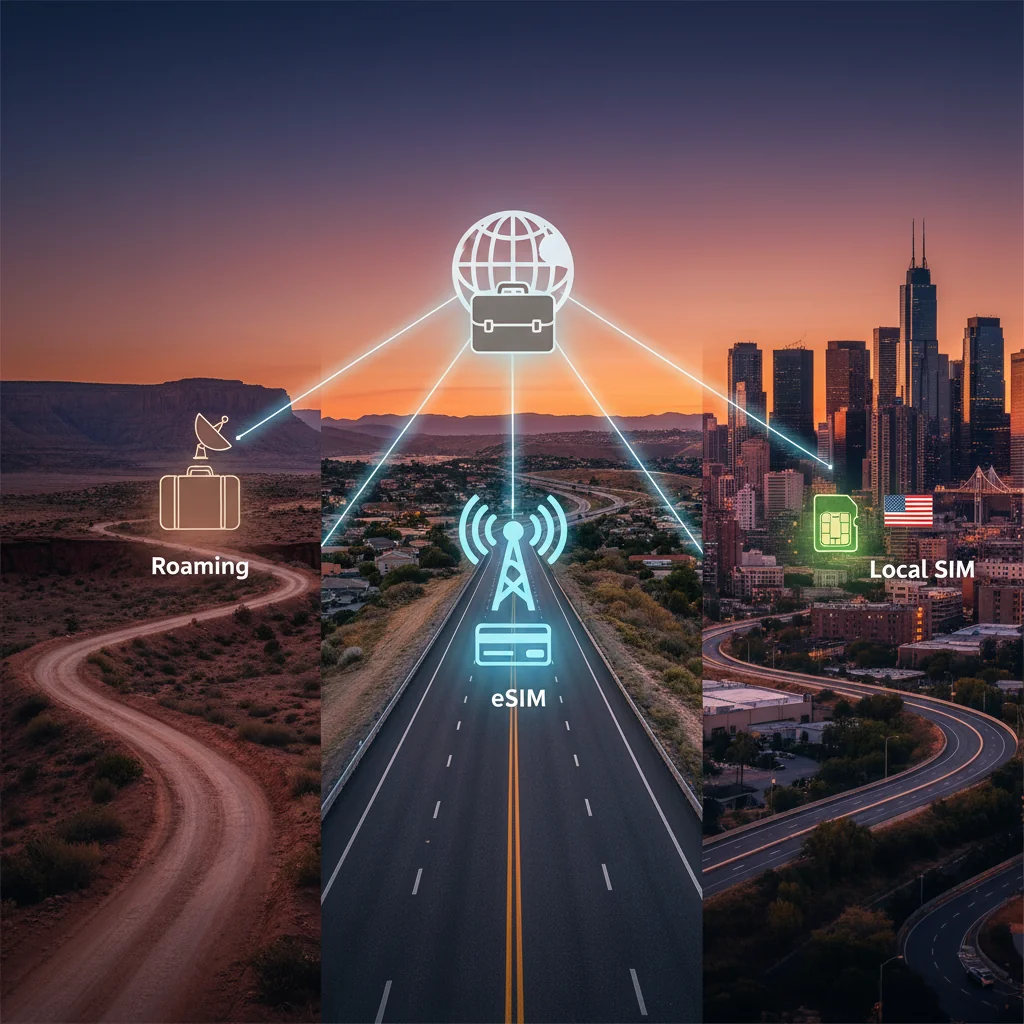
Cost Comparison: eSIM vs. Roaming vs. Local SIM for the USA
When planning international business travel, understanding the true cost and convenience of connectivity options is paramount. Let us compare the main choices for staying online in the USA.
| Feature | Home Carrier Roaming | Local Physical SIM | Cellesim eSIM |
|---|---|---|---|
| Cost (Average) | $10-$20+ per day for data bundles; high per-MB charges otherwise. | $25-$50 for plan + SIM card (can be higher at airports). | From $4.50 per GB (depending on plan duration/size). Highly flexible. |
| Convenience | Automatic, but often requires activation of expensive daily passes. | Requires finding a store, purchase, installation, and often registration. | Purchase and install from home. Activate instantly on arrival. No physical swap. |
| Keep Home Number | Yes, but can incur high charges for incoming calls/SMS. | No, requires swapping SIM cards. Your home number is inactive for calls/SMS. | Yes, use for calls/SMS while eSIM handles data. Dual-SIM functionality. |
| Installation Time | Instant (if activated). | 15-60 minutes (travel to store, purchase, setup). | 2-5 minutes (at home, pre-trip). |
| Network Coverage | Depends on your home carrier's roaming agreements. | Full access to the local network chosen. | Full access to top local networks (e.g., AT&T, T-Mobile) via Cellesim partnerships. |
| Flexibility | Limited plan options, often rigid. | Variety of local plans, but tied to specific carrier. | Wide range of data plans and validity periods. Easy top-ups. |
As this comparison illustrates, Cellesim eSIMs offer a superior blend of cost-effectiveness and unparalleled convenience for business travelers. You avoid the high costs of roaming and the logistical challenges of a physical SIM, ensuring you are connected seamlessly and affordably from the moment your feet touch US soil. Learn more about the advantages in our guide on airport SIM cards vs. eSIMs.
Step-by-Step Guide: Activating Your Cellesim eSIM for the USA
Ready to get connected? The process is surprisingly straightforward and takes less than five minutes. The golden rule: Install your eSIM at home with a stable Wi-Fi connection, but only activate it when you arrive in the USA.
Step 1: Purchase Your USA eSIM Plan Online
Choose the data package that fits your trip's duration and your estimated usage from a trusted provider like Cellesim. We offer various plans tailored for different data needs and trip lengths. Complete the purchase securely on our website, and you are on your way to seamless connectivity.
Step 2: Check Your Email for the QR Code
Almost immediately after purchase, you will receive an email containing a QR code and detailed instructions. This code is the key to installing your eSIM profile. Keep this email handy; you can either display it on another device (like a laptop or tablet) or print it out. If you only have one phone, you can find a guide on how to scan the QR code with one device.
Step 3: Install the eSIM Profile on Your Phone
This is where you will scan the QR code. The process varies slightly between iOS and Android, but the principle is the same. For detailed visual instructions, you can always reference our interactive setup guide or the complete installation guide.
For iPhone Users:
- Go to Settings > Cellular (or Mobile Data).
- Tap on Add eSIM or Add Cellular Plan.
- Select Use QR Code and scan the code from your email.
- Your phone will recognize the plan. Follow the prompts to add it. Ensure you install it while still on Wi-Fi at home.
For Android (Samsung/Pixel) Users:
- Go to Settings > Network & Internet.
- Tap the '+' icon next to SIMs or Mobile Network.
- Select Download a SIM instead? (or similar wording, e.g., "Add eSIM").
- Scan the QR code from your email and follow the on-screen instructions. Install while connected to your home Wi-Fi.
Step 4: Label Your New eSIM
Once installed, your phone will prompt you to label your new plan. This is a simple but incredibly useful step. Name it something clear like "US Business" or "USA Travel." This helps you easily distinguish it from your primary SIM, especially when you need to switch data sources or manage your cellular settings. For business travelers, clarity in settings saves time.
Step 5: Activate Upon Landing in the USA
This is the final, crucial step. As soon as you land and are permitted to use electronic devices, go back into your phone's cellular settings:
- Turn on your new "US Business" eSIM line.
- Turn on Data Roaming for this eSIM line. (Do not worry, with an eSIM, this does not incur extra charges; it is necessary for it to connect to local partner networks).
- Set your Cellular Data (or Mobile Data) to use your new eSIM line.
Within moments, your phone will connect to a local US network, and you will see signal bars appear. You are now online. For a comprehensive overview, refer to our 5-step guide to instant connectivity.
Pro Tips for Maximizing Your eSIM Experience in the USA
To ensure your business trip connectivity is as efficient as possible, consider these practical tips.
- When to Activate Your eSIM: The best time to activate your eSIM line is immediately upon landing in the USA. While you can install the profile at home, turning on the line and data roaming before you reach your destination might prematurely start your data allowance countdown or lead to connection issues if not in the target country. By activating upon arrival, you maximize your plan's validity. This is especially relevant for business trips with tight schedules.
- Data Saving Strategies: Even with a generous data plan, smart usage can extend its life. Connect to secure Wi-Fi networks whenever available (at your hotel, office, or client sites). Disable background app refresh for non-essential apps in your phone settings. For navigation, download offline maps of cities you will visit using apps like Google Maps. These practices help manage your data consumption effectively. Learn more about how to save data abroad.
- Using Your Phone as a Hotspot: Your Cellesim eSIM supports hotspot functionality, allowing you to share your data connection with your laptop or tablet. This is invaluable for working on the go. Be mindful of your data plan when using a hotspot, as it consumes data much faster than individual phone use. Ensure your plan has sufficient data if you intend to use this feature regularly for business tasks.
- Checking Data Usage and Top-Ups: Monitor your data consumption regularly through your phone's cellular settings or the Cellesim portal. If you anticipate needing more data than initially planned, Cellesim offers easy top-up options, ensuring you remain connected without interruption. For a detailed guide on checking usage and topping up, refer to this article.
Troubleshooting Common eSIM Connection Issues
Even with the best preparation, you might hit a snag. Here are solutions to the most common problems travelers face.
- Problem: My eSIM is not connecting after activation.
Solution: First, ensure Data Roaming is turned ON for your eSIM line in your phone's settings. This is a common oversight. Second, try restarting your phone. This simple action forces it to search for new networks and resolves 90% of connection issues. If that fails, check the APN settings provided in your confirmation email; sometimes they need to be entered manually in your phone's cellular settings under "Access Point Names." - Problem: I cannot find the 'Add eSIM' option in my settings.
Solution: This almost always means your phone is either carrier-locked or does not support eSIM technology. Contact your home carrier to verify your phone's status as unlocked. There is no workaround for a locked phone, which prevents the addition of any new carrier profile. Ensure your device is on the eSIM compatible devices list. - Problem: I accidentally deleted my eSIM profile.
Solution: Most QR codes are for a single installation. If you remove the eSIM from your device, you will likely not be able to reinstall it with the same code. In this situation, you must contact Cellesim customer support immediately. Our dedicated support team is available to assist with these kinds of emergencies and guide you through the next steps. - Problem: My data speed is slow.
Solution: Check your current location. Are you in a densely populated area or a building that might obstruct signals? Try moving to an open area. Sometimes, briefly switching your phone to airplane mode and then off again can force it to reconnect to a stronger tower. If issues persist, ensure your phone's software is up to date, as carrier updates often include network optimizations.
Frequently Asked Questions about USA eSIMs
Can I make calls and send SMS with my Cellesim USA eSIM?
Cellesim eSIMs primarily provide data connectivity. You can make calls and send SMS using internet-based apps like WhatsApp, Skype, or FaceTime. If you have a dual-SIM phone, you can keep your home physical SIM active for traditional calls and texts while using the eSIM for data.
What if my business trip extends beyond the eSIM's validity period?
If your trip extends, you can easily top up your existing Cellesim eSIM plan or purchase a new one. Cellesim offers flexible options to ensure you remain connected for the duration of your stay. Check your usage and available top-up options through the Cellesim portal.
Is an eSIM reliable for video conferencing during a business trip?
Yes, Cellesim eSIMs connect to top-tier US networks, providing reliable 4G/LTE and 5G speeds in most urban areas. This makes them suitable for video conferencing and other demanding business applications, provided you have sufficient data and a stable signal.
Can I use my eSIM on multiple devices?
An eSIM profile is tied to a single device for installation. However, you can use your eSIM-enabled phone's hotspot feature to share your data connection with other devices like laptops or tablets, effectively extending connectivity to your other gadgets during your business trip.
How do I know if my phone is truly unlocked?
The most definitive way to check if your phone is unlocked is to contact your current carrier directly and ask them. They can confirm its status. Alternatively, you can try inserting a SIM card from a different carrier; if it works, your phone is likely unlocked.
Is there customer support available if I encounter issues with my Cellesim eSIM in the USA?
Yes, Cellesim provides dedicated customer support. If you encounter any issues with your eSIM during your USA business trip, you can contact our support team at [email protected] for assistance. Our team is available to help troubleshoot and resolve connectivity problems.
Your Next USA Business Trip, Connected.
Eliminate connectivity worries and focus on your objectives. Experience seamless, cost-effective data from Cellesim.
Shop USA eSIM Plans NowJoin 50,000+ happy customers traveling with Cellesim.
For a multi-city business trip across the United States in 2026, the debate between eSIM vs. physical SIM is settled. The convenience, cost-effectiveness, and control offered by an eSIM are unmatched. It transforms your smartphone into a truly global device, eliminating the connectivity anxiety that can distract from the real purpose of your trip: getting business done. By taking a few minutes to prepare, you ensure that from the moment you land until you depart, you have the reliable data you need to be productive, navigate with ease, and stay in touch.
Your next business trip to the US does not have to start with a frantic search for Wi-Fi. It can begin with the quiet confidence of knowing you are already connected. The only thing left to do is hail your ride and head to your first meeting.