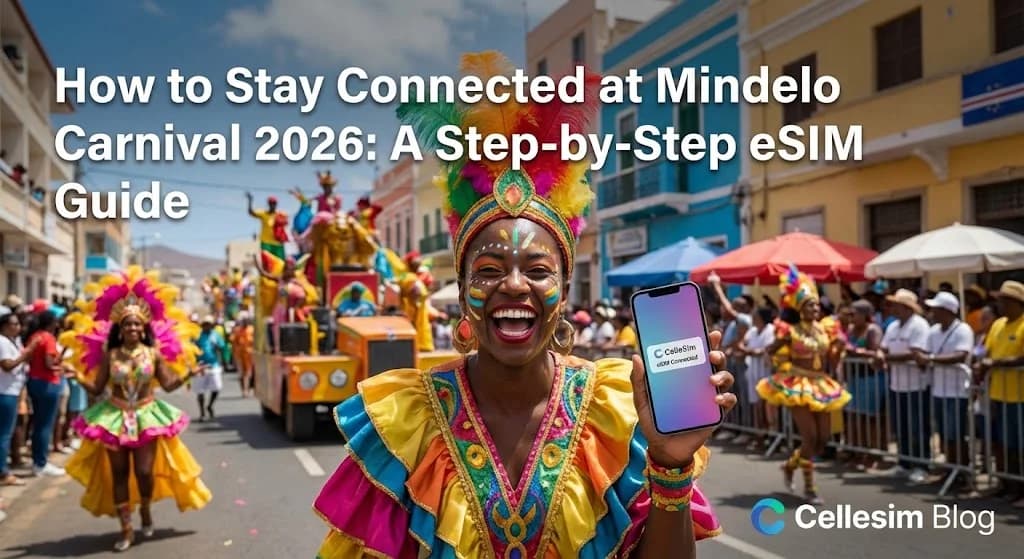
Imagine this: you’re in the heart of Mindelo, surrounded by the electrifying music and dazzling parades of the São Vicente Carnival. You capture the perfect video of a vibrant float, but when you try to share it, you see the dreaded “No Service” icon. Your friends are lost somewhere in the crowd, and you can't even send a simple “Where are you?” message. This is the connectivity nightmare that can turn a dream trip into a frustrating experience. For anyone planning to dive into this incredible celebration, a reliable eSIM for Mindelo Carnival 2026 isn't just a convenience; it's an essential tool. Forget hunting for Wi-Fi or getting hit with shocking roaming bills. This comprehensive, step-by-step guide to activate eSIM for Cape Verde will show you exactly how to get online the moment you land, so you can focus on what matters: the experience.
- Why Roaming with Your Home SIM is Risky for Mindelo Carnival
- Mindelo Carnival Connectivity: What You Need Before You Go
- Step-by-Step: Activating Your Cellesim eSIM for Mindelo Carnival 2026
- Maximizing Your Connectivity at Mindelo Carnival: Pro Tips
- Navigating Mindelo: Understanding Cape Verde eSIM Network Coverage
- Planning Your Data for Mindelo Carnival: How Much Do You Need?
- Connectivity Options Compared: eSIM vs. Local SIM vs. Wi-Fi for Mindelo Carnival
- Troubleshooting Common eSIM Issues During Mindelo Carnival
- Frequently Asked Questions
Stay Connected at Mindelo Carnival
Secure your high-speed data for Cape Verde now. Join 50,000+ happy customers who connect instantly in 200+ countries.
Get Your Cape Verde eSIM Today ⚡Why Roaming with Your Home SIM is Risky for Mindelo Carnival
Mindelo Carnival is an immersive experience, demanding your full attention for its vibrant parades and cultural events. The last thing you need is to be distracted by unreliable connectivity or excessive charges. Relying on your home SIM card for data roaming in Cape Verde, particularly during a peak event like Carnival, often leads to several significant drawbacks.
Firstly, roaming costs can be astronomical. Many international travelers have experienced "bill shock" after returning home, discovering that every megabyte used for sharing photos or navigating the city accrued charges far beyond their expectations. Mobile network operators typically charge premium rates for international roaming, making even casual usage expensive. Our Roaming Savings Calculator can provide a quick estimate of how much you might save with an eSIM.
Secondly, data speeds can be throttled. Even if your carrier offers an international roaming package, the data speeds provided might be significantly slower than what local users experience. This can hinder live-streaming carnival events, uploading high-resolution photos, or simply using navigation apps efficiently in crowded areas.
Finally, there's the inconvenience factor. Depending on your carrier and plan, setting up international roaming might involve calls to customer service or activating specific features before you travel. During Carnival, you want to be spontaneous, not tied to a limited data plan or worrying about your next bill. An eSIM bypasses these issues, offering transparent pricing and local speeds.
Mindelo Carnival Connectivity: What You Need Before You Go
To ensure a smooth and connected experience at Mindelo Carnival 2026, a bit of preparation is key. Here’s a checklist to help you get ready for your Cape Verde eSIM activation.
1. eSIM Compatible Device: The foundational requirement is an eSIM-compatible smartphone or tablet. Most newer models from Apple, Samsung, Google, and other major manufacturers support eSIM technology. It's crucial to verify your device's compatibility before purchasing an eSIM plan. You can use our eSIM Checker for quick verification.
2. Unlocked Phone: Your device must be unlocked by your home carrier. A locked phone cannot accept an eSIM from another provider. If you're unsure, contact your home carrier to confirm the unlock status.
3. Wi-Fi or Internet Connection: You will need a stable internet connection (Wi-Fi is ideal) to download and activate your eSIM profile. This is typically done either at home before you depart or upon arrival at the airport or your accommodation in Mindelo.
4. Cellesim eSIM Plan: Research and select a Cellesim eSIM plan for Cape Verde that aligns with your data needs and the duration of your trip to Mindelo. Consider how much data you anticipate using for navigation, social media, messaging, and sharing your carnival moments.
5. A Valid Email Address: Your eSIM QR code or manual activation details will be sent to your email. Ensure you have access to this email on a separate device (or print the QR code) for easy scanning.
Step-by-Step: Activating Your Cellesim eSIM for Mindelo Carnival 2026
Activating a Cellesim eSIM is designed to be straightforward, allowing you to get connected quickly and focus on the carnival. Follow these steps for a hassle-free setup:
- Purchase Your eSIM: Visit cellesim.com/en/esim-cape-verde and choose the data package that best suits your Mindelo Carnival trip. Complete the purchase process.
- Receive Your eSIM Details: Immediately after purchase, you will receive an email containing your eSIM QR code and manual activation instructions.
- Prepare for Activation: Ensure your phone is connected to Wi-Fi. It's often easiest to have the QR code displayed on another screen (like a laptop or another phone) or printed out.
- Add eSIM to Your Device:
- For iOS (iPhone): Go to Settings > Cellular (or Mobile Data) > Add eSIM. Choose "Use QR Code" and scan the code. Follow the prompts.
- For Android: Go to Settings > Network & Internet > SIMs > Add eSIM (or Download a SIM). Choose "Download it instead" or "Scan QR code" and scan. Follow the prompts.
- Label Your eSIM: Once installed, label your new eSIM (e.g., "Cape Verde eSIM" or "Carnival Data") to distinguish it from your primary SIM.
- Enable Data Roaming (for eSIM): Crucially, for your Cellesim eSIM, ensure "Data Roaming" is turned ON for the eSIM profile in your phone settings. This allows it to connect to local networks. Keep data roaming OFF for your home SIM to avoid unwanted charges.
- Select eSIM for Mobile Data: In your phone's cellular settings, select your Cape Verde eSIM as the primary line for mobile data. You can usually still use your primary SIM for calls and texts if needed, but ensure data is routed through the eSIM.
Maximizing Your Connectivity at Mindelo Carnival: Pro Tips
Mindelo Carnival brings large crowds, which can sometimes impact network performance. Here are some strategies to ensure optimal connectivity and usage of your eSIM:
- Download Offline Maps: Before venturing into the carnival crowds, download offline maps of Mindelo using Google Maps or similar applications. This helps with navigation even if data speeds fluctuate or you temporarily lose signal.
- Conserve Data: While an eSIM provides ample data, smart usage extends its life. Disable automatic app updates, limit background app refresh, and consider streaming video in lower resolution. Our Smart Data Calculator can help estimate your usage.
- Use Messaging Apps with Caution: During peak times, sending rich media (photos/videos) through messaging apps might be slow. Prioritize essential text messages for communication.
- Identify Wi-Fi Hotspots: While eSIM data is reliable, public Wi-Fi can supplement your usage in cafes, hotels, or some designated carnival areas. Use them for larger downloads or uploads when available.
- Keep Your Home Number Active for WhatsApp: With an eSIM, you can maintain your existing WhatsApp number, as it's tied to your phone number, not the active data SIM. This allows seamless communication with contacts back home. Learn more in our guide: Keep Your WhatsApp Number with a Travel eSIM.
Find Your Cape Verde eSIM Plan
Navigating Mindelo: Understanding Cape Verde eSIM Network Coverage
Understanding the local network infrastructure in Cape Verde, especially in Mindelo, is important for managing expectations during the carnival. Cape Verde has made significant strides in improving its telecommunications, but coverage can still vary.
In Mindelo, as the cultural capital and host of the major carnival, urban areas generally enjoy good 4G LTE coverage from major local carriers like CV Móvel and Unitel T+. These are the networks Cellesim typically partners with to provide high-speed data.
However, during events with massive crowds like the Mindelo Carnival, even robust networks can experience congestion. This means that while you will have connectivity, speeds might temporarily drop in very dense areas due to the high volume of users. It is a common occurrence in any major global event.
"Mindelo's carnival atmosphere is electric, and while connectivity is generally good in the city, managing expectations during peak times is key. An eSIM provides the flexibility to switch networks if one becomes too congested, something traditional SIMs often cannot do."
Cellesim eSIMs are designed to leverage the best available network in Cape Verde, ensuring you have the most reliable connection possible. This typically means access to 4G LTE in urban centers and along major routes. For specific coverage maps, you can check the websites of local operators such as CV Móvel or Unitel T+ for detailed information, although be aware that their maps may not reflect real-time congestion during the Carnival.
Planning Your Data for Mindelo Carnival: How Much Do You Need?
The amount of data you'll need for Mindelo Carnival depends heavily on your usage habits. Here’s a breakdown to help you estimate and choose the right Cellesim plan.
- Light User (1-3 GB for 7 days): If you primarily need data for navigation, checking emails, occasional messaging, and light social media browsing, 1-3 GB should suffice. This assumes you will rely on Wi-Fi at your accommodation.
- Moderate User (5-10 GB for 7 days): For those who plan to regularly share photos and videos, engage actively on social media, use ride-sharing apps, and make some video calls, 5-10 GB offers a comfortable buffer. Carnival is about sharing, so this is a popular choice.
- Heavy User (10+ GB for 7 days): If you intend to live-stream parades, upload extensive video content, work remotely, or have multiple devices sharing your connection, a plan with 10 GB or more is advisable.
Remember, downloading offline content (maps, music, movies) before your trip can significantly reduce your data consumption while in Mindelo. Cellesim offers various data packages for Cape Verde, ranging from smaller bundles for short trips to larger plans for extended stays or heavy use. Always consider the duration of your stay and your expected daily data activities.
Connectivity Options Compared: eSIM vs. Local SIM vs. Wi-Fi for Mindelo Carnival
When traveling to Mindelo for Carnival, several options exist for staying connected. Let's compare the most common choices:
| Option | Price (7 days) | Speed & Reliability | Setup & Convenience |
|---|---|---|---|
| Cellesim eSIM | From $4.50 (e.g., 1GB) | High Speed 4G/5G, Reliable | Instant online, No physical SIM, Activates before arrival |
| Local SIM Card | $10-20 + initial cost | High Speed 4G/5G, Reliable | Requires finding a store, registration, physical swap, local currency |
| International Roaming | $10-15+/day | Variable, often Throttled | Automatic, but very expensive, risk of bill shock |
| Portable Wi-Fi Hotspot | $50-100+ (rental) | Good, depends on device | Extra device to carry, charge, expensive rental, limited range |
| Free Public Wi-Fi | Free | Slow, Unreliable, Insecure | Limited availability, not suitable for active carnival exploration |
The table clearly illustrates that a Cellesim eSIM offers a balance of convenience, cost-effectiveness, and reliable high-speed data, making it an ideal choice for the dynamic environment of Mindelo Carnival. It sidesteps the issues of high roaming costs and the hassle of acquiring a local SIM card, letting you focus on the festivities.
Ready for Seamless Connectivity at Mindelo Carnival?
Join 50,000+ travelers in 200+ countries. Set up your Cape Verde eSIM in minutes and capture every carnival moment.
Start Your Connected JourneyTrusted by travelers worldwide. 24/7 Email Support: [email protected]
Troubleshooting Common eSIM Issues During Mindelo Carnival
While eSIMs are generally reliable, encountering minor issues is possible. Here are quick solutions for common problems you might face during Mindelo Carnival:
- "No Service" or "Limited Service":
- Check Data Roaming: Ensure data roaming is turned ON for your Cellesim eSIM profile and OFF for your home SIM.
- Network Selection: Sometimes, manually selecting the network can help. Go to Settings > Cellular/Mobile Data > eSIM > Network Selection, and toggle off "Automatic." Select one of the partner networks (e.g., CV Móvel, Unitel T+) from the list.
- Restart Your Phone: A simple restart can often resolve temporary network glitches.
- Slow Data Speeds:
- Congestion: As mentioned, carnival crowds can cause temporary slowdowns. Try moving to a less crowded area if possible.
- APN Settings: Rarely, APN settings might need adjustment. Cellesim eSIMs usually configure this automatically, but if instructed by support, you might manually enter "internet" as the APN.
- eSIM Not Activating:
- Internet Connection: Ensure you have a stable Wi-Fi connection during the initial setup phase.
- QR Code Scan: Double-check that the QR code is scanned clearly, with good lighting. If using manual entry, verify all details precisely.
- Device Compatibility: Confirm your phone is eSIM compatible and unlocked. Use the eSIM Checker if you haven't already.
- Contact Support: If you've tried these steps and are still experiencing issues, contact Cellesim support at [email protected]. They can provide specific troubleshooting steps or re-send your eSIM details.
Frequently Asked Questions
What is an eSIM and how does it work for Mindelo Carnival?
An eSIM is a digital SIM card embedded directly into your phone. For Mindelo Carnival, a Cellesim eSIM allows you to activate a local data plan for Cape Verde without needing a physical SIM card. You simply scan a QR code or enter details, and your phone connects to local networks, providing instant internet access.
Can I keep my home phone number while using a Cellesim eSIM in Mindelo?
Yes, absolutely. With a Cellesim eSIM, you can designate your eSIM for mobile data while keeping your primary physical SIM active for calls and texts on your home number. This is especially useful for retaining your WhatsApp number and receiving important calls.
Which devices are compatible with Cellesim eSIMs for Cape Verde?
Most modern smartphones, including recent iPhone models (iPhone XR and newer), Samsung Galaxy S/Note/Fold series, Google Pixel phones, and others, support eSIM. You can check your device's compatibility easily on our eSIM Compatible Devices page or using our eSIM Checker.
When should I activate my Cellesim eSIM for Mindelo Carnival 2026?
We recommend activating your Cellesim eSIM a day or two before you depart for Cape Verde. This ensures you have a stable Wi-Fi connection for setup and land in Mindelo already connected. The data validity period begins upon activation, so activate close to your travel date.
What if I run out of data during Mindelo Carnival?
If your data runs low, you can easily top up your Cellesim eSIM plan directly from your Cellesim account online. There's no need to find a local store or go through a complex process; simply purchase an additional data package and it will be applied to your existing eSIM profile.
Is Cellesim reliable for internet access during the busy Mindelo Carnival?
Cellesim partners with leading local network providers in Cape Verde to offer the best possible coverage and speed. While heavy network traffic during peak carnival times can affect speeds, your Cellesim eSIM is designed to provide robust connectivity, allowing you to stay online and share your experiences.
See also: Cape Verde eSIM