


For most average travelers visiting Europe for a week, 5GB of data is likely enough if managed judiciously, covering essential navigation, messaging, and light browsing. However, heavy streamers, video callers, or those relying solely on cellular data will find 5GB restrictive, requiring careful optimization or a higher data plan.
Understanding Your Data Appetite: A Technical Breakdown
Before we can determine if 5GB is sufficient, it's crucial to understand how modern smartphone applications consume data. This isn't just about megabytes, it's about the signaling overhead, the content delivery networks, and the varying codecs used for media. Most users significantly underestimate their daily data burn, often due to background processes or media auto-play features.
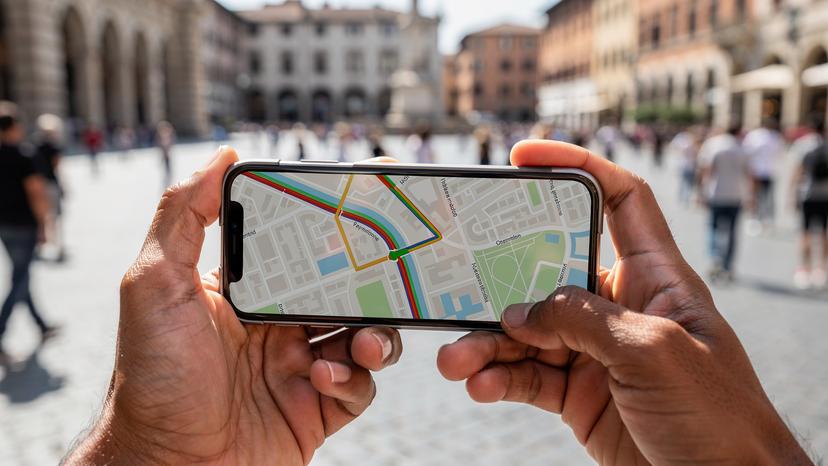
Consider, for instance, a typical Google Maps session. While the map tiles themselves are relatively small, live traffic updates, satellite view rendering, and route recalculations can quickly add up. A 30-minute navigation session might consume anywhere from 10MB to 50MB, depending on the complexity of the route and whether you're using cached maps (which I highly recommend pre-downloading).
Then there's social media. Instagram, with its autoplaying videos and high-resolution images, is a notorious data hog. Even a casual scroll through a feed for 15 minutes can easily chew through 50MB to 100MB. TikTok, with its constant video stream, can push past 200MB in the same timeframe. Contrast this with WhatsApp text messaging, which is incredibly efficient, typically using less than 1MB per hour of active chatting.
| Activity Type | Typical Data Consumption (per hour) | Equivalent 5GB Usage |
|---|---|---|
| Standard Web Browsing | 20 MB - 50 MB | 100-250 hours |
| Google Maps Navigation | 20 MB - 60 MB | 83-250 hours |
| Social Media (Scrolling photos/short videos) | 50 MB - 200 MB | 25-100 hours |
| Music Streaming (Standard Quality) | 60 MB - 100 MB | 50-83 hours |
| Video Streaming (Standard Definition) | 300 MB - 700 MB | 7-16 hours |
| Video Calls (e.g., WhatsApp, FaceTime) | 400 MB - 800 MB | 6-12 hours |
| Instant Messaging (Text only) | ~1 MB | 5000 hours |
When you aggregate these activities over a day, it becomes clear that casual usage can quickly escalate. An hour of streaming a playlist on Spotify, 30 minutes of Instagram, and an hour of Google Maps daily will consume around 200-300MB. Multiply that by seven days, and you're already at 1.4GB to 2.1GB. This leaves a decent buffer, but it also highlights how quickly a few video calls or a prolonged YouTube session can deplete your allowance.
The Difference Between Download and Upload Data
Most discussions focus on download speeds and consumption, but upload data is also a factor, especially for travelers sharing their experiences. When you post a photo to Instagram, upload a video to a cloud service, or participate in a video call, your device is transmitting data. While usually less voluminous than downloads, high-resolution uploads can still contribute significantly to your data tally.
For example, uploading a single high-resolution photo from a modern smartphone can be 5-10MB. A short 30-second 4K video clip can easily hit 100MB. If you're regularly backing up photos to Google Photos or iCloud while abroad, or live-streaming snippets to friends and family, these uploads count towards your 5GB cap. Some carriers, especially older ones, might even prioritize download over upload capacity on specific bands like B7 (2600 MHz TDD) in urban areas, leading to asymmetric performance.
The 5GB Benchmark: What Does It Really Mean for a Week in Europe?
5GB over seven days translates to an average of approximately 714MB per day. This daily budget needs to cover everything from navigation and communication to social media and light entertainment. For a traveler who primarily uses their phone for practical purposes, this is often sufficient. For others, it's a tight squeeze.
My general advice is to consider your primary use case. Are you a digital nomad needing constant connectivity for work calls, or a tourist primarily looking for directions and quick updates? The answer fundamentally changes your data requirements.
Let's consider a scenario: a traveler arrives at Charles de Gaulle Airport in Paris, activates their France eSIM, and needs to navigate to their Airbnb in Le Marais. They use Google Maps for 45 minutes, check WhatsApp for messages from the host, and quickly browse a local restaurant review site. This initial burst might consume 80-150MB. Over the next seven days, if they repeat similar usage patterns daily, add a few Instagram posts, and stream a short podcast, 5GB should hold up.
Your Personal Data Calculator: A Granular Approach
To get a more precise estimate, I've developed a simple calculator. Tally your typical daily usage for each category, multiply by 7 days, and you'll see where you stand.
| Activity | Estimated Data per Minute | Daily Minutes | Daily Data (MB) | Weekly Data (MB) |
|---|---|---|---|---|
| Maps/Navigation | 1 MB | 30 | 30 | 210 |
| Social Media (browsing) | 3 MB | 45 | 135 | 945 |
| Music Streaming | 1.5 MB | 60 | 90 | 630 |
| Video Streaming (SD) | 10 MB | 15 | 150 | 1050 |
| Video Calling | 12 MB | 10 | 120 | 840 |
| Messaging (text only) | 0.05 MB | 60 | 3 | 21 |
| Email/Light Browsing | 1 MB | 20 | 20 | 140 |
| TOTAL ESTIMATED WEEKLY DATA | - | - | 548 | 3836 |
As you can see from this example, a moderately active user could consume around 3.8GB in a week, leaving a buffer. But even a slight increase in video streaming or social media use could push them over 5GB. This highlights the importance of conscious data management while traveling.
The Impact of Background Data and App Updates
One of the silent data killers is background app refresh. Many apps, even when not actively in use, will fetch new content, update feeds, or synchronize data in the background. This can quickly deplete your allowance, especially if you have numerous apps enabled for background data.
Similarly, operating system and app updates are often set to download automatically. A typical iOS or Android update can be hundreds of megabytes, sometimes even several gigabytes. App updates, while smaller individually, can collectively consume significant data if you have many apps installed. These are updates you definitely want to defer until you're on a reliable Wi-Fi connection.
Optimizing Your eSIM Data Usage: Engineer-Grade Tips
Making 5GB last for a week requires a proactive approach. It's not about deprivation, but about intelligent usage and leveraging available resources.
- Pre-download Everything Possible: This is my number one tip. Before you leave your accommodation's Wi-Fi, download offline maps for your destinations (Google Maps, HERE WeGo), download Netflix or Spotify content, podcasts, and even guidebooks. This significantly reduces your reliance on cellular data for media consumption and navigation.
- Disable Background App Refresh: Go into your phone's settings and turn off background app refresh for most applications. Only enable it for essential messaging apps if you need instant notifications. This is a critical step to prevent silent data drain.
- Limit Video Consumption: Video streaming is the biggest data hog. Avoid streaming high-definition video on cellular data. If you must watch a video, opt for standard definition. Many apps like YouTube allow you to set quality preferences.
- Turn Off Auto-Play Media: Social media apps often autoplay videos by default. Disable this feature in settings for Instagram, Facebook, Twitter, etc. This ensures videos only load when you explicitly tap them.
- Use Data Saver Modes: Most modern browsers (Chrome, Safari, Firefox) and many apps (e.g., WhatsApp, Instagram) have data saver modes that compress images, videos, and web pages, reducing data consumption.
- Disable Automatic Cloud Backups: Ensure your phone isn't automatically uploading photos and videos to iCloud, Google Photos, or other cloud services over cellular data. Set these to Wi-Fi only.
- Monitor Data Usage Regularly: Both iOS and Android have built-in data usage monitors in their settings. Check these daily to understand which apps are consuming the most data and adjust your habits accordingly.
Specific App Settings for Data Conservation
- WhatsApp: Go to Settings > Storage and Data > Media Auto-Download. Set all options to 'Wi-Fi' or 'Never'. This prevents images, videos, and documents from automatically downloading over cellular.
- Google Maps: Download offline maps for your entire travel area. Go to your profile icon > Offline maps > Select Your Own Map.
- Spotify/Apple Music: Download playlists for offline listening. Ensure streaming quality is set to 'Normal' or 'Low' when on cellular data.
- Instagram/Facebook: In Instagram, navigate to Settings > Account > Cellular Data Use > toggle 'Data Saver' on. For Facebook, it's typically Settings & Privacy > Settings > Media > Video Quality > 'Data Saver' or 'Standard'.
The Role of Wi-Fi Offloading in Data Management
The most effective strategy for making 5GB last is intelligent Wi-Fi offloading. Europe, particularly in major cities, offers ubiquitous Wi-Fi, often free. Leverage it at every opportunity.
Think of hotel lobbies, cafes, public libraries, train stations, and even some public transport. While in Budapest, I've found reliable free Wi-Fi on the M3 metro line in the refurbished trains. Similarly, Deutsche Bahn ICE trains often have decent Wi-Fi, though performance can vary depending on network load and geographical signal strength (especially in tunnels). Use these connections to handle all your heavy data tasks: video calls, large downloads, system updates, and extensive social media browsing.

Public Wi-Fi vs. Cellular: Balancing Convenience and Security
While public Wi-Fi is a data saver, it comes with security implications. Unsecured public networks are often ripe for snooping. Always assume that traffic on public Wi-Fi can be intercepted. For sensitive activities like banking or accessing personal accounts, stick to your eSIM data connection, which is inherently more secure, or use a Virtual Private Network (VPN) over Wi-Fi.
A good rule of thumb: use public Wi-Fi for general browsing, map downloads, and non-sensitive communication. For anything requiring login credentials, especially financial transactions, switch back to your cellular eSIM data. It's a trade-off between data conservation and security, and the balance shifts based on the sensitivity of your activity.
eSIM Activation and Configuration: Avoiding Common Pitfalls
Activating your eSIM correctly is paramount to ensure you're actually using your purchased data and not inadvertently incurring roaming charges on your primary line. Many modern phones, particularly iPhones (since the iPhone 11 series) and newer Android flagships (like Samsung Galaxy S21 and beyond), support eSIM. However, some regional variants, especially from China or Hong Kong, might lack eSIM support, so always verify your device's exact model specifications.
One common pitfall involves the Access Point Name, or APN. For most Cellesim profiles, the APN settings are automatically configured. However, if you encounter connectivity issues, verifying the APN is a critical troubleshooting step. For instance, some older Android devices or specific carrier-locked models might default to an incorrect APN, leading to a loss of data connectivity despite a strong signal. The correct APN for most European carriers, when using a roaming eSIM, is often 'internet' or 'data'. If you're on a specific carrier like Vodafone in Germany, it might be 'web.vodafone.de', but for generic eSIMs, it's typically simpler.
Another crucial setting is Data Roaming. When your eSIM is active, ensure data roaming is enabled for that specific eSIM profile, and crucially, disabled for your primary physical SIM if you wish to avoid home carrier roaming fees. Your phone will usually allow you to select which SIM is used for mobile data.
Step-by-Step eSIM Activation & Data Prioritization
Here’s a general procedure for activating your eSIM and ensuring it's prioritized for data:
- Scan the QR Code or Enter Details Manually: Open your phone's Settings > Cellular (or Mobile Data) > Add eSIM (or Add Data Plan). Use your camera to scan the QR code provided by Cellesim or enter the SM-DP+ Address and Activation Code manually.
- Label Your eSIM: Once installed, immediately label your new eSIM profile something clear like “Europe Travel eSIM” or “Cellesim Europe”. This prevents confusion, especially if you have multiple eSIMs.
- Set Data Line: In Cellular (or Mobile Data) settings, find the option for 'Mobile Data' or 'Cellular Data' and select your newly labeled eSIM as the primary data line. Ensure your home SIM is set to 'Off' for data roaming, or 'Disabled' entirely if you don't need to receive calls/texts on it.
- Verify APN (if needed): If you have no data after activation, go to your eSIM's settings (under Cellular/Mobile Data) > Mobile Data Network (or Access Point Names) and ensure the APN is set correctly. Cellesim provides this in your activation instructions.
- VoLTE / VoWiFi Check: Note that many travel eSIMs provide data only. If you need voice calls, you'll rely on VoLTE (Voice over LTE) or VoWiFi (Voice over Wi-Fi) from your home carrier's physical SIM, or use VoIP apps like WhatsApp or FaceTime over your eSIM data. Verify your home carrier's VoLTE/VoWiFi roaming agreements before you leave, as not all carriers support this universally. This can be a significant gotcha if you expect to make traditional phone calls.
Carrier Network Performance in Europe: What to Expect
Europe boasts some of the most advanced mobile networks globally, with widespread 4G LTE and rapidly expanding 5G coverage. However, performance isn't uniform. In major cities like Berlin, Paris, or Rome, you can expect excellent speeds, often seeing 5G (on bands like n78, n1, n28) delivering download speeds of 200-500 Mbps and uploads of 30-80 Mbps. In rural areas, this can drop significantly to 4G LTE (B3, B7, B20) with speeds more in the range of 20-80 Mbps down and 5-20 Mbps up, or even lower in very remote locations.
| Country | Major Carrier | Typical 5G Download Range (Mbps) | Typical 4G LTE Download Range (Mbps) | Key 5G Bands | Key 4G LTE Bands |
|---|---|---|---|---|---|
| Germany | Deutsche Telekom, Vodafone, O2 | 150 - 600 | 30 - 150 | n78, n1, n3, n28 | B3, B7, B20, B1 |
| France | Orange, SFR, Bouygues Telecom | 100 - 500 | 25 - 120 | n78, n1, n3, n28 | B3, B7, B20, B28 |
| Italy | TIM, Vodafone, WindTre | 120 - 450 | 20 - 100 | n78, n1, n3 | B3, B7, B20, B1 |
| Spain | Movistar, Orange, Vodafone | 100 - 550 | 25 - 130 | n78, n1, n3 | B3, B7, B20, B1 |
| Netherlands | KPN, VodafoneZiggo, T-Mobile | 180 - 700 | 40 - 180 | n78, n1, n3 | B3, B7, B20, B1 |
These ranges are what you can generally expect. However, real-world performance is dynamic, influenced by factors like network congestion, your proximity to a cell tower, and the capabilities of your device (e.g., its support for carrier aggregation). A phone supporting 4x4 MIMO and LAA (Licensed Assisted Access) on relevant bands will consistently outperform one that doesn't, even on the same network.
For instance, while strolling through Rome's Trastevere neighborhood, I've seen Vodafone IT's 5G (n78) deliver 350 Mbps downloads near the Ponte Sisto, but just a few blocks deeper into the narrow, ancient streets, it dropped to 4G LTE (B3) with 60 Mbps due to building attenuation and lower cell density. These micro-environments are where data management truly matters.
Understanding Carrier Aggregation and Its Impact on Speeds
Carrier aggregation (CA) is a crucial technology that allows your device to use multiple frequency bands simultaneously to increase data speeds and capacity. For example, instead of just using band B3 (1800MHz), a phone with CA might combine B3 with B7 (2600MHz) and B20 (800MHz) to create a wider effective data pipe. This is especially prevalent in dense urban environments where carriers have deployed multiple frequency blocks.
When you see coverage maps promising 'up to X Mbps', this often assumes optimal CA configurations. Your real-world speed will depend on your device's CA capabilities and the specific bands available and aggregated by the network at your exact location. For many European networks, 3-band or 4-band CA is common on 4G LTE, significantly boosting performance beyond what a single band could offer.
When 5GB Is Not Enough: Scaling Up Your eSIM Plan
If your data calculator shows you're consistently exceeding 5GB, or if your travel style demands more data, there are several options. Cellesim offers a range of eSIM plans, including larger data packages (10GB, 20GB, or even unlimited) or plans with longer validity periods. Sometimes, a plan with 10GB for 15 days is more cost-effective per GB than 5GB for 7 days, even if you don't use the full 15 days.
Alternatively, you could consider topping up your existing eSIM if Cellesim offers that functionality for your specific plan. This allows you to add another block of data without buying a completely new plan. Always check the top-up options before purchasing your initial plan if you anticipate needing more data.
For instance, if you're attending the Summer Festival Circuit 2026, relying heavily on live-streaming and social media from various venues, a 5GB plan would be entirely insufficient. You'd likely need 15-20GB minimum for a week, especially if you're uploading high-resolution festival moments.
The Cost-Benefit Analysis of More Data
While 5GB plans are often the most economical entry point, compare the per-gigabyte cost of larger plans. Often, the incremental cost for doubling your data from 5GB to 10GB is less than double the price. This makes larger plans a better value if you're even slightly concerned about hitting your limit.
For example, if a 5GB/7-day plan costs €15, and a 10GB/15-day plan costs €25, the 10GB plan is significantly cheaper per gigabyte (€2.50/GB vs €3/GB) and offers more flexibility. This is where a little upfront planning saves frustration and potentially higher costs later. Don't forget to factor in the mental overhead of constantly monitoring your data usage versus simply having enough to not worry.
Data Security Considerations on Public Networks
I briefly touched on this, but it warrants a deeper dive, especially for tech-savvy travelers. When you connect to a public Wi-Fi network, you're essentially joining a shared local area network. Any malicious actor on that same network can potentially eavesdrop on your unencrypted traffic or even attempt to intercept your data through techniques like ARP spoofing or DNS hijacking.
This is why using a VPN (Virtual Private Network) is crucial on public Wi-Fi. A VPN encrypts your internet traffic, creating a secure tunnel between your device and a VPN server. This means even if someone intercepts your data on an unsecured Wi-Fi network, they won't be able to read it.
For instance, when I'm at the Gare du Nord in Paris and connect to the free Wi-Fi while waiting for my Eurostar, I always fire up my VPN before checking emails or anything beyond basic browsing. It's a small step that adds a significant layer of security to your digital footprint.
The Dangers of CGNAT and IPv6-Only Networks
Beyond Wi-Fi security, it's worth noting some cellular network quirks. Many travel eSIMs, especially those from MVNOs (Mobile Virtual Network Operators), might place you behind Carrier-Grade NAT (CGNAT). This means you don't get a unique public IPv4 address, but rather share one with many other users. While generally fine for typical browsing, it can complicate certain peer-to-peer applications, direct access to your home network, or setting up inbound connections. For most travelers, this isn't an issue, but if you run a portable server or have specific remote access needs, it's a factor.
Furthermore, some European carriers are increasingly deploying IPv6-only networks with IPv4 translation layers. While modern smartphones and apps handle this transparently, very old devices or niche applications might encounter compatibility issues. It's rare but good to be aware of the underlying network architecture.
Verifying eSIM Compatibility and Advanced Features
Not all phones are created equal when it comes to eSIM. While most flagship devices from the last few years support it, older models or certain regional variants might not. For example, some iPhones sold in mainland China do not have eSIM functionality, instead offering dual physical SIM slots. Always double-check your specific phone model's specifications before purchasing an eSIM.
Beyond basic compatibility, consider advanced features. Does your phone support 5G on the European bands (n78, n1, n3)? Does it support multiple active eSIMs (DSDA - Dual SIM Dual Active) or just one active eSIM at a time (DSDS - Dual SIM Dual Standby)? Most modern devices are DSDS, meaning you can have two SIMs (eSIM + physical SIM) active for calls/texts, but only one can be actively using cellular data at a given moment.
For instance, an iPhone 14 or newer can have multiple eSIMs stored and allows seamless switching between them, making it ideal for multi-country trips. Older Android phones might be more cumbersome. For a deeper dive into eSIM functionality, you might find our eSIM FAQ helpful.
Understanding Cellesim's Network Partners
Cellesim partners with top-tier local carriers across Europe to ensure robust coverage and speeds. For example, in Germany, this might mean leveraging Deutsche Telekom or Vodafone's infrastructure, which are consistently ranked among the best for network performance. In France, it could be Orange or SFR. These partnerships are critical because they dictate the actual radio access network (RAN) your device connects to, influencing your real-world experience regarding signal strength, speeds, and latency.
When purchasing an eSIM, it's always worth checking which underlying network operator Cellesim uses for your specific destination. This allows you to cross-reference with independent network performance reports (like those from Ookla or RootMetrics) for a more informed expectation of the speeds and reliability you can anticipate.
Final Analysis: Making Your 5GB Go the Distance in Europe
Ultimately, whether 5GB of data is enough for a week in Europe comes down to your personal habits and a conscious effort to manage your usage. For the average tourist who primarily uses their phone for navigation, messaging, and occasional social media updates, 5GB is a perfectly viable option, especially when augmented with smart Wi-Fi offloading. For more demanding users, or those who simply prefer not to think about data limits, a larger plan offers peace of mind.
The key takeaway is preparation: understand your data needs, pre-download content, and actively manage app settings. An eSIM from Cellesim offers unparalleled flexibility and cost-effectiveness compared to traditional roaming, but even the best tools require skillful handling. With a bit of foresight, your 5GB can easily carry you through a memorable European week, keeping you connected without breaking the bank or leaving you stranded without a map in a foreign city.
Frequently Asked Questions
How much data does Google Maps use per hour?
Google Maps uses approximately 20-60 MB per hour for active navigation, depending on whether you're using cached maps, live traffic updates, or satellite view. Downloading offline maps for your route can significantly reduce this consumption.
Can I make phone calls with a Cellesim data-only eSIM in Europe?
Most Cellesim eSIMs are data-only. For voice calls, you'll need to use VoIP (Voice over Internet Protocol) apps like WhatsApp, FaceTime, or Skype, which will consume data from your 5GB allowance. Traditional calls would require your home physical SIM with roaming or a local voice SIM.
What is the best way to save data on social media apps like Instagram and TikTok?
To save data on social media, disable video autoplay in the app settings, activate data saver modes, and avoid uploading high-resolution videos over cellular data. Consider waiting until you have Wi-Fi to browse extensive feeds or post heavy content.
Will my phone automatically switch to the eSIM for data in Europe?
After installing your eSIM, you must manually set it as your primary data line in your phone's cellular settings. Ensure data roaming is enabled for the eSIM and, crucially, disabled for your physical home SIM to avoid unexpected roaming charges.
What kind of speeds can I expect with an eSIM in major European cities?
In major European cities, you can expect excellent speeds, with 5G networks (on bands like n78) often delivering 200-500 Mbps downloads. 4G LTE (B3, B7) can provide 20-150 Mbps, though actual speeds vary based on network congestion and location.
Is using public Wi-Fi safe for sensitive activities while traveling?
No, public Wi-Fi networks are generally unsecured and not safe for sensitive activities like banking or online shopping. Always use your cellular eSIM data for such tasks, or connect to a VPN (Virtual Private Network) when using public Wi-Fi to encrypt your traffic.
Related reading
 Savings & Comparisons
Telkomsel eSIM for Indonesia: Tourist SIM vs. Family Digital Convenience 2026
Indonesia is calling, and with two kids in tow, reliable data isn't a luxury, it's the foundation of a peaceful vacation. This guide cuts through the noise, comparing Telkomsel's eSIM options against traditional tourist SIMs to ensure your family's devices, from iPads to Nintendo Switches, stay connected without breaking the bank.
 Ryan Mitchell
 Savings & Comparisons
eSIM vs International Plan: Why Smart Travelers Pick eSIMs in 2026
Forget the old debates about roaming. For seasoned travelers in 2026, the choice between an eSIM and an international roaming plan isn't really a choice at all. It's about flexibility, cost, and staying connected the moment your plane touches down, whether you're navigating the bustling streets of Shinjuku or the quiet alleys of Alfama.
 Emma Wright
 Savings & Comparisons
Is 5GB Data Enough for a Week Abroad? Your Real-World Needs in 2026
Trying to figure out if a 5GB eSIM plan will actually last you a week abroad? Most travelers overestimate their data needs. This guide breaks down real-world usage, helping you decide if 5GB is your sweet spot or if you need to bump it up. No fluff, just practical numbers.
 Mike Donovan