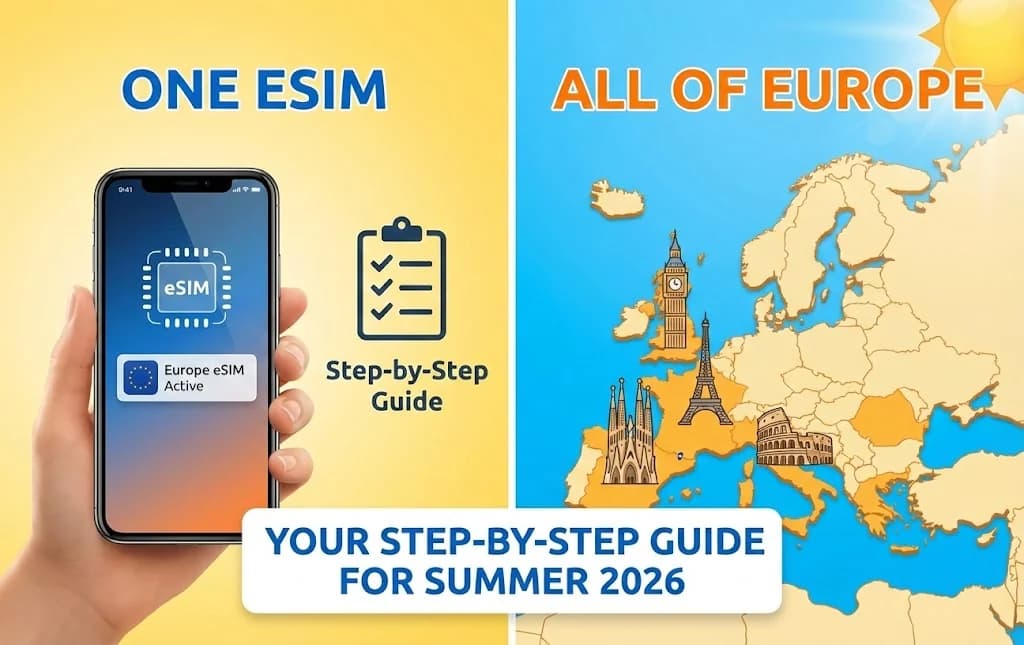
One eSIM, All of Europe: Your Step-by-Step Guide for Summer 2026
Summer 2026. Picture this: you’re sipping espresso in Rome, snapping photos in Paris, and hiking through the Bavarian Alps – all without ever swapping a tiny, fiddly SIM card or hunting for local Wi-Fi. Sounds like a dream, right? Well, thanks to the magic of eSIMs, it’s not just possible, it’s incredibly easy. Forget expensive roaming charges and the stress of staying connected; an eSIM is your passport to seamless connectivity across the European continent. This guide will walk you through everything you need to know to make your Summer 2026 European adventure brilliantly connected.
What Exactly is an eSIM and Why Do You Need One for Europe?
Let’s start with the basics. An eSIM, or embedded SIM, is a digital SIM card that’s built directly into your smartphone (and some tablets or smartwatches). Instead of a physical chip you insert into a tray, an eSIM is software-enabled. You activate it by scanning a QR code or entering details provided by your carrier, and just like that, you have a cellular plan. No physical swapping, no losing tiny cards, no unlocking your phone tray with a paperclip.
For a multi-country European trip, an eSIM is a game-changer. Here’s why:
- Seamless Country Hopping: Traditional SIM cards often lock you into one country or have exorbitant roaming fees. An eSIM designed for Europe covers multiple countries under one plan, meaning you cross borders without losing service or incurring extra costs.
- Cost-Effective: Travel eSIM providers, like Cellesim, offer competitive data packages that are often far cheaper than your home carrier's international roaming rates or buying individual local SIMs in each country.
- Convenience: Purchase, activate, and manage your plan all from your phone. No more searching for phone shops in a foreign city, dealing with language barriers, or worrying about finding the right SIM card size.
- Dual SIM Functionality: Most eSIM-compatible phones can use both a physical SIM (your home number) and an eSIM simultaneously. This means you can keep your home number active for calls/texts while using the eSIM for data in Europe.
- Instant Activation: Buy your eSIM online, activate it in minutes, and you're ready to go before you even land.
Is Your Phone eSIM Compatible? Check Before You Fly!
This is the crucial first step. While eSIM technology is becoming standard, not all phones support it. Generally, newer smartphone models (iPhone XS and newer, Google Pixel 3 and newer, Samsung Galaxy S20 and newer, etc.) are eSIM compatible. Always double-check your specific phone model’s specifications. A quick online search for “[Your Phone Model] eSIM compatibility” should give you a definitive answer. If your phone isn’t compatible, don’t despair! You’ll need to stick with a traditional physical SIM card for your trip, but an eSIM-compatible phone is a fantastic upgrade for future travels.
Step 1: Choosing Your European eSIM Provider (and Why Cellesim Stands Out)
The market for travel eSIMs has grown significantly, and choosing the right provider can feel overwhelming. Look for providers that offer:
- Extensive European Coverage: Ensure the eSIM covers all the countries you plan to visit.
- Flexible Data Packages: From a few gigabytes for light use to unlimited data for heavy streamers, choose a plan that fits your needs and trip duration.
- Clear Pricing: No hidden fees.
- Good Customer Support: Just in case you run into any issues.
- Reputation: Check reviews from other travelers.
This is where Cellesim travel eSIM shines. Cellesim offers excellent coverage across dozens of European countries, ensuring you stay connected whether you're in Portugal, Poland, or Greece. Their range of data packages caters to every type of traveler, from short city breaks to multi-month grand tours. With straightforward pricing and a user-friendly activation process, Cellesim makes staying connected in Europe incredibly simple. They also offer dedicated customer support, which is invaluable when you're thousands of miles from home.
Step 2: Purchasing Your eSIM Plan
Once you’ve chosen your provider (we recommend Cellesim for its reliability and coverage), purchasing your eSIM is a breeze:
- Visit the Provider’s Website: Navigate to the Cellesim website or their app.
- Select Your Destination(s): Choose a European regional plan that covers all the countries you intend to visit. Cellesim offers comprehensive Europe-wide plans.
- Choose Your Data Package: Consider your data usage habits. Are you just checking maps and messages, or do you plan to stream videos, make video calls, and upload tons of photos? Cellesim offers various options, from 5GB to unlimited data, and varying durations (7 days, 15 days, 30 days, etc.).
- Complete Your Purchase: Follow the prompts to pay securely online. You'll typically receive an email with your eSIM activation details almost immediately after purchase. This usually includes a QR code and manual activation instructions.
Pro Tip: Purchase your eSIM a few days before your departure. This gives you ample time to troubleshoot any issues without the added stress of being at the airport or already abroad.
Step 3: Activating Your eSIM (The Easy Part!)
You can activate your eSIM either before you leave home (recommended, especially if you want to test it) or once you land in Europe. The process is slightly different for iOS and Android, but both are very straightforward.
For iOS (iPhone):
- Go to Settings: Open your iPhone’s ‘Settings’ app.
- Tap ‘Cellular’ or ‘Mobile Data’: You'll see an option like 'Add eSIM' or 'Add Cellular Plan'.
- Scan QR Code: Choose 'Use QR Code' and scan the QR code provided by Cellesim in your purchase email. If you can’t scan it (e.g., if you’re doing this on the same phone that received the email), choose 'Enter Details Manually' and input the SM-DP+ Address and Activation Code provided.
- Label Your eSIM: Your phone will prompt you to label your new eSIM (e.g., "Europe Data," "Cellesim"). This helps you differentiate it from your primary physical SIM.
- Set Default Line (Optional): Your phone will ask which line to use for calls, messages, and mobile data. For data, select your new Cellesim eSIM. For calls/texts, you might want to keep your home number as primary (if you want to receive calls/texts on it).
- Enable Data Roaming: For the eSIM to work properly in Europe, you MUST enable data roaming for that specific eSIM. Go to 'Cellular' -> select your Cellesim eSIM -> toggle 'Data Roaming' ON. Don't worry, with a Cellesim Europe plan, this won't incur extra charges.
For Android (Google Pixel, Samsung Galaxy, etc.):
- Go to Settings: Open your Android phone’s ‘Settings’ app.
- Tap ‘Network & internet’ or ‘Connections’: Look for an option related to SIM cards or mobile networks.
- Tap ‘SIMs’ or ‘Mobile network’: Then select 'Add SIM' or 'Download a SIM'.
- Scan QR Code: Choose 'Download an eSIM instead' or 'Use 2 numbers' and scan the QR code provided by Cellesim. Again, if scanning isn’t possible, manually enter the details.
- Label Your eSIM: Give your new eSIM a recognizable name.
- Set Default for Mobile Data: In your SIM settings, ensure your new Cellesim eSIM is selected as the preferred SIM for 'Mobile data'.
- Enable Data Roaming: Go into the settings for your Cellesim eSIM and ensure 'Roaming' is turned ON.
Important Note: Only activate your eSIM when you have a stable Wi-Fi connection. Once activated, the plan's validity period usually starts when it connects to a supported network in Europe, or sometimes upon activation, depending on the provider. Cellesim’s plans typically start counting down once connected to a European network, giving you peace of mind.
Step 4: Managing Your Data and Staying Connected
Once your Cellesim eSIM is active, you’re good to go! But a few tips will help you manage your data effectively:
- Monitor Data Usage: Regularly check your data consumption. Most phone settings allow you to see which apps are using the most data. Cellesim also provides an easy way to check your remaining data through their app or website.
- Connect to Wi-Fi When Available: Always hop onto free, secure Wi-Fi in hotels, cafes, or public spaces to save your valuable eSIM data.
- Download Offline Maps and Content: Before you leave your accommodation, download offline maps (Google Maps, Maps.me) and any streaming content (Netflix, Spotify) over Wi-Fi.
- Disable Background App Refresh: This prevents apps from consuming data when you’re not actively using them.
- Top Up if Needed: If you find yourself running low on data, Cellesim typically allows you to easily purchase top-ups or extend your plan directly from their website or app, without needing to buy a whole new eSIM.
Troubleshooting Common eSIM Issues
While eSIMs are generally reliable, here are a few common issues and their solutions:
- No Service After Activation:
- Ensure Data Roaming is ON for your Cellesim eSIM.
- Restart your phone.
- Check your phone's APN settings (usually auto-configured, but sometimes needs manual adjustment – your provider like Cellesim will have instructions if needed).
- Ensure you have a strong signal in your current location.
- Slow Data Speeds:
- Check if you're in an area with poor network coverage.
- You might have used up your high-speed data allowance (some unlimited plans throttle speed after a certain usage).
- Restart your phone.
- Accidentally Deleted eSIM: Don't panic! Contact Cellesim customer support. They can usually re-issue your eSIM or provide a new QR code.
Beyond Summer 2026: The Future of Travel Connectivity
eSIM technology is here to stay and will only become more integrated into our travel experiences. As more devices become eSIM-compatible and providers like Cellesim continue to innovate with flexible, global plans, physical SIM cards will likely become a relic of the past for international travelers. Embrace the simplicity, cost-effectiveness, and convenience of eSIMs for your Summer 2026 European adventure, and you’ll wonder how you ever traveled without one.
So, pack your bags, download your Cellesim eSIM, and get ready to navigate the charming streets of Europe with confidence and connection. Bon voyage!