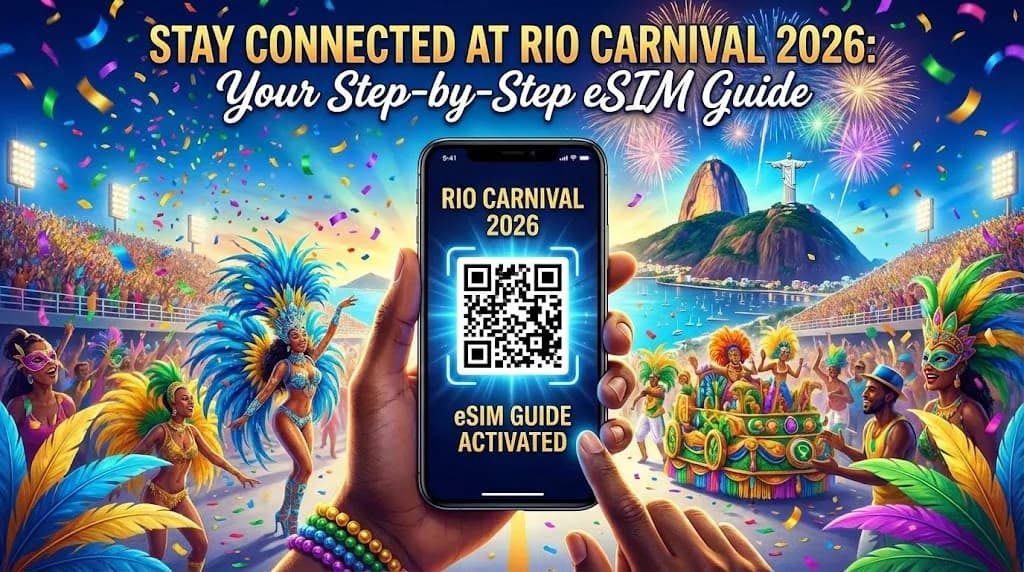
Stay Connected at Rio Carnival 2026: Your Step-by-Step eSIM Guide
Rio Carnival 2026 is calling! The pulsating samba rhythms, the dazzling costumes, the sheer unadulterated joy – it's an experience unlike any other. But amidst the revelry and the vibrant chaos, there's one thing you absolutely don't want to be: disconnected. Imagine trying to coordinate with friends, share your incredible photos and videos instantly, or navigate your way back to your accommodation without reliable internet. It's a recipe for stress, not celebration.
That's where eSIM technology comes in. Forget fiddling with tiny physical SIM cards, searching for local stores, or worrying about losing your home SIM. An eSIM offers a seamless, convenient, and often more affordable way to get online in Brazil. This comprehensive guide will walk you through everything you need to know about using an eSIM for Rio Carnival 2026, ensuring you stay connected from the moment you land until your final samba step.
Why an eSIM is Your Carnival Connection Hero
Before we dive into the how-to, let's understand why an eSIM is the ultimate travel companion for an event like Rio Carnival.
Convenience and Simplicity
With an eSIM, there's no physical card to insert or swap. The entire process is digital. You purchase a plan online, receive a QR code or activation details, and activate it directly on your compatible device. This means you can arrive in Rio already connected, avoiding the hassle of finding a local SIM card vendor, especially when you're jet-lagged and eager to hit the streets.
Cost-Effectiveness
Often, travel eSIMs offer competitive data plans tailored for tourists, which can be more affordable than international roaming charges from your home provider. Providers like Cellesim, for example, specialize in offering diverse and value-packed data plans specifically designed for travelers, ensuring you get the best bang for your buck without hidden fees.
Flexibility and Multiple Plans
Many modern smartphones support multiple eSIMs or a combination of a physical SIM and an eSIM. This allows you to keep your home number active (for receiving calls or texts) while using your travel eSIM for data. You can also switch between different eSIM plans if you're traveling beyond Rio or need more data unexpectedly.
Security
Without a physical card to lose, there's one less thing to worry about. Your eSIM profile is securely stored on your device, making it less susceptible to damage or theft than a tiny plastic card.
Is Your Phone eSIM Compatible?
This is the crucial first step. Most newer smartphones (released from around 2018 onwards) support eSIM technology. Here's a quick guide to check:
For iPhones:
- iPhone XS, XS Max, XR, and later models (iPhone 11, 12, 13, 14, 15 series) generally support eSIM.
- In some regions (e.g., US models of iPhone 14 and 15 series), physical SIM trays have been removed entirely, making eSIM your only option.
- To check, go to Settings > General > About. Look for "Available SIM" or "Digital SIM."
For Android Phones:
- Many Samsung Galaxy S20, S21, S22, S23, S24 series, Fold, and Flip models support eSIM.
- Google Pixel 3, 4, 5, 6, 7, 8 series and later support eSIM.
- Some Huawei, Xiaomi, and other brands also offer eSIM compatibility on their newer flagship models.
- To check, go to Settings > Network & Internet > SIMs (or Mobile Network). Look for an option to "Add eSIM" or "Download a SIM."
If you're unsure, consult your phone manufacturer's website or your device's manual. It's always best to confirm compatibility before purchasing an eSIM plan.
Choosing Your Rio Carnival eSIM Provider
The market for travel eSIMs has grown significantly, offering many options. When selecting a provider for Rio Carnival 2026, consider these factors:
Coverage in Brazil
Ensure the provider offers strong 4G/5G coverage in Brazil, specifically in Rio de Janeiro. Most reputable providers partner with major local networks like Claro, Vivo, or TIM, which have excellent coverage in urban areas.
Data Allowances and Validity
How much data do you need? For Carnival, you'll likely be sharing lots of photos, using navigation, and communicating with friends. A plan with at least 5GB for a week-long trip is a good starting point, but consider your usage habits. Also, check the validity period – does it cover your entire stay?
Pricing
Compare prices across different providers for similar data allowances and validity periods. Look out for any hidden fees.
Customer Support
In case you encounter any issues, reliable customer support is invaluable. Check if the provider offers 24/7 support via chat, email, or phone.
Ease of Activation
A straightforward activation process is key. Most providers use QR codes, which are simple to scan and activate.
Cellesim travel eSIM is an excellent option for travelers heading to Rio Carnival. They offer a range of flexible data plans specifically for Brazil, ensuring reliable connectivity with competitive pricing and straightforward activation. Their focus on travel makes them a strong contender for your Carnival connection.
Step-by-Step: Activating Your eSIM for Rio Carnival
Once you've chosen your provider (like Cellesim!) and purchased your plan, the activation process is generally quite similar across most devices and providers.
Step 1: Purchase Your eSIM Plan
Visit your chosen eSIM provider's website (e.g., Cellesim.com). Browse their Brazil-specific plans. Select the data allowance and validity that best suits your needs for Rio Carnival. Complete the purchase, and you will typically receive an email with a QR code or manual activation details.
Step 2: Prepare for Activation (Before You Leave Home!)
It's highly recommended to activate your eSIM before you depart for Brazil, or at least in a location with stable Wi-Fi. This avoids any last-minute stress upon arrival.
- Ensure your phone is unlocked (not tied to a specific carrier).
- Have access to a second device (another phone, tablet, or computer) to display the QR code from your email.
Step 3: Add the eSIM to Your Device
For iPhones:
- Go to Settings > Cellular (or Mobile Data).
- Tap "Add eSIM" or "Add Data Plan."
- Choose "Use QR Code."
- Scan the QR code provided by your eSIM provider using your phone's camera.
- Follow the on-screen prompts to label your new eSIM (e.g., "Brazil Data," "Carnival eSIM").
- When prompted, set your new eSIM as the primary line for cellular data. You can keep your home SIM active for calls/texts if desired.
For Android Phones (Steps may vary slightly by manufacturer):
- Go to Settings > Network & Internet (or Connections) > SIMs (or Mobile Network).
- Tap "Add eSIM" or "Download a SIM."
- Choose "Download it instead?" or "Scan QR code."
- Scan the QR code provided by your eSIM provider.
- Follow the on-screen prompts to label your eSIM and set it as the preferred option for mobile data.
Step 4: Configure Data Roaming and APN Settings (If Needed)
In most cases, modern eSIMs automatically configure the necessary settings. However, if you're not getting data, you might need to manually check:
- Data Roaming: Ensure data roaming is enabled for your new eSIM line. Go to your eSIM settings and toggle "Data Roaming" ON. This is crucial for international data usage.
- APN Settings: Your eSIM provider will supply APN (Access Point Name) details if manual configuration is required. You'll typically find this under your eSIM settings, often in "Access Point Names" or "Network Settings." Input the provided APN.
Remember, providers like Cellesim usually automate these settings, making it a truly plug-and-play experience.
Step 5: Test Your Connection
Once activated, turn off your Wi-Fi and try to browse the internet, send a message, or use a map app. If it works, you're good to go! If not, restart your phone and recheck the settings, especially data roaming and APN.
Tips for Maximizing Your eSIM Experience at Carnival
- Download Offline Maps: Even with reliable data, it's smart to download offline maps of Rio de Janeiro (e.g., from Google Maps) as a backup, especially for crowded areas where signals might be weaker.
- Conserve Data: Carnival photos and videos can eat up data. Utilize Wi-Fi whenever available (secure networks only!) and consider setting apps to update only over Wi-Fi.
- Keep Your Home SIM Active (Optional): If you want to receive calls or texts on your home number, keep that physical SIM or eSIM active and assign it for calls/texts, while your travel eSIM handles data. Just be mindful of potential roaming charges for calls/texts on your home plan.
- Monitor Data Usage: Most phones allow you to track data usage per SIM. Keep an eye on it to avoid running out unexpectedly.
- Power Bank is Essential: Using data, taking photos, and navigating will drain your phone battery quickly. A fully charged power bank is non-negotiable for Carnival days.
- Secure Your Phone: In the midst of Carnival crowds, phone theft can be an issue. Keep your phone secure and out of sight when not in use.
Troubleshooting Common eSIM Issues
While eSIMs are generally reliable, here are a few common issues and their solutions:
- No Data Connection:
- Check if "Data Roaming" is enabled for your eSIM.
- Verify that your eSIM is selected as the primary data SIM.
- Restart your phone.
- Ensure APN settings are correct (if manually entered).
- Contact your eSIM provider's customer support (e.g., Cellesim's support team).
- Slow Data Speed:
- This could be due to network congestion, especially in extremely crowded Carnival areas.
- Try moving to a less congested spot.
- Restart your phone.
- Confirm your phone is set to use 4G/5G (if available).
- QR Code Not Scanning:
- Ensure the QR code is clear and well-lit.
- Try scanning from a different distance.
- If all else fails, your provider usually offers manual activation details (SM-DP+ Address and Activation Code) which you can enter.
Conclusion: Dance, Share, and Connect at Carnival 2026
Rio Carnival 2026 is an extraordinary journey into the heart of Brazilian culture. By leveraging the power of an eSIM, you're not just buying data; you're investing in peace of mind, seamless communication, and the ability to share every breathtaking moment with the world. With providers like Cellesim making it easier than ever to get connected, you can focus on the spectacle, the music, and the infectious energy of the greatest show on Earth, knowing your digital lifeline is secure. Follow this guide, get your eSIM ready, and prepare for an unforgettable, connected experience in Rio!