
Why an eSIM is Your MVP for the Paris 2026 Summer Games
Attending the Summer Games in Paris with your family is a once-in-a-lifetime experience. But let's be honest, the logistics can be pretty daunting. From finding your way on the busy RER lines to locating your specific gate at Stade de France, staying connected isn't just nice to have, it's totally necessary. Your home carrier's traditional roaming plans are famous for their sky-high costs, especially when you're juggling multiple devices and the kids are inevitably streaming their favorite shows.
An eSIM, or embedded SIM, cuts through all that complexity and expense. Instead of fumbling with tiny physical SIM cards (a real pain with little hands around), you just download a digital profile to your compatible phone or tablet. This means you can keep your home number active for important calls and texts while using the eSIM for all your data needs in France, often for a fraction of the price.
For a family heading to a huge event like the Summer Games, an eSIM gives you amazing flexibility. You can buy a plan before you even leave home and activate it the moment you land at Charles de Gaulle. No desperate search for local SIM cards, no language barriers at a small telecom shop, just instant internet to kick off your vacation right. (Seriously, who needs more stress when you're already trying to manage two excited kids and seven suitcases?)
Dodging Roaming Fees and Hidden Costs
Let's be direct: carrier roaming fees are a trap, especially for families. One slip-up, one forgotten Wi-Fi toggle on an iPad, and you could face a bill that costs as much as your flights. I've seen it happen to friends, and trust me, their faces when that bill arrives are not medal-worthy. With an eSIM, you buy a set amount of data upfront, giving you total control over your spending. No surprise charges, no accidental data use from background apps, and no need to constantly watch usage like a hawk.
Many standard roaming plans also struggle with speed and reliability in another country, particularly during big events like the Summer Games when local networks are under huge strain. eSIM providers like Cellesim partner with top local carriers, giving you access to the same strong 4G and 5G networks that locals use. This means you get the best possible connection quality. This is super important for things like live map updates on Google Maps or Citymapper, checking event schedules, and, yes, keeping those little ones happy with a secure streaming connection.
Seamless Connectivity for Navigation, Ticketing, and Sharing
Imagine trying to find your way from your Airbnb in Le Marais to an Olympic archery event at Les Invalides, all while wrangling two energetic kids, without reliable data. That's a recipe for a parental meltdown. With an eSIM, your smartphone becomes your absolutely essential travel companion:
- Real-time Navigation: Whether you're on the Metro or walking through Paris's winding streets, apps like Google Maps or Apple Maps will be your best friends. Offline maps are helpful, but live traffic updates and transit changes are vital.
- Digital Tickets: Most Summer Games tickets, and many museum passes, are digital. You'll need dependable internet access to show QR codes at entry points. The last thing you want is a dead screen or no signal at the Louvre entrance.
- Communication: Staying in touch with family members (especially if you split up at a large venue), checking in with your accommodation, or making dinner reservations all depend on a stable internet connection. Apps like WhatsApp or Messenger are lifelines.
- Instant Sharing: From the incredible opening ceremony to your child's first taste of a French crêpe, you'll want to share those moments instantly with family and friends back home. Fast, reliable data makes sure those photos and videos upload without any problems.
Seriously, an eSIM is like having a digital tour guide, ticket agent, and babysitter all in one, but without the hefty price tag.
Choosing the Right eSIM Plan for Your Family: Data Demands & Device Decisions
Picking an eSIM plan isn't just about finding the cheapest gigabytes. For family travel, you need to understand your collective data needs, how many devices will be connected, and how to keep everyone happy (and connected). This is where my Facebook group for traveling parents really shines; we've traded enough horror stories about data overages to fill a book. The biggest mistake? Underestimating how much data two kids can burn through when they aren't on hotel Wi-Fi.

How Much Data Do You Really Need?
This is the million-dollar question. For a solo traveler, 10-20GB for a two-week trip might be enough. For a family, especially with kids who have their own devices, you'll need a lot more. Let's break it down:
- Adult Usage: Maps, social media, email, occasional video calls, ticketing, browsing, restaurant research. Roughly 3-5GB per week per adult.
- Kid Usage: This is the wild card. Streaming Disney+, YouTube Kids, Roblox, Minecraft, online gaming on a Nintendo Switch, video calls with grandparents. This can easily chew through 5-10GB per day per child if you don't manage it.
Based on extensive (and sometimes painful) personal experience, I recommend planning for a minimum of 50-70GB for a family of four for a two-week trip to Paris, assuming two adults and two children. If your kids are heavy streamers or gamers, play it safe and consider plans in the 80-100GB range. Remember, it's always better to have a little too much data than to run out when you're trying to find the nearest public restroom in a foreign city!
Many Cellesim plans offer flexible choices, from 30-day plans with generous data allowances to regional Europe-wide bundles that cover not just France but neighboring countries if you're planning a side trip. This is key if you're thinking of zipping over to Belgium for some waffles or a quick train ride to Germany.
Unlimited vs. Fixed Data Plans: Which is Better for Families?
Unlimited data plans sound amazing, and for heavy users, they can be. But always read the fine print. "Unlimited" often comes with a fair usage policy, meaning after a certain amount (e.g., 50GB), speeds might slow down. For a family sharing a single hotspot, this could mean sluggish performance for everyone. Still, for peace of mind, an unlimited option can be worth it if the slowdown threshold is high enough.
Fixed data plans (e.g., 50GB, 100GB) give you a clear limit, which can be easier to manage and budget for. You know exactly what you're getting, and you can keep an eye on usage to ensure you don't hit the limit too soon. My personal preference leans towards a high-capacity fixed plan, as it encourages a bit more awareness about data consumption, especially for the kids. Plus, you can often top up if you start running low.
| Plan Type | Pros for Families | Cons for Families | Recommended For |
|---|---|---|---|
| Fixed Data (e.g., 50GB, 100GB) | Predictable costs, easier budgeting, encourages data mindfulness. | Risk of running out if not monitored, requires more active management. | Families with moderate to heavy usage, who can monitor data. |
| Unlimited Data | Peace of mind, no fear of overages, ideal for heavy streaming. | Often comes with speed throttling after a high usage threshold, typically more expensive. | Families with very high data needs (multiple streamers/gamers), less concerned about peak speeds. |
| Regional Europe Plan | Covers multiple countries (e.g., France, Germany, Italy), perfect for multi-leg trips. | May have slightly less data for the same price compared to single-country plans, if you only need France. | Families visiting Paris and then traveling to other European destinations. |
Multi-Country Plans: Beyond Paris and the Games
Planning to extend your European adventure past Paris? Maybe a high-speed TGV train ride through the French countryside, or a hop over to Rome after the Games? Many eSIM providers, including Cellesim, offer regional plans that cover multiple European countries. This is super handy for families, as one eSIM handles all your data needs across borders, saving you the trouble of buying a new local SIM in each country. For example, our Europe-wide eSIM plans are perfect for travel from Paris to, say, Italy, or even further afield.
Pre-Trip eSIM Setup: Essential for Kids' Devices & Peace of Mind
The best time to set up your eSIM and get your family's devices ready is before you even get on the plane. Trust me on this. Trying to fix network issues with a jet-lagged toddler clinging to your leg is not my idea of a fun vacation start. A little planning goes a long way, especially when it comes to keeping those crucial entertainment devices working.
Installing eSIMs on Your Devices
This is surprisingly simple. Most modern smartphones (iPhone XS and newer, many Android flagships) support eSIMs. For devices like iPads or other tablets that have cellular capabilities, check if they support eSIM. Apple iPads from the 7th generation onwards, for example, often do.
- Purchase Your eSIM: Head to the Cellesim website, choose your desired data plan for France or Europe, and complete the purchase. You'll usually get a QR code or manual activation details by email.
- Scan the QR Code: On your main smartphone, go to Settings > Cellular/Mobile Data > Add eSIM or Add Data Plan. Scan the QR code you received. Follow the steps on the screen. For iPhones, our iPhone 15 eSIM Guide offers a full checklist.
- Label Your Plans: This is a small but mighty tip! Once installed, name your new eSIM line something clear like "Paris Data" or "Travel eSIM." This helps avoid confusion with your home line.
- Repeat for Kids' Cellular Devices (If Applicable): If your children have cellular-enabled iPads or other tablets that support eSIM, you can install separate eSIMs on their devices if you want them to have independent internet. Or, you can just plan to use your phone as a hotspot.
- Defer Activation (Optional): Many eSIMs let you install them at home but wait to activate them until you arrive at your destination. This is a great feature for planning ahead.
Pre-Loading Essential Apps and Content
Before you leave, make sure all essential apps and entertainment are downloaded onto every device that needs them, especially the kids' iPads and Nintendo Switches. This reduces how much your data plan gets used for downloads once you're in Paris.
- Offline Maps: Download offline maps for Paris and nearby areas in Google Maps or Apple Maps. This is a lifesaver when you're underground on the Métro or in an area with a weak signal.
- Entertainment: For the kids, download movies and TV shows from Disney+, Netflix, and YouTube Kids onto their devices. Make sure their favorite games are fully updated and any in-app content is downloaded. (We learned this the hard way when my youngest wanted to play a new Minecraft world that needed a 2GB download in the middle of a train journey.)
- Translation Apps: Download offline language packs for Google Translate or iTranslate.
- Travel Apps: Metro/RER apps (like Bonjour RATP), ticketing apps for attractions, and any Summer Games specific apps.
By pre-loading, you cut down on unexpected data usage and keep everyone happy when Wi-Fi isn't available.
Managing Data Across Multiple Devices: The Family Hotspot Strategy
When you're traveling with kids, everyone has a device. Or two. Or three. Managing that many individual eSIMs can get expensive and complicated. My favorite strategy for family trips is to pick one main device (usually my phone, since it's always with me) as the mobile hotspot, sharing data with all other devices. This lets me buy a single, larger data plan that serves the whole family, instead of buying separate plans for each iPad and phone.
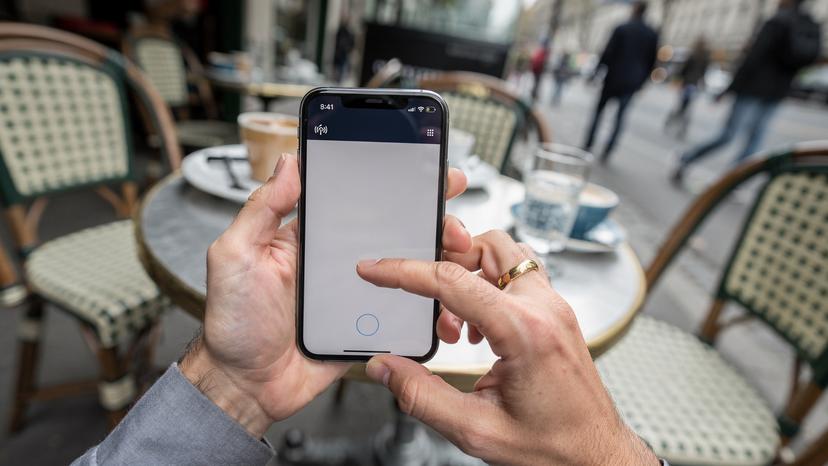
Setting Up a Mobile Hotspot
Once your eSIM is active on your main phone, setting up a personal hotspot is quick and easy:
- Enable Personal Hotspot: Go to your phone's Settings > Personal Hotspot (on iPhone) or Hotspot & Tethering (on Android).
- Set a Strong Password: Create a unique, strong password. You don't want strangers at the Summer Games venues using your precious data.
- Connect Other Devices: On the kids' iPads, Switch, or other family phones, go to Wi-Fi settings, find your hotspot's name, and enter the password.
- Monitor Usage: Most phones let you see which devices are connected and how much data they're using from your hotspot. Keep an eye on this, especially when the kids are streaming.
This method combines your data usage, making it easier to track and ensuring everyone benefits from the same strong connection.
A Data Plan Sized for Two Kids Streaming Disney+
This is where it gets real. My kids, bless their hearts, consider Disney+ an essential part of their day. Streaming standard definition video uses about 0.7 GB per hour, while HD can go up to 3 GB per hour. If you have two kids, each streaming in HD for, say, two hours a day (think quiet time in the hotel, long Métro rides, or a much-needed distraction in a queue), that's 12 GB per day just for Disney+. Add in some Roblox, TikTok (if they're old enough), and general browsing, and you can see why a 50GB plan for a two-week trip quickly becomes too little.
For this situation, I highly recommend a plan with at least 100GB of data for a two-week trip for a family of four (two adults, two streaming kids). This gives you a buffer for unexpected usage and lets you use your phone's hotspot generously without constant worry. Consider Cellesim's larger regional data packages, which are often more economical per GB than smaller, single-country plans, and cover France and beyond.
If you have multiple devices connected via hotspot, make sure to adjust streaming quality settings on the kids' devices to standard definition to conserve data. Most streaming apps allow you to do this in their settings.
Connectivity at Venues and Beyond: What to Expect
Paris during the Summer Games will be bustling, and while the atmosphere will be electric, network congestion can be a real issue. Knowing what to expect regarding connectivity at the Olympic venues, on public transport, and even on a Seine River cruise can help manage expectations and ensure you're always ready.
Connectivity Inside Theme Parks, Cruise Ships, and Stadiums
While Paris itself isn't known for theme parks, if your itinerary includes a day trip to Disneyland Paris or a river cruise on the Seine, understanding connectivity is key. Similarly, the Summer Games venues will be packed, putting huge stress on local networks.
- Summer Games Venues: Expect heavy network congestion. While local carriers (Orange, SFR, Bouygues Telecom) will definitely boost capacity, thousands of people all trying to upload selfies and make calls at the same time can slow things down. Having a robust 4G/5G eSIM connection will give you a big advantage over those relying on spotty public Wi-Fi.
- Disneyland Paris: Inside the parks, cellular coverage is generally good, but again, large crowds can cause slowdowns. They do offer Wi-Fi, but it can be unreliable. Your eSIM will be crucial for managing the Disney Parks app (for wait times and mobile ordering) and keeping the kids entertained in lines.
- Seine River Cruises: On the river, cellular signal is generally strong, especially near the banks. However, deeper inside some enclosed cruise boats, signals might weaken. An eSIM will provide better continuous service than relying on the boat's potentially slow or non-existent Wi-Fi.
The main takeaway here is: don't rely solely on public Wi-Fi in high-traffic areas. Your personal eSIM connection will be much more reliable and secure.
Public Transport and Underground Connectivity
Paris's Métro system is extensive and efficient, but underground sections traditionally meant losing signal. Luckily, significant upgrades have been made, and most Métro lines now offer 4G and even 5G connectivity throughout the tunnels and stations. The RER commuter trains also generally have good coverage, though some deeper rural sections on longer routes might experience drops.
Regardless, having your eSIM active means you can keep using navigation apps, checking live train schedules, and entertaining the kids even while zooming under the city. This is invaluable when you're trying to figure out if you're on the right line to get to the Olympic aquatic center in Saint-Denis.
Parental Controls: Making Your eSIM Line Kid-Friendly
As a parent, managing screen time and content is a constant struggle, even at home. When you're abroad, with new content and potential distractions, it becomes even more important. The good news is that many parental control features work perfectly with an eSIM line, giving you peace of mind.

Device-Level Parental Controls
The most effective parental controls are usually managed directly on the child's device. These settings don't depend on the network or eSIM being used, meaning they'll work whether the device is on Wi-Fi or your Cellesim data plan.
- Screen Time (iOS): On iPhones and iPads, Apple's Screen Time features let you set content restrictions, app limits, communication limits, and downtime schedules. You can also block explicit content and restrict web content.
- Family Link (Android): For Android devices, Google Family Link offers similar strong controls, letting you manage app usage, filter content, and track device location.
- Nintendo Switch Parental Controls: The Switch also has built-in parental controls you can access through the Nintendo Switch Parental Controls app on your phone, allowing you to set play time limits and restrict communication.
Always make sure these are set up and tested before your trip. The eSIM simply provides the internet connection that these controls use. For extra security, especially on public Wi-Fi, remember that Cellesim eSIMs often include a free VPN, which can add an extra layer of privacy for your kids' browsing.
Monitoring and Managing Data Usage
While parental controls handle content and screen time, managing data usage is where your eSIM provider and device settings come into play. If you're using a hotspot, your phone will show data usage by connected devices. If your kids have their own cellular-enabled tablets with individual eSIMs, you can:
- Check Data Usage in Settings: On iOS, go to Settings > Cellular/Mobile Data and scroll down to see data usage per app. On Android, go to Settings > Network & internet > Internet > Data warning & limit.
- Set Data Warnings/Limits: Both iOS and Android let you set warnings or hard limits for data usage on individual lines. This is incredibly useful for stopping kids from accidentally using up all their data allowance.
- Cellesim App/Dashboard: Many eSIM providers, including Cellesim, offer an app or online dashboard where you can check your data balance in real-time and easily top up if needed. This is your best friend for staying on top of family data consumption.
Knowing how to find your eSIM number can also be helpful for managing specific lines if you have multiple eSIMs installed across different devices.
Troubleshooting Common eSIM Issues While Abroad
Even with the best planning, sometimes things go wrong. A little troubleshooting know-how can save you a lot of stress when you're abroad, especially when dealing with connectivity issues that affect the entire family's data. Most eSIM problems are fairly minor and easy to fix.
No Service or Slow Data
If you've landed in Paris and your eSIM isn't connecting, or your data is incredibly slow, here's a quick checklist:
- Check eSIM Activation: Double-check in your phone's settings that your Cellesim eSIM profile is enabled and chosen for cellular data. Sometimes it switches back to your primary SIM.
- Restart Your Device: The classic tech solution, but it works! A quick reboot can often fix minor network glitches.
- Check APN Settings: In rare cases, especially with Android devices, you might need to manually set up the APN (Access Point Name) settings. Your eSIM provider's support page will have the correct details.
- Toggle Airplane Mode: Turn Airplane Mode on for 30 seconds, then off again. This forces your phone to re-scan for networks.
- Manual Network Selection: Go to Settings > Cellular/Mobile Data > Network Selection. Turn off automatic selection and manually pick one of the major French carriers (Orange, SFR, Bouygues Telecom).
- Contact Support: If nothing else works, reach out to Cellesim's customer support. They're usually very quick to respond and can help diagnose specific issues.
Running Out of Data Mid-Trip
This is every parent's nightmare, especially when the kids are in the middle of an important game or movie. If your family data plan is running low faster than expected:
- Check Cellesim Dashboard: Log into your Cellesim account via Wi-Fi (hotel, cafe, or free public Wi-Fi). Most providers show your remaining data balance and offer easy top-up options.
- Purchase a Top-Up: Select an additional data package. Cellesim usually offers various sizes, from small emergency top-ups to larger bundles, and the process is instant.
- Conserve Data: While waiting for a top-up to activate, make sure all devices are set to data-saver mode, disable background app refresh, and remind the kids that streaming is on hold.
Proactive monitoring using your phone's built-in data usage trackers and the Cellesim app is the best way to prevent this.
Making the Most of Your Paris Adventure: Beyond the Games
While the Summer Games will be the main attraction, Paris offers so much more for families. Your reliable eSIM connection will be your key to discovering these experiences, from exploring historic neighborhoods to finding hidden gems that will make your trip truly unforgettable.
Exploring Beyond the Venues: Day Trips and Cultural Immersion
Don't let the Games take up your entire trip. Paris and its surroundings are full of family-friendly activities. Your eSIM will be essential for planning and finding your way on these excursions:
- Versailles: A day trip to the Palace of Versailles is easy to do by RER. Use your data to check train times, download audio guides for the palace, and find the best spots for a picnic in the gardens.
- Musée d'Orsay or Cité des Sciences et de l'Industrie: Pre-book tickets online using your eSIM data to skip lines, and use museum apps for interactive exhibits. The Cité des Sciences is especially great for kids.
- Montmartre and Sacré-Cœur: Navigate the winding streets, find the best crêpe stand, and share stunning panoramic views with friends back home.
- Normandy D-Day Beaches: For older children, a profound day trip to the D-Day landing beaches can be incredibly impactful. Your eSIM ensures you have reliable navigation and access to historical information on the go.
From the grandeur of the Louvre (remember to pre-book!) to a simple stroll along the Seine, connectivity ensures you can make spontaneous decisions and change your plans on the fly, which is crucial when traveling with kids.
Staying Connected with Home: Video Calls and Updates
Even with all the excitement, it's natural to want to check in with loved ones back home. Your Cellesim eSIM makes this effortless. High-quality video calls on WhatsApp, FaceTime, or Zoom use a lot of data, so it's smart to do these over Wi-Fi when possible. However, having a strong data plan means you can send quick updates, photos, and messages without hunting for a Wi-Fi signal.
Sharing your daily adventures, from the thrill of an Olympic event to a quiet moment in a Parisian park, becomes part of the travel experience. And let's be honest, those video calls with grandparents where the kids show off their latest souvenir are priceless. An eSIM ensures those connections are always just a tap away, keeping everyone in the loop and making your Summer Games experience truly global.
Frequently Asked Questions
Can my kids' iPads or Nintendo Switch use an eSIM for data in Paris?
Yes, if your kids' iPads are cellular-enabled and support eSIM (most from 7th generation onwards do), you can install an eSIM directly on them. Nintendo Switch devices do not support eSIM functionality, so they would need to connect via a mobile hotspot from an eSIM-enabled phone or tablet.
How much data should a family with two streaming kids plan for during the Paris Summer Games?
For a two-week trip with two adults and two children who stream regularly (e.g., Disney+, YouTube Kids), I recommend a minimum of 80-100GB of data. Streaming in HD can consume 3GB per hour per device, so a higher allowance provides peace of mind.
Will my parental control settings on devices still work with an eSIM?
Absolutely. Parental control features like Apple Screen Time or Google Family Link operate at the device level, independent of the network. The eSIM simply provides the internet connection over which these controls function, ensuring your settings remain effective.
Is connectivity reliable inside the Summer Games venues or on the Paris Métro with an eSIM?
Major French carriers (Orange, SFR, Bouygues Telecom) have significantly improved Métro coverage, with most lines offering 4G/5G. At crowded Summer Games venues, an eSIM provides a more stable connection than public Wi-Fi, though high congestion might still cause some slowdowns. Your personal eSIM ensures you're prioritized on the network.
Can I use one eSIM to provide data for my entire family's devices?
Yes, the most common and cost-effective way is to install a high-capacity eSIM on one adult's smartphone and then use that phone's mobile hotspot feature to share data with all other family devices, including kids' iPads and other phones. This centralizes data management and usage.