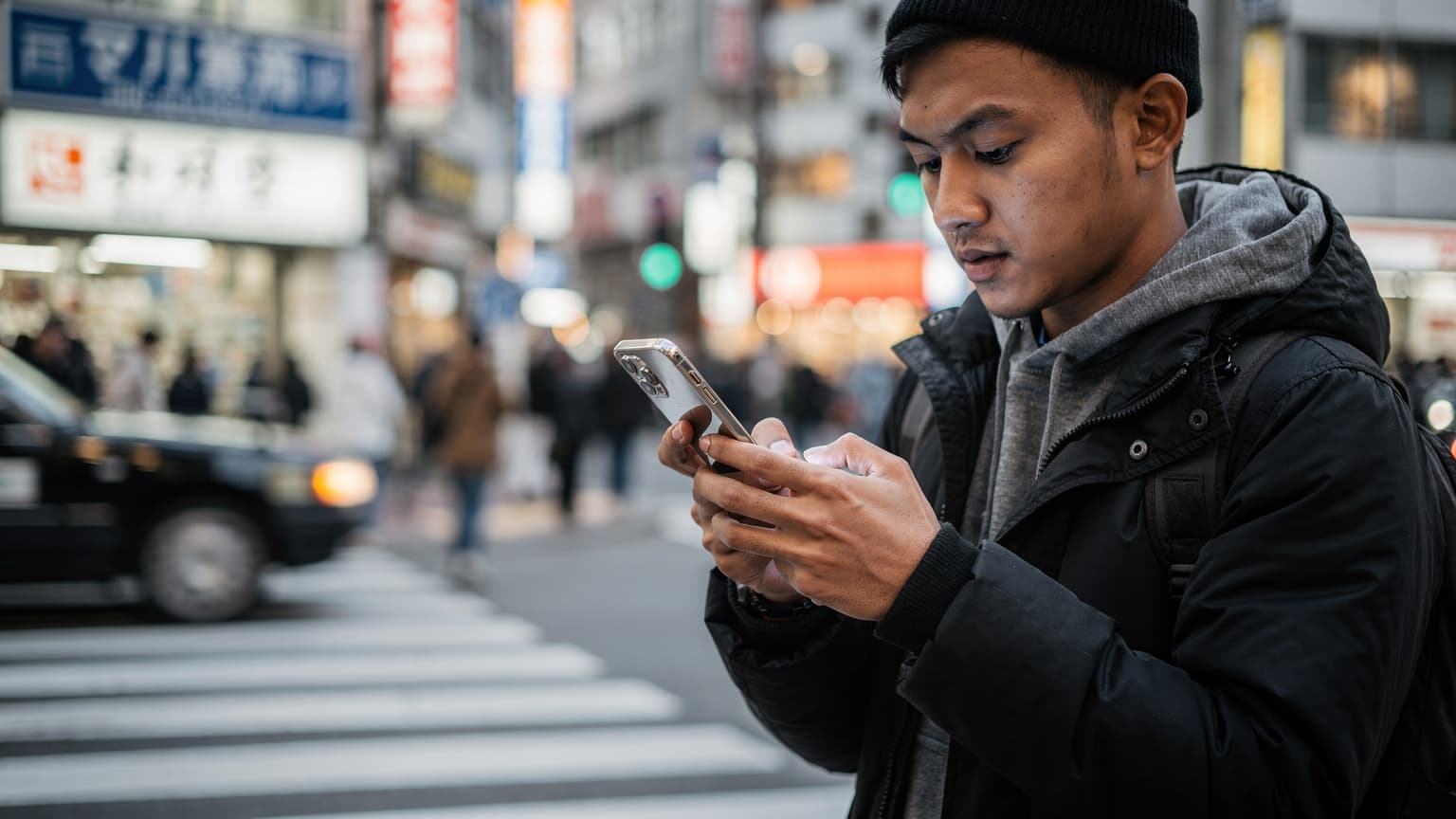
Kenapa eSIM Axis Jadi Pilihan Digital Nomad?
After four years of living life as a nomad, bouncing between countries every few months, I've had more than my fair share of physical SIM card dramas. You know the drill: land at the airport, stand in line at a counter, sometimes even needing a valid visa just to buy a local SIM. Then there's the constant swapping of cards, the fear of losing one, or having to carry that tiny ejector pin everywhere. Honestly, it's exhausting.
So, when eSIMs started gaining traction, I jumped on board immediately. Axis, being one of Indonesia's local operators offering eSIMs, became an appealing choice, especially for short transits or when I needed a local number for specific apps. Remember, some banking apps in countries like Brazil or India (for Aadhaar) often require an active local number. This isn't just about data, it's about digital identity. So, having an eSIM option from a home operator is crucial.
Years ago, on my first short work trip to Singapore at WeWork Funan, I only needed data for a few days. I didn't want the hassle of buying a local SIM. Luckily, Axis already had some international eSIM offers then, though they were limited. Now, the options are far more numerous and competitive. The ability to activate data even before landing is what truly makes my nomadic life much calmer. No more frantic searches for airport WiFi that's usually slow or ridiculously expensive.
Keunggulan eSIM Axis yang Membuat Hidup Lebih Mudah
As a digital nomad, I always pay attention to a few key points when picking a data provider. eSIM Axis, while still a newer player in the international arena compared to global giants, offers some notable advantages:
- No Physical Card Needed: This is a no-brainer and my absolute favorite part. No more ejector pin drama, no more SIM cards getting lost in my wallet. Just scan a QR code, and you're good to go.
- Flexible Packages: Axis offers various data package options, both for local and international use. You can pick one that fits your duration and data needs. This is important because I often only need 5-10GB for a week in Bangkok, not an overpriced monthly plan.
- Competitive Pricing (in the Local Market): For several Southeast Asian destinations, Axis's international package prices can be quite competitive. Of course, you'll want to compare it with global eSIM providers like Cellesim, but Axis definitely has its own appeal.
- Easy Online Activation: You can buy and activate your eSIM from anywhere, even before you leave. This saves so much time and stress upon arrival. I once had to sprint to a SIM counter at Changi Airport at 2 AM because of a delayed flight, and that's an experience I never want to repeat.
Kendala dan Keterbatasan yang Harus Diperhatikan
But, of course, nothing is perfect. There are a few things you should keep in mind before deciding to use eSIM Axis for international travel:
- Network Coverage: Although Axis is part of the XL Axiata group, its international reach isn't as robust as global operators. Make sure your destination country is on Axis's coverage list and check their roaming partners. You don't want to pay for a plan only to have spotty signal, like I experienced in some remote parts of Vietnam.
- International Package Availability: The selection of international packages might not be as extensive as dedicated international eSIM providers. This can be an issue if you need a very specific data plan or for a long duration (say, a full month in Europe).
- Customer Support: In my experience, local operator customer support can sometimes be unprepared for international roaming issues. When I was in Kuala Lumpur, I had an activation problem, and it took a long time to get a response. And I really needed it for School Holiday 2026: Explore Southeast Asia with a Smart, Hassle-Free eSIM!.
Cara Beli eSIM Axis untuk Perjalanan Internasional
Buying an eSIM Axis is actually pretty straightforward, especially if you're already familiar with cellular operator apps in Indonesia. The process isn't much different from buying a regular data package, except the output is a QR code or activation code.
I always recommend buying and activating it while you're still in Indonesia, or at least at an airport with stable WiFi. I once tried to buy one when I was already abroad, and my VPN network was acting up, so the transaction kept failing. What a pain, right?

Langkah demi Langkah Pembelian via Aplikasi AXISNet
This is the method I recommend most, as it's the fastest and most integrated with your Axis account:
- Download and Open the AXISNet App: Make sure you have the AXISNet app on your phone. If not, download it from the Google Play Store or Apple App Store.
- Log In to Your Account: Sign in with your Axis number.
- Select "Buy Package" or "International" Menu: Look for the option to buy data packages. There's usually a specific category for "International" or "Roaming."
- Choose Destination Country and Duration: You'll be asked to select your destination country and how long you plan to be there. Package options will be tailored accordingly.
- Select the Appropriate eSIM Package: Carefully review the data package options (e.g., 5GB for 7 days, 10GB for 14 days, etc.). Pay attention to the quota, validity period, and price.
- Complete Payment: You can pay using Axis credit, digital wallets (OVO, GoPay, DANA), or other available payment methods.
- Receive eSIM Activation Code: After successful payment, you'll get an email or in-app notification containing your eSIM's QR code and/or manual activation code. Keep this code safe.
Alternatif Pembelian Melalui Situs Web
If you prefer not to use the app, or if there's an issue with it, the Axis website can also be an alternative. The process is pretty much the same, just with a different interface:
- Visit the Official Axis Website: Access the Axis website via your computer or phone browser.
- Find the Roaming/International Section: There's usually a navigation menu at the top or bottom of the page.
- Follow Package Selection Steps: Just like in the app, choose your destination country, duration, and the package you want.
- Complete Payment: Make your payment using the available methods.
- Get Activation Code: The QR code and/or manual activation code will be sent to the email address you registered.
Aktivasi eSIM Axis: Panduan Praktis Anti Ribet
This is the part that often makes people nervous, but it's actually super easy. The key is to make sure your phone supports eSIM and has an internet connection (WiFi or other cellular data) during activation. Don't wait until you're in the middle of a forest in Chiang Mai to try and activate it, because it won't work. (I learned this the hard way, luckily there was a small cafe with fast WiFi in a nearby village).
Aktivasi via Scan QR Code (Paling Cepat)
This method is the easiest and most recommended:
- Ensure Your Phone is Connected to the Internet: This is mandatory. You need an internet connection to download the eSIM profile.
- Open Cellular Settings:
- iPhone: Go to Settings > Cellular > Add Cellular Plan.
- Android (varies): Go to Settings > Network & Internet > SIMs > Add eSIM or Download a SIM.
- Scan the QR Code: Use your phone's camera to scan the QR code you received after purchase.
- Follow On-Screen Instructions: Your phone will guide you through downloading and activating the eSIM profile. Name your eSIM (e.g., "Axis International") so it's easy to identify.
- Select eSIM as Primary Data Network (Optional): Once active, you can choose the Axis eSIM as your primary cellular data source when abroad. This is important to avoid using expensive roaming data from your Indonesian physical SIM (if it's still active).
Aktivasi Manual (Jika QR Code Bermasalah)
Sometimes, QR codes can be damaged or unreadable. Don't panic, there's a manual option:
- Ensure Your Phone is Connected to the Internet.
- Open Cellular Settings as above.
- Select the "Enter Details Manually" or "Use Activation Code" Option.
- Enter the SM-DP+ Address and Activation Code: This information is usually included with the QR code in your email.
- Follow On-Screen Instructions.
- Select eSIM as Primary Data Network (Optional).

Review Pengguna eSIM Axis di Berbagai Negara
As someone who frequently shares tips in digital nomad WhatsApp groups, I've heard many stories about eSIM Axis. Experiences vary, but there's a pattern that emerges.
Singapura: Koneksi Cepat di Pusat Kota
Singapore boasts some of the best telecom infrastructure globally. My friends and I have found eSIM Axis works really well here, especially in urban areas like Marina Bay, Orchard Road, or even at the Lau Pa Sat food center. I used it for School and Eid al-Adha Holidays 2026: Explore Popular Southeast Asian Destinations with a Hassle-Free eSIM!, and the signal was stable. 4G/5G connections are super fast, enough for lag-free WhatsApp video calls during client meetings. However, in underground MRT stations or some older buildings in Chinatown, the signal can weaken a bit. Not a major problem, but something to remember if you rely on non-stop connection.
Malaysia: Cukup Baik di Kuala Lumpur
In Kuala Lumpur, eSIM Axis also performs quite well. I often work from Regus One Mont Kiara, and the signal there is strong. For exploring Batu Caves or walking around Bukit Bintang, the connection remains stable. However, when I went to Penang, especially in George Town, there was sometimes a slight drop in speed. This doesn't mean it's unusable, just not as fast as in KL. For Google Maps navigation or checking Instagram, it's still perfectly adequate. Apartment rental prices in Mont Kiara are around MYR 2,500-3,500 per month, so reliable connectivity is crucial for saving on co-working costs.
Thailand: Bisa Diandalkan di Bangkok
Bangkok is a digital nomad's paradise. I often stay in the Sukhumvit area and work from True Digital Park. eSIM Axis works well there. For getting around the city on the BTS Skytrain or MRT, the signal is pretty good. Even when I went to Chiang Mai, the signal in the Old City area was quite solid. However, if you plan to visit remote islands like Koh Lipe, don't expect too much. Even local SIMs struggle with signal there. This isn't Axis's fault, but more about the infrastructure in remote locations. My total monthly expenses in Bangkok, including apartment rent in Sukhumvit, are around 15,000-25,000 THB, quite affordable as long as you manage your internet costs wisely.
Vietnam: Perlu Diperhatikan Area Pedesaan
In Ho Chi Minh City and Hanoi, eSIM Axis works fairly well, especially in the city center. I often go to Think Space in HCMC, and the connection is stable. But, when I took road trips to Da Lat or explored the countryside around Hoi An, the signal could be very unstable. This is a common experience with many roaming operators in Vietnam. So, if your plans involve a lot of rural exploration, consider buying a local SIM upon arrival as a backup.

Perbandingan eSIM Axis vs. Provider Lain untuk Luar Negeri
Choosing an eSIM is like picking a travel buddy, it has to be a good fit. I often compare Axis with global eSIM providers like Cellesim, or even other local operators like eSIM XL. Each option has its pros and cons, depending on your needs.
Axis vs. Cellesim: Siapa yang Lebih Unggul?
This comparison frequently pops up in nomad groups. Axis, as a local operator, has its own advantages, especially if you have a primary Axis number and need access to banking services or apps tied to your Indonesian number. But Cellesim has other undeniable strengths.
| Fitur | eSIM Axis | Cellesim |
|---|---|---|
| Cakupan Internasional | Terbatas, terutama di Asia Tenggara dan beberapa negara populer. | Global, mencakup 200+ negara dan wilayah. |
| Harga Paket | Kompetitif untuk beberapa destinasi tertentu, terutama di Asia. | Sangat kompetitif untuk paket global dan regional. |
| Fleksibilitas Paket | Pilihan durasi dan kuota bervariasi, tapi mungkin kurang spesifik untuk kebutuhan jangka panjang. | Pilihan paket yang sangat beragam, dari harian hingga bulanan, dengan kuota fleksibel. |
| Kemudahan Pembelian & Aktivasi | Mudah melalui aplikasi AXISNet atau situs web. | Sangat mudah melalui aplikasi atau situs web, proses cepat. |
| Dukungan Pelanggan | Dukungan lokal, mungkin kurang familiar dengan isu roaming kompleks. | Dukungan multibahasa, fokus pada masalah konektivitas internasional. |
| Kebutuhan Nomor Lokal | Bisa mempertahankan nomor Axis lokal Anda. | Hanya menyediakan data, tidak termasuk nomor telepon lokal (kecuali paket khusus). |
If you need your Indonesian number to stay active for bank OTPs or app verification, eSIM Axis could be an option. But if your main priority is wide coverage and efficient data pricing across many countries, eSIM Vietnam from Cellesim or their global plans often offer better value. I frequently use Cellesim for trips to Europe or Latin America because of its broad coverage, while I use Axis to keep my Indonesian number active during a Bali Road Trip 2026: Stable Signal in Remote Areas of the Island of Gods with Local or Global eSIM?.
Axis vs. eSIM XL: Perang Operator Lokal di Kancah Internasional
XL Axiata is Axis's parent company, so they share a lot of infrastructure. However, in the eSIM market, they often have slightly different offerings. I've also discussed eSIM XL vs. Cellesim: A Fast & Affordable Internet Duel for Adventurers 2026 before.
| Fitur | eSIM Axis | eSIM XL |
|---|---|---|
| Fokus Pasar | Menargetkan segmen yang lebih muda dan harga terjangkau. | Menargetkan pasar yang lebih luas, termasuk korporat dan individu. |
| Pilihan Paket Roaming | Pilihan cukup baik, tapi mungkin lebih fokus pada paket data. | Pilihan paket roaming yang lebih beragam, termasuk voice & SMS. |
| Jangkauan Internasional | Mirip dengan XL, menggunakan partner roaming yang sama. | Cakupan luas di banyak negara, dengan mitra roaming yang solid. |
| Harga | Cenderung sedikit lebih murah untuk paket data tertentu. | Bervariasi, kadang ada promo menarik untuk paket roaming. |
Generally, the differences between eSIM Axis and XL for international roaming aren't huge because they share infrastructure. However, you might find slight variations in pricing or package bundles. Always check the latest offers from both before deciding.
Tips Hemat Kuota dan Atasi Masalah Umum eSIM Axis
So you've bought and activated your eSIM Axis, but your data is disappearing too fast? Or suddenly, the signal is gone? Here are some tips from my years of experience on the road.

Strategi Menghemat Data ala Digital Nomad
Data is expensive, especially when roaming. I have a few tricks to extend the life of my data plan:
- Turn Off Automatic App Updates: This is a data killer. Disable automatic updates in the App Store/Play Store, and also background app refresh for non-essential apps.
- Download Offline Content: Before you leave, download maps (Google Maps offline), movies/series (Netflix/Disney+), music (Spotify), and books (Kindle) to enjoy offline. This is incredibly helpful during transits or in places with bad signal.
- Use WiFi Whenever Available: At cafes, co-working spaces (like Hubud in Bali), or accommodations. In Ubud, the WiFi at cafes like Anomali Coffee or Seniman Coffee is usually strong and free. Take advantage of it to download large files or back up data.
- Limit Video Streaming: Watch YouTube or TikTok at a lower resolution. Better yet, wait until you have WiFi.
- Browser Data Compression: Some browsers have data compression features that can save a little bit of data usage.
Atasi Masalah Umum Aktivasi dan Sinyal
Technical issues are bound to happen. Don't panic, here are some quick solutions:
- Restart Your Phone: Cliché, but it often works. It refreshes your network connection.
- Check APN Settings: Sometimes the APN isn't configured automatically. Check the Axis website for the correct roaming APN settings and enter them manually.
- Select Network Manually: In cellular settings, you can manually choose Axis's partner operator. Try them one by one if the automatic signal isn't stable.
- Ensure Data Roaming is Active: This is often forgotten! In your cellular settings, make sure "Data Roaming" for your Axis eSIM is turned on. Without this, no data will come through.
- Contact Customer Support (as a Last Resort): If all else fails, contact Axis customer support. Make sure you have another number (or WiFi access) to reach them.
Destinasi Populer dengan eSIM Axis: Pengalaman Saya Sendiri
I've used eSIM Axis on several of my trips, and some destinations have left a lasting impression.
Bali: Tetap Terhubung di Pulau Dewata
Even though Bali is home, I often travel off-island and return. Activating iPhone 17: Bali eSIM Activation Before Landing, Save Rp200 Thousand! is always my habit before landing. In Bali, Axis has pretty good coverage, especially in southern areas like Canggu, Seminyak, or Ubud. At co-working spaces like Dojo Bali in Canggu, or Hubud in Ubud (before it closed), the connection was very stable. Even on some remote beaches in Uluwatu, the 4G signal was reliable. This is important for coordinating with fellow nomads who are also often moving around.
Jepang: Perlu Strategi Khusus
When I went to Japan, I used eSIM Axis as a secondary number to keep my Indonesian number active. But for primary data, I preferred a local Japanese SIM or a global eSIM that's strong there. Why? Because transportation apps like Google Maps or Japan Transit Planner rely heavily on a stable and fast connection, especially when navigating Tokyo with the Yamanote Line. eSIM Axis does have plans for Japan, but its speed and stability sometimes lag behind local operators like Docomo or Softbank. At cafes like Starbucks in Shibuya or even on Shinkansen trains, WiFi is available, but on the go, I need something reliable.
Arab Saudi: Untuk Ibadah Umrah dan Haji
Many of my friends going for Umrah or Hajj ask about eSIMs. Axis offers packages for Saudi Arabia, and this is incredibly helpful for staying connected with family back in Indonesia. In Mecca and Medina, especially around Masjidil Haram and Masjid Nabawi, Axis signal is quite good. However, outside these areas or during inter-city travel, performance can vary. I always recommend having a backup, either a local SIM or another global eSIM plan, especially for emergencies. Remember, Hajj and Umrah visas have specific regulations, so ensure all your digital documents are easily accessible.
Rekomendasi Perangkat yang Mendukung eSIM Axis
Not all phones support eSIM. So, before you rush to buy an eSIM Axis package, make sure your device is compatible. This is crucial, you don't want to pay for it only to find out you can't activate it (a friend's personal experience in Rome, he thought his iPhone X was eSIM-ready, but it wasn't!).
Daftar Ponsel Populer yang Mendukung eSIM
Generally, the latest devices from major brands support eSIM:
- iPhone: iPhone XS, XS Max, XR and newer series (iPhone 11, 12, 13, 14, 15, 16, 17). In the US, iPhone 14 and above are even exclusively eSIM. For a complete guide, check eSIM Installation on iPhone 17: Technical Guide for Asia Adventurers 2026.
- Samsung Galaxy: Galaxy S20, S21, S22, S23, S24 and newer series, as well as Galaxy Note 20, Fold, and Flip.
- Google Pixel: Pixel 3, 4, 5, 6, 7, 8 and newer series.
- Huawei: Some P40 and Mate 40 models.
- Oppo: Some Find X and Reno models.
- Xiaomi: Some Xiaomi 12T Pro, Xiaomi 13, and newer series models.
This isn't an exhaustive list, but it covers most devices you might own. Always check your phone's specifications or the manufacturer's website for confirmation.
Memeriksa Kompatibilitas Perangkat Anda
The most reliable way to check if your phone supports eSIM is through its settings:
- For iPhone: Go to Settings > General > About. Look for "Digital SIM" or "Add Cellular Plan" section. If it's there, your phone supports eSIM.
- For Android: This varies a bit. Look in Settings > Network & Internet > SIMs or Connections. Look for an option to "Add eSIM" or "Download a SIM." If you're unsure, search for your phone model on Google with the keywords "[Your Phone Model Name] eSIM support."
Kesimpulan: Apakah eSIM Axis Cocok untuk Anda?
After weighing the pros and cons, and considering my own experiences and those of fellow digital nomads, eSIM Axis can be a pretty solid choice for your cellular data needs when traveling abroad, especially if your destination is in Southeast Asia or if you want to keep your Indonesian number active.
The convenience of activation without a physical card, competitive pricing for certain destinations, and integration with the Axis ecosystem are definite plus points. However, you need to be realistic about its global coverage, which might not be as extensive as dedicated international eSIM providers, and the readiness of customer support for complex roaming issues.
If you're the type of traveler who frequently visits Singapore, Malaysia, or Thailand for short periods and wants the ease of not dealing with physical SIM swaps, eSIM Axis is worth a try. But if you plan to explore the world with broader coverage and need a super stable connection everywhere, considering a global eSIM like Cellesim might be a smarter choice. Always compare, always read the latest reviews, and tailor it to your specific travel needs.
Pertanyaan yang sering diajukan
Apakah eSIM Axis bisa digunakan di semua negara?
Tidak, eSIM Axis memiliki cakupan terbatas pada negara-negara tertentu yang memiliki perjanjian roaming dengan Axis. Umumnya kuat di Asia Tenggara dan beberapa destinasi populer lainnya. Selalu cek daftar negara tujuan Anda di aplikasi AXISNet atau situs web mereka sebelum membeli.
Bagaimana cara mengecek sisa kuota eSIM Axis saat di luar negeri?
Anda bisa mengecek sisa kuota melalui aplikasi AXISNet seperti biasa. Pastikan ponsel Anda terhubung ke internet (bisa melalui eSIM Axis itu sendiri atau WiFi lain) untuk bisa mengakses informasi kuota secara real-time. Informasi ini sangat penting agar tidak kehabisan data di tengah jalan.
Apakah saya bisa menerima telepon dan SMS dengan eSIM Axis internasional?
Tergantung pada paket yang Anda beli. Beberapa paket roaming Axis mungkin hanya menyediakan data, sementara yang lain juga menyertakan kuota telepon dan SMS. Pastikan untuk membaca detail paket dengan cermat sebelum membeli. Biasanya, nomor Anda akan tetap aktif untuk menerima OTP dari bank Indonesia.
Apa yang harus saya lakukan jika eSIM Axis saya tidak berfungsi di luar negeri?
Pertama, restart ponsel Anda. Kedua, periksa pengaturan roaming data dan APN. Ketiga, coba pilih jaringan operator secara manual di pengaturan seluler. Jika masih bermasalah, segera hubungi layanan pelanggan Axis melalui WhatsApp atau media sosial mereka (pastikan Anda punya akses internet cadangan).
Bisakah saya menggunakan eSIM Axis bersamaan dengan kartu SIM fisik saya?
Ya, sebagian besar ponsel yang mendukung eSIM memungkinkan Anda menggunakan satu eSIM dan satu kartu SIM fisik secara bersamaan (dual SIM). Anda bisa mengatur eSIM Axis untuk data dan SIM fisik Anda untuk telepon/SMS (atau sebaliknya), memberi Anda fleksibilitas maksimal.
Apakah ada batasan perangkat yang bisa menggunakan eSIM Axis?
Ya, eSIM Axis hanya bisa digunakan pada perangkat yang kompatibel dengan teknologi eSIM. Ini biasanya ponsel pintar model terbaru dari merek seperti Apple (iPhone XS ke atas), Samsung Galaxy (S20 ke atas), Google Pixel (Pixel 3 ke atas), dan beberapa model Huawei, Oppo, serta Xiaomi.