Anonymous
Used in CH, solid experience. The connection was perfect. Setup was solid.
Great
4.4/5 · Based on 10,690 reviews
Showing our 4 & 5 star reviews
No app needed
iPhone & Android
The app is optional: your eSIM also arrives by email and in your account on cellesim.com.
1Tap the button in your email
“Install on iPhone” or “Install on Android” opens your phone's eSIM setup screen for you.
2Or scan the QR code
Open the QR on a computer, then scan it in Settings → Mobile/Cellular → Add eSIM on your phone.
3Your codes stay in your account
Account → My eSIMs always has the QR, the install buttons and the codes for manual entry.
One-tap install needs iOS 17.4+ on iPhone or Android 10+; on older phones, use the QR code.
Set up in 1 minute
Free VPN included
1Pick your plan and pay
Your eSIM arrives in seconds, by email and in the Cellesim app.
2Tap “Install” in the app
No QR code needed: the eSIM is added to your phone in one tap.
3Connect when you land
The line joins Airtel automatically. Your plan starts on first connection.
Free VPN included
Every active eSIM unlocks our VPN at no extra cost.
Not using the app? You can also install with the QR code in your email.
Yes, in key areas. You will have strong 4G/LTE coverage in cities (Arusha, Dar es Salaam) and at the main gates and lodges of the Serengeti (like Seronera) and on the rim of the Ngorongoro Crater. However, once you are on a "game drive" deep in the bush or on the crater floor, you must expect the signal to be intermittent or non-existent.
This specific plan is valid only within Tanzania. This is a critical point. If your safari takes you across the border from the Serengeti (Tanzania) to the Masai Mara (Kenya), your connection will stop. For a seamless East Africa tour, we highly recommend our Africa Regional eSIM, which covers both Tanzania and Kenya.
Yes, absolutely. This plan covers both the Tanzanian mainland and the islands of Zanzibar (Unguja) and Pemba. You can use the same plan to go on safari and then fly to Zanzibar, where you will have strong 4G coverage in Stone Town and at the main beach resorts (Nungwi, Paje).
Planning the trip? See our Zanzibar City eSIM plans, install in one tap before you fly, and land online. Free VPN included.
Yes, intermittently. This is the #1 question for climbers. The local networks (like Vodacom) have installed towers on the mountain. You will have a surprisingly good 4G signal at most of the main camps on the Marangu and Machame routes (like Horombo Huts and Barafu Camp), allowing you to send "I made it!" messages via WhatsApp. You will not have a signal in the remote valleys between camps.
Planning the trip? See our Tanzania eSIM plans, install in one tap before you fly, and land online. Free VPN included.
Yes, 100%. Buying a physical SIM card at Kilimanjaro or Dar es Salaam airport requires you to find the kiosk (Vodacom, Tigo), wait in a long line, and go through a mandatory biometric and passport registration process. Our eSIM is 100% digital, requires no ID registration, and can be installed before you fly, so you are connected the moment you land.
Planning the trip? See our Tanzania eSIM plans, install in one tap before you fly, and land online. Free VPN included.
This specific plan is valid only within Uganda. This is a critical point. If your gorilla trek takes you across the border to Rwanda (Volcanoes NP) or you are on safari in Kenya (Masai Mara), your connection will stop. For a seamless East Africa tour, we highly recommend our Africa Regional eSIM (often called the "East Africa" plan), which covers Uganda, Rwanda, Kenya, and Tanzania.
Data plans and prices: Kenya eSIM
Yes. Uber and Bolt are the safest ways to travel in Dar es Salaam and Zanzibar City, so reliable data is essential to avoid street taxi hagglers.
Planning the trip? See our Zanzibar City eSIM plans, install in one tap before you fly, and land online. Free VPN included.
Signal is strong at the ports, but expect the connection to drop to 3G or be lost briefly during the open ocean crossing on the Azam Marine ferries.
Planning the trip? See our Zanzibar City eSIM plans, install in one tap before you fly, and land online. Free VPN included.
Coverage is generally available at the main lodges and dive centers on Mafia and Pemba Islands, but signal is weaker than on the main island of Unguja.
Absolutely. The historic streets of Stone Town are a maze; having real-time data for Google Maps is the best way to find your hotel or Forodhani Gardens.
Planning the trip? See our Zanzibar City eSIM plans, install in one tap before you fly, and land online. Free VPN included.
| Trip | Typical use | Good fit |
|---|---|---|
| Safari, 4–7 days | Messaging and photos when there is signal | 2–5 GB |
| Safari plus a week on Zanzibar | Maps, transfers, video calls from the hotel | 5–10 GB |
| Long stay, volunteering or remote work | Video calls, hotspot | 20 GB or unlimited |
You can be online on landing at Kilimanjaro (JRO), Dar es Salaam or Zanzibar airport, and coverage is good in Arusha, Moshi and Stone Town. In the Serengeti, Ngorongoro and Tarangire the signal is patchy: often available near lodges, park gates and on higher ground, but missing for long stretches of a game drive. On Kilimanjaro you may get a signal at some camps, but do not count on it for the whole climb. On Zanzibar the main beach areas are covered, with weaker spots on the quieter coasts. Because the plan uses one network, download offline maps and keep your lodge and transfer details saved on the phone.
A Tanzania plan works only in Tanzania. If your safari continues to the Masai Mara, you need a Kenya eSIM as well, or an Africa regional plan that lists both countries.
No, our plans are data only. Calls work over WhatsApp or your home SIM.
Usually not. In the parks, signal limits your use more than the data allowance does. Unlimited makes more sense for a longer stay in a town or on Zanzibar.
Based on 44 reviews
Highly recommended
The sim was awful. Total waste of money in TZ. Support was garbage.
Brilliant service 👌
Would buy again
Would buy again. Flawless! Used in TZ, awesome experience.
Excellent! Used in
Excellent! Used in TZ, brilliant experience. I worked without any issues.
Great eSIM
Superb experience using this eSIM abroad. The bandwidth was perfect for maps and streaming. No need to look for physical SIM cards anymore. Solid 5 stars from me.
Rápido. Lo recomiendo
Rápido. Lo recomiendo. (TZ)
funktioniert. perfekt. schnell. top. (tz)
Snel internet
Ideaal voor reizen buitenland. Zeer snelle en stabiele 5G-verbinding. Eenvoudige activatie via de QR-code. Volgende keer kies ik weer voor Cellesim.
Schnelles Internet
hervorragende erfahrung mit dieser esim. besserer empfang als das hotel-wlan. keine physische sim-karte mehr nötig
Veloce. Funziona. Nessun problema. (TZ)
Consigliatissimo
Molto comoda per i viaggi all'estero. Internet veloce per mappe e social. Nessun problema di configurazione.
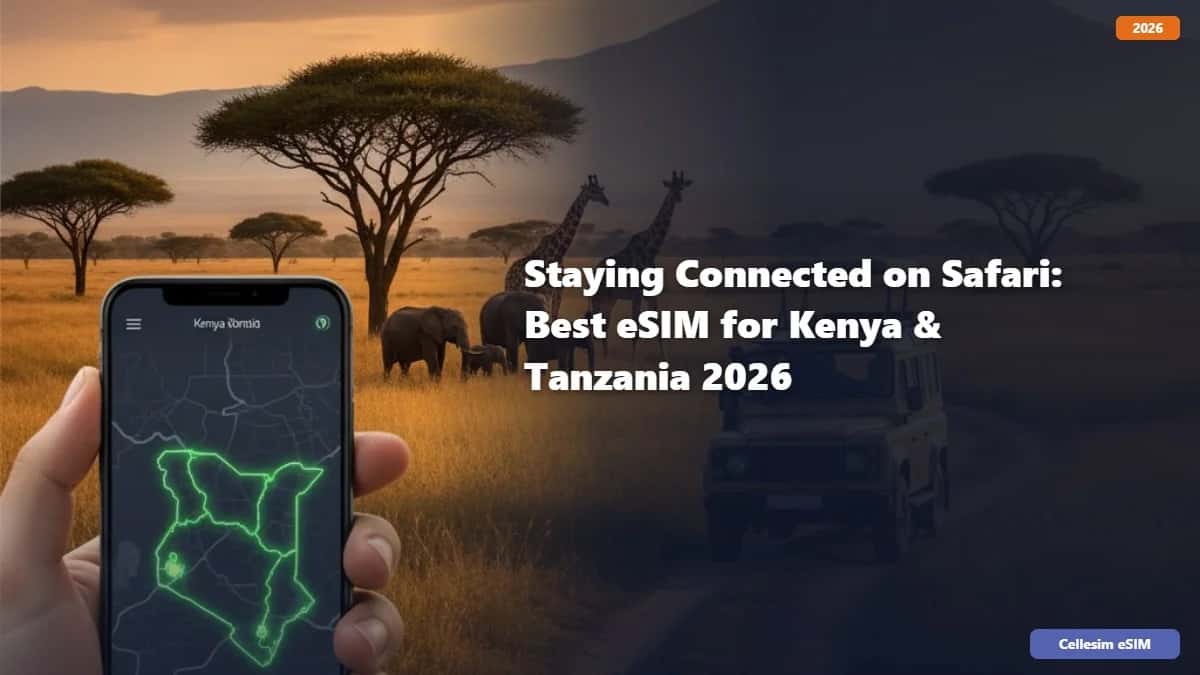
Plan your 2026 Kenya & Tanzania safari with the best eSIM. Stay connected, share memories, and avoid roaming fees. Get your Cellesim eSIM now!
Heading to an African safari in 2026? Roaming can cost $15/day. An eSIM can be just $3. Learn how to get reliable data, avoid common pitfalls, and save over 80%.