Why AT&T eSIM for International Travel is a Family Game-Changer
As someone who plans a lot of family trips, I know a good data plan can really make or break a vacation. Nothing's worse than seeing that "No Service" icon pop up on the kids' iPads just when you need them most, like during a three-hour train ride from Rome to Florence. For AT&T customers, the usual international roaming options, while convenient, can get incredibly expensive. Their Passport plans or International Day Pass add up fast, especially when you have multiple devices needing data for everything from Google Maps to keeping two kids happy streaming Disney+ in the back of a rental car. That's exactly where an eSIM becomes your best friend: it's flexible and much more affordable.
Think of an eSIM as your travel superpower. Instead of fiddling with tiny physical SIM cards, which always seem to disappear into the black hole of my travel bag, you just download a digital profile onto your compatible phone. This means your main AT&T line stays active for calls and texts (though those can still be pricey abroad), while your data needs are handled by a local or regional eSIM provider. This dual-SIM feature is a blessing for parents. You can stay connected to home for emergencies or important contacts, but you won't pay a fortune for everyday data usage, like looking up the Louvre's opening hours or checking wait times for "It's a Small World" at Disneyland Paris.

The Hidden Costs of AT&T International Roaming for Families
Let's talk money, because that's where the pain really hits. AT&T's International Day Pass usually costs $10 per day, per line. For a family of four, with two parents and two kids, that could be $40 a day just for data, assuming everyone uses their own device and needs to be online. Over a two-week trip, that's a shocking $560. And that's if you only activate it for four lines. If your kids also have iPads or a Nintendo Switch for online gaming, those costs can shoot up faster than a toddler's tantrum in a souvenir shop.
Now, compare that to a typical eSIM plan. You can often buy 20GB of data for a whole month across Europe for about $30-50, which you can then hotspot to multiple devices. Even if you needed a separate eSIM for two phones and a shared one for the kids' devices, you'd still likely spend far less than AT&T's daily charges. This isn't just about saving money, it's about having clear, predictable costs and the freedom to use your data without constantly checking your usage (or getting that dreaded text from AT&T about hitting your limit).
Understanding the eSIM Landscape for AT&T Users
For many AT&T customers, eSIM might still sound a bit futuristic. But in 2026, it's totally common, especially for iPhone users (US models of the iPhone 14 line and newer are eSIM-only). The good news is that most newer smartphones from Apple, Samsung, Google Pixel, and even some Motorola and Huawei devices now support eSIMs. Basically, your phone has a tiny, built-in chip that can store several network profiles digitally, so you don't need a physical SIM card slot. Your AT&T service will run on one of these profiles, and you can add an international eSIM as a second line just for data.
AT&T Specifics: How Your Primary Line Interacts with an eSIM
When you add an international eSIM, your AT&T line usually becomes your "primary" line for voice and texts, while the eSIM handles cellular data as your "secondary" line. Your phone's settings let you pick which line uses data. This is super important for avoiding unexpected roaming charges on your AT&T line. I always tell parents to set their AT&T line to Wi-Fi Calling only (if it's reliable) and to completely turn off data roaming for their AT&T number before they leave home. This way, all data usage, whether it's for streaming a movie on a long flight or finding your way through a busy European market, goes through your much cheaper eSIM plan.
The Dual-SIM Advantage for Family Connectivity
The best part about dual-SIM is its flexibility. My husband and I each use an AT&T eSIM as our main line. Then, we buy separate Cellesim data plans for wherever we're going. This means if one of us needs to make a local call (which is rare these days, thanks to WhatsApp and FaceTime), we can use the local eSIM. More importantly, we can easily set up one phone as a personal hotspot for the kids' devices. Imagine providing a solid internet connection for two iPads, a Nintendo Switch, and maybe even a Kindle, all drawing from one generous eSIM data plan. No more desperate hunts for public Wi-Fi or paying crazy hotel Wi-Fi fees (which, let's be honest, often cost more than a kid's meal). We can even use parental control features on the hotspot phone to manage screen time for connected devices, so my kids aren't glued to their screens all day, even when they're using data from my eSIM.
Checking Your Device's eSIM Compatibility and Unlock Status
Before you even think about buying an international eSIM, you need to check two things: first, that your device works with eSIM, and second, that it's unlocked from AT&T. You absolutely cannot skip these steps. An incompatible or locked phone just won't work with a third-party eSIM, and you really don't want to find that out at Heathrow with two cranky, jet-lagged kids.
Is Your Phone eSIM-Ready?
Most popular phones from the last few years support eSIM. Here's a quick way to check:
- For iPhones: iPhone XS, XS Max, XR, and all newer models (including the eSIM-only US versions of iPhone 14 and 15 series) support eSIM. Go to Settings > General > About. Look for "Add eSIM" or "Digital SIM."
- For Android (Samsung, Google Pixel, etc.): The steps vary a bit by brand. Usually, you go to Settings > Network & internet > SIMs (or "Mobile network"). If you see an option to "Add eSIM" or a "+" icon for adding a mobile plan, your phone probably works. For specific Samsung models, check under Settings > Connections > SIM card manager.
If you're still unsure, a quick search for "[Your Phone Model] eSIM compatibility" will give you a definite answer. Seriously, it's better to check twice than to be stuck without data.
The All-Important Unlocked Status
This is where many AT&T customers hit a snag. For an international eSIM to work, your phone must be "unlocked" from AT&T. This means it's not exclusively tied to the AT&T network. If you bought your phone directly from AT&T, especially on a payment plan, it's probably locked. You usually need to finish your payment plan or meet certain requirements to unlock it. You typically start the process on AT&T's website.
- Visit AT&T's Device Unlock Portal: Go to att.com/deviceunlock/.
- Check Eligibility: Enter your phone number or IMEI (dial *#06# to find your IMEI). AT&T will tell you if your device is eligible for unlocking.
- Submit Request: If it's eligible, follow the steps to submit your unlock request. AT&T might take a few business days to process it.
- Confirmation: You'll get an email with instructions on how to finish the unlock process, which might involve connecting to Wi-Fi and restarting your phone.
Do this well before your trip. There's nothing worse than realizing your phone is locked when you're already in another country, trying to find your Airbnb with a tired family.
How to Activate an eSIM for Your AT&T Phone: A Step-by-Step Guide
Once you've confirmed your phone's compatibility and unlocked it, activating an eSIM is surprisingly easy. I've done this dozens of times for my family's trips, from European city breaks to longer stays in South America, and now it's second nature. The trick is to do most of the setup before you even leave home, ideally while still on your reliable home Wi-Fi.
Purchasing Your eSIM from a Reliable Provider
There are many eSIM providers out there. For family travel, I focus on providers like Cellesim that have clear pricing, good coverage, and flexible data packages. Look for plans that let you easily top up if you run out of data, which, with two kids constantly streaming or gaming, is a real possibility. I once misjudged our data needs for a trip to Brazil, and my son nearly melted down when his Roblox game lagged. Lesson learned: always get more data than you think you'll need, especially for kids' devices.
Installation via QR Code: The Easiest Method
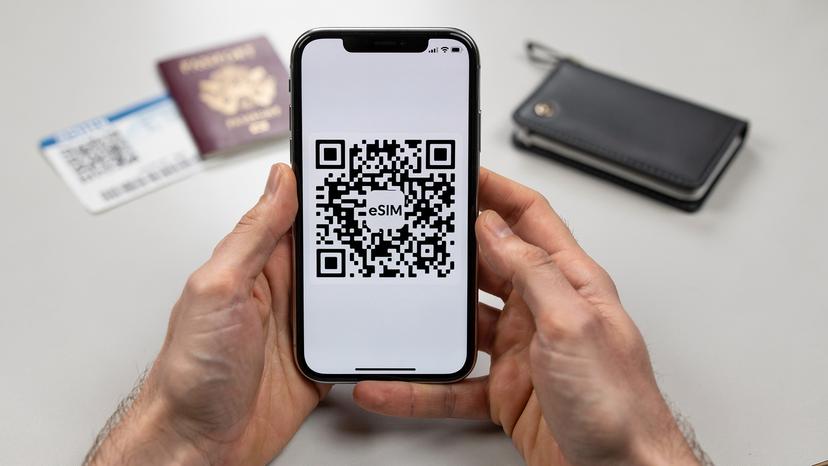
Most eSIM providers, including Cellesim, will send you a QR code after you buy a plan. This is the fastest and simplest way to install your eSIM.
- Ensure Wi-Fi Connection: Before you start, make sure your phone is connected to a stable Wi-Fi network.
- Access eSIM Settings: On an iPhone, go to Settings > Cellular > Add eSIM. On Android, it's usually Settings > Network & internet > SIMs > Add more or something similar.
- Scan QR Code: Pick the option to "Use QR Code." Your phone's camera will open. Scan the QR code from your eSIM vendor.
- Follow On-Screen Prompts: Your phone will walk you through the activation. It will ask you to name your new eSIM (like "Travel Europe" or "Japan Data") and choose which line to use for data.
- Set Data Line: This is critical: once installed, go to your "Cellular" or "Mobile Network" settings and make sure "Cellular Data" is set to your new eSIM. Also, double-check that "Data Roaming" is OFF for your AT&T primary line to prevent accidental charges.
Manual Installation: When QR Codes Are Tricky
Sometimes, scanning a QR code isn't practical, like when you're installing on a second device or having camera issues. In these cases, manual installation comes in handy. Your eSIM provider will also give you activation codes (SM-DP+ Address and Activation Code).
- Connect to Wi-Fi: Again, a strong Wi-Fi connection is a must.
- Access Manual eSIM Setup: In your phone's eSIM settings, look for an option like "Enter Details Manually."
- Input Provided Information: Carefully type in the SM-DP+ Address and Activation Code that Cellesim or your chosen provider gave you.
- Complete Setup: Follow the rest of the on-screen instructions to label your eSIM and set up your data preferences.
I usually do this for my kids' iPads. I'll buy a data-only eSIM, install it manually, and then use the iPad's parental controls to manage their usage, stopping them from burning through all the data in one afternoon of Minecraft.
Choosing the Right eSIM Data Plan for Your Family
This is where real travel planning happens, and for families, "one size fits all" just doesn't work. You need to think about not just your own data needs, but every device your family is bringing. I've learned that a plan perfect for a solo business traveler won't cut it for a family of four who needs two iPads streaming Disney+ and a parent navigating with Google Maps all at the same time.
How Much Data Do You Really Need?
Estimating data usage can be tricky, but here's a rough idea based on my family's trips:
- Basic Navigation & Messaging (Parents): 5-10GB per person per month. This covers maps, WhatsApp, checking emails, and light social media.
- Kids' Entertainment (Streaming, Gaming): This is the big data hog. For two kids streaming Disney+ for a couple of hours a day, plus some Roblox or YouTube Kids, you're looking at at least 50-80GB per month for their shared devices. Disney+ can use up to 3GB per hour for HD content, and YouTube can be similar.
- Work & Video Calls (If applicable): Add another 10-20GB if you expect any work video calls or heavy uploads.
My typical strategy for a two-week trip for my family (two adults, two kids aged 9 and 11) is to get a Cellesim regional eSIM for Europe with at least 50GB of data. I'll use my phone as a hotspot for the kids' devices and my husband's phone for lighter tasks. This usually covers us comfortably without constant worry. I also make sure to preload any movies or shows onto their devices before the flight, using our home Wi-Fi, to save on in-flight or initial arrival data usage.
| Activity | Estimated Data Usage (per hour) | Family Impact (2 kids, 2 adults) |
|---|---|---|
| Basic Browsing/Email | 50-150 MB | Low for adults, minimal for kids |
| Google Maps Navigation | 5-10 MB (streaming) | Critical for parents, low usage |
| Social Media (scrolling) | 100-300 MB | Moderate for adults, can be high for teens |
| Standard Definition Streaming (e.g., Netflix, Disney+) | 0.7 - 1 GB | High, especially for two devices concurrently |
| High Definition Streaming (e.g., Netflix, Disney+) | 2 - 3 GB | Very high, can quickly deplete data |
| Online Gaming (e.g., Roblox, Fortnite) | 50-150 MB (excluding updates) | Moderate, but updates can be massive |
| Video Calls (e.g., FaceTime, WhatsApp) | 200-500 MB | Moderate to high, depending on frequency |
Regional vs. Country-Specific eSIMs
For trips covering multiple countries, especially in Europe, a regional eSIM is usually your best bet. A single "Europe" eSIM from Cellesim can cover dozens of countries, meaning you don't have to switch or buy new plans every time you cross a border. This is a lifesaver when you're trying to manage passports and luggage, let alone your digital connection. If you're only visiting one country, a country-specific plan might offer slightly better rates or more local data. However, the convenience of a regional plan often outweighs that small cost difference for families on the go. For instance, if you're checking out different districts in European Capitals, a regional eSIM keeps you connected without interruption.
Managing Multiple Family Devices and Parental Controls on eSIM
This is where you really master family travel connectivity. It's not just about having data; it's about controlling how that data is used, especially by our younger travelers. My golden rule is: parent phones get their own dedicated eSIMs, and kids' devices share hotspot data from a parent's phone. This allows for centralized control and monitoring.
Hotspot Sharing: The Family Data Hub
Designate one parent's phone as the "family hotspot." This phone should have a robust eSIM data plan. Most smartphones let you create a personal hotspot from your cellular data. Here's how I manage it:
- Set a Strong Password: Make sure your hotspot has a secure, easy-to-remember password.
- Monitor Connected Devices: You can usually see how many devices are connected to your hotspot and, sometimes, even how much data each is using.
- Manage Data Usage: Many phones (both iOS and Android) let you see data usage per app. If I notice too much data going to TikTok, a gentle reminder (or a temporary hotspot pause) might be necessary.
- Turn Off When Not Needed: Hotspots chew through battery. When the kids aren't actively using their devices, turn it off to save battery on the host phone.
This strategy also means I can easily enforce screen-free zones, like at dinner or during cultural outings, by simply turning off the hotspot. A little digital detox is good for everyone, especially when you're trying to get them to enjoy a real Roman gelato instead of another episode of "Bluey."
Leveraging Parental Control Features with eSIMs
Even though the data comes from an eSIM, your phone's built-in parental controls still work perfectly. For iPhones, "Screen Time" is incredibly useful. For Android, "Digital Wellbeing" or third-party apps like Google Family Link offer similar features. These aren't tied to your carrier plan; they're settings on the device itself.
- App Limits: Set daily time limits for specific apps like games or social media.
- Downtime: Schedule periods when only approved apps (like educational ones or reading apps) are available. This is great for enforcing bedtimes or quiet play.
- Content & Privacy Restrictions: Block inappropriate content or restrict in-app purchases (a lifesaver when curious little fingers are involved).
- Communication Limits: Control who your kids can communicate with, making sure they only connect with pre-approved contacts.
Because the eSIM just provides the internet connection, these parental control features work exactly as they would on your home Wi-Fi. This means you can keep your rules consistent, even when you're halfway around the world. For parents managing schoolwork abroad or educational apps, this consistency is very reassuring, giving kids a familiar digital environment even when their physical surroundings are new.
Connectivity Challenges in Theme Parks and Cruise Ships, Solved
Two specific travel situations often create major connectivity headaches for families: huge theme parks and the open sea on a cruise. Both can quickly lead to frustrated parents and kids if you're not ready. Luckily, eSIMs offer great solutions.
Staying Connected in the Magic Kingdom and Beyond
Theme parks, whether it's Disneyland California, Universal Studios Orlando, or a European park like Europa-Park in Germany, are often enormous. While many offer Wi-Fi, it can be notoriously spotty, overloaded, and slow. Relying on it for important tasks like checking ride wait times on the park app, mobile ordering food, or, heaven forbid, finding a lost child, is a recipe for stress.
"During our last trip to Disney World, the park Wi-Fi was so unreliable. My AT&T roaming would have cost a fortune. Having a dedicated eSIM saved us. My kids could still look up character meeting times on their iPads, and I could use the My Disney Experience app without a hitch. It really made the day smoother."
With an eSIM, you get reliable cellular data throughout the park. This means your family can:
- Use Official Park Apps: These are essential for navigating, checking wait times, mobile ordering food, and accessing virtual queues.
- Communicate Easily: If your family splits up (e.g., older kids go on a roller coaster while younger ones are at a character meet-and-greet), you can easily text or call each other without relying on a flaky Wi-Fi signal.
- Hotspot for Kids' Devices: Keep the little ones entertained during long lines with pre-downloaded content or even some light online games, all powered by your stable eSIM data. Just remember your portable charger!
eSIMs on the High Seas: Cruise Ship Connectivity
Cruise ships are a whole different ballgame. Ship Wi-Fi packages are famously expensive and often painfully slow, making even simple tasks like checking email a chore. While an eSIM won't work in the middle of the ocean (that's satellite territory), it's incredibly valuable for port days.
- Port Day Power: As soon as your ship docks in a port, your eSIM will connect to local networks, giving you high-speed data at local rates. This is perfect for navigating a new city, finding local restaurants, or just letting the kids quickly check in with friends.
- Avoiding Ship Wi-Fi: You can completely skip those costly and sluggish ship internet packages when you're ashore, saving a significant amount of money.
- Pre-Trip Planning: Before your cruise, figure out which countries your itinerary includes and buy a regional eSIM that covers all your port stops. For example, a Caribbean eSIM would cover multiple islands, or a Mediterranean eSIM would cover many European coastal cities. This makes getting off the ship and exploring effortless.
Just remember to switch off data roaming for your AT&T line and make sure your eSIM is active before you leave port to avoid any surprise charges.
Pre-Trip Checklist for a Smooth eSIM Experience
Successful family travel relies on careful planning. A little preparation goes a long way in making sure your eSIM experience is easy and stress-free. Believe me, you do not want to be troubleshooting connectivity issues in a foreign airport with overtired children. I've been there, and it's no fun.
- Unlock Your AT&T Phone: Confirm your phone is unlocked from AT&T well in advance (at least two weeks before you leave).
- Check eSIM Compatibility: Verify all family devices that will use an eSIM are compatible.
- Purchase eSIM Plan: Buy your Cellesim eSIM before you leave home. Choose a plan that generously covers your family's data needs, remembering how much kids stream and game.
- Install eSIM on Home Wi-Fi: Activate and install the eSIM while still at home, connected to a stable Wi-Fi network. Label it clearly (e.g., "France Trip Data").
- Configure Data Settings: Make sure your cellular data is set to use the eSIM. Turn off data roaming for your AT&T line.
- Pre-Download Content: Load up tablets and phones with movies, TV shows, and games from services like Disney+, Netflix, or Apple Arcade using your home Wi-Fi. This dramatically reduces data consumption while you're traveling.
- Download Offline Maps: Use Google Maps or Apple Maps to download offline maps for your destinations. This is a lifesaver if you temporarily lose signal or want to save data.
- Install Parental Control Apps: If you use third-party parental control apps, make sure they're installed and configured on all kids' devices.
- Pack Portable Chargers: Data usage, especially hotspotting, drains battery quickly. Bring enough portable chargers for all devices.
- Test the eSIM (if possible): If your chosen eSIM offers coverage in your home country (some regional plans do), test it briefly before you leave.
By following this checklist, you'll avoid most potential problems, letting you focus on making wonderful family memories instead of struggling with phone settings.
Troubleshooting Common eSIM Issues While Abroad
Even with the best planning, sometimes things go wrong. Don't panic! Most eSIM issues are small and easy to fix. I've put together a list of common problems and how to solve them, based on years of experience on the ground.
My eSIM has no signal or data!
This is probably the most common (and stress-inducing) problem. Here's what to check:
- Restart Your Phone: The classic tech solution, but it often works.
- Check Data Roaming: Make sure data roaming is turned ON for your eSIM (it's usually OFF by default for international eSIMs, as they are considered "roaming" from your primary line's perspective, even though it's local data). This is the opposite of what you want for your AT&T line.
- Verify APN Settings: Sometimes the Access Point Name (APN) needs to be set manually. Your eSIM provider (e.g., Cellesim) will have this information in their FAQs or support section. Go to Settings > Cellular/Mobile Data > (Your eSIM) > Cellular Data Network and enter the APN.
- Network Selection: Try manually selecting a network operator. Go to Settings > Cellular/Mobile Data > (Your eSIM) > Network Selection and turn off "Automatic." Choose an available local network.
- Airplane Mode Toggle: Turn Airplane Mode on for 30 seconds, then off. This sometimes refreshes the network connection.
My AT&T bill is higher than expected!
This usually means your AT&T line accidentally used data. To stop this:
- Data Roaming OFF for AT&T: Double-check that data roaming is completely disabled for your AT&T primary line in your phone's cellular settings.
- Set eSIM as Default for Data: Make sure your international eSIM is chosen as the default for cellular data.
- Wi-Fi Calling On (AT&T): If you need to get calls/texts on your AT&T line, enable Wi-Fi Calling while connected to Wi-Fi. This routes calls over Wi-Fi, avoiding roaming charges.
If you're still having issues, don't hesitate to contact Cellesim's customer support. They're usually very quick to respond and can walk you through specific troubleshooting steps. You can also visit our FAQ page for more general eSIM questions.
Maximizing Your Travel Budget Beyond eSIMs
While eSIMs are a huge win for managing connectivity costs, smart family travel budgeting goes beyond just data. As a parent always looking for ways to make our adventures more affordable and sustainable, I've picked up a few other tricks that perfectly complement your eSIM strategy.
Smart Money Management for Families Abroad
Avoiding bank fees and getting good exchange rates can save you hundreds of dollars over a multi-week trip. My go-to strategy involves using a combination of credit cards with no foreign transaction fees and a travel-friendly debit card (like those from Charles Schwab or Revolut) for ATM withdrawals. Always decline the ATM's conversion rate (choose to be charged in local currency) for a better deal. Also, consider checking out programs like Traveler's Cash: Smart Passive Income for Nomads in 2026, which can help offset some of your travel expenses.
| Cost Category | AT&T Roaming | Cellesim eSIM + Smart Planning | Potential Savings for 2-Week Trip (Family of 4) |
|---|---|---|---|
| Data for 4 devices (parents + 2 kids streaming) | $10/day/line = $560 | $30-50 for 50GB regional eSIM, shared | $500+ |
| International Calls/Texts (limited use) | Pay-per-use, or covered by Day Pass | WhatsApp/FaceTime over eSIM data, or local calls via eSIM (if applicable) | Variable, but significant for frequent calls |
| Hotel Wi-Fi | Still needed for high usage or kids' devices, costs extra | Often unnecessary with robust eSIM + hotspot | $100-200 (at $10-15/day) |
| Total Estimated Savings | $600-800+ |
Earning on the Go for Travel Addicts
For those of us who love to travel, finding ways to make our adventures pay for themselves is a dream. If you're passionate about sharing your travel tips (and who isn't, after successfully navigating a foreign country with children?), think about exploring options like Boost Your Travel Earnings: An Affiliate Guide for Globetrotting Parents (2026). Sharing your eSIM experiences, for example, could be a great way to earn a little extra cash for your next family holiday. It's a fantastic way to turn your passion into a passive income stream, helping other parents while funding your own travel bug.

Frequently Asked Questions
Will my AT&T phone number still work with an international eSIM activated?
Yes, your AT&T phone number stays active. With dual-SIM, you can set your AT&T line for calls and texts (though roaming rates still apply), and your international eSIM for data. Just make sure data roaming is off for your AT&T line to avoid unexpected charges.
Can I use my Cellesim eSIM on multiple devices at once for my kids?
A Cellesim eSIM is installed on one device. However, you can use that device's personal hotspot to share the eSIM's data with other devices, like your kids' iPads or a Nintendo Switch. This is my preferred way to manage family data.
What happens if I run out of data on my international eSIM while traveling?
Most good eSIM providers, including Cellesim, make it easy to top up. You can usually buy more data packages right through their app or website, often with instant activation, so you stay connected.
Is an eSIM safe and secure for banking or sensitive transactions abroad?
Yes, an eSIM connection is generally as secure as any other cellular data connection. For banking or very sensitive transactions, always use a secure, private network, and consider a VPN (Virtual Private Network) for an extra layer of encryption, no matter your data source.
Does using an eSIM affect my AT&T cellular plan or contract?
No, using an international eSIM doesn't affect your AT&T cellular plan or contract at all. It just adds a second data line to your compatible device. Your AT&T service continues as normal; you're simply choosing a different provider for data when you're abroad to save money.
Can I activate an eSIM for a brand new iPhone 15 purchased from AT&T?
Yes, iPhone 15 models are fully eSIM compatible. However, if you bought it from AT&T on a payment plan, it will likely be locked to their network. You'll need to meet AT&T's unlock requirements before a third-party international eSIM will work.