
Finding your eSIM number (that's the EID, ICCID, or SIM card number) usually means digging into your device's cellular settings. On an iPhone, head to Settings > General > About or Settings > Cellular > eSIMs. If you're on Android, check Settings > About phone > SIM status. For Windows PCs with an eSIM, it's in the Network & Internet settings. Trust me, you'll need this number for everything from activation to troubleshooting, especially when you're traveling.
Why Your eSIM Number Matters More Than You Think
Remember that time I was stuck in a tiny guesthouse in Kyoto's Gion district, trying to activate a local data plan? My QR code wouldn't scan, and the friendly but bewildered shop owner at the SoftBank kiosk needed my eSIM's unique identifier. Without it, I was effectively cut off, trying to navigate the complex JR East network with only patchy Wi-Fi. It's moments like these, far from home, that really drive home how crucial knowing your eSIM number can be.
This isn't just about fixing a small problem. It's about the foundation of your connectivity, especially when you're using AT&T eSIM for iPhone or a similar global solution to avoid those ridiculously high roaming charges. Your eSIM number, often called an EID (Embedded Identity Document) or ICCID (Integrated Circuit Card Identifier), is basically your digital SIM card's serial number. Carriers use it to set up your service, link you to your account, and help you out when things go wrong.
Think of it as the passport number for your digital connection. You might not need it for every border crossing, but when customs asks, you'd better have it ready. For travelers, especially those hopping between countries and juggling several data plans, keeping track of this number is a small administrative detail that can save you a ton of headaches.
The Difference Between Your Phone Number and eSIM Number
It's easy to mix these up, especially when you're in a hurry. Your phone number (MSISDN, for the tech geeks) is the ten-digit string people dial to reach you. It's your address on the global voice and SMS network. Your eSIM number, though, is a longer, more complex identifier tied directly to the physical eSIM chip embedded in your device. It's like the unique serial number of the physical house itself, not just its street address.
When you're activating a new plan, say for a quick trip through Bavaria after Euro 2024, the carrier often asks for the EID. This makes sure they're sending the profile to the correct digital SIM. It's a backend identifier, not something you'd usually share with friends or coworkers, but absolutely vital for technical support or when you're trying to activate a T-Mobile eSIM on a new device.
Why Dual SIM Users Need to Be Extra Vigilant
If you're like me, carrying two active lines on your iPhone or Android, perhaps a home plan and a travel-specific eSIM, things can get a bit messy. I learned this the hard way trying to juggle my usual US number with a local Movistar eSIM while catching a taxi from Mexico City's Aeropuerto Internacional Benito Juárez to the Condesa neighborhood. The taxi driver needed to call me to confirm the pickup, but I was fumbling between which line was active for data, which was for calls, and which eSIM profile was which. Having quick access to each eSIM's identifier lets you clearly separate and manage your lines, especially when one acts up.
It's also critical for troubleshooting. Imagine you're in a café in Copenhagen, trying to use your Free eSIM Trials in the Nordics plan, and data isn't connecting. The support agent will likely ask, "Which eSIM are you referring to, sir?" Having that EID or ICCID ready prevents a lot of guesswork and frustration.
Cracking the Code: Where to Find Your eSIM Number on iPhone
Apple has really worked to simplify eSIM management, but the numbers themselves can still be a bit hidden if you don't know where to look. I've walked countless travelers through this over the phone, usually when they're frantically trying to get online at Heathrow's Terminal 5 or in a busy piazza in Rome. The process is straightforward once you've done it a couple of times.
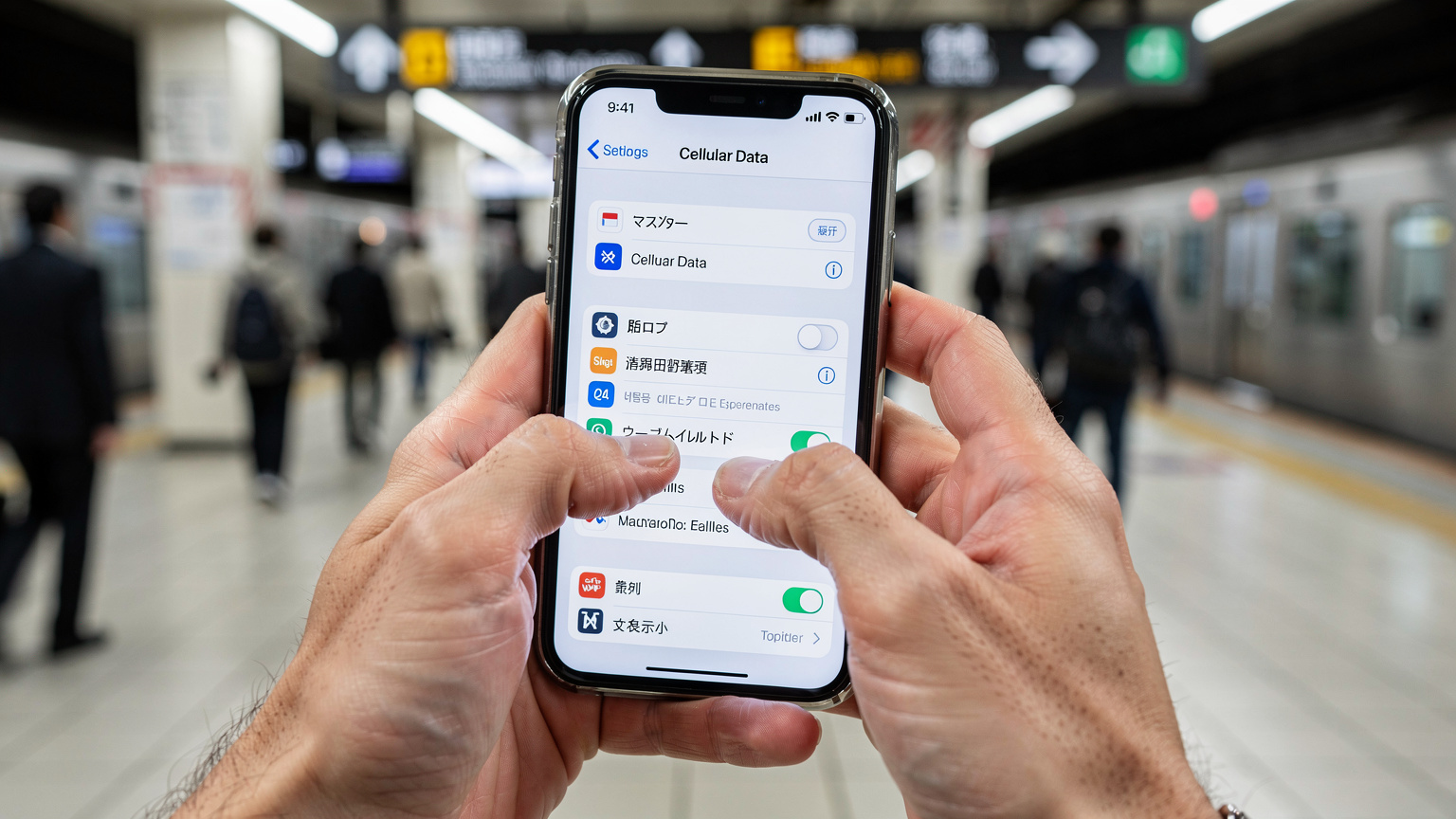
There are actually two main places to find the relevant numbers, depending on what you're looking for. Most of the time, the EID is what you'll need, but sometimes a carrier will ask for the ICCID if they're dealing with a legacy system or a specific technical issue.
How to Find the EID (Embedded Identity Document) on iPhone
The EID is the most common identifier you'll be asked for. It's a long string of numbers, typically 32 digits, that's unique to your device's embedded SIM chip. Here's how to locate it:
- Open Settings: Tap the gray 'Settings' icon on your Home screen.
- Navigate to General: Scroll down and select 'General'.
- Tap About: Select 'About'.
- Scroll to EID: Scroll down past your device's model number, serial number, and IMEI. You'll find the 'EID' listed there. If you have multiple eSIMs, this is the EID for the device's embedded chip, which all eSIM profiles use. If your carrier needs a specific ICCID for a particular eSIM profile, there's another path.
It's usually right there, staring at you, but easy to miss amidst all the other technical jargon. Make a note of it, perhaps in a secure password manager, for quick reference.
Locating ICCID for Specific eSIM Profiles on iPhone
Sometimes, particularly when dealing with Nomad eSIM vs. Cellesim support for a specific data package, you might need the ICCID for a particular eSIM profile you've installed. This is different from the device's EID.
- Open Settings: Again, start with the 'Settings' app.
- Tap Cellular: Select 'Cellular' (or 'Mobile Data' in some regions).
- Choose Your eSIM: Under 'CELLULAR PLANS', tap on the specific eSIM you want details for (e.g., 'Travel Europe' or 'Work Line').
- Find ICCID: Scroll down, and you should see the 'ICCID' listed. You might also see the 'SIM Card Number' which is often the same as the ICCID.
Each active eSIM profile will have its own ICCID, which helps distinguish it from your other lines. This is particularly useful when you're managing several plans, perhaps for different regions or purposes, like a dedicated line for your cruise ship Wi-Fi.
Android Adventures: Locating Your eSIM Details
Android's approach can vary slightly between manufacturers (Samsung, Google Pixel, OnePlus, etc.), but the core path remains consistent. I've often found myself guiding users through Samsung's complex settings or Google's minimalist approach, usually when they're panicking about connecting to the public Wi-Fi on the BVG U-Bahn in Berlin or figuring out a local SIM for a trip to Shibuya, Tokyo.
General Steps for Finding eSIM Numbers on Android
Most Android devices with eSIM capability will have this information tucked away in the 'About phone' section or directly within the 'Network & internet' settings. The key is knowing which string of numbers to look for.
- Open Settings: Find and tap the 'Settings' icon, often represented by a gear.
- Navigate to 'About phone': Scroll down and tap 'About phone' (sometimes 'About device' or similar).
- Find 'SIM status' or 'eSIM status': Look for an option like 'SIM status', 'eSIM status', or 'Status information'. Tap on it.
- Locate EID/ICCID: Here, you should find your 'EID' and, if applicable, the 'ICCID' for your active eSIM profiles. If you have multiple eSIMs installed, you might need to select the specific SIM slot or profile to see its details.
Sometimes, on newer Pixel phones running the latest Android, you might also find eSIM management directly under 'Network & internet' > 'SIMs'. Tap on the desired eSIM, and its details, including the ICCID, should be visible there.
Manufacturer-Specific Nuances
While the above steps cover most Android devices, there are minor variations:
- Samsung Galaxy: After 'About phone', look for 'Status information' then 'SIM card status'. You'll see ICCID listed there.
- Google Pixel: Go to 'Network & internet' > 'SIMs', then tap on your eSIM. The ICCID will be visible. The EID is usually found under 'About phone' > 'EID'.
- Other Brands: If you're using a less common brand, the path might be slightly different. A quick search for "how to find eSIM number [your phone model]" usually yields the exact steps. Remember, if you're ever truly stuck, your device's support page or a quick call to Cellesim support can get you back on track.
PC eSIM Connectivity and Finding That Elusive Number
It's not just phones that are getting the eSIM treatment; many modern laptops and tablets now feature embedded SIMs, offering persistent connectivity without hunting for Wi-Fi. This is a game-changer for digital nomads and business travelers who need reliable internet from a coffee shop in Lisbon's Baixa district or during a long layover at Changi Airport. When your laptop is your office, a solid connection is non-negotiable, and knowing your eSIM's identifier is part of that toolkit.
For those relying on their PC's eSIM for uninterrupted travel connectivity, tracking down that EID or ICCID is just as important as on a smartphone. It's often needed for activating a new data plan or troubleshooting issues with your mobile broadband provider.
Finding eSIM Details on Windows PCs
Windows PCs with eSIM functionality integrate the management tools directly into the operating system. Here's how to find what you need:
- Open Settings: Click the Start button, then the 'Settings' gear icon.
- Go to Network & internet: Select 'Network & internet'.
- Choose Cellular: In the left-hand menu, click 'Cellular'.
- Manage eSIM profiles: Under the 'Cellular' section, you'll see an option like 'Manage eSIM profiles' or 'eSIM profiles'. Click on it.
- Select Profile & View Details: Select the specific eSIM profile you want details for. You should then see options to view its properties, including the 'ICCID' and potentially the 'EID' for the embedded modem.
This process ensures that if you're experiencing issues, say with a plan purchased specifically for Germany and Europe, you can provide the correct identifier to your provider, which is vital for getting back online. Imagine being at the Frankfurt Hauptbahnhof with a train to catch and your laptop refusing to connect. That's a situation where knowing this number becomes truly invaluable.
Why Your Laptop's eSIM is a Travel Essential
My laptop's eSIM has saved me more times than I can count. I remember trying to upload a large file for a client while waiting for a flight at Narita. The airport Wi-Fi was awful, but my laptop's built-in eSIM, connected to a local SoftBank plan, was blazing fast. It’s not just about speed; it’s about security too. Public Wi-Fi networks, while convenient, are often less secure than a private cellular connection. For business travelers handling sensitive data, this added layer of security is a major plus.
Moreover, managing your laptop's data plan separately means you're not draining your phone's battery by tethering. It's a small but significant detail that improves the overall travel experience, especially on long work trips or when trying to meet a deadline in a remote café in the Alpujarras region of Spain, far from reliable fiber internet.
Understanding the Alphabet Soup: EID, ICCID, and IMSI
When you get into the technical side of eSIMs, you'll inevitably run into a few acronyms: EID, ICCID, and sometimes IMSI. These aren't just random letters; they each play a distinct role in how your device connects to cellular networks, and knowing the difference can be helpful when troubleshooting or speaking with carrier support. I've spent countless hours explaining these terms to users, often while they're on hold with a foreign carrier, feeling frustrated.
EID: The Embedded Identity Document
The EID (Embedded Identity Document) is the unique identifier for the eSIM chip itself, the physical component soldered into your device. It's like the serial number for the hardware. Every eSIM-capable device has one, and it's generally static. When you first register your device for eSIM services, or if a carrier needs to push a new profile to your device, they often use the EID to target the correct hardware. It's a 32-digit number, and it's the primary identifier for the embedded SIM hardware.
ICCID: The Integrated Circuit Card Identifier
The ICCID (Integrated Circuit Card Identifier) is the serial number for a specific eSIM profile that's downloaded onto your EID. Think of your EID as a blank canvas, and each eSIM profile you install (e.g., your home carrier, a travel plan for France, a business line) is a unique painting on that canvas, each with its own ICCID. It's typically an 18 to 20-digit number. When a carrier asks for your SIM card number, they're usually referring to the ICCID of the active profile.
For instance, if you install a Cellesim eSIM for your trip to Turkey, that specific profile will have its own ICCID. If you then install another Cellesim eSIM for a different region, that new profile will have a different ICCID, even though both are running on the same EID hardware.
| Identifier | What it identifies | Typical Length | When you need it |
|---|---|---|---|
| EID (Embedded Identity Document) | The unique ID of the physical eSIM chip in your device. | 32 digits | Initial device registration, device replacement, complex hardware troubleshooting. |
| ICCID (Integrated Circuit Card Identifier) | The serial number of a specific eSIM profile downloaded onto your EID. | 18-20 digits | Activating a new plan, carrier support for a specific line, transferring an eSIM profile. |
| IMSI (International Mobile Subscriber Identity) | Identifies the individual subscriber on the network. | 15 digits | Rarely asked for directly by users, primarily used by networks for authentication. |
IMSI: The International Mobile Subscriber Identity
The IMSI (International Mobile Subscriber Identity) is another critical identifier, but it's usually not something you'll ever need to find or provide. It's a 15-digit number that uniquely identifies a mobile phone subscriber within a mobile network. Your phone number (MSISDN) is the public face, but the IMSI is the network's internal way of knowing who you are and what services you're entitled to. It's deeply embedded in your SIM or eSIM profile and is primarily used by the network itself for authentication and routing purposes.
Understanding these distinctions helps clarify things when a support agent asks for one of these numbers. Knowing which one they're referring to can speed up problem resolution significantly, preventing frustrating back-and-forths.
When You Need It Most: Real-World Scenarios
It's rarely in the comfort of your living room that you'll need to dig out your eSIM number. More often, it's under pressure, usually while navigating a foreign city with limited Wi-Fi and a dwindling data plan. I've been there, staring at a 'No Service' message on my phone, trying to hail a taxi in Cartagena's Old City, wondering how I was going to get to my hostel in Getsemaní.
Activating a New eSIM on an Older Device
While most modern phones handle eSIM activation with a QR code or an app, sometimes you're dealing with a slightly older model, or a carrier's system is a bit clunky. I once had a tough time activating an eSIM for a client on an older iPhone XR, which required manually entering the SM-DP+ address and activation code. The carrier support agent needed the EID to push the profile to the device correctly. Without that number, the activation just wouldn't take, leaving the client frustrated at Charles de Gaulle Airport.
I remember trying to manually configure a data plan for a friend's older Android tablet in a small cafe near the Sagrada Familia in Barcelona. The local carrier's QR code kept failing, and their tech support, only available between 9 AM and 5 PM on weekdays, insisted on the EID to push the profile. It was a painstaking process, but knowing where to find that number was the key to finally getting online.
Troubleshooting Connectivity Issues
This is probably the most common scenario. Your data suddenly stops working in the middle of a trip. You've tried restarting your phone, toggling airplane mode, but nothing. When you call Cellesim support, or any carrier's support, one of the first things they'll ask for is your eSIM identifier. This helps them locate your profile on their system, diagnose any network issues, or confirm that the profile is correctly set up. Providing the wrong number, or fumbling to find it, just makes the problem last longer. It's like calling roadside assistance for your car but not knowing your license plate number.
Transferring an eSIM to a New Device
Upgrading your phone is exciting, but transferring your eSIMs can be a bit of a dance. While Apple has introduced an eSIM Quick Transfer feature for iPhones, not all carriers or devices support it smoothly. Sometimes, your old eSIM profile needs to be 'deactivated' from the old device using its ICCID, and then a new profile set up for the new device, often requiring the new device's EID. I've helped countless users through this, especially those moving from an older Android to a new iPhone, or vice versa. It’s a common point of frustration, so having those numbers handy is a smart move.
Travel Hacks for Managing Multiple eSIMs
For the seasoned traveler, juggling multiple eSIMs is practically a sport. One for Europe, one for Asia, another for Canada. I currently have five active profiles on my iPhone, each named clearly (e.g., 'Japan Data', 'Home US', 'EU Travel'). It helps to keep things organized, especially when you're jumping on the ATM (Azienda Trasporti Milanesi) metro in Milan and need to quickly switch to your local Italian data plan. Here are a few tips to stay on top of your digital connectivity.
Naming Your eSIM Profiles Strategically
When you install an eSIM, your phone usually gives you the option to label it. Don't skip this step! Instead of generic labels like 'Primary' or 'Secondary', use descriptive names. For instance:
- 'Home US - T-Mobile': For your primary carrier.
- 'EU Cellesim - Data': For a dedicated travel data plan in Europe.
- 'Japan - SoftBank': For a local plan acquired for a specific country.
This clarity will save you precious seconds when you're trying to figure out which profile to activate or deactivate, particularly if you're troubleshooting a problem and need to refer to a specific plan's ICCID.
Keeping a Digital Record of Your eSIM Numbers
While you can always find your eSIM numbers in your phone's settings, it's a good practice to keep a secure, accessible record. I use a password manager (like 1Password or LastPass) to store the EID of my device and the ICCID of each active eSIM profile, along with the carrier name and plan details. This way, even if my phone is completely out of service, I can access that information from another device or a computer, which has been a lifesaver more than once.
Imagine your phone completely dies, or you need to contact support from a borrowed device. Having that information off-device is a crucial backup strategy. Just ensure whatever method you use is encrypted and secure.
Understanding eSIM Prioritization and Switching
Most modern phones allow you to prioritize which eSIM is used for data, calls, and messages. For example, you might set your 'Home US' eSIM for calls and messages, but your 'EU Cellesim' eSIM for all data when you're traveling through the Schengen Area. Knowing how to quickly switch between these profiles, and understanding which one is active, is key to managing costs and ensuring continuous connectivity. This usually involves a quick trip to your phone's 'Cellular' or 'SIM card manager' settings.
| Scenario | Why eSIM Number is Needed | Which Number to Provide (Typically) |
|---|---|---|
| New eSIM Activation Fails | Carrier needs to manually provision the profile to your device. | EID of the device |
| Data Not Working | Support needs to identify your specific plan/profile for troubleshooting. | ICCID of the affected eSIM profile |
| Transferring eSIM to New Phone | To deactivate from old device and activate on new. | ICCID (old device), EID (new device) |
| Carrier Account Changes | To link your eSIM to updated account details. | ICCID of the relevant eSIM profile |
Troubleshooting Tips When Your eSIM Number Isn't Playing Nice
Sometimes, despite following all the steps, you might run into issues. Perhaps the number isn't showing up, or a carrier is telling you it's invalid. This is where my technical support background kicks in. I've spent years diagnosing these exact problems, often with users who are under pressure, standing at a train station in Amsterdam Centraal, trying to get Google Maps to load.
When the EID or ICCID is Missing or Incorrect
If you're unable to find your eSIM number where it should be, or if the number displayed seems incorrect, here are a few things to check:
- Device Compatibility: Make sure your device actually supports eSIM. Not all phones, especially older models (pre-iPhone XS or many Androids before 2019-2020), have eSIM capabilities.
- Software Update: Make sure your device's operating system is fully updated. Sometimes, bugs or missing features are resolved with the latest iOS or Android version.
- Reboot Your Device: The classic IT solution, but often effective. A simple restart can refresh network settings and make hidden information appear.
- Contact Device Manufacturer: If the EID is missing from 'About phone' or 'About device', there might be a deeper hardware or software issue. Contact Apple Support or your Android manufacturer's support for assistance.
Remember, a missing EID is usually a device-level issue, while an ICCID might be missing if the eSIM profile wasn't successfully installed or was partially deleted.
Dealing with 'SIM Not Supported' or 'Locked Device' Errors
This is a common headache for travelers. You've got your eSIM, you've located its number, but your phone throws up a 'SIM Not Supported' message. This usually points to a device that is carrier-locked. If your phone was purchased through a specific carrier (like a T-Mobile or AT&T plan in the US), it might be locked to that network. This means it won't accept eSIMs from other carriers until it's unlocked. I've seen this countless times with travelers trying to use a European eSIM on a US-locked phone.
To check if your device is locked, you can usually contact your original carrier directly. They have specific unlocking policies, often requiring your account to be in good standing for a certain period (e.g., 60 days on contract). Make sure your phone is unlocked before you travel to avoid this particular brand of frustration.
When to Reach Out to Cellesim Support
If you've tried all the above and your eSIM still isn't working, or you can't find the numbers you need, don't hesitate to contact Cellesim support. Give them as much detail as possible: your device model, the specific error message, and any eSIM numbers you've managed to find. Our team is well-versed in diagnosing these issues, whether it's a manual activation code problem or a network frequency band mismatch in a remote corner of Provence.
| Troubleshooting Step | Description | Best for |
|---|---|---|
| Check OS Updates | Ensure your phone or PC is running the latest operating system version. | Software bugs, new feature compatibility. |
| Device Reboot | Power cycle your device completely. | Temporary glitches, network refreshes. |
| Verify Carrier Lock | Contact your original carrier to confirm your device is unlocked. | 'SIM Not Supported' errors with new eSIMs. |
| Manual Network Selection | In cellular settings, try manually selecting a different local network. | Roaming issues, weak signal. |
| Contact Support | Reach out to Cellesim or your eSIM provider with all details. | Persistent issues, complex technical problems. |
Securing Your eSIM Number and Digital Identity
Just like your passport number or credit card details, your eSIM numbers are part of your digital identity. While they're not as sensitive as a bank account number, they can be used to identify your device or even your service if they fall into the wrong hands. Protecting this information, especially when you're on the road, is an often-overlooked aspect of travel security.
Protecting Your Device
The most basic step is to secure your device itself. Use strong passcodes, Face ID, or Touch ID. If your phone is lost or stolen, these measures prevent immediate access to your cellular settings and, by extension, your eSIM numbers. I've had my phone stolen once, during a bus ride from Rome Termini to the Trastevere neighborhood, and the immediate lock and remote wipe saved me from a lot of potential headaches.
Enable 'Find My iPhone' or 'Find My Device' on Android. This allows you to remotely locate, lock, or erase your device if it goes missing, protecting not just your data but also your eSIM profiles from unauthorized access.
Beware of Phishing Scams
Be cautious of unsolicited requests for your eSIM numbers. Legitimate carriers or support agents will typically only ask for this information when you've initiated contact and verified your identity. Never click on suspicious links or reply to emails asking for your EID or ICCID, as these could be phishing attempts designed to gain access to your accounts. If in doubt, always contact your carrier directly through their official channels.
Use Secure Storage for Records
As mentioned earlier, if you keep a record of your eSIM numbers, ensure it's in a secure, encrypted location. A password manager is ideal. Avoid writing them down on physical notes that could be lost or stolen, especially when you're in transit. My travel bag always has a small notebook, but sensitive info never makes it into those pages. If I'm jotting something down, it's usually the opening hours for a local museum in Amsterdam (Rijksmuseum is 9 AM to 5 PM daily, by the way) or the address of a specific tapas bar in Seville.
Future-Proofing Your Connectivity: The Evolving Role of eSIMs
The world of mobile connectivity is always shifting, and eSIMs are at the forefront of that change. What was once a niche feature for tech enthusiasts is now becoming mainstream, changing how we think about staying connected, especially for travelers. Understanding your eSIM number today is part of preparing for an even more flexible future.
The eSIM-Only Future
Some device manufacturers, notably Apple with its US iPhone 14 and later models, have already gone eSIM-only, completely removing the physical SIM card slot. This trend is likely to continue, meaning physical SIM cards will eventually become a relic of the past. As this happens, knowing how to manage and locate your eSIM profiles and their identifiers will become even more critical, not just for travel but for everyday use.
Enhanced Security and Flexibility
eSIMs offer inherent security advantages. Without a physical card to swap, it's harder for unauthorized individuals to mess with your cellular service. They also provide incredible flexibility, allowing you to switch carriers or plans digitally, often within minutes, without hunting down local SIM card vendors or dealing with fiddly ejector tools. This means more control over your data, whether you're in the bustling Grand Bazaar of Istanbul or relaxing on a beach in Phuket.
Staying Ahead of the Curve
As a seasoned traveler and tech enthusiast, I'm always looking for ways to streamline my connectivity. eSIMs are a major step in that direction. By understanding the basics, like how to find your eSIM number, you're not just solving a potential problem; you're empowering yourself to navigate the digital landscape of global travel with confidence. The next time you're about to board a flight, take a moment to confirm those numbers are at your fingertips. It's a small check that can make a big difference.
Frequently Asked Questions
What is the difference between an EID and an ICCID?
The EID (Embedded Identity Document) identifies the physical eSIM chip embedded in your device. The ICCID (Integrated Circuit Card Identifier) is the serial number for a specific eSIM profile that has been downloaded onto that EID. Think of the EID as the hardware's unique ID, and the ICCID as the ID for a particular service running on that hardware.
Can I have multiple eSIM profiles on one device?
Yes, most modern eSIM-compatible devices, like iPhones and many Android models, can store multiple eSIM profiles simultaneously. While you can store several, typically only two can be active at any given time for dual SIM functionality, allowing you to easily switch between them for data, calls, or texts.
What if my eSIM number is not showing up in my phone's settings?
If your eSIM number isn't appearing, first ensure your device is eSIM-compatible and running the latest operating system update. Try rebooting your phone. If it's still missing, the eSIM profile might not have been installed correctly, or there could be a deeper software issue. Contact your device manufacturer or eSIM provider for further assistance.
Is my eSIM number the same as my phone number?
No, your eSIM number (EID or ICCID) is a unique identifier for the embedded SIM chip or a specific eSIM profile, used for technical provisioning and support. Your phone number is the publicly dialed number used for calls and texts. They are distinct identifiers for different purposes.
Do I need my eSIM number to activate a new data plan?
Often, yes. While many eSIM activations use a QR code, some carriers, especially for troubleshooting or manual setup, will require your device's EID or the ICCID of the specific eSIM profile you're trying to activate. It helps them ensure the profile is pushed to the correct digital SIM.
Can my PC's eSIM have an EID or ICCID?
Yes, many modern Windows laptops and tablets with cellular connectivity feature an embedded eSIM, which will have its own EID (for the hardware) and ICCIDs for any installed data profiles. You can typically find these numbers within the 'Network & internet' > 'Cellular' settings on your Windows device.
See also: Copenhagen eSIM