Country
A-B
C-E
F-H
I-Z
Instant Activation
High Internet Speeds
Hotspot Sharing
No Hidden Charges
Belgium eSIM
Belgium
FROM $0.85
Ï 5G
Network Provider: Base, ORANGE Belgium NV/SA, Orange
  • 37 plan options available
  • 5G and hotspot-enabled
  • Activation within 2 mins
  • 24x7 Customer Service
  • 100% Money-back Guarantee
Brazil eSIM
Brazil
FROM $0.51
Ï 5G
Network Provider: Claro, TIM, Vivo
  • 27 plan options available
  • 5G and hotspot-enabled
  • Activation within 2 mins
  • 24x7 Customer Service
  • 100% Money-back Guarantee
Afghanistan eSIM
Afghanistan
FROM $4.60
Ï 4G
Network Provider: Afghan Wireless Afghanistan, Etisalat, Roshan Afghanistan
  • 11 plan options available
  • 5G and hotspot-enabled
  • Activation within 2 mins
  • 24x7 Customer Service
  • 100% Money-back Guarantee
Albania eSIM
Albania
FROM $0.99
Ï 4G
Network Provider: Vodafone
  • 27 plan options available
  • 5G and hotspot-enabled
  • Activation within 2 mins
  • 24x7 Customer Service
  • 100% Money-back Guarantee
Algeria eSIM
Algeria
FROM $0.50
Ï 4G
Network Provider: Mobilis, Ooredoo, Optimum Telecom Algeria Spa
  • 24 plan options available
  • 5G and hotspot-enabled
  • Activation within 2 mins
  • 24x7 Customer Service
  • 100% Money-back Guarantee
Andorra eSIM
Andorra
FROM $2.50
Ï 5G
Network Provider: Mobiland, STA Andorra
  • 25 plan options available
  • 5G and hotspot-enabled
  • Activation within 2 mins
  • 24x7 Customer Service
  • 100% Money-back Guarantee
Anguilla eSIM
Anguilla
FROM $10.03
Ï 4G
Network Provider: Cable and Wireless Anguilla, Digicel Anguilla
  • 22 plan options available
  • 5G and hotspot-enabled
  • Activation within 2 mins
  • 24x7 Customer Service
  • 100% Money-back Guarantee
Antigua and Barbuda eSIM
Antigua and Barbuda
FROM $6.50
Ï 4G
Network Provider: Digicel Antinua and Barbuda, FLOW
  • 10 plan options available
  • 5G and hotspot-enabled
  • Activation within 2 mins
  • 24x7 Customer Service
  • 100% Money-back Guarantee
Argentina eSIM
Argentina
FROM $2.50
Ï 4G
Network Provider: Claro, Movistar, Telefonica Moviles Argentina S.A.
  • 27 plan options available
  • 5G and hotspot-enabled
  • Activation within 2 mins
  • 24x7 Customer Service
  • 100% Money-back Guarantee
Armenia eSIM
Armenia
FROM $0.50
Ï 4G
Network Provider: Orange, UCOM Armenia, Ucom
  • 28 plan options available
  • 5G and hotspot-enabled
  • Activation within 2 mins
  • 24x7 Customer Service
  • 100% Money-back Guarantee
Australia eSIM
Australia
FROM $0.50
Ï 5G
Network Provider: OPTUS MOBILE PTY LTD, Optus, Vodafone
  • 17 plan options available
  • 5G and hotspot-enabled
  • Activation within 2 mins
  • 24x7 Customer Service
  • 100% Money-back Guarantee
Austria eSIM
Austria
FROM $1.36
Ï 5G
Network Provider: 3, Orange, Three
  • 26 plan options available
  • 5G and hotspot-enabled
  • Activation within 2 mins
  • 24x7 Customer Service
  • 100% Money-back Guarantee
Region
Instant Activation
High Internet Speeds
Hotspot Sharing
No Hidden Charges
Africa (29 Countries) eSIM
Africa (29 Countries)
FROM $9.69
Ï 5G
Network Provider: Airtel, AirtelTigo, Cell C
  • 3 plan options available
  • 5G and hotspot-enabled
  • Activation within 2 mins
  • 24x7 Customer Service
  • 100% Money-back Guarantee
Asia (20 Countries) eSIM
Asia (20 Countries)
FROM $6.12
Ï 5G
Network Provider: 3, AirTel, CTM
  • 9 plan options available
  • 5G and hotspot-enabled
  • Activation within 2 mins
  • 24x7 Customer Service
  • 100% Money-back Guarantee
Australia & New Zealand eSIM
Australia & New Zealand
FROM $1.87
Ï 5G
Network Provider: Optus, Spark
  • 10 plan options available
  • 5G and hotspot-enabled
  • Activation within 2 mins
  • 24x7 Customer Service
  • 100% Money-back Guarantee
Balkans (5+ areas) eSIM
Balkans (5+ areas)
FROM $2.55
Ï 5G
Network Provider: A1, T-Mobile, Tele2
  • 9 plan options available
  • 5G and hotspot-enabled
  • Activation within 2 mins
  • 24x7 Customer Service
  • 100% Money-back Guarantee
Caribbean (24 Countries) eSIM
Caribbean (24 Countries)
FROM $5.10
Ï 5G
Network Provider: Altice, Antel, Claro
  • 5 plan options available
  • 5G and hotspot-enabled
  • Activation within 2 mins
  • 24x7 Customer Service
  • 100% Money-back Guarantee
Central Asia (5 Countries) eSIM
Central Asia (5 Countries)
FROM $2.38
Ï 4G
Network Provider: Beeline, Hutch, Jazz
  • 7 plan options available
  • 5G and hotspot-enabled
  • Activation within 2 mins
  • 24x7 Customer Service
  • 100% Money-back Guarantee
China (Mainland, HK, Macao) eSIM
China (Mainland, HK, Macao)
FROM $2.72
Ï 5G
Network Provider: CTM, China Unicom, csl
  • 12 plan options available
  • 5G and hotspot-enabled
  • Activation within 2 mins
  • 24x7 Customer Service
  • 100% Money-back Guarantee
Europe (42+ Countries) eSIM
Europe (42+ Countries)
FROM $5.44
Ï 5G
Network Provider: 3, 7acht, A1
  • 6 plan options available
  • 5G and hotspot-enabled
  • Activation within 2 mins
  • 24x7 Customer Service
  • 100% Money-back Guarantee
South America (17 Countries) eSIM
South America (17 Countries)
FROM $9.69
Ï 5G
Network Provider: Antel, Claro, Digicel
  • 5 plan options available
  • 5G and hotspot-enabled
  • Activation within 2 mins
  • 24x7 Customer Service
  • 100% Money-back Guarantee
Middle East (11 Countries) eSIM
Middle East (11 Countries)
FROM $11.90
Ï 5G
Network Provider: Bakcell, Beeline, Etisalat
  • 3 plan options available
  • 5G and hotspot-enabled
  • Activation within 2 mins
  • 24x7 Customer Service
  • 100% Money-back Guarantee
North America (3 Countries) eSIM
North America (3 Countries)
FROM $1.95
Ï 5G
Network Provider: AT&T, Bell, Movistar
  • 16 plan options available
  • 5G and hotspot-enabled
  • Activation within 2 mins
  • 24x7 Customer Service
  • 100% Money-back Guarantee
Global eSIM Plan (127 Countries) eSIM
Global eSIM Plan (127 Countries)
FROM $12.92
Ï 5G
Network Provider: 3, 7acht, A1
  • 6 plan options available
  • 5G and hotspot-enabled
  • Activation within 2 mins
  • 24x7 Customer Service
  • 100% Money-back Guarantee
Keep Your WhatsApp Number When Using a Travel eSIM: The Definitive Guide
How-to & Guides

Keep Your WhatsApp Number When Using a Travel eSIM: The Definitive Guide

Traveling abroad? Learn the simple, crucial steps to keep your WhatsApp number active while using a cost-effective travel eSIM. Stay connected without the roaming fees.

Alper
(Updated: 16 January 2026)
8 min read

The Traveler's Dilemma: Your Phone Number vs. Affordable Data

You’ve just landed. The cabin doors open, and the first thing you want to do is message family back home, check the directions to your hotel, or call your rideshare. But then the fear hits: if you switch to a new travel eSIM for affordable data, what happens to your WhatsApp? Will you lose all your chats, groups, and contacts? It’s a common anxiety, and one that stops many travelers from saving a fortune on data. Here's the good news you've been searching for: you absolutely can, and should, keep your WhatsApp number with an eSIM. It's surprisingly simple, and this guide will show you exactly how.

The secret lies in understanding a fundamental truth about how WhatsApp works. It’s tied to your phone number, not the SIM card currently providing your internet. Once your number is verified, WhatsApp just needs a data connection—any data connection—to function. This is where a travel eSIM becomes your best friend. It provides the affordable, high-speed internet, while your original number remains securely linked to your WhatsApp account. Before we dive into the steps, ensure your phone is ready for this travel hack by checking our list of eSIM compatible devices.

Why This Works: Unlinking WhatsApp from Your Physical SIM

Let's demystify the technology. Many people assume WhatsApp is actively 'reading' their SIM card to operate, but that's not quite right. Think of your phone number as your permanent address and your SIM card (or eSIM) as the temporary internet provider.

Your Number is Your Identity, Not Your Connection

When you first install WhatsApp, it sends a one-time verification code via SMS to the phone number you provide. This action creates a permanent link between that specific number and your WhatsApp account. From that moment on, the app doesn't constantly check your SIM card. It only needs to confirm that the account on your device is the one associated with that verified number. As long as you don't try to re-verify with a new number, the link remains intact.

This is precisely why you can use WhatsApp on a tablet or desktop, which don't even have your SIM card in them. They are simply 'linked devices' to your primary account, which is anchored by your original phone number. A travel eSIM works on the same principle: it provides the data pipeline, and your already-verified WhatsApp simply uses it to send and receive messages. This is the core piece of travel technology that lets you avoid roaming charges without sacrificing your primary communication channel. Following our interactive setup guide makes installing the eSIM the easiest part of your trip preparation.

The Step-by-Step Process: A Foolproof Guide to Using WhatsApp with an eSIM

Ready to get this set up? Following these steps in order will guarantee a seamless transition from your home network to your travel eSIM, with your WhatsApp completely unaffected.

Step 1: Activate and Verify WhatsApp Before You Leave

This is the most critical step. Ensure WhatsApp is fully installed, activated, and working with your regular home number *before* you depart. If you're setting up a new phone, do this while your primary SIM is still active and can receive the verification SMS. Don't leave this until you're at the airport.

Step 2: Install Your Travel eSIM

Purchase and install your Cellesim data plan for your destination. The best practice is to do this at home where you have stable Wi-Fi. You'll receive a QR code—just scan it in your phone's cellular settings. You can label this eSIM "Travel" or with the country's name to easily distinguish it from your home SIM. Keep it turned off for now to prevent it from activating early.

Step 3: The Magic Moment - Making the Switch Upon Arrival

Once your plane has landed, it's time to make the switch. Here’s how:

  1. Navigate to your phone’s Cellular/Mobile Data settings.
  2. Turn on your travel eSIM.
  3. Go to the “Mobile Data” or “Cellular Data” setting and select your travel eSIM as the source for all data.
  4. Crucially, turn OFF “Data Roaming” on your primary home SIM. This prevents your home carrier from charging you exorbitant international roaming fees. You can leave your primary line 'On' for receiving calls or texts if you wish, but ensure data is handled only by the eSIM.

Step 4: The WhatsApp Pop-Up—The Final, Simple Hurdle

The first time you open WhatsApp after making this switch, the app might detect that the underlying SIM providing data has changed. It may display a pop-up message asking if you want to update your number to the one associated with the new eSIM (which is usually none, as most are data-only). Your answer must be NO.

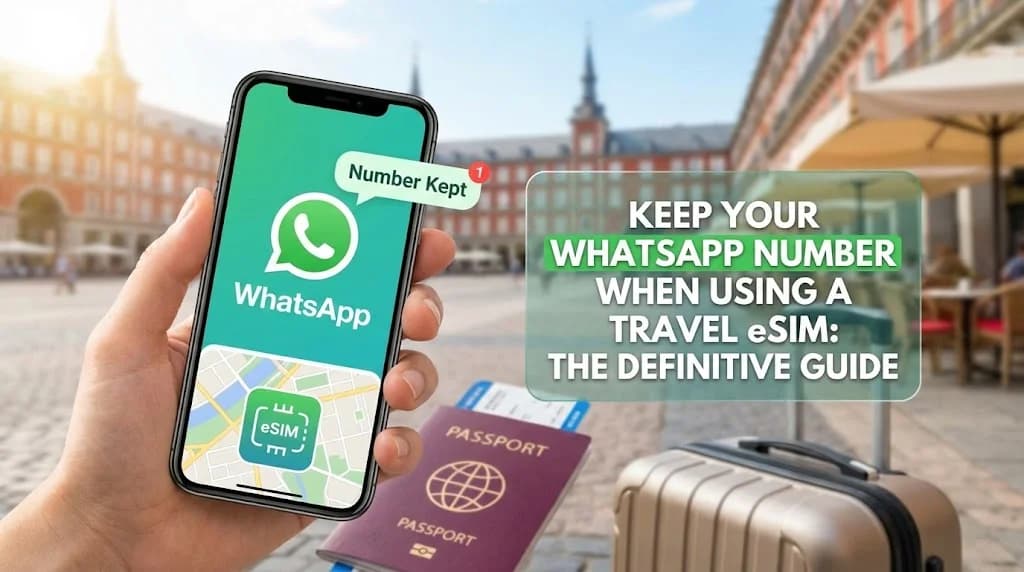
Simply tap “Keep [Your Current Number]” or “Cancel.” By doing this, you are telling WhatsApp to ignore the new data source and continue using your original, verified number. That’s it. Your chats, contacts, and groups will be exactly as you left them, but you'll now be using your affordable eSIM for international travel to the United States or wherever your journey takes you.

Navigating Different Phone Setups: Dual SIM vs. Single SIM Scenarios

Modern smartphones handle multiple lines beautifully, but the approach can differ slightly depending on your device's capabilities. Understanding your setup is key to a stress-free experience.

The Easiest Path: Dual SIM Phones (Physical SIM + eSIM or Dual eSIM)

If you have a recent iPhone or Android device, you likely have Dual SIM capability. This is the ideal scenario for travelers. You can keep your primary physical SIM in the phone while adding a travel eSIM for data. This setup, known as Dual SIM, Dual Standby (DSDS), allows both lines to be active simultaneously.

  • Your Primary Line: Keep this line turned on but with Data Roaming disabled. This allows you to receive important SMS messages (like banking 2FA codes) or even phone calls on your home number if you're willing to pay your carrier's roaming rate for calls.
  • Your Travel eSIM: This line will be designated for all mobile data.

This is the best of both worlds. You maintain your home number's connectivity for emergencies while using the cost-effective eSIM for all your data needs, including WhatsApp, Google Maps, and browsing. For frequent flyers, learning how to convert a physical SIM to an eSIM can free up your physical slot for even more flexibility.

What If I Have to Remove My Physical SIM?

Some older phones or specific models might only support one active SIM at a time. In this case, you would need to physically remove your home SIM to insert a local SIM, or you'd be using an eSIM exclusively. Does this change things for WhatsApp? No!

Even with your home SIM card completely removed from the device, your WhatsApp account remains tied to your number. As long as you don't delete and reinstall the app or try to re-verify it with a different number, it will continue to function perfectly over the data provided by your active travel eSIM. The only downside is you won't be able to receive standard calls or SMS messages to your home number until you put the SIM back in.

Pro Tips for a Seamless WhatsApp Experience Abroad

You've got the basics down. Now, let's cover a few expert tips to ensure nothing goes wrong and you get the most out of your international data plan.

Backup Your Chats Before You Fly

This is just good practice. Before any major trip, go to WhatsApp Settings > Chats > Chat Backup and run a manual backup to the cloud (iCloud or Google Drive). If you were to lose your phone, this backup is your only way to restore your precious conversations. It has nothing to do with the eSIM switch, but it's an essential pre-travel ritual.

Inform Your Contacts (Optional)

While your WhatsApp number stays the same, your actual phone number for regular calls will not work if your home SIM is disabled. If you're expecting important calls, let people know the best way to reach you is via a WhatsApp call. This simple heads-up can prevent confusion.

What About WhatsApp Calls?

WhatsApp calls are VoIP (Voice over Internet Protocol), meaning they use data, not cellular voice minutes. As long as your travel eSIM provides a stable 4G, LTE, or 5G connection, your WhatsApp calls will be crystal clear—often better than a traditional international call. This is one of the best ways to avoid roaming charges across Europe and beyond while staying in touch.

Your Connected Journey Awaits

The fear of losing your digital lifeline is real, but now you're equipped with the knowledge to conquer it. Using a travel eSIM isn't about replacing your identity; it's about giving yourself the freedom of affordable, accessible data wherever you roam. By understanding that WhatsApp is linked to your number, not your SIM, you unlock a world of connectivity without compromise.

So, go ahead and plan that trip. Download your offline maps, stream your travel playlist, and video call your loved ones from a Parisian café. Your WhatsApp will be right there with you, working just as it always has. The only difference? The shockingly low phone bill you'll come home to. Before you go, use our Smart Data Calculator to estimate exactly how much data you'll need, ensuring you buy the perfect plan for your adventure.

Written by
A

Alper

Frequently Asked Questions

Got some questions before your Journey? Well here's everything you need to know before you go

Absolutely. Your WhatsApp account is tied to your phone number, not your SIM card. As long as you don't change the number within the app, it will work perfectly using the data from your travel eSIM.

No, you will not lose your chats. Your chat history is stored on your phone's internal memory and in your cloud backup (iCloud or Google Drive). Switching your data source to an eSIM does not affect your stored messages.

No. The entire point is to keep your existing WhatsApp number. When you switch to an eSIM for data, you simply tell WhatsApp to continue using your original, verified phone number. Most travel eSIMs are data-only and don't come with a phone number anyway.

On a dual SIM phone, WhatsApp remains registered to the primary number you first set it up with. You can set your travel eSIM to handle all mobile data while keeping your primary line active for calls/texts, and WhatsApp will use the eSIM's data seamlessly without any changes.

Most Cellesim eSIM plans are data-only, but you can use that data for WhatsApp, FaceTime, Telegram, or Skype to make calls and send messages. If you need a local phone number, you can use virtual number apps or VoIP services over our data connection.

Yes, in most areas. Our eSIMs connect to local 4G/LTE and 5G networks, allowing for clear voice and video calls on apps like WhatsApp. In very remote or rural areas, connectivity may slow down, in which case text-based communication is a reliable backup.
You may also like

Discover more articles on similar topics

Don't let a massive phone bill ruin your trip. Discover the best strategies to avoid roaming charges, from the convenience of a travel eSIM to smart d...

Don't let data roaming charges ruin your trip. Our expert guide shows you how to use Google Maps and Uber abroad while saving data with offline maps,...

Forget expensive roaming and the hassle of local SIMs. Learn how an eSIM gives you instant, affordable mobile data for travel, letting you stay connec...