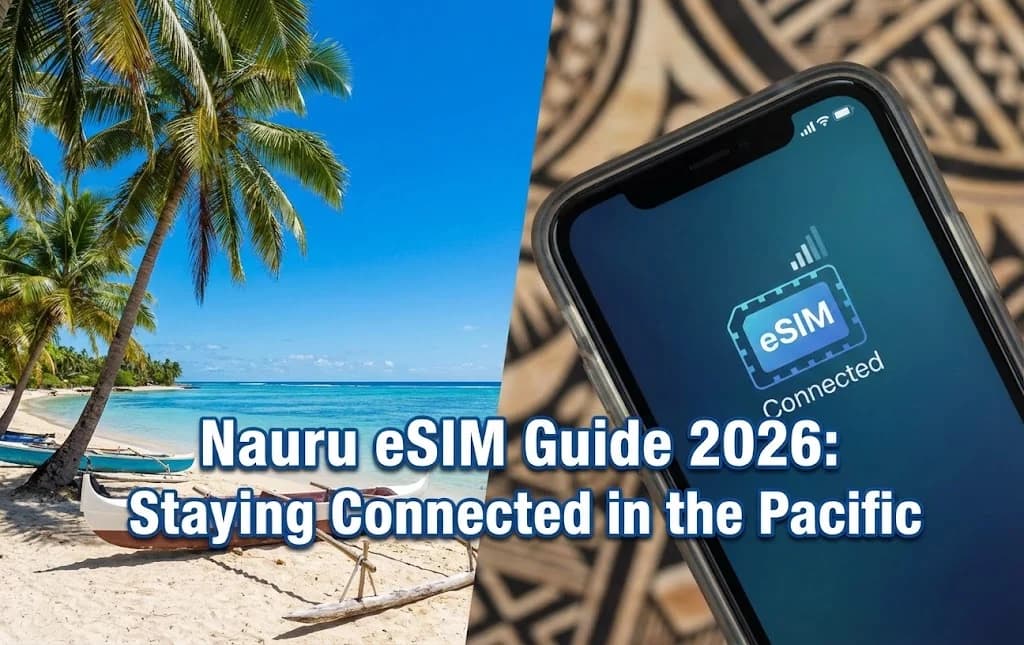
The moment your flight descends towards Nauru, the smallest island nation in the world, the breathtaking view of the turquoise Pacific is captivating. You land at Nauru International Airport (INU), eager to share this first impression. You disable airplane mode, expecting to connect instantly, but your phone screen shows 'No Service'. This is a common reality for travelers in remote destinations, sparking a familiar anxiety: how to get reliable internet. The traditional option involves hunting for a local shop, navigating language barriers, and dealing with physical SIM cards. But in 2026, there is a far superior solution. This guide is your comprehensive resource for using a Nauru eSIM, the modern key to unlocking seamless, affordable, and immediate Nauru mobile data from the moment you arrive. We will walk you through everything from the basic technology to the step-by-step activation process, ensuring you feel confident and prepared for your Pacific adventure.
- Navigating Nauru's Connectivity: Why Traditional Options Fall Short
- What is an eSIM and Why is it Essential for Nauru?
- The Tangible Benefits of Using a Nauru eSIM Over a Physical SIM
- Step-by-Step Guide: How to Get and Activate Your Nauru eSIM
- Nauru's Mobile Network Coverage: What to Expect
- How Much Data Do You Need for Your Nauru Trip?
- Cost Comparison: eSIM vs. Local SIM vs. Roaming in Nauru
- Maximizing Your Nauru eSIM Experience
- Pro Tips for an Unforgettable Nauru Adventure with Your eSIM
- Frequently Asked Questions
Stay Connected in Nauru with Cellesim
Get instant, reliable data for your Nauru adventure. No roaming fees, no physical SIM cards needed. Join 50,000+ happy global travelers.
Get Your Nauru eSIM Plan 🌴Navigating Nauru's Connectivity: Why Traditional Options Fall Short
Nauru, a remote island in Micronesia, offers a unique travel experience, but connectivity can present a significant hurdle. Unlike bustling urban centers, Nauru's telecom infrastructure is limited. Relying on traditional methods such as purchasing a local physical SIM card upon arrival often involves queues, language barriers, and the inconvenience of finding a compatible vendor. Furthermore, international roaming rates from your home provider can quickly become prohibitively expensive, leading to unexpected bill shock.
The quest for internet access can distract from the beauty of this isolated paradise. Travelers frequently report difficulties in finding reliable Wi-Fi hotspots, and the process of acquiring a local SIM might mean sacrificing precious exploration time. This challenge highlights the need for a modern, efficient, and cost-effective connectivity solution, especially when your priority is to capture moments, navigate, and stay in touch with loved ones without stress.
What is an eSIM and Why is it Essential for Nauru?
An eSIM, or embedded SIM, is a digital SIM card that allows you to activate a mobile data plan without needing a physical SIM. It is built directly into your smartphone or other compatible devices. This technology revolutionizes how travelers connect, particularly in destinations like Nauru where traditional SIM acquisition can be cumbersome.
For your Nauru journey, an eSIM is not just a convenience; it is an essential tool. It eliminates the need to physically swap SIM cards, meaning you avoid the risk of losing your primary SIM or struggling with tiny components. With a Nauru eSIM from Cellesim, you can purchase and activate your data plan entirely online, often before you even depart. This ensures you have immediate internet access the moment your plane touches down at Nauru International Airport, allowing you to share your arrival, find information, or contact local services without delay.
The Tangible Benefits of Using a Nauru eSIM Over a Physical SIM
Choosing an eSIM for your Nauru trip offers several distinct advantages over traditional physical SIM cards or expensive roaming plans:
- Instant Activation: Purchase your Nauru eSIM online and receive a QR code via email. Activation is quick and can be done from anywhere, often before your trip. You land connected.
- Seamless Dual SIM Functionality: Keep your home SIM card active for calls and texts while using the eSIM for data. This means you can maintain your primary contact number without incurring international roaming data charges. Learn more about keeping your WhatsApp number here.
- Cost-Effective Data: Cellesim offers competitive data plans for Nauru, often significantly cheaper than your home provider's international roaming rates. You pay only for the data you need, with no hidden fees.
- Environmental Friendly: An eSIM is a digital product, reducing plastic waste associated with physical SIM cards.
- Security and Convenience: No more fumbling with small SIM cards or risking their loss. Your eSIM profile is stored digitally on your device, providing greater security and peace of mind.
"Using an eSIM in Nauru was a game-changer. I landed, turned on my phone, and was instantly connected. No stress, no searching for a store, just pure convenience."
Step-by-Step Guide: How to Get and Activate Your Nauru eSIM
Activating your Cellesim Nauru eSIM is a straightforward process designed for maximum convenience. Follow these steps to ensure you are connected before your journey begins:
- Check Device Compatibility: First, confirm your smartphone supports eSIM technology. Most newer models (iPhone XS/XR and later, Samsung Galaxy S20 series and later, Google Pixel 3 and later) are compatible. Your device must also be unlocked. Use the Cellesim eSIM checker for a quick verification.
- Choose Your Nauru eSIM Plan: Visit the Cellesim Nauru page on our website. Select a data plan that suits the length of your trip and your expected data usage. Plans typically vary by data allowance and validity period.
- Purchase Your eSIM: Complete the purchase securely online. You will receive an email containing a QR code and detailed installation instructions.
- Install Your eSIM:
- Before Travel (Recommended): Scan the QR code using your phone's camera (usually found in Settings > Mobile Data/Cellular > Add eSIM). Ensure you have a stable Wi-Fi connection for this step.
- Upon Arrival: If you install it while in Nauru, connect to airport Wi-Fi to download the eSIM profile.
- Activate Your Data Plan: Once installed, your eSIM profile will be listed in your phone's settings. You can choose to activate it immediately or wait until you arrive in Nauru. It is generally advised to activate it just before or upon arrival to maximize your validity period.
Nauru's Mobile Network Coverage: What to Expect
Understanding Nauru's mobile network landscape is crucial for managing your connectivity expectations. In Nauru, Cellesim eSIMs primarily operate on the **Digicel Nauru** network. Digicel is the leading telecommunications provider on the island, offering the most extensive coverage.
While Nauru is a small island, coverage is generally focused around the populated districts, government facilities, and the main coastal road that encircles the island. You can expect reliable 4G/LTE speeds in areas like Yaren (the de facto capital), Aiwo, and Denigomodu. As you venture into less populated interior areas or certain coastal fringes, connectivity might become more intermittent, occasionally dropping to 3G or even limited service.
For most travelers staying within the main residential and administrative zones, including key tourist spots and accommodation, the Digicel Nauru network via Cellesim eSIM will provide consistent service for browsing, messaging, and basic navigation. Before your trip, it is advisable to consult Digicel Nauru's official website for their most up-to-date coverage maps to align with your travel itinerary.
How Much Data Do You Need for Your Nauru Trip?
The amount of data you need for your Nauru trip depends heavily on your usage habits. Remote destinations like Nauru might encourage more offline activities, but having data for essential tasks is invaluable. Consider these estimates:
- Light User (500MB - 1GB per week): Ideal for checking emails, occasional social media updates, light messaging, and using maps for navigation.
- Moderate User (2-3GB per week): Suitable for regular social media, frequent messaging, some video calls, and streaming music. This is a common choice for most tourists.
- Heavy User (5GB+ per week): For those who rely on constant connectivity, extensive social media, frequent video calls, streaming high-definition content, or tethering other devices.
Keep in mind that Nauru might have limited public Wi-Fi, making your personal mobile data even more critical. To accurately estimate your needs, you can use the Cellesim Smart Data Calculator before purchasing your plan.
Cost Comparison: eSIM vs. Local SIM vs. Roaming in Nauru
When traveling to Nauru, comparing your connectivity options is essential to avoid unexpected costs. Here's a breakdown of the typical expenses:
| Option | Price (7 days approx.) | Setup | Convenience |
|---|---|---|---|
| Cellesim eSIM | From $9.50 | Instant (pre-arrival) | High (digital, flexible) |
| Local Nauru SIM (Digicel) | $15 - $30 + setup fee | Store visit, physical swap | Medium (requires local purchase) |
| International Roaming | $10 - $15+ / day | Automatic | Low (very high cost) |
As the table illustrates, Cellesim eSIMs often provide the most competitive balance of cost, convenience, and instant connectivity. Local SIMs require effort upon arrival, and roaming can lead to significant overspending. For more detailed comparisons on avoiding roaming charges, you can review our Cellesim vs. Roaming analysis or use the Roaming Savings Calculator.
Explore All Cellesim eSIM Plans
Maximizing Your Nauru eSIM Experience
To get the most out of your Nauru eSIM, consider these practical tips:
- Monitor Data Usage: Regularly check your data consumption through your phone's settings or the Cellesim portal. This helps prevent running out of data unexpectedly. You can learn how to check usage here.
- Top-Up as Needed: If your data runs low, Cellesim makes it easy to top up your plan directly from your account, ensuring uninterrupted connectivity.
- Use Wi-Fi for Heavy Tasks: Whenever available, use hotel or local Wi-Fi for large downloads, video streaming, or extensive cloud backups to conserve your eSIM data.
- Optimize Apps for Offline Use: Download maps, travel guides, and entertainment before you arrive or when on Wi-Fi. Google Maps allows offline map downloads, which can significantly save data.
- Consider Tethering: If your plan allows and you need to connect other devices (like a laptop or tablet), eSIM tethering can turn your phone into a mobile hotspot.
Pro Tips for an Unforgettable Nauru Adventure with Your eSIM
Nauru is an island of rich history and stunning natural beauty. Beyond connectivity, here are some tips to enhance your travel experience:
- Explore Anibare Bay: Known for its pristine white sands and clear waters, Anibare Bay is perfect for swimming and relaxation. Use your eSIM to share stunning photos with friends and family.
- Visit Command Ridge: The highest point on the island, offering panoramic views and remnants of World War II Japanese fortifications. Navigation apps on your phone will be invaluable here.
- Discover Moqua Well: An underground freshwater lake. Ensure you have your eSIM data to research its history and cultural significance on the go.
- Respect Local Customs: Nauruans are generally modest and conservative. Dress respectfully, especially in public areas, and always ask for permission before taking photographs of people.
- Stay Hydrated: The tropical climate can be intense. Always carry water, and use your eSIM to find local shops for refreshments.
- Check Travel Advisories: Always review the latest travel advisories from your government before departure for up-to-date entry requirements and local conditions. The official Nauru government portal provides valuable information.
Ready for Seamless Connectivity in Nauru?
Don't let connectivity worries overshadow your Nauru adventure. Secure your Cellesim eSIM now for instant, reliable, and affordable data.
Start Your Connected JourneyTrusted by 50,000+ travelers worldwide. Available in 200+ countries. 24/7 email support.
The Connectivity Challenge in Paradise
The moment your flight descends towards Nauru, the smallest island nation in the world, the breathtaking view of the turquoise Pacific is captivating. You land at Nauru International Airport (INU), eager to share this first impression. You disable airplane mode, expecting to connect instantly, but your phone screen shows 'No Service'. This is a common reality for travelers in remote destinations, sparking a familiar anxiety: how to get reliable internet. The traditional option involves hunting for a local shop, navigating language barriers, and dealing with physical SIM cards. But in 2026, there is a far superior solution. This guide is your comprehensive resource for using a Nauru eSIM, the modern key to unlocking seamless, affordable, and immediate Nauru mobile data from the moment you arrive. We will walk you through everything from the basic technology to the step-by-step activation process, ensuring you feel confident and prepared for your Pacific adventure.
Maximizing Your Nauru Mobile Data Experience
Having a functional Nauru eSIM is the first step; using it wisely is the next. Given Nauru's unique infrastructure, understanding the network and managing your data consumption will help you make the most of your plan and stay connected throughout your visit, whether you are exploring the phosphate mines or relaxing by Anibare Bay.
Understanding Local Network Coverage
Your Cellesim eSIM will connect to the primary local telecommunications provider, Digicel Nauru. As Nauru is a small island (only 21 square kilometers), coverage is generally quite good across the entire nation. You can expect reliable 4G/LTE speeds in the main districts like Yaren, Denigomodu, and Meneng. However, as with any mobile network, there may be occasional spots where the signal is weaker, particularly in more remote parts of the island's interior or along certain coastal stretches. From our experience, the service is more than adequate for all typical travel needs, including navigation, web browsing, video calls, and social media updates. For the most current network information, you can check the official Digicel Nauru website.
Monitoring Data Usage and Topping Up
Keeping an eye on your data consumption is essential to avoid running out unexpectedly. Most smartphones provide built-in tools to monitor data usage, usually found in your cellular or network settings. Cellesim also offers a user-friendly dashboard where you can track your remaining data in real-time. If your data runs low, topping up your eSIM plan is quick and easy, typically done directly through the Cellesim website. This flexibility ensures you maintain continuous connectivity without interruption. For detailed tracking, refer to our guide on how to check eSIM data usage and top up instantly.
Optimizing Device Settings for Data Efficiency
To extend your data plan, consider optimizing your phone's settings. Disable automatic app updates, limit background app refresh, and reduce video streaming quality when on mobile data. Many apps, such as Google Maps, allow you to download offline maps before your trip, significantly saving data. Furthermore, using Wi-Fi whenever available at your hotel or local cafes can preserve your eSIM data for when you truly need it on the go. These small adjustments can make a big difference in how long your Nauru eSIM plan lasts.
Pro Tips for Exploring Nauru with Your eSIM
Nauru offers a unique travel experience, and with your Cellesim eSIM providing reliable connectivity, you are well-equipped to make the most of your visit. Here are some practical tips to enhance your exploration of this intriguing island nation.
Essential Apps for Your Nauru Trip
Before you depart, ensure your smartphone is loaded with essential travel applications. Google Maps or Maps.me (for offline maps) will be invaluable for navigating the island's single ring road and locating points of interest. A translation app, even if English is widely spoken, can be helpful for local interactions. WhatsApp or other messaging apps are crucial for staying in touch with home and perhaps connecting with locals. Remember to download any large map files or media content via Wi-Fi before heading out to save your eSIM data.
Exploring Nauru's Unique Attractions
With your connectivity sorted, you can confidently explore Nauru's highlights. Visit the Phosphate Mines for a stark reminder of the island's history, or relax by the pristine waters of Anibare Bay. The Command Ridge offers panoramic views, a perfect spot for photos to share instantly with your Cellesim eSIM. Do not miss the Moqua Well, a freshwater underground lake. Your eSIM ensures you can research these sites on the go, find local eateries, or book tours without interruption. For up-to-date travel advice and destination information, consider external resources like the UK Foreign, Commonwealth & Development Office (FCDO) travel advice for Nauru.
Staying Safe and Informed
Your eSIM is not just for leisure; it is a vital safety tool. In case of an emergency, immediate access to communication is paramount. Stay informed about local weather conditions or any travel advisories by checking local news sites or official government portals online. Share your location with trusted contacts for peace of mind. While Nauru is generally a safe destination, having constant access to information and communication is an essential component of responsible travel.
Frequently Asked Questions
What is the primary network provider in Nauru for eSIMs?
In Nauru, Cellesim eSIMs connect to the Digicel Nauru network. This ensures reliable 4G/LTE coverage across the main districts of the island, providing consistent connectivity for your travel needs.
Can I make calls and send SMS with a Nauru eSIM?
Cellesim eSIM plans for Nauru primarily provide mobile data. While most plans do not include local call or SMS capabilities, you can use Voice over IP (VoIP) apps like WhatsApp, Skype, or FaceTime for calls and messages over your data connection. Additionally, with Dual SIM functionality, you can keep your home physical SIM active for calls and texts.
How do I know if my phone is compatible with an eSIM for Nauru?
Most modern flagship smartphones released since 2018, including iPhone XS/XR and newer, Samsung Galaxy S20 series and newer, and Google Pixel 3 and newer, support eSIM technology. It is also crucial that your phone is unlocked. You can confirm your device's compatibility by visiting the Cellesim eSIM compatible devices page.
Is it safe to purchase and activate an eSIM online before my trip?
Yes, purchasing and activating a Cellesim eSIM online is a secure and highly recommended method. You receive your eSIM profile via a secure QR code in your email. This digital process eliminates the need to share personal details in local stores and reduces the risk of losing a physical SIM card, enhancing your overall travel security.
How quickly can I activate my Nauru eSIM?
A Cellesim Nauru eSIM can be activated almost instantly once you receive the QR code via email. The installation process typically takes less than 2 minutes. You can perform this step before your trip using a Wi-Fi connection, ensuring you are connected the moment you arrive in Nauru.
What should I do if I encounter connectivity issues in Nauru?
If you experience any connectivity problems, first check your device's network settings to ensure the eSIM is active and data roaming is enabled for the eSIM line. If issues persist, try restarting your phone. For further assistance, contact Cellesim's 24/7 support team at [email protected], providing details of your location and the issue.
See also: Nauru eSIM