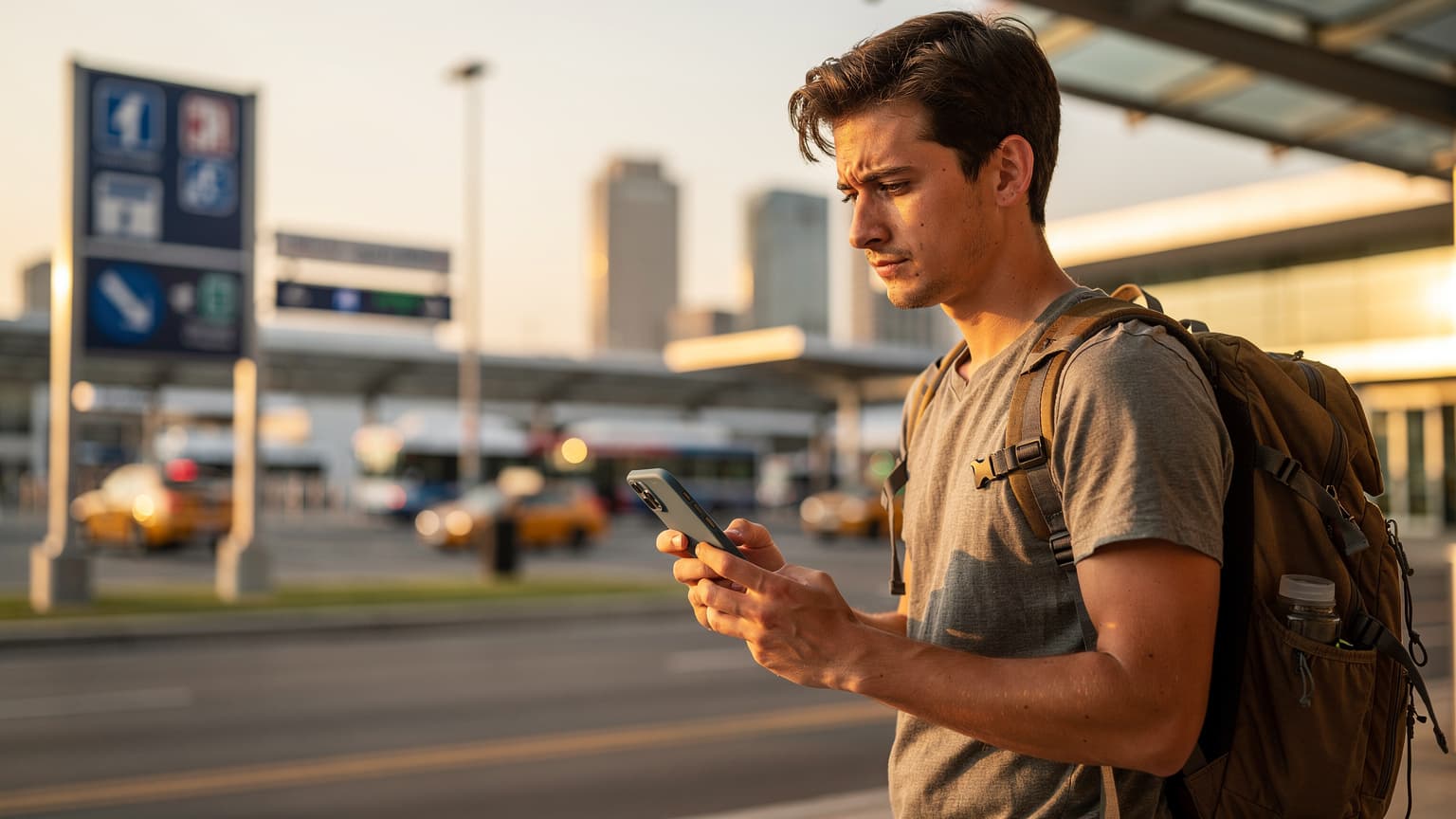
The T-Mobile eSIM Free Trial: What's the Real Deal?
Let's get straight to it: free data for US travel sounds amazing, especially when you're trying to save every penny. T-Mobile's eSIM free trial offers exactly that: 30 days or 30GB of 5G data, whichever runs out first, for anyone who isn't already a T-Mobile customer and has an eSIM-compatible phone. On paper, it's a sweet deal for a quick trip to the States, maybe a week in New York City or a long weekend driving through California.
But as someone who once spent 8 days in Colombia for just €280, including my mobile data, I know "free" often has conditions. This isn't a long-term fix; it's a sample. T-Mobile wants you to try their network, hoping you'll stick around. For us budget travelers, it's about using that sample without committing to the whole thing, unless it really makes sense financially.
Who is the T-Mobile Free Trial Designed For?
This trial is mainly for people who use other US phone companies, like Verizon or AT&T, or for international visitors coming to the US. If you're an American thinking about T-Mobile, or a backpacker from Europe landing at JFK, this is their invitation. It's a low-risk way to check out their service without buying a full plan, and importantly, without moving your current phone number.
What's the Catch, Mike?
The biggest catch, and it's a big one for anyone traveling for a while, is that you can only use it once. After you've used your 30 days or 30GB, that's it. You can't just sign up for another trial. This means you need to plan carefully. If you're on a month-long bus trip across the country, this trial will only cover part of it. You'll need a backup plan, which is why Cellesim alternatives for USA travel often come into play.
Activation Steps: Getting That Free Data
Getting the T-Mobile eSIM free trial working is surprisingly simple, especially if you're already familiar with eSIMs. You don't need to go to a store, talk to a salesperson, or even give them a credit card number upfront. That's a win in my book, as it avoids potential sales pitches and hidden fees.
What You'll Need Before You Start
Before you even think about downloading anything, make sure you have these things:
- An eSIM-compatible device: Most newer iPhones (XS and later) and flagship Android phones (like Samsung Galaxy S21 and newer) support eSIM. Double-check your phone's specs.
- A Wi-Fi connection: You'll need Wi-Fi to download the eSIM profile. Don't try this in the middle of nowhere without a signal.
- No active T-Mobile service: This trial is strictly for people who aren't already T-Mobile customers.
Step-by-Step Guide to Activating Your T-Mobile Free Trial eSIM
Here's how I'd do it, making sure to avoid any common issues:
- Download the T-Mobile App: Go to the Apple App Store or Google Play Store and search for the 'T-Mobile' app. Make sure it's the official one, not some fake.
- Start the Trial: Open the app. You should see a clear option for 'Network Pass' or 'Free Trial.' Tap it.
- Verify Eligibility: The app will quickly check if your device works with eSIM and if you're not already a T-Mobile customer.
- Install eSIM Profile: Follow the instructions on the screen to install the eSIM profile. This usually involves giving permissions and confirming the installation. Your phone will do most of the hard work.
- Configure Data Settings: Once it's installed, go to your phone's cellular settings. Make sure the T-Mobile eSIM is turned on and set as your main data line (or a secondary one, if you want to test it alongside your current plan). Remember, you're not moving your main number, so keep your voice line separate if you need it.
- Start Browsing: You should now be connected to T-Mobile's network. Do a quick speed test or open a few websites to confirm it's working.
The whole process is usually fast, maybe 5-10 minutes from start to finish. It's definitely smoother than dealing with a physical SIM card at a packed airport kiosk (I learned that the hard way at LAX once).
Data Allowance and Duration: Is It Enough?
So, you get 30 days or 30GB, whichever comes first. Let's break that down for a typical budget traveler.
Crunching the Numbers: 30GB for 30 Days
For me, 30GB over 30 days works out to about 1GB per day. Is that enough? It really depends on how you travel:
- Light usage (checking maps, occasional social media, messages): 0.5-1GB/day. You'll probably be fine, especially if you use hostel Wi-Fi.
- Moderate usage (some streaming, video calls, frequent social media, navigation): 1-3GB/day. You'll hit that 30GB limit well before the 30 days are up.
- Heavy usage (constant streaming, uploading big files, mobile hotspot): 3GB+ /day. This trial isn't for you. You'll burn through it in a week.
On my last trip through Europe, I used about 1.5GB per day on average. That was with careful management, downloading maps offline, and using Wi-Fi whenever possible. So, 30GB for 30 days would have left me short by about 15GB. You can see how quickly it disappears if you're not careful.
The 'Whichever Comes First' Clause
This is really important. If you use up 30GB in 10 days, your trial is over. If you use 5GB over 30 days, your trial is also over. There's no rollover, no extensions. This makes it perfect for specific, short-term needs, like a two-week trip where you expect moderate data use, or perhaps a shorter trip where you just need to get oriented for a few days before buying a local SIM.
Coverage and Speed: Where T-Mobile Shines and Stumbles
T-Mobile's 5G network in the US has grown a lot, especially in cities and suburbs. When it works, it's super fast. You can stream HD video, make clear video calls, and download big files without a problem. This is a huge plus if you're using Google Maps in a new city or need to quickly upload photos from a day of sightseeing.
Urban vs. Rural Realities
In big cities like Los Angeles, Miami, or my home city of New York, T-Mobile's 5G coverage is generally excellent. You'll find strong signals in most areas, from Manhattan's Lower East Side to the busy streets of Koreatown. But, if you leave these crowded areas, things can get tricky.
Road trips through national parks, remote highways in the Midwest, or even some smaller towns can still have weak signals. I've been on a Greyhound from Denver to Salt Lake City where T-Mobile lost service for hours. If your US travel involves going off the main roads, don't rely only on T-Mobile's free trial. Always have a backup plan, whether it's offline maps or a second eSIM from a different carrier if your phone supports it.
The Importance of 5G for Data-Hungry Apps
With 5G, 1GB goes a bit further because you're not waiting for things to load. Pages open instantly, videos buffer right away. But it also means you might use data faster if you're not careful. High-quality streaming uses more data, and with faster speeds, you might not notice how quickly those gigabytes are disappearing until it's too late.
Comparing Apples to Oranges: T-Mobile vs. Cellesim for US Travel
This is where it gets real for a budget traveler. The T-Mobile free trial is, well, free. Cellesim, like other eSIM providers, costs money. So, how do they stack up?
| Feature | T-Mobile eSIM Free Trial | Cellesim (USA Plans) |
|---|---|---|
| Cost | $0 | Starts from $4.50 for 1GB/7 days |
| Data Allowance | 30GB | Flexible, from 1GB to 50GB+ |
| Duration | 30 days | Flexible, from 7 days to 30 days+ |
| Network | T-Mobile 5G | T-Mobile, AT&T (depending on plan) |
| Reusability | One-time use only | Purchase new plans as needed |
| Voice/Text | No (data only) | Data only (some plans include local number) |
| Ideal For | Short-term testing, brief trips | Flexible travel, longer stays, consistent connectivity |
If your trip is 1-2 weeks and you don't use a ton of data, the T-Mobile trial is a no-brainer. Free is free. But if your trip is longer, or you need more data, Cellesim quickly becomes more appealing because it's so flexible. For instance, a 10GB plan for 30 days on Cellesim might cost you around $20-25. If you need that data, it's a much better investment than running out mid-trip.
The biggest difference is this: the T-Mobile trial is a taste, Cellesim is your full meal. You wouldn't try to live off samples for a month, would you?
When I was in Ecuador, my Cellesim plan gave me peace of mind because I knew I could easily add more data if I unexpectedly needed it for navigating the cobblestone streets of Cuenca or finding a specific bus stop. With the T-Mobile trial, that option simply isn't there.
The Cheapest Local SIM Alternative, for Fairness
As a budget traveler, I always look at every angle. Even with eSIMs, there's usually a physical SIM card alternative, especially in the US. For short-term visitors, the cheapest local SIM options usually involve prepaid plans from carriers like Verizon Prepaid, T-Mobile Prepaid, or AT&T Prepaid.
Where to Find Them and What to Expect
You can buy physical SIM cards at:
- Carrier Stores: T-Mobile, AT&T, and Verizon stores are everywhere. Expect to pay an activation fee (around $10-20) on top of the plan cost.
- Walmart or Target: These big box stores often have prepaid SIM kits from various carriers. This is usually the cheapest way to get physical SIMs, often for about $30-40 for 10-15GB over 30 days.
- Airport Kiosks: Avoid these like the plague. They're almost always overpriced, targeting desperate arrivals. I once saw a 5GB SIM at LAX for $60. Absolutely not.
A typical budget prepaid physical SIM might cost you around $35 for 10GB of data with unlimited talk and text for 30 days. When you compare that to T-Mobile's free 30GB trial, the trial is clearly better for data volume if it fits your trip length. But if you need a US phone number for calls and texts, or need service for more than 30 days, a physical prepaid SIM becomes a strong contender.
Border-Crossing Edge Cases and the Free Trial
This is where things get interesting for some travelers. The T-Mobile free trial is only for use within the US. If you're planning a trip that includes going into Canada or Mexico, even for a day trip, your T-Mobile trial data will probably stop working the moment you cross the border.
Crossing into Canada or Mexico
For example, if you're in Seattle and decide to pop up to Vancouver for a weekend, your T-Mobile trial won't follow you. You'd need a separate Canadian eSIM or a local SIM once you're there. This is an important distinction. Many international eSIMs, like those from Cellesim, often have regional plans that cover multiple countries (e.g., North America plans). This is a big advantage if your travel plans include several countries.
I remember crossing from Colombia into Ecuador near Ipiales. My local Claro SIM from Colombia immediately stopped working. I had to quickly activate my Cellesim plan while waiting in line at the border crossing. The T-Mobile trial simply doesn't offer that kind of flexibility. It's strictly a US-only deal.
| Scenario | T-Mobile Free Trial (US) | Cellesim (Regional Plan) |
|---|---|---|
| US-only Trip (e.g., NYC to LA) | Excellent value, free 30GB | Good value, flexible GB/duration |
| US to Canada Trip (e.g., Seattle to Vancouver) | Stops working at border, no data in Canada | Seamless transition if North America plan selected |
| US to Mexico Trip (e.g., San Diego to Tijuana) | Stops working at border, no data in Mexico | Seamless transition if North America plan selected |
| Needing a Local US Number | No voice/text included | Data only, unless specific plan offers VoIP/local number |
My Personal Take: When to Grab the Trial, When to Skip It
Alright, so where does this leave us, fellow budget warriors?
Grab the Trial If:
- You're on a short US trip: If you're only in the US for 1-2 weeks and can manage your data to stay under 30GB, it's genuinely free data. That's money saved.
- You need to test T-Mobile's network: If you're thinking about switching to T-Mobile as your main US carrier, this is a perfect, risk-free way to see how their network works in the places you frequent.
- You have a backup plan: If your trip is longer than 30 days, or you expect to use a lot of data, and you've already got a Cellesim plan ready to go once the trial ends, then it's a great way to start your connectivity for free. Think of it as a starter pack.
Skip the Trial (or Use it Strategically) If:
- You're a heavy data user: If you're constantly streaming video, using your phone as a hotspot for a laptop, or making tons of video calls, 30GB will disappear faster than my cash at a Parisian bakery.
- Your trip is long-term (over 30 days): You'll be left without data once the trial ends. You'll need a more lasting solution.
- You need a US phone number for calls/texts: The trial is data-only. For important calls and texts, you'll still rely on your home number (if roaming) or a VoIP app.
- You're crossing borders: As we talked about, it won't work in Canada or Mexico. A regional eSIM from a provider like Cellesim or Airalo is a better bet for trips that include multiple countries.
For my iPhone eSIM abroad strategy, I always have a main, flexible eSIM plan for my primary destination, and then I'll add on free trials or smaller local SIMs if they make sense for short detours. The T-Mobile trial fits that 'short detour' or 'starter' category perfectly.
How to Optimize Your Data on a Budget in the US
Even with free data, every gigabyte counts. Here's how I make my data last, whether it's on a T-Mobile trial or a paid eSIM:
- Download Offline Maps: Before you leave your hostel with Wi-Fi, download offline maps for your entire route on Google Maps or Maps.me. This saves a huge amount of data for navigation.
- Leverage Free Wi-Fi: Almost every coffee shop, McDonald's, library, and hostel in the US offers free Wi-Fi. Make it your best friend. Do your heavy downloads and uploads when connected.
- Disable Background App Refresh: Go into your phone settings and turn off background refresh for apps you don't need constantly updating. Instagram and Facebook are notorious for using lots of data.
- Reduce Streaming Quality: If you absolutely have to stream video, lower the quality settings. Standard definition uses significantly less data than HD.
- Monitor Data Usage: Regularly check your phone's data usage settings. This will show you which apps are using the most data, helping you adjust your habits.
I once managed to make 5GB last for a full 10 days in rural Portugal because I was so careful with these steps. It meant my €15 local SIM was plenty, and I didn't need to top up.
Final Verdict: Is the T-Mobile eSIM Free Trial Worth It in 2026?
For US travelers, especially international visitors or domestic travelers on other networks, the T-Mobile eSIM free trial in 2026 is a compelling offer for specific situations. It's 30GB of 5G data for 30 days, absolutely free. That's a deal you can't ignore if it fits how long you're traveling and how much data you need.
However, it's important to understand its limits: it's a one-time offer, data-only, and strictly for use within the US. For longer trips, heavier data users, or those planning to cross borders, a flexible, pay-as-you-go eSIM from a provider like Cellesim will give you the continuity and peace of mind you need. You might pay a few dollars, but you gain control.
So, use the T-Mobile trial wisely. Treat it as a fantastic free starter pack or a network test. But for consistent, worry-free connectivity on a budget, especially if you travel like I do (always moving, always connected, always counting euros), a dedicated eSIM plan from a reliable provider will be your true travel companion. Don't leave your data needs to chance, especially when a few dollars can save you a lot of hassle.
Frequently Asked Questions
How long does the T-Mobile eSIM free trial last in 2026?
The T-Mobile eSIM free trial lasts for 30 days or until you've used 30GB of data, whichever comes first. It's a one-time offer for non-T-Mobile customers.
Can I make calls and send texts with the T-Mobile eSIM free trial?
No, the T-Mobile eSIM free trial is data-only. It does not include a US phone number for traditional calls or SMS texts. You would need to use VoIP apps like WhatsApp or Facetime for communication.
Is the T-Mobile free trial eSIM available to international visitors to the USA?
Yes, the T-Mobile eSIM free trial is available to international visitors as long as they are not existing T-Mobile customers and have an eSIM-compatible device. It's a great way to get connected upon arrival.
What happens if I use all 30GB of data before the 30 days are up?
If you use all 30GB of data, your free trial will end immediately, even if the 30 days are not yet complete. You cannot top up or extend the trial, so plan your data usage carefully.
Can I get another T-Mobile eSIM free trial after my first one expires?
No, the T-Mobile eSIM free trial is a one-time offer per device. Once you've completed your trial, you are not eligible for another free trial. You would need to purchase a regular T-Mobile plan or use an alternative eSIM provider.
How does Cellesim compare to the T-Mobile eSIM free trial for US travel?
The T-Mobile free trial offers 30GB for 30 days for free, ideal for short, light-use trips. Cellesim offers flexible, paid eSIM plans for the US that can be renewed, offer varying data amounts and durations, and are better suited for longer stays or heavier data users who need reliable, continuous service.