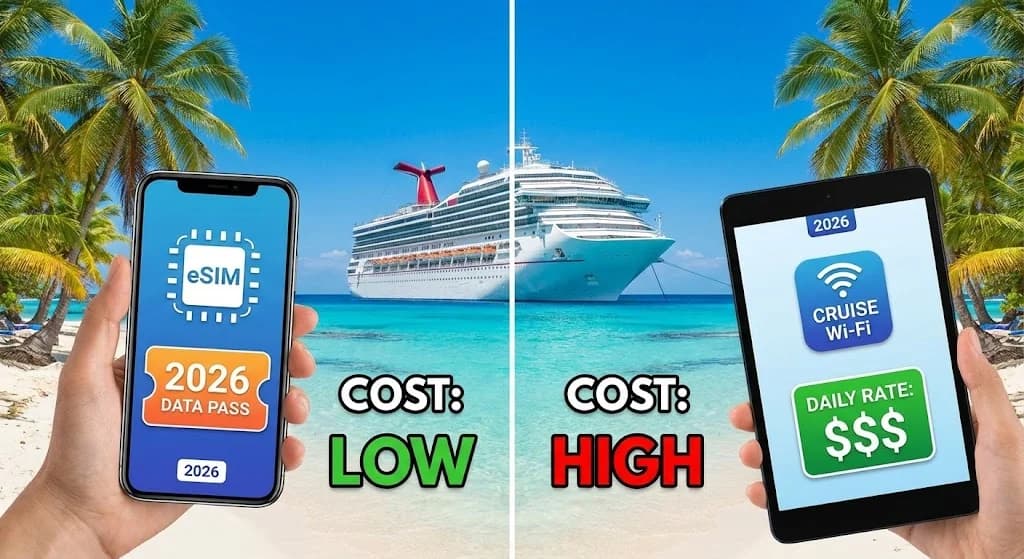
T-Mobile eSIM Free Trial: What It Actually Is
T-Mobile offers a 30-day eSIM trial, and it sounds pretty good if you just want to test their network. But here's the catch: you need to understand exactly what this offer covers. This trial is only for people in the U.S. to try out T-Mobile's network coverage and speed at home. They've poured a lot of money into specific bands, like n41 (2.5 GHz mid-band 5G) and n71 (600 MHz low-band 5G), and this trial lets you see how those work for you.
It's a straightforward strategy: get customers from AT&T or Verizon to switch. T-Mobile gives you unlimited data, talk, and text for a month so you can check speeds on your commute, at home, or at your local coffee shop. This isn't a roaming plan for your next trip to Europe; it's a sales tactic for domestic customers. Make sure you don't confuse it with any T-Mobile eSIM abroad options, which are paid services.
The Domestic Focus and Its Implications
If you're a telecom engineer, the trial's domestic limitation is obvious from T-Mobile's official documents and marketing. The trial uses T-Mobile's big investment in its standalone 5G network, which in the U.S. relies heavily on low-band (for reach) and mid-band (for speed). This setup is great for U.S. cities and suburbs, but those specific band allocations and network agreements just don't extend to international roaming partners for a free trial.
That means if you activate the trial and then fly to, say, Berlin or Tokyo, your phone won't connect to a foreign network. The eSIM's subscription profile is hard-coded to T-Mobile's U.S. network identifiers (PLMNs). It essentially stops your phone from registering internationally. Think of it like a library card: it works in your city, but not in another country.
Technical Limitations of a Trial Profile
From a network point of view, a trial eSIM profile usually has restricted provisioning. This isn't just about billing; it's a network access control parameter. Most carriers put strict limits on trial accounts to stop misuse and manage resources. International roaming involves complicated agreements and signaling between carriers, which costs the home network operator (T-Mobile in this case) money. Offering a free, unlimited data trial that covers these roaming costs would simply be too expensive for any carrier.
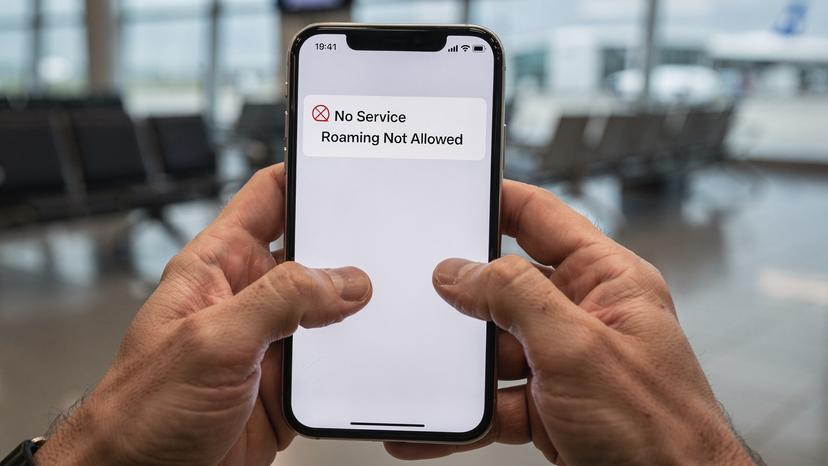
Why the T-Mobile eSIM Free Trial Isn't For International Travel
Let me be absolutely clear: the T-Mobile eSIM free trial is only for use within the U.S. If you expect it to work outside the continental United States, Hawaii, Puerto Rico, or the U.S. Virgin Islands, you'll be disappointed and without service.
I've seen countless people in online forums get confused by this, often assuming "unlimited data" means "unlimited everywhere." It doesn't. The terms and conditions (which I know can be a pain to read) spell this out very clearly. It's how mobile network operators manage their networks and agreements.
Geographical Restrictions and Network Partnerships
International roaming relies on specific agreements between T-Mobile and foreign network operators. These agreements cover not just data rates, but also which network bands you can access (like Vodafone UK's B7 and B20, or SoftBank Japan's n77 and n28), the quality of service, and, importantly, what services you can use (data, voice, SMS). A free trial simply doesn't include the financial and technical handshake needed for these global partnerships.
When your phone tries to connect to a foreign network, it sends a request. The foreign network then asks T-Mobile to confirm your subscription and permissions. For a trial eSIM, T-Mobile's billing and policy control system (PCRF) would reject any attempt to connect through an international roaming partner, effectively denying you service.
The Cost of Roaming for Carriers
Even though data costs have dropped, international roaming is still a big expense for carriers. When a T-Mobile customer roams on, say, Orange France, T-Mobile pays Orange a wholesale rate per megabyte or gigabyte used. Offering this for free, even for a limited trial, would be a huge financial burden. This is why dedicated travel eSIMs, like those from Cellesim, exist. They bundle these wholesale rates and offer them directly to you, bypassing your home carrier's roaming surcharges.
T-Mobile's International Roaming Options, Beyond the Trial
The free trial won't work abroad, but T-Mobile does offer international roaming as part of its paid postpaid plans. These plans usually come in tiers with different roaming benefits. Knowing these is crucial for figuring out your T-Mobile eSIM abroad strategy.
Magenta and Go5G Plans
T-Mobile's top plans, like Magenta MAX or Go5G Plus, typically include some international roaming. This often means unlimited 2G data (and yes, 2G means about 128 kbps or slower, which is barely enough for messaging apps) and some high-speed data (for example, 5GB at 5G/LTE speeds) in over 215 countries. Once you use up that high-speed data, your speeds drop back to 2G. For many travelers, 2G just isn't practical for things like navigation, video calls, or even loading regular websites.
For instance, in Paris, you might connect to Orange F or SFR. While these networks offer strong LTE (B3, B7, B20) and 5G (n1, n3, n78) domestically, T-Mobile's roaming agreements might prioritize specific bands or even limit speeds based on their wholesale cost. Expect throttled 2G speeds to be around 30-60 kbps, while premium roaming might get you 50-150 Mbps on LTE, depending on network traffic and specific agreements.
International Pass Add-Ons
If you need more high-speed data than your plan offers, T-Mobile sells international passes. These are paid add-ons, usually giving you a set amount of high-speed data for a certain period (like 10GB for 10 days for $50). These passes can be helpful for short trips where you need consistent, faster speeds for important tasks.
However, it's worth comparing these costs to what dedicated international eSIM providers offer. Often, you'll find much better value, and more precise control over your data usage, with a Cellesim plan tailored specifically to your destination and trip length. The cost per gigabyte on T-Mobile's add-ons can be significantly higher than a localized eSIM.

Understanding Carrier Aggregation and Roaming Performance
When you're roaming internationally, getting fast speeds isn't just about what the foreign network can do. It's also about the technical details of the roaming agreement. One key factor is carrier aggregation (CA).
Carrier aggregation is a 3GPP feature that lets your device combine multiple frequency blocks (called component carriers) to get faster data speeds and more capacity. For example, combining B7 and B3 on an LTE network can really boost your download speed. But roaming agreements don't always allow for full carrier aggregation. Sometimes, only a single component carrier is allowed for roaming traffic, even if the local network supports more.
Impact on Data Speeds Abroad
Imagine you're in Rome, connected to Telecom Italia (TIM). TIM uses bands like B3 (1800 MHz), B7 (2600 MHz), and B20 (800 MHz) for LTE, and n78 (3.5 GHz) for 5G. At home, a TIM subscriber might get 200-300 Mbps by combining several of these. As a T-Mobile roamer, even with an international pass, you might be limited to a single band, maybe B3, capping your speeds at 50-80 Mbps, depending on how busy the network is. This is a common detail in roaming agreements: the "full" network experience is often saved for local customers.
This is why testing is so important. Don't assume the speeds advertised by the local carrier are what you'll get as a roamer. Always check real-world speed tests from other travelers at your destination or consider a local eSIM for guaranteed local network performance.
VoLTE and VoWiFi Gotchas When Roaming
Another technical point often overlooked is voice over LTE (VoLTE) and voice over Wi-Fi (VoWiFi). While most modern T-Mobile plans support VoLTE domestically, international VoLTE roaming (also called IR.92 or VoLTE Roaming) isn't available everywhere. If your phone doesn't support VoLTE roaming with the partner network, your voice calls might drop to 3G (UMTS) or even 2G (GSM). This means slower call connection times and possibly lower audio quality.
Also, VoWiFi, which lets you make calls over Wi-Fi using your cell number, is usually linked to your home network's setup. While it's useful, its functionality abroad can be inconsistent. Some foreign Wi-Fi networks might block the necessary ports or protocols, stopping VoWiFi from working. Always test these features before relying on them for important communication abroad. A dedicated international eSIM for data means you can still use messaging apps for calls, avoiding traditional voice roaming problems.
The Technical Nuances of International eSIMs
International eSIMs, like those from Cellesim, work differently from your home carrier's roaming service. They're designed to act like a local SIM, connecting directly to partner networks in various countries. This often means better performance and more predictable pricing.
How International eSIMs Bypass Roaming Limitations
When you activate a Cellesim eSIM for France, for example, your phone essentially acts as if you bought a local SIM card from a French operator. This means: no roaming charges from your home carrier, direct access to local network bands (like Orange France's 5G bands n1 and n78), and usually, the full range of data speeds the local network offers its own customers. You're no longer a "guest" from a foreign network; you're a direct customer of the local data provider through the eSIM aggregator.
This often includes better access to IPv6 addressing, which is becoming more common globally, though some aggregators might still assign private IPv4 addresses behind a Carrier-Grade NAT (CGNAT). For most users, this won't be noticeable, but for specific applications needing direct inbound connections, it's a detail worth noting. Cellesim prioritizes direct network access to reduce CGNAT issues when possible.
APN Settings and Device Compatibility Considerations
Most modern smartphones (iPhone XS and newer, many Android flagships) automatically handle eSIM APN settings. An APN (Access Point Name) is a gateway that links your mobile device to the internet. However, I've seen some unusual cases, especially with older Android models or region-specific software, where you might need to manually set up the APN. For instance, some Samsung models (like the Galaxy S10 in certain markets) might require you to manually type "internet" or "data" as the APN, even if the eSIM should technically set it up automatically.
Always check your device's eSIM compatibility before buying a plan. While most unlocked phones support eSIM, carrier-locked phones, especially from U.S. carriers, might have restrictions. If you're not sure, take a look at our guide on AT&T eSIM abroad for details on unlocking your device.

Optimizing Your Device Settings for International eSIMs
Once you've decided on an international eSIM, a few quick checks on your device can make sure you get a smooth connection. These are basically good engineering practices.
Data Roaming and Cellular Data Settings
The first crucial step is to make sure your phone is set up correctly. For your home SIM, you'll likely want to turn off "Data Roaming" to avoid unexpected charges. For your new eSIM, make sure "Cellular Data" is switched on, and importantly, that the correct eSIM is chosen as your primary line for data. Most phones let you label your eSIMs, which makes it easier to tell your home plan from your travel data.
Here's a quick guide for iOS users:
- Go to Settings: Tap the "Settings" app icon.
- Navigate to Cellular/Mobile Data: Select "Cellular" or "Mobile Data."
- Choose Data SIM: Under "Cellular Data," make sure your newly installed eSIM is selected. For your home SIM, toggle "Data Roaming" to OFF.
- Enable/Disable Lines: Scroll down to "Cellular Plans" or "SIMs" and make sure your travel eSIM is enabled. You can temporarily disable your home SIM if you want to avoid any potential confusion or ensure you're only using the travel data.
Network Selection: Automatic vs. Manual
By default, your phone will try "Automatic Network Selection." This usually works well, but in areas with multiple strong networks, or if you're having connection problems, you might need to manually select a network. This is where knowing the local carriers and their bands comes in handy. For example, in Germany, you might see Telekom Deutschland (using n78 for 5G, B3/B7/B20 for LTE), Vodafone DE (n78, B3/B7/B20), and O2/Telefonica (n78, B3/B8/B20). If one network isn't performing well, manually try another.
Manual network selection procedure (iOS example):
- Go to Settings: Tap "Settings."
- Navigate to Cellular/Mobile Data: Select "Cellular" or "Mobile Data."
- Choose your eSIM: Tap on your travel eSIM plan.
- Turn off Automatic: Select "Network Selection" and toggle off "Automatic."
- Scan for Networks: Your phone will now scan for available networks. Select one of the primary carriers (e.g., 'Telekom.de', 'Vodafone DE'). If it doesn't connect, try another.
Troubleshooting Common eSIM Issues Abroad
Even with careful planning, problems can pop up. Knowing how to quickly troubleshoot can save you a lot of grief, especially when you're relying on data for directions or communication. As a technical support lead, these are the first things I check.
No Service or Limited Connectivity
If you're seeing "No Service" or only 2G/E, despite expecting LTE or 5G, here's a checklist:
- Check Data Roaming: For your home SIM, make sure it's off. For your travel eSIM, ensure it's on (if the eSIM provider requires it, though Cellesim plans typically don't need "Data Roaming" enabled for the eSIM itself, since it's not technically roaming).
- Verify APN Settings: Double-check the APN settings given by your eSIM vendor. Most of the time, it's just "internet," but some providers have specific settings.
- Manual Network Selection: As mentioned, try manually picking a different local network. Sometimes a specific tower or network segment might be busy or undergoing maintenance.
- Restart Device: The classic IT solution, but it genuinely works. A full reboot can get your device to re-register with the local network.
eSIM Activation Failures
Sometimes the eSIM just won't activate after you scan the QR code. This can be super frustrating, especially after a long flight. Common reasons include:
- Device Lock: Your phone might still be locked to your carrier. An unlocked phone is essential for using any third-party eSIM. Check your device's status with your home carrier, or see our AT&T eSIM abroad article for advice on unlocking.
- Poor QR Code Scan: Make sure you have good lighting and a steady hand when scanning the QR code. If scanning fails, most eSIM providers offer manual installation details, which often involve typing in SM-DP+ addresses and activation codes. (This is where my troubleshooting expertise truly comes in handy, I can assure you.)
- Internet Connection During Activation: Some eSIMs need a brief internet connection (Wi-Fi or another active SIM) to download the full profile. Make sure you have one during the activation process.
The Cellesim Advantage for Global Travelers
When you get down to it, travelers really need reliable, fast, and clearly priced data. This is where dedicated international eSIM providers like Cellesim truly stand out, especially when you compare them to the limits of a U.S.-only trial or expensive roaming from your home carrier.
Global Coverage and Localized Pricing
Cellesim works with multiple network operators in each country, giving you solid coverage. This often means you'll have access to more than one network, which is great for staying connected if there's a local outage or congestion. For example, a Cellesim plan for Italy might let you connect to both Vodafone IT and TIM, offering much better flexibility. This multi-network approach naturally increases your chances of keeping a strong connection. Vodafone IT's network, for instance, has excellent 5G coverage on n78 in major cities, with typical download speeds between 100-300 Mbps, and TIM offers similar speeds and coverage.
Our pricing is designed to be competitive and local. That means you're not paying extra for "roaming." You're essentially buying local data at local rates, which are much lower than what a U.S. carrier charges for international roaming passes. This is a key factor for travelers on a budget or anyone looking to truly cut data costs abroad, avoiding the often outrageous fees from traditional carriers.
Flexibility and Control Over Your Data
With Cellesim, you buy exactly what you need: a specific amount of data for a specific time in a specific country or region. There are no hidden fees, no automatic renewals you didn't sign up for, and no surprises. This detailed control is crucial for managing travel budgets and making sure you don't overspend. Need more data? Top up instantly. Done with your trip? Just turn off the eSIM. It's a practical way to handle your mobile connectivity.
For example, if you're heading to Munich for Oktoberfest 2026, a regional eSIM plan can ensure you have reliable data for navigating the festival grounds, coordinating with friends, and sharing photos without worrying about your home carrier's roaming limits or speeds dropping to 2G after just a few hours.
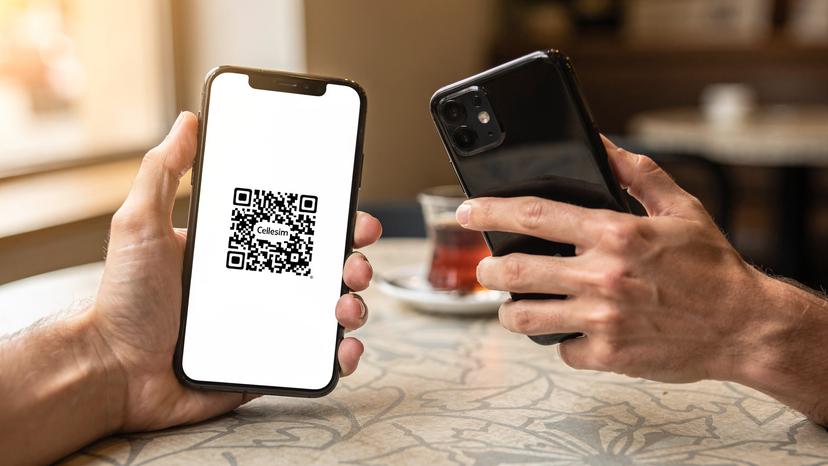
Comparing T-Mobile and Cellesim for International Data
To sum things up, let's look at the options side-by-side. For international travel, the differences are clear, and smart travelers will quickly see the practical and financial advantages of dedicated eSIM services.
| Feature | T-Mobile eSIM Free Trial | T-Mobile Paid Roaming (Magenta/Go5G) | Cellesim International eSIM |
|---|---|---|---|
| Purpose | Domestic U.S. network test | Convenience for existing customers | Dedicated international data |
| International Use | No, explicitly excluded | Limited (e.g., 2G, throttled data, paid add-ons) | Yes, primary function |
| Data Speed | Unlimited 5G/LTE (U.S. only) | 2G unlimited, some high-speed (country-dependent, often throttled) | Local 4G/5G speeds (up to 300 Mbps download, 50 Mbps upload typical) |
| Cost | Free for 30 days (U.S. only) | Included in plan, but often with expensive high-speed add-ons | Transparent, pay-as-you-go, localized pricing |
| VoLTE/VoWiFi | Yes (U.S. only) | Limited/inconsistent abroad | Via messaging apps (WhatsApp, Signal, Facetime Audio) using data |
| Network Access | T-Mobile U.S. only | Single roaming partner per country (negotiated) | Multiple local networks per country (optimal selection) |
Clearly, the T-Mobile eSIM free trial won't work for international travel. While T-Mobile's paid roaming plans do offer some connectivity, they often involve sacrificing speed, paying more, and having a less-than-ideal experience. For truly smooth and affordable international data, a dedicated eSIM from a provider like Cellesim is the smarter technical and financial choice. It really comes down to using the right tool for the job, and for international data, that tool is a localized eSIM.
Frequently Asked Questions
Can I use the T-Mobile eSIM free trial outside the United States?
No, the T-Mobile eSIM free trial is only for use within the U.S. It's meant for potential customers to test T-Mobile's network coverage and performance at home before signing up for a paid plan. If you try to use it abroad, you won't get any service.
What kind of data speeds can I expect with T-Mobile's international roaming plans?
T-Mobile's standard international roaming usually gives you unlimited 2G data (around 128 kbps) in many countries. Some premium plans include a limited amount of high-speed data (for example, 5GB at LTE/5G speeds), after which your speeds will drop to 2G. Actual speeds vary a lot depending on roaming agreements and how busy the local network is, often being slower than local SIMs.
How do international eSIMs like Cellesim provide better performance than traditional roaming?
International eSIMs connect directly to local network operators, treating your device like a local user. This avoids roaming agreements that often limit speeds or network access for foreign subscribers. You get access to local 4G/5G bands (like n78 for 5G) and full carrier aggregation capabilities, which leads to faster, more consistent data speeds and local pricing.
Do I need to change APN settings for a Cellesim eSIM?
Most modern smartphones automatically set up APN settings for Cellesim eSIMs. However, in rare cases, especially with older Android devices or specific software versions, you might need to manually type "internet" or a similar APN. Cellesim provides clear instructions if you need to manually configure your specific plan.
What should I do if my international eSIM is not connecting?
First, make sure your phone is unlocked and the eSIM is enabled as your main data line. Double-check that "Data Roaming" is off for your home SIM. Try manually selecting a network operator from the available list in your destination. Restarting your device can often fix small connection problems. If issues continue, check your APN settings or contact Cellesim support.