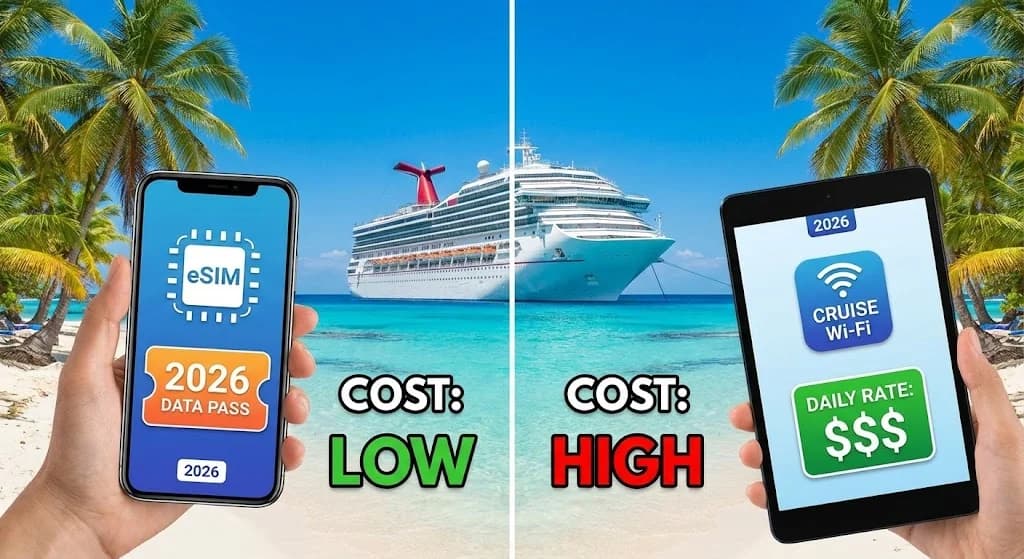
The cruise ship horn bellows, signaling your approach to the turquoise waters and white sands of a Caribbean paradise. You are ready to explore ancient ruins in Cozumel, find the best jerk chicken in Jamaica, or simply navigate the vibrant streets of San Juan. You reach for your phone to pull up a map, and then it hits you: the connectivity dilemma. Do you pay the steep price for the ship's sluggish Wi-Fi, or is there a better way?
This is the core of the Caribbean eSIM vs. cruise ship Wi-Fi 2026 debate, a decision that will define your digital experience both onboard and ashore. Many travelers default to the ship's Wi-Fi out of convenience, only to be surprised by a final bill that feels like a shore excursion in itself. In 2026, you have smarter, faster, and dramatically more affordable options for staying connected on your Caribbean cruise adventure. This guide is not just about saving money; it is about reclaiming control over your travel connectivity specifically for your Caribbean cruise. For those new to this technology, your first-timer's guide to the best eSIM for international travel provides a fantastic starting point for understanding the revolution in mobile data and how it applies to destinations like the Caribbean.
- Caribbean Cruise Connectivity: Why the Old Ways Don't Cut It in 2026
- Cruise Ship Wi-Fi: The Onboard Connectivity Realities of 2026
- The Cellesim eSIM Advantage for Caribbean Shore Excursions
- Comparing Connectivity: eSIM vs. Ship Wi-Fi for Your Caribbean Itinerary
- Choosing Your Cellesim Caribbean eSIM Plan: Data Needs for Island Hopping
- Seamless Setup: Activating Your eSIM Before Your Caribbean Cruise Departs
- Smart Strategies for Staying Connected on Your 2026 Caribbean Cruise
- Frequently Asked Questions
Connect Across 24 Caribbean Countries with eSIM
Enjoy reliable, high-speed data from just $4.50 per GB. Join 50,000+ happy customers who connect instantly with Cellesim.
Get Your Caribbean eSIMCaribbean Cruise Connectivity: Why the Old Ways Don't Cut It in 2026
For decades, cruise travel meant a forced digital detox, or facing exorbitant roaming charges and painfully slow satellite Wi-Fi. In 2026, the expectation for seamless connectivity persists even in the middle of the Caribbean Sea. While cruise lines have invested in technologies like Starlink to improve onboard internet, a fundamental difference remains between at-sea satellite connections and land-based cellular networks.
The "old ways", relying solely on your home provider's international roaming or the ship's Wi-Fi, often lead to sticker shock and frustration. International roaming plans from traditional carriers can cost upwards of $10-$15 per day, often with throttled speeds. Ship Wi-Fi, while more accessible, comes with its own set of trade-offs, particularly for passengers who need consistent, high-speed access for navigating ports or staying in touch with home.
Cruise Ship Wi-Fi: The Onboard Connectivity Realities of 2026
Cruise lines continually upgrade their internet infrastructure, with many ships now boasting Starlink satellite internet for faster speeds. However, even with these advancements, cruise ship Wi-Fi operates under unique constraints.
Speed and Latency
While Starlink has significantly improved speeds compared to older satellite systems, it is still subject to the inherent latency of satellite communication. This means streaming video, making video calls, or engaging in real-time online gaming can still present challenges. Bandwidth is shared among hundreds, if not thousands, of passengers, leading to fluctuating speeds depending on usage levels and time of day.
Cost Structure
Cruise ship Wi-Fi packages are typically sold for a flat daily or per-cruise rate, often tiered by speed or usage allowance. Premium packages offer faster speeds for streaming and video calls, but these come at a higher price. Some cruise lines still offer per-minute pricing, which can quickly become very expensive. Understanding the specific Wi-Fi packages offered by your cruise line for your 2026 Caribbean itinerary is essential before departure.
Coverage Area
The primary advantage of cruise ship Wi-Fi is its availability at sea. When your ship is far from land, this is often the only option for internet access. However, coverage can sometimes be spotty in certain areas of the ship, like cabins deep inside or on specific deck levels. The service is designed for onboard use and typically does not extend to shore.
"Even with Starlink, cruise Wi-Fi is about utility at sea, not always about blazing fast speeds on par with land-based fiber. It is a shared resource, and prices reflect that unique environment."
The Cellesim eSIM Advantage for Caribbean Shore Excursions
The moment your cruise ship docks in a Caribbean port, a new connectivity opportunity arises: local cellular networks. This is where a Cellesim eSIM truly shines, offering a stark contrast to the limitations of ship Wi-Fi.
Instant, High-Speed Local Connectivity
When you step ashore in destinations like Nassau, St. Thomas, or Barbados, your Cellesim eSIM connects directly to local 4G or 5G networks. This provides significantly faster and more reliable data speeds than any satellite-based ship Wi-Fi can offer. You can confidently navigate with Google Maps, find local restaurants on Yelp, hail a ride-share, or share your beach photos on social media without delay.
Cost-Effectiveness for Port Days
Cellesim offers flexible data plans tailored for regional travel, such as the Caribbean 24 Countries eSIM. These plans are often a fraction of the cost of a single day's cruise ship Wi-Fi package. You pay for the data you use, typically in a one-time purchase, rather than recurring daily fees that apply even when you are not using the internet. For travelers primarily needing data when exploring ports, this represents substantial savings.
Freedom and Flexibility
An eSIM liberates you from dependence on the ship's internet. You can explore independently, stay connected with travel companions who may be on a different excursion, and make local calls or messages using data-based apps. This is particularly valuable for pre-booked tours, checking entry times for attractions, or simply researching on the fly.
Discover if your device supports eSIM technology by checking our eSIM compatible devices list or using our eSIM checker.
Comparing Connectivity: eSIM vs. Ship Wi-Fi for Your Caribbean Itinerary
To make an informed decision for your 2026 Caribbean cruise, consider the specific use cases for each connectivity option. This table provides a direct comparison of how Cellesim eSIM and cruise ship Wi-Fi stack up for common travel needs.
| Feature | Cellesim eSIM (In Port) | Cruise Ship Wi-Fi (Onboard) |
|---|---|---|
| Coverage | 200+ countries, reliable on land in ports | Global at sea, onboard only |
| Speed | Local 4G/5G, very fast | Satellite (Starlink improved), moderate, high latency |
| Cost (approx. 7 days) | From $15-$45 (one-time plan) | $150-$250+ (daily/per cruise) |
| Installation | Digital download, minutes to set up | Connect to ship's network, log in |
| Best For | Port day navigation, local comms, social media, ride-sharing, critical info on shore | At-sea communication, onboard entertainment, light browsing when offshore |
| Limitations | No signal at sea (unless ship is very close to shore) | Does not work on land in port, high cost, shared bandwidth |
Choosing Your Cellesim Caribbean eSIM Plan: Data Needs for Island Hopping
Selecting the right eSIM plan for your Caribbean cruise depends largely on your data usage habits during port days. Think about how many ports you will visit and what you intend to do in each.
Estimating Your Data Usage
- Light User (1-3 GB for a 7-day cruise): Ideal for checking maps, light social media updates, messaging apps (WhatsApp, iMessage), and occasional email. This might suit cruises with fewer port stops or those who plan minimal phone use while ashore.
- Moderate User (3-7 GB for a 7-day cruise): Good for frequent map usage, moderate social media, occasional video calls, some web browsing, and using ride-share apps. Most travelers fall into this category, especially with multiple port visits.
- Heavy User (7-15+ GB for a 7-day cruise): For those who need to upload many photos/videos, stream music, use video conferencing, or tether other devices while in port. Consider if you have specific work needs or are sharing your connection.
Cellesim offers various Caribbean eSIM plans with different data allowances and validity periods, allowing you to choose one that perfectly matches your itinerary and usage. Use our Smart Data Calculator to get a personalized estimate of your data needs.
Seamless Setup: Activating Your eSIM Before Your Caribbean Cruise Departs
One of the greatest advantages of a Cellesim eSIM for your 2026 Caribbean cruise is the simplicity of setup. You can have your connectivity ready before you even step foot on the ship.
Step-by-Step Activation
- Purchase Your eSIM: Visit cellesim.com and select a Caribbean eSIM plan that suits your data needs and cruise duration.
- Receive QR Code: You will receive an email with a QR code and detailed instructions almost instantly.
- Install eSIM: On your compatible device, go to Settings > Cellular/Mobile Data > Add eSIM. Scan the QR code.
- Activate Data Plan: Once installed, you can choose to activate your data plan immediately or wait until just before you reach your first port of call. It is often best to activate it shortly before departure to ensure it is ready.
- Toggle Off Roaming: Keep your primary SIM roaming off to avoid unexpected charges. Only enable your Cellesim eSIM for data.
Activating your eSIM before you sail means you land in your first Caribbean port with immediate, active internet access. No searching for local SIM card shops or struggling with airport Wi-Fi. Our complete eSIM setup guide provides more detailed instructions for various device types.
Smart Strategies for Staying Connected on Your 2026 Caribbean Cruise
For the ultimate balance of cost and convenience, many savvy travelers adopt a hybrid approach to connectivity on their Caribbean cruises. This involves using cruise ship Wi-Fi strategically and maximizing the benefits of your Cellesim eSIM.
Hybrid Connectivity Strategy
- Onboard (At Sea): Use the ship's Wi-Fi for essential messaging, checking emails, or light browsing when offshore. If you purchase a package, opt for the lowest tier necessary, as the eSIM will handle high-data activities in port.
- In Port (Shore Excursions): Switch to your Cellesim eSIM as soon as you disembark. Enjoy high-speed data for navigation, local communication, social media, and any data-intensive tasks. This is where your eSIM provides the most value.
Tips for Optimizing Usage and Saving Costs
- Download Offline Maps: Use apps like Google Maps or Maps.me to download maps of your Caribbean ports before you leave home. This reduces data consumption while navigating.
- Communicate Smartly: Use Wi-Fi calling or data-based messaging apps (WhatsApp, Messenger, iMessage) instead of traditional phone calls and SMS, both onboard (if Wi-Fi allows) and in port with your eSIM.
- Public Wi-Fi as Backup: While in port, public Wi-Fi can be found in cafes or tourist centers. Use it for quick tasks if your eSIM data is running low, but always prioritize secure connections.
- Monitor Data Usage: Regularly check your data consumption through your phone's settings or the Cellesim app. This helps you manage your plan effectively. You can also refer to external resources for mobile data usage statistics, like those published by Statista.
By implementing these strategies, you ensure reliable, high-speed internet access when you need it most, exploring the vibrant culture of Caribbean island, while keeping your overall connectivity costs for your 2026 cruise in check. For further cost comparisons, explore our Roaming Savings Calculator.
Ready for Seamless Caribbean Connectivity?
Join 50,000+ travelers in 200+ countries. Set up your eSIM in minutes and explore the Caribbean connected.
Start Your Connected JourneyTrusted by travelers worldwide. 24/7 Support: [email protected]
Frequently Asked Questions
Can I use my Cellesim eSIM at sea during a Caribbean cruise?
No, a Cellesim eSIM connects to land-based cellular networks. It will only provide coverage when your cruise ship is docked in a port or very close to the coastline of a supported Caribbean country. At sea, you will need to rely on the ship's satellite Wi-Fi or international roaming from your home provider if available.
Is cruise ship Wi-Fi really that slow and expensive in 2026?
While many cruise lines have upgraded to faster satellite systems like Starlink, cruise ship Wi-Fi can still be slower and more expensive than land-based mobile data. Speeds are shared among all passengers, and prices often range from $15-$35 per day for basic packages, with premium options costing more. It is best used for essential communication while at sea.
How much data do I need for a 7-day Caribbean cruise with an eSIM?
For a typical 7-day Caribbean cruise with 3-4 port stops, a moderate user might need 3-7 GB of data for port days. This covers navigation, social media, messaging, and occasional browsing. Light users might manage with 1-3 GB, while heavy users or those tethering could require 7-15+ GB. Cellesim offers flexible plans to match your needs.
Do I need to turn off my physical SIM card while using an eSIM on a cruise?
It is highly recommended to turn off data roaming for your physical SIM card to avoid unexpected "bill shock" from your home provider's international roaming charges. You can keep your primary SIM active for calls and texts (if you have an international roaming package), but use your Cellesim eSIM for all data when in port.
Is Cellesim eSIM compatible with my phone for a Caribbean cruise?
Most modern smartphones, including recent iPhone, Samsung, Google Pixel, and other Android models, are eSIM compatible. You can easily check if your device supports eSIM by visiting our eSIM compatible devices page or using the Cellesim eSIM checker tool on our website.
Can I make calls and send texts with a Cellesim eSIM in the Caribbean?
Cellesim eSIMs primarily provide data connectivity. You can make calls and send messages using data-based applications like WhatsApp, FaceTime Audio/Video, Skype, or Google Meet while connected to the local network in port. Traditional SMS and calls will typically use your primary SIM, often incurring roaming charges.