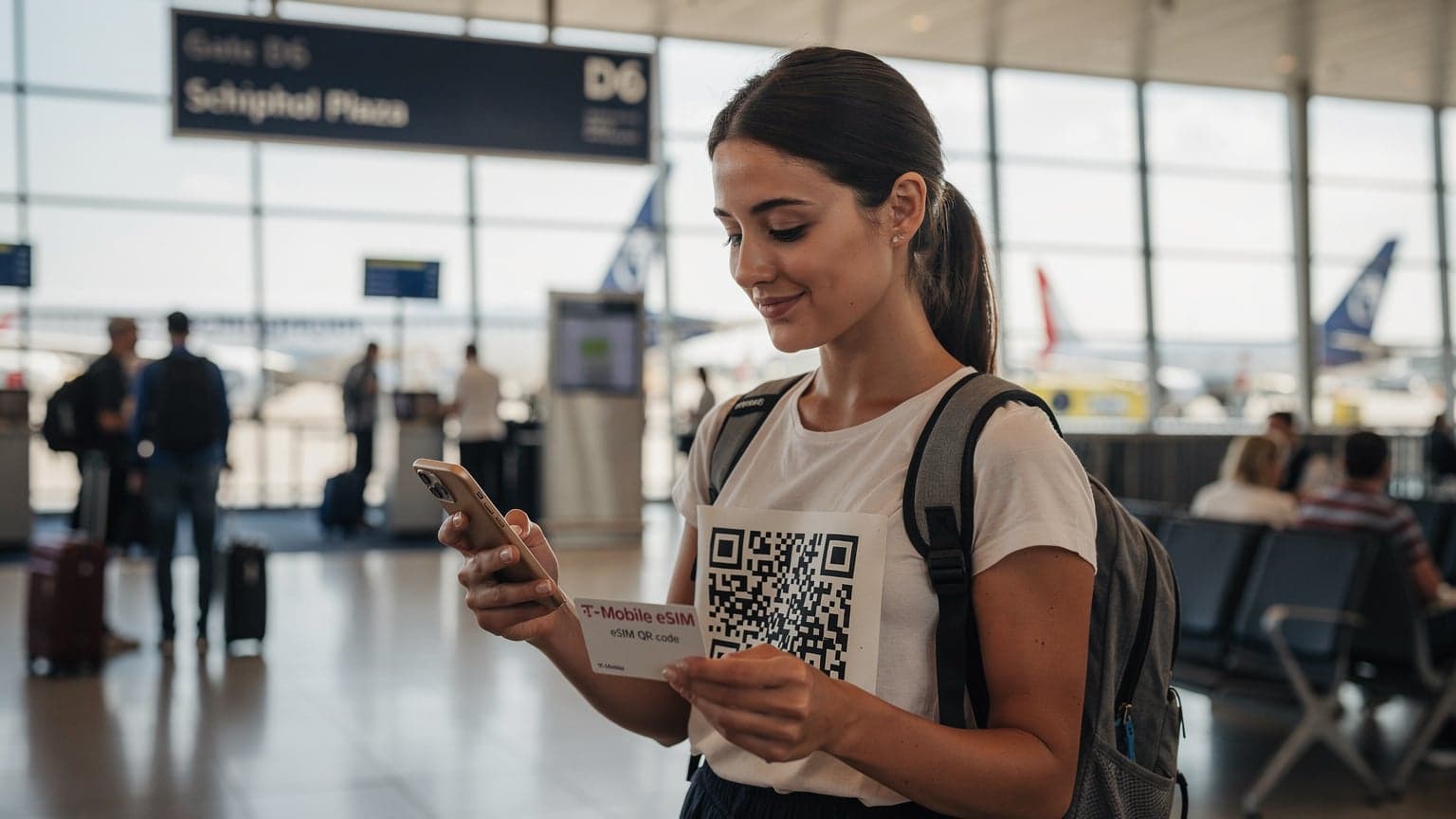
Need a T-Mobile eSIM QR code? You can simply ask for one from T-Mobile customer service, either through their app, website, or by visiting a store. Once you get it, just scan the QR code with your phone's camera, and your eSIM profile will install and activate instantly.
eSIM for the Globetrotter: Why T-Mobile Is on My Radar
Remember those days, standing in line at some dimly lit kiosk at Suvarnabhumi Airport in Bangkok, trying to explain to a vendor with limited English that you needed a data SIM, not a talk plan? Or fumbling through tiny plastic trays on a cramped flight to Narita, hoping not to drop your minuscule physical SIM card between the seat cushions? I do. Many, many times.
That's why the eSIM, and specifically how major carriers like T-Mobile are embracing it, is a genuine game-changer. For years, my biggest travel anxiety wasn't dodgy street food or missing a connection on the JR East line, but the two-hour dance to get connected once I landed. With an eSIM, those days are largely behind us. T-Mobile, with its global reach and increasingly robust eSIM support, has become a reliable companion in my travel toolkit. It means I can land in, say, the Marais district of Paris, hop on the RATP Metro, and already have Google Maps fired up before I even reach my Airbnb. No more hunting for a local phone shop that opens after 10:00 AM.
The Pain Points of Physical SIMs, A Recollection
I've lost more physical SIM cards than I care to admit, usually tucked into some obscure pocket of a wallet that then gets left behind in a cafe in Lisbon. There was the time in Rome, near the Colosseum, when my phone decided to eat my SIM tray, leaving me stranded and relying on patchy cafe Wi-Fi for two days, missing a crucial livestream of a local festival. That was a costly mistake, both in terms of content and my sanity. Physical SIMs are a relic, a small, easily lost piece of plastic that adds unnecessary friction to an otherwise seamless travel experience.
Why T-Mobile Stands Out for International Travelers
T-Mobile's reputation for international roaming has always been a draw for me. Their Magenta plans offer decent data speeds in over 215 countries and destinations, often at no extra cost. While it might not always be the blazing 5G you get in downtown Los Angeles, it's usually enough to navigate, send messages, and even upload a quick story to Instagram. The real magic, though, comes from their adoption of eSIM technology, particularly for those looking to manage multiple lines or temporary local data plans without juggling plastic.
Your Quest for the T-Mobile eSIM QR Code: A Step-by-Step Guide
Getting your hands on a T-Mobile eSIM QR code isn't like deciphering ancient maps, but it does require a few specific steps. The good news is, you usually don't need to be physically present at a T-Mobile store, which is a blessing when you're already halfway across the globe. My last experience getting one for a quick trip to Berlin, specifically the Prenzlauer Berg area, was surprisingly straightforward, handled entirely from my apartment in Silver Lake.
Online Channels: The Digital Nomad's Best Friend
The easiest route, by far, is through T-Mobile's digital channels. Their customer service chat, accessible via the T-Mobile app or their website, is often your quickest path. I've had success initiating a chat late at night (Pacific Time, which often aligns with their offshore support hours) and requesting an eSIM QR code. They'll typically verify your account, ask for the device you're planning to use (make sure it's eSIM compatible), and then email the QR code to your registered address. Just be sure your email is secure and you have access to it on a separate device, or you'll be trying to screenshot a QR code on the same phone you need to scan it with, a truly frustrating endeavor.
In-Store Visits: When You Need Human Assistance
Sometimes, talking to a person just makes things clearer. If you're stateside and prefer a face-to-face interaction, visiting a T-Mobile retail store is an option. They can generate a physical QR code printout for you on the spot. This can be particularly useful if you're upgrading your device or porting a number and want a technician to walk you through the process, especially if you've had trouble with phone purchases in the past (like my disastrous attempt to buy a phone in São Paulo, where the local carrier required a CPF number I didn't have).
Customer Service Hotline: The Traditional Approach
Calling T-Mobile's customer service hotline is another way, though it can sometimes involve longer wait times depending on when you call. Have your account details ready and clearly state that you need an eSIM QR code for an existing line or a new activation. They can email the QR code to you, but ensure you have a stable internet connection and access to that email on another device before you hang up. Verification questions can be particular, so be prepared.
Installation Decoded: Scanning Your T-Mobile eSIM QR Code Like a Pro
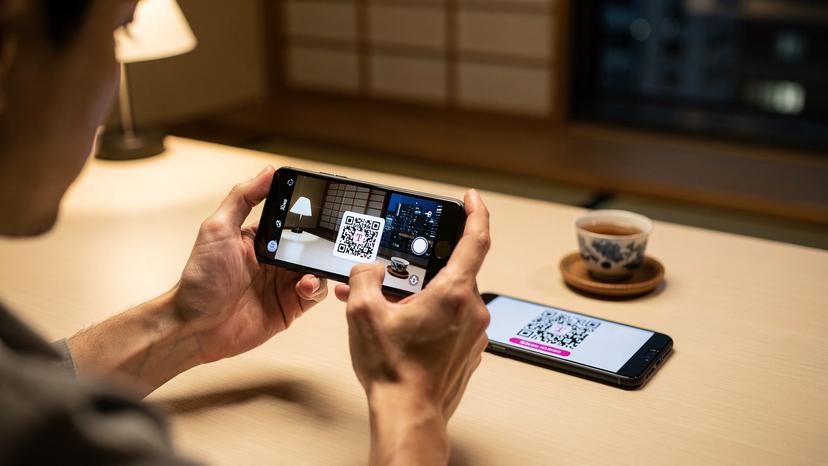
Once you have that T-Mobile eSIM QR code in hand (or on screen), the installation process is usually quick and painless. It's essentially a high-tech version of pointing your camera at something and letting your phone do the rest. I've done this countless times, from the bustling train platforms of Shinjuku Station to a quiet café in the Santa Croce neighborhood of Florence.
For Apple iPhone Users: The iOS Way
iPhones have made eSIM activation incredibly user-friendly. Here's how it generally goes:
- Open Settings: Tap the 'Settings' app on your iPhone.
- Navigate to Cellular: Select 'Cellular' or 'Mobile Data'.
- Add eSIM: Tap 'Add eSIM'. You might see an option like 'Set Up Cellular'.
- Scan QR Code: Choose 'Use QR Code'. Position your camera over the T-Mobile eSIM QR code. Your phone should automatically detect it.
- Follow Prompts: After scanning, follow the on-screen instructions to activate the eSIM. You'll likely be asked to label your lines (e.g., 'Primary,' 'Travel,' 'T-Mobile') and choose which line is for data, calls, and messages.
It's usually done in under two minutes, ready for you to enjoy seamless data across the USA or wherever your T-Mobile plan allows.
For Android Users: The Diverse Paths
Android devices, given their variety, might have slightly different menu labels, but the core process remains the same:
- Open Settings: Go to the 'Settings' app on your Android device.
- Find Network & Internet: Look for 'Network & Internet' or 'Connections'.
- Select SIMs/Mobile Network: Tap 'SIMs' or 'Mobile Network', then 'Add mobile plan' or 'Download a SIM'.
- Scan QR Code: Choose 'Use a QR code' or 'Scan QR code'. Line up the QR code within the camera frame.
- Activate: Follow any additional prompts to confirm and activate your T-Mobile eSIM.
I've noticed that Samsung devices, like my old Galaxy S21, often have a more intuitive setup flow compared to some lesser-known brands, which can sometimes bury the eSIM option a few menus deep.
Post-Installation Checks: Ensuring You're Connected
Once you've scanned the QR code and the installation seems complete, do a quick check. Go back to your 'Cellular' or 'Mobile Network' settings and confirm that your new T-Mobile eSIM profile is listed and active. Try making a quick call or sending a text. Better yet, open a web browser and navigate to a familiar site. If you're getting data, you're good to go. If not, don't panic, but rather move on to the next section.
Troubleshooting Your eSIM: When the QR Code Goes Rogue
It happens. You've followed every step, but your phone is still stubbornly refusing to connect. I've been there, staring at a 'No Service' message in the middle of a crowded plaza in Mexico City's Zocalo, trying to hail an Uber without data. Frustrating, to say the least. Here are a few common issues and their fixes.
Common Scanning Problems and How to Fix Them
- Poor Lighting: If the QR code is dim or backlit, your phone's camera might struggle. Try moving to a brighter, evenly lit area.
- Blurry Image: Ensure the QR code is sharp and in focus. Hold your phone steady and at a reasonable distance.
- Already Scanned: A common oversight, especially with T-Mobile, is trying to scan a QR code that's already been activated on another device or previously on the same device. Most eSIM QR codes are single-use. If you've reset your phone or deleted the profile, you'll need a new QR code from T-Mobile.
- Expired QR Code: Sometimes, QR codes have a validity period. If you requested it a while ago, it might no longer be active. Contact T-Mobile for a fresh one.
Network Connectivity Issues Post-Activation
- Restart Your Device: The age-old tech support advice, but often effective. A simple restart can force your phone to re-register with the network.
- Check APN Settings: While T-Mobile eSIMs usually configure APN settings automatically, sometimes manual intervention is needed. You can find the correct T-Mobile APN settings on their support website.
- Toggle Airplane Mode: Turning Airplane Mode on and then off can sometimes kickstart the cellular radio.
- Ensure Roaming is On: If you're using a T-Mobile eSIM for international travel, ensure 'Data Roaming' is enabled for that eSIM profile in your phone's settings.
- Contact T-Mobile Support: If all else fails, it's time to reach out to T-Mobile. They can check if your eSIM profile is properly provisioned on their end.
T-Mobile eSIM Benefits: Beyond the QR Code
The beauty of the T-Mobile eSIM extends beyond just how you install it. It fundamentally changes how we interact with mobile data, especially when we're constantly on the move, chasing the next festival or reporting from a bustling marketplace in Istanbul.
Flexibility for the Multi-Country Traveler
One of the biggest advantages is the sheer flexibility. I can keep my primary T-Mobile line active for calls and texts from home while simultaneously adding a local eSIM for data when I'm in, say, the Shibuya district of Tokyo. This means I'm not paying T-Mobile's roaming rates for heavy data use, but I can still receive important calls from my folks. It's the best of both worlds, enabling a seamless transition as I move from country to country without needing to swap physical cards.
Enhanced Security and Convenience
Physical SIMs can be stolen or lost, leading to potential identity theft or unauthorized use. An eSIM, being embedded in your device, eliminates this risk. If your phone is stolen, the eSIM profile is much harder to remove or transfer, adding an extra layer of security. And let's be honest, the convenience of not having to carry a tiny SIM ejection tool, or hunt for a paperclip, is invaluable.
Managing Multiple Lines with Ease
For those of us who juggle work and personal lines, or perhaps need a dedicated line for a specific project, eSIMs are a godsend. I often have a separate line for event coordination when I'm at Coachella, allowing me to filter calls and manage my bandwidth more effectively. T-Mobile's dual-SIM capabilities (with one physical SIM and one or more eSIMs) make this management effortless through your phone's settings. This is particularly useful when you need to switch between your T-Mobile primary line and a data-only eSIM for Europe.
Comparing T-Mobile eSIM with Other Providers: A Traveler's Perspective
While T-Mobile offers compelling reasons to adopt their eSIM, it's important to see how they stack up against other options, both from major carriers and dedicated eSIM providers like Cellesim.
T-Mobile vs. Other US Carriers
When it comes to eSIM adoption and international benefits, T-Mobile generally leads the pack among major US carriers. AT&T and Verizon have also embraced eSIMs, but their international roaming policies can sometimes be more restrictive or come with higher costs. For instance, getting an AT&T eSIM activation might be straightforward, but their international pass often costs a daily fee for full-speed data, whereas T-Mobile's base plans include slower international data at no extra charge in many countries.
| Feature | T-Mobile eSIM | AT&T eSIM | Verizon eSIM |
|---|---|---|---|
| International Roaming | Included in most plans (slower speeds, optional high-speed passes) | Requires International Pass or pay-per-use, often higher cost | Requires International Plan or pay-per-use, can be expensive |
| eSIM Availability | Widely available for new and existing lines | Available for compatible devices, new lines/upgrades | Available for compatible devices, new lines/upgrades |
| QR Code Issuance | Online, in-store, customer service | Online, in-store, customer service | Online, in-store, customer service |
| Pricing Structure | Transparent, often better value for international travelers | Can be complex, watch for hidden fees | Premium pricing, sometimes higher for data |
T-Mobile eSIM vs. Third-Party eSIM Providers Like Cellesim
This is where the distinction gets interesting for the truly global traveler. While T-Mobile is great for consistent connectivity, a dedicated eSIM provider often offers more tailored, cost-effective solutions for specific regions or countries. For example, if I'm spending a month exploring the markets of Istanbul, a Turkcell Tourist eSIM through Cellesim might offer better local rates and higher data allowances than T-Mobile's roaming. These providers specialize in local data plans, bypassing the overhead of traditional carriers.
| Aspect | T-Mobile eSIM (Roaming) | Cellesim (Local eSIM) |
|---|---|---|
| Primary Use | Keeping home number active, general international use | Dedicated local data, cost-effective for specific regions |
| Data Speed/Allowance | Often throttled or limited at base, high-speed add-ons available | Full local network speed, varied data packages |
| Cost Efficiency | Good for light use, can get expensive for heavy data | Generally more cost-effective for substantial data needs abroad |
| Setup Time | Quick if QR code is ready | Very quick, instant digital delivery |
Think of it this way: T-Mobile is your reliable, comfortable sedan for long drives across state lines. Cellesim is the nimble scooter perfect for navigating the narrow alleys of a foreign city. Both have their place in a well-planned travel itinerary.
Maximizing Your T-Mobile eSIM Experience: Tips from the Road
Having traveled with eSIMs for years, I've picked up a few tricks to make the experience truly seamless, especially with a carrier like T-Mobile. It’s about being proactive and understanding your device.
Pre-Departure Checklist: Don't Leave Home Without It
Before I even pack my bags for a trip (say, a reporting gig in the Shibuya crossing area of Tokyo), I always run through this mental checklist:
- Verify eSIM Compatibility: Is your phone definitely eSIM compatible? Not all devices are, especially older models.
- Request QR Code Early: Don't wait until the last minute. Request your T-Mobile eSIM QR code a few days before departure. This gives you time to troubleshoot any email delivery issues or account problems.
- Screenshot/Print QR Code: Always have a backup. Take a screenshot of the QR code and save it to your photo library. Better yet, print a physical copy. I once had a phone die on me mid-flight to Berlin, and having a printed QR code allowed me to set up on a loaner phone in minutes at Tegel Airport.
- Understand Your Plan: Know what your T-Mobile plan offers internationally. Is it 2G data, or do you have high-speed passes? Manage expectations.
- Download Offline Maps: Even with reliable data, having Google Maps or Apple Maps downloaded for offline use is a lifesaver, especially if you find yourself in a dead zone or a particularly winding street in the Casco Viejo neighborhood of Panama City.
Dual SIM Strategy for Savvy Travelers
This is where the eSIM truly shines. I keep my T-Mobile eSIM active for my primary US number, primarily for incoming calls, texts, and banking verification codes. For data, I often activate a local eSIM from Cellesim or another provider, especially if I'm going to be in a single country for an extended period. This allows me to use high-speed local data at a fraction of the cost, while still being reachable on my main number. It’s a strategy that has saved me hundreds of dollars over the years and prevented countless headaches. For example, when exploring the art installations in Milan's Brera district, having a local Italian data plan (from providers like TIM or Vodafone IT, easily accessed via Cellesim) is far more efficient than relying on slower international roaming from my US carrier.
| Scenario | Best Approach with T-Mobile eSIM | Why it Works |
|---|---|---|
| Short Trip (1-3 days), Multiple Countries | Rely on T-Mobile's included international roaming. | Convenient for brief stops, no need for multiple eSIMs. |
| Longer Trip (1+ week), Single Country | T-Mobile for calls/texts, local data eSIM (e.g., Cellesim). | Cost-effective local data, keeps primary number active. |
| High Data Usage Abroad | Purchase a T-Mobile high-speed international data pass OR use a local data eSIM. | Avoids throttling, ensures smooth streaming/uploading. |
Monitoring Data Usage and Plan Details
Always keep an eye on your data usage. The T-Mobile app is excellent for this. Roaming data can disappear faster than you think, especially if you're streaming video or uploading high-resolution photos. Set alerts in your phone's settings if available, or regularly check the T-Mobile app. It's a small habit that prevents bill shock and ensures you don't run out of data when you need it most, like when you're trying to find the last ATM in a remote village in Patagonia at 8:00 PM when everything else closes at 7:30 PM.
The Future of Connectivity: Where eSIMs Are Headed
The T-Mobile eSIM QR code is just a stepping stone. The broader adoption of eSIM technology points to a future where physical SIM cards will be a quaint memory, much like dial-up internet. As devices become more integrated and global travel continues to expand, the ease of instant, digital connectivity will only become more critical.
The Move Towards eSIM-Only Devices
We're already seeing this trend with certain iPhone models in the US being eSIM-only. This eliminates the physical SIM slot entirely, freeing up space for other components or making devices more resilient to water and dust. This shift will make the QR code method, or even simpler over-the-air provisioning, the standard for activation, streamlining the process even further. Imagine landing at London Heathrow, connecting to the Tube (via Transport for London's excellent network), and having your local UK data plan automatically activate because your phone is location-aware and pre-provisioned. That's the dream.
Greater Flexibility and Choice for Consumers
As eSIM technology matures, we can expect even more flexibility. Switching carriers or plans will become as easy as tapping a few options on your phone, without needing to visit a store or wait for a physical card to arrive in the mail. This increased competition will likely lead to better deals and more innovative plans, particularly for international data. The power shifts further into the hands of the traveler, letting us choose the best data solution for every leg of our journey, whether it's a T-Mobile plan for calls or a specialized Cellesim data package for a specific region. The days of being locked into exorbitant roaming fees are rapidly drawing to a close, and that's a future I'm very much looking forward to.
Frequently Asked Questions
Can I get a T-Mobile eSIM QR code if I'm already abroad?
Yes, you can request a T-Mobile eSIM QR code even if you're outside the US. The easiest way is through their online customer service chat or by calling their international support number. They will typically email the QR code to your registered email address, which you can then scan on a separate device.
Is a T-Mobile eSIM QR code single-use or can I use it multiple times?
Most T-Mobile eSIM QR codes are single-use. Once you've successfully scanned and activated the eSIM profile on a device, that specific QR code usually becomes invalid. If you need to reinstall the eSIM on the same device after a factory reset, or on a new device, you'll need to request a new QR code from T-Mobile.
What happens if I accidentally delete my T-Mobile eSIM profile?
If you accidentally delete your T-Mobile eSIM profile from your phone, you will lose connectivity on that line. You'll need to contact T-Mobile customer service again to request a new eSIM QR code. They will provision a new profile for you, which you can then install using the same scanning process.
Can I switch my existing physical T-Mobile SIM to an eSIM?
Yes, T-Mobile allows you to convert an existing physical SIM card to an eSIM, provided your device is eSIM compatible. You can initiate this process by contacting T-Mobile customer service, visiting a T-Mobile store, or sometimes through your online account. They will provide you with a QR code to activate the eSIM profile.
Does T-Mobile offer data-only eSIM plans for international travel?
T-Mobile's primary plans typically include international roaming benefits, but they generally don't offer standalone 'data-only' eSIM plans specifically for international travel in the way third-party providers do. Their eSIMs are usually tied to a full voice and data plan. For dedicated data-only options abroad, considering a local eSIM from a provider like Cellesim is often more suitable.