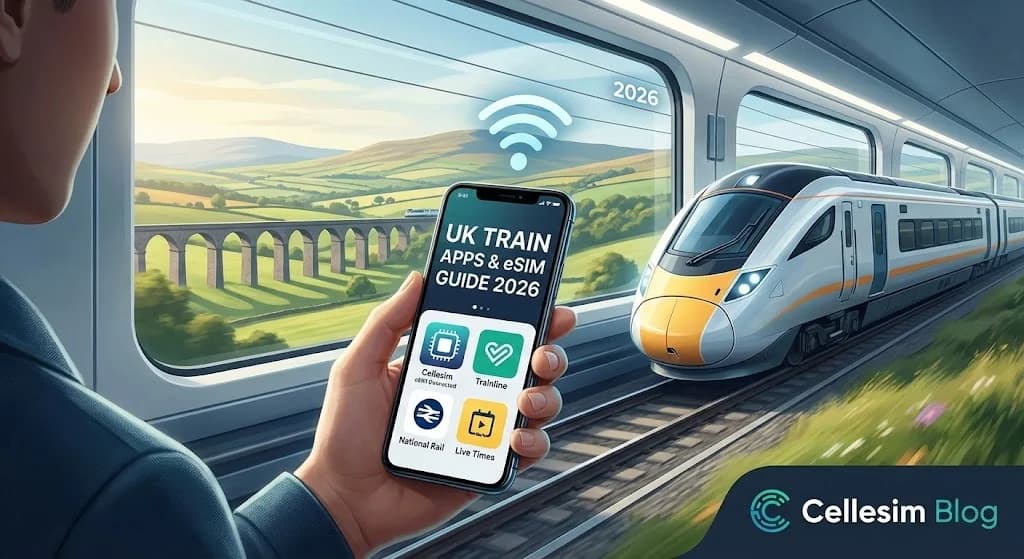
You’ve just landed, navigated baggage claim, and now you’re standing in front of a sprawling train station display at London Paddington. A dozen platforms, cryptic train codes, and a queue of stressed-out travelers at the ticket machine. That feeling of uncertainty is a classic travel moment, but it doesn’t have to be yours. This is exactly what this UK train apps & eSIM guide is designed to help you achieve. By pairing the right mobile apps with an affordable, instant data connection, you can transform a potentially confusing experience into a seamless adventure. We’ll show you exactly how to book tickets, get live platform updates, and stay online without ever worrying about Wi-Fi or exorbitant roaming charges, starting with a reliable eSIM for UK travel.
- The Power Couple: UK Train Apps & eSIM
- Essential Tools for Your UK Rail & eSIM Journey
- Choosing the Right Cellesim UK eSIM Plan
- Step-by-Step: Seamless UK Train Travel with Your Phone
- Maximising Your UK Rail Journey with eSIM Connectivity
- UK Connectivity: eSIM vs. Roaming vs. Local SIM Comparison
- Troubleshooting Connectivity and Train App Issues in the UK
- Frequently Asked Questions
Connected UK Travel from $4.50
Skip the airport SIM queue. Join 50,000+ travelers in 200+ countries who connect instantly with Cellesim.
Get Your UK eSIM 🇬🇧The Power Couple: UK Train Apps & eSIM
In 2026, navigating the UK's extensive rail network is simpler than ever, especially when you combine the functionality of leading train travel applications with the consistent connectivity of an eSIM. This combination allows you to manage your journey, from ticket purchase to real-time platform updates, entirely from your smartphone. No more hunting for ticket machines or scrambling for Wi-Fi at busy stations.
A dedicated UK eSIM provides the stable internet connection necessary for these apps to perform optimally. Whether you are checking for delays on the official National Rail Enquiries service, booking a last-minute ticket on Trainline, or simply using Google Maps to find your way to the station, an eSIM ensures you remain online. This digital duo not only saves time but also reduces stress, making your UK rail adventures genuinely seamless.
Essential Tools for Your UK Rail & eSIM Journey
Before you embark on your UK train adventure, ensure your smartphone is prepared with the right applications and connectivity. A little preparation goes a long way in ensuring a smooth and enjoyable experience.
Top UK Train Travel Applications
Several apps are crucial for managing UK train travel. Each offers distinct features, and having a couple installed ensures comprehensive coverage:
- Trainline: This is arguably the most popular app for booking UK train and coach tickets. It provides real-time journey information, allows you to find the cheapest fares, and stores your tickets digitally. It aggregates routes and prices from all major UK train operators. For seamless use, a stable internet connection from your eSIM is essential.
- National Rail Enquiries: The official source for UK train times and real-time travel information. It is indispensable for checking live departure and arrival boards, platform numbers, and service disruptions across the entire network. This app is free and does not allow ticket booking directly, but offers reliable data.
- Specific Operator Apps (e.g., LNER, GWR, Avanti West Coast): If you plan to travel frequently with a specific train company, downloading their app can offer additional benefits like seat selection, onboard catering orders, and exclusive offers. These often provide more detailed information for their routes than general apps.
- Citymapper / Google Maps: Beyond train travel, these apps are invaluable for integrated public transport planning in major UK cities like London, Manchester, and Edinburgh. They combine train, bus, tube, and even walking directions, all powered by your eSIM data.
Your eSIM: The Connectivity Backbone
An eSIM is a digital SIM that allows you to activate a cellular plan from a carrier without needing a physical SIM card. For UK travel, it offers significant advantages:
- Instant Activation: Purchase and activate your eSIM plan online before you even arrive in the UK. This means you are connected the moment you land. Learn more about eSIM setup.
- Dual SIM Functionality: Keep your home SIM active for calls and texts while using your eSIM for data. This allows you to maintain your original number for essential contacts. Find out how to keep your number with an eSIM.
- Cost-Effective: Cellesim offers competitive data plans specifically for the UK, often much cheaper than traditional roaming charges from your home provider.
- Wide Coverage: Cellesim partners with top local networks in the UK, ensuring robust 4G/5G coverage wherever you travel by train.
Why a Train App and an eSIM are Your UK Travel Power Couple
Think of them as two essential tools that work in perfect harmony. UK rail travel apps give you the power to control your journey, but they’re only as good as their internet connection. An eSIM provides that connection the moment you need it, affordably and without fuss.
Here’s the reality of modern travel: you need data from the second you land. Imagine stepping off the plane after landing at Heathrow. You need to check the Heathrow Express schedule, message your hotel, and maybe look up the best route to your accommodation. Hunting for airport Wi-Fi, which is often slow and requires a sign-up process, is a frustrating first impression. An eSIM bypasses all of that. It’s a digital SIM card that you install on your phone before you leave home, giving you a high-speed UK data plan that activates the moment you arrive. This ensures seamless navigation and communication from the first step of your journey.
This combination solves several key travel problems:
- Instant Connectivity: No more searching for a physical SIM card shop or relying on spotty public Wi-Fi. You’re online as soon as your plane's wheels touch the tarmac, allowing you to hail a ride, check maps, or contact loved ones without delay.
- Real-Time Information: The UK rail network is fantastic but can have last-minute platform changes or delays. Train apps provide live updates pushed directly to your phone, so you’re never running to the wrong platform or missing crucial announcements. This level of real-time insight is invaluable for staying on schedule.
- Cost Savings: You can book tickets directly in the app, often finding cheaper 'Advance' fares. An eSIM also saves you from eye-watering roaming charges from your home carrier, providing a clear and predictable cost for your data usage.
- Convenience: Your tickets are stored digitally on your phone. No more fumbling for paper tickets. Just scan a QR code at the barrier and go. This digital integration simplifies every aspect of your travel, from booking to boarding.
What You'll Need Before You Start
Getting set up is incredibly straightforward. Before you dive into booking journeys from Edinburgh to Cornwall, make sure you have these four things ready:
- An Unlocked, eSIM-Compatible Smartphone: Most phones made in the last few years (like the iPhone XS/XR or newer, Samsung Galaxy S20 or newer, and Google Pixel 4 or newer) support eSIM technology. The key is to ensure your device is 'unlocked,' meaning it isn't restricted to your home carrier. You can check our complete list to see if you have an eSIM-compatible smartphone, or use our eSIM checker tool.
- A Cellesim UK Data Plan: Purchase your plan online before your trip. You'll receive a QR code via email instantly. There are various data packages available, so you can choose one that fits the length of your stay. We'll detail how to pick the right one in the next section.
- Your Chosen UK Train App: Download one of the recommended apps (more on this below) from your phone's app store while you're still at home with a good Wi-Fi connection. This avoids potential data usage on arrival or slow downloads.
- A Payment Method: Have a credit or debit card linked to your app store account or ready to be entered into the train app to purchase tickets. Most major international cards are accepted.
Step-by-Step: Navigating UK Trains with Your Phone
With your prep work done, you're ready to master the UK rail network. Follow these steps for a stress-free experience.
Step 1: Install Your UK eSIM Before You Fly
This is the most important step to get right, and it’s best done from the comfort of your home. Connect to your Wi-Fi, open the email from Cellesim containing your QR code, and go to your phone's mobile/cellular settings to add an eSIM. Your phone will guide you through scanning the code. It’s a simple process that takes less than two minutes. Give the new data line a nickname like "UK Travel" so you can easily identify it. For a complete walkthrough, you can follow our detailed eSIM setup instructions or use our interactive setup guide. Remember, the validity of your data plan only starts when you connect to a network in the UK.
Step 2: Choose and Download the Best Train App for You
You’ll see a few options on the app store, but two stand out for their functionality and ease of use. You don't need both, just the one that best suits your needs.
- National Rail Enquiries: This is the official app, and arguably the most authoritative source for UK rail information. Its biggest strength is providing the most accurate, real-time information. Use it to check live departure and arrival times, track specific trains on a map, and get instant notifications about delays, cancellations, and, most importantly, platform numbers. While you can look up ticket prices, it will redirect you to a train operator's website to complete the purchase. Best for: Live journey information and platform tracking. You can also visit the official National Rail website for broader information.
- Trainline: This is arguably the most popular third-party app for a reason. It has a slick, user-friendly interface that makes searching for routes and buying tickets incredibly easy. Its killer feature is the ability to find 'split-fare' tickets automatically, which can sometimes save you a significant amount of money on longer journeys. It holds all your digital train tickets UK in one place. Best for: Booking tickets, managing e-tickets, and finding the cheapest fares.
Step 3: Activate Your Data Upon Landing
Once your flight has landed in the UK and you're allowed to use electronic devices, it's time to switch on your data. It’s a simple two-part process:
- Navigate to your phone’s mobile/cellular settings.
- Select your Cellesim plan (the one you nicknamed "UK Travel") as your primary line for Mobile Data.
- Crucially, ensure that Data Roaming is turned ON for this eSIM line. Don't worry, this will not incur charges; it's necessary for the eSIM to connect to the local UK networks like EE or Vodafone. This setting simply allows your eSIM to operate on partnered networks, which is how international eSIMs function.
Within moments, you should see a UK network signal appear on your phone. You are now connected and ready to use your train app and other online services.
Step 4: Purchase Your Digital Train Tickets
Open your chosen train app (we'll use Trainline as an example). Enter your departure station, arrival station, and travel date. The app will show you a list of available trains with their times and prices. Look for 'Advance' tickets if you're booking ahead, as these are almost always the cheapest. Once you've selected your train, proceed to payment. After purchasing, the ticket will be saved in the app's 'My Tickets' section as a QR code or barcode. This is your digital ticket.
Step 5: Use the App for Real-Time Journey Management
On the day of travel, your app becomes your mission control. About 10-15 minutes before departure, the app (especially National Rail Enquiries) will update with the platform number. Head to the platform, and when it's time to board, open your e-ticket's QR code. At the ticket barriers, simply hold your phone screen over the scanner. It will beep and open the gate. Find your seat, relax, and use the app to track your journey's progress until you reach your destination. Many trains offer free Wi-Fi, but with your Cellesim eSIM, you have consistent internet access throughout your journey, even when moving through rural areas.
Pro Tips for a Smoother Journey
Beyond the basic steps, these insights can further enhance your UK train travel experience and help you save time and money.
- Book 'Advance' Tickets: For longer inter-city journeys (e.g., London to Manchester, Glasgow to London), booking tickets a few weeks in advance can save you over 50% compared to buying on the day. These tickets are often non-flexible, so be sure of your travel plans.
- Understand 'Peak' vs. 'Off-Peak': Fares are generally more expensive during morning and evening rush hours ('Peak' times, typically before 9:30 AM and between 4:00 PM - 7:00 PM on weekdays). Traveling 'Off-Peak' is much cheaper and offers a more relaxed experience with fewer crowds. Plan your travel accordingly.
- Embrace Split Ticketing: Don't be afraid of this. Apps like Trainline do the hard work for you. It simply means for a journey from A to C, it might be cheaper to buy a ticket from A to B and another from B to C. You stay on the same train; you just hold two tickets. This clever trick can result in substantial savings, particularly on complex or long-distance routes.
- How Much Data Do You Need? Train apps themselves use very little data for updates and ticket display. However, you'll also be using your phone for maps, browsing, social media, and potentially streaming. A 3-5 GB plan is a great starting point for a week-long trip. For longer stays or heavy usage, consider 10 GB or more. You can always estimate your data needs with our calculator to be sure.
- Consider a Railcard: If you're staying in the UK for an extended period or planning multiple train journeys, a Railcard can save you 1/3 off most fares. There are various types, including 16-25 Railcards, Two Together Railcards, and Senior Railcards, available for purchase online.
Explore All Cellesim eSIM Plans
eSIM vs. Traditional Roaming & Local SIMs: A Cost Comparison
When planning your mobile connectivity for UK travel, you typically have three main options: using your home provider's international roaming, purchasing a local physical SIM card upon arrival, or opting for an eSIM like Cellesim. Understanding the cost and convenience of each can significantly impact your budget and travel experience.
| Option | Typical Cost (per GB/day) | Convenience | Key Considerations |
|---|---|---|---|
| Home Network Roaming | $10-$20+ per day/GB | Seamless, but costly | Highest cost, often throttled speeds, risk of bill shock. |
| Local Physical SIM | $1-$5 per GB (requires purchase) | Requires physical purchase, phone swap | Good local rates, but involves finding a shop, installation, and losing your home SIM. |
| Cellesim eSIM | From $0.50-$2 per GB | Instant digital delivery, remote setup | Best value, instant activation, keep your home SIM for calls/SMS. Flexible plans. |
As the table illustrates, Cellesim eSIMs generally offer the most balanced solution, providing exceptional value and convenience. You avoid the high costs of roaming and the hassle of finding and installing a physical SIM card. This makes it an ideal choice for travelers prioritizing both budget and ease of use.
For a more detailed breakdown, explore our guides on airport SIM card prices vs. eSIM and Cellesim vs. traditional roaming.
Troubleshooting Common Issues
Even with the best planning, small hiccups can occur. Here’s how to handle them quickly and efficiently.
- Problem: My eSIM Isn't Connecting.
Solution: Double-check that Data Roaming is enabled for your Cellesim line in your phone's settings. This is a common oversight. If it is, try restarting your phone. This simple step resolves 99% of connection issues as it forces your phone to re-establish network connections. Ensure you have network signal bars. - Problem: The Ticket Barrier Won't Scan my QR Code.
Solution: First, turn your phone's screen brightness all the way up. The scanners rely on sufficient contrast. If it still doesn't work, look for the wider gate which is always manned by a staff member. They can manually check your ticket and let you through. Alternatively, ensure the screen is clean and free from smudges. - Problem: The App Says My Train is Cancelled.
Solution: Don't panic. Your ticket is usually valid on the next available service to the same destination, operated by the same company (or sometimes a different one if cross-honouring is in place due to disruption). Use the app to find the next train and check with station staff if you're unsure. They are there to help and can provide the most current information on alternative routes or services. - Problem: I'm Worried About Roaming Fees.
Solution: With a Cellesim eSIM, you are using a prepaid local data plan. It is fundamentally impossible to rack up surprise fees because you are not 'roaming'
Choosing the Right Cellesim UK eSIM Plan
Cellesim offers a range of data-only eSIM plans tailored for travelers visiting the United Kingdom. Selecting the right plan depends on your anticipated data usage and trip duration.
Understanding Your Data Needs for UK Train Travel
Consider the following activities and their approximate data consumption:
- Real-time Train Updates: Minimal data (e.g., 5-10 MB per hour of active checking).
- Digital Tickets: Minimal data for download, no data needed for display once saved.
- Navigation (Google Maps/Citymapper): Moderate data (e.g., 20-50 MB per hour of active use).
- Messaging (WhatsApp, iMessage): Low data (e.g., 1-5 MB per hour).
- Email/Browsing: Moderate data (e.g., 50-100 MB per hour).
- Social Media: High data (e.g., 100-300 MB per hour, especially with video).
- Streaming (Music/Video) on trains: Very high data (e.g., 200-500 MB per hour for music, 1-3 GB per hour for video).
For most travelers relying on train apps, navigation, and occasional browsing/messaging, a 5-10 GB plan for a week-long trip is generally sufficient. If you plan to stream extensively or tether other devices, opt for a higher data allowance. Our Smart Data Calculator can help estimate your needs.