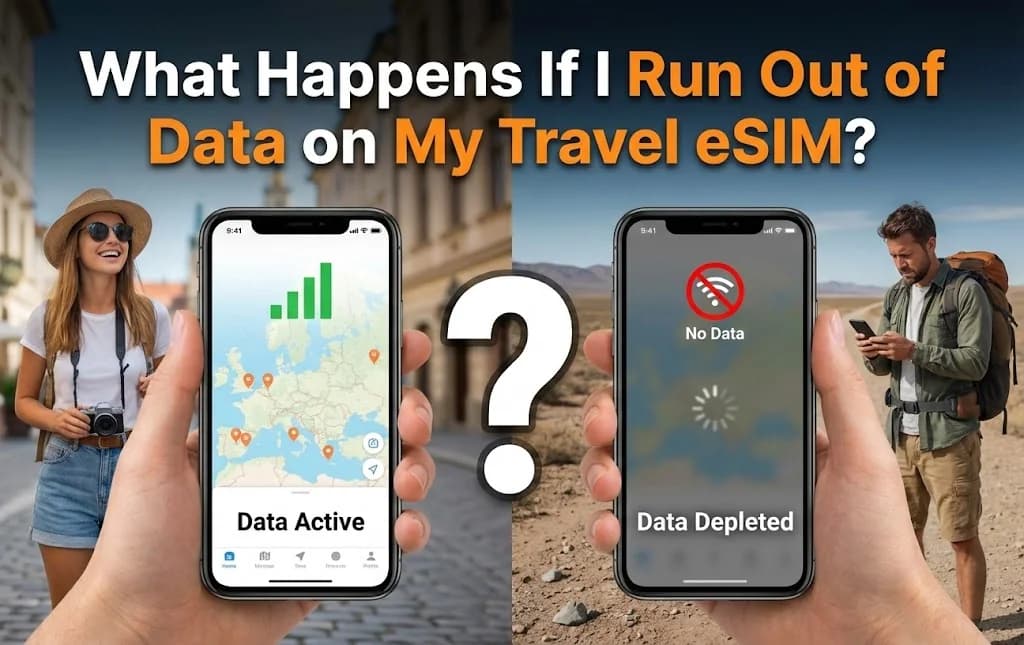
The moment your phone screen displays 'no service' or a dreaded data-depleted notification, a sense of panic can set in, particularly when you are navigating a new country. Every modern traveler relies on immediate connectivity for navigation, communication, and essential travel logistics. Running out of data on your eSIM, whether you are exploring the bustling streets of the United States or the ancient ruins of Italy, can feel like a sudden disconnection from your travel lifeline. However, this common traveler's nightmare is far from a catastrophe. An eSIM is designed to simplify international connectivity, and running out of data is merely a temporary pause, easily resolved without incurring unexpected roaming charges. This guide demystifies what happens when your eSIM data hits zero, outlines precise steps to quickly top up, and provides strategies to manage your usage proactively, ensuring uninterrupted connectivity throughout your journey.
- The Immediate Impact: When Your eSIM Data Hits Zero
- No Service Scare: Identifying When Your eSIM Data is Gone
- Staying Connected: How to Monitor Your eSIM Data Balance
- Restoring Connectivity: A Step-by-Step Guide to eSIM Top-Ups
- How Much Data Do You Really Need for Your Trip?
- eSIM Data Depletion: Compared to Roaming and Local SIMs
- Mastering Your Connectivity: Advanced eSIM Management Tips
- Frequently Asked Questions About eSIM Data
Seamless Global Connectivity for Your Travels
Connect instantly in 200+ countries with Cellesim. Join 50,000+ happy customers for hassle-free data.
Get Your Global eSIM 🌍The Immediate Impact: When Your eSIM Data Hits Zero
When your travel eSIM data runs out, the most noticeable immediate effect is a complete loss of internet connectivity via that specific eSIM profile. Your phone will cease to access mobile data networks in your destination. This means any apps or services requiring an internet connection will stop working, including web browsing, social media, streaming, and online messaging. Navigation apps like Google Maps will lose live updates, although pre-downloaded offline maps may still function.
Crucially, running out of Cellesim eSIM data does not result in unexpected charges. Unlike traditional roaming where exceeding data limits can lead to exorbitant fees, Cellesim eSIMs simply pause your data service. Your eSIM profile remains active on your device, ready for a top-up. This design provides peace of mind, eliminating the fear of bill shock that often accompanies international travel.
"The real benefit of an eSIM becomes clear when your data runs out. There are no surprise bills, just a prompt to top-up, which can be done in minutes."
No Service Scare: Identifying When Your eSIM Data is Gone
Recognising that your eSIM data has been depleted is usually straightforward. Your phone may display a 'no service' message or a notification indicating that your data allowance is exhausted. Apps that require an internet connection will fail to load, and you will be unable to send or receive messages through internet-dependent platforms like WhatsApp or Messenger (unless connected to Wi-Fi).
If you have a dual-SIM phone and your home SIM is still active, you might still receive traditional calls and SMS messages on your primary number. However, any internet functionality for your home SIM would typically incur significant roaming charges, which is precisely what the travel eSIM is designed to help you avoid. Therefore, if you experience a sudden loss of internet access while traveling, checking your eSIM data balance should be one of your first steps.
Staying Connected: How to Monitor Your eSIM Data Balance
Proactive monitoring of your eSIM data usage helps prevent unexpected disconnections. Cellesim offers several convenient ways to keep track of your remaining data:
- Cellesim App or Website: The easiest method is through your Cellesim account. Log in via the Cellesim website or the dedicated Cellesim app, where you can view your active plans, remaining data, and validity period in real time.
- Device Settings: Your smartphone's settings also provide data usage insights. On iPhones, navigate to Settings > Mobile Data. On Android devices, go to Settings > Network & Internet > Mobile Network. Here, you can see which apps consume the most data and set data usage warnings.
- Email Notifications: Cellesim often sends automated email alerts when your data usage reaches certain thresholds (e.g., 80% or 90% consumed). Ensure your contact email is up to date and check your spam folder regularly.
Regularly checking your data balance, especially during periods of heavy usage, allows you to anticipate when a top-up might be necessary, ensuring your journey remains connected.
Restoring Connectivity: A Step-by-Step Guide to eSIM Top-Ups
Once your eSIM data is depleted, restoring connectivity is a quick and seamless process with Cellesim. The key is to find a temporary Wi-Fi connection to facilitate the top-up purchase. This could be hotel Wi-Fi, a café, or a public hotspot.
- Connect to Wi-Fi: Locate a stable Wi-Fi network and connect your device.
- Access Your Cellesim Account: Open the Cellesim app or visit cellesim.com in your browser.
- Select Your Plan: Navigate to your active eSIM plan that requires a top-up.
- Choose a Top-Up Option: Cellesim offers various top-up packages. Select the data amount and validity period that best suits your needs for the remainder of your trip.
- Complete the Purchase: Follow the prompts to securely complete your payment.
- Instant Activation: The new data allowance is typically provisioned to your eSIM instantly. Your device should regain mobile data connectivity within moments without needing to install a new eSIM profile.
This streamlined process means minimal downtime, allowing you to get back to navigating, communicating, and sharing your travel experiences without significant interruption. For a detailed guide on initial setup, refer to our complete eSIM setup guide.
Shop All Cellesim eSIM Plans
How Much Data Do You Really Need for Your Trip?
Estimating your data needs effectively can prevent running out of data prematurely. Data consumption varies significantly based on individual usage patterns. Here's a general guideline for typical traveler activities:
- Light User (1-3 GB per week): Primarily using maps, checking emails, light social media browsing, and occasional messaging.
- Moderate User (5-10 GB per week): Includes light usage plus more frequent social media, some video calls, photo uploads, and light music streaming.
- Heavy User (10+ GB per week): Frequent video streaming, extensive video calls, large file uploads/downloads, online gaming, or using your phone as a hotspot for other devices.
To get a more personalised estimate, utilize Cellesim's Smart Data Calculator. This tool helps you assess your data requirements based on your planned activities, ensuring you purchase a plan that matches your travel style. Additionally, remember that public Wi-Fi can significantly reduce your mobile data consumption, especially for large downloads or updates.
eSIM Data Depletion: Compared to Roaming and Local SIMs
Understanding what happens when your data runs out is clearer when compared to traditional connectivity options. The experience with an eSIM is designed to be superior in terms of cost control and convenience.
| Option | Data Runs Out | Top-Up/Reactivation | Cost Control | Convenience |
|---|---|---|---|---|
| Cellesim eSIM | Data pauses, no charges | Instant online purchase (Wi-Fi needed) | Excellent (pre-paid, no overage) | High (no physical change, quick) |
| Traditional Roaming | Overage charges or data throttled | Often manual via carrier, potentially slow | Poor (high charges, hidden fees) | Moderate (automatic, but costly) |
| Local Physical SIM | Data pauses, no charges | Visit a local store, queue, purchase new card/top-up | Good (pre-paid, local rates) | Low (requires physical exchange, time) |
As the table illustrates, running out of data on a Cellesim eSIM prevents unexpected financial burdens and offers the most convenient path to regaining connectivity. This avoids the time-consuming process of finding a local SIM store or the costly surprise of roaming fees, positioning eSIMs as the modern traveler's preferred choice for transparent and flexible data management.
Mastering Your Connectivity: Advanced eSIM Management Tips
Beyond simply topping up, several strategies can help you manage your eSIM data efficiently and avoid running out prematurely:
- Download Offline Content: Before you leave Wi-Fi, download maps, music, movies, or e-books. This significantly reduces data usage while on the go. Apps like Google Maps allow you to download entire regions for offline navigation. Consider external resources for offline travel planning tools, such as TripSavvy's guide to offline travel apps.
- Utilise Wi-Fi Whenever Possible: Prioritise connecting to secure Wi-Fi networks in hotels, cafes, and public spaces for heavy data tasks like uploads, downloads, or video calls.
- Disable Background App Refresh: Many apps consume data even when not actively in use. Turn off background refresh for non-essential apps in your phone settings to conserve data.
- Optimise App Settings: Configure apps like social media and streaming services to use less data. For instance, set video playback to lower quality or disable auto-playing videos.
- Keep Your Home Number Active (Strategically): If your phone supports it, you can often keep your home SIM active for calls and texts while using your eSIM for data. This allows you to receive important messages without incurring roaming data charges. Learn more about keeping your number with an eSIM.
- Set Data Warnings: Most smartphones allow you to set alerts when you approach a specific data limit. This provides a timely reminder to check your eSIM balance or plan a top-up.
By implementing these practices, you can extend the life of your eSIM data plan and ensure a consistently connected and stress-free travel experience.
Ready for Seamless Connectivity on Your Next Trip?
Don't let data worries disrupt your journey. Get reliable, affordable eSIM data from Cellesim.
Start Your Connected JourneyTrusted by 50,000+ travelers in 200+ countries. 24/7 Support: [email protected]
Staying Ahead: How to Monitor Your eSIM Data Balance
The best way to handle running out of data is to prevent it from happening in the first place. Staying aware of your consumption is the cornerstone of good eSIM data management. Unlike traditional SIMs where checking your balance might involve obscure USSD codes or navigating a foreign-language portal, checking your eSIM data balance is typically straightforward and can be done in several ways. Monitoring your usage ensures you can top up proactively before you find yourself stranded without a connection.
Using Your Provider's App (The Cellesim Way)
By far the most accurate and convenient method is to use the app or website of your eSIM provider. At Cellesim, we provide a clear, real-time dashboard that shows you exactly how much data you have consumed and how much you have remaining in your plan. It will display both the gigabytes left and the number of days until the plan expires. Many providers, including Cellesim, also send push notifications or emails to alert you when you have used 80% or 95% of your data, giving you ample time to purchase a top-up without any service interruption.
Checking Directly on Your Phone (iOS & Android)
Your smartphone also has built-in tools to track data usage. On an iPhone, you can go to `Settings > Cellular > [Your eSIM Label]` to see the 'Current Period' data usage. On an Android device like a Samsung Galaxy S24, the path is usually `Settings > Network & Internet > SIMs > [Your eSIM Label] > App data usage`. While helpful, this native tracking has a key limitation: the 'billing period' is manual. You must remember to reset the statistics at the exact moment you activate your eSIM to get an accurate reading. Forgetting to do so can lead to misleading numbers, which is why relying on the provider's app is always the recommended primary method. For more general information on eSIM technology, you can refer to the GSMA's official eSIM resources.
Setting Data Usage Alerts
To add another layer of protection, you can set data warnings directly on your device. Android phones have a built-in feature that allows you to set a warning threshold and even a hard limit that automatically cuts off data when reached. You can find this in the data usage settings menu. While iOS does not have the same native alert system, you can use third-party apps or simply make it a habit to check your usage in the Cellular settings periodically, especially after data-intensive activities like video streaming or using your phone as a hotspot.
eSIM vs. Traditional Options: Cost, Convenience, and Coverage
The first hour in a new country is often the most stressful. You are disoriented, navigating a new language, and in desperate need of connectivity. This is where the choice between getting an eSIM beforehand versus buying a local SIM on arrival becomes starkly clear. Many travelers wonder if they need a physical SIM, but the reality of the airport experience often makes a pre-purchased eSIM the superior choice.
The Reality of Buying a SIM Card at the Airport
Picture the scene at a major hub like Tokyo Narita (NRT) or Paris Charles de Gaulle (CDG). After clearing immigration and customs, you are faced with long queues at the mobile provider kiosks. Prices are often inflated compared to what you would find in the city; you could pay $50 or more for a plan that costs half that downtown. You will need to hand over your passport for registration, fill out paperwork, and potentially struggle with a language barrier to understand the plan details. This entire process can easily eat up an hour of your precious vacation time, all while you are tired and just want to get to your hotel. This is a common pain point that a detailed comparison of airport SIM and eSIM prices often highlights.
The eSIM Advantage: Instant Connectivity on Landing
Now, contrast that with the eSIM experience. You purchase and install your plan from the comfort of your home before you even leave for the airport. The moment your plane lands and you switch off airplane mode, your phone connects to the local network, be it AT&T in the US or Vodafone in Italy. You have data while the plane is still taxiing to the gate. You can message your family, look up the train schedule, or book a taxi all before you even reach the baggage carousel. This immediate, hassle-free connection eliminates a major source of travel stress and gives you control from the second you arrive.
Comparative Overview: Roaming, Local SIM, and eSIM
Understanding the distinctions between your connectivity options helps in making an informed decision for your travels. Here is a comparison:
| Feature | Carrier Roaming | Local Physical SIM | Cellesim eSIM |
|---|---|---|---|
| Cost | Very High ($10-20/day) | Moderate (variable) | Low (from $4.50) |
| Convenience | Automatic, but costly | Requires physical purchase & installation | Digital, instant activation |
| Flexibility | Limited plans, no top-up control | Can be tied to local terms | Flexible plans, easy top-ups |
| Number Changes | Keep home number | New local number | Keep home number active (Dual SIM) |
| Coverage | Depends on roaming agreements | Local network only | Extensive (200+ countries) |
| Installation | None (already active) | Physical swap required | Quick digital setup |
For a detailed breakdown of potential savings, check out our Roaming Savings Calculator. Cellesim eSIMs are especially beneficial for specific traveler types, offering seamless connectivity for business travelers who need constant access or families traveling together who want to stay coordinated without hassle.
Frequently Asked Questions About eSIM Data
What does it mean to run out of eSIM data?
Running out of eSIM data means you have used up the allocated data allowance in your purchased plan. Your phone will stop connecting to the internet via the eSIM, but your eSIM profile remains active, and you will not incur any surprise charges. You can still use offline features and connect to Wi-Fi.
Can I still make calls or send texts if my eSIM data runs out?
If your travel eSIM is data-only, you will not be able to make calls or send traditional SMS once data runs out. However, if you have dual SIM enabled and your home SIM is active, you can still use your home number for calls and texts. Internet-based messaging apps like WhatsApp will only work on Wi-Fi.
How quickly can I top up my Cellesim eSIM?
Topping up your Cellesim eSIM is a rapid process. Once you connect to Wi-Fi, you can purchase additional data through the Cellesim app or website in minutes. The new data is provisioned instantly, and your connection is typically restored within moments.
Will my eSIM automatically renew or charge me if I run out of data?
No, Cellesim eSIMs do not auto-renew or charge you automatically if you run out of data. Your service simply pauses. You have full control to decide if and when you want to purchase a top-up. This prevents unexpected bills and gives you complete transparency.
Is it better to top up or buy a new eSIM plan?
If your current eSIM plan is still within its validity period, topping up is generally more convenient as it adds data to your existing profile without requiring a new installation. If your plan has expired, or if you need a different package for an extended stay, purchasing a new eSIM plan might be necessary.
Can I use my eSIM in multiple countries?
Yes, Cellesim offers regional and global eSIM plans that provide coverage across multiple countries, often covering over 127 or 200+ destinations with a single eSIM. This is ideal for multi-country trips, allowing seamless travel without switching plans.