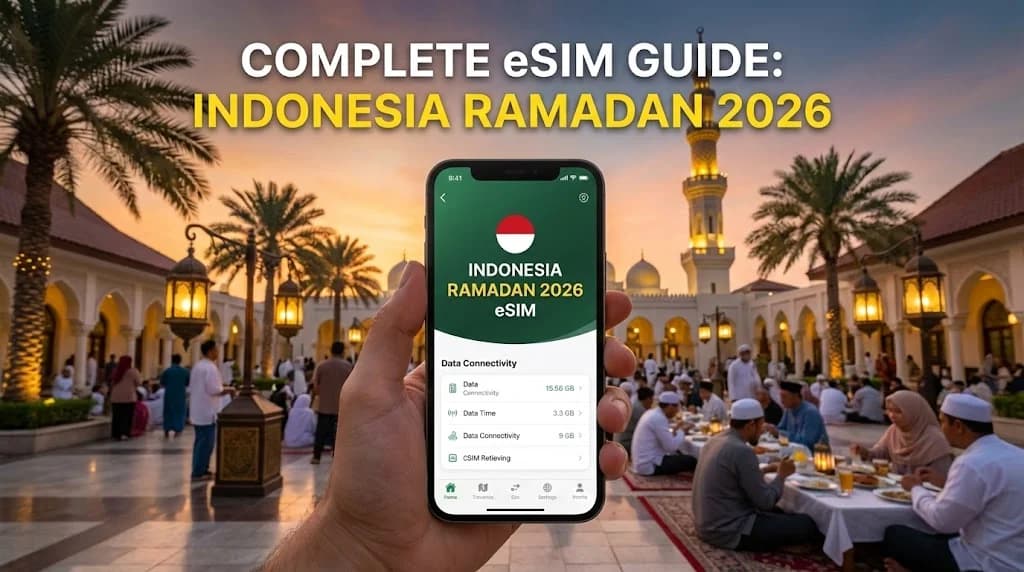
Why an eSIM is Your Best Companion for Ramadan Travel in Indonesia
Traveling to Indonesia during the holy month of Ramadan is a unique and spiritually enriching experience. However, it also comes with logistical challenges, from navigating Iftar (breaking the fast) traffic to coordinating with family and finding prayer times. This is where modern technology becomes an indispensable tool. An eSIM Indonesia Ramadan 2026 plan isn't just about getting online; it's about ensuring your journey is smooth, respectful, and stress-free from the moment you land. Imagine stepping off your plane at Jakarta's Soekarno-Hatta (CGK) or Bali's Ngurah Rai (DPS) airport. Instead of hunting for a SIM card kiosk, haggling over prices, and going through a lengthy registration process, your phone connects to a local network automatically. This immediate connectivity is crucial for booking a ride-hailing service like Grab or Gojek, checking into your hotel, or letting loved ones know you've arrived safely. The peace of mind this provides cannot be overstated, especially during a busy travel season like Ramadan.
Instant Connectivity Upon Arrival at CGK or DPS
The first hour in a new country can be the most disorienting. Airports are chaotic, and finding reliable Wi-Fi can be a gamble. With an eSIM, you bypass this entire ordeal. By installing your eSIM profile before your flight, your phone is ready to connect the second you disable airplane mode. There's no need to physically swap tiny SIM cards, a task that can be clumsy and risks losing your primary SIM. This instant access to high-speed mobile data means you can immediately use Google Maps to navigate to your accommodation, use a translation app to communicate, or check the latest travel advisories. This is particularly valuable in major hubs like Jakarta and Denpasar, where having a reliable connection from the get-go sets a positive tone for your entire trip.
Navigating Iftar Crowds and Last-Minute Bookings
Ramadan transforms the daily rhythm of life in Indonesia. Cities come alive in the evenings as people gather for Iftar. This means significant traffic and fully booked restaurants. Having a reliable Indonesia mobile data for tourists plan on your eSIM allows you to adapt on the fly. You can check traffic conditions in real-time, find alternative routes, and make last-minute reservations for Iftar gatherings. Furthermore, you can use food delivery apps to order meals if you prefer a quiet evening in. This level of flexibility is essential for a smooth travel experience, allowing you to participate in the local culture without the associated stress of logistical hurdles.
Respectful and Discreet Connectivity
Ramadan is a time of reflection and respect. Constantly fumbling with a physical SIM or being preoccupied with finding a Wi-Fi hotspot can be distracting. An eSIM works silently in the background, providing discreet and uninterrupted connectivity. You can easily access apps for prayer times, find the direction of Qibla, or read digital copies of the Qur'an without drawing attention. This seamless integration of technology allows you to stay connected for your essential needs while fully immersing yourself in the spiritual atmosphere of Ramadan in Indonesia, whether you are visiting the grand Istiqlal Mosque in Jakarta or a serene local mosque in Ubud.
Understanding eSIM Technology: How Does it Work in Indonesia?
For many travelers, the term 'eSIM' might still sound futuristic or complex. In reality, it's a straightforward and powerful evolution of the traditional SIM card designed for modern convenience. A digital SIM card, or eSIM, is a small chip that is embedded directly into your phone's motherboard by the manufacturer. Unlike a physical SIM card that you must insert and remove, the eSIM is a permanent part of your device. It can be programmed and reprogrammed remotely with different mobile carrier profiles. Think of it as a rewritable, digital version of the plastic card you're used to. When you purchase an Indonesia travel data plan, you are essentially buying a digital profile that, once installed, tells your phone how to connect to local networks in Indonesia.
What is a Digital SIM Card?
A digital SIM card Indonesia plan functions identically to a physical one in terms of connecting you to a network for data, calls, and texts (depending on the plan). The key difference is the delivery and activation method. Instead of a physical product, you receive a QR code or an in-app installation prompt. This digital profile contains all the necessary information for your device to authenticate itself on a partner network in Indonesia. This process eliminates the need for manufacturing and shipping plastic cards, making it a more efficient and environmentally friendly solution for global travelers.
The Technology Behind the Convenience
The embedded SIM (eSIM) operates on a global specification developed by the GSMA, the trade body that represents mobile network operators worldwide. This standardization ensures that an eSIM from any provider can work on any compatible, unlocked device. When you scan the QR code, your phone securely downloads the carrier profile and stores it on the embedded chip. You can store multiple eSIM profiles on your phone simultaneously—for example, your home plan and several travel plans—and easily switch between them through your phone's settings. This is incredibly useful for frequent travelers who visit multiple countries, as they can have plans for Spain, Turkey, and Indonesia ready to activate at a moment's notice.
Connecting to Indonesian Networks like Telkomsel and XL Axiata
Once your eSIM is activated in Indonesia, it connects to one of the country's leading mobile networks. Cellesim partners with top-tier providers like Telkomsel, XL Axiata, and Indosat Ooredoo to ensure you receive the best possible coverage and speed. These networks have extensive 4G/LTE infrastructure across the archipelago, from the bustling streets of Jakarta to the idyllic beaches of Bali and the remote landscapes of Lombok. In our testing, we've found that Telkomsel generally offers the most comprehensive coverage, especially in rural areas, while XL Axiata provides very competitive speeds in urban centers. Your device will automatically connect to the strongest available partner network, ensuring a stable and reliable internet connection for all your travel needs.
The Clear Advantages: eSIM vs. Physical SIM Card in Indonesia
When planning a trip, the decision between using an eSIM or a traditional physical SIM card can significantly impact your travel experience. While both achieve the goal of connecting you to the internet, the process, cost, and convenience differ dramatically. For a destination like Indonesia, especially during the busy Ramadan period, the advantages of a digital SIM card Indonesia become even more pronounced. The primary benefits revolve around cost savings, enhanced security, and sheer practicality, making it the superior choice for the modern traveler. Let's explore why leaving your physical SIM slot empty is the smartest move for your 2026 trip.
Cost-Effectiveness: How to Avoid Roaming Charges in Indonesia
The most significant advantage is the ability to completely avoid roaming charges Indonesia. Using your home carrier's roaming plan can be exorbitantly expensive, often costing upwards of $10 to $15 per day. A week-long trip could easily add over $70 to your phone bill. In stark contrast, a prepaid eSIM data plan for Indonesia offers a fixed, upfront cost. For instance, you can get a 10GB plan valid for 30 days for around $20 or a 20GB plan for approximately $35. This represents a saving of over 70-80% compared to standard roaming fees. By using an eSIM for data, you can turn off data roaming on your primary line and avoid any surprise charges, giving you full control over your expenses. You can learn more about the cost differences by comparing Airport SIM Card Prices vs eSIM online before you travel.
Security and Convenience: No More SIM Swapping
Physical SIM cards are small and easy to lose or damage. Swapping them at an airport or in a moving vehicle increases this risk. An eSIM eliminates this problem entirely. Since the SIM is embedded in your device, it cannot be lost or stolen. This also enhances your security; SIM-swapping scams, where a fraudster gains control of your physical SIM to intercept two-factor authentication codes, are impossible with an eSIM. Furthermore, you can purchase and install your eSIM from the comfort of your home before you even pack your bags. This convenience means you are prepared for immediate connectivity upon arrival, without the hassle of finding a store, dealing with language barriers, or handling local currency right after a long flight.
Dual SIM Functionality and Keeping Your Number
Most modern smartphones are Dual SIM, Dual Standby (DSDS) capable, meaning you can use both an eSIM and your physical SIM card simultaneously. This is a game-changer for travelers. You can designate your Indonesian eSIM for all mobile data, taking advantage of cheap local rates. At the same time, you can keep your primary physical SIM active for receiving important calls and text messages from home, such as verification codes from your bank. You maintain your familiar WhatsApp number and stay reachable on your main line while avoiding data roaming costs. This dual functionality offers the best of both worlds: affordable local data and seamless connection to your essential services from home.
Step-by-Step Guide: How to Get and Activate Your eSIM for Indonesia
One of the biggest sources of anxiety for travelers considering an eSIM for the first time is the setup process. Many worry it will be too technical or that something will go wrong, leaving them without a connection abroad. The reality is that activating an eSIM is remarkably simple and designed to be user-friendly. The entire process can be completed in just a few minutes from home, ensuring you are fully prepared before your trip begins. This step-by-step guide will walk you through the entire journey, from choosing the right plan to the moment you connect to a local network in Indonesia. Following these instructions will help you feel confident and in control of your mobile connectivity.
Before You Leave: Choosing and Purchasing Your Plan
The first step is to select the right data plan for your trip. Consider the length of your stay and your expected data usage. Are you a light user who mainly needs maps and messaging, or will you be streaming videos and uploading high-resolution photos? Cellesim offers a variety of plans, such as 5GB for 15 days or 20GB for 30 days. Once you've chosen a plan, the purchase is made online. Immediately after payment, you will receive an email containing a QR code. This QR code is your key to activating the eSIM profile. It's crucial to do this part while you still have a stable internet connection at home or at your hotel before heading to the airport.
Installation: The Simple QR Code Method
With your QR code in hand, the installation process is straightforward. On an iPhone, go to Settings > Cellular > Add eSIM. On an Android device (like a Samsung Galaxy S23 or Google Pixel 7), go to Settings > Network & internet > SIMs, and tap the '+' to add a new one. Your phone will prompt you to scan the QR code from your email. It's easiest to have the QR code displayed on another screen (like a laptop or tablet) or to print it out. Once scanned, your phone will download the eSIM profile. You can then label this new cellular plan—something like "Indonesia Travel"—to easily distinguish it from your primary line. For a more detailed walkthrough, you can always consult our Complete eSIM Setup Guide.
Activation Upon Landing: Seamless Transition to Local Data
Do not activate the eSIM plan until you arrive in Indonesia, as the validity period often starts upon connection to a supported network. Keep the eSIM line turned off until you land. Once your plane has landed and you are permitted to use electronic devices, go back into your phone's cellular settings. Turn on your "Indonesia Travel" eSIM line and make sure to select it as your designated line for Mobile Data. It's also critical to enable 'Data Roaming' for this eSIM line. This might sound counterintuitive, but it's necessary for the eSIM to connect to local partner networks and does not incur any charges from your home provider. Your phone should connect to a local network like Telkomsel or XL Axiata within a minute or two, and you'll be online before you even reach baggage claim.
Is Your Device Ready? Checking eSIM Compatibility for Indonesia
Before you get excited about the benefits and purchase a plan, there's one critical step: ensuring your smartphone is compatible with eSIM technology. While most flagship phones manufactured in the last few years include an embedded SIM, it's not yet a universal feature across all models. Additionally, there's another crucial factor to consider: your phone must be 'unlocked' by your carrier. An incompatible or locked device is the most common reason travelers run into issues. Taking a few moments to verify these two points will save you potential headaches and ensure your eSIM for Bali travel or your Jakarta business trip works flawlessly. This check is simple and provides the final green light before you embrace the convenience of digital SIM technology.
Key Phone Models: iPhone, Samsung, and Google Pixel
Generally, eSIM compatibility is standard on premium devices. For Apple users, any iPhone XS, iPhone XR, or newer model (including all iPhone 11, 12, 13, 14, and 15 series) supports eSIM. For Android users, the list is also extensive. Samsung's flagship Galaxy S series from the S20 onwards, the Note 20 series, and all Fold and Flip models are eSIM-ready. Google's Pixel phones have supported eSIM since the Pixel 2, although some early models had limitations. To be absolutely certain, it's always best to check our comprehensive and up-to-date list of eSIM Compatible Devices before making a purchase.
The Crucial 'Carrier Lock' Check
This is arguably the most important check. If you purchased your phone on a contract or financing plan from a mobile carrier, it might be 'locked,' meaning it can only be used with that specific carrier's SIM cards. A locked phone will not be able to install or use an eSIM from another provider. Checking if your phone is unlocked is easy. On an iPhone, go to Settings > General > About. Scroll down to 'Carrier Lock.' If it says 'No SIM restrictions,' your phone is unlocked and ready for an eSIM. On Android, the process can vary, but inserting a SIM card from a different carrier is a reliable test. If it works, your phone is unlocked. If you find your phone is locked, you must contact your home carrier to request they unlock it before your trip.
Using Dual SIM: Keeping Your Home Number Active for Calls and Texts
One of the best features of using an eSIM is the ability to leverage your phone's Dual SIM capabilities. This allows you to keep your primary physical SIM card in your phone and active for receiving calls and SMS messages on your home number. This is perfect for receiving two-factor authentication codes from banks or staying reachable for emergencies. In your phone's settings, you can configure your Indonesian eSIM to be the primary source for all mobile data while setting your home SIM as the default for voice calls. This setup gives you the best of both worlds: affordable, high-speed local data and the security of your home number, all without incurring massive roaming costs.
Choosing the Right Indonesia Travel Data Plan for Ramadan 2026
With your device confirmed as compatible and unlocked, the final step is selecting the perfect Indonesia travel data plan for your specific needs. Not all travelers are the same, and your data requirements can vary significantly based on the length of your trip, your travel style, and how you use your phone. A solo backpacker relying heavily on maps and online bookings will have different needs than someone on a family vacation primarily using data to share photos. During Ramadan, you might also use more data for streaming religious content or video-calling family during Iftar. Taking a moment to assess your habits can help you choose a plan that provides ample data without overspending on a package you won't use.
Assessing Your Data Needs: Streaming, Maps, and Social Media
Start by thinking about your daily online activities. Navigating with Google Maps uses about 5-10MB per hour. Browsing social media and websites for an hour can consume 100-200MB. Streaming a standard-definition video on YouTube uses about 250MB per hour. If you plan to upload lots of high-resolution photos and videos to Instagram or video call family back home, your usage will be higher. As a general rule, 1GB per day is a generous amount for most travelers, covering navigation, social media, messaging, and light streaming. For a two-week trip, a 15-20GB plan would be a comfortable and safe choice.
Comparing Plan Durations and Data Allowances
eSIM providers offer a wide range of plans tailored to different trip lengths. You'll typically find options like a 5GB plan valid for 7 days, a 10GB plan for 15 days, or a 20GB plan for 30 days. It's important to match both the data amount and the validity period to your itinerary. For example, buying a 7-day plan for a 10-day trip would be a mistake. It's often more cost-effective to buy a slightly larger plan than to need to top up later. Prices are competitive, with a 10GB/30-day plan often costing around $18-$25, offering far better value than smaller, shorter-term packages.
Finding the Best eSIM Provider for Indonesia 2026
When searching for the best eSIM provider for Indonesia 2026, look for a few key factors. First, check which local networks they partner with. A provider that connects to Telkomsel will likely offer the best overall coverage. Second, read customer reviews to gauge reliability and the quality of customer support. Instant delivery of the QR code and 24/7 support are crucial in case you run into any issues. Finally, compare pricing and data packages to find the best value. Cellesim prides itself on transparent pricing, strong network partnerships in Indonesia, and dedicated customer support, ensuring you have a reliable connection throughout your Ramadan journey.
Troubleshooting Common eSIM Issues for a Stress-Free Trip
While eSIM technology is designed to be seamless, occasionally, travelers may encounter minor hiccups during setup or use. In my experience, more than 95% of these issues are easily resolved with a few simple checks in your phone's settings. The key is not to panic. Understanding the common problems and their solutions beforehand can give you the confidence to resolve them quickly and get back to enjoying your trip. From a connection that won't start to unexpectedly slow speeds, these troubleshooting tips cover the most frequent scenarios you might face, ensuring your connectivity in Indonesia remains a tool, not a source of frustration.
"No Service" After Activation? Here's What to Do
This is the most common issue and almost always has a simple fix. If you've landed in Indonesia, turned on your eSIM line, but see a "No Service" message, check two things immediately. First, go to your phone's cellular settings and ensure that 'Data Roaming' is turned ON for your eSIM line. This is essential for the eSIM to connect to a partner network. Don't worry, this will not trigger expensive roaming charges from your home carrier. Second, ensure you have selected the eSIM as the line for 'Mobile Data'. If both settings are correct, try toggling Airplane Mode on for 30 seconds and then off again. This forces your phone to re-scan for available networks and usually solves the problem.
Slow Data Speeds in Bali or Jakarta?
If you find your internet connection is slower than expected, it could be due to network congestion, especially in crowded tourist areas like Kuta in Bali or during peak evening hours in Jakarta. Your phone might be connected to a congested cell tower. The quickest way to address this is to manually select a different network operator. In your phone's cellular settings, you should find an option for 'Network Selection'. Turn off 'Automatic' and wait for the phone to scan for available networks. You'll see a list including Telkomsel, XL Axiata, and others. Try connecting to a different partner network from the one you're currently on. This can often place you on a less crowded tower and significantly improve your data speeds.
My QR Code Isn't Working
If you're trying to scan your QR code and it's not being recognized by your phone, there are a few potential causes. First, ensure your phone has a stable Wi-Fi or cellular connection, as it needs internet access to download the eSIM profile. Second, make sure you are scanning the code from your phone's settings menu (under 'Add eSIM'), not just with the camera app. If it still fails, the QR code image might be low quality. Try increasing the brightness on the screen displaying the code or zooming in slightly. As a last resort, most providers offer a manual installation option where you can copy and paste activation details instead of scanning the code. Contacting customer support for these manual details is always a reliable backup plan.
Travel with Confidence This Ramadan
Embarking on a journey to Indonesia during Ramadan 2026 offers a profound cultural and spiritual experience. By choosing to use an eSIM, you are equipping yourself with a tool that removes one of the most significant modern travel anxieties: staying connected. An eSIM Indonesia Ramadan 2026 plan provides immediate, affordable, and secure internet access from the moment you arrive. You can navigate unfamiliar cities, share precious moments with family back home, and access essential travel information without the fear of exorbitant roaming bills or the hassle of physical SIM cards. The ability to install your plan before you leave and activate it seamlessly upon landing in Jakarta or Bali allows you to be present and fully immerse yourself in the beauty and serenity of the holy month. This technology empowers you to travel smarter, safer, and with complete peace of mind. Ready to experience the future of travel connectivity? Explore Cellesim's range of data plans for Indonesia and make your next adventure the most connected one yet.