You’ve found an "unlimited" travel eSIM plan, but then you spot the fine print: a 256kbps speed cap after you hit a certain data limit. So, what does that number really mean for your travel plans in 2026? Put simply, 256kbps is enough for essentials like messaging and email, but don't expect to stream videos or get real-time navigation updates without a serious dose of patience. It's a trade-off, where basic communication wins out over anything data-intensive while you're abroad.
Understanding the 256kbps Throttle: What It Actually Means
When an eSIM plan promises "unlimited data" but then hits you with a 256kbps speed cap after you've used a certain amount, it's really important to know what that number means for your phone. Kilobits per second (kbps) tells you how fast data moves, and 256kbps, while tiny compared to today's gigabit fiber, is a very specific way they slow things down.
This isn't just a random slowdown. It's a calculated move to keep the network from getting jammed and make sure everyone gets a fair slice of the pie, especially when they're sharing cellular resources. Imagine a big, multi-lane highway suddenly shrinking to a single, narrow country road. Data still flows, but it's a lot slower. For some perspective, typical 5G download speeds in cities can easily hit 100Mbps (which is 100,000kbps), making 256kbps just a tiny sliver of what's possible now.
The Difference Between kbps and Mbps, Clarified
Many people mix up kilobits with kilobytes or megabits with megabytes. Here’s a quick breakdown to clear things up:
- kbps (kilobits per second): This is how fast data moves, measured in thousands of bits. Network providers often use this to talk about speed.
- Mbps (megabits per second): This measures millions of bits per second. One Mbps is the same as 1,000 kbps.
- KB/s (kilobytes per second): This is thousands of bytes per second. Since there are 8 bits in 1 byte, 1 KB/s is 8 kbps.
- MB/s (megabytes per second): This measures millions of bytes per second. One MB/s is 8 Mbps.
So, a 256kbps connection is roughly 32 KB/s (that's 256 divided by 8). Knowing this makes a big difference in what you can realistically expect from such a slow connection.
The Impact on Network Prioritization
It's not just about the raw speed. A throttled connection often gets lower priority on the network. That means if you're on a crowded train in Paris during rush hour, your 256kbps connection might get pushed to the back of the line behind people with uncapped plans. Even if your phone sees a strong 4G LTE signal on band B3 or even 5G on n78, the carrier’s Quality of Service (QoS) rules will still limit your data to that capped speed. You'll especially notice this in busy city centers or at big public events.
Real-World Performance: Benchmarking 256kbps Against Common Tasks
Let's get practical. How does 256kbps actually hold up for a traveler's everyday needs?
| Task | Minimum Recommended Speed | Feasibility at 256kbps | Notes |
|---|---|---|---|
| Text Messaging (WhatsApp, iMessage) | ~10-20 kbps | Excellent | Instantaneous for text. Group chats with small images generally fine. |
| Email (text-only) | ~20-50 kbps | Good | Sending/receiving basic emails is quick. Attachments will take time. |
| Light Web Browsing (text-heavy sites) | ~100-200 kbps | Acceptable to Slow | Pages load, but images are slow. News sites okay, media-rich sites struggle. |
| Social Media (scrolling feeds, light images) | ~250-500 kbps | Slow to Frustrating | Feeds load slowly, videos auto-play poorly or not at all. Patience required. |
| Standard Definition (480p) Video Streaming | ~700-1500 kbps | Not Possible | Frequent buffering, unwatchable experience. |
| Voice Calls (VoIP via WhatsApp, FaceTime Audio) | ~60-120 kbps | Good, but potential for drops | Generally clear, but susceptible to minor delays or brief cutouts. |
| GPS Navigation (Google Maps) | ~100-300 kbps (bursts) | Acceptable for pre-loaded maps | Live traffic updates are slow. Pre-download maps for best results. |
| Banking Apps / Secure Logins | ~50-150 kbps | Good | Transactions and logins typically use minimal data. |
As you can see, 256kbps is best for sending texts and doing simple, non-interactive stuff. Anything that involves a lot of pictures or video loading will really test your patience.

Comparing to Dial-Up: A Modern Analogy
For those who remember dial-up, 256kbps is faster than the old 56kbps connections, but it's still nowhere near broadband. It feels more like the early days of 2G EDGE or a really overloaded 3G network. While a 56k modem might take minutes to load a basic webpage, 256kbps will get it done in seconds, but you'll see images pop up piece by piece instead of instantly. Think about being in Africa, where network quality varies widely. In some remote spots, 256kbps might feel completely normal. But in a busy city like Johannesburg, it will feel agonizingly slow compared to the local LTE-A (LTE Advanced) on bands B3 (1800MHz) and B40 (2300MHz) that often deliver 50-100 Mbps.
The Technical Nuances Behind the Cap: Why Carriers Implement It
Data caps and speed throttling aren't just there to annoy you; they're smart tools for managing a network. From an engineering standpoint, these limits serve a few key purposes.
Network Resource Management
Cell carriers have limited radio frequencies and network capacity. Even if a cell tower theoretically supports super-fast speeds, that capacity is shared among everyone using it. A 256kbps cap on "unlimited" plans means that people who use a lot of data, after hitting a reasonable Fair Usage Policy (FUP) limit, don't hog all the network resources. This helps ensure everyone else still gets a basic service. It's extra important in places where spectrum is hard to get or expensive, like in Azerbaijan, where carriers like Azercell have to manage their limited spectrum efficiently across bands like B3 and B20.
Cost Control and Wholesale Agreements
eSIM companies often buy data in bulk from local Mobile Network Operators (MNOs) or Mobile Virtual Network Operators (MVNOs). These wholesale deals usually have different prices depending on how much data is used and how fast it is. By offering a capped "unlimited" plan, eSIM providers can sell a cheaper product because they pay less for heavy data users. So, the 256kbps limit isn't just about what you experience; it's also about the financial side of offering global data roaming.
IPv6-Only Networks and CGNAT Implications
Some capped plans, especially from certain MVNOs, might run on IPv6-only networks or behind Carrier-Grade Network Address Translation (CGNAT). While 256kbps is slow, these network setups can add more delay and cause compatibility problems. For example, older VPN programs or specific apps might struggle on IPv6-only networks. In those cases, you'd need a VPN that handles IPv6 or works with both IPv4 and IPv6. CGNAT doesn't affect raw speed as much, but it can make port forwarding tricky for peer-to-peer apps. For typical travel use like browsing or messaging, this is usually not a big concern.
Calling Home: Voice and Video Over a 256kbps Connection
Staying in touch with family and friends is a top priority when you travel. How well does 256kbps handle voice and video calls?
Voice over IP (VoIP) Performance
For voice apps like WhatsApp Audio, FaceTime Audio, or Google Meet Audio, 256kbps is usually good enough. Modern audio tech is very efficient, often needing only 30-60kbps for a clear call. However, it won't be perfect. While the speed is technically sufficient, you might notice more delays, jitter, and lost packets at lower speeds. You could experience:
- Brief delays: Slight pauses in your conversations.
- Minor cutouts: A word or two might drop out occasionally.
- VoLTE/VoWiFi Issues: Many eSIMs, especially those for data only, don't support VoLTE (Voice over LTE) or VoWiFi (Voice over WiFi) directly on the local network. This means your phone won't seamlessly use your main number for calls over cellular data. Instead, you'll rely on third-party VoIP apps. Some Android phones, particularly those not officially sold in a specific region, might even have settings that turn off VoLTE even if the network supports it. Always check your phone's "Mobile network" settings for "VoLTE calls" options.
For important calls, finding a stable Wi-Fi connection is always best, but 256kbps can be a decent backup.
Video Calls: A Struggle
Video calls, even at the lowest quality, need a lot more bandwidth. A basic, low-resolution video call (like 240p) typically needs about 300-500kbps. This means 256kbps simply isn't enough for a smooth experience. You'll likely see:
- Pixelation and freezing: The video will often look blocky or just stop moving.
- Significant delay: Audio and video won't match up, making it hard to have a normal chat.
- Frequent disconnections: The app might struggle to keep the call going, leading to dropped calls.
Trying a video call at 256kbps, whether with WhatsApp Video or FaceTime Video, will probably be frustrating for everyone involved. It's just not practical for anything more than sending a quick, static image.
Mapping, Navigation, and Location Services at Limited Speeds
Getting around in a new city is one of the main reasons travelers use mobile data. How does a 256kbps cap affect your ability to navigate?
Using Online Maps and Directions
Online map services like Google Maps or Apple Maps need data to download map sections, find locations, and update traffic info. At 256kbps:
- Initial map loading: This can be very slow. Zooming into a new area or scrolling across a city might take several seconds for the detailed map to appear.
- Searching for locations: Text searches usually work fine, but results with pictures (like business photos) will load slowly.
- Live traffic updates: These will be significantly delayed, meaning you might get old information about traffic jams or road closures. This is especially tricky in cities with constantly changing traffic, like Mexico City, where real-time data from Telcel's B7 (2600MHz) and B2 (1900MHz) LTE networks is often essential to avoid gridlock.
- Walking directions: These are generally okay, as they need less real-time data than driving directions.
The main takeaway here is to plan ahead. For a trip to France, for example, it's a great idea to download offline maps of Paris or Lyon. This way, your phone’s GPS can find your location without needing to download map data over that slow cellular connection.
Ride-Sharing and Public Transport Apps
Apps like Uber, Lyft, Free Now (popular in Europe), or local public transport apps (like Citymapper in London, RATP in Paris) rely on data for real-time updates and bookings. At 256kbps:
- Booking a ride: Requesting a ride will work, but the map showing available drivers and their live movement will update slowly. This might make it hard to track your ride efficiently.
- Public transport schedules: Checking static schedules will be fine. However, live bus or train tracking will be sluggish, updating every 10-20 seconds instead of smoothly.
- Ticket purchasing: If available, in-app ticket purchasing usually uses minimal data and should work without major issues, though loading payment screens might be slow.
For urgent travel, always have a backup plan or try to use Wi-Fi for important bookings. Standing at a train station in Athens, trying to get real-time updates from the OASA app on a capped connection, can be incredibly frustrating if you're trying to make a tight connection, especially when Cosmote's network usually offers much faster speeds.
Security Considerations: VPN and Encrypted Traffic
Many travelers use a Virtual Private Network (VPN) to stay secure on public Wi-Fi or even cellular networks. How does a 256kbps cap affect this?
VPN Performance and Overhead
A VPN adds encryption and tunneling, which naturally uses up some bandwidth. This usually means a 5-15% reduction in your speed. At 256kbps, even a 10% overhead drops your effective speed to about 230kbps. This isn't a huge drop in raw numbers, but it’s noticeable when you're starting from an already slow speed. Connecting to a VPN server, logging in, and setting up the tunnel might take longer than usual. Once you're connected, basic tasks will still work, but everything will feel a bit slower.
For travelers using a VPN to secure connections on public Wi-Fi at airports or cafes, a 256kbps cellular connection (if available) might be a more secure, though slower, option if you're worried about people snooping on the local network. However, it won't be good for anything that needs high speed through the VPN, like streaming geo-restricted content.
Encrypted Traffic and its Impact
Most internet traffic these days is already encrypted with HTTPS. So, even without a VPN, your banking apps, email, and many websites use TLS/SSL encryption. This encryption also adds a little bit of overhead, though usually less than a full VPN tunnel. The good news is that modern browsers and operating systems are very good at optimizing this, so its effect on a 256kbps connection is minimal compared to the bottleneck of the data transfer itself. The biggest factor is still the size of the data you're moving, not how it's encrypted.
eSIM Configuration and APN Settings: The Edge Cases
eSIMs make getting connected simpler, but some technical details can still impact performance, especially with speed caps. One such detail is the Access Point Name (APN).
Manual APN Settings for Throttled Plans
Most eSIMs automatically set up the correct APN. However, in rare cases, especially with MVNOs or certain regional carriers, you might need to manually set the APN. Some carriers use different APNs to separate throttled from unthrottled traffic. For instance, a standard APN might be "internet," while a throttled one could be "lowspeed.internet." If your eSIM feels unexpectedly slow even before you hit a stated cap, it's worth checking your APN settings:
- For iOS: Go to Settings > Cellular > Cellular Data Network.
- For Android: Go to Settings > Network & internet > Mobile network > Access Point Names.
Always check your eSIM provider's instructions for the right APN. Wrong APN settings can lead to no data at all, or in some very specific cases, might even bypass intended caps (though this is rare and not officially supported). Some older Android phones, or certain regional models, sometimes struggle to automatically pick the right APN, requiring you to set it manually, especially for VoLTE support, which needs specific IMS APN configurations.
Device Compatibility and Network Bands
While the network imposes the 256kbps cap, your phone's hardware still matters. Make sure your device supports the common 4G LTE bands (like B1, B3, B7, B20) and 5G NR bands (like n78, n28) used by the local partner carriers. Even if your speed is capped, a phone with a better antenna and carrier aggregation might still give you a slightly more stable connection at that limited speed, reducing jitter. For example, a phone that supports LTE-A with 2x2 MIMO might handle the 256kbps stream more efficiently than an older device, especially in areas with weaker signal. This is less about speed and more about keeping a reliable connection within the set limit. Modern phones with strong modems, like the Snapdragon X75 or Apple’s latest custom chips, will naturally manage low-bandwidth connections better, even if the top speed is capped.
Optimizing Your Device for 256kbps: Getting the Most Out of Less
If you've decided a 256kbps capped eSIM is the right choice for your trip, there are a few things you can do to get the most out of it.
Data Saving Strategies
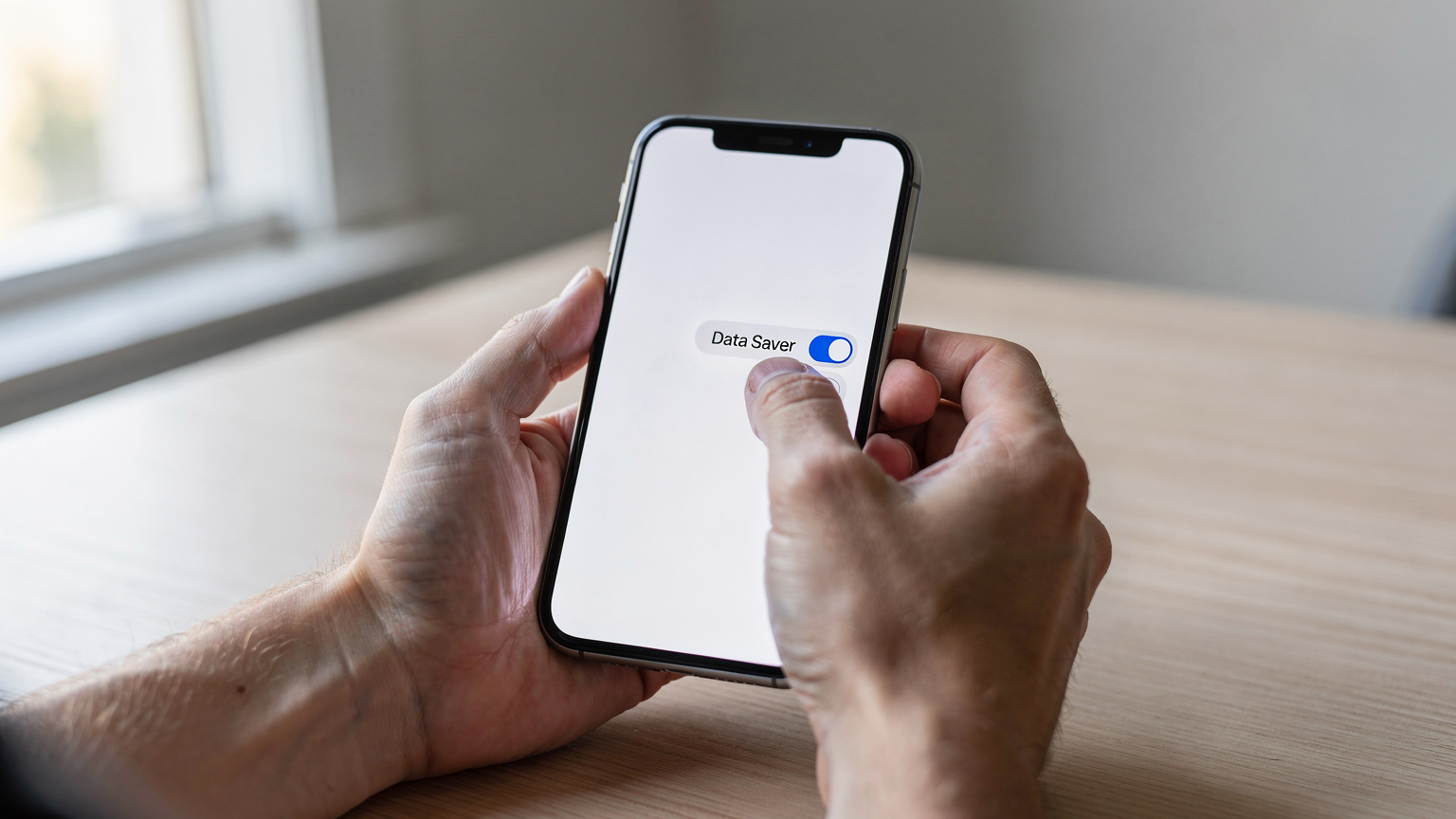
- Turn on Data Saver Mode: Both iOS and Android have built-in data saver features that cut down on background data use, compress images, and stop apps from refreshing automatically.
- Optimize Your Browser: Use browsers like Opera Mini or Chrome's Lite Mode. They're designed to compress web pages and images before they even get to your phone.
- Disable Auto-Play Media: Turn off videos that automatically play in social media apps (Facebook, Instagram, X/Twitter) and news feeds.
- Download Content Offline: Before you leave Wi-Fi, download maps, movies, music, and podcasts so you can access them without data. Services like Spotify, Netflix, and Google Maps all offer offline options.
- Prioritize Essential Apps: Figure out which apps absolutely need data and limit background data for everything else.
Managing Background Data and Notifications
Background data eats up slow connections without you even realizing it. Many apps are constantly syncing, updating, and fetching data even when you're not using them. Here’s how to get them under control:
- Check App Permissions: Go through your phone's app settings and turn off "background app refresh" or "unrestricted data usage" for apps you don't really need running all the time.
- Turn Off Automatic Updates: Make sure apps aren't set to automatically update over cellular data. This can burn through hundreds of megabytes without you knowing.
- Manage Cloud Sync: Pause cloud photo/video syncing (like Google Photos, iCloud Photos) when you're on a capped connection. Upload them manually when you find good Wi-Fi.
- Disable Push Notifications for Non-Essentials: While some notifications are small, a constant stream can add up. Stick to critical notifications only.
By actively managing your device’s data-hungry habits, you can really improve your experience on a 256kbps connection. Remember, every kilobit matters when your bandwidth is limited.

When to Choose a 256kbps eSIM, and When to Avoid It
Deciding if a 256kbps capped eSIM is right for you totally depends on how you travel and what you need data for. It’s not for everyone.
Ideal Use Cases for a 256kbps Cap
A 256kbps cap is a good fit for travelers who:
- Are on a tight budget: These plans are often the cheapest "unlimited" options out there.
- Mainly need emergency communication: For staying in touch with texts, basic emails, and occasional VoIP calls.
- Are digital minimalists: People who prefer to unplug and only use data for the absolute essentials.
- Have frequent Wi-Fi access: They rely on hotel, cafe, or public Wi-Fi for anything that uses a lot of data.
- Are happy with offline maps and entertainment: They download everything they need before leaving a Wi-Fi zone.
- Don't need a laptop hotspot: Trying to use a 256kbps connection for laptop tethering would be incredibly frustrating, making even simple tasks like syncing cloud documents excruciatingly slow.
When to Absolutely Avoid a 256kbps Cap
On the other hand, a 256kbps cap will be a huge headache for travelers who:
- Really depend on real-time navigation: Especially for driving with live traffic updates.
- Often stream video or music: Netflix, YouTube, Spotify, and similar services will be pretty much unusable.
- Need to upload large files: For work or sharing high-resolution photos/videos.
- Make frequent video calls: Whether for family, friends, or business.
- Need to stay constantly active on social media: Scrolling through feeds packed with images and videos will be painfully slow.
- Work remotely: Any kind of remote work, even light document editing on cloud platforms, will be severely hindered.
- Use cloud gaming or bandwidth-heavy apps: These simply won't work at such low speeds.
The Future of Speed Caps in 2026 and Beyond
As network technology keeps improving with 5G Standalone (SA) and advanced massive MIMO antennas, the base speeds available will keep climbing. However, the basic economic and technical reasons for speed caps probably won't disappear entirely by 2026. Carriers will still need to manage their networks and offer different pricing plans.
Evolving Network Capabilities
With more 5G NR being rolled out on higher frequency bands like n78 (3.5 GHz) and n258 (26 GHz), the raw network capacity will grow incredibly fast. This means that while a 256kbps cap will feel even more restrictive compared to the potential speeds, the underlying network will be better at handling the traffic it does carry. The move to IPv6-only networks will continue, so devices and apps will need to be fully compatible to avoid problems, even at low speeds. Carriers like Movistar in Spain are already investing heavily in 5G SA, promising lower latency and higher capacity. This will make even capped plans feel a bit more responsive because there's less network congestion.
The Role of Smart Data Management
By 2026, we can expect phones and apps to get even smarter about managing data when speeds are limited. Operating systems might offer more detailed control over background data by default, and apps could get better at detecting network conditions to adjust their data use. AI-powered algorithms might even optimize content delivery for extremely low bandwidth, making a 256kbps connection feel slightly more capable than it does today. However, these improvements will mostly make data transfer more efficient; they won't fundamentally change the limitations of the speed itself.
Ultimately, while 256kbps might become an even tinier fraction of available bandwidth, it will likely remain a practical, budget-friendly option for the most basic travel data needs. This is especially true for those who want to save money and have regular access to Wi-Fi hotspots for their heavier data tasks.
Frequently Asked Questions
Can I stream music on Spotify with a 256kbps speed cap?
Streaming music on Spotify at its lowest quality setting (24 kbps) is technically possible, but the experience might be inconsistent. Higher quality settings (96 kbps or 160 kbps) will likely lead to frequent buffering and interruptions, making for a frustrating listening experience. It's best to download playlists offline before relying on a 256kbps connection.
Will my banking apps work reliably with a 256kbps connection?
Yes, banking apps and secure logins typically require minimal data. Transactions and account viewing should function reliably with a 256kbps connection, though loading times for complex interfaces or statements might be slightly slower than usual. The security protocols (HTTPS/TLS) used by these apps are highly optimized and will not be significantly impacted by the speed cap.
Is it possible to use a VPN with a 256kbps capped eSIM?
While you can technically connect to a VPN with a 256kbps connection, be aware of the overhead. VPN encryption and tunneling add 5-15% to data usage, effectively reducing your usable speed further. This might make an already slow connection feel even more sluggish, especially during initial connection or for tasks requiring quick data bursts.
Can I share my 256kbps connection with another device (tethering)?
You can technically tether another device to your 256kbps capped eSIM, but it is highly inadvisable for anything beyond checking very basic text-based emails. The limited bandwidth will be split between devices, making the experience exceptionally slow and frustrating for both, rendering typical laptop use virtually impossible.
How does 256kbps compare to what I experience at home on 4G/5G?
256kbps is significantly slower than typical 4G/5G speeds. In many developed regions, 4G LTE can offer average download speeds of 20-50 Mbps (20,000-50,000 kbps), and 5G can easily exceed 100 Mbps (100,000 kbps). Therefore, 256kbps will feel like a considerable downgrade, especially for multimedia content and interactive applications.
Will my phone's VoLTE (Voice over LTE) work on a 256kbps capped eSIM?
Most data-only eSIMs, especially those with speed caps, do not natively support VoLTE for your primary phone number. This means traditional voice calls will likely fall back to 2G/3G networks, or you'll need to rely on VoIP apps like WhatsApp or FaceTime Audio over the capped data. Check your specific eSIM provider's details, as VoLTE support varies widely.