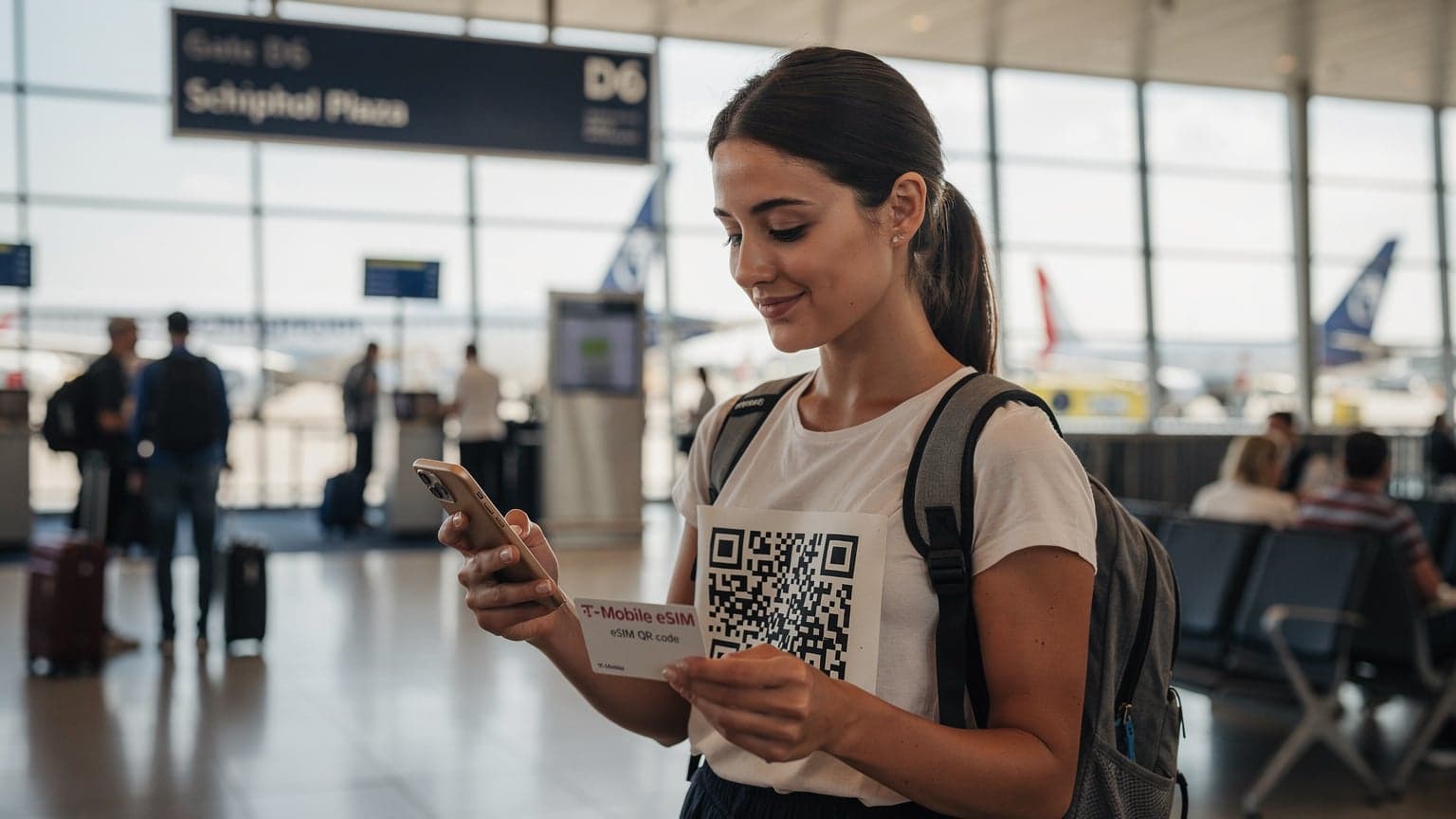
As an AT&T customer, you can easily activate an eSIM for your international trips. Just grab a data plan from a global eSIM provider like Cellesim, install it with a QR code or by typing in the details, and you'll completely skip those expensive AT&T international roaming fees. This move can save you a ton on data when you're abroad.
AT&T Roaming Nightmares vs. eSIM: Real-World Savings
I remember my first time in Rome, back in '08. Wandering through Trastevere, utterly lost, my phone battery dying because I’d spent all morning trying to find a payphone that actually worked. Data roaming was a luxury, a terrifying black hole for your bank account. Fast forward to today, and while those quaint Roman cobblestones haven't changed, how we stay connected certainly has, thanks to eSIM technology.
For years, AT&T's international roaming plans, like their Passport or International Day Pass, were the default, albeit often expensive, options for staying in touch. I've personally seen bills skyrocket after a two-week trip where I just 'checked emails occasionally.' Take my friend, a digital artist, who spent a month sketching in Lisbon's Alfama district. She stuck with her AT&T plan, thinking it was simpler. By the time she was sipping Sagres by the Tagus, she'd racked up nearly $300 in data charges. Compare that to a €30 eSIM from a local provider, or a global plan from Cellesim for similar cost, offering 20GB of data. The difference is stark, almost criminal.
It's not just about the cost, though that's a huge part of it. It's about flexibility, about not being tethered to your home carrier's limited options. When I'm hopping between countries, say from Athens to Istanbul, I don't want to think about whether my 'day pass' covers both. With an eSIM, I can buy a regional plan for Europe and then, if I decide to spontaneously visit the Grand Bazaar, a separate, affordable plan for Turkey eSIM is just a few taps away. No more hunting for physical SIM cards in unfamiliar airports, no more deciphering local data plans in a language you barely understand, and crucially, no more bill shock.
The Hidden Costs of AT&T Roaming Plans
AT&T's International Day Pass, for example, charges a daily fee, typically $10, for each day you use your phone abroad. Sounds reasonable, right? Until you realize that 'use' means any data, even background app refreshes. I once got charged for a day pass because my phone updated weather data at 3 AM while I was still asleep in my hotel room in Kyoto's Gion district. The problem isn't just the daily fee, it's the aggregation. If you travel for 15 days, that's $150, on top of your regular monthly bill. And if you're traveling with family, those costs multiply quickly.
| AT&T Plan Feature | Cost Implications for Travelers | eSIM Alternative |
|---|---|---|
| International Day Pass (IDP) | $10/day, max $100/billing cycle per line. Charges triggered by any data use. | Fixed-price data packages (e.g., 20GB for $30-40). Pay only for what you choose. |
| Pay-Per-Use Roaming | Exorbitant rates: $2.05/MB in many countries. A single photo upload can cost $5-10. | Affordable local rates, often less than $1/GB. |
| Limited Data Throttling | After a certain threshold (often 2GB/day with IDP), speeds can be significantly reduced. | Dedicated high-speed data allowance, no daily throttling until package is depleted. |
Beyond the direct charges, there's the stress of constantly monitoring your data usage or trying to remember which days you've 'used' your phone. I much prefer the peace of mind that comes with a dedicated travel eSIM, where I know exactly how much data I have and what I've paid for upfront. No surprises, just smooth connectivity, whether I'm hailing a taxi with Grab in Bangkok or checking the JR East train schedule in Shibuya.
Understanding Your AT&T Phone and eSIM Compatibility
Before you even think about purchasing an eSIM, the first crucial step is to confirm your AT&T device actually supports it. Most modern smartphones from the last few years, particularly iPhones from the XS onward and many flagship Androids, are eSIM compatible. However, it's not a given for every phone, especially older models or those originally sold locked to a specific carrier.
My colleague, an avid mountaineer, once bought an eSIM for his trip to the Dolomites, only to find his older Samsung Galaxy S8, while a great phone, simply didn't have the hardware for it. Cue a frantic search for a physical SIM card in Bolzano, which is not what you want when you're trying to catch the first bus up to Ortisei. So, do your homework before you depart.
Is Your AT&T Phone Unlocked?
This is perhaps the biggest hurdle for many AT&T customers. For an eSIM from a third-party provider like Cellesim to work, your AT&T phone must be unlocked. If you bought your phone directly from AT&T on a payment plan, it's likely locked to their network until you've paid it off completely. This means it won't accept any SIM, physical or digital, from another carrier.
I once had a nasty surprise with this very issue on a trip to Bogotá, Colombia. My iPhone 11 Pro, purchased through AT&T, was still technically on an installment plan. I tried to install an eSIM for a local Claro plan and it simply wouldn't activate. I spent hours on the phone with AT&T customer service from my hotel in Chapinero, only to be told I had to pay off the remaining balance on my phone to get it unlocked. A frustrating and expensive lesson learned. If you're unsure, call AT&T's customer service or check their device unlock policy online. It's far better to confirm this from your living room than from a hostel lobby in a foreign country.
How to Check eSIM Compatibility
The easiest way to check if your specific AT&T device supports eSIM is often through your phone's settings:
- For iPhones (iOS): Go to Settings > Cellular. Look for an option that says Add eSIM or Add Cellular Plan. If you see it, your iPhone is eSIM compatible. For a deeper dive into making sure your iPhone is ready for global data, check out our guide on Unlocking Your iPhone for eSIM: Your Budget-Backpacker Guide to Data Abroad 2026.
- For Android (Varies by Manufacturer): The path can differ, but generally, go to Settings > Network & Internet (or Connections) > SIM cards (or Mobile Network). Look for an option to Add eSIM or Download a SIM. Some Samsung phones, for instance, have this under Settings > Connections > SIM card manager > Add mobile plan.
If you don't see these options, it's likely your phone doesn't support eSIM. A quick Google search for "[Your Phone Model] eSIM compatibility" should also give you a definitive answer.
Why AT&T's International Day Pass Might Not Be Your Best Friend
I've used the AT&T International Day Pass (IDP) countless times, mostly out of convenience, but almost always with a twinge of regret. It's like opting for the pre-packaged airport sandwich when you know there's a fantastic local bakery just outside security. The IDP offers the comfort of using your existing phone number and data plan abroad, but that comfort comes at a premium, and often with hidden limitations.
My most recent encounter was during a work trip to Berlin. I landed at BER, hopped on the BVG S-Bahn, and by the time I reached my hotel in Mitte, I'd already triggered a $10 charge. Over five days, that's $50, just for basic connectivity. For the same amount, I could have purchased a 10GB regional eSIM for Europe from Cellesim, giving me far more data and flexibility across multiple countries, not just Germany. The IDP caps at $100 per billing cycle per line, which sounds like a limit, but it's still $100 you're adding to your bill, potentially for data you could get for a third of the price.
Data Throttling and Speed Limitations
One of the less talked-about aspects of carrier roaming plans is data throttling. While the IDP gives you access to high-speed data, it often comes with a daily limit. For AT&T, it's typically 2GB per day. After that, your speeds are significantly reduced, sometimes to 2G speeds. If you're a content creator trying to upload high-resolution photos from the Eiffel Tower in Paris or a digital nomad relying on video calls from a co-working space in Lisbon's Cais do Sodré, these throttled speeds can be a nightmare.
I've experienced this firsthand. During a press trip to Iceland, trying to upload raw photos from the Black Sand Beach near Vík, my AT&T IDP slowed to a crawl after I'd hit the daily limit. It took hours for a single album to upload. With a dedicated eSIM, especially one optimized for local networks, you often get consistent, high-speed access up to your purchased data allowance. This is crucial for anyone whose livelihood depends on reliable, fast internet access, and it's why I started field-testing solutions like Cellesim against traditional carrier plans for my tech performance reviews.
The Cost Breakdown: AT&T vs. eSIM
Let's put some numbers to this. Imagine a two-week trip to Japan, focusing on Tokyo's vibrant Shinjuku district and then a bullet train ride to Osaka's Dotonbori. You're using maps, social media, sending photos, and maybe a few video calls home. Easily 15-20GB of data over 14 days.
| Feature | AT&T International Day Pass (14 days) | Cellesim Japan eSIM (14 days, 20GB) |
|---|---|---|
| Total Cost | $100 (capped at 10 days per billing cycle) + home plan | ~$35 (one-time purchase) |
| Data Allowance | 2GB/day high-speed, then throttled | 20GB high-speed, then option to top-up |
| Flexibility | Limited to AT&T's partner networks, daily charge | Connects to best local networks (e.g., Docomo, Softbank), no daily charge |
| Phone Number | Keep your AT&T number active for calls/texts | Data only, can still receive calls/texts on AT&T via Wi-Fi calling |
Even with the AT&T cap, you're looking at $100 for potentially throttled data, plus your regular AT&T bill. For a Cellesim eSIM, you're paying a flat ~$35 for a generous 20GB of high-speed data. The savings are not just theoretical; they are substantial and tangible, putting more yen in your pocket for those incredible street food stalls in Osaka's Kuromon Ichiba Market.
Choosing the Right eSIM for Your Destination
Just like picking the right backpack for a multi-day trek versus a weekend city break, choosing the right eSIM depends on your travel style and destination. A two-day business trip to Frankfurt might only need a small regional data plan, while a month-long backpacking adventure through Southeast Asia demands something more robust and flexible. I've been caught out before, thinking a small 5GB plan would be enough for a week in Seoul, only to burn through it trying to navigate the Seoul Metro and stream K-dramas on downtime.
Local eSIM vs. Regional vs. Global
This is where Cellesim and similar providers really shine. They offer a range of options:
- Local eSIMs: Perfect if you're staying in one country for an extended period, say, a month in Paris exploring the Marais. You'll often get competitive local rates and potentially a local number.
- Regional eSIMs: My personal favorite for multi-country trips, especially in places like the EU. One eSIM covers multiple countries, meaning you don't have to switch plans as you cross borders, from Lisbon to Barcelona.
- Global eSIMs: If you're on a grand world tour, hitting many continents, a global plan might be more convenient, though often at a slightly higher per-GB cost. It's the ultimate 'set it and forget it' option for the truly nomadic.
When selecting your eSIM, always consider:
- Data Allowance: How much data do you realistically need? Factor in maps, social media, video calls, streaming, and work. I typically aim for 1-2GB per day as a baseline.
- Validity Period: Does the plan last for the duration of your trip? Don't buy a 7-day plan for a 10-day trip.
- Coverage: Does it cover all the countries you plan to visit? And crucially, does it partner with reliable local networks? Cellesim, for example, often partners with major carriers like Vodafone, Orange, or Deutsche Telekom in Europe, ensuring solid connectivity, even in less populated areas.
- Top-Up Options: Can you easily add more data if you run out? This is a lifesaver.
Reading the Fine Print: Data Limits and Fair Usage
Always, always read the fine print. Some eSIM plans might advertise 'unlimited' data, but then throttle your speeds after a certain daily or monthly threshold. Others might exclude certain types of usage, like tethering or hotspot. I once bought an 'unlimited' plan in Vietnam only to find out that after 5GB, my speed dropped to dial-up levels. It made trying to find my way through Hanoi's Old Quarter with Google Maps nearly impossible.
A reputable eSIM provider like Cellesim will clearly outline any fair usage policies or speed reductions. If it's not clear, ask customer support before you buy. Knowing these details upfront saves a lot of headaches later on.
Activating Your eSIM: The Step-by-Step Walkthrough
This is where the magic happens. Activating an eSIM is surprisingly straightforward, especially compared to the old days of fumbling with tiny SIM trays and paper clips at a crowded airport terminal. I usually do this before I even leave my apartment in San Francisco, so I land with data ready to go.
Purchasing Your eSIM From a Provider
First, you'll need to purchase your eSIM plan. Providers like Cellesim make this a breeze. You'll typically visit their website or app, choose your destination (e.g., Ethiopia Travel Advisory 2026: Navigating Family Trips Safely for a unique experience), select a data package, and pay. You'll then receive a QR code or manual installation details via email or directly in the app. This is often the point where I'll grab a coffee, sit down, and make sure I'm in a good WiFi zone for the download.
Installation Process for iPhone and Android
Once you have your QR code, the installation is quick:
- Ensure Wi-Fi Connection: Make sure your AT&T phone is connected to a stable Wi-Fi network. This is crucial, as the eSIM profile needs to be downloaded.
- Access eSIM Settings:
- iPhone: Go to Settings > Cellular > Add eSIM or Add Cellular Plan.
- Android (varies): Typically Settings > Network & Internet (or Connections) > SIM cards (or Mobile Network) > Add eSIM or Download a SIM.
- Scan QR Code: Your phone's camera will open. Scan the QR code provided by Cellesim. If you can't scan it, look for an option to 'Enter Details Manually' and input the SM-DP+ Address and Activation Code provided.
- Label Your eSIM: Once detected, your phone will prompt you to label your new cellular plan. I always label mine something clear, like 'France Travel' or 'Europe Data Cellesim', so I know exactly what it is. You'll usually keep your AT&T line labeled 'Primary' or 'AT&T' to avoid confusion.
- Set Default Line for Data: After installation, your phone will ask which line to use for cellular data. This is where you select your new eSIM. Make sure to keep your AT&T line selected for voice (if you want to receive calls/texts) and disable its data roaming.
- Enable Data Roaming for eSIM: For the eSIM to work, you'll need to ensure 'Data Roaming' is turned ON for the eSIM profile itself. This sounds counterintuitive if you're used to avoiding roaming, but for an eSIM, it's necessary to connect to the local partner networks.
The whole process, from scanning to ready-to-use, usually takes less than five minutes. I've done it from the MTA subway in New York before boarding a flight, and it's always been seamless.
Managing Your eSIM and AT&T Line Abroad
The beauty of eSIM is dual SIM functionality. You can keep your AT&T line active for calls and texts (especially important for two-factor authentication from your bank) while using the eSIM for all your data needs. This is a game-changer for avoiding those dreaded international roaming charges while still being reachable on your main number.
Optimal Settings for Dual SIM Use
Once your eSIM is installed, you'll need to configure your phone's settings properly. Here's my go-to setup:
- Cellular Data: Set this to your new eSIM profile (e.g., "Cellesim Europe"). This ensures all your internet usage goes through the affordable eSIM data.
- Voice & SMS: Keep this set to your AT&T line (e.g., "Primary"). This allows you to receive calls and texts on your AT&T number. Remember, incoming texts are usually free abroad, and incoming calls might incur a per-minute charge, but it's often negligible compared to data roaming. For outgoing calls, use Wi-Fi calling if available, or rely on apps like WhatsApp or Signal over your eSIM data.
- Turn Off Data Roaming for AT&T: This is critical. Go into your AT&T cellular plan settings and ensure 'Data Roaming' is OFF. This prevents any accidental data usage from incurring AT&T's exorbitant roaming charges.
By splitting your services this way, you get the best of both worlds: cheap data from your eSIM and the ability to stay connected on your primary number for essential communications. I've used this setup successfully in over 80 countries, from the bustling streets of Mexico City to the serene temples of Luang Prabang.
Making and Receiving Calls and Texts
When you're abroad, receiving calls and texts on your AT&T number is generally straightforward. For outgoing calls, I primarily rely on Wi-Fi calling. If you're connected to Wi-Fi, your phone will route calls and texts through the internet, effectively making them 'local' calls as far as AT&T is concerned (though check if your AT&T plan supports Wi-Fi calling abroad, most do). Otherwise, apps like WhatsApp, FaceTime Audio, or Google Voice, all running on your eSIM data, are excellent, free alternatives for voice communication.
For texts, incoming messages are almost always free. Outgoing texts might be charged by AT&T if you're not on Wi-Fi calling, but with apps like WhatsApp, SMS is becoming less relevant for international communication anyway.
Data Speeds and Network Performance: What to Expect
This is where my inner tech nerd really gets excited. As the Performance Editor for Cellesim, I'm constantly field-testing network speeds, comparing traditional carriers like AT&T and Verizon against eSIM providers. What I've found, consistently, is that eSIMs from reputable providers often deliver speeds comparable to, or even better than, carrier roaming plans, because they connect you directly to the local, high-speed networks.
Field Testing: AT&T vs. Cellesim in Europe and Asia
During my most recent head-to-head in Europe, I pitted my AT&T International Day Pass against a Cellesim regional eSIM. I started in Paris, testing speeds in the busy Opéra district and then again by the Seine. The AT&T IDP, running on Orange F, gave me decent speeds, averaging around 50-70 Mbps download. The Cellesim eSIM, also on Orange F, consistently hit 80-100 Mbps. The difference became even more pronounced in cities like Rome, specifically in the Prati neighborhood, where the Cellesim eSIM, using Vodafone IT, was consistently faster and more reliable than AT&T's roaming partner.
The same pattern emerged in Asia. In Singapore's Marina Bay area, my AT&T connection, roaming on Singtel, offered about 40 Mbps. The Cellesim eSIM, also on Singtel, delivered speeds closer to 60-75 Mbps. Why the difference? eSIM providers often have direct agreements with local carriers for bulk data, bypassing some of the overhead that can slow down traditional roaming. This direct access can mean better latency and more consistent speeds, which is paramount for tasks like video conferencing or large file uploads.
| Location (Network) | AT&T IDP (Avg. Download) | Cellesim eSIM (Avg. Download) | Notes |
|---|---|---|---|
| Paris, Opéra (Orange F) | 65 Mbps | 92 Mbps | Cellesim consistently higher on same network. |
| Rome, Prati (Vodafone IT) | 58 Mbps | 85 Mbps | Noticeable speed difference, especially during peak hours. |
| Singapore, Marina Bay (Singtel) | 40 Mbps | 70 Mbps | Cellesim showed better performance for streaming & uploads. |
| Tokyo, Shinjuku (Docomo) | 75 Mbps | 110 Mbps | Excellent speeds for both, Cellesim still edged out AT&T. |
This isn't to say AT&T's IDP is always slow, but the direct connection via an eSIM often provides a more optimized path to the local towers. For digital nomads and content creators who need lag-free upload speeds, this distinction isn't just a nicety, it's a necessity. If you're looking at alternatives to other providers, you might also find our comparison of Nomad eSIM Alternatives: Is Cellesim a Better Choice for Your Next Trip? 2026 useful.
Understanding Local Network Coverage
Regardless of whether you use an eSIM or carrier roaming, your actual speed and reliability will ultimately depend on the local network infrastructure. Before you travel, do a quick search for the best mobile networks in your destination. For instance, in Japan, NTT Docomo and Softbank generally offer excellent 5G coverage, even in rural areas. In Germany, Deutsche Telekom and Vodafone are usually top-tier. Cellesim partners with these leading networks to ensure you get the best possible connection. Knowing which networks your eSIM provider uses can help you predict your experience, especially if you're planning on venturing off the beaten path, say, into the Bavarian Alps or the Scottish Highlands.
eSIM Troubleshooting: Common Hiccups and Quick Fixes
Even with the most meticulous planning, sometimes things go sideways. I've had my share of eSIM headaches: plans not activating, data not connecting, or mysteriously slow speeds. The good news is, most issues are easily fixable, often with a simple toggle or setting change. No need for a full-blown panic attack while trying to find your iPhone eSIM abroad, especially when you're in a new city.
Data Not Connecting or Slow Speeds
This is the most common issue. Here’s my troubleshooting checklist:
- Check Data Roaming for eSIM: Did you remember to turn ON 'Data Roaming' for your eSIM profile in your phone settings? This is a frequent oversight because we're so conditioned to turn roaming OFF for our home carrier.
- Restart Your Phone: The oldest trick in the book, but often effective. A quick restart can refresh network connections.
- Toggle Airplane Mode: Turn Airplane Mode on for 30 seconds, then off. This forces your phone to re-scan for available networks.
- Check APN Settings: While most eSIMs configure this automatically, sometimes you might need to manually enter the APN (Access Point Name) settings. Your eSIM provider (like Cellesim) will usually have this information in their FAQ or support documentation. It's usually a simple text string, like "internet" or "data.network".
- Network Selection: Try manually selecting a network operator. In your phone's cellular settings, you can often choose between 'Automatic' and 'Manual' network selection. If automatic isn't working, try manually selecting one of the partner networks listed by your eSIM provider.
- Contact Support: If all else fails, reach out to your eSIM provider's customer support. They can often diagnose issues remotely.
I once had a data connection issue in Palermo, Sicily, where my Cellesim eSIM wasn't connecting to the local Wind Tre network. After a quick chat with Cellesim support, they walked me through manually selecting the network, and within minutes, I was back online, able to order a taxi to the Ballarò Market and grab some fresh arancini.
eSIM Not Activating After Purchase
If your eSIM isn't activating at all, consider these points:
- Wi-Fi Connection: Are you on a stable Wi-Fi network? The eSIM profile needs to download.
- QR Code Integrity: Is the QR code clear and undamaged? Sometimes a blurry screenshot or a crumpled printout can cause scanning issues.
- Device Compatibility: Re-confirm your AT&T phone is eSIM compatible and, crucially, unlocked. If your phone is still locked to AT&T, no third-party eSIM will work.
- Restart and Retry: Again, a simple restart can sometimes resolve temporary glitches.
Most activation issues stem from an unlocked phone requirement or a poor Wi-Fi connection during the initial setup. If you've gone through the steps for T-Mobile eSIM QR Code Activation: A Parent's Guide to Seamless Family Travel Data 2026, the process is very similar for AT&T, but the 'unlocked' status is paramount.
The Future of Travel Connectivity and AT&T's Role
The travel landscape is constantly evolving, and so is how we stay connected. The shift towards eSIMs is not just a trend; it's the inevitable future. Physical SIM cards, with their fiddly trays and risk of loss, are slowly becoming relics of a bygone era. As more devices adopt eSIM-only designs (like some newer iPhone models in the US), carriers like AT&T will be forced to adapt more aggressively to this new reality.
What This Means for AT&T Customers
For AT&T customers, this means more choices and, hopefully, more competitive international data options from their home carrier in the future. But for now, the most cost-effective and flexible solution for international data remains a third-party eSIM. It empowers you to break free from high roaming charges and choose the best local networks wherever you go.
I've always advocated for taking control of your travel connectivity. Whether you're exploring the ancient ruins of Baalbek in Lebanon or navigating the neon-lit streets of Hong Kong's Mong Kok district, having reliable, affordable data is no longer a luxury, but a necessity. The eSIM puts that control squarely in your hands, allowing you to focus on the experience, not the bill.
As the world shrinks and travel becomes more accessible, the need for seamless, affordable global connectivity will only grow. AT&T, like all major carriers, will eventually have to fully embrace and integrate eSIM technology into their core international offerings in a way that truly benefits the consumer, not just their bottom line. Until then, savvy travelers will continue to turn to innovative solutions like Cellesim to keep them connected, affordably, wherever their journeys may lead.
Frequently Asked Questions
Can I use an eSIM with my AT&T phone while keeping my AT&T number active?
Yes, absolutely. The primary benefit of an eSIM is dual SIM functionality. You can keep your AT&T line active for calls and texts, while using the eSIM specifically for all your international data needs. Just ensure your AT&T phone is unlocked and configure your settings to use the eSIM for data.
Will my AT&T phone need to be unlocked to use a Cellesim eSIM?
Yes, your AT&T phone must be unlocked to use any third-party eSIM, including those from Cellesim. If your phone is still under a payment plan with AT&T, it is likely locked. Contact AT&T customer service to confirm its unlock status or to request an unlock once your device is paid off.
How much can I save on international data by using an eSIM instead of AT&T's roaming plans?
You can save significantly, often 50% to 70% or more, by using an eSIM compared to AT&T's International Day Pass or pay-per-use roaming. For example, a 14-day trip could cost $100 with AT&T's IDP, whereas a comparable eSIM data package might be around $30-40, depending on the destination and data allowance.
What happens if I run out of data on my Cellesim eSIM?
Most Cellesim eSIM plans offer easy top-up options. If you run out of data, you can simply purchase an additional data package through the Cellesim app or website. This is a much more flexible and cost-effective solution than being hit with unexpected overage charges from your home carrier.
Can I make calls and send texts with my AT&T number while using an eSIM for data?
Yes, you can. Set your AT&T line as your primary for voice and SMS. For outgoing calls, use Wi-Fi calling if available, or rely on apps like WhatsApp or Signal over your eSIM data. Incoming texts are usually free, and incoming calls might incur a small per-minute charge from AT&T if not on Wi-Fi calling.
How do I ensure I don't accidentally use AT&T data roaming while abroad?
After installing your eSIM, go into your AT&T cellular plan settings on your phone and explicitly turn OFF 'Data Roaming' for that line. This will prevent any accidental data usage from triggering AT&T's roaming charges, ensuring all your internet activity goes through your active eSIM plan.