
AT&T Roaming Reality: The Cost of Convenience
As a telecom engineer who travels frequently, I’ve seen firsthand how quickly international roaming charges can add up. AT&T, like most major US carriers, offers what seem like convenient international roaming options. Take their International Day Pass, for example. It lets you use your domestic plan's talk, text, and data in over 210 destinations for a daily fee, usually $10 per 24-hour period. Sounds simple, right? It is, until you realize that a two-week trip could add $140 to your bill, and that’s assuming you only trigger the charge once per day. If you cross a timezone or use data just after midnight local time, you could easily get hit twice.
For longer trips, or those needing more data, AT&T also provides Passport plans. These offer fixed data allowances, like 2GB or 6GB, for a month, but at a premium price. They often start around $70. The per-gigabyte cost on these plans often far exceeds what you’d pay for a local SIM or, even better, an eSIM from a third-party provider. So, the convenience comes with a significant premium, especially when you consider the data speeds, which are often throttled or prioritized lower than local subscribers.
The issue isn't just the price tag. It's the underlying network agreements. When AT&T roams, your phone connects to a partner network in the foreign country. While this connection provides basic service, it often lacks the latest technologies or optimal band support that a local subscriber would enjoy. For instance, in Germany, you might find yourself stuck on an older 3G (UMTS) frequency like B8 (900 MHz) or a lower priority 4G (LTE) band. Meanwhile, local users are leveraging robust 5G on n78 (3.5 GHz) or carrier aggregation across multiple LTE bands for speeds well over 200 Mbps. Your AT&T connection, even if it says '5G' on your phone, might only achieve 20-50 Mbps download due to backhaul limitations or roaming agreements.
The Hidden Costs of AT&T International Day Pass
Beyond the $10 a day, there are important nuances. The International Day Pass data is drawn from your existing plan. If your domestic plan has a data cap, you’ll hit it faster abroad. Exceeding that means looking at overage charges, which can be steep. And while you get unlimited talk and text, that's only to standard numbers. Premium numbers or calls to specific satellite services are often excluded. The real kicker is the 24-hour cycle. It begins with the first data, call, or text usage in a qualifying country. If you land in London at 8 AM, use your phone, and then land in Paris at 6 PM the same day and use it again, you could potentially trigger two separate daily charges if the first 24-hour period hasn't elapsed. This isn't theoretical; it’s a common occurrence for multi-country trips, like a Euro-trip touching down in multiple cities. This is precisely why more travelers are looking to solutions like eSIM vs International Plan 2026: Which Saves You More Money Abroad? to gain cost clarity.
Understanding AT&T Passport Plans and Their Limitations
Passport plans, while offering larger data buckets, come with their own set of constraints. They're typically valid for 30 days. Let's say you purchase the 2GB Passport plan for $70. That's $35/GB. Many eSIM providers offer 5GB for $15-20, making the per-gigabyte cost drastically different. Once you exceed your Passport data, AT&T charges an additional fee, often $30 per 1GB. This isn't just expensive; it's inefficient. You're locked into a single carrier's roaming agreements, which may not always offer optimal coverage or speeds in specific regions, especially rural areas where AT&T's roaming partners might be weaker.
What is an eSIM and How Does it Work for Travel?
An eSIM, or embedded SIM, is essentially a digital SIM card. Instead of physically inserting a tiny plastic chip into your phone, the eSIM profile is downloaded and installed directly onto your device's internal memory. Most modern smartphones, particularly iPhones since the XS/XR series and many Android flagships, support eSIM technology. For international travel, this is a game-changer.
The core benefit of an eSIM is its flexibility. You can store multiple eSIM profiles on a single device and switch between them as needed. This means you can keep your AT&T physical SIM (or primary eSIM) active for calls and texts (especially for two-factor authentication from banks, etc.), while simultaneously activating a separate eSIM for data-only services when you're abroad. This creates a dual-SIM setup, allowing you to effectively bypass AT&T's costly international data rates. Think of it as having a separate, cheap data pipe that runs alongside your expensive AT&T voice line.
The Technical Side of eSIM: How It Integrates
From a technical standpoint, an eSIM uses an embedded Universal Integrated Circuit Card (eUICC) chip within your phone. When you purchase an eSIM plan, you receive a QR code or manual activation details. Scanning this QR code initiates a secure download of the eSIM profile, which contains all the necessary network configuration parameters, including the Mobile Country Code (MCC), Mobile Network Code (MNC), and APN (Access Point Name) settings. Your phone then authenticates with the foreign carrier's network using these credentials. This process ensures you're connecting as a local user, often gaining access to better network priority and wider band support, like LTE Band 7 (2600 MHz) or 5G Band n78 (3.5 GHz) in dense urban areas, which might be restricted to roaming users on a traditional AT&T plan.
Dual-SIM Functionality: Keeping Your AT&T Line Active
One of the most powerful aspects of eSIM for AT&T users is its dual-SIM capability. This allows your phone to simultaneously connect to two different cellular networks. For example, your AT&T line (via physical SIM or eSIM) can be set to primarily handle calls and texts, while your newly installed international eSIM handles all data traffic. Most smartphones will prompt you to designate which line is for cellular data, which is for calls, and which is for messages, giving you fine-grained control. This means you can still receive critical calls or 2FA texts on your AT&T number without incurring data roaming charges. It's a pragmatic solution for anyone worried about missing an important communication while enjoying affordable data overseas.
AT&T International Plans: A Deep Dive
Before we fully commit to the eSIM route, let's dissect AT&T's offerings a bit more. Understanding their structure helps clarify why third-party eSIMs are often a superior alternative for data.
International Day Pass: Pros and Cons
The International Day Pass is AT&T's most popular roaming option for short trips. Its primary advantage is simplicity: you don't need to do anything beforehand; it automatically activates upon first usage in a qualifying country. The theoretical benefit is access to your full domestic plan, including unlimited data if you have it. However, this 'unlimited' data often comes with a significant caveat: after a certain threshold (e.g., 2GB per day), your speeds are severely throttled, sometimes down to 128 Kbps (2G speeds), making even basic web browsing frustrating. For context, typical LTE speeds are 20-100 Mbps, so 128 Kbps is a drastic reduction. This throttling is a common industry practice to manage network load and prevent abuse, but it significantly impacts user experience.
| Feature | AT&T International Day Pass | Third-Party eSIM (e.g., Cellesim) |
|---|---|---|
| Cost Model | $10/day, max 10 days/billing cycle, then free | Fixed price per data package (e.g., $15 for 5GB) |
| Data Allocation | Uses domestic plan data, often throttled after 2GB/day | Dedicated data bucket at full speed (e.g., 5GB at LTE/5G speeds) |
| Voice/Text | Unlimited talk/text to/from US and within visited country | Data only, use VoIP apps (WhatsApp, Signal, FaceTime) |
| Network Priority | Lower priority roaming access on partner networks | Higher priority, often treated as local subscriber |
| Activation | Automatic upon first usage | Manual QR code scan/activation before or upon arrival |
| Flexibility | Limited to AT&T's partner networks | Choose from multiple local carriers for best coverage/price |
Passport Plans: For the Long Haul?
For longer stays, AT&T offers Passport plans. These provide a specific amount of data and unlimited messaging for a 30-day period. For example, in 2026, a 2GB Passport plan might cost $70, and a 6GB plan $140. While seemingly better value than the Day Pass for extended trips, the per-gigabyte cost is still considerably higher than what you'd find with a dedicated data eSIM. The other significant drawback is that voice calls are charged per minute, typically $0.35/minute, making VoIP (Voice over IP) apps like WhatsApp or FaceTime a more economical choice, even when using an AT&T Passport plan for data. This brings us back to the core argument for eSIMs: separating your data needs from your voice/text needs.
The eSIM Advantage: Why Third-Party is Smarter for Data
The argument for a third-party eSIM provider like Cellesim boils down to economics, flexibility, and often, superior performance for data. When you purchase an eSIM from a global provider, you're buying access to data at local rates, often from the best-performing networks in that region. For example, if you're traveling to France, a Cellesim plan might connect you to Orange F or SFR, giving you access to their full suite of 4G (B3, B7, B20) and 5G (n1, n3, n78) bands, and speeds comparable to a local subscriber, ranging from 50 Mbps in rural areas to 500+ Mbps in cities like Paris.
The cost savings are undeniable. A 10GB data plan for Europe might cost $25-30, valid for 30 days. Compare that to AT&T's $10/day or $140 for 6GB. The difference is stark. Furthermore, many eSIM providers offer multi-country or regional plans, ideal for hopping across borders without needing a new SIM for each country. This is particularly useful for trips like Africa eSIM 2026: Crushing Data Costs Across Multiple Countries or an extensive European tour.

Cost Comparison: AT&T vs. eSIM Providers
Let's put some real numbers to this. Consider a 14-day trip to Germany. With AT&T International Day Pass, that's $140, potentially with throttled data after 2GB/day. With a Cellesim regional Europe eSIM, you could get 10GB for 30 days for around $25-30. That's a minimum saving of $110-115 for potentially better data performance. Even for shorter trips, the savings are significant. A 5-day trip would cost $50 with AT&T. A 5GB eSIM for 7 days might be $10-12. The math consistently favors eSIMs for data.
Network Performance and Band Support Unlocked
When you use a local eSIM, your device typically gains full access to the local carrier's network capabilities. This means better speeds, lower latency, and access to more frequency bands. For instance, in Japan, a local eSIM might connect you to NTT Docomo or SoftBank, leveraging their robust 5G infrastructure on n77 (3.7 GHz) and n78 (3.5 GHz) for speeds often exceeding 300 Mbps in major cities like Tokyo. An AT&T roaming partner, while providing service, might prioritize its own subscribers, leading to congestion or slower speeds during peak times, even if the underlying network is capable. This is a crucial distinction for data-intensive tasks like video calls or streaming on the go.
Choosing the Right eSIM Provider for Your Trip
The eSIM market has expanded rapidly, offering a plethora of choices. The key is to select a provider that matches your travel needs, destinations, and budget. Cellesim, for instance, focuses on providing cost-effective global connectivity with a strong emphasis on user experience and reliable network access.
Factors to Consider: Data, Validity, and Coverage
When picking an eSIM, look at three main parameters:
- Data Allowance: How much data do you realistically need? Are you a light user checking emails, or do you stream video and make frequent video calls? Remember, you can always top up most eSIMs.
- Validity Period: How long is the plan active? Some are for 7 days, others 15, 30, or even 90 days. Match this to your trip duration.
- Coverage: Does the eSIM cover all the countries you plan to visit? Many providers offer regional plans (e.g., Europe, Asia, Africa) that simplify multi-country travel. A good example is finding an eSIM that works across various European nations, which can be critical for events like Euro 2026: Score Big on Connectivity in Germany with a Family eSIM.
Also, consider customer support. If you run into an issue at 3 AM in a foreign country, responsive support can be a lifesaver. Check reviews for providers' support responsiveness and knowledge.
Regional vs. Single-Country eSIMs
For travelers visiting multiple countries within a region, a regional eSIM is often the most convenient and cost-effective solution. These plans typically cover a block of countries (e.g., all 27 EU member states, or a selection of Southeast Asian nations) under a single data package. This eliminates the hassle of buying a new eSIM for each border crossing. If your trip is confined to a single country, a dedicated single-country eSIM might offer slightly better rates or more extensive local network options. For instance, a Morocco eSIM would be specifically optimized for the local Moroccan networks, potentially offering better coverage in specific, more remote areas compared to a broader Africa-wide plan.
Activating Your eSIM: Step-by-Step
The activation process for an eSIM is generally straightforward, but it's crucial to follow the steps carefully to avoid any connectivity issues. The ideal time to install your eSIM is just before you depart or upon arrival at your destination, as some plans have a validity period that begins upon installation.
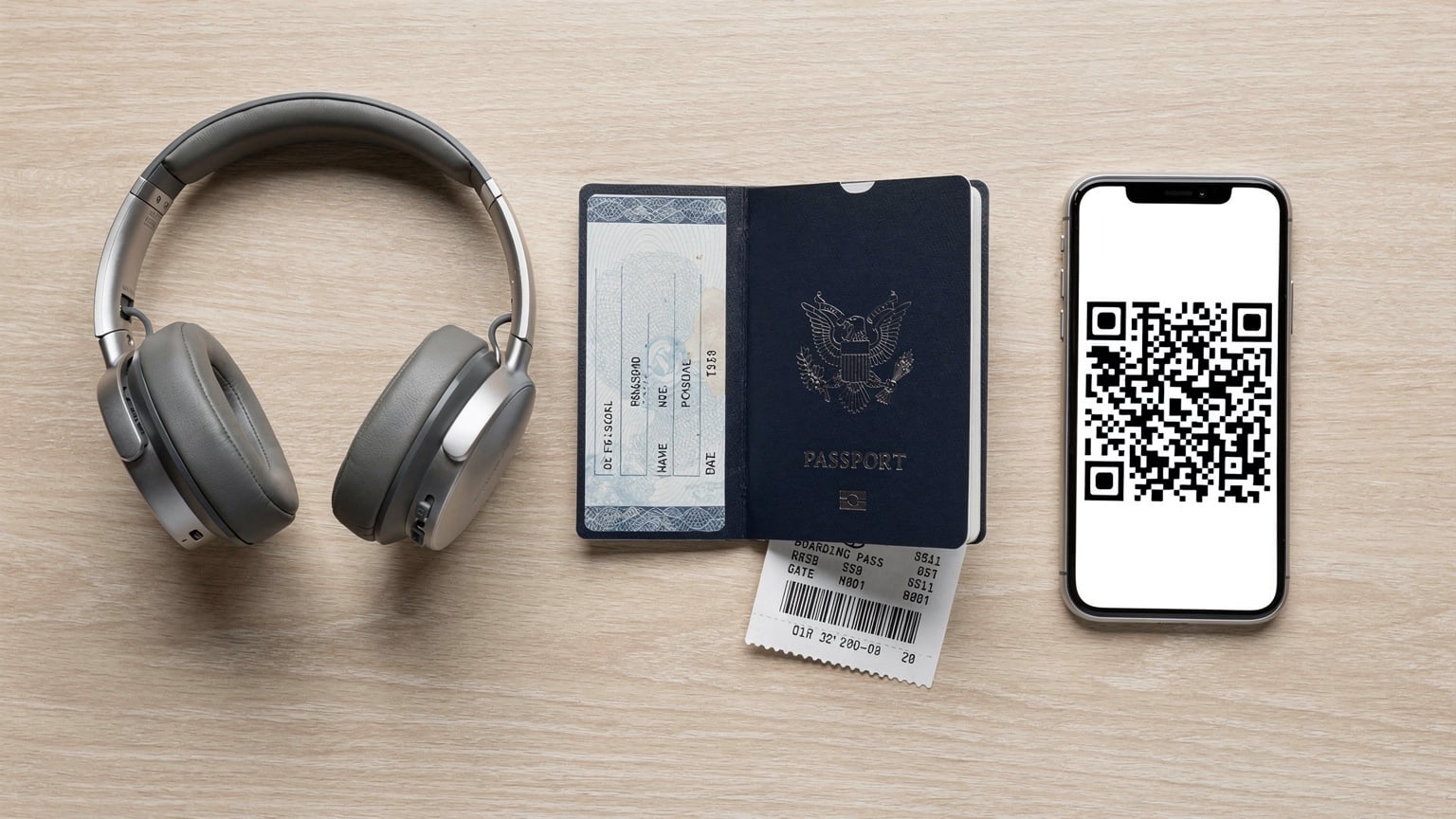
- Purchase Your eSIM: Select your desired data plan and destination(s) from a reputable eSIM provider. You'll typically receive an email with a QR code or manual installation details.
- Scan the QR Code (Preferred Method): On your iPhone (e.g., running iOS 18), go to Settings > Cellular > Add eSIM. Choose 'Use QR Code' and scan the code provided by your eSIM provider. For Android devices, the path is usually Settings > Network & internet > SIMs > Add eSIM.
- Manual Installation (If QR Fails or Unavailable): If scanning isn't possible, choose 'Enter Details Manually' and input the SM-DP+ Address, Activation Code, and Confirmation Code provided by your eSIM provider. This is less common but a good fallback.
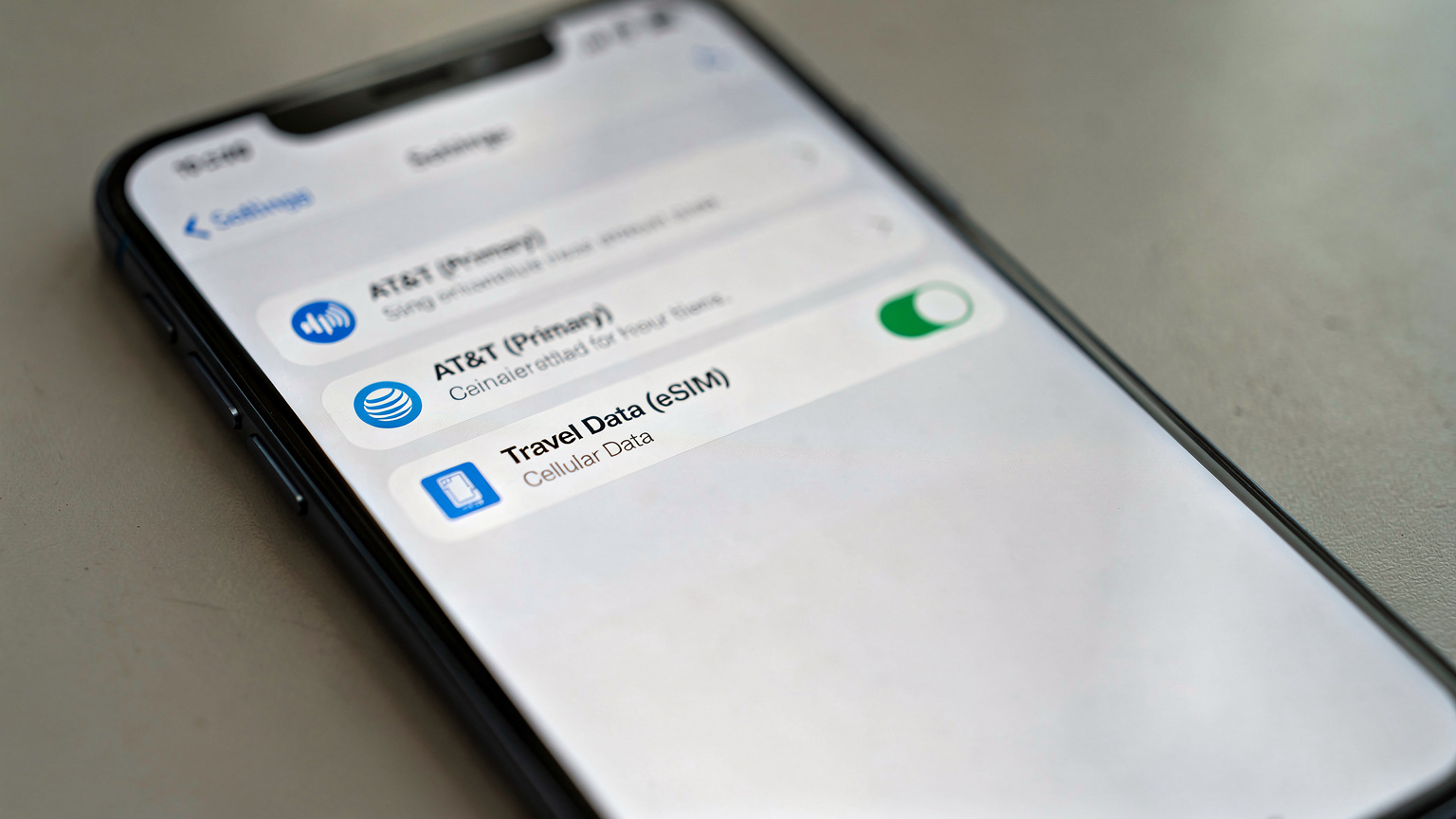
- Label Your eSIM: Once installed, your phone will prompt you to label your new eSIM (e.g., "Travel Data," "Germany eSIM"). This is important for managing dual-SIM settings later.
- Configure Data Roaming: For the AT&T line, ensure Data Roaming is OFF to prevent accidental charges. For your new eSIM, ensure Data Roaming is ON, as you are technically roaming on that network.
- Set Data Line: Go to your phone's Cellular/Mobile Data settings and select your newly installed eSIM as the primary line for cellular data. Keep your AT&T line designated for Voice & SMS only.
Troubleshooting Common eSIM Activation Issues
Occasionally, an eSIM might not activate immediately. Here are common culprits:
- APN Settings: While most eSIMs auto-configure APN settings, some rare edge cases (especially on older Android models or specific regional carriers) might require manual entry. Your eSIM provider's support documentation will usually list the correct APN. For example, some European carriers use 'internet' or 'data.euskaltel.com' as their APN.
- Data Roaming Toggle: Double-check that data roaming is enabled for your *eSIM* profile and disabled for your *primary AT&T line*. This is the number one reason for no data connectivity.
- Network Selection: In some cases, your eSIM might try to connect to a weaker partner network. You can manually select a preferred network operator in your phone's cellular settings (e.g., choosing 'Vodafone DE' over 'Telekom DE' if one has better signal).
- Software Updates: Ensure your phone's operating system is up to date. Older software versions might have bugs or lack full eSIM compatibility.
Optimizing Your Phone Settings for Dual SIM
Properly configuring your phone's dual-SIM settings is critical to ensure you're using the eSIM for data and avoiding unexpected charges on your AT&T line.
- Designate Data Line: Navigate to Settings > Cellular (or Mobile Data). Under 'Cellular Data' (iOS) or 'Mobile data' (Android), select your newly installed eSIM. This tells your phone to route all internet traffic through the eSIM.
- Voice & SMS Settings: For calls and messages, you'll typically have options to select which line to use. For your AT&T line, you can set it as the 'Default Voice Line' and 'Default SMS Line' or allow your phone to 'Ask' each time. The latter is useful if you expect to make local calls on the eSIM's number (if it includes one).
- Turn Off Data Roaming for AT&T: This step cannot be stressed enough. For your AT&T physical SIM or eSIM, go into its specific settings and toggle the 'Data Roaming' option OFF. This is your fail-safe against accidental charges.
- Wi-Fi Calling (VoWiFi) & VoLTE: This is a crucial area. If your AT&T line is your primary for calls, ensure Wi-Fi Calling is enabled. When connected to Wi-Fi abroad, your AT&T calls will route over Wi-Fi, using data from your eSIM (if set as primary data) or the local Wi-Fi, bypassing roaming charges for voice. VoLTE (Voice over LTE) is also important; while roaming, your AT&T line might fall back to 3G for calls if VoLTE isn't properly supported by the roaming partner, impacting call quality or even preventing calls if 3G networks are being decommissioned.
- App-Specific Line Usage: Some advanced dual-SIM phones allow you to specify which SIM an app should use. For example, you might set your banking app to always use your AT&T line for SMS 2FA, while your web browser uses the eSIM for data.
Managing Data Usage and Monitoring Consumption
Most modern smartphones have built-in data usage monitors. Check Settings > Cellular > Cellular Data (iOS) or Settings > Network & internet > Data usage (Android) to see how much data each app is consuming. This helps you manage your eSIM data allowance effectively. Additionally, many eSIM providers offer their own apps that allow you to track real-time data consumption and easily purchase top-ups if needed. Setting data limits or warnings on your phone can also prevent unexpected depletion of your eSIM data.
The Technical Nuances of eSIM, VoIP, and Network Performance
As a network engineer, I appreciate the subtle differences that impact real-world performance. It's not just about having data, but having reliable, fast data, and understanding how voice communication fits into that.
Understanding VoIP (Voice over IP) for International Calls
With an eSIM providing data, your primary method for voice communication will likely shift to VoIP applications. WhatsApp, Signal, FaceTime Audio, Google Meet, and Skype all rely on an internet connection to make calls. The quality of these calls is directly tied to your data speed and latency. A good LTE or 5G connection on your eSIM, with typical speeds of 50-100 Mbps download and 10-30 Mbps upload, will provide crystal-clear voice and video calls. However, if you're on a congested network, or in an area with weaker signal (e.g., deep inside a building or in a rural valley), VoIP call quality can degrade rapidly, leading to choppy audio or dropped connections.
A critical point here is the distinction between VoLTE (Voice over LTE) and standard VoIP. VoLTE allows voice calls to be carried over the 4G LTE network as data packets, rather than falling back to 3G or 2G. This provides superior call quality and faster call setup times. However, for your AT&T line while roaming, whether VoLTE is available depends entirely on AT&T's roaming agreements with the local partner carrier. Many roaming agreements still default to older 3G voice, especially as 2G/3G networks are being phased out in many countries (e.g., T-Mobile US shut down its 3G network in 2022). This means your AT&T line might struggle to make calls in certain areas if it can't find a compatible 3G network or if VoLTE roaming isn't provisioned. This is where iPhone eSIM Abroad: Conquer Family Data Needs & Avoid Bill Shock in 2026 offers crucial advice on managing these settings.
Network Congestion and Quality of Service (QoS)
When you use an eSIM from a local provider, you're often treated as a native subscriber. This can mean higher Quality of Service (QoS) priority compared to a roaming AT&T line. Roaming agreements sometimes place roaming traffic in a lower priority queue, especially during network congestion. Imagine trying to use your phone in a crowded stadium in Rome; a local TIM or Vodafone IT subscriber might maintain 80 Mbps download speeds on Band 3 (1800 MHz) or Band 20 (800 MHz), while your AT&T roaming connection could drop to 5-10 Mbps due to network prioritization rules. This isn't a guarantee, but it's a common observation in congested environments.
Another technical aspect to consider is Carrier-Grade Network Address Translation (CGNAT) and IPv6-only networks. Many eSIM providers, especially MVNOs, might place users behind CGNAT. While this generally doesn't impact typical web browsing or streaming, it can be an issue for specific applications requiring direct incoming connections or certain VPN setups. Some networks are also transitioning to IPv6-only, with IPv4 access provided via translation mechanisms. For the vast majority of users, this is transparent, but for advanced users or specific enterprise VPNs, it's worth noting.
| Network Aspect | AT&T Roaming | Third-Party eSIM |
|---|---|---|
| Primary Data Path | Via AT&T's roaming partner network | Directly on local carrier's network |
| VoLTE/VoWiFi Support | Dependent on roaming partner agreements and AT&T's provisioning | Not applicable for data-only. Use VoWiFi on AT&T line or VoIP apps. |
| Network Prioritization | Often lower priority during congestion | Typically higher priority, treated as local subscriber |
| APN Settings | Managed by AT&T, usually 'broadband' or 'wap.cingular' | Provided by eSIM vendor, often 'internet' or 'data.local' |
| IPv4/IPv6 | Usually dual-stack (IPv4/IPv6) | Can be CGNAT IPv4 or IPv6-only with NAT64, check provider specs if critical |
| Typical Speeds (Urban EU) | 20-50 Mbps download, 5-15 Mbps upload | 50-500+ Mbps download, 10-100 Mbps upload (on 4G/5G) |
Real-World Scenarios: eSIM in Action
Let's consider some practical applications of using an eSIM instead of AT&T roaming, drawing from my own experiences and common traveler pain points.
The London Layover and Paris Connection
Imagine you have a long layover at London Heathrow (LHR) before catching a Eurostar train to Paris. With AT&T Day Pass, your $10 charge starts the moment your phone connects. If you then use data in Paris a few hours later, you're likely still within that 24-hour window. But if your trip extends beyond that, you're looking at another $10. With a regional Europe eSIM, you activate it once, and it connects to local partners like Vodafone UK (in London, on Band 20 or Band 3 for LTE, and n78 for 5G) and Orange France (in Paris, on Band 3 or Band 7 for LTE, and n78 for 5G). One data package covers both, with consistent speeds. I recently used an eSIM on a similar route, getting 150 Mbps download near Gare du Nord in Paris and around 110 Mbps near Paddington Station in London. My AT&T line remained active for an important 2FA code from my bank, without incurring any data charges.
Navigating Tokyo with Ease
Traveling in Tokyo, especially navigating the intricate subway system, requires constant data for maps and translation apps. An AT&T roaming connection might work, but you're at the mercy of their partner, likely SoftBank or NTT Docomo. While these are excellent networks, a roaming user might not get the same priority during peak hours in Shinjuku Station or Shibuya Crossing. A local eSIM, on the other hand, gives you direct access. I've personally seen speeds on a local Japanese eSIM consistently above 200 Mbps on NTT Docomo's 5G network (n77) in central Tokyo, allowing for smooth video calls from a cafe in Shimokitazawa and real-time transit updates on the Yamanote line. This is the kind of consistent performance that avoids frustration when you're trying to find your way or connect with family back home.
Emergency Connectivity and Voicemail Access
One common concern is emergency access or receiving important calls. While your AT&T line is active for voice/text, you can still receive calls, and your voicemail works as usual. If you need to dial an emergency number (like 911 in the US, or 112 in Europe), your phone will typically route this call over any available cellular network, regardless of your data settings. For routine calls back home, using VoIP apps over your eSIM data is the most economical. It’s a hybrid approach that gives you the best of both worlds: AT&T's number for reliability, and an eSIM for affordable, high-speed data.
Future-Proofing Your Travel Connectivity Beyond 2026
The trend towards eSIM adoption is accelerating, and by 2026, it will be the default for international travel for many. As more devices become eSIM-only (like the iPhone 14 and newer in the US), understanding how to manage multiple eSIM profiles will become even more crucial. Carriers are also evolving; some are starting to offer more competitive eSIM options, but third-party providers still largely lead on price and flexibility for data.
As 5G networks expand globally, having direct access through a local eSIM will be key to experiencing the highest speeds. Roaming agreements for 5G are still complex and vary significantly between carriers and countries. A local eSIM often simplifies this, ensuring you're connecting to the most advanced available network bands, whether it's the mid-band C-Band (n77) in the US or the popular n78 band in Europe and Asia.
Ultimately, for AT&T customers traveling internationally in 2026, the smart money is on leveraging a third-party eSIM for data. It's not just about saving money; it's about gaining control, optimizing performance, and ensuring a connected experience without the fear of bill shock. Don't just take my word for it, compare the numbers and see the significant advantages for yourself when planning your next adventure, whether that's exploring Lisbon with a digital nomad visa or simply a short vacation.
Frequently Asked Questions
Can I use my AT&T phone as a hotspot with a third-party eSIM?
Yes, if your phone supports personal hotspot functionality and the eSIM plan allows it, you can share the eSIM's data connection with other devices. Simply ensure your eSIM is set as the primary data line in your phone's settings, then enable personal hotspot, and your phone will use the eSIM's data for tethering.
Will my AT&T phone number still work for calls and texts while using an international eSIM?
Absolutely. By setting your AT&T line for voice and text only and your eSIM for data, you can continue to receive calls and SMS messages on your AT&T number without incurring data roaming charges. For outgoing calls, you'll need to use VoIP apps over the eSIM's data or rely on AT&T's standard roaming call rates.
What happens if I forget to turn off data roaming for my AT&T line?
If data roaming is left enabled on your AT&T line while abroad, your phone may use it for data, even if an eSIM is active. This will trigger AT&T's International Day Pass charge or other roaming fees. Always double-check this setting before you depart and upon arrival at your destination.
Are eSIM data speeds generally faster than AT&T's roaming speeds?
Often, yes. Third-party eSIMs typically connect you directly to a local carrier's network as if you were a local subscriber, granting access to their full range of frequency bands (e.g., 5G n78, LTE B7) and network priority. AT&T's roaming agreements can sometimes result in lower data priority or throttled speeds, even on the same underlying infrastructure, especially during peak congestion.
Do I need to unlock my AT&T phone to use a third-party eSIM?
Yes, your AT&T phone must be unlocked by AT&T to use an eSIM from a different carrier. Most modern phones purchased outright or after fulfilling contract terms are eligible for unlocking. Check AT&T's device unlock policy or contact their customer service to confirm your phone's status before attempting to install a third-party eSIM.
Can I use Wi-Fi Calling (VoWiFi) on my AT&T line with a third-party eSIM?
Yes, and this is highly recommended. If your phone has Wi-Fi Calling enabled for your AT&T line and you're connected to Wi-Fi (which could be sourced from your eSIM's hotspot or a local Wi-Fi network), your AT&T calls will route over Wi-Fi, avoiding roaming charges. Ensure your AT&T line is configured for Wi-Fi Calling in your device settings.