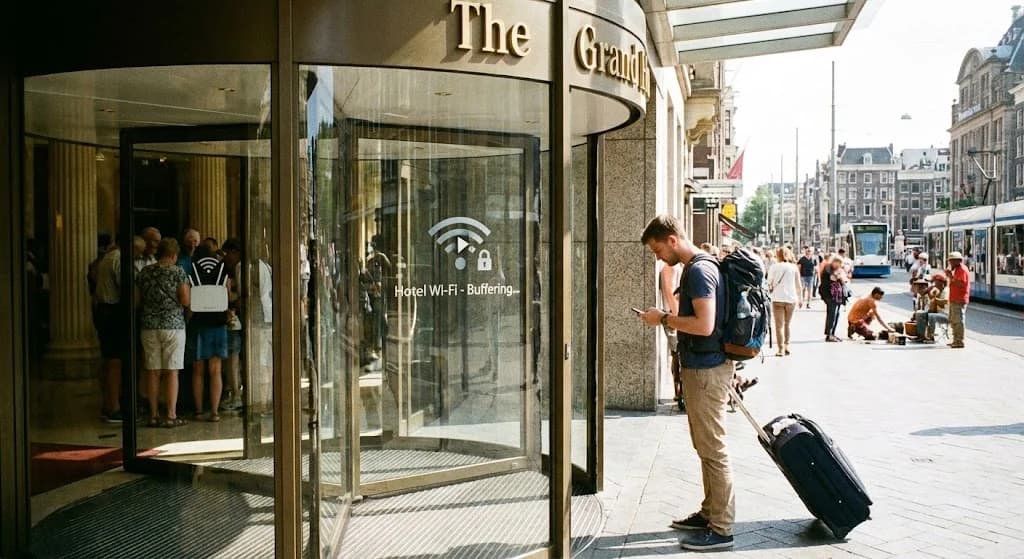
You’ve just arrived at your hotel, eager to settle in, check messages, and plan your next move. The first thing many travelers do is connect to the hotel’s Wi-Fi. It seems like a convenient perk, a basic expectation. Yet, time and again, the reality falls short. From slow speeds and unreliable connections to questionable security, hotel Wi-Fi often proves to be more of a hindrance than a help, particularly for the modern traveler who relies on constant, secure connectivity.
- The Limitations of Hotel Wi-Fi: Speed, Security, and Frustration
- The Hidden Dangers: Why Public Wi-Fi Poses a Security Risk
- Connectivity Freedom: How eSIMs Outperform Hotel Wi-Fi
- Understanding Your Data Needs Beyond the Hotel Lobby
- Choosing the Right Cellesim eSIM for Uninterrupted Travel
- Activating Your eSIM: A Seamless Setup Guide
- Cost Comparison: eSIM vs. Hotel Wi-Fi vs. Roaming
- Frequently Asked Questions
Connect Instantly with a Cellesim eSIM
Skip the unreliable hotel Wi-Fi. Join 50,000+ travelers in 200+ countries who connect instantly with Cellesim.
Shop eSIM Plans NowThe Limitations of Hotel Wi-Fi: Speed, Security, and Frustration
The promise of "free Wi-Fi" can be alluring, but the experience often disappoints. Many hotels, especially budget options or older establishments, struggle to provide robust internet infrastructure. This results in a litany of common issues that can derail your travel plans or simply add unnecessary stress:
- Inconsistent Speeds: Shared bandwidth means speeds fluctuate wildly. During peak hours, a simple video call or even loading a webpage can become an exercise in patience. Streaming content often becomes impossible.
- Restricted Access: Some hotels limit the number of devices you can connect or impose data caps, forcing you to choose which device gets online. This is particularly frustrating for families or business travelers with multiple gadgets.
- Lobby Dependency: Often, the strongest signal is only available in common areas like the lobby or restaurant. This defeats the purpose of being able to work or relax with connectivity in the privacy of your room.
- Complex Login Portals: Navigating through captive portals, entering room numbers, and agreeing to terms of service can be a tedious process, especially if you have to re-authenticate frequently.
- Coverage Dead Zones: Walls, floors, and room layouts can create Wi-Fi dead zones, leaving you with no signal in parts of your room, or even entire floors.
The Hidden Dangers: Why Public Wi-Fi Poses a Security Risk
Beyond performance issues, the security implications of using hotel Wi-Fi are a significant concern. Public networks, by their very nature, are less secure than private, encrypted connections. When you connect to hotel Wi-Fi, you are essentially sharing a network with potentially hundreds of strangers. This environment creates vulnerabilities that cybercriminals can exploit.
- Man-in-the-Middle (MitM) Attacks: An attacker can intercept data transmitted between your device and the internet, eavesdropping on your online activities, including emails, passwords, and banking information.
- Unencrypted Traffic: Many hotel Wi-Fi networks do not encrypt all traffic. If you visit a website that isn't using HTTPS (indicated by a padlock icon in your browser), your data can be intercepted by anyone on the same network.
- Malicious Hotspots (Evil Twins): Criminals can set up fake Wi-Fi networks with names similar to the hotel's legitimate network. Connecting to an "Evil Twin" gives the attacker direct access to your device.
- Malware Distribution: In some cases, attackers can use vulnerabilities in public networks to inject malware onto connected devices.
"While hotel Wi-Fi offers convenience, its inherent openness means your personal data is at a higher risk. For sensitive activities like online banking or accessing work files, it's always safer to use a secure, private connection."
For more insights on secure travel, consider visiting the National Cybersecurity Alliance website.
Connectivity Freedom: How eSIMs Outperform Hotel Wi-Fi
The modern alternative to the limitations and risks of hotel Wi-Fi is the eSIM. An eSIM (embedded SIM) provides you with a secure, personal internet connection that travels with you, offering numerous advantages over shared public networks:
- Private and Secure Connection: Your eSIM provides a dedicated, encrypted connection to a local cellular network. This eliminates the security risks associated with public Wi-Fi, allowing you to conduct sensitive transactions with peace of mind.
- Consistent High Speeds: Cellesim eSIMs leverage local 4G and 5G networks, ensuring you receive the fastest available speeds. No more buffering, dropped calls, or waiting for pages to load, regardless of how many other guests are online.
- Ubiquitous Coverage: Your connectivity isn't confined to the hotel lobby or your room. With an eSIM, you have internet access wherever there's cellular coverage in your destination, whether you're exploring city streets, riding public transport, or hiking a trail. Cellesim offers coverage in 200+ countries.
- Personal Hotspot Capability: Turn your smartphone into a mobile hotspot and share your secure internet connection with other devices like laptops, tablets, or travel companions. This replaces the need for multiple Wi-Fi logins or paying for additional device access. Learn how to use your eSIM for personal hotspot.
- Flexibility and Control: Choose data plans that fit your exact needs, from a few gigabytes for a short trip to larger packages for extended stays. You're in control of your data usage, with easy top-up options available through the Cellesim app or website.
Understanding Your Data Needs Beyond the Hotel Lobby
One common concern for travelers new to eSIMs is determining how much data they will need. When you rely solely on hotel Wi-Fi, you might not track your cellular data usage as closely. However, with an eSIM, you gain a clearer picture of your actual consumption. Your data needs will vary based on your activities:
- Light User (1-3 GB/week): Primarily uses maps, messaging apps (WhatsApp, iMessage), email, and light web browsing. Occasional social media checks.
- Moderate User (5-10 GB/week): Includes light user activities plus regular social media scrolling, some photo uploads, occasional video streaming (e.g., short YouTube clips), and frequent use of navigation apps.
- Heavy User (10+ GB/week): Engages in frequent video calls, streams high-definition video, uploads large files, or uses their phone as a personal hotspot for a laptop.
Think about how you typically use your phone when you're out and about. Do you rely on GPS constantly? Are you sharing lots of photos and videos? Do you need to participate in video conferences for work? Cellesim provides a Smart Data Calculator to help you estimate your specific requirements, ensuring you purchase the ideal plan.
Choosing the Right Cellesim eSIM for Uninterrupted Travel
Selecting the appropriate eSIM plan is crucial for a smooth and connected journey. Cellesim offers a variety of options to suit different travel styles and destinations:
- Country-Specific Plans: If you are traveling to a single country, a country-specific eSIM for destinations like Italy, Switzerland, or Indonesia often provides the best value and strongest local network access.
- Regional Plans: For multi-country trips within a continent (e.g., Europe, Asia, Middle East), a regional eSIM simplifies connectivity by covering multiple nations under one plan. This avoids the hassle of buying a new eSIM for each border crossing. Consider our Middle East 11 Countries eSIM for your next regional adventure.
- Global Plans: For extensive travel across different continents or multiple short trips throughout the year, a global eSIM offers unparalleled flexibility, covering a vast number of countries with a single purchase. Cellesim’s Global eSIM Plan covers 127 countries.
When choosing, consider the duration of your trip and your estimated data usage. Cellesim plans typically range from 7 to 30 days, with data allowances from 1 GB to unlimited options in some regions. Always check the plan details for specific validity periods and data limits.
Find Your Perfect eSIM Plan
Activating Your eSIM: A Seamless Setup Guide
One of the greatest advantages of an eSIM is its straightforward activation process. Unlike physical SIM cards, there's no need to visit a store, stand in line, or fumble with tiny trays and pins. The entire process can be completed digitally, often in just a few minutes.
- Purchase Your eSIM: Select your desired plan from the Cellesim website. You'll receive an email with your eSIM QR code or manual installation details.
- Ensure Compatibility: Before purchasing, verify that your device supports eSIM technology. Most modern smartphones are compatible. Use our eSIM Checker for a quick confirmation.
- Install Your eSIM:
- Scan QR Code: Go to your phone's Settings > Cellular/Mobile Data > Add eSIM. Scan the QR code provided in your Cellesim email.
- Manual Installation: If scanning isn't an option, enter the SM-DP+ Address and Activation Code manually.
- Activate Data Roaming: Once installed, remember to enable "Data Roaming" for your eSIM line in your phone's settings. This setting, often misunderstood, simply allows your eSIM to connect to partner networks in the destination country without incurring traditional roaming charges.
- Select Your eSIM for Data: Set your Cellesim eSIM as your primary line for mobile data. You can usually keep your home SIM active for calls and texts.
We recommend installing your eSIM before you travel, or while you still have a stable internet connection (like your home Wi-Fi). This ensures you're connected the moment you land. For a detailed walkthrough, refer to our complete eSIM setup guide or our interactive setup guide.
Cost Comparison: eSIM vs. Hotel Wi-Fi vs. Roaming
When evaluating your connectivity options, understanding the cost implications is key. While hotel Wi-Fi may seem "free," its hidden costs in terms of security risks, lost productivity, and frustration can be significant. Here's a comparison:
| Option | Cost (e.g., 7-day trip) | Speed & Reliability | Security | Convenience |
|---|---|---|---|---|
| Hotel Wi-Fi | "Free" (often included in room rate) | Highly Variable (slow, unreliable) | Low (high security risk) | Confined to hotel, login hassles |
| Cellesim eSIM | From ~$5-$15 (per plan) | Excellent (local 4G/5G) | High (private, encrypted) | Instant, global, personal hotspot |
| Carrier Roaming | $10-$15+ per day | Variable (often throttled) | High (secure) | Automatic, but very expensive |
| Local Physical SIM | $15-$30+ | Excellent (local 4G/5G) | High (secure) | Requires finding store, language barrier, physical swap |
As the table illustrates, Cellesim eSIMs offer a compelling balance of cost-effectiveness, high performance, robust security, and unparalleled convenience. They eliminate the anxieties associated with hotel Wi-Fi and the exorbitant costs of traditional roaming. Use our roaming savings calculator to see how much you can save.
For more detailed information, you can compare different options by reading our article on airport SIM card prices vs. eSIM.
Ready for Seamless Connectivity?
Don't let unreliable hotel Wi-Fi disrupt your travels. Experience true freedom with Cellesim eSIMs.
Start Your Connected JourneyTrusted by 50,000+ travelers worldwide. 24/7 Support.
Frequently Asked Questions
Is hotel Wi-Fi truly unsafe for sensitive tasks?
While not every public Wi-Fi network is actively compromised, they inherently carry higher security risks than private networks. Shared public Wi-Fi makes it easier for cybercriminals to conduct "Man-in-the-Middle" attacks or set up "Evil Twin" hotspots, potentially exposing your personal data. It is generally advisable to avoid using public Wi-Fi for sensitive activities like banking or work-related tasks.
Can I use my Cellesim eSIM and still receive calls/texts on my primary number?
Yes. With an eSIM, you can keep your primary physical SIM card active for calls and texts while using the Cellesim eSIM for all your data needs. This allows you to maintain your home number for important communications without incurring expensive data roaming charges.
How much data do I really need for a typical trip without hotel Wi-Fi?
Data needs vary greatly depending on usage. A moderate traveler typically uses 3-5 GB per week for navigation, social media, and light browsing. Heavy users, who stream video or frequently video call, might need 10 GB or more. Cellesim offers a smart data calculator on its website to help you estimate your specific requirements.
What if my phone isn't eSIM compatible?
Most modern smartphones, particularly those released in the last few years, are eSIM compatible. If your device is older or not on the compatible list, you might still need to rely on traditional methods like local physical SIM cards or international roaming packages. Always check the Cellesim compatible devices list before purchasing.
Is an eSIM more expensive than buying a local SIM card at my destination?
Cellesim eSIMs are competitively priced and often more convenient. While local SIMs can sometimes be cheaper for very long stays, eSIMs eliminate the hassle of finding a local store, dealing with language barriers, and physically swapping cards. For shorter trips or multi-country travel, eSIMs typically offer superior value and convenience.
When should I activate my Cellesim eSIM?
It is generally best to activate your Cellesim eSIM shortly before you depart for your destination, or even while you are at home with a stable internet connection. This ensures that your eSIM profile is downloaded and ready to connect to the local network as soon as you land, avoiding any immediate connectivity stress upon arrival.