eSIM SMS Gerçeği: Neden Çoğu Veri Odaklı?
Let's be blunt: most travel eSIMs, like the ones I've relied on for years, are built for data, not traditional SMS. Think of them as a hyper-efficient data pipe. They give you the internet access you need for Google Maps, WhatsApp calls, and even streaming terrible reality TV on a long bus ride, but they don't inherently come with a phone number that can send or receive old-school SMS texts. It's a critical distinction if you're trying to keep your budget tight and avoid nasty surprises.
I learned this the hard way in Budapest. I was trying to confirm a reservation at Maverick City Lodge, a hostel notorious for not checking emails after 6 PM, and my Cellesim data-only eSIM was rocking, but my frantic SMS messages to their local number just weren't going through. My home SIM, tucked away in my wallet to avoid roaming charges, was the only one capable of sending that text. That small mistake cost me an unnecessary €2.50 roaming charge just to send a single message.
This focus on data isn't a flaw, it's a design choice that keeps costs down for us, the travelers. Traditional SMS and voice calls run on different network protocols than mobile data. Most travel eSIM providers prioritize offering generous data bundles at competitive prices by streamlining their infrastructure. They partner with local carriers to give you seamless internet access, but integrating full voice and SMS capabilities, which require a direct mobile number assigned to the eSIM, adds complexity and cost. So, when you see a Cellesim plan offering 10GB for €15 in Thailand, know that it's optimizing for your data usage, not for texting your mum about dinner plans via traditional SMS.

Data eSIM'ler ve Standart SMS Sınırlamaları
The vast majority of travel eSIMs you'll encounter, including many from Cellesim, are what we call 'data-only' eSIMs. This means they provide you with an internet connection, nothing more, nothing less. Your phone will show two distinct 'lines' if you have both your physical SIM and an eSIM active: one for your home number (your primary SIM) and one for your eSIM (your travel data).
With a data-only eSIM, you can:
- Browse the internet: Google Maps, Instagram, news sites, you name it.
- Use data-based messaging apps: WhatsApp, Telegram, iMessage (when sending to other Apple users via data), Facebook Messenger, Signal.
- Make VoIP calls: WhatsApp calls, Skype, Zoom, Google Meet.
What you typically cannot do with a data-only eSIM:
- Send or receive traditional SMS (Short Message Service) messages: These are the green bubbles on an iPhone, or standard texts on Android.
- Make or receive standard cellular voice calls: These are the calls that use your assigned phone number and appear on your phone bill as minutes.
It's crucial to understand this distinction before you go. Don't expect to text the local taxi driver with your eSIM number, because, well, your eSIM doesn't have one in most cases.
eSIM ile Gelen Bir Telefon Numarası Var mı?
This is where it gets a little nuanced. Some eSIMs, particularly those offered directly by traditional mobile carriers (like Orange Holiday eSIM or specific plans from Vodafone), will indeed come with a local phone number. These are less common for the multi-country, short-term travel eSIMs that budget backpackers often use. When an eSIM includes a phone number, it functions much like a physical SIM, allowing for traditional calls and SMS.
However, these eSIMs are often more expensive, might require registration with local ID (a hassle if you're trying to travel light and fast), and might only work in a single country or a small region. For instance, if you're doing a grand tour of Europe, you'd likely need a different carrier's numbered eSIM in each country, quickly nullifying any cost savings. For long-stay digital nomads, a multi-country data eSIM is usually the more practical choice, even without a local number.
Yerel SIM Karşı eSIM SMS: Maliyetleri Kıyaslama
When I'm planning a trip, the first thing I benchmark is data cost. For a two-week run through Central Asia, I budget around €25-€30 for Cellesim's regional data plan. That covers my 1GB/day average, keeping me connected from Bishkek to Samarkand. A local physical SIM might offer 10GB for 200 KGS (about €2.10) in Kyrgyzstan, which sounds cheaper on paper, but then factor in the time spent finding a vendor, registration, and the hassle of switching SIMs. The real cost isn't just the sticker price.
For SMS, the comparison is even starker. With a local physical SIM, SMS rates are usually dirt cheap within the country and to certain international destinations, perhaps €0.05-€0.10 per message. With an eSIM, as we've established, you usually don't get SMS. If you absolutely need SMS and rely solely on your home SIM for it, those roaming charges can add up fast. My €2.50 Lisbon SMS was a stark reminder. Five such messages and you've blown €12.50, which is a night in a decent hostel dorm or three meals from a street vendor in most of Southeast Asia.
| Feature | Travel Data eSIM (e.g., Cellesim) | Local Physical SIM | Home SIM (Roaming) |
|---|---|---|---|
| Primary Function | Data connectivity | Data, calls, SMS (local number) | Data, calls, SMS (home number) |
| SMS Capability | Rarely traditional SMS; relies on data apps | Yes, local SMS rates | Yes, but at high roaming rates |
| Cost (Data) | Competitive, prepaid bundles | Very cheap local rates, often requires local currency top-ups | Extremely expensive, hidden fees |
| Cost (SMS) | N/A (use data apps or home SIM) | Low local rates, often included in bundles | Very high per-message roaming charges (€0.50-€3.00 per text) |
| Ease of Setup | Instant via QR code, no physical swap | Requires finding vendor, physical swap, often registration | No setup, but cost implications |
| Flexibility | Multi-country plans available, easily switch providers | Single country, often locked to one network | Works globally, but financially restrictive |
Yerel SIM Kartlar Ne Kadar Ucuz?
Local physical SIM cards are often the absolute cheapest option for both data and local SMS, especially if you're staying in one country for an extended period. In Georgia, for example, a Magti or Geocell SIM will set you back about 10-15 GEL (€3.50-€5.20) for a significant data bundle (think 5-10GB) and usually includes unlimited local SMS. The catch? You have to find a store, show your passport, get it activated, and then deal with a new phone number that only works locally. Plus, you have to keep your home SIM safe and sound.
If you're traveling through multiple countries, say Central Asia with an eSIM, buying a local SIM in each country becomes a huge time sink. You're wasting precious travel time at a Vodafone store in Baku, then a Tcell store in Dushanbe, instead of exploring. This is where the value proposition of a multi-country eSIM shines, even if it's data-only. For me, 8 days in Azerbaijan, Turkmenistan, and Uzbekistan, I spent €280 total on data, and that was for a robust 20GB package. Local SIMs would have been cheaper on paper, but the cumulative time cost and potential hassle weren't worth the €50-€70 savings.
Roaming Ücretleri Gerçekten Can Yakıyor mu?
Yes, absolutely. Roaming charges for traditional SMS are still exorbitant with many home providers, even in 2026. A single text can cost anywhere from €0.50 to €3.00, depending on your carrier and the country you're in. Receiving texts while roaming is often free, thankfully, but sending them is where the money pit opens up. This is why the default recommendation is to disable data roaming on your home SIM and only enable it for a brief moment if you absolutely need to send an SMS and don't have another option. It's a calculated risk, a few seconds of data roaming can lead to unexpected charges if not handled carefully.
Eski Numaranı Korumak: SMS Almak İçin Taktikler
This is the most important tactical advice for any budget traveler using an eSIM: keep your primary physical SIM card active in your phone, but turn off its data roaming. This simple move allows you to continue receiving SMS messages to your home number, which is crucial for things like two-factor authentication (2FA) codes, bank alerts, and urgent messages from family or your workplace. Your Cellesim eSIM handles all the data, and your home SIM passively receives texts without incurring massive data roaming fees.
I've used this setup across Africa, from the bustling markets of Marrakech to the quiet shores of Lake Malawi. My Cellesim plan for Africa handled all my navigation and WhatsApp calls, while my UK Vodafone SIM sat silently, only pinging when an important bank OTP arrived. This dual-SIM approach is key to balancing connectivity with cost control.
İki SIM Kartlı Telefonlar ve eSIM Avantajı
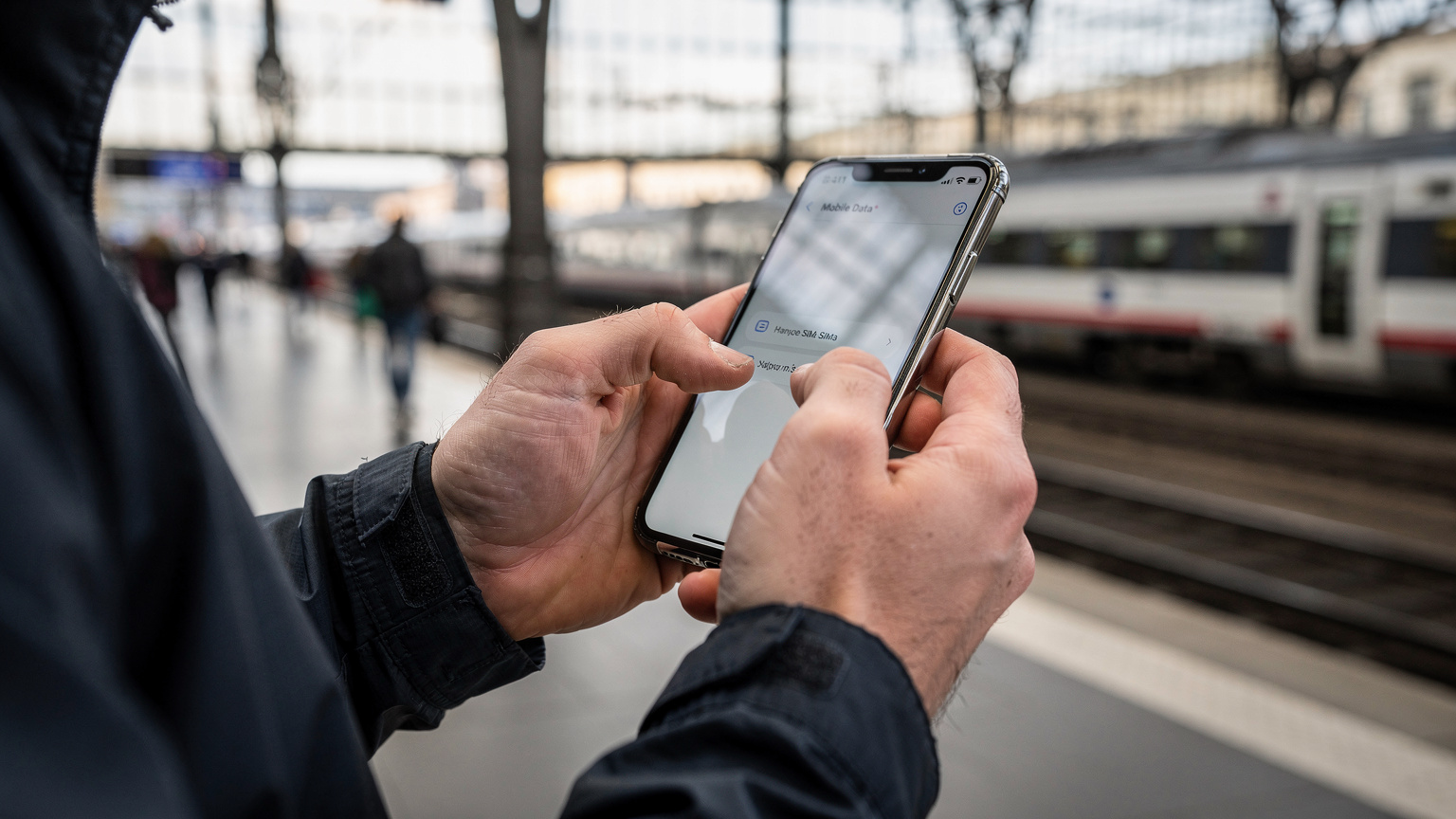
Most modern smartphones (iPhone XS and newer, many Samsung Galaxy models, Google Pixel phones) support dual SIM functionality: one physical SIM and one or more eSIMs. This is the bedrock of the strategy for managing SMS abroad.
Here's how to configure it:
- Install your eSIM: Follow Cellesim's instructions, usually a quick QR code scan.
- Designate eSIM for Cellular Data: In your phone's Cellular/Mobile Data settings, select your eSIM as the primary line for data.
- Set your Physical SIM for Voice & SMS: In the same settings, make sure your physical SIM is selected for voice and SMS.
- Crucially, Disable Data Roaming for your Physical SIM: This is the golden rule. Go to your physical SIM's settings and toggle off 'Data Roaming'. This prevents your home carrier from charging you for any background data usage.
With this setup, your phone will use your eSIM for all internet activities, and your home physical SIM will remain active solely for receiving texts and calls (though you'll likely want to ignore incoming calls due to roaming charges, letting them go to voicemail instead). Sending texts from your home number while abroad will still incur roaming charges, so only do it if absolutely necessary, like responding to a critical 2FA. For daily communication, rely on data-based apps.
Gelen SMS İçin Roaming Ücretleri Var mı?
Generally, no. Receiving standard SMS messages on your home number while abroad is usually free of charge, even if you're roaming. This is a lifesaver for OTPs, flight updates, and bank notifications. This is why keeping your home SIM active for SMS is such a powerful tactic. You get the benefits of your existing number for critical communications without the financial hit of data roaming.
Pro Tip: Border CrossingsFor border crossings, especially overland ones like between Uzbekistan and Tajikistan, ensure your home SIM's data roaming is OFF. As you cross, your phone might briefly connect to a local tower before your eSIM kicks in. That momentary data connection on your home SIM could trigger a small, annoying roaming charge. A quick restart of your phone after crossing and confirming your eSIM is active can help.
Veri Tabanlı Mesajlaşma Uygulamaları: İnternetsiz Bırakmaz
Honestly, who uses traditional SMS for daily communication anymore? WhatsApp, Telegram, iMessage, and Signal are the true champions of international communication. They rely entirely on data, which is exactly what your travel eSIM provides. This means once your Cellesim eSIM is active and you have an internet connection, you can message, call, and send media to anyone, anywhere, just like you would at home. The best part? It uses your existing phone number (the one associated with your WhatsApp/Telegram account) without incurring any roaming fees.
I was in South Korea recently, and my Cellesim eSIM gave me solid data speeds. I was chatting with friends back home on WhatsApp, coordinating meetups in Gangnam, and even sending photo updates of the incredible street food. Not a single traditional SMS was sent. It's efficient, cheap (effectively free once you've paid for your data), and keeps you connected seamlessly. Check out South Korea Fun Facts for more on navigating the country without relying on SMS.
WhatsApp, Telegram ve iMessage eSIM ile Nasıl Çalışır?
These apps are designed to work over any internet connection, whether it's Wi-Fi or mobile data. When your Cellesim eSIM provides that mobile data, these apps function normally.
- WhatsApp & Telegram: These apps are tied to your phone number. As long as that number is registered with the app (which it usually is before you travel), you can use it to send and receive messages over your eSIM's data connection. Your contacts will see messages coming from your usual number, even though the data is coming from your eSIM.
- iMessage: For iPhone users, iMessage automatically detects when you have an active data connection (from your eSIM) and routes messages to other Apple users via data. These will appear as blue bubbles. If you try to message an Android user or if your data connection is poor, your iPhone might try to send it as a traditional SMS via your physical SIM (which would incur roaming charges if you allow it). Make sure 'Send as SMS' is disabled in your iMessage settings if you want to strictly avoid this.
The beauty of this is that you don't need to change your number or inform anyone you're using an eSIM. Your digital life continues uninterrupted, powered by your affordable travel data.
VoIP Arama Uygulamaları ve Maliyetleri
Voice over Internet Protocol (VoIP) apps like WhatsApp Call, Skype, Google Meet, and even FaceTime (for Apple users) are your best friends for making calls while traveling with an eSIM. These calls consume data, not traditional call minutes, meaning they are significantly cheaper, often effectively free, beyond the cost of your data plan.
A typical WhatsApp voice call uses roughly 0.5 MB per minute. So, if you have a 10GB (10,000 MB) eSIM plan, you could make about 20,000 minutes of WhatsApp calls. That's over 330 hours of talk time. Even a video call, which uses more data (around 5-10 MB per minute), is vastly more affordable than traditional international roaming calls. For example, if you're traveling in Greece with a Cosmote eSIM from Cellesim, you can call family back home via WhatsApp for pennies, rather than euros per minute.
eSIM Aracılığıyla Arama ve SMS: Nasıl Yapılır (Ve Ne Kadar Tutar)?
The concept of sending traditional SMS or making calls directly *through* an eSIM is still a bit of a niche offering. Most travel eSIMs from third-party providers are data-only. However, there are a few scenarios where it's possible, albeit with caveats.
Some carriers, typically your home carrier, might offer an eSIM version of your existing plan. In this case, your eSIM would have full call and SMS capabilities, but you'd still be subject to your home plan's international roaming rates, which are usually prohibitive. For example, a T-Mobile eSIM free trial might give you a temporary number with SMS, but the long-term roaming costs are the killer.
Another option, though less common for budget travelers, involves specific regional eSIMs that behave more like local SIMs. These might provide a local number for a specific country or small region. Always check the fine print: 'data-only' vs. 'data, voice, SMS'. If it offers voice and SMS, expect to pay more, and it's unlikely to be multi-country.
eSIM ile Gerçek Telefon Numarası Nasıl Alınır?
If you absolutely need a local phone number with SMS capabilities via an eSIM, your options are typically:
- Purchase a local carrier's eSIM: Some national carriers in specific countries (e.g., Vodafone in Italy, Orange in France) offer eSIMs with a local number. This usually involves purchasing directly from them, possibly requiring in-store registration with ID, and is typically single-country.
- Specialized global eSIMs with numbers: A few global eSIM providers are starting to offer plans that include a virtual international number, but these are often more expensive and the SMS feature might be limited (e.g., receiving only, or extra charges for sending). These are not common for your standard data-focused travel eSIM.
- VoIP apps with virtual numbers: Services like Google Voice (US/Canada only), Skype, or Hushed allow you to purchase a virtual local phone number. This number can send and receive SMS (via their app) and make calls, all over your eSIM's data connection. This is a good workaround if you need a specific country's number for local contacts, but it's not a 'native' eSIM SMS solution.
VoIP Uygulamalarıyla SMS Gönderme ve Alma
As mentioned, apps like Google Voice (if you have a US/Canadian number) and Skype can effectively bridge the SMS gap. With Skype, for instance, you can buy a Skype Number in a specific country, and then use that number to receive calls and sometimes SMS within the Skype app, all powered by your eSIM's data. Sending SMS from a Skype Number is usually possible, but often costs credits. It's a layer of abstraction, but it works, especially for short-term needs.
I've used Google Voice to keep my US number active for texts while traveling for months in South America. All those verification codes and quick texts from friends back home came straight to my Google Voice app, which used my local eSIM data connection. The cost: zero, beyond my initial data plan. It's a fantastic hack for budget travelers with US/Canadian numbers.
Sınır Geçişlerinde SMS: Açılışlar ve Kapanışlar
Border crossings are always a bit of a dance, and your phone's connectivity is no exception. I've been on night buses from Albania to Montenegro, and from Vietnam to Cambodia, where my phone signal bounced between towers as we approached the border. This is where you need to be especially vigilant about your SMS strategy.
My rule of thumb: before any border crossing, especially overland, double-check that data roaming is OFF for your home physical SIM. This prevents any accidental data charges if your phone briefly connects to a foreign tower before you've fully crossed or before your new eSIM plan (if you're switching countries) has kicked in. Once you've safely crossed and your Cellesim eSIM for the new region is active, you can relax, knowing your data is covered and your home SIM is still there for critical SMS.
Ülke Değiştirirken SMS Ayarları Nasıl Yönetilir?
When you're moving from one country to another, say from Azerbaijan to Georgia, managing your SMS settings is straightforward if you're following the dual-SIM strategy.
- Before Crossing (Old Country): Ensure your Cellesim eSIM for the previous country is either switched off or you're about to switch to a new multi-country eSIM that covers your next destination. Your home physical SIM remains active for SMS (with data roaming off).
- At the Border/Upon Arrival (New Country):
- If you're using a multi-country eSIM, it should automatically connect to a partner network in the new country.
- If you're activating a new single-country eSIM, install it.
- Confirm your phone's cellular data settings prioritize the correct eSIM for data.
- Verify your home physical SIM still has data roaming disabled.
- After Settling: Enjoy seamless data from your eSIM, and continue receiving free SMS to your home number.
This process means your SMS functionality, tied to your home number, remains constant and reliable throughout your travels, regardless of how many eSIMs you activate for data.
Roaming Uyarılarından Kurtulma
Some carriers send annoying 'Welcome to X country, here are our exorbitant roaming rates!' SMS messages every time you cross a border. With your home SIM's data roaming off, these are just informational. You can safely ignore them. If you prefer not to receive them, you can often contact your home carrier before you travel and ask them to disable roaming notifications, though this is rarely necessary. The key is knowing that as long as data roaming is off, those messages are harmless.
eSIM SMS 2026: Geleceği Ne Getiriyor?
The landscape of mobile connectivity is always evolving, and eSIMs are no exception. While most travel eSIMs today are data-centric, the trend suggests more comprehensive functionality is on the horizon. We're seeing more providers beginning to offer 'local' eSIMs that include a phone number for calls and SMS, often bundled with data. These are typically country-specific, like those you might find in a major tourist destination in Spain, though not always as budget-friendly as data-only options.
The big shift will come when eSIM technology fully integrates with Voice over LTE (VoLTE) and SMS over LTE (SMSoLTE) capabilities across a wider range of global partners. This would allow an eSIM to function exactly like a physical SIM, with a local number for calls and texts, directly on the data network, without needing separate infrastructure. This is already happening with some carrier-specific eSIMs, but it needs to become more widespread for general travel eSIMs to be truly universal in their SMS capabilities.
eSIM'ler İçin Gelen Numara ve SMS Desteği
As of 2026, the primary focus for most travel eSIM providers remains affordable, reliable data. However, market demand for comprehensive eSIM solutions is growing. I predict that over the next few years, we'll see more premium travel eSIM packages emerge that include a temporary local number for calls and SMS in addition to data. These will likely cater to a different segment of travelers, perhaps those on business trips or families who need reliable local contact for school holiday getaways, rather than the hardcore budget backpacker.
The challenge for providers will be to offer this added functionality without significantly increasing costs or complicating the user experience. The beauty of a data-only eSIM is its simplicity and direct cost benefit. Adding a phone number and traditional SMS might reintroduce complexities like local registration requirements or higher prices, which could dilute the core appeal for many travelers.
Rich Communication Services (RCS) ve eSIM
RCS, or Rich Communication Services, is essentially Google's answer to iMessage, bringing features like read receipts, typing indicators, and higher-quality media sharing to Android users over a data connection. Since RCS relies on data, it works seamlessly with your Cellesim eSIM. If you and your recipient both have RCS enabled, your messages will be sent over your eSIM's data, bypassing traditional SMS entirely. This is fantastic news for Android users, as it means you get a much richer messaging experience abroad without extra charges, as long as you have data.
The widespread adoption of RCS is pushing traditional SMS further into obsolescence for casual communication. For critical 2FA codes, however, traditional SMS remains the standard, which is why keeping your home SIM active for receiving those texts is still paramount.
Uygulama Bazlı SMS Çözümleri ve Ücretler
Beyond WhatsApp and Telegram, there are other app-based solutions that can help you send and receive SMS messages if your eSIM doesn't provide a number. These often involve buying credits or a virtual number through the app. They're not always the cheapest, but they offer a fallback if you absolutely need to send a traditional SMS from a non-roaming number.
| App/Service | Primary Function | SMS Capability with eSIM Data | Typical Cost |
|---|---|---|---|
| WhatsApp/Telegram | Data-based messaging/calls | N/A (uses existing phone number for registration, messages over data) | Free (uses eSIM data) |
| Google Voice | Virtual US/Canadian number | Yes, send/receive SMS to/from US/Canada numbers over data | Free (for US/Canada numbers, uses eSIM data) |
| Skype | VoIP calls, virtual numbers | Yes, can send SMS (to most countries) and receive SMS (if you buy a Skype Number) over data | Credits for sending SMS (e.g., €0.08 per message); virtual number purchase (e.g., €5-€10/month) |
| Hushed/TextNow | Disposable/secondary phone numbers | Yes, send/receive SMS over data using a new virtual number | Subscription fees (e.g., €2-€5/month), or ad-supported free versions with limitations |
Sanal Telefon Numaraları ve Kullanım Alanları
Virtual phone numbers, offered by services like Hushed or TextNow, can be incredibly useful for specific situations. For example, if you're selling something on a local marketplace in a country you're visiting and don't want to give out your primary number, a virtual number is perfect. You buy a number for a few euros, it exists only on the app, and it uses your eSIM's data connection for all communication.
These are also good for short-term projects or if you need to register for a local service that requires a local phone number, but doesn't accept international numbers. The downside is that they are an additional cost, and managing multiple numbers can be a minor headache. But for targeted needs, they're a smart tactical move.
SMS Gönderme Maliyetlerini Düşünmek
Always, always think about the cost before you hit 'send' on a traditional SMS while abroad. My rule: if it's not a 2FA code or a life-or-death emergency, use a data-based app. If you must send an SMS from your home number, do it sparingly. Consider sending a quick WhatsApp message instead, or finding Wi-Fi and using a service like Skype SMS. Every cent counts when you're backpacking, and those small, unexpected SMS charges can add up to a hostel night or a delicious meal.
eSIM ile Güvenlik Kodları ve Bankacılık
This is where the 'keep your home SIM active for SMS' strategy truly shines. Many banks, credit card companies, and online services still rely on traditional SMS for two-factor authentication (2FA) codes or One-Time Passwords (OTPs). These are critical for accessing your banking apps, confirming online purchases, or logging into sensitive accounts. Without the ability to receive these, you could find yourself locked out of your own money.
By ensuring your home physical SIM remains in your phone and active for SMS (with data roaming disabled), you can continue to receive these essential security codes without interruption or cost. Your Cellesim eSIM handles all your data needs, and those vital security texts still come through to your trusted number. It's a seamless, secure, and budget-friendly solution.
2FA OTP'leri ve Banka Bildirimleri
Imagine being in a remote village in Patagonia, trying to book a bus ticket online, only to find your bank needs an OTP sent to your home number. If that number isn't active for SMS, you're stuck. This happened to a friend of mine in Jujuy, Argentina. He'd pulled his home SIM out entirely, thinking his eSIM would cover everything. He ended up having to walk 3km to a tiny internet cafe to use their landline to call his bank, which was a huge hassle. Don't be that guy.
Always keep that physical SIM slot occupied by your home SIM. Most banks don't charge for receiving OTPs, so this method is essentially free for vital security communications. It’s peace of mind for zero euros.
Ek Güvenlik İpuçları
- Download Banking Apps Before You Go: Make sure all your essential banking and financial apps are downloaded and set up before you leave your home country. You don't want to be trying to authenticate a new app install when you're relying on a potentially spotty foreign Wi-Fi connection.
- Enable App-Based 2FA Where Possible: For services that offer it, switch from SMS-based 2FA to app-based authenticators like Google Authenticator or Authy. These generate codes directly on your device and don't require an active phone number or data connection to generate the code (though the app might need data for initial setup or syncing).
- Inform Your Bank: Briefly notify your bank of your travel dates and destinations. This can help prevent your card from being flagged for suspicious activity when you suddenly start making transactions in a new country.
eSIM Kurulumu: SMS Ayarları ve İpuçları
Setting up your eSIM for data is usually straightforward. Cellesim provides clear, step-by-step guides for iPhones, Samsungs, and Pixels. The key is understanding how your phone's dual-SIM settings interact with your SMS needs. I'm Emma Wright, and as Cellesim's Education Lead, my job is to make sure you get this right, no tech anxiety involved.
When you install a Cellesim eSIM, your phone will typically prompt you to label the new line (e.g., 'Travel' or 'Business') and ask which line you want to use for cellular data, calls, and messages. This is where you make the critical choices to optimize for cost and functionality.
iPhone, Samsung ve Pixel Cihazlarda Ayarlar
Here's a general guide for configuring your settings:
On iPhone (iOS 17+):
- Go to Settings > Cellular (or Mobile Data).
- Under 'Cellular Plans', you'll see your primary SIM and your newly installed eSIM.
- Tap on 'Cellular Data' and select your eSIM. This makes your eSIM the default for internet.
- Tap on 'Default Voice Line' and select your physical SIM (your home number). This ensures incoming calls go to your home number.
- For your physical SIM (home number), tap on it and ensure 'Data Roaming' is OFF.
- For iMessage & FaceTime, ensure they are set to use your home number. For 'Send as SMS' (under Messages settings), you might want to disable it if you want to strictly avoid roaming SMS charges.
On Android (Samsung, Pixel, etc.):
- Go to Settings > Network & internet (or Connections) > SIMs (or Mobile network).
- You'll see your physical SIM and your eSIM.
- Find 'Mobile data' and select your eSIM as the preferred SIM for data.
- Find 'Calls' and select your physical SIM (your home number) as the preferred SIM for calls.
- Find 'SMS messages' and select your physical SIM (your home number) as the preferred SIM for messages.
- For your physical SIM, tap on it and ensure 'Roaming' is OFF for data.
These settings ensure you get cheap data from your eSIM and can still receive critical SMS to your home number, all while avoiding nasty roaming data charges. It's the ultimate hack for smart, budget-friendly travel connectivity.
Sorun Giderme ve Sık Görülen Hatalar
- No Data After eSIM Install: Double-check that your eSIM is selected as the primary for 'Cellular Data' in your phone settings. Sometimes a quick restart helps.
- Can't Send SMS: Remember, most travel eSIMs don't support traditional SMS. If you're trying to send from your eSIM, it won't work. If you're trying to send from your home SIM, ensure your carrier hasn't blocked international SMS or that you have credit.
- Unexpected Roaming Charges: The most common culprit is forgetting to turn off data roaming for your physical home SIM. Always verify this setting.
- 2FA Codes Not Arriving: Confirm your home physical SIM is active and has signal. If it's still not working, contact your home carrier; occasionally, they might have a block on international SMS reception from certain networks, though this is rare.
If you have any issues, check out our Cellesim FAQ page for troubleshooting tips, or reach out to support. We want your travel data experience to be as smooth as possible, from Baku to Bali.
Frequently Asked Questions
Can I use my existing phone number with a travel eSIM?
Yes, you can keep your existing phone number active on your physical SIM primarily for receiving SMS messages while using a travel eSIM for data. Your messaging apps like WhatsApp will continue to work with your existing number over the eSIM's data connection.
Do I need to take out my physical SIM card to use an eSIM?
No, you do not need to remove your physical SIM card. Modern smartphones support dual SIM functionality, allowing you to have both your physical SIM and an eSIM active simultaneously. This lets you receive SMS to your home number while using the eSIM for data.
Will I be charged for receiving SMS messages while roaming with my home SIM?
Generally, receiving standard SMS messages on your home number while abroad is free, even if your phone is roaming. Charges usually only apply when you send an SMS or use data roaming on your physical SIM.
How can I make calls with a data-only eSIM?
You can make calls using Voice over Internet Protocol (VoIP) apps like WhatsApp Call, Skype, Google Meet, or FaceTime. These apps use your eSIM's data connection, making calls significantly cheaper or effectively free compared to traditional international roaming calls.
What is the cheapest way to send SMS messages abroad?
The cheapest way is to use data-based messaging apps like WhatsApp, Telegram, or iMessage, which rely on your eSIM's data plan. If you absolutely need to send a traditional SMS, use your home physical SIM sparingly, as roaming charges can be very high.
Can I get a local phone number with an eSIM for a specific country?
Some specific local carriers in certain countries offer eSIMs that include a local phone number for calls and SMS. However, most multi-country travel eSIMs from third-party providers are data-only and do not come with a dedicated phone number.
How do I ensure my bank's 2FA codes still reach me with an eSIM?
Keep your primary physical SIM card in your phone and active for SMS messages, but disable its data roaming. This ensures you can receive critical 2FA codes and bank notifications to your home number without incurring data roaming charges, while your eSIM handles your internet needs.
See also: eSIM for Central Asia
See also: Uzbekistan eSIM
See also: Malawi eSIM
See also: Lisbon eSIM
See also: eSIM for Kyrgyzstan