


eSIMs vs. Physical SIMs, A Quick Family-Friendly Overview
Remember the days of frantically searching for a tiny SIM card tray pin at the airport, usually while balancing a toddler and three carry-ons? I do. I've been there, more times than I care to admit, in various states of pre-coffee exhaustion across 30 different countries with my two intrepid (and perpetually hungry) adventurers. The good news for family travel in 2026 is that the choice between an eSIM and a traditional physical SIM card has a clear winner for most of us, especially when you're juggling multiple devices and the ever-present demand for data.
For parents like me, the main battle isn't just about getting online, it's about staying connected without losing our minds or our budget. We need reliable data for everything from navigating unfamiliar streets with Google Maps (or even better, offline maps that you've downloaded before leaving the hotel Wi-Fi) to keeping the peace with a quick episode of Disney+ on the iPad during a long train ride. This is where the eSIM truly shines, offering a blend of convenience and control that a physical SIM just can't match in the modern travel landscape.
The Travel Data Dilemma, Then and Now
Back in the day, our options were limited: pay exorbitant roaming fees, or hunt down a local SIM card vendor. Both had their downsides. Roaming bills could be frightening, and local SIMs meant language barriers, registration hassles, and often, struggling to explain that you needed enough data for two kids to stream Frozen 2 simultaneously, in high definition, for three hours straight. Trust me, I've tried. Now, with eSIM technology becoming mainstream, many of those headaches are simply gone. It's truly a game-changer for parents who prioritize smooth transitions and minimal fuss on the road.
What is an eSIM, and Why Should a Parent Care?
An eSIM, or embedded SIM, is essentially a digital SIM card built directly into your phone or other compatible devices. Instead of swapping out tiny plastic cards, you download a data plan profile onto your device, usually by scanning a QR code or entering a few details. Think of it like this: your phone already has a digital wallet for payments, and an eSIM is a digital wallet for your mobile data plans. No more fumbling with trays, losing tiny cards, or dealing with potentially shady airport kiosks.
For a family traveler, this is a massive win. Imagine landing in Rome, and instead of finding a TIM or Vodafone store, you've already activated your Cellesim plan for Italy while still on the tarmac. Your kids' iPads, if they're eSIM-compatible, can be on the same plan, or you can manage separate, smaller plans for them with specific data limits, which is a lifesaver for parental controls. You can learn more about the basics of what an eSIM is and how it streamlines your connectivity.
Instant Activation and Flexibility, The Parental Dream
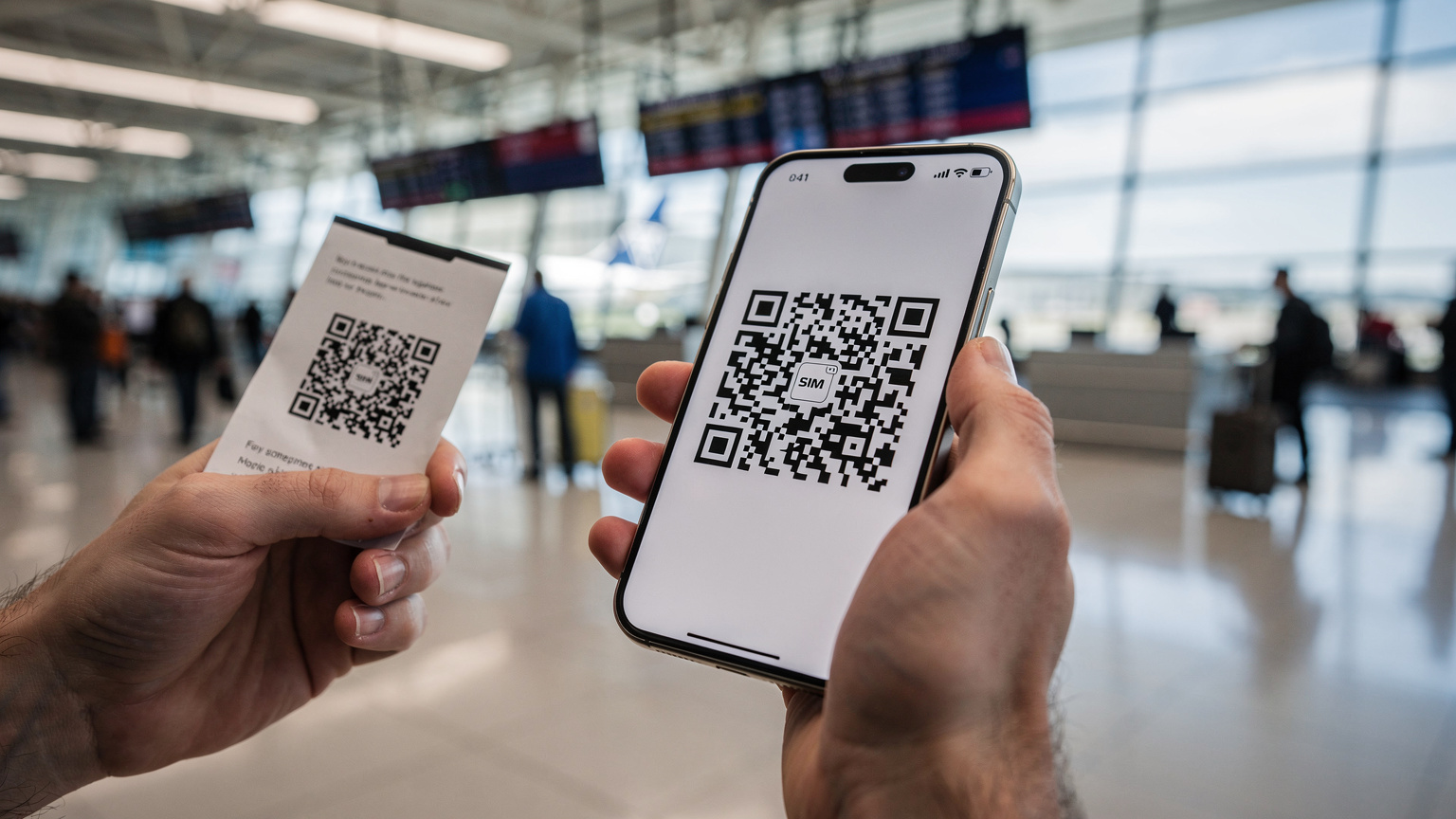
The beauty of eSIMs lies in their instant activation. You buy a plan online, get a QR code, scan it, and you're connected. No waiting, no queues, no language barriers. This is especially crucial when you're trying to quickly order a ride-share after a long flight with tired children, or when you need to confirm hotel details the moment you step off the plane. The flexibility extends to managing multiple plans, too. You can keep your home SIM active for calls and texts, while using an eSIM for local data, allowing for true dual-SIM functionality without compromise. This setup is perfect for managing emergency contacts back home while still getting fast, affordable local data.
Multi-Device Management and Data Sharing
Many modern phones and tablets, including recent iPads, support eSIMs. This means you can often buy a single, larger data plan and tether your kids' devices, or even a travel eSIM for your laptop, to your phone. Some eSIM providers also offer family plans or the ability to easily top up individual lines, giving you granular control over who uses how much data. This is essential when you have a 12-year-old who might accidentally try to download their entire Minecraft world update while you're trying to navigate. I find it’s much easier to set up a larger plan on my phone, then hotspot to the kids' tablets, and manage their screen time and data usage directly from my device.
The Case for Physical SIM Cards: Familiar but Fading
Physical SIM cards, those tiny plastic chips we've used for decades, are still very much a thing, especially if you have an older phone model. They're tangible, they're familiar, and you can often buy them in corner stores or vending machines, which can be reassuring in a foreign country. However, their advantages are rapidly diminishing, especially for the modern traveler.
Device Compatibility and the Legacy Dilemma
If you're still sporting an older iPhone (pre-iPhone XS) or an Android device from several generations back, a physical SIM might be your only option. Many budget phones also don't support eSIM technology yet. This can be a significant factor if you're traveling with a mix of old and new devices within your family, or if you prefer to use an older, less valuable phone as a travel burner. However, as new phones are released, eSIM-only models are becoming more common, and it's clear which way the industry is heading.
The Hassle Factor and Security Risks
Beyond the simple inconvenience of having to physically swap cards, there are security implications. A lost or stolen physical SIM can mean someone else has access to your phone number and potentially your accounts, whereas an eSIM is digitally tied to your device and can often be deactivated remotely. Plus, what do you do with your home SIM when you're abroad? I've heard too many stories of parents losing their home SIM, only to discover it halfway through their trip, leading to frantic searches and international calls to their carrier.
eSIM vs. Physical SIM, A Head-to-Head Comparison for Travelers
Let's get down to the brass tacks. For busy family travel planners, every detail matters. Here's a direct comparison of eSIMs and physical SIMs, looking at what truly impacts your trip.
| Feature | eSIM (Embedded SIM) | Physical SIM Card |
|---|---|---|
| Activation Speed | Instant, digital download via QR code or app. Activated before or upon arrival. | Requires purchase, registration (often in-person), and physical insertion. Can take hours. |
| Cost | Often more competitive for international data; pay-as-you-go or bundled plans. No roaming fees. | Varies wildly by country and local provider. Roaming with home carrier is usually expensive. |
| International Coverage | Excellent; easily switch between multiple country/regional plans from one provider (e.g., South America eSIM Guide). | Limited to one local provider at a time; requires new SIM for each country. |
| Security (Lost/Stolen) | Digitally embedded, harder to physically lose or steal. Can be remotely deactivated. | Physically removable, susceptible to loss or theft, easier for unauthorized use if stolen. |
| Dual-SIM Functionality | Seamlessly use home SIM (for calls/texts) + eSIM (for data) simultaneously. | Requires a dual-SIM tray, often only one physical SIM + one eSIM, or two physical SIMs. |
| Device Support | Newer smartphones, tablets, smartwatches (iPhone XS/XR and newer, most modern Android flagships, iPads with cellular). | All phones with a physical SIM tray (most older models, some budget phones). |
| Environmental Impact | Virtually zero plastic waste. | Plastic card production and disposal, packaging. |
When you look at this table, it's pretty clear that for most modern travelers, especially those with multiple devices, the eSIM is the way to go. The activation speed alone is a lifesaver when you're trying to get a hotel booked or an Uber called right after a long flight, before the kids melt down.
The Joy of Dual SIM, No More Missed Calls
One of the biggest advantages for me as a parent is the dual-SIM capability. I can keep my primary physical SIM from home active, so I don't miss important calls or texts from school or family, while using my Cellesim eSIM for all data abroad. This means no surprise roaming charges for data, and I can still be reached on my usual number. It's truly the best of both worlds, and eliminates that anxious feeling of being completely cut off from your home network.
Parental Controls and Screen Time Management with eSIMs
This is where my parental-planner heart truly sings. Managing kids' screen time and data usage abroad is a whole different ballgame. At home, you have Wi-Fi schedules and device limits. On the road, particularly if you're tethering or providing separate data for their devices, things can get murky. eSIMs offer a surprising level of control.
Dedicated Data for Kids' Devices, A Lifesaver
Instead of giving your child full access to your phone's hotspot, which can drain your battery and data, consider purchasing a smaller, dedicated eSIM plan for their Wi-Fi-only tablet (if it's eSIM compatible, like many newer iPads). This allows you to set clear data limits and even time-based restrictions directly through some eSIM provider apps or through your device's built-in parental controls like Apple's Screen Time or Google's Family Link. I find this invaluable for keeping my kids from binge-watching MrBeast and burning through our entire data allowance before we've even cleared customs.
Pre-Loading Apps and Offline Content Before You Fly
This is my golden rule of family travel. Before you even leave your home Wi-Fi, make sure every device is fully loaded. Download movies and shows on Netflix or Disney+, games that work offline (like Roblox if you've downloaded the necessary asset packs, or Minecraft worlds), and e-books or audiobooks. Crucially, download offline maps for your destination. Even with an eSIM, relying solely on live streaming and mapping can quickly eat through your data, especially if you have two kids watching different things on separate screens. Having everything pre-loaded ensures entertainment and navigation even if connectivity is spotty, or if you need to conserve data for more important things, like finding the nearest gelato shop.
Planning Data for the Whole Crew: Kids, Tablets, and All
This is where the rubber meets the road. How much data does a family actually need? It's more than you think, especially with two kids who consider a Wi-Fi signal a basic human right. My 10-year-old and 8-year-old can easily chew through 5-7GB each per week if left unchecked, just with their preferred streaming services and online games.
Estimating Your Family's Data Needs
Here's a rough guide, but remember, every family is different:
- Light usage (emails, maps, occasional social media): 1-2 GB per person per week.
- Moderate usage (light streaming, video calls, regular browsing): 3-5 GB per person per week.
- Heavy usage (multiple kids streaming Disney+, gaming, video calls): 7-10+ GB per person per week.
For a family of four, with two kids, I typically budget for 20-30GB for a two-week trip, spread across my main phone and occasional tethering to their devices. It sounds like a lot, but a couple of hours of YouTube Kids or TikTok can really add up. If you're heading to a specific country, checking out eSIM guides for destinations like Japan can give you a better idea of local data costs and plan sizes.
Multi-Line eSIM Plans and Hotspotting
Some eSIM providers offer the ability to manage multiple eSIM profiles on a single account, making it easier to top up or monitor usage for each family member. If this isn't available, I recommend a robust eSIM plan on one parent's phone, then utilizing its hotspot feature. Most modern smartphones allow you to set a data limit for the hotspot, which can be a fantastic way to control consumption on the kids' devices. Just remember, hotspotting can be a battery drain, so a good portable power bank is a must-have travel accessory. I always have a 20,000 mAh Anker power bank ready to go.
Connectivity in the Wild: Theme Parks and Cruise Ships
These are the places where connectivity can make or break a family trip. Theme parks are vast, crowded, and require constant use of apps for wait times, mobile ordering, and finding character meet-and-greets. Cruise ships are notorious for expensive and slow satellite Wi-Fi. This is where eSIMs really prove their worth.
Navigating Theme Parks with Ease
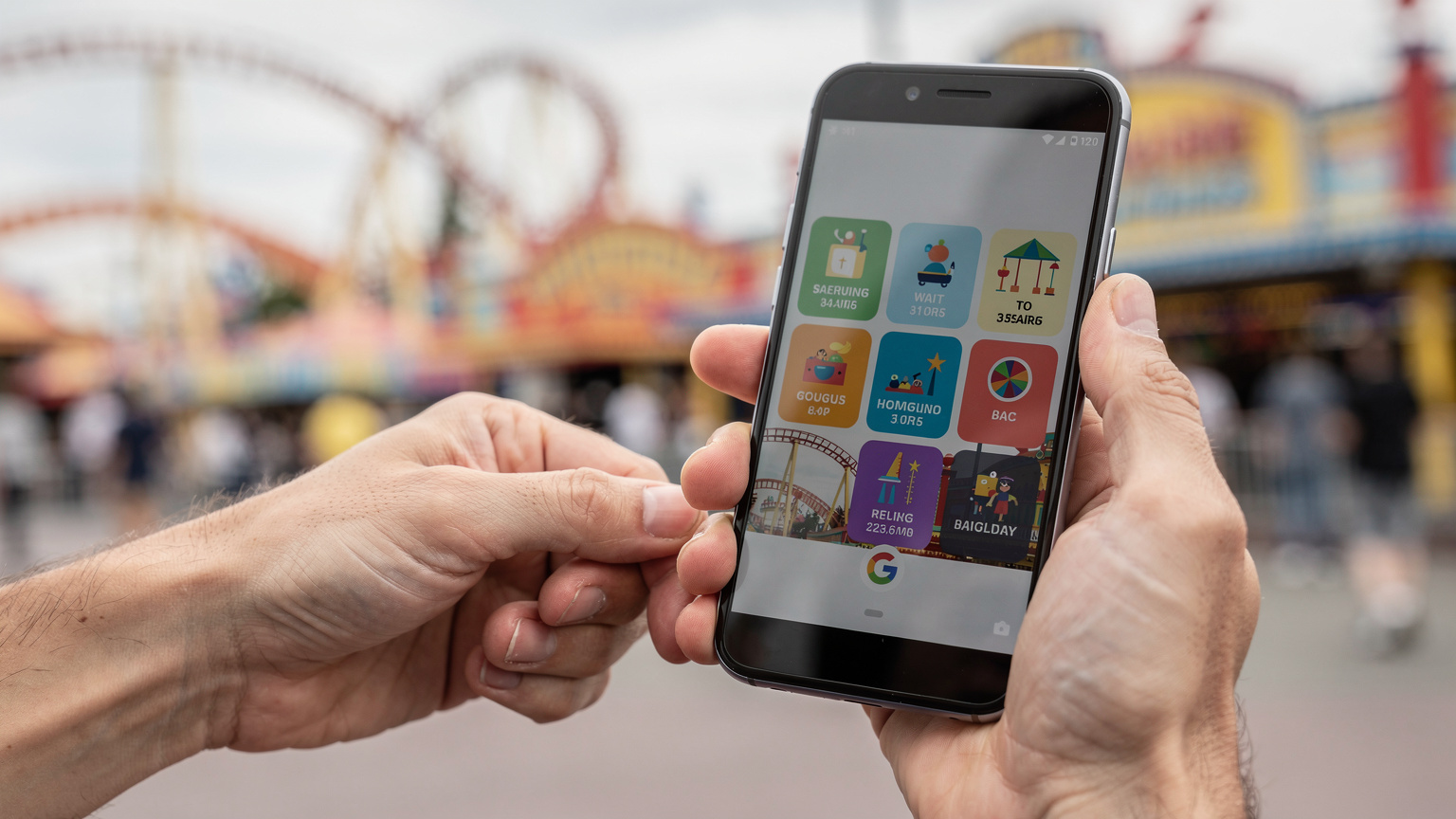
At places like Disneyland Paris or Universal Studios Orlando, you'll need constant data for their official apps, which provide real-time wait times, park maps, and mobile food ordering. Having a reliable eSIM means you're not constantly searching for spotty park Wi-Fi. Imagine trying to book a Lightning Lane pass for Space Mountain, only for your Wi-Fi to drop. It's a parent's nightmare. With an eSIM, you're usually connecting directly to local cellular towers, which generally offer better coverage than a crowded public Wi-Fi network.
eSIMs on the High Seas, A Cruise Ship Solution
Cruise ship Wi-Fi is notoriously expensive and often sluggish. While you're at sea, you'll likely rely on the ship's satellite connection. However, when your ship pulls into port, an eSIM can be a lifesaver. Instead of paying per-minute roaming or for expensive ship packages, you can activate a regional eSIM plan for the Caribbean, the Mediterranean, or whatever coastline you're exploring. This gives you high-speed data for navigation, local restaurant lookups, and quick check-ins with family while you're exploring ports like Barcelona or Cozumel, all without paying a fortune. Just remember to turn off data roaming on your home SIM before you leave international waters.
The eSIM Setup Process: Easier Than Assembling IKEA Furniture
I know, I know, anything new feels like a mental hurdle when you're already juggling so much. But truly, setting up an eSIM is incredibly straightforward. It's often quicker than getting a physical SIM registered and activated at an airport kiosk, especially if there's a language barrier.
A Step-by-Step Guide to eSIM Activation
Most eSIM providers, like Cellesim, make the process incredibly user-friendly:
- Purchase Your Plan: Visit the Cellesim website (or app) and select your destination and desired data plan. For instance, if you're planning a trip to Canada, you might look at a Canadian eSIM plan.
- Receive Your QR Code: After purchase, you'll receive an email with a QR code and detailed instructions.
- Scan the QR Code: Go to your phone's settings, find the "Add eSIM" or "Add Cellular Plan" option, and scan the QR code. Make sure you're connected to Wi-Fi during this step. If you're traveling with an iPhone, our guide on how to transfer an eSIM to a new iPhone might also be helpful for future upgrades.
- Configure Settings: Your phone will guide you through naming your new eSIM (e.g., "Italy Data" or "Kids' Tablet"), and choosing it for cellular data. Keep your home SIM active for calls if you wish.
- Activate: Most plans activate automatically upon arriving in the destination country, or at the time you specify.
That's it. No tiny pins, no paper forms, no waiting. Just smooth, digital connectivity. It's one less thing to worry about when you're trying to remember if you packed enough snacks for the flight.
Troubleshooting Common eSIM Issues
While eSIMs are generally smooth, sometimes a hiccup occurs. The most common issues are usually related to not having Wi-Fi during the initial setup, or forgetting to turn off data roaming on your primary SIM. If you run into any trouble, your eSIM provider's support (like Cellesim's FAQ) is usually just a chat message away, which is far easier than trying to explain your problem in a foreign language at a local phone store.
Making the Switch: Which is Right for Your Family?
For most families traveling in 2026, the eSIM is the clear winner. The sheer convenience of instant activation, the flexibility of managing multiple plans, and the ability to control data usage for various devices (including those hungry kids' tablets) makes it an invaluable tool. It minimizes stress, saves money on roaming, and frees up your mental energy for more important things, like finding the best churros in Buenos Aires, or navigating the crowds at Lollapalooza if you're my kind of parent.
If you have an older phone that doesn't support eSIMs, or if you're traveling to a very remote region where eSIM support might still be nascent, then a physical SIM might still be your only viable option. However, for the vast majority of international family trips, embracing the eSIM technology will make your journey significantly smoother and more enjoyable. It means less time worrying about connectivity, and more time making memories, even if those memories involve a little bit of screen time to keep the peace.
Happy travels, and may your data always be plentiful!
Frequently Asked Questions
Can I use an eSIM on my child's iPad?
Yes, many newer iPad models with cellular capability support eSIMs. This allows you to purchase a separate data plan for their device, which can be useful for managing their data usage and controlling screen time independently from your main phone's plan.
What if my children's devices are not eSIM compatible?
If your children's devices, like older iPads or game consoles, are not eSIM compatible, you can still provide them with internet access by using your eSIM-enabled smartphone as a mobile hotspot. Just be mindful of your data usage and battery life, and consider a larger data plan for your phone.
How much data should I buy for a family of four for a week-long trip?
For a family of four with two children, and assuming moderate use including maps, social media, and some streaming or online gaming, a total of 15-25 GB for a week is a good starting point. If your kids are heavy streamers, consider closer to 7-10 GB per child on top of adult usage.
Can I manage screen time on my kids' devices using an eSIM?
While the eSIM itself doesn't directly manage screen time, having a dedicated data plan for their device (or hotspotting with data limits) allows you to use your phone's parental control features (like Apple Screen Time or Google Family Link) more effectively. You can set time limits or restrict app usage, knowing they have a reliable data connection when allowed.
Is an eSIM safe if my phone gets lost or stolen abroad?
An eSIM is generally more secure than a physical SIM. Since it's embedded, it can't be physically removed and used in another device. In most cases, you can remotely deactivate your eSIM plan through your provider's portal if your phone is lost or stolen, preventing unauthorized data usage.
What's the benefit of dual-SIM with an eSIM for parents?
Dual-SIM functionality, often enabled by combining your home physical SIM with an international eSIM, means you can keep your primary phone number active for calls and texts (important for emergencies or family back home) while using the eSIM for affordable local data, avoiding expensive roaming charges and ensuring continuous connectivity.