
eSIM Explained: The Invisible SIM
For years, our phones relied on those tiny, removable plastic SIM cards. We'd pop them in, pull them out, and sometimes lose them behind a train seat in a foreign country. Or worse, we'd arrive at an airport only to find the local SIM kiosks had already closed. Honestly, it was a bit of a pain, especially for someone like me who's been traveling between countries for four years now. The eSIM changes all of that.
Think of an eSIM as a digital version of that plastic card, but it's permanently built into your smartphone, tablet, or smartwatch. You can't actually touch or remove it. Instead, it's a tiny, reprogrammable chip that lets you download and store several network profiles electronically. This means you can switch between different mobile carriers and data plans without ever swapping a physical card. It's a massive upgrade for anyone who remembers the queue for a local SIM at Narita Airport stretching to the heavens, as we covered in our Japan eSIM Guide 2026: Navigating Data Plans and Connectivity.
The idea isn't brand new. These embedded chips have been used for years in M2M (machine-to-machine) devices, powering everything from smart meters to connected cars. What's new is that major players like Apple, Samsung, and Google have pushed for their widespread adoption in consumer gadgets. For a business traveler, this means less friction and more productivity, especially when dealing with those new roaming complexities after Brexit.
The Evolution: From Physical to Embedded
To really get how cool an eSIM is, it helps to look back at its predecessor. A traditional SIM card, or Subscriber Identity Module, is essentially a small circuit board with a unique ID that tells a mobile network who you are. It's linked to your phone number and service plan. When you travel, your phone tries to connect to local networks through roaming agreements, which often leads to shockingly high charges. Remember when Vodafone used to charge €40 a day in some EU countries? That's exactly why we wrote Vodafone eSIM: The €40/Day Backpacker's Guide to Roaming in 2026.
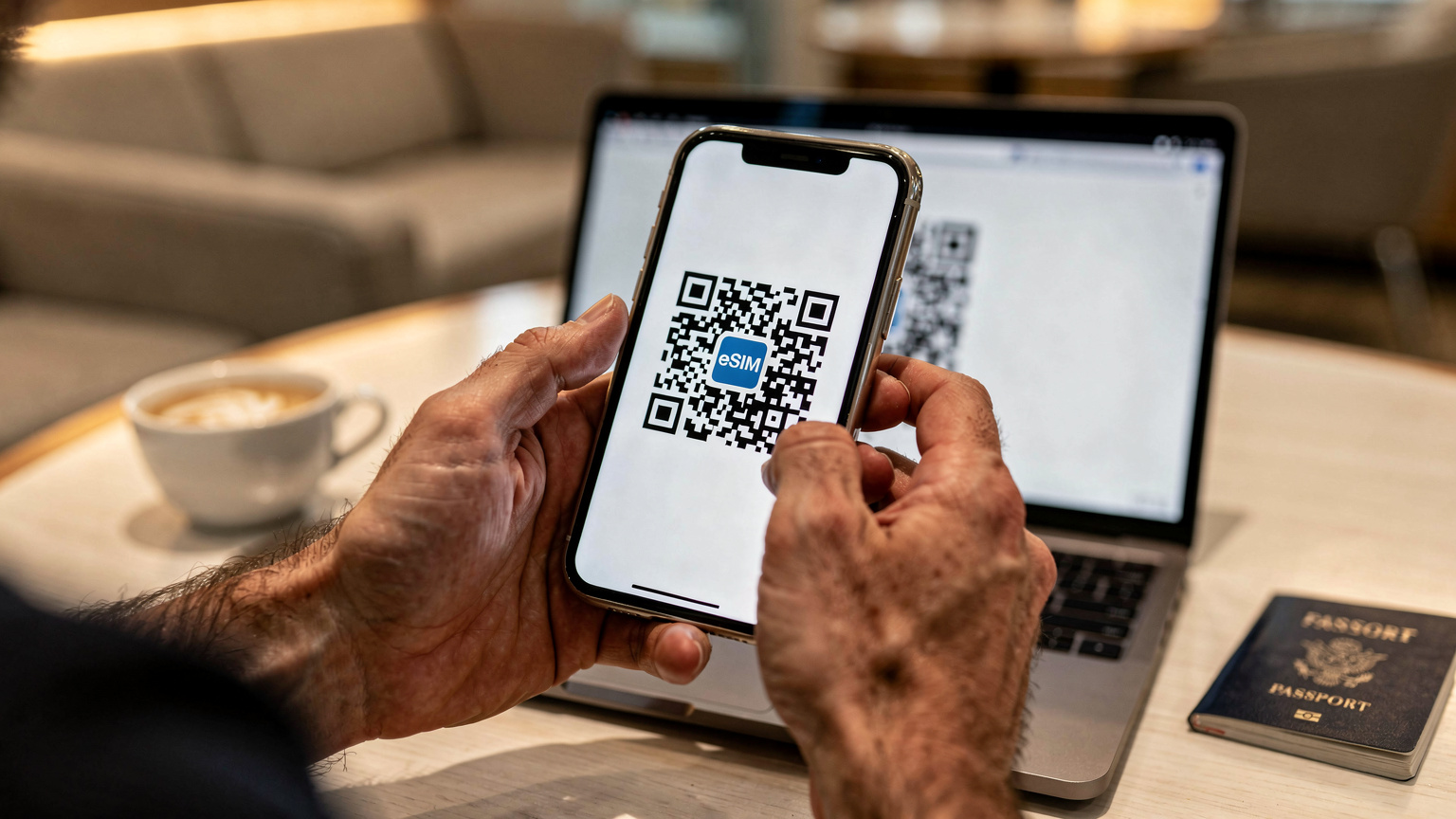
With an eSIM, that identifier and service plan are stored digitally. Instead of swapping a card, you get a QR code or an activation code, and your phone downloads the necessary profile directly onto the embedded chip. This profile contains all the information your phone needs to connect to a specific carrier's network, just like a physical SIM would. The big difference? You can store several profiles at once, keeping your home number active while using a local data plan.
Why Now? The Drivers Behind eSIM Adoption
There are several reasons eSIM technology is taking off. For phone manufacturers, it frees up precious internal space, letting them fit in bigger batteries, better cameras, or design sleeker devices. For mobile network operators, it simplifies activation and cuts down on the costs of making and distributing plastic SIMs. But for us, the users, the main benefits are convenience and saving money.
Think about landing in a new country. You're probably tired, maybe a bit disoriented, and the last thing you want to do is find a phone shop, struggle with language barriers, and fill out paperwork just to get online. An eSIM lets you handle all of that before you even leave home, or from the comfort of your airport lounge. It's about getting online instantly, which is non-negotiable when you need to order a Grab in Bangkok or check a visa detail at the last minute. This is especially true when some countries, like Brazil, have local banking apps that demand a local SIM for verification, which can be a real headache if you're not ready.
How an eSIM Actually Works: The Tech Under the Hood
At its heart, an eSIM uses something called Remote SIM Provisioning (RSP). This isn't some kind of magic; it's a standardized process set by the GSMA (the global association of mobile operators) that allows secure, over-the-air management of SIM profiles. Basically, your phone acts as a secure container for these digital profiles, and RSP is how you download, activate, and manage them.
When you buy an eSIM data plan, say for a trip to the USA, from a provider like Cellesim, you're not actually buying a physical product. You're buying access to a digital profile that Cellesim's network partners have made available. Then, your phone downloads this profile. It's kind of like downloading an app, but instead of software, you're downloading network credentials.
The Download and Activation Process
Here's how a typical eSIM activation usually goes:
- Purchase an eSIM plan: You pick a data plan from a provider like Cellesim, matching your destination and how much data you need.
- Receive activation details: You'll usually get an email with a QR code or instructions for manual activation.
- Scan the QR code: On your eSIM-compatible phone, go to Settings > Mobile Data > Add eSIM, and scan the QR code. Your phone then securely talks to the network provider's servers to download the profile.
- Install the profile: Your phone installs this profile onto its embedded SIM chip. This profile contains all the necessary security keys and network access information.
- Activate the plan: Finally, you select this new eSIM profile as your active data line. Sometimes, you'll need to enable data roaming on this specific line (even though it's a local plan, your phone might treat it as a 'roaming' connection if your home SIM is still primary).
This whole process takes just a few minutes, as long as you have an internet connection to download the profile. I've done this countless times, from the departure lounge at Heathrow before a flight to Bogotá, to a cafe in Shibuya trying to get online without getting hit by expensive roaming. It's way more efficient than hunting for a local SIM, especially when you just need data. For those quick trips to Europe, it means instant data as soon as you land, as we covered in Last-Minute Europe Trips: Savvy eSIM Setup for Instant Data in 2026.
What Makes It Secure?
Security is a common worry when you're dealing with digital credentials. The GSMA's RSP specifications make sure that eSIM profiles are downloaded and managed securely, using strong encryption and authentication protocols. Each eSIM profile is unique and linked to a specific subscription. It's designed to be just as secure, if not more so, than a physical SIM, which can easily be lost or stolen.
Your identity is protected, and your connection stays solid. It's good to remember that while your eSIM stores network profiles, it doesn't store your personal data in the way an old physical SIM might have (like old phone numbers). That's handled by your phone's operating system.
Why Travelers Are Ditching Physical SIMs for eSIMs
The reasons are pretty simple: convenience, cost, and flexibility. As a long-term nomad, I've seen firsthand what a huge difference this makes. No more landing in a new city and immediately having to search for a SIM card vendor, often trying to communicate in a language you barely understand. No more carrying a tiny SIM ejector tool and a Ziploc baggie for your home SIM.
No More Roaming Fees
This is the big one, especially for those of us from the UK where roaming charges have become crazy expensive after Brexit. Instead of paying EE or O2 £6-£10 a day to use your phone in Europe, an eSIM lets you buy a local data plan at local rates. This isn't just a small saving; it's often 90% cheaper. When you're traveling through multiple countries, those savings add up really fast. I used to set aside a significant amount for data, but now it's barely anything.
| Provider (UK) | Daily Roaming Fee (EU) | Estimated Monthly Cost |
|---|---|---|
| EE | £2.29 | £68.70 |
| Vodafone | £2.25 | £67.50 |
| O2 | £2.00 | £60.00 |
| Cellesim (Example EU Plan) | ~£0.50 (for 10GB/30 days at £15) | £15.00 |
This table really shows the huge difference. For a month-long trip, the savings are clear. It's why I'm always telling people in my nomad WhatsApp groups to check out eSIMs for anything more than a quick weekend trip.
Instant Connectivity, Anywhere
With an eSIM, you can buy a data plan before you even leave home and activate it as soon as your plane lands. No searching for Wi-Fi, no worrying about getting lost, and no desperately trying to load Google Maps offline. This is super valuable when you arrive in a new city at 3 AM and just need to call your Airbnb host or book a taxi without getting ripped off by airport Wi-Fi rates.
I remember landing in Medellín, Colombia, late one night. My pre-booked driver was nowhere to be found, and my phone was dead, along with my plans to find a local SIM. If I'd had an eSIM then, I could have been online immediately, contacted the driver, or just ordered an Uber. Instead, it was a stressful half-hour trying to find airport Wi-Fi that actually worked.
Keep Your Original Number
One of the best things about eSIMs is dual SIM functionality. Most modern phones let you have both your physical SIM (or another eSIM) and an eSIM active at the same time. This means you can keep your home number for calls and texts (even if you only receive them) while using your eSIM for all your data needs. This is critical for things like two-factor authentication from your bank or staying in touch with family without huge costs. I always keep my UK number active for bank verification codes, which is essential for managing money on the road.
Getting Started with eSIM: A Step-by-Step Guide
Setting up an eSIM is surprisingly easy. It might vary a little depending on your device, but the general process is pretty consistent. Here’s how I usually explain it to friends, especially for their first trip with Cellesim:
How to Install an eSIM on Your iPhone
- Buy your eSIM plan: Go to Cellesim's website, pick your destination (like USA eSIM), and choose a data package that fits your trip. You'll get an email with a QR code.
- Open Settings: On your iPhone, open the 'Settings' app.
- Navigate to Mobile Data: Tap on 'Mobile Data' (or 'Cellular' in some regions).
- Add eSIM: Tap 'Add eSIM'. You'll see options like 'Transfer from Nearby iPhone' or 'Use QR Code'. Choose 'Use QR Code'.
- Scan the QR code: Point your iPhone camera at the QR code from your Cellesim email. If you're installing it on the same phone you're using to view the QR code, you can often enter the details manually.
- Confirm and Label: Follow the on-screen instructions to confirm the installation. It's crucial to give your new eSIM a clear label, like 'France Data' or 'Work eSIM'. This makes it much simpler to manage later.
- Set Default Line: Choose which line you want for 'Default Voice Line' and 'Mobile Data'. For travel, you'll probably want your new eSIM for 'Mobile Data' and keep your home SIM for 'Default Voice Line' if you want to receive calls.
- Enable Data Roaming (if necessary): For some eSIMs, especially those for international use, you might need to enable 'Data Roaming' for that specific eSIM profile. This is true even if it's technically a local plan, as it tells your phone to use the data on that line when outside your home network. It can feel a bit counter-intuitive.
How to Install an eSIM on Your Android Device
- Purchase your eSIM plan: Just like with an iPhone, get your Cellesim plan and QR code.
- Open Settings: Go to the 'Settings' app on your Android phone.
- Navigate to Network & Internet: Tap on 'Network & Internet' or 'Connections' (the exact wording varies by manufacturer, like Samsung using 'Connections').
- Add Mobile Network: Look for 'SIM cards' or 'Mobile network' and then 'Add mobile network' or 'Add eSIM'.
- Scan the QR code: Select the option to 'Download a SIM instead' or 'Scan QR code'. Scan the QR code from Cellesim.
- Activate and Configure: Follow the prompts to activate the profile. You'll be asked to name the eSIM and set its preferences, such as which SIM to use for data, calls, and messages.
- Set Data Priority: Make sure your new eSIM is chosen for mobile data usage. Just like with iPhones, you might need to enable data roaming for the eSIM.
How to Install an eSIM on Your Android Device
- Purchase your eSIM plan: Just like with an iPhone, get your Cellesim plan and QR code.
- Open Settings: Go to the 'Settings' app on your Android phone.
- Navigate to Network & Internet: Tap on 'Network & Internet' or 'Connections' (the exact wording varies by manufacturer, like Samsung using 'Connections').
- Add Mobile Network: Look for 'SIM cards' or 'Mobile network' and then 'Add mobile network' or 'Add eSIM'.
- Scan the QR code: Select the option to 'Download a SIM instead' or 'Scan QR code'. Scan the QR code from Cellesim.
- Activate and Configure: Follow the prompts to activate the profile. You'll be asked to name the eSIM and set its preferences, such as which SIM to use for data, calls, and messages.
- Set Data Priority: Make sure your new eSIM is chosen for mobile data usage. Just like with iPhones, you might need to enable data roaming for the eSIM.
It really is that simple. I’ve done this on Pixels and Samsung Galaxies countless times. The only real issue I’ve ever run into is forgetting to enable data roaming, which leads to a frustrating few minutes of "why isn't this working?" before I remember.
eSIM Compatibility: Is Your Device Ready for 2026?
Not all phones support eSIMs, especially older models. However, most modern smartphones released in the last few years do. If you bought your phone new in 2020 or later, chances are good it's ready.
Popular eSIM Compatible Devices
- Apple: All iPhone models from iPhone XS/XR onwards (this includes SE 2nd & 3rd gen). A quick note: iPhones sold in the USA from iPhone 14 onwards are eSIM-only and don't have a physical SIM tray.
- Samsung: Galaxy S20 series and newer (S20, S21, S22, S23, S24), Galaxy Note 20 series, Galaxy Fold/Flip series.
- Google: Pixel 3 series and newer (Pixel 3, 3a, 4, 4a, 5, 6, 7, 8, Fold).
- Other Brands: Many newer flagship phones from Huawei, Motorola, Sony, and Oppo also support eSIM. If you're not sure, check your device's specifications or Cellesim's compatibility list.
It's always worth a quick check online for your specific model. Don't just assume. I've seen too many people buy an eSIM plan only to find their older phone doesn't support it. It's an easy mistake to avoid with a minute of research.
Checking Your Phone's eSIM Capability
The easiest way to check is to go into your phone's settings. Look for 'Mobile Data', 'Cellular', or 'Network & Internet'. If you see an option like 'Add eSIM', 'Add Data Plan', or 'Download a SIM', then your device is eSIM compatible. If you have an iPhone 14 or newer bought in the US, you definitely have eSIM support, since it's the only option.
For those still holding onto older devices, don't worry too much. Physical SIM cards aren't going away completely overnight, but eSIM is definitely the future. For a deeper look at the basic tech, check out What is a SIM Card? Your Guide to Mobile Connectivity.
Managing Multiple eSIMs on One Device: A Power User Feature
This is where eSIMs really shine for long-term travelers and digital nomads. Most eSIM-compatible phones can hold several eSIM profiles at once, usually between 5 and 10, depending on the phone's internal memory. While you can only have one or two active for data at any given time (depending on whether your phone supports dual SIM dual standby), the ability to store multiple profiles means you can pre-load eSIMs for future destinations.
For example, if I'm planning a month in Vietnam followed by two weeks in Thailand, I can buy both eSIMs before I leave, download them to my phone, and simply switch between them as I cross the border. No last-minute fumbling. It’s an absolute lifesaver, especially when you’re dealing with visa runs or hopping between countries on a tighter schedule. I often have my UK home SIM, a long-term data eSIM for whatever region I'm in (like Southeast Asia), and then a specific country eSIM for shorter trips.
Switching Between eSIM Profiles
Switching is as simple as going into your phone's mobile data settings and picking the profile you want to activate. You typically assign one for calls/texts and another for mobile data. This flexibility is incredibly valuable.
- Easy toggling: Just a few taps to swap data plans.
- Cost control: Activate a specific local plan when you need it, avoiding unexpected roaming charges.
- Backup plans: Store a backup eSIM for emergency data, or a different carrier if your primary one isn't working well.
The only thing to remember is to label your eSIMs clearly. I once had 'Travel SIM 1', 'Travel SIM 2', and 'Travel SIM 3' for a multi-country trip. Guess which one I activated for data in Portugal when I meant Spain? Yeah, that was a fun billing cycle to sort out.
The Real-World Benefits of eSIM: Data On the Go
Beyond the tech, what does this actually mean for you, the person trying to get from A to B without tearing their hair out? It means less stress, more connectivity, and much better value. It’s the difference between being online and being offline when you truly need it.
Staying Connected: Navigation and Emergencies
Imagine this: you've just landed in Rome, it's late, you're tired, and your pre-booked taxi is stuck in traffic. You need to pull up Google Maps, confirm your hotel address, or even call an emergency number. Having instant data via an eSIM means you're not left stranded. I've used eSIMs in countless situations, from navigating obscure alleyways in Kyoto to calling an emergency vet in Chiang Mai. That peace of mind is priceless. Families traveling to the USA especially benefit, as detailed in USA Travel with eSIM: The Savvy Parent's 2026 Guide to Family Connectivity.
Business Travel and Productivity
For business travelers, eSIMs are a godsend. No more relying on sketchy hotel Wi-Fi for video calls or waiting until you get back to the office to respond to urgent emails. You can maintain reliable connectivity wherever you are. Imagine needing to upload a large file before a client meeting in Berlin, or jumping on a last-minute conference call from a cafe in Paris. With an eSIM, you're always connected, always productive. The ability to easily switch between personal and business lines is also a huge plus, ensuring you keep client data separate and secure. For anyone who's ever had to expense a phone bill with a dozen different roaming charges, the simplicity of a single eSIM data package is a dream.
eSIM for Digital Nomads and Long-Term Travelers: My Personal Take
After four years on the road, living 1-3 months in each country, I've seen it all when it comes to mobile data. The eSIM isn't just convenient; it's a fundamental tool for digital nomads. It takes away a layer of logistical hassle that used to be a constant low-level stressor.
The Cost of Living Impact: Real Numbers
When you're trying to keep monthly expenses down, every saving counts. My average monthly rent in Lisbon's Cais do Sodré area, for a decent one-bedroom apartment, ran about €950. Factor in groceries, utilities, and a couple of meals out, and you're looking at €1,800-€2,200 a month. Saving €50-€100 on data by using an eSIM instead of relying on expensive home network roaming or overpriced local tourist SIMs makes a real difference. That's a few extra meals at Time Out Market, or a couple of extra co-working days at Impact Hub Lisbon.
Reliable Connectivity Where It Matters
I can't emphasize this enough: reliable internet is the backbone of digital nomad life. In Lisbon, I'd often work from The Mill, a cafe in Graça, or the aforementioned Second Home Lisboa. Both have excellent, stable Wi-Fi. But sometimes, you need to work from a park, or your Airbnb's Wi-Fi is patchy. That's when your eSIM data is crucial. It’s not just about browsing; it's about being able to upload a client deliverable, attend a Zoom call, or access cloud storage without interruption.
Also, certain apps or services in specific countries demand a local SIM. India, for example, requires an Aadhaar-linked mobile number for many government services and digital payments. While an eSIM can get you data, it might not always satisfy these specific local SIM requirements, so it's always worth checking before you arrive. This is a common problem my nomad friends and I talk about frequently.
Visa Limitations and eSIM Flexibility
Visa limitations are another reality of long-term travel. Many countries offer 30-day or 90-day tourist visas. This often means you're moving on before a local long-term SIM contract would even be worth it. An eSIM's flexibility, offering short-term data packages, fits perfectly with these travel patterns. You don't get tied into a contract, and you're not paying for data you won't use. This flexibility is why I generally recommend eSIMs over local SIMs for shorter stays, a topic we explore in South America: eSIM vs. Local SIM for Retirees, 2026 Savings.
Troubleshooting Common eSIM Issues and How to Fix Them
While eSIMs are generally reliable, you might occasionally hit a snag. It happens to everyone. Here are a few common issues and how to fix them, based on my own experiences and tips from the Cellesim support team (who I've definitely called more than once).
Data Not Working After Activation
This is the most frequent problem. Usually, it's one of two things:
- Data Roaming: For many international eSIM plans, even though you're using a local network, your phone considers it 'roaming' because it's not your home SIM. Go to your phone's 'Mobile Data' settings, select your eSIM, and make sure 'Data Roaming' is toggled ON.
- APN Settings: This is less common with good eSIM providers, but sometimes the Access Point Name (APN) settings aren't set up automatically. You might need to enter these manually, and your eSIM provider will give you the details if needed. (I've only had to do this once, with a very cheap provider in the Balkans, never with Cellesim).
- Network Selection: Make sure your phone is set to automatically select the network. If it's stuck on a specific local carrier, try switching it to 'Automatic'.
QR Code Not Scanning or Installation Failed
If the QR code isn't scanning:
- Good lighting: Make sure the QR code is well-lit and not blurry.
- Clean camera lens: A smudged camera lens can stop it from scanning properly.
- Manual entry: Most eSIM providers also give you manual details (SM-DP+ Address and Activation Code). Use these if the QR code isn't working.
If installation keeps failing, try restarting your phone. Sometimes a fresh reboot fixes underlying software issues. And if all else fails, contact Cellesim support. They're usually quick to respond and can often help troubleshoot remotely.
eSIM vs. Local SIM Card: Which is Better for You?
This is the classic question for travelers, and honestly, there's no single right answer for everyone. It really depends on how you travel, how long you're staying, and what you specifically need. I've used both extensively, and here's my practical breakdown.
| Feature | eSIM (e.g., Cellesim) | Local Physical SIM |
|---|---|---|
| Availability | Available pre-trip, instant activation upon arrival. | Requires finding a vendor on arrival, potential queues/language barriers. |
| Cost | Often competitive, especially for data-only. Avoids roaming. | Can be cheaper for very long stays or specific local call/text packages. |
| Convenience | High. No physical card, easy switching, dual SIM functionality. | Low. Physical swap, risk of losing home SIM, single network. |
| Number Retention | Can keep home number active for calls/texts, use eSIM for data. | Requires a dual-SIM phone to keep home number, or swap cards. |
| Activation | QR code scan, few minutes. | Physical installation, sometimes requires ID registration (e.g., in Turkey, India). |
| Flexibility | Store multiple profiles, switch countries easily. | Tied to one network, harder for multi-country trips. |
When to Choose an eSIM
From my perspective, an eSIM is the clear winner for:
When a Local SIM Might Still Be Better
There are still specific situations where a physical local SIM might be a better choice:
- Very long stays (6+ months): If you're truly settling in, a local plan might offer better long-term rates or specific bundles that an eSIM provider can't match. You might also need a local number for local services, rent contracts, or jobs.
- Specific local number requirements: As I mentioned, some local services, like certain bank apps in Brazil or government services in India, might insist on a locally registered physical SIM for verification. Always research this for your specific destination if you plan on opening bank accounts or using local digital services.
- Older, non-eSIM compatible phones: If your phone simply doesn't support eSIM, a local SIM is your only option.
Ultimately, for most international travelers in 2026, the eSIM is the better choice. It makes staying connected easier, saves money, and reduces stress, letting you focus on the actual travel instead of the hassle of getting online. It's a tool I wouldn't travel without anymore.
Frequently Asked Questions
Can I use my regular phone number with an eSIM?
Yes, absolutely. Most eSIM-compatible phones support dual SIM functionality, allowing you to keep your home physical SIM (or another eSIM) active for calls and texts while using a separate eSIM profile for your data needs. This is perfect for receiving important calls or 2FA codes from your bank without expensive roaming data.
Is an eSIM safe and secure to use for travel?
eSIMs are designed with robust security protocols, adhering to GSMA standards. The digital profiles are securely downloaded and encrypted, making them at least as secure as, if not more secure than, physical SIM cards. They protect your identity and data integrity during travel.
What happens if I accidentally delete my eSIM profile?
If you accidentally delete an eSIM profile, you will need to contact your eSIM provider to inquire about recovery or a replacement QR code. Reinstallation using the original QR code is not always possible, and policies vary by provider. Contact their support for assistance.
Do I need Wi-Fi to activate an eSIM?
Yes, you generally need an internet connection (either Wi-Fi or your existing mobile data) to download the eSIM profile to your device. Once the profile is downloaded and activated, you will then be able to use its mobile data connection independently. It's best to activate your eSIM before leaving home or while connected to airport Wi-Fi.
Can I get an eSIM for multiple countries?
Yes, many eSIM providers offer regional or global plans that cover multiple countries, often at a discounted rate compared to buying individual country eSIMs. Alternatively, you can purchase separate eSIMs for each country and store them on your device, activating them as you cross borders. Most phones can store 5-10 eSIM profiles simultaneously.
Are eSIMs more expensive than local physical SIM cards?
For short to medium-term travel, eSIMs are often comparable to, or even cheaper than, local physical SIM cards, especially when considering the convenience and avoidance of roaming fees. For very long stays (6+ months) or specific local call/text packages, a local physical SIM might sometimes offer slightly better value, but the trade-off is the hassle of acquiring and managing it.
See also: eSIM for Medellín