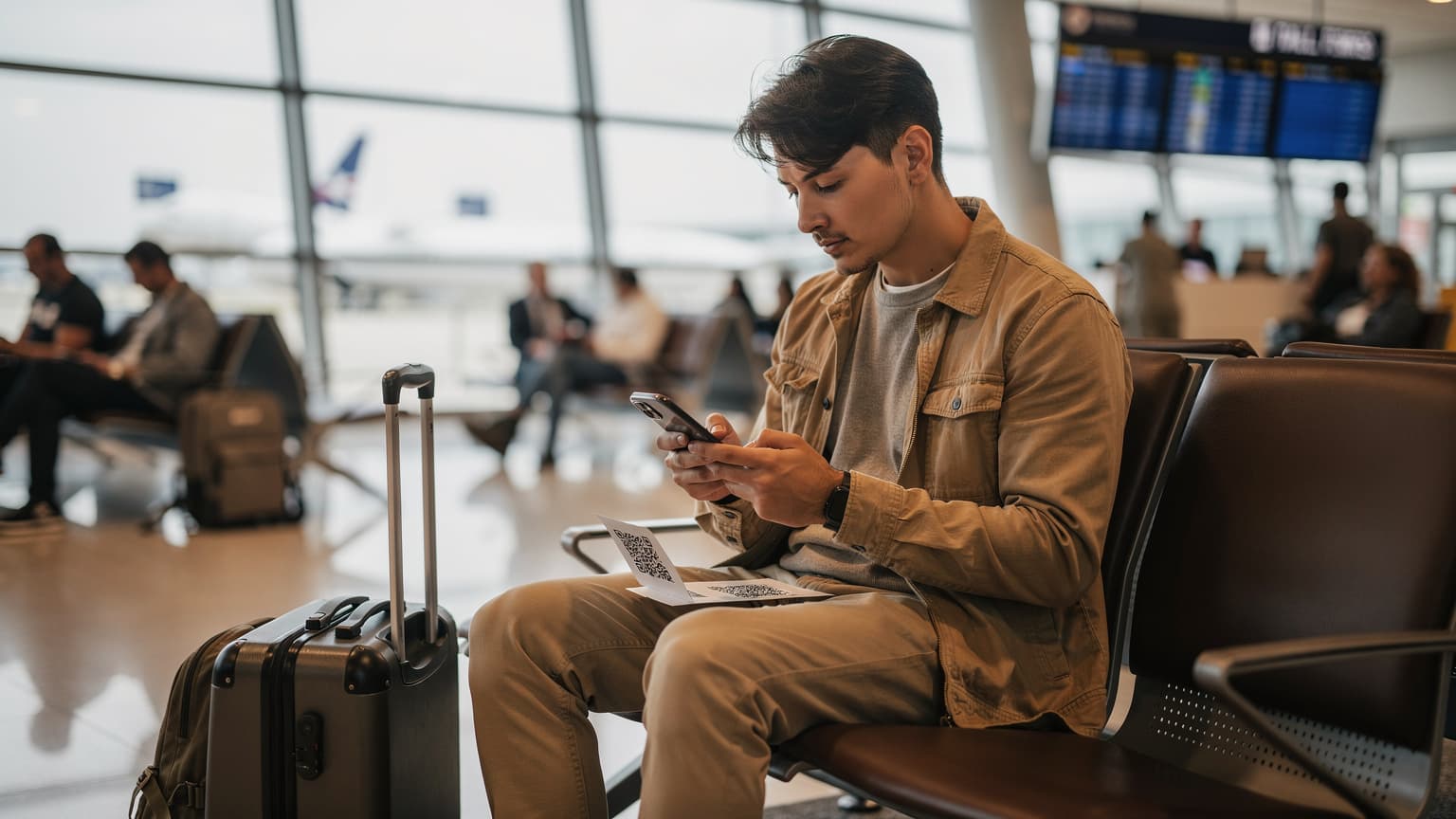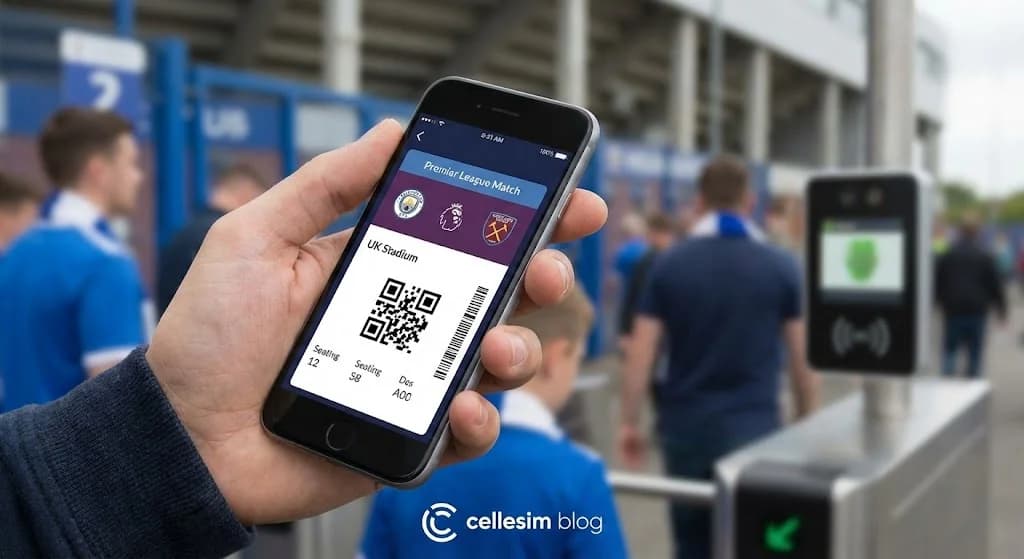
You’ve done it. You’ve secured a ticket to see a Premier League match in the UK. The roar of the crowd, the electric atmosphere, it’s a bucket-list experience for any sports fan. But then a small wave of anxiety hits as you stare at the email confirmation. It’s a mobile ticket. For international travelers, this introduces a host of questions: What app do I need? Will my phone work? What if I have no data? This guide is here to walk you through exactly how to use mobile tickets for UK football matches, ensuring your only focus on match day is the game itself. The key is preparation, and that starts with having a reliable UK eSIM data plan to avoid any connectivity nightmares from the moment you land.
- Pre-Match Preparation: What You'll Need for Mobile Ticketing
- Your Step-by-Step Guide to Using UK Mobile Football Tickets
- Essential Match Day Tips for Mobile Ticket Holders
- Understanding Mobile Network Coverage at UK Stadiums
- Estimating Your Data Needs for a UK Football Trip
- Optimal Activation Timing for Your UK eSIM
- Comparing Costs: eSIM vs. Traditional Roaming vs. Local SIM
- Troubleshooting Common Mobile Ticketing Issues
- Frequently Asked Questions
Heading to the UK for a Match?
Ensure seamless connectivity from kick-off to the final whistle with a Cellesim UK eSIM plan. Join 50,000+ happy customers in 200+ countries.
Get Your UK eSIM Now ⚡Pre-Match Preparation: What You'll Need for Mobile Ticketing
Successfully using mobile tickets for a UK football match hinges on thorough preparation before you even leave home. This foresight prevents last-minute stress and ensures a smooth entry into the stadium.
Your Smartphone & Compatibility
First, confirm your smartphone is eSIM compatible and running the latest operating system. Android and iOS devices typically support digital wallets like Apple Wallet or Google Pay, which are crucial for storing your tickets. Ensure your phone has sufficient battery life, as mobile tickets are your only entry pass.
Club-Specific Apps and Accounts
Most UK football clubs, especially in the Premier League, use their own dedicated apps or a specific ticketing partner app for mobile tickets. Before your trip, identify which app your club uses:
- **Download the App:** Search for the official club app (e.g., "Manchester United Official App" or "Liverpool FC Official App") or the designated ticketing app (e.g., Ticketmaster, AXS) in your device's app store.
- **Create an Account:** Register and log in using the email address associated with your ticket purchase. Verify your account if prompted. This step requires an internet connection.
- **Link Your Ticket:** Follow the app's instructions to link your mobile ticket. This often involves entering a booking reference or having the ticket automatically appear in your account.
Reliable Data Connectivity: The Cellesim Advantage
While mobile tickets, once added to your digital wallet, do not always require live data for scanning, you absolutely need internet access to download the app, log in, and securely add the ticket. Relying on patchy airport or stadium Wi-Fi can be risky. A Cellesim eSIM for the UK provides instant, high-speed data from the moment you land, giving you control over your connectivity and ensuring critical tasks like ticket management are never interrupted.
Identification and Payment Information
Carry the physical credit card used for the ticket purchase and a valid photo ID (passport or driving licence). While not always requested at the turnstiles, they are essential if you encounter any ticketing issues or need to visit the box office for assistance.
Your Step-by-Step Guide to Using UK Mobile Football Tickets
Navigating match day with mobile tickets is straightforward once you understand the process. Here’s a detailed guide:
- **Install Your Cellesim eSIM:** If you haven't already, install your UK eSIM. This takes minutes and ensures you have data for all subsequent steps. Refer to the complete eSIM setup guide if needed, or use the interactive setup guide.
- **Download the Club/Ticketing App:** Ensure the correct club or ticketing partner app is downloaded to your smartphone and you are logged in.
- **Locate Your Ticket:** Within the app, find your ticket. This might be under sections like "My Tickets," "Wallet," or "Upcoming Matches."
- **Add to Digital Wallet:** This is the most critical step for seamless entry. Look for an option to "Add to Apple Wallet" (iOS) or "Save to Phone" / "Add to Google Pay" (Android). This securely stores an encrypted version of your ticket on your device, accessible even without an internet connection.
- **Review Your Ticket:** Double-check the match details, seat number, and entry gate on your digital ticket.
- **Charge Your Phone:** Ensure your phone is fully charged before leaving for the stadium. Carry a portable power bank as a backup.
- **Head to the Turnstiles:** As you approach the stadium, open your digital wallet (Apple Wallet or Google Pay) and select your match ticket.
- **Scan for Entry:** Hold your phone near the reader at the turnstile. Most modern systems use NFC (Near Field Communication) or a quick scan of a dynamic QR code. The turnstile will typically beep and flash green to indicate successful entry.
Essential Match Day Tips for Mobile Ticket Holders
To enhance your match day experience and prevent any hiccups related to mobile ticketing, consider these practical tips:
- **Arrive Early:** Stadiums can be busy, and queues for turnstiles can build quickly. Arriving at least 60-90 minutes before kick-off allows ample time to navigate security, find your gate, and address any potential ticket issues without rushing.
- **Download Everything in Advance:** Use your Cellesim data to download not just your ticket, but also any stadium maps, public transport apps, or essential information while you have a strong connection.
- **Keep Your Screen Bright:** When at the turnstile, ensure your phone screen brightness is set to maximum. This makes it easier for scanners to read QR codes, especially in varying light conditions.
- **Disable Unnecessary Notifications:** To prevent accidental swipes or distractions while scanning your ticket, consider putting your phone on 'Do Not Disturb' or 'Focus' mode momentarily.
- **Identify Your Gate:** Your ticket will specify an entry gate. Familiarize yourself with the stadium layout beforehand to avoid walking to the wrong side of the ground.
- **Be Ready to Show ID:** As mentioned, always have a valid photo ID on hand, especially for age-restricted areas or if there are any discrepancies with your ticket.
- **Screenshot of Confirmation Email (as backup):** While not for entry, a screenshot of your *booking confirmation email* (with your booking reference) can be useful for box office staff if you have a technical issue with your digital ticket. Do not confuse this with a screenshot of the actual ticket barcode, which is not valid.
Understanding Mobile Network Coverage at UK Stadiums
Connectivity is key for a seamless mobile ticketing experience, and it's vital to understand what to expect from UK mobile networks, especially around large venues.
Major UK Network Operators
The UK has four primary mobile network operators (MNOs): EE, Vodafone, O2, and Three. Cellesim partners with leading local networks to ensure robust coverage across the UK, offering reliable 4G and increasingly 5G services in urban areas and major stadiums.
Stadium-Specific Challenges
While network coverage is generally strong across the UK, stadiums present unique challenges:
- **Congestion:** On match days, tens of thousands of people gather in a concentrated area, all attempting to use their mobile devices. This can lead to network congestion, resulting in slower speeds or intermittent connectivity for both mobile data and calls.
- **In-Stadium Wi-Fi:** Many modern stadiums offer Wi-Fi, but like public Wi-Fi in other crowded spaces, it can be overwhelmed on busy days. It's often best for light browsing rather than critical tasks like downloading large files or managing tickets at the last minute.
- **Signal Penetration:** Older stadium structures or certain seating areas might have weaker mobile signals due to building materials or architectural design.
An eSIM ensures you have a dedicated data connection, less susceptible to the general public Wi-Fi load. For up-to-date information on network performance, you can check independent reports from organisations like OpenSignal.
Explore UK eSIM Plans
Estimating Your Data Needs for a UK Football Trip
Understanding how much data you will need for your UK football trip is crucial for selecting the right eSIM plan. While the match itself may not consume much data (especially if tickets are downloaded), your overall travel activities will.
Typical Data Usage Scenarios:
- **Navigation (Google Maps, Citymapper):** 5-10 MB per hour. Essential for getting to and from the stadium, and exploring the city.
- **Social Media (browsing/posting):** 50-100 MB per hour. Sharing your match day experience with friends and family.
- **Messaging (WhatsApp, iMessage):** Minimal data (1-5 MB per hour) for text, more for photos/videos. You can even keep your WhatsApp number with an eSIM.
- **Browsing (news, club websites):** 20-50 MB per hour. Checking pre-match stats or post-match reactions.
- **Streaming Music/Podcasts:** 50-100 MB per hour (standard quality). For entertainment on your journey.
- **Video Streaming (YouTube, TikTok):** 300-700 MB per hour (standard quality). Be mindful, as this consumes data quickly.
- **App Downloads/Updates:** Can vary significantly, 50 MB to several GBs. Critical for ticketing apps.
Cellesim Data Plan Recommendations:
For a typical football trip spanning 3-7 days, with general browsing, navigation, social media, and ensuring you can manage your mobile tickets:
- **Light User (essential navigation & messaging):** 1-3 GB
- **Moderate User (includes social media, light streaming):** 5-10 GB
- **Heavy User (frequent streaming, tethering, extensive use):** 15-20+ GB
You can use the Cellesim Smart Data Calculator to get a more precise estimate based on your planned activities. Always consider getting a plan with a bit more data than you anticipate needing to avoid running out during crucial moments like navigating to the stadium.
Optimal Activation Timing for Your UK eSIM
Knowing when to activate your Cellesim UK eSIM can maximise its benefits and ensure you're connected precisely when you need it.
Before You Depart
You can purchase and install your Cellesim eSIM before you even leave home. This is generally recommended:
- **Stress-Free Setup:** Install the eSIM in a familiar environment with a stable Wi-Fi connection. This eliminates the pressure of dealing with it upon arrival after a long flight.
- **Immediate Connectivity:** Your data plan will typically activate once it connects to a supported local network. By installing it pre-departure, you can simply switch it on as soon as your plane lands in the UK. This means immediate access to maps, messaging, and ticket apps without searching for airport Wi-Fi.
Upon Arrival in the UK
If you prefer to wait, activate your eSIM once you've landed in the UK. You will need a Wi-Fi connection (like airport Wi-Fi) to complete the installation if you haven't already. Once installed, ensure your Cellesim line is enabled for mobile data and data roaming is turned on for that specific line. This ensures your mobile ticket app will function correctly for initial login and wallet integration.
Comparing Costs: eSIM vs. Traditional Roaming vs. Local SIM
When traveling to the UK for a football match, your connectivity choice significantly impacts both convenience and cost. Here’s a comparison:
| Option | Typical Cost (7 days, 5-10GB) | Setup Effort | Network Speed | Convenience |
|---|---|---|---|---|
| Cellesim eSIM | From ~$7.00 - $15.00 | Instant (Online) | Full 4G/5G Local | High (Digital, pre-arrival setup) |
| Carrier Roaming | $50.00 - $100.00+ | Automatic | Throttled/Variable | Moderate (Expensive, no setup) |
| Local Physical SIM | $15.00 - $30.00 | Store visit, ID needed | Full 4G/5G Local | Low (Time-consuming on arrival) |
"For international football fans, a Cellesim eSIM is not just about data; it's about peace of mind. Knowing your ticket app will work as soon as you land is invaluable."
Cellesim offers a cost-effective and convenient solution, avoiding the high prices of international roaming and the hassle of finding a local SIM card shop upon arrival at busy airports like Heathrow or Paris CDG if you're connecting. You can calculate your potential roaming savings using the Cellesim Roaming Savings Calculator.
Troubleshooting Common Mobile Ticketing Issues
Even with the best preparation, unexpected issues can arise. Here's how to troubleshoot common mobile ticketing problems:
- **Phone Battery Dies:** This is the most critical issue. Always carry a fully charged power bank. If your phone dies, immediately go to the stadium's box office or a designated "ticket help" window. With your photo ID and booking confirmation, they can usually issue a physical replacement ticket.
- **No Internet Connection:** If you forgot to add your ticket to your digital wallet and lack data, try connecting to stadium Wi-Fi (if available) to load the app. If Wi-Fi is poor, seek out stadium staff who might have alternative solutions or direct you to a guest services desk. A Cellesim eSIM mitigates this risk by providing reliable data.
- **QR Code Not Scanning:** Ensure your screen brightness is maxed out and there's no glare on the screen. Try rotating your phone. If it still fails, the scanner might be faulty; ask a steward to direct you to an alternative turnstile or a manned gate.
- **Ticket Not Appearing in App/Wallet:** First, check you're logged into the correct account (the one used for purchase). Close and reopen the app. If still missing, verify your email confirmation for a direct link to the ticket or a booking reference to manually add it. Contact the club's ticketing helpline (often listed on their website) if the issue persists, but do this well before match day if possible.
- **Incorrect Date/Time on Ticket:** Double-check the match details against official club schedules. Sometimes, fixture changes occur, and an updated ticket might be issued. If your ticket information is genuinely incorrect, contact the club's ticketing department immediately.
- **Screenshot Denied:** As mentioned, do not rely on screenshots. If you present one and are denied, open your digital wallet or the official app to show the live ticket.
Ready for Seamless Connectivity on Your UK Football Trip?
Join 50,000+ travelers in 200+ countries. Set up your Cellesim eSIM in 2 minutes for instant, reliable data.
Start Your Connected JourneyTrusted by travelers worldwide. 24/7 Support: [email protected]
Frequently Asked Questions About Mobile Football Tickets in the UK
Do I need an internet connection to use my mobile football ticket at the stadium?
Once you have added your mobile ticket to your phone's Apple Wallet or Google Pay, you do not need an active internet connection to scan it at the stadium gates. The ticket is stored locally on your device. However, you will need internet access to download the club's app, log in, and add the ticket to your wallet initially. A Cellesim eSIM ensures you have this crucial connectivity.
What if my phone battery dies before I enter the stadium?
If your phone battery dies, your ticket is inaccessible. It is highly recommended to carry a fully charged portable power bank. If that's not an option, go to the stadium's box office or a ticket support window with your ID and booking confirmation. They can usually verify your purchase and issue a physical replacement ticket.
Can I use a Cellesim eSIM to download my football tickets in the UK?
Yes, absolutely. A Cellesim eSIM provides reliable mobile data from the moment you land, allowing you to download the required club or ticketing app, log in, and add your tickets to your phone's wallet without relying on potentially congested public Wi-Fi or incurring expensive roaming charges. This is especially useful for international travelers.
Are UK football stadiums typically equipped with Wi-Fi?
Many UK football stadiums offer Wi-Fi, but connectivity can be unreliable on match days due to the sheer number of people attempting to connect simultaneously. For critical tasks like downloading tickets or maps, a personal eSIM data connection is significantly more dependable than public Wi-Fi.
Why can't I just use a screenshot of my mobile ticket?
Screenshots of mobile tickets are generally not accepted because many modern ticketing systems use dynamic QR codes that change frequently or are linked to your phone's NFC chip for enhanced security. Using a screenshot will likely result in denial of entry due to fraud prevention measures. Always use the official app or your phone's digital wallet for actual entry.
What if I only have one phone to scan the eSIM QR code?
If you only have one phone, you have a few options for eSIM installation. You can access the QR code on another device (like a tablet or computer) to scan it, manually enter the details provided by Cellesim, or use the direct installation method via an activation link. Cellesim provides clear instructions for all scenarios, and you can refer to our single-phone eSIM installation guide for detailed steps.